Download Audible Books: 5 Routes for Phones, Computers, and Players

Summary: Audible downloads fall into three outcomes: app-managed offline copies, authorized AAX files, and portable local files. This guide compares official, free, and desktop routes, then explains membership access, formats, transfer steps, troubleshooting, and reader fit.
Table of Contents
If you searched “download Audible books,” the real decision is not which button to press. It is whether you need an app-managed offline copy, a computer AAX file, or a portable MP3 or M4B file for another player.
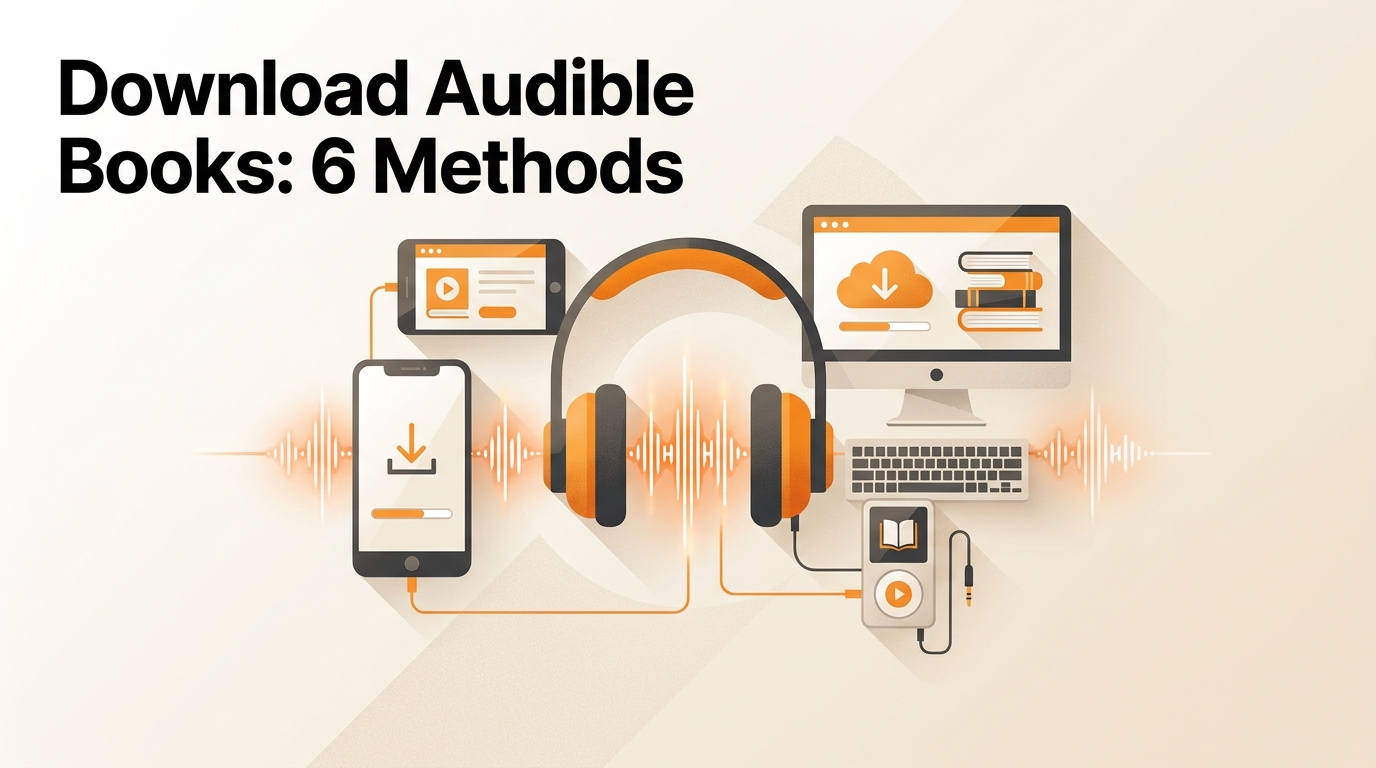
So, can you download Audible books? Yes. This guide separates each Audible download outcome, covers legitimate no-cost listening, explains access after membership changes, and shows where desktop tools fit. My rule is simple: choose the file outcome first, then choose the method.
Audible Download Options at a Glance
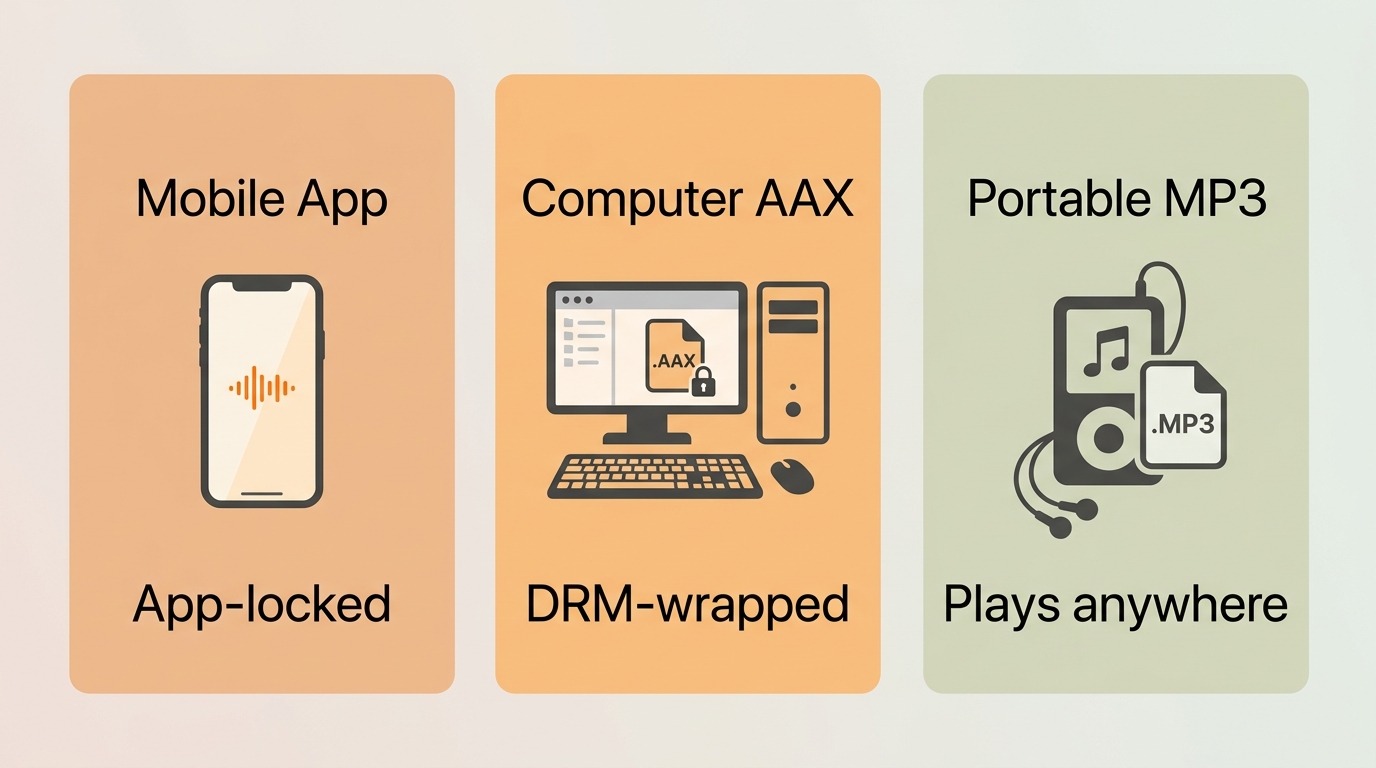
There are three practical download outcomes: an official mobile copy, an AAX computer file, or a portable local file. They solve different problems, even when each route starts from the same Audible library.
- Mobile app offline copy: Best for Audible offline listening on iPhone or Android. The title stays managed inside the Audible app and is not exposed as a normal audio file.
- Computer AAX file: Best when an eligible title offers a web-library Download control or when AudibleSync fits a Windows workflow. Playback remains tied to authorized Audible-compatible software.
- Portable MP3 or M4B file: Best for an Audible local backup, a desktop library, or a compatible watch and player. It requires a separate authorized local-file workflow.
I see most mistakes happen when readers treat “download” as one result. Decide whether you want offline access inside Audible or a file you can organize outside the app before comparing tools.
Official Offline Copies vs Portable Files
An official offline copy prioritizes convenient playback inside Audible. A portable file prioritizes library control and player compatibility, but it adds setup and format decisions.
- File visibility: App downloads are managed by Audible; computer AAX downloads are visible but authorization-dependent; portable files are ordinary local files.
- Device fit: App copies fit phones and supported Audible devices. Portable files fit players that accept the chosen audio format.
- Main limitation: Official routes restrict playback scope, while local-file routes require more deliberate account, storage, and metadata management.
For content you’re authorized to access, where permitted by platform terms and applicable law, use local-file workflows within personal-copying permissions. A direct source download route also requires an active Audible subscription. That boundary matters more than the file extension.
Official Downloads on Phones and Computers
Official downloads cover Audible books on iPhone and Audible books on Android through the app, while an Audible download to PC may use an available web control or AudibleSync on Windows.
Before you start: Use the official app or Audible website, sign in to the account that owns or currently includes the title, confirm free storage, and connect to a stable network.
iPhone and Android Offline Downloads
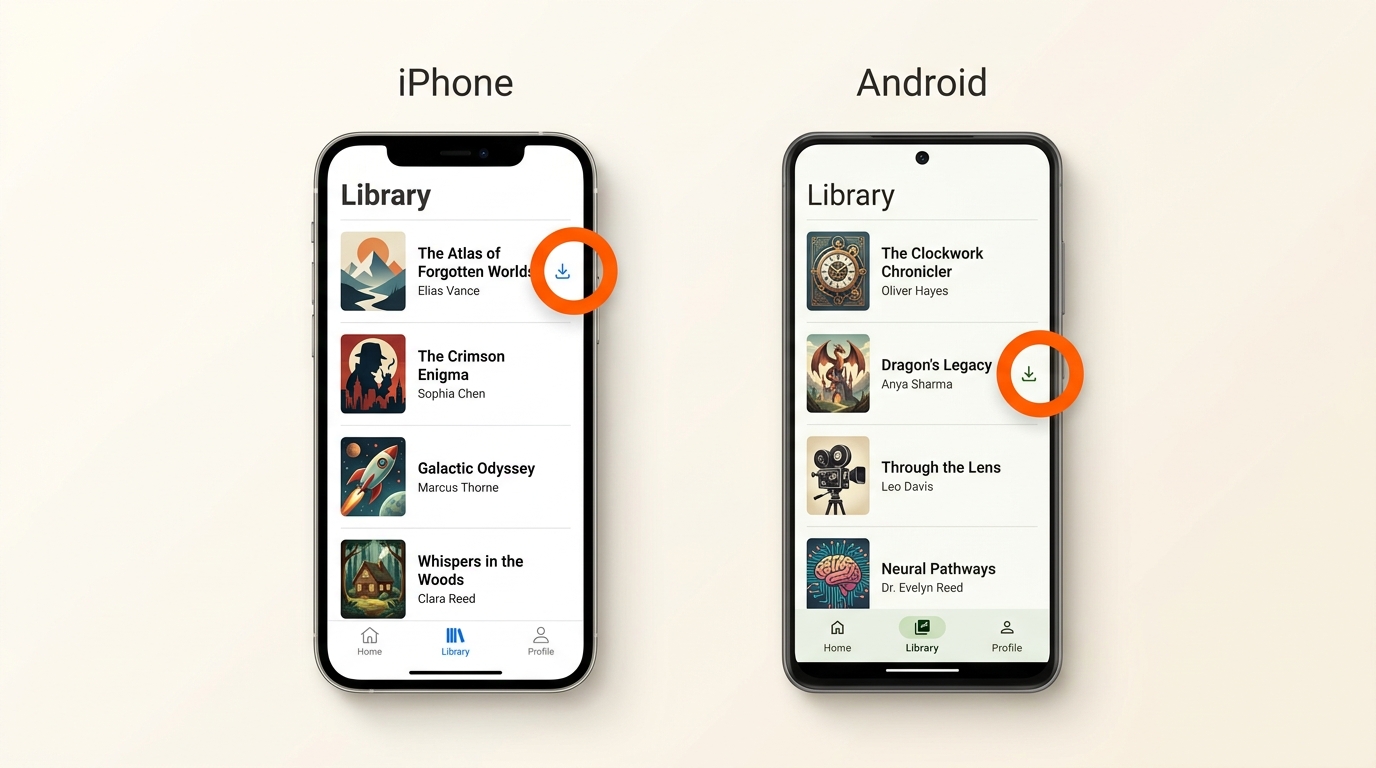
Downloading Audible books on iPhone and downloading Audible books on Android follow the same library-to-download pattern. The result is an app-managed offline copy, not an exportable MP3 or M4B file.
- Install or update the Audible app from Apple’s App Store or Google Play.
- Sign in with the Amazon or Audible account linked to the title.
- Open Library, find the audiobook, and tap its cover or download icon.
- Wait for the downloaded indicator before switching to airplane mode or leaving the network.
Both platforms let the app manage storage and playback. Android may expose more device-storage controls depending on the phone, but neither route should be treated as a normal file transfer to a computer. For quick listening, this is the route I would choose before adding desktop software.
Computer AAX Downloads
For an Audible download to a PC or Mac, check the web library for a download control on the eligible title. When available, the result is an AAX file intended for authorized playback.
- Open Audible in a browser and sign in.
- Go to the library and locate the audiobook.
- If the title shows Download, select it and save the AAX file to a known folder.
- Open the file with software that supports the Audible authorization workflow.
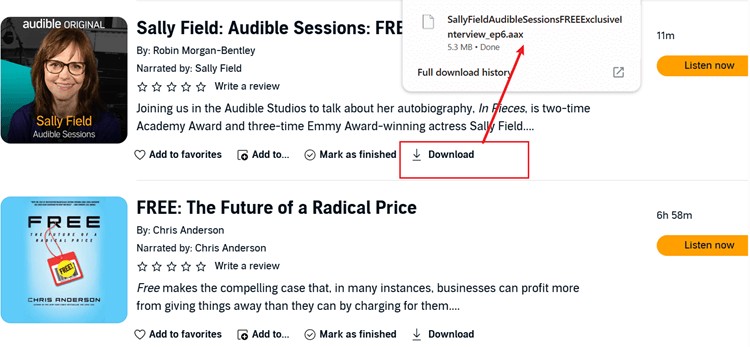
The browser route is simpler than another desktop utility when you need a small number of AAX files and the download control is present. It is less useful when your real goal is a portable player format.
AudibleSync and the Discontinued Windows App
Audible’s legacy Windows app is discontinued. AudibleSync is a separate Windows downloader, so the two should not be described as the same product or as having identical support status.
- Install AudibleSync from Audible’s current Windows download channel.
- Sign in and allow the library to populate.
- Select an eligible title and use the available download control.
- Confirm that the title opens in the intended authorized playback setup before moving or archiving the file.
AudibleSync can suit a Windows-centered AAX library, but it does not solve portable-format needs. If the browser already offers the file you need, I would avoid adding another utility merely to repeat the same outcome.
Free and Legal Audible Listening Options
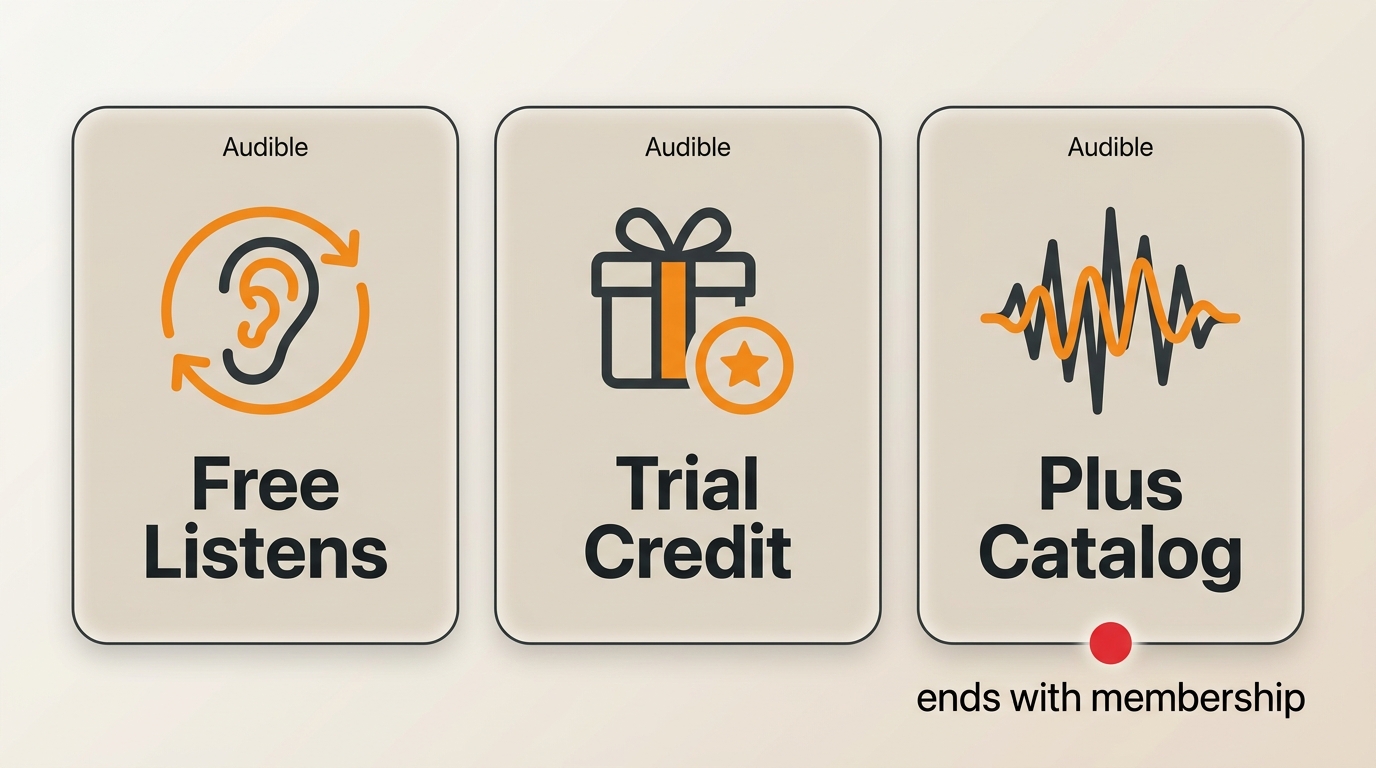
Readers who want to download Audible books for free should separate free listening from file ownership. Legitimate Audible free downloads and no-cost alternatives each come with a specific access model.
Audible Free Listens, Trials, and Plus
Audible Free Listens, an eligible Audible trial, and Audible Plus access can reduce cost, but they do not create the same rights or file outcome as a purchased title.
- Free Listens: No-cost Audible content offered under its current listening terms; availability can rotate.
- Trial credits: A trial may include a credit or catalog access under the offer shown to the account.
- Plus catalog: Included titles remain tied to eligible catalog access and can leave the catalog.
- Prime Audible access: Prime and Audible are separate benefit structures, so do not assume Prime opens the full Audible catalog.
These routes are useful when the goal is listening rather than building a portable library. Treat the offer label as an access type, not as proof that an exportable audio file is included.
Library Loans and Public-Domain Audiobooks
Library loans and public-domain audiobooks are the strongest no-cost alternatives when Audible is not required. The tradeoff is either a waitlist, a temporary loan, or a different catalog.
- Library apps: Borrow titles with a library card, then use the app-managed listening period set by the lending service.
- Public-domain catalogs: Download or stream eligible works in the formats provided by the archive.
- Open-source tools: Software such as Libation can be free to install, but that does not make Audible content free; authorized account access is still required.
For cost-sensitive listeners, a library waitlist is often a fair trade for legitimate access. Once the catalog or timing becomes the obstacle, the next question is what remains available when the membership or loan changes.
What You Keep After Membership Changes
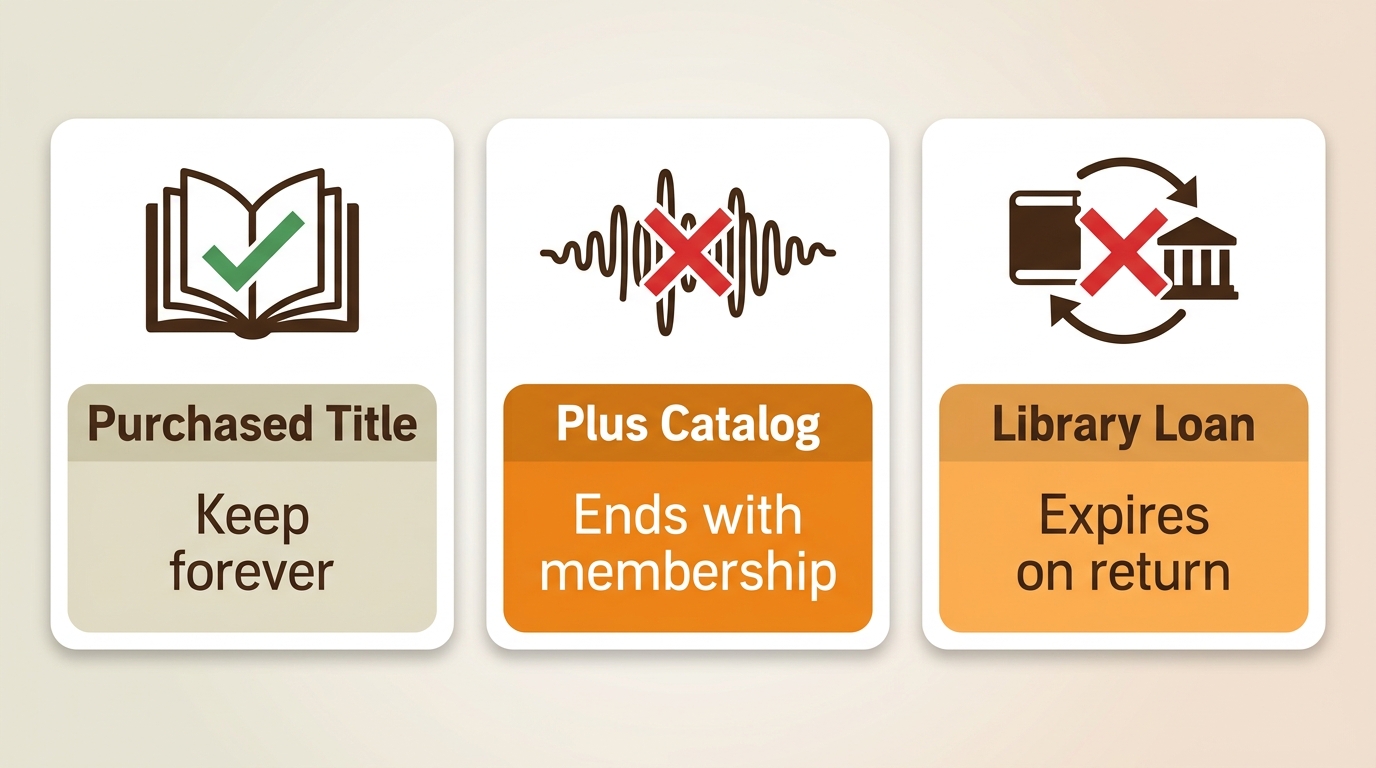
Audible access after cancellation depends on acquisition type. Purchased titles, Plus-catalog access, temporary loans, and an authorized Audible local backup do not follow one universal rule.
Purchased Titles, Plus Access, and Loans
A purchased Audible title is tied to the account purchase, while Audible Plus access and library loans depend on continuing eligibility. The Download button alone does not reveal that distinction.
- Purchased titles: Ending a membership does not automatically convert a purchase into a catalog loan; account access remains important.
- Plus titles: Access can end when membership eligibility ends or when the title leaves the included catalog.
- Temporary loans: Playback follows the lending period and the library app’s return rules.
My practical takeaway is that acquisition type matters more than download status. A green downloaded indicator proves local availability at that moment, not identical rights across purchases, catalog titles, and loans.
Account Recovery and Local Backups
Audible account recovery should be part of any backup plan because purchases and official downloads remain connected to the account identity used to obtain them.
- Confirm the marketplace and Amazon account associated with the missing title.
- Check the purchase history and library from a browser before changing local files.
- Update recovery email, phone, and sign-in methods while the account is accessible.
- Keep purchase receipts and organize any authorized local backup with clear title and author metadata.
I would fix account recovery before experimenting with conversion or transfer. A well-labeled backup helps library management, but it is not a substitute for maintaining access to the source account and its purchase history.
Portable MP3 and M4B Workflows
A portable workflow can move authorized Audible books to MP3 or M4B for compatible players. The right Audible downloader depends on operating system, library size, format needs, and comfort with setup.
Before connecting a desktop tool, use content you are authorized to access under an active Audible subscription, within personal-copying permissions where platform terms and applicable law permit. Do not share downloaded files or use them for commercial distribution.
MusicFab for Managed Desktop Libraries
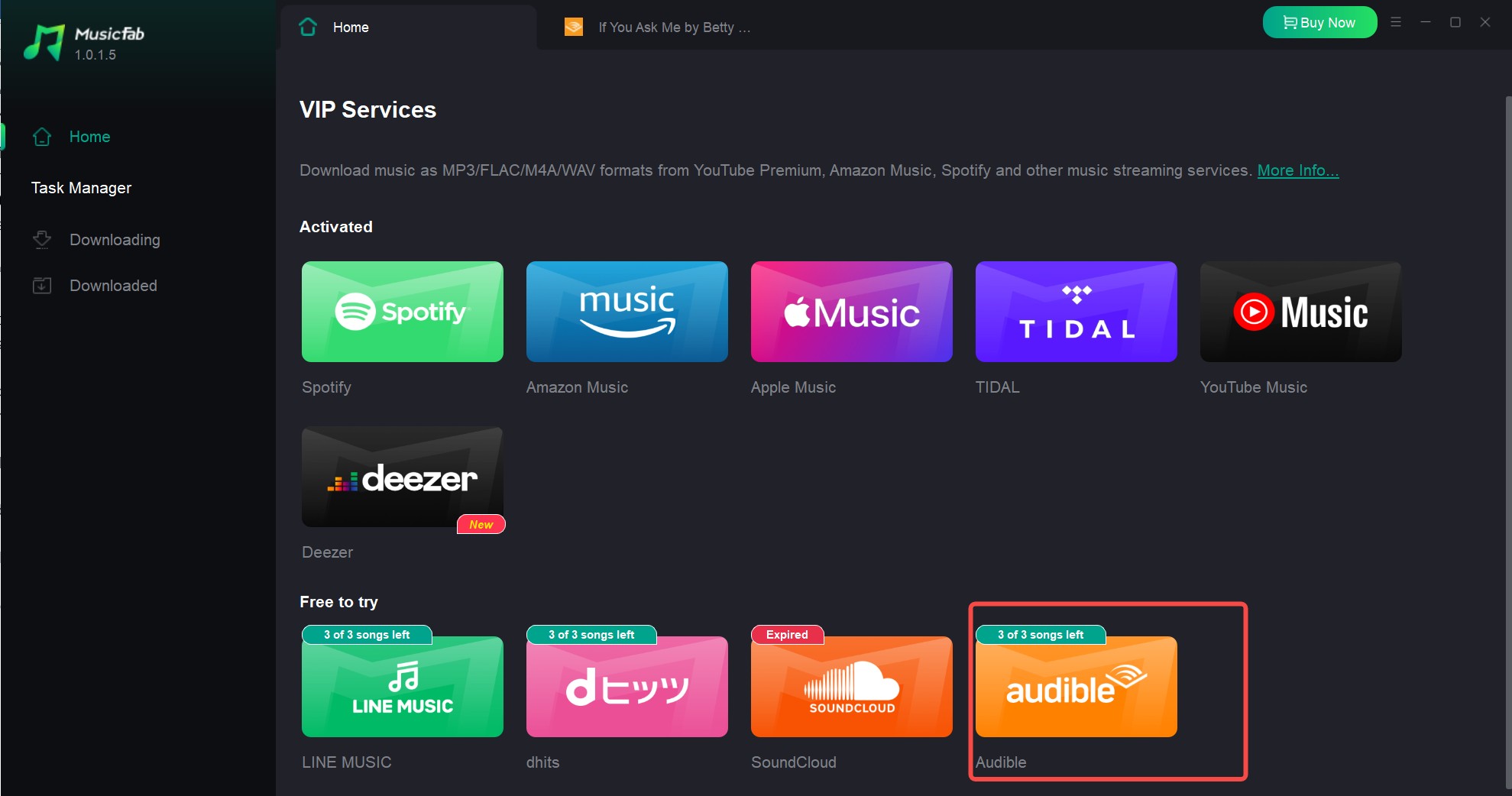
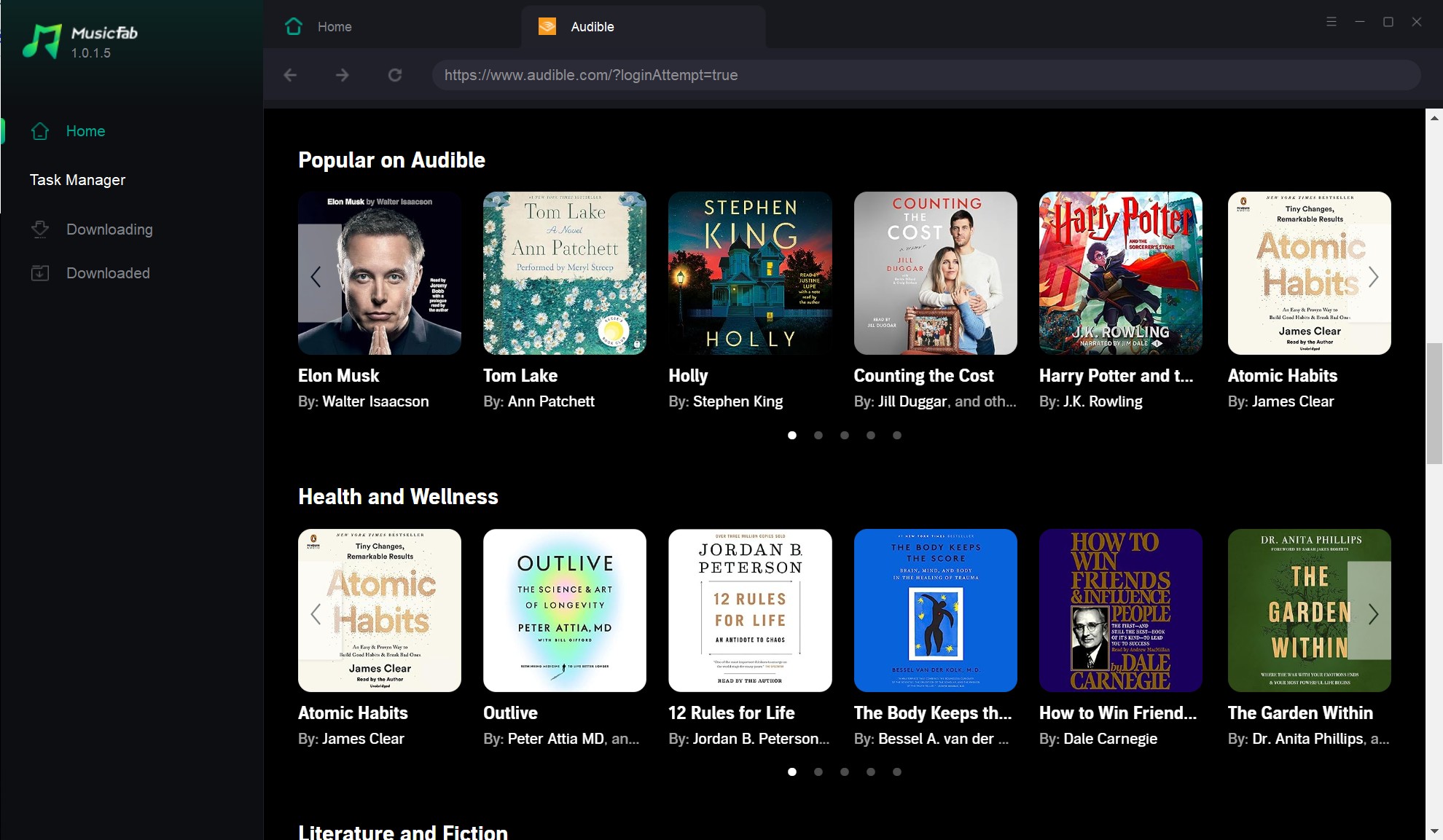
MusicFab Audible Converter fits Windows and Mac users who manage larger desktop libraries or need portable files for compatible players. It is a guided option, not a replacement for simple in-app listening.
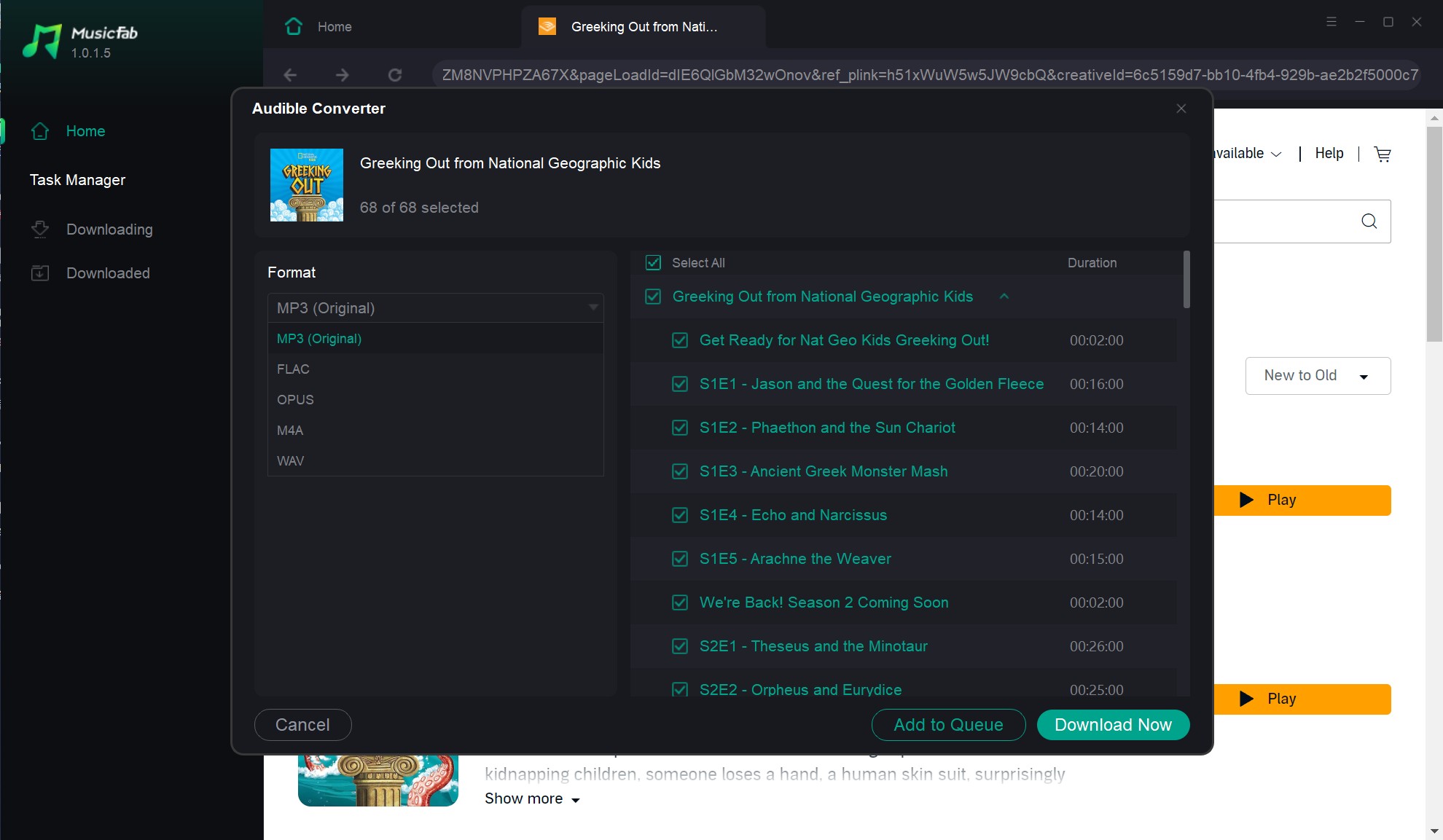
For Audible, MusicFab supports batch audiobook handling through a built-in browser and outputs MP3, M4A, WAV, FLAC, or OPUS, with up to 320 kbps and 24-bit/44.1 kHz settings where the source supports them. It retains title, author, cover, track metadata, and chapter information. I care more about that organization than a long-format list: MusicFab is less suitable if you need nothing beyond Audible’s app or prefer a fully open-source manual process.
- Open MusicFab, choose Audible in the built-in browser, and sign in with the authorized account.
- Open the library and select the audiobook or batch of audiobooks to process.
- Choose a supported output format and quality setting that matches the target player.
- Start the download, then check the resulting title, author, cover, and chapter organization before transferring the files.
OpenAudible and Libation
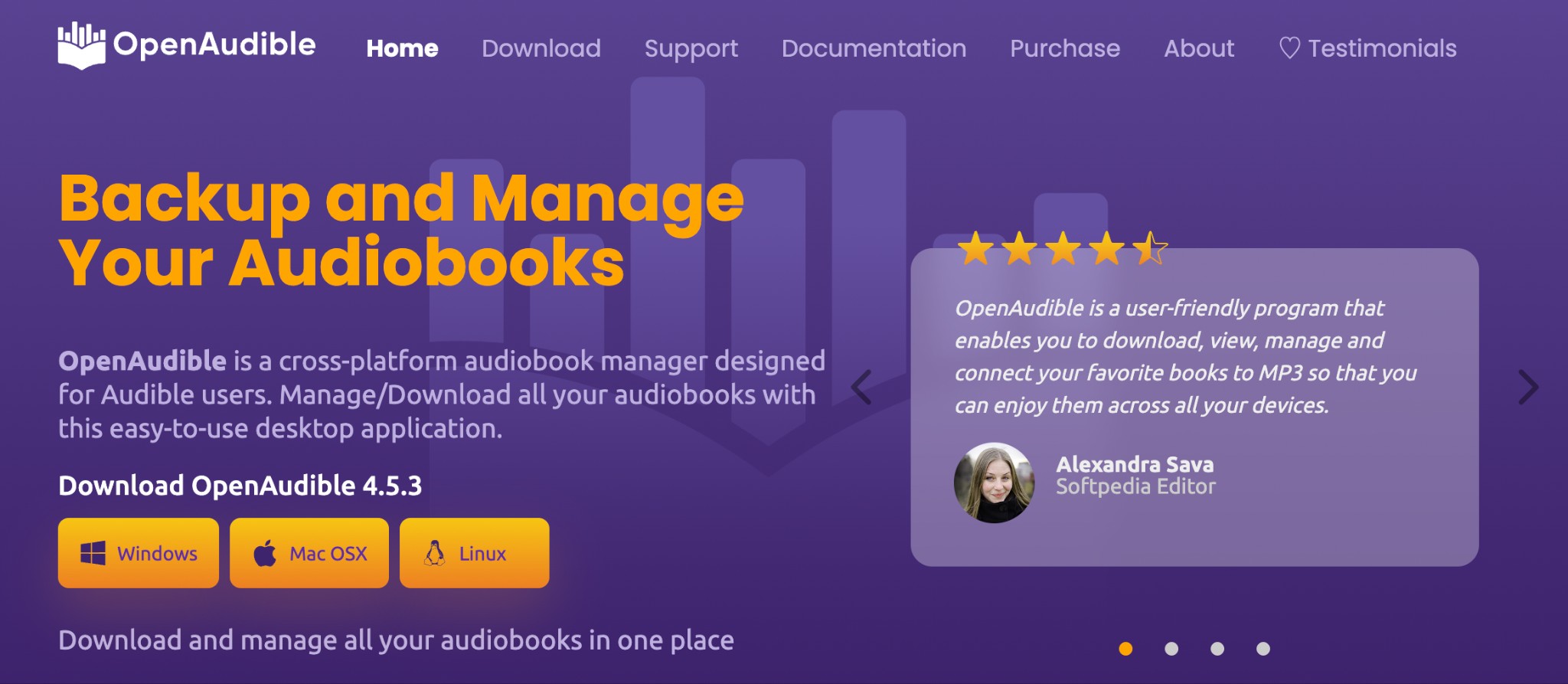
OpenAudible and Libation remain active desktop alternatives. OpenAudible emphasizes library management and conversion controls; Libation favors open-source control for readers comfortable with a more manual setup.
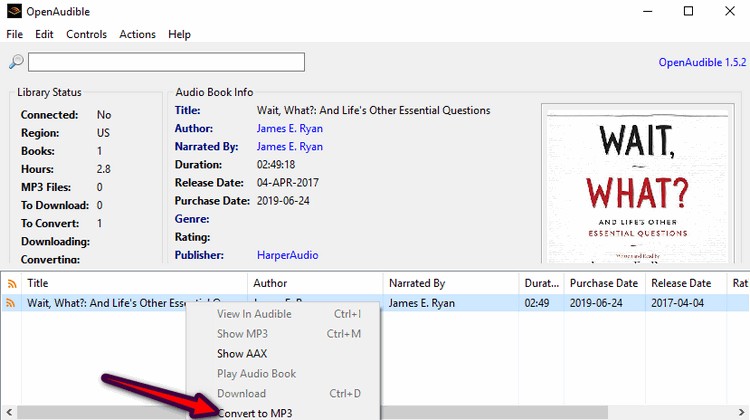
OpenAudible suits readers who want a visual desktop library across Windows, macOS, or Linux and are willing to learn its controls. Current paid-feature boundaries should be considered part of the purchasing decision rather than treated as a product flaw.
- Install OpenAudible and choose Connect to Audible from its controls.
- Complete the account connection in the browser window.
- Load the library, then choose individual or batch actions supported by the installed tier.
- Select a supported conversion option for the intended local player.
Libation is an open-source choice for technically comfortable readers. Its active project materials support library import and local-file management, but setup, player behavior, and support expectations differ from a guided commercial app. A blanket claim that its output is lossy is not justified.
- Install a current Libation release for the supported desktop system.
- Add the Audible account in settings.
- Import the library and review the selected titles.
- Run the available download action, then test the result in the intended player.
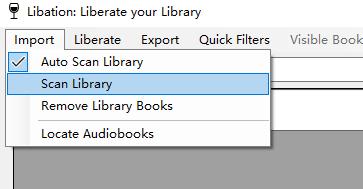
My fit call is straightforward: choose OpenAudible for a visual management workflow and Libation for open-source control. Neither is ideal for readers who want the fewest setup decisions; that is where the official app or a guided desktop workflow is easier to justify.
Transfer Files to Watches and Players
To move Audible books to Apple Watch or an MP3 player, first create a compatible local file. Phone app downloads and AAX files are not interchangeable with ordinary player files.
- Choose MP3 for broad player support or M4B when the destination app supports audiobook chapters and bookmarks.
- Import the compatible local file into the desktop library used by the target device.
- For Apple Watch, sync the compatible audio through the paired iPhone and Watch app; for an MP3 player, copy the file using the device’s normal storage method.
- Open one chapter on the destination device and confirm navigation, title display, and resume behavior before transferring the full library.
I would test one book first. Watch apps, car systems, and basic MP3 players handle long files and chapter navigation differently, so a small compatibility check prevents a much larger re-transfer.
File Formats, Chapters, and Metadata
Audible books to MP3 favor broad compatibility, while Audible books to M4B favor audiobook-oriented chapters and bookmarks. Audible chapter markers and metadata matter more as the library grows.
Source Quality and Player Differences
Audible audio quality is constrained by the source and chosen output. Audiobook player quality also depends on chapter support, resume behavior, and metadata handling, not merely the codec name.
- MP3: Widely accepted by portable players, car systems, and media apps, but chapter handling varies.
- M4B: Well suited to audiobook apps that support chapters and bookmarks; it is not listed among MusicFab’s supported Audible output formats.
- M4A, WAV, FLAC, and OPUS: Useful when a supported desktop workflow and destination player share the same format requirements.
- Metadata: Title, author, cover, track order, and chapter information reduce manual cleanup in a large library.
- Player behavior: Codec support and spatial-audio behavior vary by app and device, so no single quality verdict applies to every workflow.
The practical upshot is simple: choose the destination player first, then select the format. A format list looks impressive, but preserved navigation and clean metadata save more time over the life of an audiobook library.
Fix Common Audible Download Errors
An Audible download error should be checked in two passes: device and app conditions first, then account, title, and service conditions. This prevents repeated reinstalls from hiding the real cause.
Phone and App Checks
For an Audible app download error, start with the conditions the device controls: app version, network, storage, download settings, and device state.
- Update the Audible app through the official app store.
- Switch between a stable Wi-Fi connection and mobile data if the account permits it.
- Confirm enough free storage for the selected download quality.
- Pause and restart the title, or delete the incomplete copy and download it again.
- Restart the device, sign back in, and retry one title before starting a batch.
Do not lower quality as the first reaction to every failure. If several titles fail, device and network checks make sense. If one title repeatedly fails, move quickly to the title and account pass.
Account, Title, and Service Checks
An Audible account download error may come from marketplace mismatch, title eligibility, account access, or a service-side problem. Repeated failure on one title is the clue to stop generic retries.
- Confirm that the title appears in the same marketplace and account used by the app.
- Check whether it was purchased, included through Plus, or borrowed through another service.
- Try the title from the web library and another authorized device to isolate an app-specific failure.
- Review Audible’s service notices if multiple devices fail at the same time.
- Contact Audible support with the title, marketplace, device, and exact error wording when the issue remains title-specific.
My escalation point is two failed environments for the same title. Once both app and browser routes show the same problem, another cache clear is less useful than an account or service check.
Conclusion: Which Download Route Fits You
Audible download methods are easiest to compare by reader fit. The right Audible downloader or official route depends on the file outcome, device, setup tolerance, and access model.
The product, platform, and access details below are current as of August 2026. The same authorized-use boundary applies to every local-file route in this comparison.
| Best fit | Quick offline listening inside Audible | Windows users who need an official computer download | Readers who want visual desktop library controls | Technically comfortable readers who prefer open-source control | Larger desktop libraries and compatible portable players |
|---|---|---|---|---|---|
| Device or operating system | iPhone and Android | Web browser, plus AudibleSync on Windows | Windows, macOS, and Linux | Windows, macOS, and Linux | Windows and macOS |
| What is downloaded | App-managed offline copy | Computer AAX file | Local library files | Local library files | Authorized portable files through the workflow above |
| Playback scope | Audible app and supported Audible devices | Authorized Audible-compatible playback | Compatible desktop and local players | Compatible desktop and local players | Players that accept the selected local format |
| Output formats | App-managed, with no exported format choice | AAX | MP3, M4B, and M4A | MP3 and M4B | Formats listed in the MusicFab workflow above |
| Chapter and metadata handling | Managed inside the Audible app | Preserved within the AAX workflow | Chapter splitting and library controls | Chapter-aware library management | See the MusicFab preservation notes above |
| Batch support | Titles are downloaded through the app workflow | Depends on the available library controls | Batch workflow available | Batch workflow available | Batch audiobook handling supported |
| Cost model | Included with eligible Audible access | Included with eligible Audible access | Paid features; current terms vary | Open source | A trial is available; current paid pricing is on the official product page |
| Access caveat | Catalog access depends on purchase or membership type | AAX remains tied to authorized playback | Requires account connection and desktop setup | Requires account connection and manual setup | Requires authorized content and an active Audible subscription |
| Not ideal for | Portable files or non-app players | Mac users or readers who need format conversion | Readers seeking minimal setup or app-only listening | Readers who want guided support or minimal setup | Readers who need just in-app listening or a fully open-source workflow |
My recommendation is restrained: use the Audible app for routine offline listening, choose AAX when authorized computer playback is enough, and consider a local-file workflow when library organization or player compatibility is the actual requirement.
Audible Download FAQ
Q1. Can I store downloaded Audible books on an external drive?
You can store a visible AAX file or an authorized portable local file on an external drive, but moving an app-managed offline copy is different because the Audible app controls its storage. Playback limits still follow the file type, account authorization, and destination software.
Q2. Can I add an Audible book to Apple Books?
Apple Books needs a compatible local audio file, such as a supported M4B workflow. An offline copy inside the Audible app is not a directly importable file. Check chapter and bookmark behavior with one title before moving a full library.
Q3. Could a third-party download tool affect my Audible account?
Any desktop tool that connects to an account can add account and terms considerations, so avoid sharing credentials outside the software’s intended sign-in flow. Limit local-file work to authorized content and personal use where platform terms and applicable law permit; no tool can guarantee account outcomes.
Q4. Is it safe to install Audible from an APK file?
The safer Android route is Google Play or another official Audible distribution channel. An unofficial APK may be modified, may miss security updates, and can complicate account troubleshooting, so it is a poor solution to an Audible download problem.
