Download Music from Deezer: 5 Options for Offline, MP3, and FLAC

Table of Contents
Trying to download music from Deezer usually comes down to one question: do you need offline playback inside the Deezer app, or a local file that works with another player? Deezer supports the first option for eligible paid plans. A portable MP3 or FLAC workflow requires a separate desktop method.
This guide compares Deezer's official offline mode with five broader download approaches, then explains when a Deezer music converter makes sense for authorized local files, metadata, lyrics, and playlist management.
Can You Download Music from Deezer?
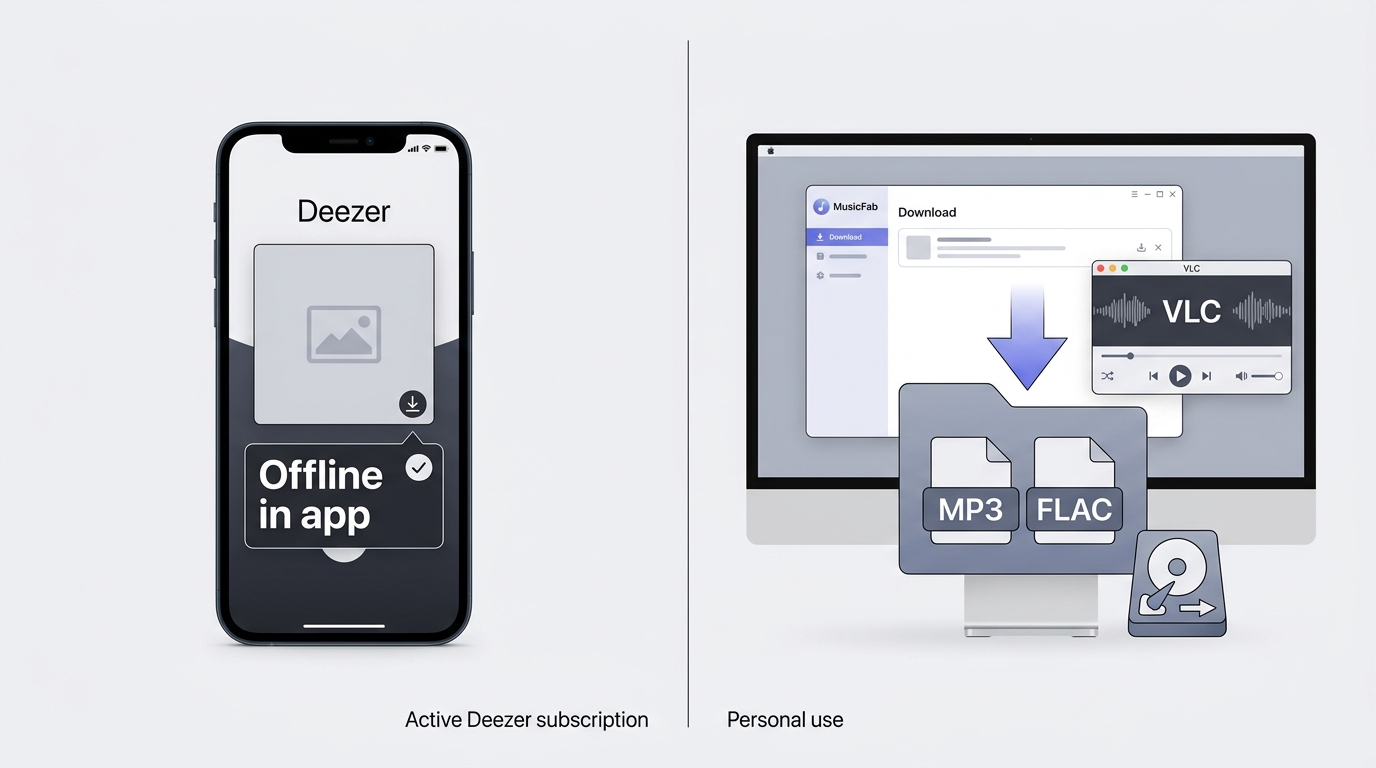
Yes, but Deezer's official downloads are managed for offline playback inside the Deezer app, not exported as portable local files. The download feature is available for users on Deezer Premium, Duo, Family, or Student plans. It supports up to CD-quality FLAC (16 bit/44.1 khz) streaming and offline playback. Offline Mode lets you play downloaded albums/playlists without internet on desktop and mobile.
Note: Deezer downloads are not available on the web player. To download, you need the desktop or mobile app, and tracks must be added to your Favorites or a playlist first. Deezer does not currently offer Hi-Res.
Deezer Download Methods Compared
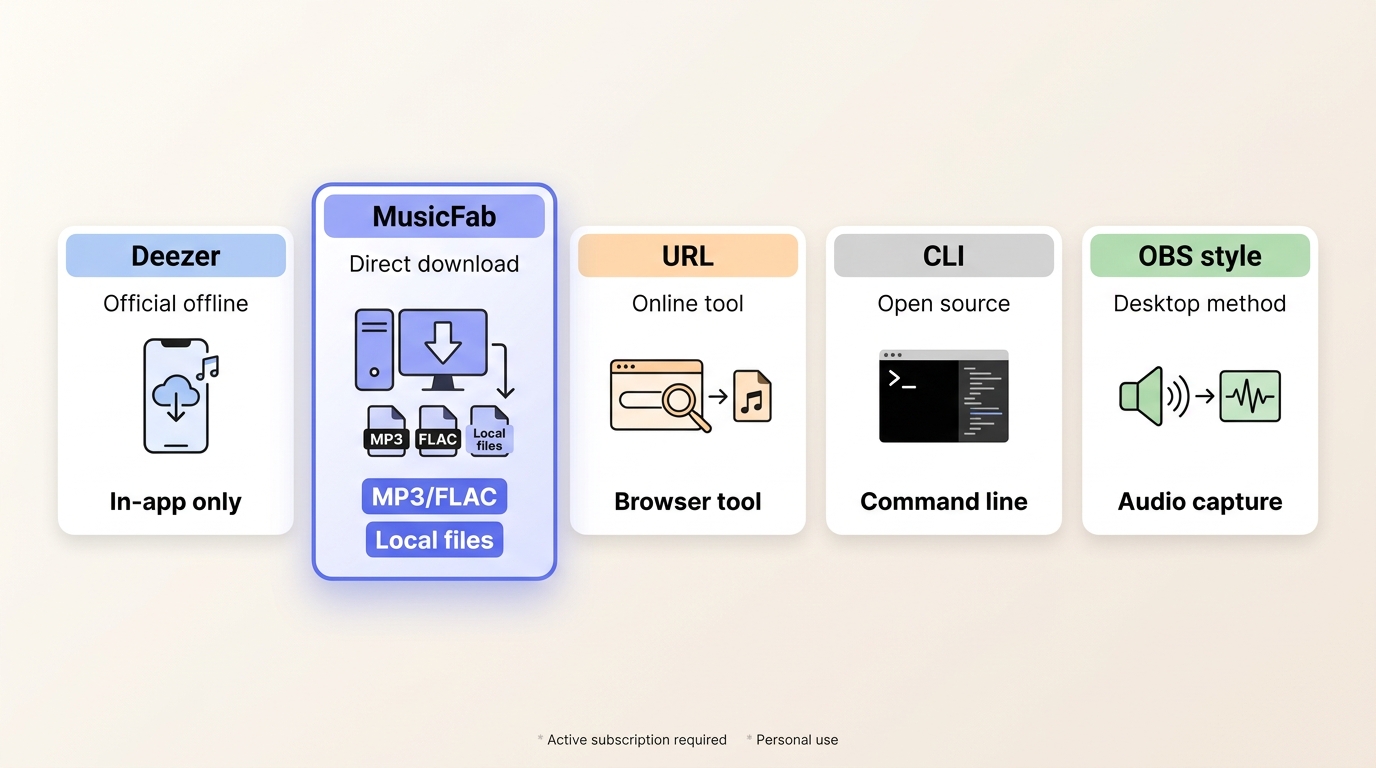
There are five broad ways to approach a Deezer download: official offline mode, a desktop converter, online URL tools, open-source or command-line tools, and desktop audio capture. They differ in access requirements, file control, device compatibility, and reliability. I would start with Deezer's own app unless portable files or a managed music library are the actual goal.
Official offline mode is the simplest fit for app-based listening. A desktop converter is more relevant when supported local formats, metadata, lyrics, or batch queues matter. Online and open-source approaches can vary by service access and maintenance, while desktop audio capture is a separate real-time workflow with different quality and time trade-offs.
Official Deezer Downloads on Desktop and Mobile
Windows and Mac Steps
For Windows and Mac, if you are using an eligible Deezer paid plan:
- Install the Deezer app on your computer.
- Log in to your Deezer Premium account
- Go to the track, playlist, or album you want to download.
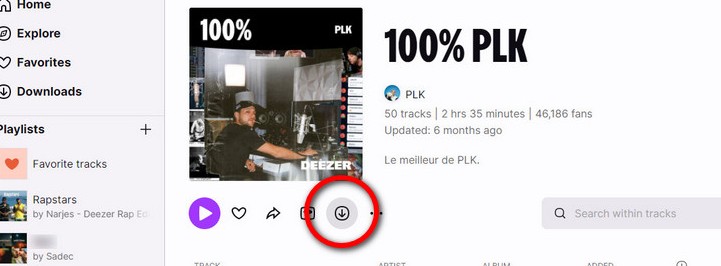
- Click the download icon below the playlist or album
Single Tracks, Albums, and Playlists
- For a single song, add it to a playlist and download from there.
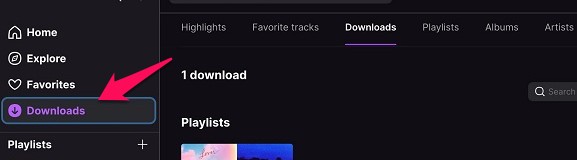
- Once the songs or playlists are downloaded, you can access them via the Downloads menu on the side panel.
Android and iPhone Steps
For Android and iPhone users who want Deezer music offline:
- Open the Deezer app and sign in if not done already
- Go to the Favourites section and create a playlist. If you have already done it, skip this step.
- Name it as per your preferences
- Toggle the Download button. It should turn green.
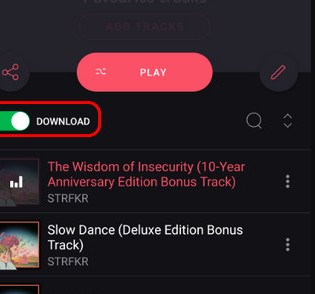
That would do it, and the songs or playlists you chose will be downloaded onto your device.
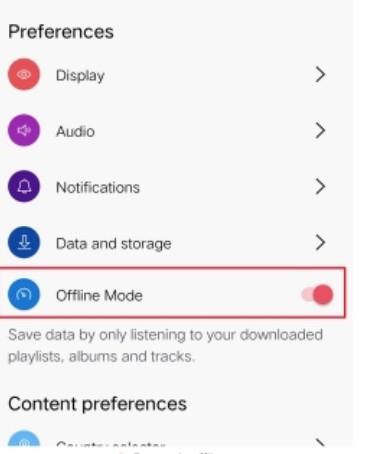
Remember that if you want to listen to your downloaded tracks without internet, you should turn the offline mode on.
Here is how to turn the offline mode on:
- Go to your Deezer app and sign in
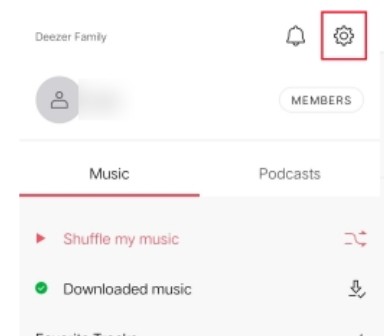
- Tap on the gear icon at the top. This will take you to the Settings for the Deezer app
- Find the Offline option and toggle it to turn it on.
Official Downloads Stay Inside Deezer
Deezer's official mode works well when the goal is basic offline playback in the Deezer app. It is not a local-file workflow, so it does not address portability, independent file organization, or playback in another music app.
Safety, Accounts, and Usage Boundaries
Use the official app or any local-file workflow only for content you are authorized to access. For a local-file route, keep an active subscription to the original platform, follow Deezer's terms, and stay within applicable copyright law. Account, login, regional, or version conditions can affect how any download workflow behaves.
The method suffers from the following limitations:
- App-based access: Downloaded music remains managed within the Deezer app. It is not presented as a portable MP3 or FLAC file for use in another player.
- Plan dependence: Offline access remains tied to Deezer's app, account, and applicable plan conditions.
MusicFab Saves Deezer Music as Local Files
For content you're authorized to access, where permitted by Deezer's terms and applicable law, MusicFab Deezer Music Converter is a desktop alternative for Windows and Mac. It uses direct source download technology rather than playback capture, and it requires an active Deezer subscription.
It fits readers who need supported local formats, batch queues, metadata, or separate lyric files. If you only want offline playback inside Deezer, the official app is the more direct choice.

- Download Deezer songs, albums, and playlists at high speed
- Convert to MP3, FLAC, WAV, and other formats
- Support downloading in HiFi and standard quality
- Retain all ID3 tags, cover art, and lyrics
MusicFab's official Deezer specifications list output up to 320 kbps in MP3, M4A, FLAC, WAV, and OPUS as of August 2026. It also supports batch queues and preserves supported source information rather than relying on playback capture. I find that distinction most useful when a reader is organizing a playlist or album instead of handling one song at a time.
Version, login, regional, download, or account-warning issues can still occur with local-file workflows, so no downloader should promise zero account risk.
Formats, Quality, Metadata, and Batch Options
- Output formats: MP3, M4A, FLAC, WAV, and OPUS
- Quality: output up to 320 kbps
- Metadata: ID3 tags, cover art, and track details
- Lyrics: separate .lrc lyric files
- Batch queues: tracks, albums, playlists, and podcasts
- Trial: 30 days and three full songs per music service
MusicFab Steps for Playlists and Tracks
Use the same workflow for a single track or a larger queue, but choose the content type deliberately: a track for one song, or an album, playlist, or podcast when batch processing is the point.
- Download MusicFab to your device
- Choose Deezer from the supported streaming services and log in to your account.
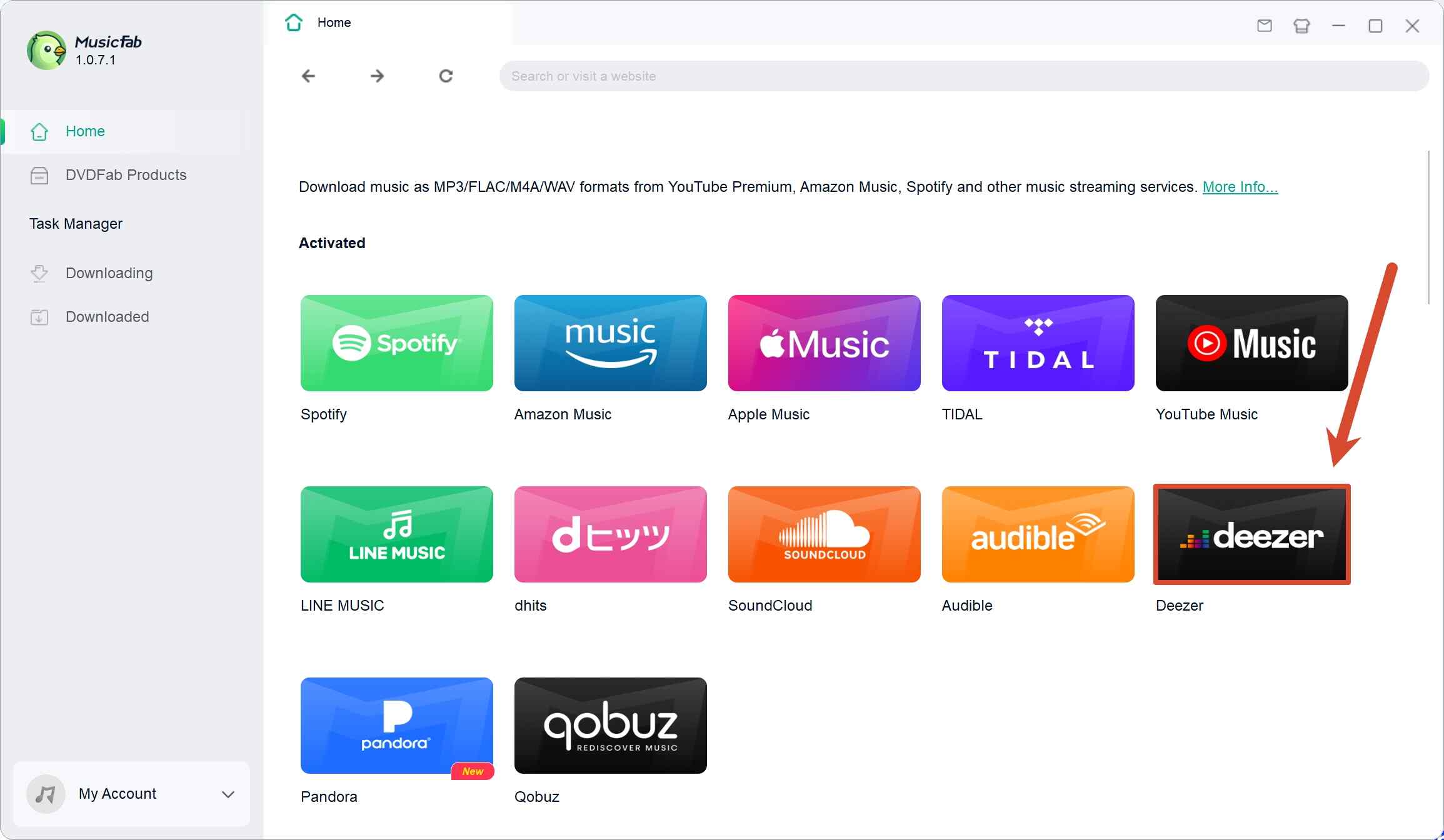
- Search for the track, album, playlist, or podcast you want to download using the built-in browser.
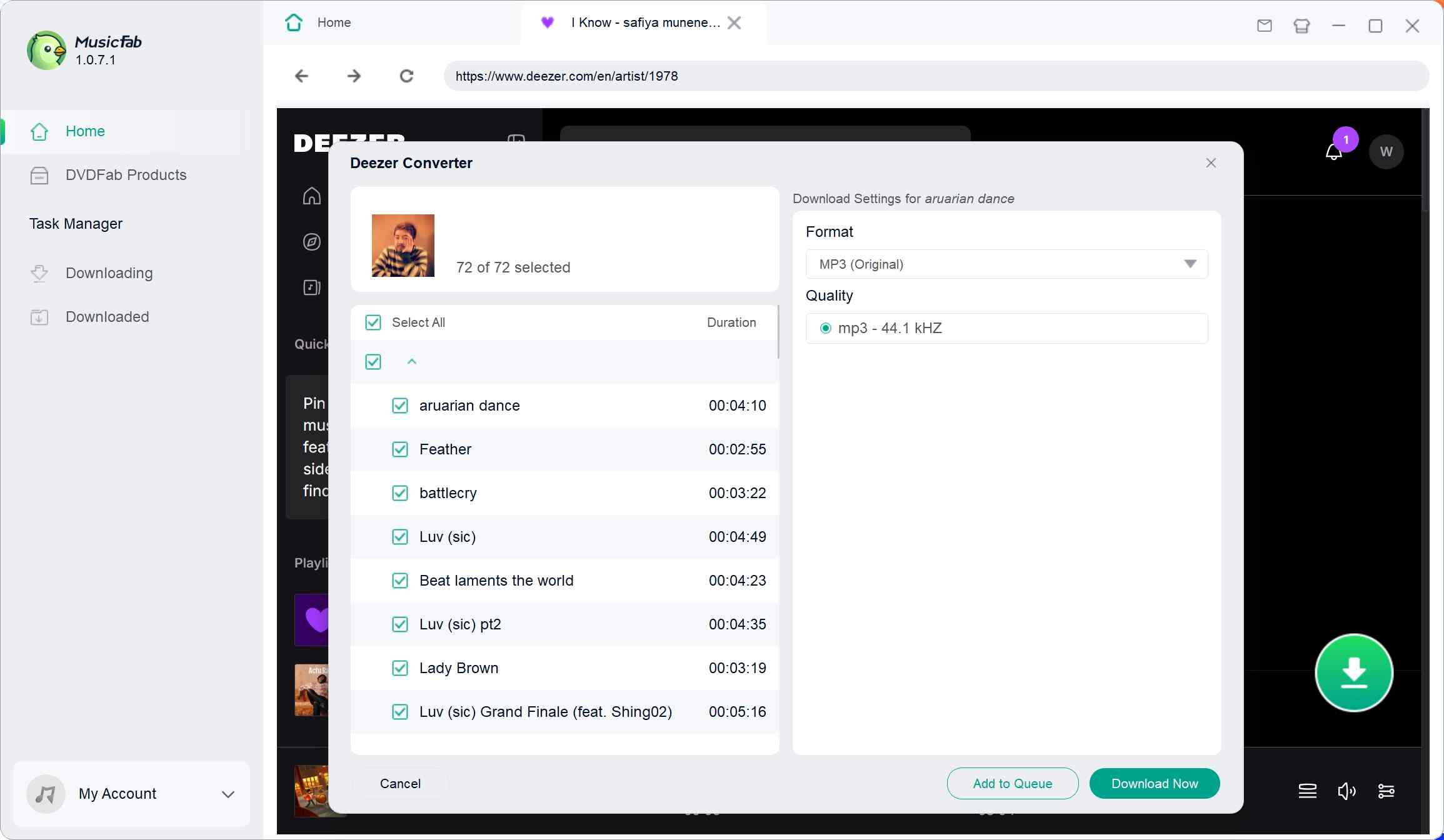
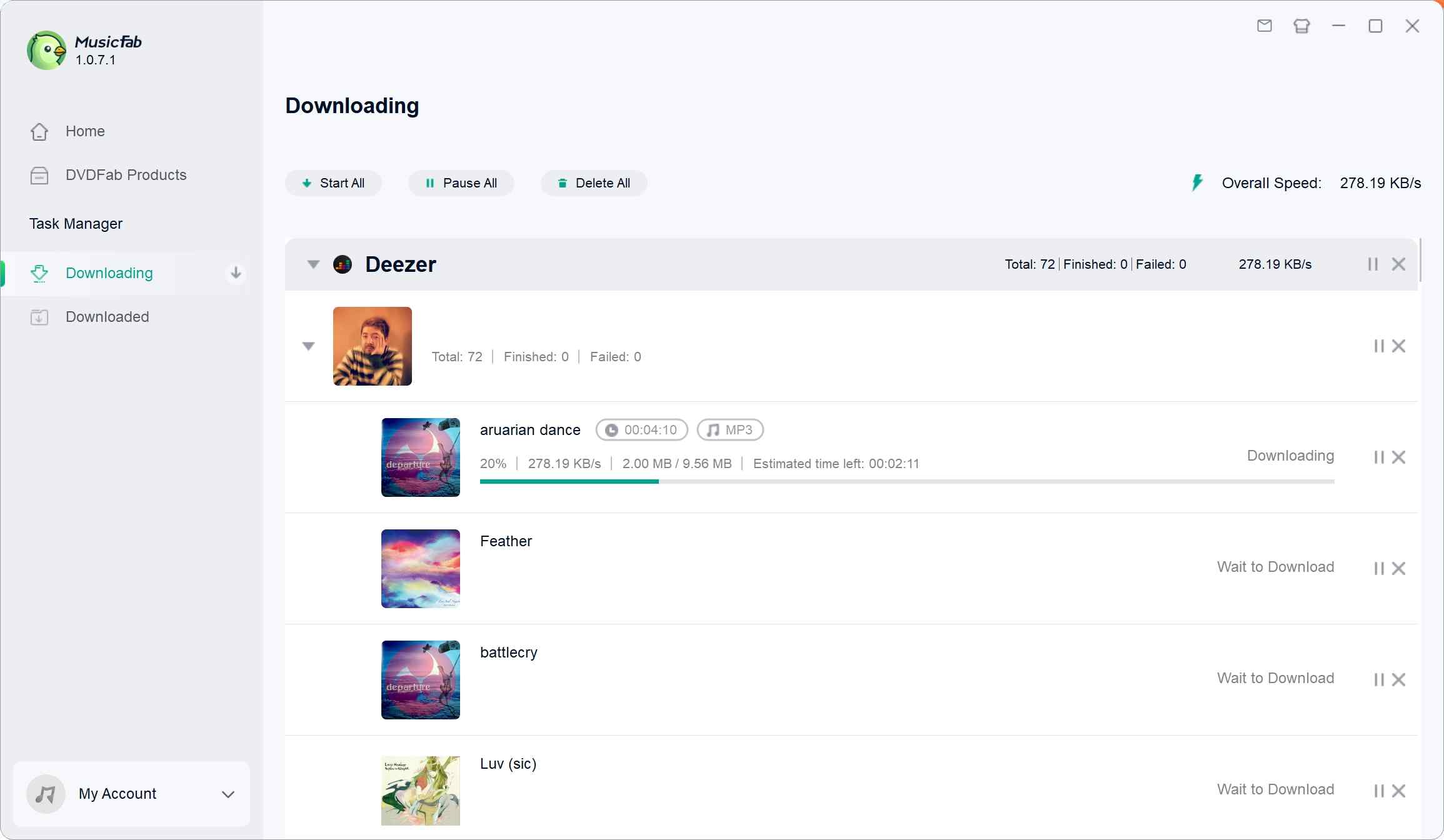
- Step 4. Click the download button on the bottom right, then configure the available quality and file-format settings. Choose MP3 for broad compatibility, or select a lossless format when preserving available source quality matters. Click Download Now to start downloading.
Choosing a Format for Each Device
MP3 is the practical choice for broad car-stereo and MP3-player compatibility. M4A suits Apple-oriented workflows, while FLAC or WAV makes more sense when preserving available lossless quality matters. OPUS can be useful when efficient storage is the priority. Converting FLAC to MP3 improves compatibility, not the source quality.
Conclusion: Official Offline Mode vs Local Files
The practical difference is access model: Deezer manages offline playback inside its app, while MusicFab is intended for authorized local-file workflows on supported desktop systems.
| Method | Access requirement | Output and control | Device fit | Main trade-off |
|---|---|---|---|---|
| Official Deezer offline | Eligible paid plan | In-app downloads | Deezer apps | No portable files |
| MusicFab desktop converter | Active Deezer subscription | MP3, M4A, FLAC, WAV, OPUS | Windows, Mac | Terms and account conditions apply |
| Online URL tools | Service access varies | Output varies by tool | Browser-dependent | Privacy and reliability vary |
| Open-source or CLI tools | Technical setup | Output varies by tool | Computer-focused | Maintenance may be uneven |
| Desktop audio capture | Playback and capture setup | Real-time audio files | Computer playback | Slower, setup-dependent |
My rule of thumb is simple: use Deezer's official mode for app-only offline listening, and consider a desktop local-file workflow only when format control, device compatibility, or library organization genuinely matters.
Deezer Download FAQ
Q1. Can I download music from Deezer for free?
Deezer's official offline mode is tied to eligible paid plans. MusicFab offers a 30-day trial with three full songs per music service, so it is a limited trial rather than unrestricted free downloading.
Q2. Why won't Deezer download my music?
Check the account plan, app sign-in, Favorites or playlist status, available storage, and offline settings first. For a desktop workflow, check the current version, login status, region, and any account warning separately; these conditions can affect results.
Q3. Does DeezLoader still work reliably?
Community reports describe DeezLoader and related legacy tools as discontinued or unstable. That makes them difficult to treat as dependable current methods.
Q4. Does converting Deezer FLAC to MP3 improve sound quality?
No. Conversion cannot add detail that is missing from the source. MP3 is mainly a compatibility choice, while FLAC is the better fit when preserving available lossless quality matters.
