FLAC Downloader in 2026: 5 Ways to Get Lossless Music

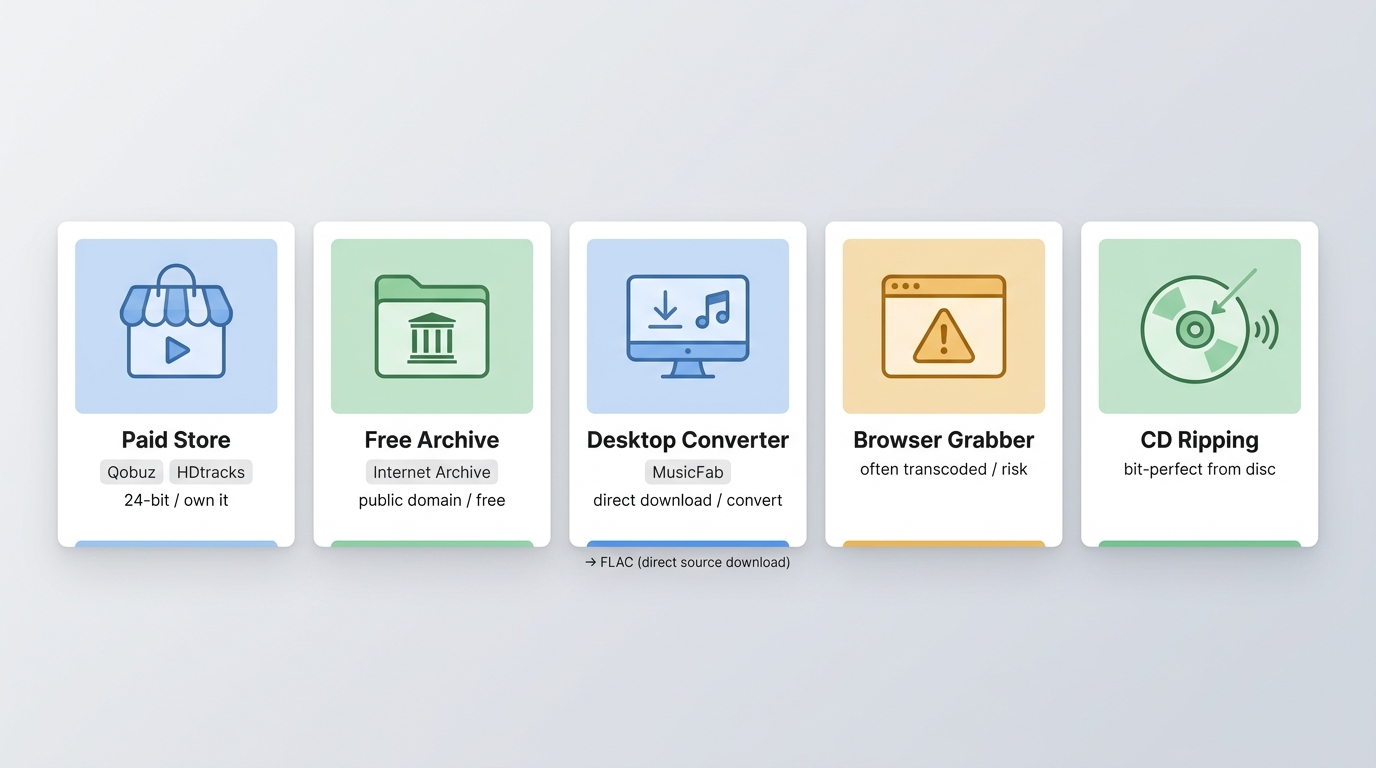
Search "FLAC downloader" and you'll land on five very different things: a paid hi-res store, a free public archive, a desktop streaming-to-file tool, a browser-based grabber, and a CD-ripping workflow. They produce different files, with different rights and different odds of being genuinely lossless. Before you pick one to download FLAC music with, it helps to know which route you're actually on, how to spot a fake lossless file, and whether the result will play on the device you care about.
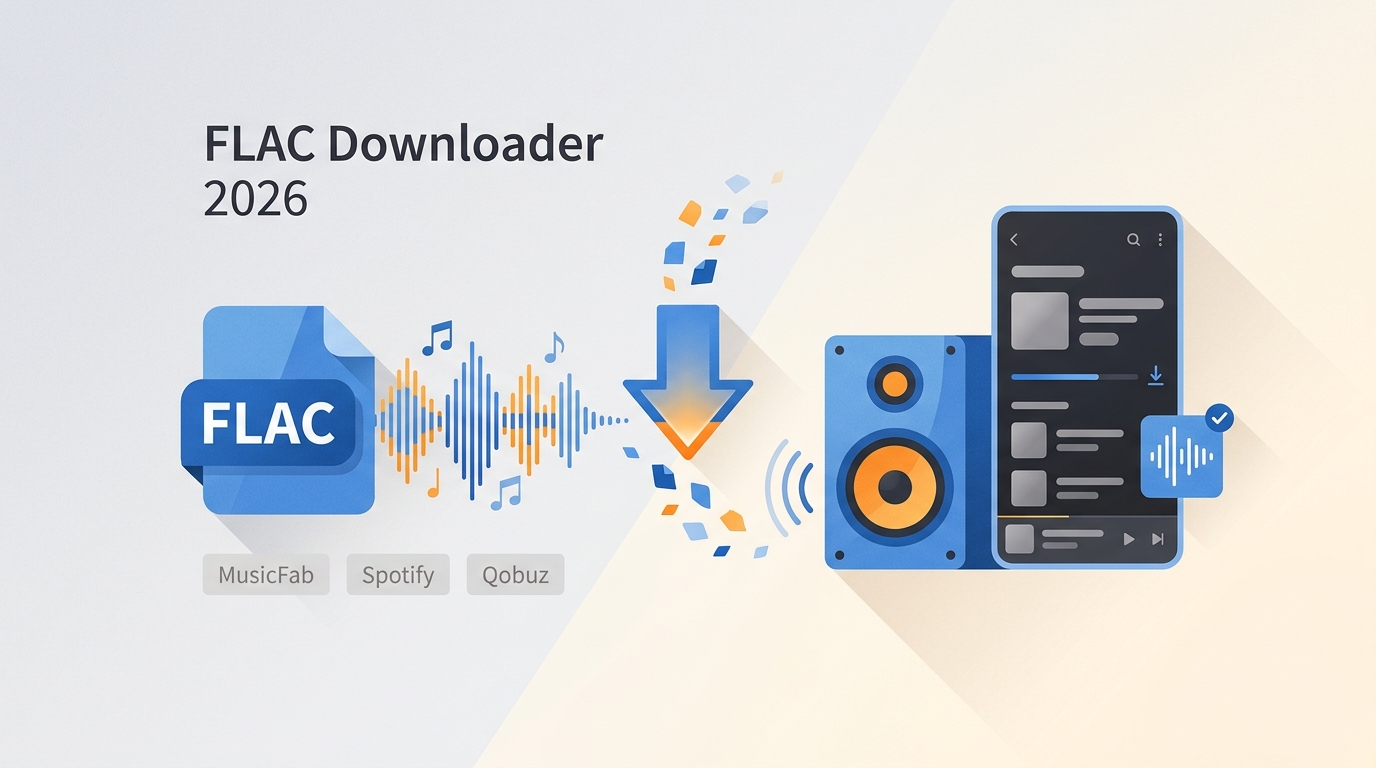
What "FLAC Downloader" Actually Means
FLAC (Free Lossless Audio Codec) preserves the full content of the original recording while shrinking file size, which is why it's the default choice for archiving, critical listening, and personal libraries. High-resolution FLAC typically uses 24-bit depth at 48/96/192 kHz sample rates, offering more dynamic range and detail than 16-bit/44.1 kHz CD audio. FLAC support is broad, but playback, transfer, storage, and offline-access behavior still vary by device, operating system, and app—so the format alone doesn't guarantee a smooth experience everywhere.
Stores, Archives, and Web Tools
Paid stores (Qobuz, HDtracks) sell you a transferable file you own. Free legal archives (Musopen, Internet Archive) let you download public-domain and openly licensed material at no cost. Browser-based "FLAC downloader" sites are the riskiest category: authorization is often unclear, and many outputs are transcodes dressed up with a .flac extension.
Desktop Converters and CD Ripping
Desktop tools convert audio from streaming services you already subscribe to into local FLAC files on Windows or Mac. CD ripping, using something like Exact Audio Copy or dBpoweramp, turns discs you already own into bit-perfect FLAC — still the gold standard for provenance.
Codec Downloads Are Not Music
The official FLAC package from xiph.org is codec software and command-line tools, not a music catalog. If a page frames a "FLAC codec download" as the way to get songs, treat that as a red flag.
In my experience, picking the right route matters more than picking the right site. A polished store won't help if you need mobile playback; a free archive won't fill a mainstream pop library; and a beautiful-looking web downloader can quietly hand you an upsampled MP3.
Paid Stores and Free Archives Compared
Once you know you want a downloadable file (not just streaming), the real split is between paid stores that sell you hi-res masters and free archives that legally host public-domain or openly licensed music. Both are legitimate; they just answer different needs.
Qobuz
Qobuz is my usual first stop for mainstream hi-res buying. It sells per-track and per-album 24-bit downloads across a deep catalog, so it's a strong fit if you care about both sound quality and finding the artists you actually listen to.
Best for: buyers who want hi-res albums and a polished store experience.
HDtracks
HDtracks is a long-standing hi-res music platform built around “master studio quality” downloads. It is a solid option for listeners who already know what they want and prefer a store-first buying experience instead of a community marketplace.
Best for: people who want a dedicated hi-res store with a straightforward buying workflow.
7digital
7digital has historically positioned itself as a mainstream DRM-free store with both 16-bit and 24-bit FLAC listings. As of August 2026, the current consumer availability of its US storefront is unconfirmed, so I'd treat it as a cautious option rather than a firm recommendation.
Best for: buyers comfortable checking regional storefront status before purchasing.
Bandcamp
Bandcamp is one of the best places to buy music directly from artists and labels. Buyers can download purchases in FLAC, ALAC, WAV, AIFF, AAC, Ogg Vorbis, and MP3. That makes it especially useful if you want to support independent artists and still keep a lossless copy of what you buy.

Best for: indie fans, collectors, and anyone who wants artist-direct purchases.
Musopen
Musopen is a nonprofit music and education resource focused on public-domain and openly licensed classical, piano, and orchestral music. Its current lossless catalog is unverified, but the site remains one of the more reputable free legal starting points, particularly for classical listeners, students, and teachers who need clearly usable audio, including for full-album acquisition through routes like no-cost album downloads from public archives.
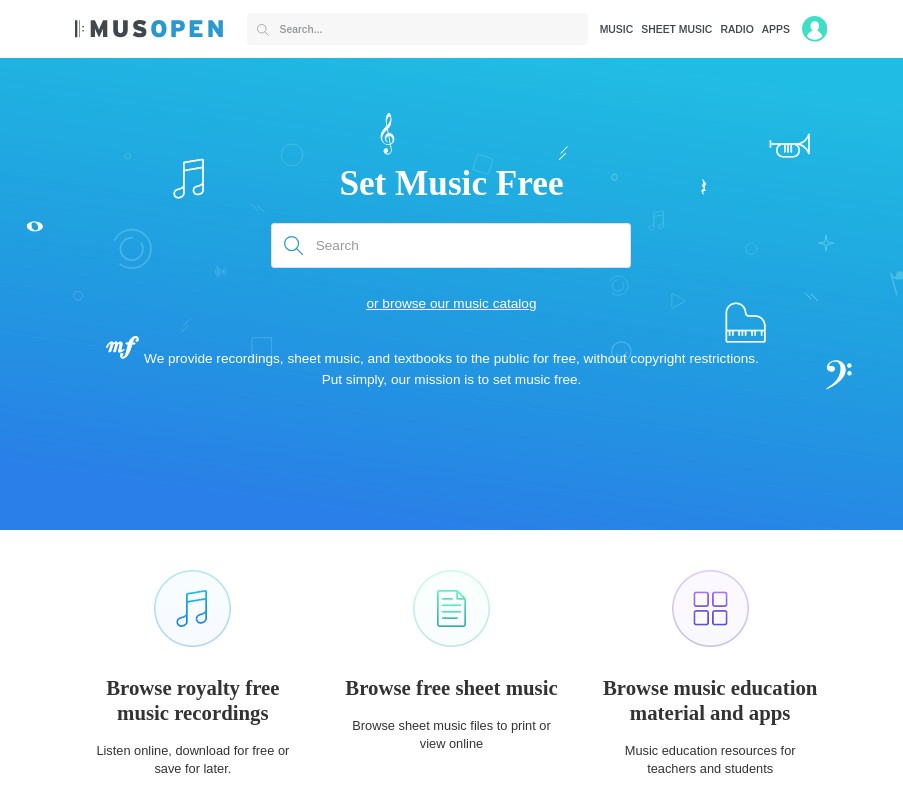
Best for: classical listeners, students, teachers, and legal, free-use music needs.
Internet Archive
Internet Archive is a nonprofit digital library offering free access to music and many other media collections. It shines as a discovery and archive resource—public collections, older recordings, niche uploads, and preserved material that's hard to find anywhere else.

Best for: free discovery, archives, older recordings, and deep catalog exploration.
My rough rule: reach for a paid store when you want mainstream releases you can own and move around, and reach for a free archive when the music you want is public-domain, openly licensed, or genuinely historical. Mixing the two up is where readers usually end up disappointed.
| FLAC Acquisition Routes at a Glance | ||||
|---|---|---|---|---|
| Route | Cost model | Own a transferable file | Quality evidence | Best fit / main risk |
| Paid hi-res store | Per track or album | Yes | Store-published master specs | Mainstream hi-res buying; regional catalog gaps |
| Free legal archive | Free | Yes | Depends on uploader / collection | Public-domain and openly licensed music; limited mainstream catalog |
| Streaming-to-file desktop tool | App license | Yes (local file) | Depends on source stream | Building a local library from services you subscribe to; desktop only |
| Browser-based downloader | Usually free / ad-supported | Sometimes | Rarely verifiable | Convenience; frequent transcodes, unclear authorization |
| CD ripping | Cost of the disc | Yes | Bit-perfect from source | Discs you already own; requires a drive and setup time |
Verify a FLAC Is Truly Lossless
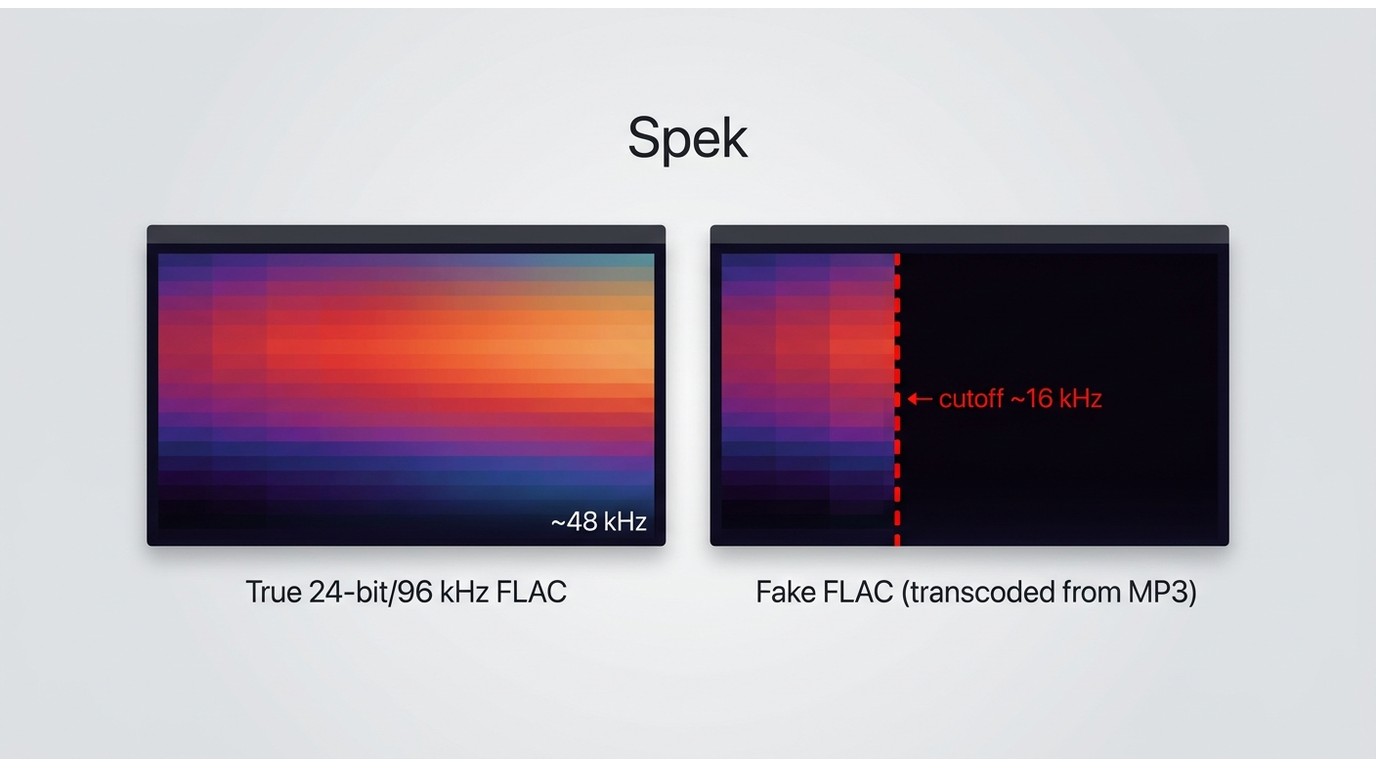
Here's the uncomfortable part most guides skip: a .flac extension proves nothing. I've opened files labeled "24-bit/96 kHz FLAC" that were plainly transcoded from a 320 kbps MP3, and the only reason I caught it was a quick spectrum check. If you're paying for hi-res or trusting a free download, spending two minutes on verification is worth it.
Check the Source and Metadata
Start with provenance. Where did the file come from—a known store, an official artist page, a moderated archive, or a random web downloader? Cross-check the release: does the album exist at that resolution on the artist's or label's official page? Metadata tags (bit depth, sample rate, encoder) are useful hints but easy to fake, so treat them as evidence, not proof.
Inspect the Frequency Spectrum
Open the file in a free audio editor like Spek or Audacity and look at the frequency spectrum. Genuine lossless audio typically has content extending near the format's ceiling (around 22 kHz for CD-quality, higher for true hi-res). A sharp cutoff around 16–20 kHz is a strong sign the source was a lossy MP3 or AAC that was re-encoded into a FLAC container. That's not automatic proof, but it's a warning worth acting on.
Chasing the biggest sample-rate number on the label is a losing game. A well-mastered 16-bit/44.1 kHz file from a reputable source will almost always sound better than a suspicious "24-bit/192 kHz" file whose spectrum flatlines at 18 kHz.
Check Rights, Reliability, and Device Fit
The verification step tells you what a file is. This one tells you whether you'll actually be able to use it the way you want.
Local Files vs. App Offline Access
A downloaded local FLAC file is transferable — you can move it between compatible devices, back it up, and play it in any lossless-capable player. Streaming-service offline downloads are a different animal: they usually stay locked inside the provider's app, tied to your subscription. If ownership and portability matter, the distinction is everything.
Windows, macOS, Mobile, and DAPs
FLAC playback is well-supported across Windows, macOS, Android, and dedicated digital audio players (DAPs). iPhone has caught up but still leans on third-party players or file apps for smooth FLAC handling. Desktop-only downloaders — which covers most streaming-to-file tools — mean you'll do a transfer step (USB, cloud, or home network) before phone or DAP playback. Higher-resolution files also need more storage and, on some devices, benefit from an external DAC to fully unlock the extra headroom.
On Android "FLAC downloader APK" searches: I'd treat sideloaded APKs from unknown sources as a security question first and a music question second. Stick to reputable Play Store apps or desktop-plus-transfer workflows.
Region Limits and Batch Reliability
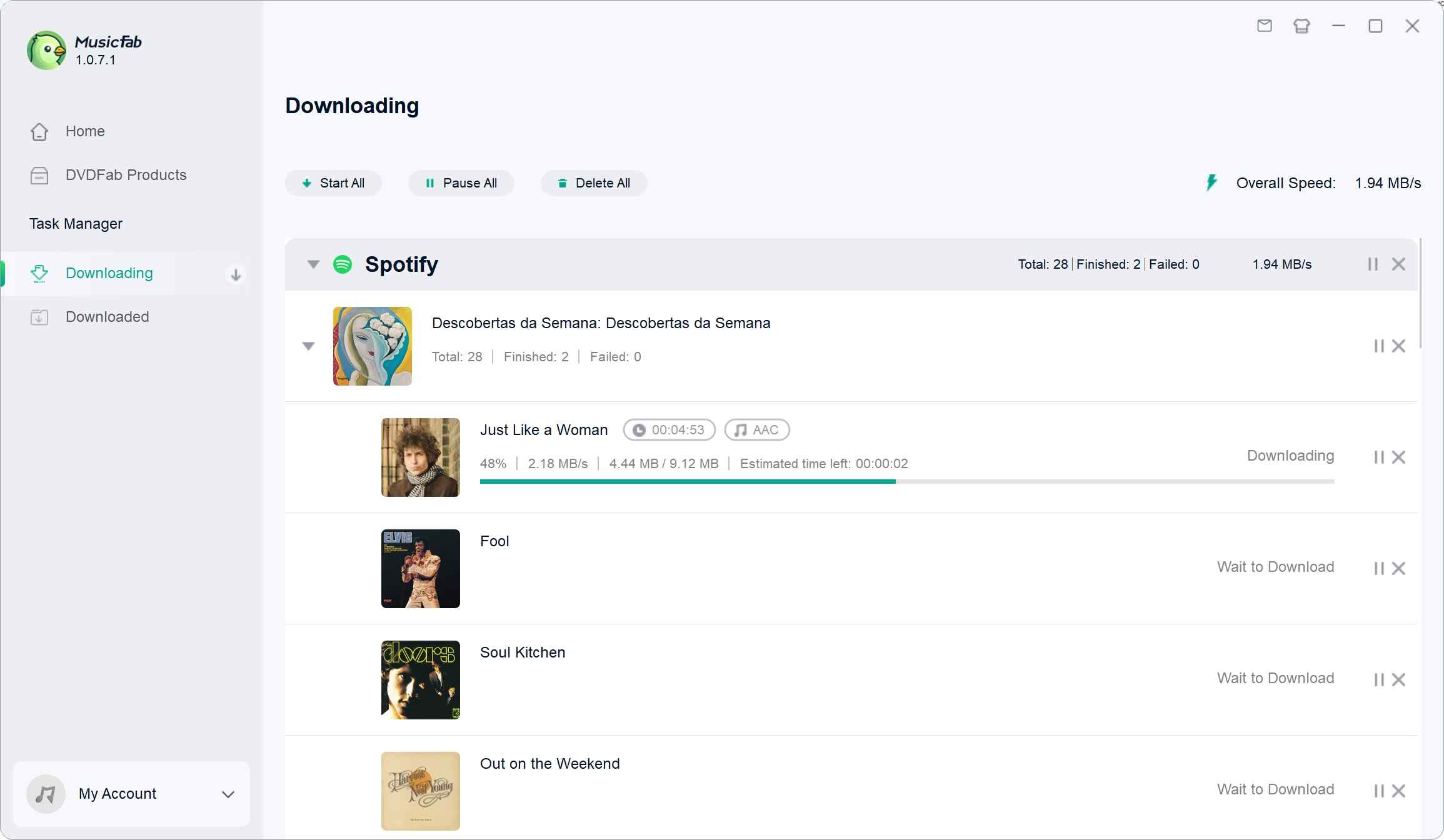
Store catalogs and payment options vary by country, and downloaders that pull from streaming services can also be affected by regional restrictions. If you're moving a large library, reliability shows up in the details: does the tool complete every track in a batch, match songs to the correct release (not a random remaster), retry cleanly on failure, and tell you plainly when something couldn't be fetched? Those signals matter far more than any headline speed claim.
MusicFab for Streaming-to-FLAC Workflows
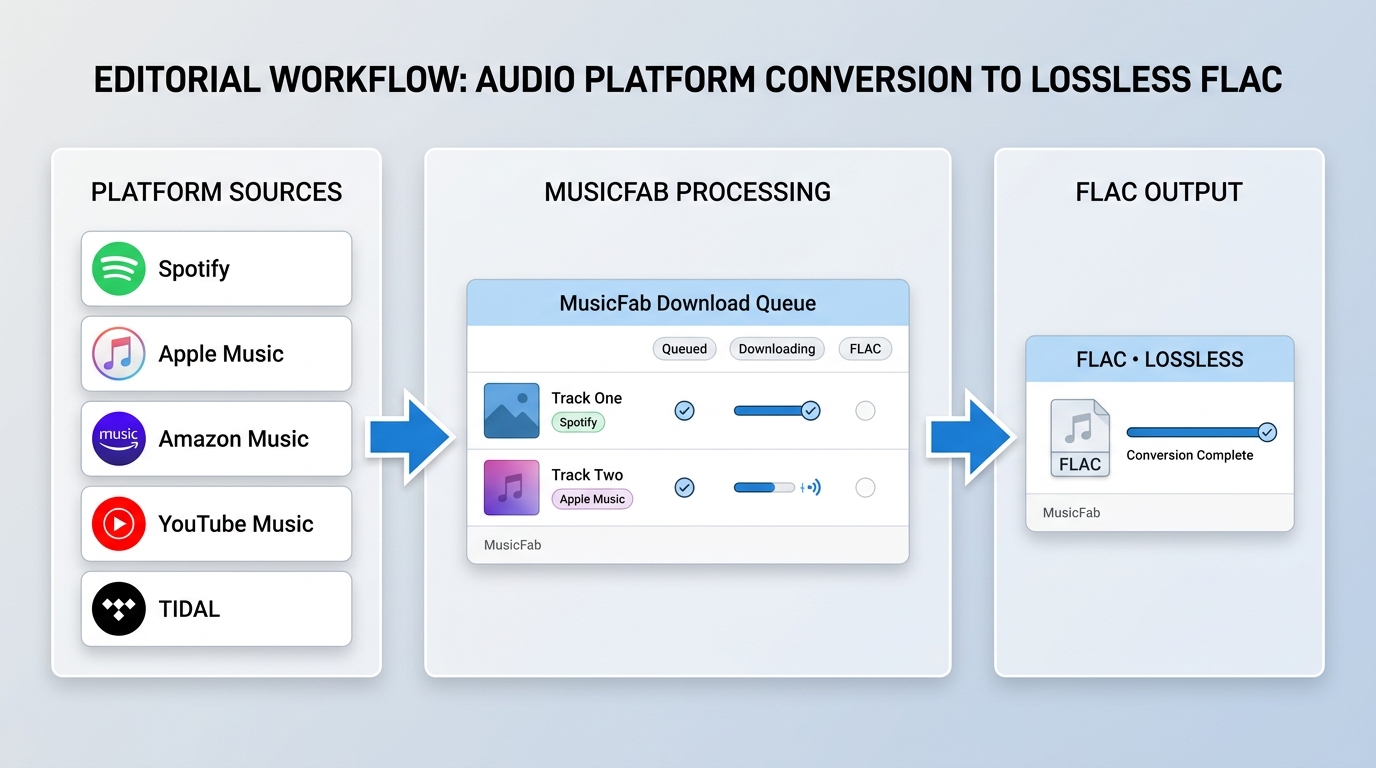
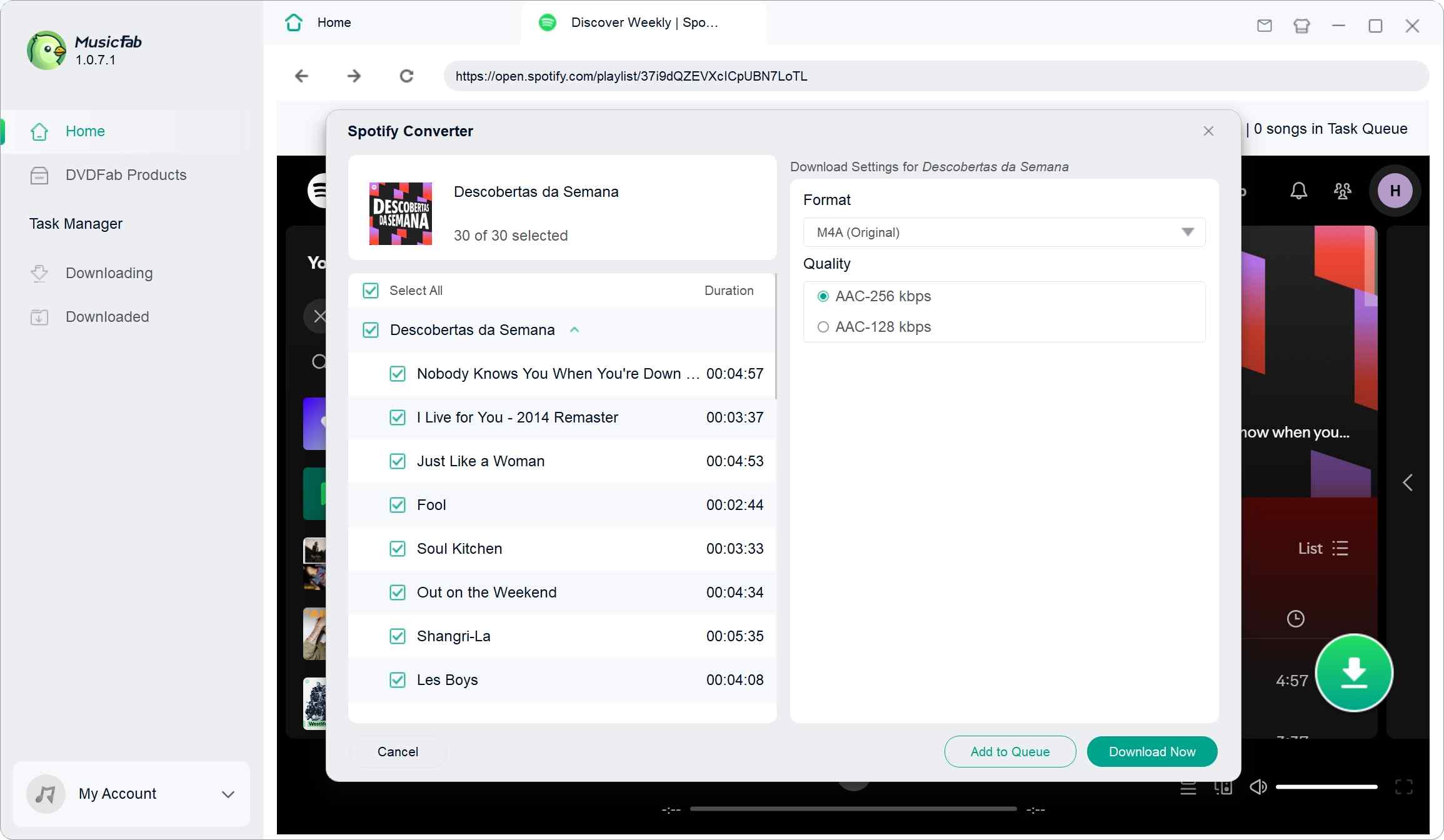
If your "FLAC downloader" problem is really "I subscribe to Spotify or Apple Music and want a local FLAC library from music I'm authorized to access," a desktop converter is the honest answer. For music you're authorized to access, where permitted by platform terms and applicable law, MusicFab is the tool I reach for on Windows and Mac—largely because its direct-source approach (rather than real-time recording) means a batch of tracks finishes at up to 20x speed with the original audio stream intact, not a re-captured copy. Coverage across 13+ major music services means you can consolidate libraries from Spotify, Apple Music, Amazon Music, YouTube Music, TIDAL, and others into one workflow, and the output — MP3, M4A, WAV, FLAC, or OPUS — carries complete ID3 tags, cover art, and .lrc lyrics so you don't spend an evening re-tagging. A free trial covers 3 full songs per service, which is enough to actually judge output quality before paying—a fuller hands-on evaluation of MusicFab's workflow covers the trade-offs in more depth.
It's not the right tool for everyone. If you only need one hi-res album, a paid store is faster and cheaper. If you're mobile-only, this workflow requires a desktop plus a transfer step. And like any streaming-to-file tool, results depend on your subscription tier and the source stream's quality.
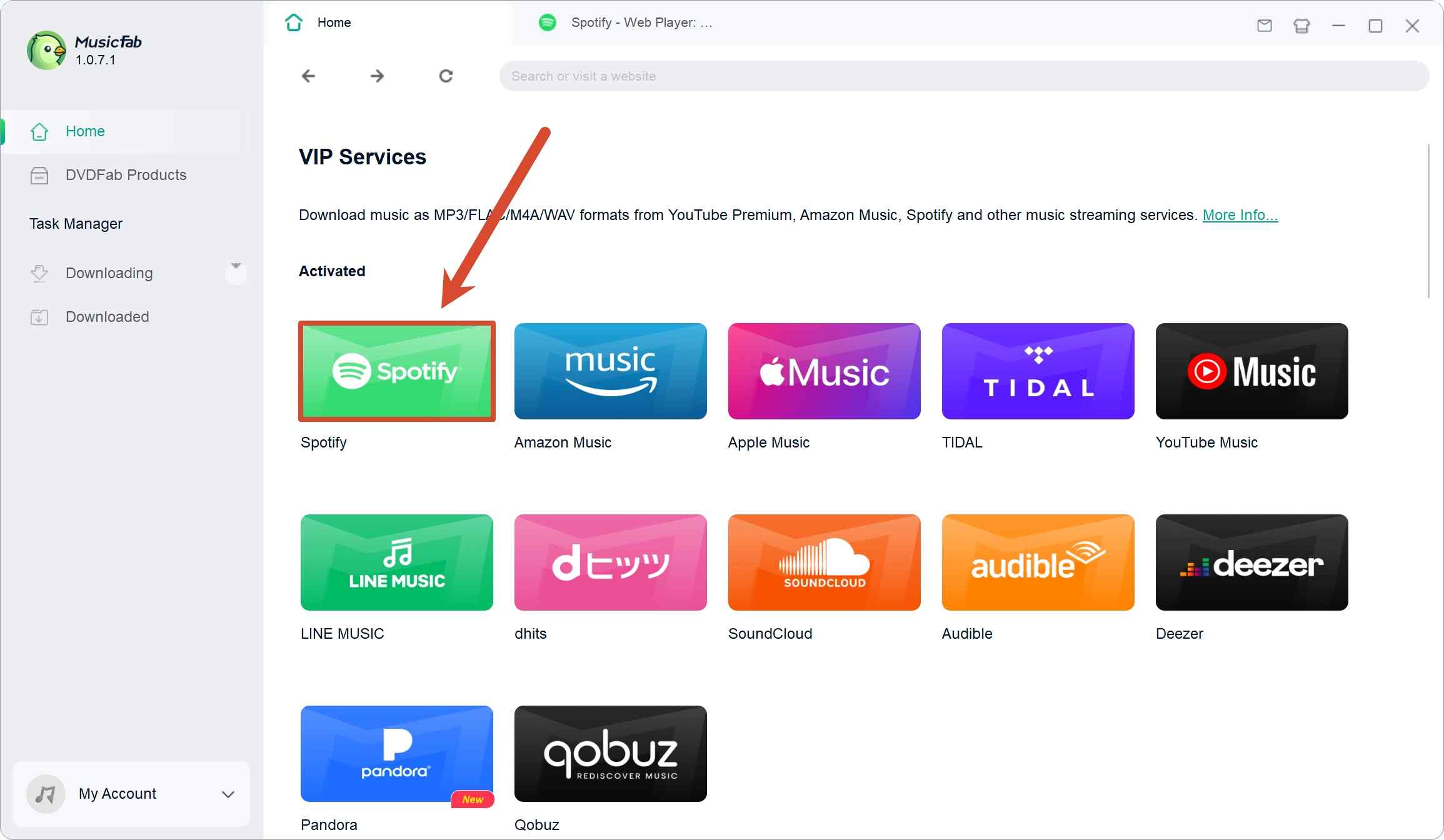
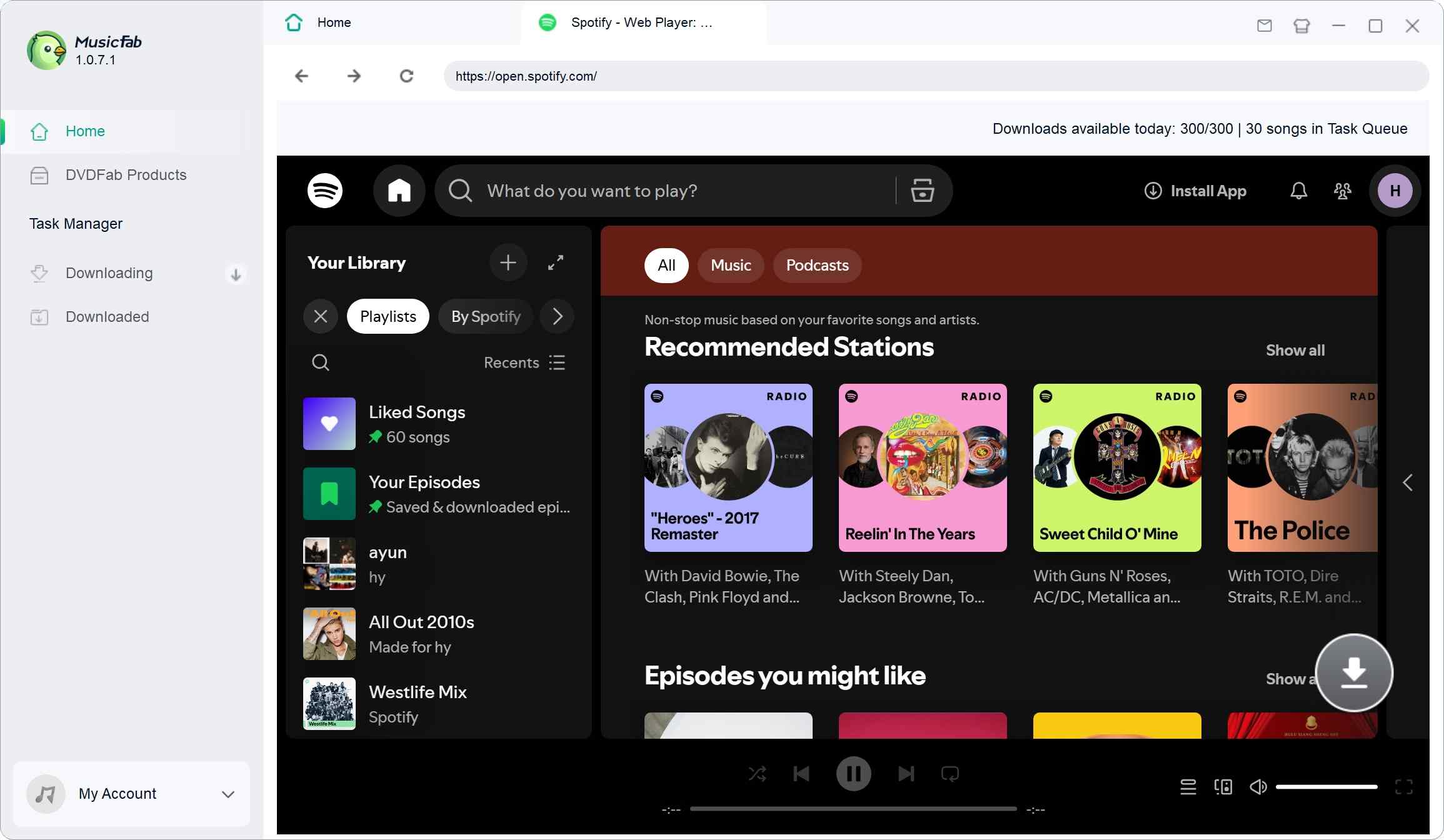
Save FLAC Files with MusicFab
Prerequisite: a Windows or Mac computer, plus an active subscription to the music service you're downloading from.
Conclusion: Choose the Right FLAC Route
Pulling the threads together: which route fits which reader?
- Best for mainstream ownership: a paid hi-res store like Qobuz or HDtracks — straightforward file ownership, clear master specs.
- Best for free legal discovery: Musopen and Internet Archive for public-domain and openly licensed music.
- Best for a disc collection you already own: CD ripping remains the bit-perfect gold standard.
- Best for building a library from streaming services: a desktop tool like MusicFab, for authorized personal use.
- Not ideal: unverified browser-based "FLAC downloader" sites, where authorization is murky and the file is often a transcode.
FAQs About FLAC Downloader
Does converting MP3 to FLAC restore lost quality?
No. Re-encoding a lossy MP3 into a FLAC container produces a larger file but cannot recover audio information the original MP3 compression already discarded. The result is a bigger lossy file, not a lossless one.
Do I need a FLAC codec download to get music?
No. The official FLAC package from xiph.org provides codec libraries and command-line tools for encoding and decoding — it does not include songs or grant access to any catalog. You still need a store, archive, desktop tool, or CD to obtain the music itself.
What is the highest useful FLAC quality for listening?
FLAC can be encoded well beyond CD quality (up to 24-bit/192 kHz and higher), but "useful" depends on the master, your playback chain, and how much storage you're willing to spend. A clean 16-bit/44.1 kHz file from a reputable master often beats a suspicious high-resolution file from an unknown source.
Are browser-based FLAC downloader sites safe to use?
Treat them with caution. Authorization to the source is often unclear, misleading download buttons and bundled adware are common, and many outputs are transcodes with a .flac extension rather than genuine lossless. If you do use one, verify the file's spectrum and source before adding it to your library.


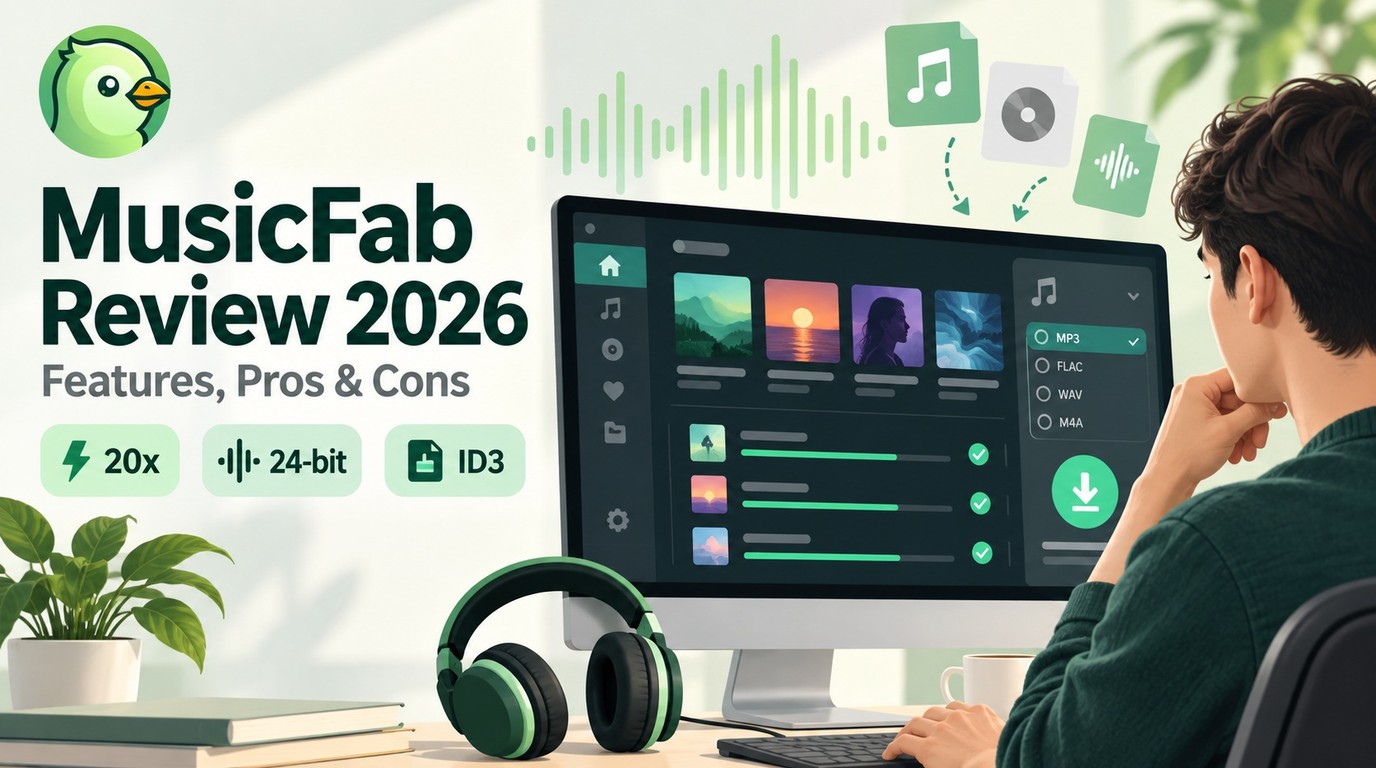
In this article, I will share my personal MusicFab review, analyzing its features, pros and cons, user feedback, recently update and roadmap.
By Jane Chen - Sep 22, 2026
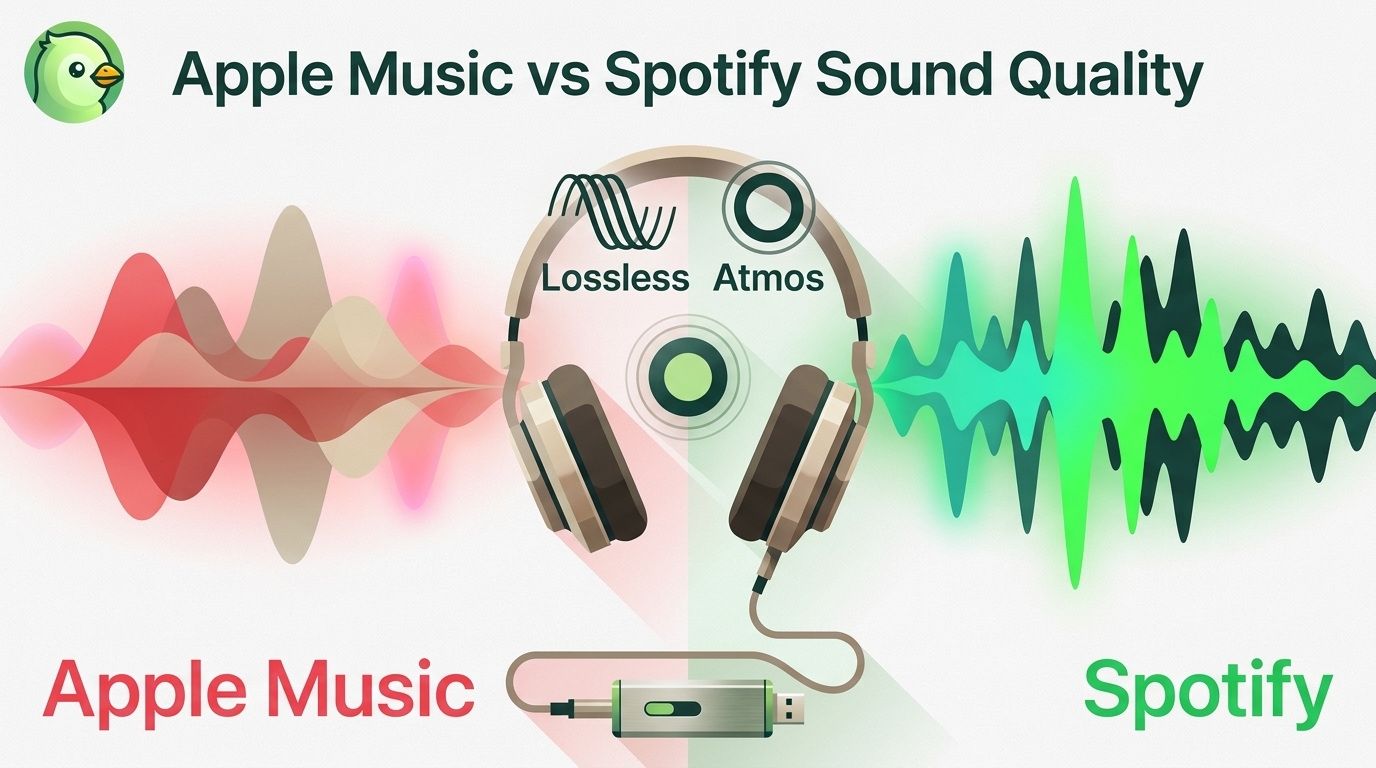
Apple Music offers a higher lossless ceiling and Dolby Atmos, while Spotify combines 24-bit/44.1 kHz FLAC with Connect and discovery strengths. This guide compares specs, device paths, settings, a fair listening protocol, switching trade-offs, and an optional authorized local-file workflow.
By Jane Chen - Aug 26, 2026
Choose a K-pop download method by file ownership, rights status, source quality, and batch needs. This guide compares MusicFab, licensed purchases, owned CD rips, creator-authorized catalogs, desktop tools, and unverified archives, with practical MP3-versus-FLAC guidance and four legal-use FAQs.
By Jane Chen - Aug 13, 2026
Podcast downloads fall into two categories: app-managed offline copies and portable audio files. This guide covers free publisher and RSS links, current iPhone and Android app workflows, bulk and retention limits, a platform comparison, and an authorized MusicFab desktop workflow for saving local files.
By Jane Chen - Aug 13, 2026