
How to Download Pandora Stations: 2 Offline Options for 2026


Table of Contents
Pandora Offline Downloads Depend on Your Plan
Trying to download Pandora stations before a flight gets confusing fast: Pandora offline listening depends on both your plan and device. The practical answer is two paths, Pandora’s in-app downloads or qualified local files for authorized desktop use. For a specific station before travel, Pandora Premium is the official route with manual control.
Free, Plus, and Premium at a Glance
| Plan | Offline access | Station control | US price |
|---|---|---|---|
| Free | Not available | None | Free |
| Plus | Up to four stations | Automatic selection | $5.99/month |
| Premium | Eligible downloads | Manual selection | $10.99 Google Play; $12.99 App Store |
As of August 2026, Plus is the lower-effort Pandora Plus offline option, while Premium is the better fit when you need to choose a station yourself. For features beyond offline control and pricing, see this Pandora Plus vs. Premium comparison.
What an Offline Download Actually Provides
Pandora’s official downloads are licensed, app-contained offline access, not transferable audio files. Pandora station MP3 files refer only to a separate local-file workflow for content you are authorized to access.
Pandora Premium Gives Manual Station Control
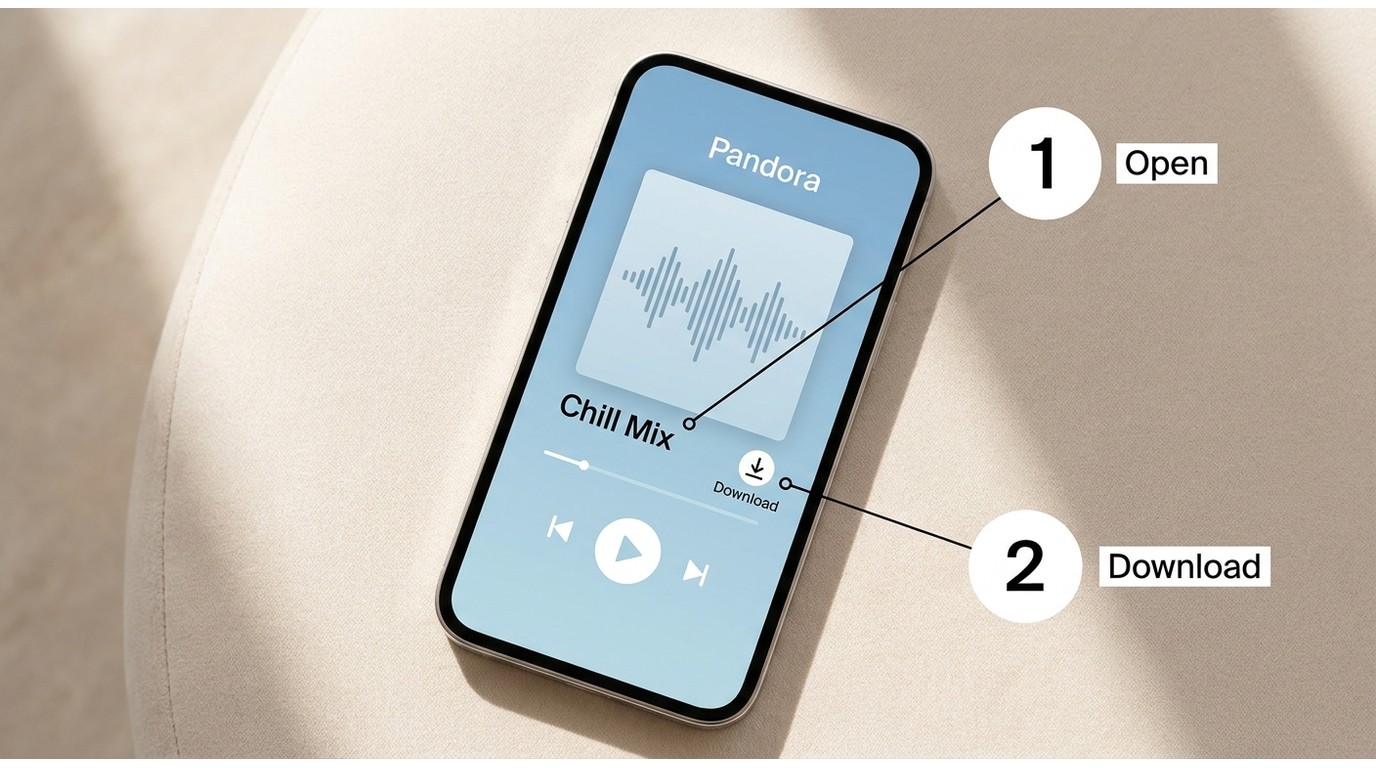
Pandora Premium lets you select eligible stations for offline listening in its supported mobile app. The shared workflow applies to iPhone, iPad, and Android; desktop browsers do not provide the same official offline-download controls.
Best for: Premium subscribers who need a specific eligible station ready for Pandora offline listening.
Not ideal for: Anyone expecting transferable files or desktop-based offline controls.
Download a Station on iPhone or Android
- Step 1: Open Pandora and find the station you want.
- Step 2: Open its station page.
- Step 3: Tap the download arrow when the station is eligible.
- Step 4: Keep Pandora active until the download finishes.
Find and Manage Offline Stations
Use Pandora’s collection and offline controls to confirm that a station is available, show downloaded content, or remove a station you no longer need. The exact labels can differ slightly between iPhone and Android versions.
Note: Official downloads stay inside Pandora’s supported app environment. If you need individual tracks or playlists rather than stations, the details for downloading music from Pandora are covered separately.
Pandora Plus Chooses Stations Automatically
Pandora Plus provides up to four offline stations automatically. Listening behavior may influence the offline rotation, but it does not guarantee that a particular station will be included. Before a trip, let the app finish preparing content and confirm that your offline stations appear while you still have a connection. My take: Plus works when convenience matters more than control; for one specific station, Premium is the less frustrating choice.
Device Support Changes the Workflow
| Device | Official offline use | Management notes |
|---|---|---|
| iPhone and iPad | Supported mobile workflow | Choose eligible Premium stations |
| Android | Supported mobile workflow | Controls may vary by app version |
| Apple Watch | Supported app experience | Confirm downloads and sync status |
| Wear OS | Availability may vary | Watch behavior can differ |
| Windows and Mac | No equivalent app download control | Use Pandora online |
| MP3 players | No official app-contained downloads | Requires a separate local-file workflow |
Support may change, so confirm current device status on Pandora’s official site. The key decision is simple: phones handle the official workflow, while computers and MP3 players require a different approach.
Fix Pandora Stations That Will Not Download
- Confirm that your plan and the station are eligible for offline use.
- Check that you are using a supported device with enough available storage.
- Use a stable connection and keep Pandora active until the download completes.
- Update the app, then check whether the station appears in Pandora’s offline controls.
- For a watch, allow time for sync and verify the station on the wearable itself.
Before reinstalling anything, I would check plan eligibility and device support first. Those two mismatches explain more failed Pandora station downloads than a complicated reset usually does.
Local Files Offer a Different Offline Workflow
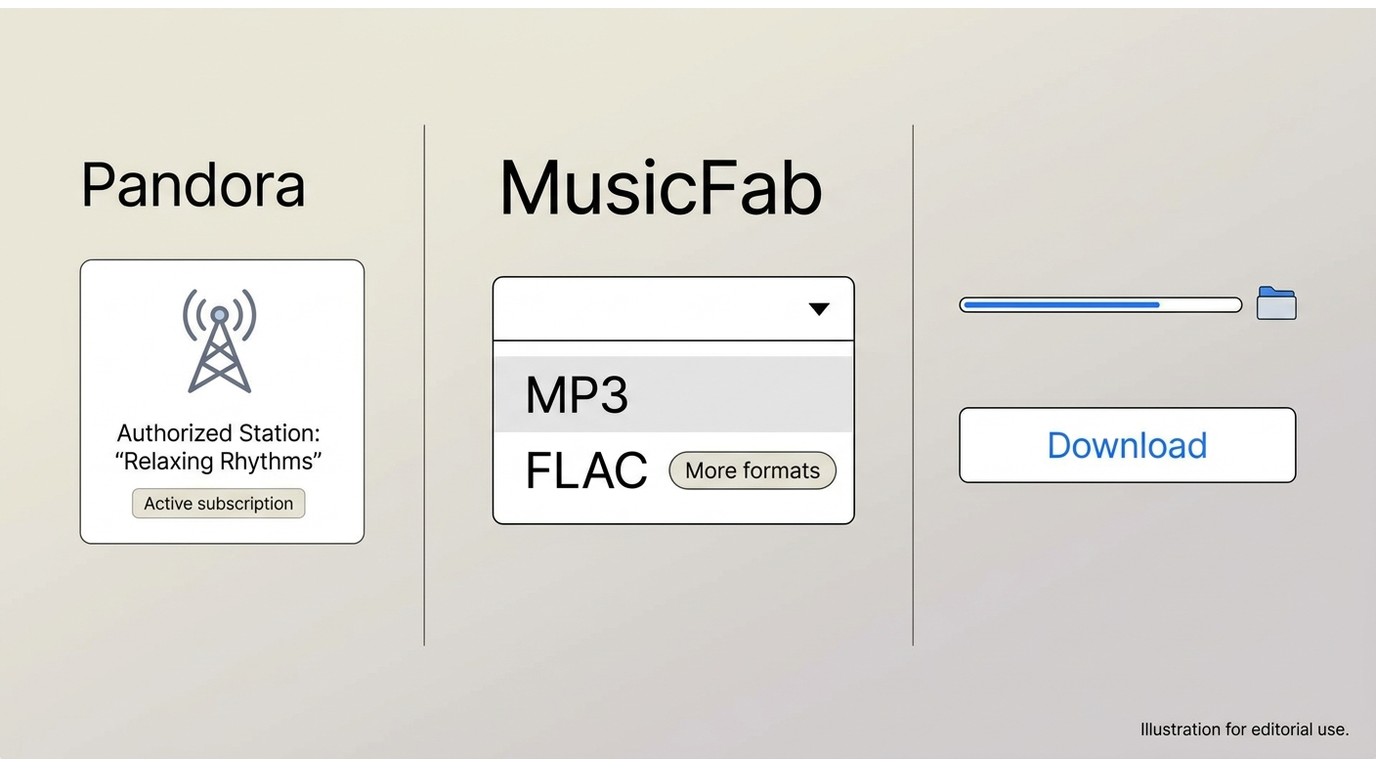
For content you are authorized to access, where permitted by platform terms, applicable law, and personal-copying exceptions, MusicFab Pandora Converter offers a desktop local-file workflow. An active subscription to the original platform is required. This article discusses a MusicFab product, which uses direct source download technology for personal-use file conversion.
This route fits listeners who need local files for their own library or compatible personal devices. It is not ideal for anyone who wants Pandora’s supported in-app experience with the least possible setup or troubleshooting.
Best for: Building a personal local library from authorized Pandora content on a desktop computer.
MusicFab Pandora Converter supports local MP3, M4A(AAC), FLAC, WAV, and OPUS output for authorized Pandora content. Current Pandora recognition can vary by build and environment, so it should not be treated as a guaranteed zero-troubleshooting route.
Use the Desktop Local-File Workflow
Step 1: Launch MusicFab Pandora Converter and select Pandora.
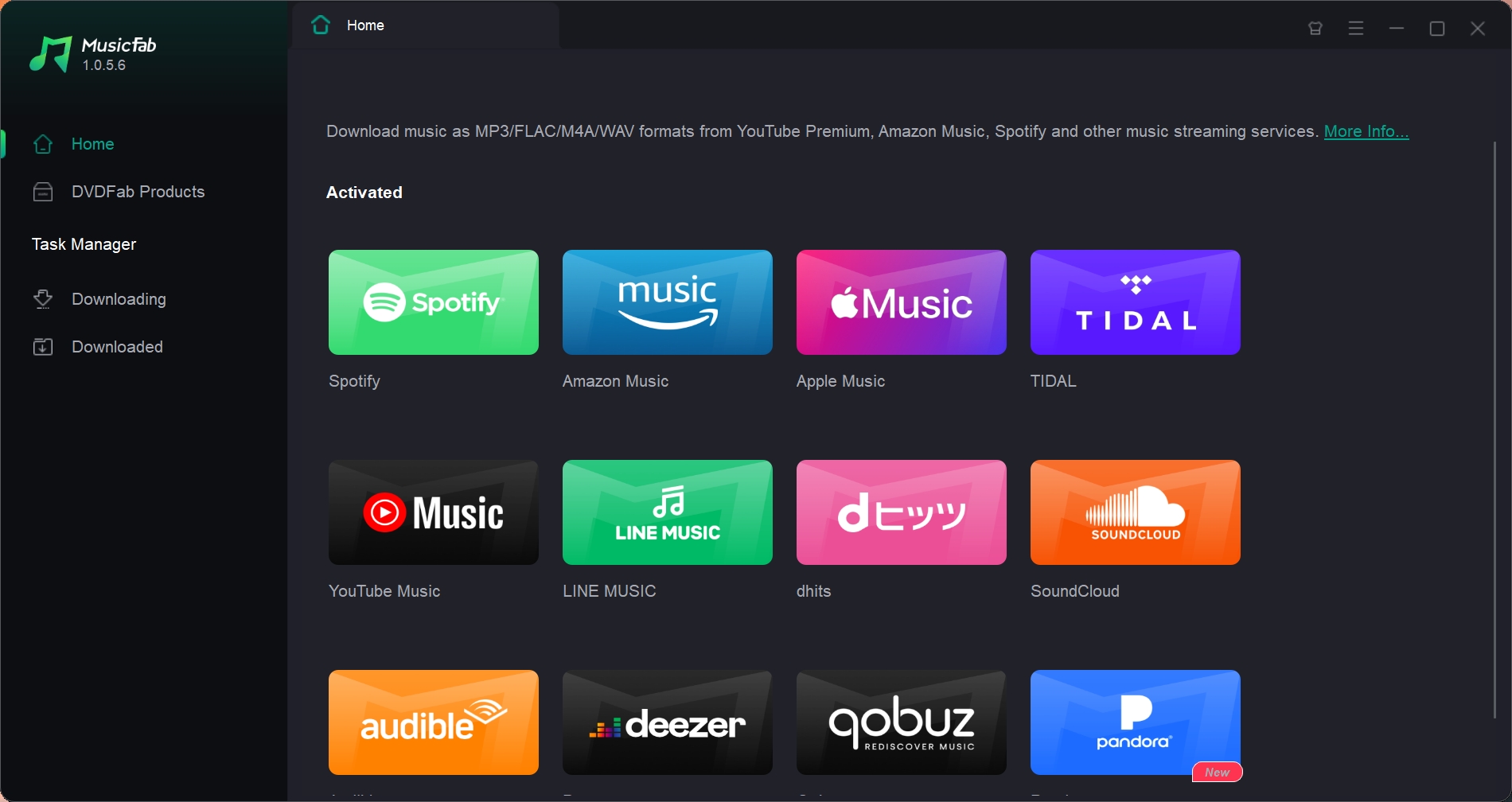
Step 2: Sign in with an active Pandora subscription, then use the built-in browser to find an authorized station or track.
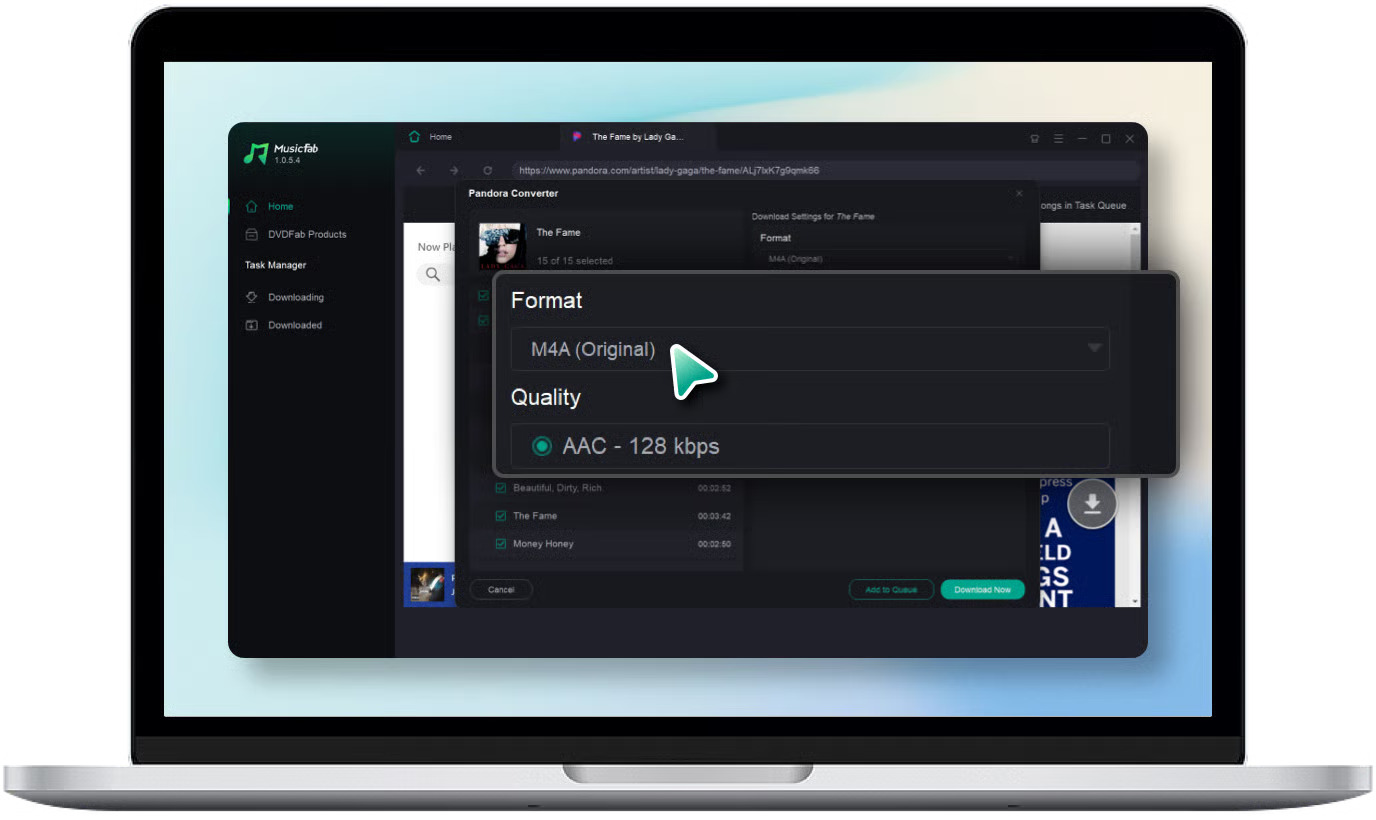
Step 3: Select an output format, then choose Download Now to begin the task.
Local Audio Quality and File Details
| Format | Quality ceiling | Library details | Portability |
|---|---|---|---|
| MP3 | Up to 320 kbps | ID3 tags and lyrics | Broad player support |
| M4A(AAC) | Up to 320 kbps | ID3 tags and lyrics | Compatible personal devices |
| FLAC | Up to 320 kbps | ID3 tags and lyrics | Compatible personal devices |
| WAV | Up to 320 kbps | ID3 tags and lyrics | Compatible personal devices |
| OPUS | Up to 320 kbps | ID3 tags and lyrics | Compatible personal devices |
Metadata retention matters most when you manage a local library across players; it adds little for listeners who are satisfied with Pandora’s app-contained offline access.
Official Offline vs Local Files
| Aspect | Pandora Plus | Pandora Premium | MusicFab local-file workflow |
|---|---|---|---|
| Station selection | Automatic rotation | Manual eligible selection | Choose authorized content |
| Playback location | Pandora app | Pandora app | Compatible personal players |
| Supported devices | Supported app devices | Supported app devices | Windows or Mac output workflow |
| Local output formats | App-contained access | App-contained access | MP3, M4A, FLAC, WAV, OPUS |
| Access requirements | Active Plus plan | Active Premium plan | Active subscription and authorization |
| Best fit | Automatic offline radio | Specific stations in-app | Personal local library needs |
My recommendation is to start with Pandora’s official route when app-based listening meets your needs. Consider local files only when your authorized personal-library workflow genuinely requires them.
Choose the Workflow That Fits
- Choose Pandora Plus when automatic offline stations are enough and you want the lowest-effort setup.
- Choose Pandora Premium when you need to manually select an eligible station in Pandora’s supported app.
- Choose MusicFab Pandora Converter when you have an active Pandora subscription and an authorized personal local-file need on desktop.
For travelers, control matters more than feature lists: Premium is the practical official choice for a specific station, while Plus is best when you can accept Pandora’s automatic rotation. MusicFab is not the right fit if you want a supported in-app experience without desktop setup.
FAQs
Can I use downloaded Pandora stations on an airplane?
Yes, eligible in-app downloads can play without a network connection after they finish downloading. Before leaving, open Pandora and confirm that the station is visible offline.
How much music is saved in a downloaded Pandora station?
Pandora does not provide a dependable fixed song count for an offline station. Station contents can vary as the personalized radio mix and offline rotation change.
Will an offline station always include the seed artist?
No. A Pandora station is a personalized radio mix, not a guaranteed catalog for its seed artist, so the offline selection may include fewer tracks by that artist than expected.
Conclusion
If you already have a Pandora Plus or Premium subscription and only want to listen offline inside the Pandora app, the official Offline Mode is the simplest option. Pandora Plus automatically saves a limited selection of stations, while Premium gives you more control over the content available for offline playback.
If you want to save Pandora music as local audio files for use outside the app, MusicFab Pandora Converter offers a different workflow. It can save Pandora tracks in formats such as MP3, FLAC, WAV, and M4A while preserving useful metadata, making it more suitable for building and managing an offline music library across multiple devices.


Ever searched for a way to download Pandora music, then found that “download” can mean two different things? Pandora offline downloads are app-only on eligible plans, while local audio files follow a desktop workflow. This guide covers both paths and fixes for downloads that will not sync.
By Jane Chen - Aug 18, 2026

Pandora Plus is for ad-free, radio-style listening with limited automatic offline stations. Pandora Premium costs more but adds on-demand search, playlists, and user-selected downloads. The deciding factor is control: choose Plus for discovery and Premium when you regularly pick specific music.
By Jane Chen - Aug 13, 2026