
Pandora Plus vs Premium: Price, Features, and Sound Quality (2026)

Summary: Pandora Plus is for ad-free, radio-style listening with limited automatic offline stations. Pandora Premium costs more but adds on-demand search, playlists, and user-selected downloads. The deciding factor is control: choose Plus for discovery and Premium when you regularly pick specific music.
Table of Contents
Key Takeaways
- In this Pandora plan comparison, Plus is usually the better fit if you press "play" and let Pandora surprise you, even over the pricier Premium.
- If you want Spotify-style control to pick any song, build playlists, and choose your offline downloads, Premium is what you're paying for.
- Pandora Plus doesn't include unrestricted on-demand playback, but some eligible selections can be temporarily unlocked after watching an ad.
- On mobile, Premium can unlock higher audio quality (up to 192 kbps MP3); Plus often tops out lower depending on device and setting.
- Plus offline is automatic (Pandora chooses your top stations); Premium lets you pick downloads, and either way playback stays inside the Pandora app.
Pandora Plus vs Premium Overview
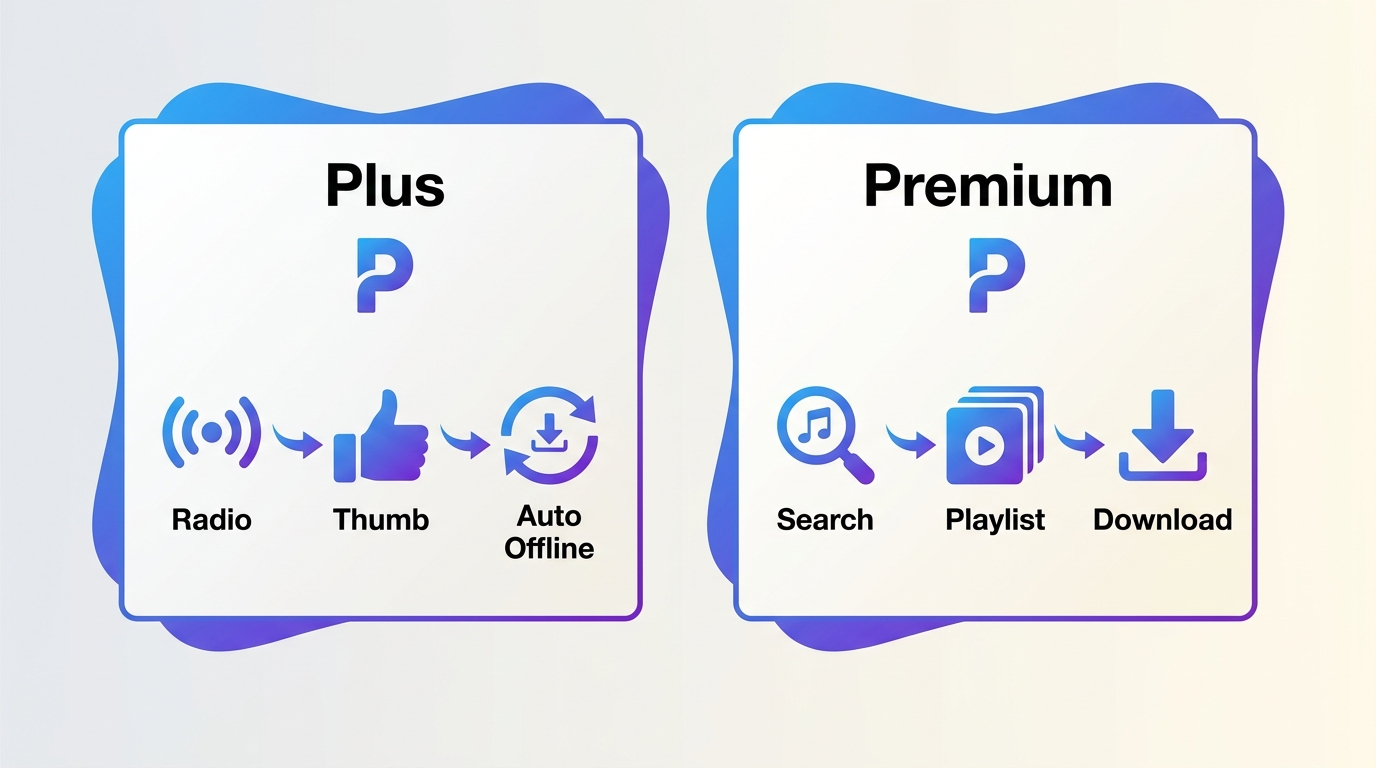
Pandora Plus vs. Pandora Premium is mainly a difference between radio-style listening and on-demand control. Plus removes ads from standard listening and improves stations (skips, replays, and limited offline caching); Premium adds ongoing search-and-play for any song, full playlist creation, and user-selected offline downloads. In daily use, that distinction matters more than the price gap — a radio-first listener rarely uses what Premium adds.
The difference comes down to three things:
- On-demand playback: Premium lets you search and play any song, album, or playlist instantly; Plus is primarily station-based, though eligible selections can be temporarily unlocked after watching an ad.
- Offline listening: Plus auto-caches up to three top stations (and Thumbprint Radio) and you can’t manually pick downloads; Premium lets you download songs, albums, playlists, and stations.
- Playlists: Premium supports full playlist creation and management; Plus is radio-first with limited playlist control.
| Feature | Pandora Plus | Pandora Premium |
|---|---|---|
| Best for | Ad-free radio & discovery | On-demand control + playlists |
| Ads | No | No |
| Playlists | Limited (radio-first) | Full playlist creation and management |
| On-demand (search & play any song) | No (some eligible tracks temporarily unlockable via ad) | Yes |
| Offline listening | Limited, mostly automatic offline stations | Download songs/albums/playlists |
| Mobile audio options | Basic (varies by device/settings) | Full Low/Standard/High controls |
| Pandora Modes | Available, but Artist Only requires Premium | Full access (incl. Artist Only) |
| Offline playback | Pandora app only | Pandora app only |
Pricing and availability can vary by where you subscribe (Pandora website vs. App Store/Google Play) and taxes.
Pandora Plus vs Premium Pricing
Web and App Store Prices
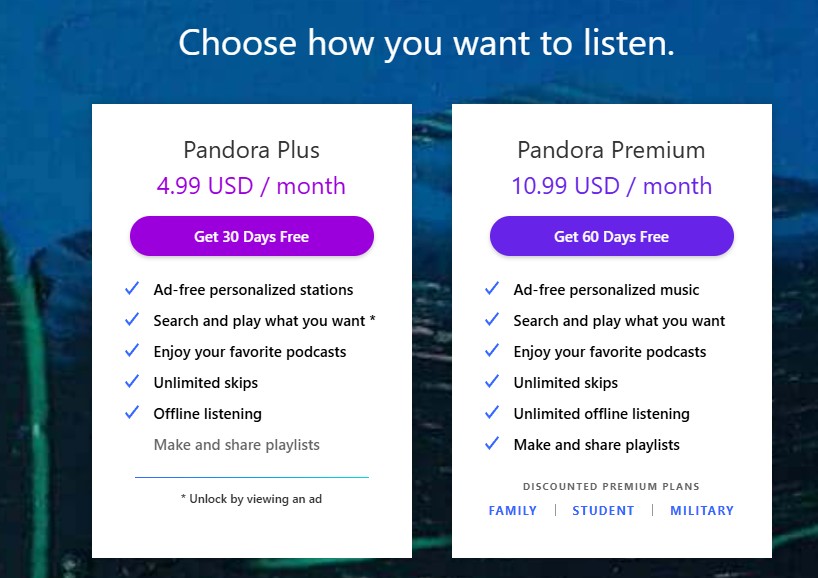
Pandora's checkout price depends on where you subscribe. The listed web prices are lower than the cited iOS prices; Android checkout pricing can vary. Here's the current U.S. picture, including trials and discounted Premium variants:
| Plan | Web (pandora.com) | iOS App Store | Free Trial |
|---|---|---|---|
| Pandora Plus | $4.99/mo | $5.99/mo | 30 days |
| Pandora Premium | $10.99/mo | $12.99/mo | 60 days |
| Premium Family | $17.99/mo | — | 60 days |
| Premium Student | $5.99/mo | — | 60 days |
| Premium Military | $8.99/mo | — | 60 days |
Prices as of August 2026. Source: Pandora's official plans page. Google Play checkout pricing varies by region and account.
Trials and Discounted Premium Plans
Pandora runs a 30-day trial for Plus and a 60-day trial for Premium, and the discounted Premium tiers (Student, Military, Family) share the 60-day window. Trial eligibility can depend on the account and prior subscription history, so the exact offer you see at checkout may differ.
Pandora Plus vs Premium: Feature Differences
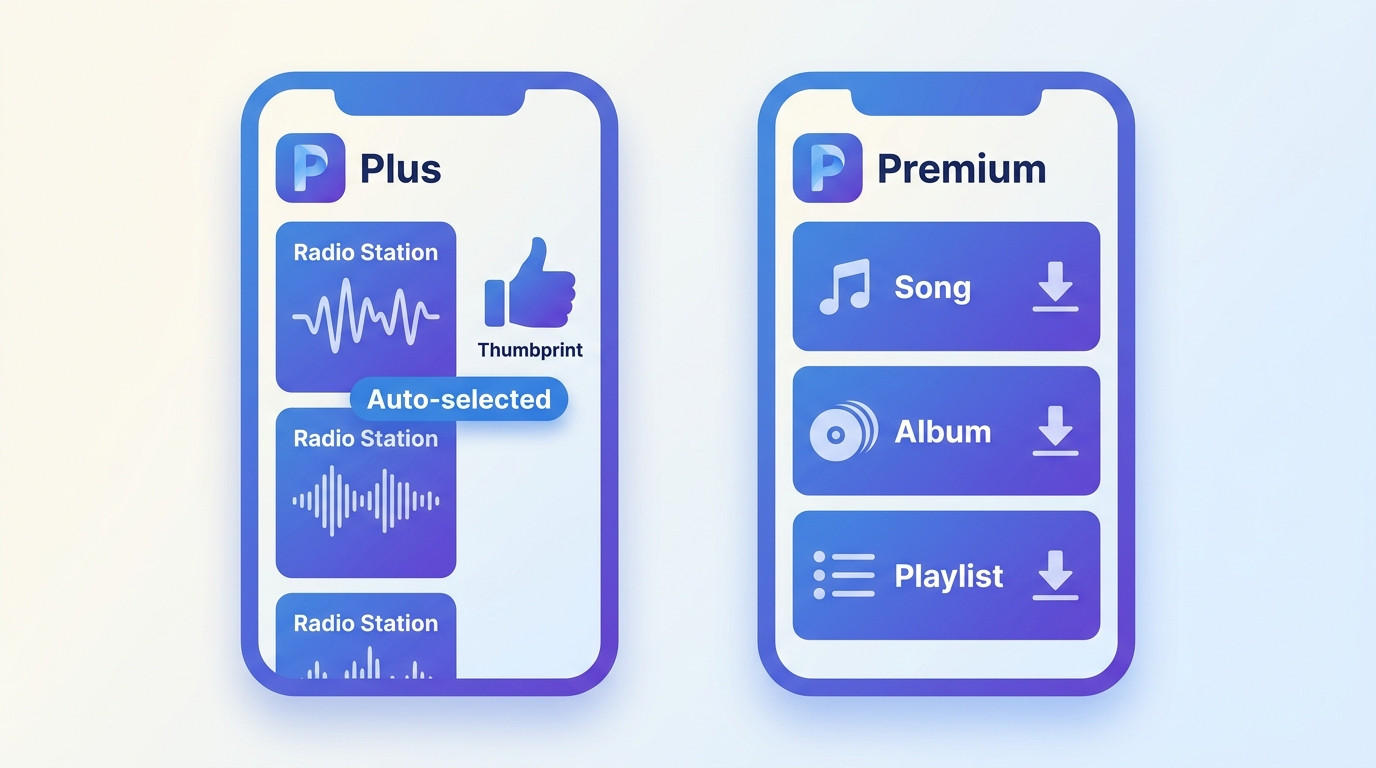
The key differences between Pandora Plus and Premium are as follows :
Control: Radio Stations vs On-Demand Playback
This is the biggest difference between the two plans.
- Pandora Plus is still Pandora radio. You pick a station (artist, song, or genre), give thumbs up or down, and skip and replay more freely — but you don't get ongoing on-demand search and playback. Eligible selections can be temporarily unlocked after watching an ad, so it's not an absolute no; it's just not a persistent capability.
- Pandora Premium adds ongoing search and on-demand play, so you can pull up a specific song, album, or playlist and hit play immediately, no ad gate.
If you like leaning back and letting Pandora surprise you, Plus is usually enough. If you want to control exactly what plays next, Premium is the upgrade you're paying for.
Offline Listening: Automatic vs Chosen Downloads
Offline is where many people get disappointed, mostly because they assume Plus works like Spotify or Apple Music downloads. It doesn't.
With Pandora Plus, offline is limited and largely automatic — Pandora saves up to three of your top stations plus Thumbprint Radio when available, and refreshes them over time. You can't manually pick which stations get cached, which trips up listeners expecting on-demand-style downloads. If you're specifically after station downloads, our walkthrough on how to download Pandora stations covers the actual mechanics.
With Pandora Premium, offline is intentional: you choose eligible songs, albums, playlists, and stations to download. In my experience Premium is clearly better here for anyone who wants control, but I wouldn't call it universal — item availability can vary by licensing, so not every track you'd like to save will actually be downloadable.
One thing to be clear on regardless of plan: Pandora's offline content is designed to play inside the Pandora app.
Playlists: Limited vs Fully Customizable
- Plus focuses on stations. You can shape them, but you’re not building a true on-demand playlist library.
- Premium lets you create and customize playlists much more like other streaming services.
Pandora Plus vs Premium Sound Quality
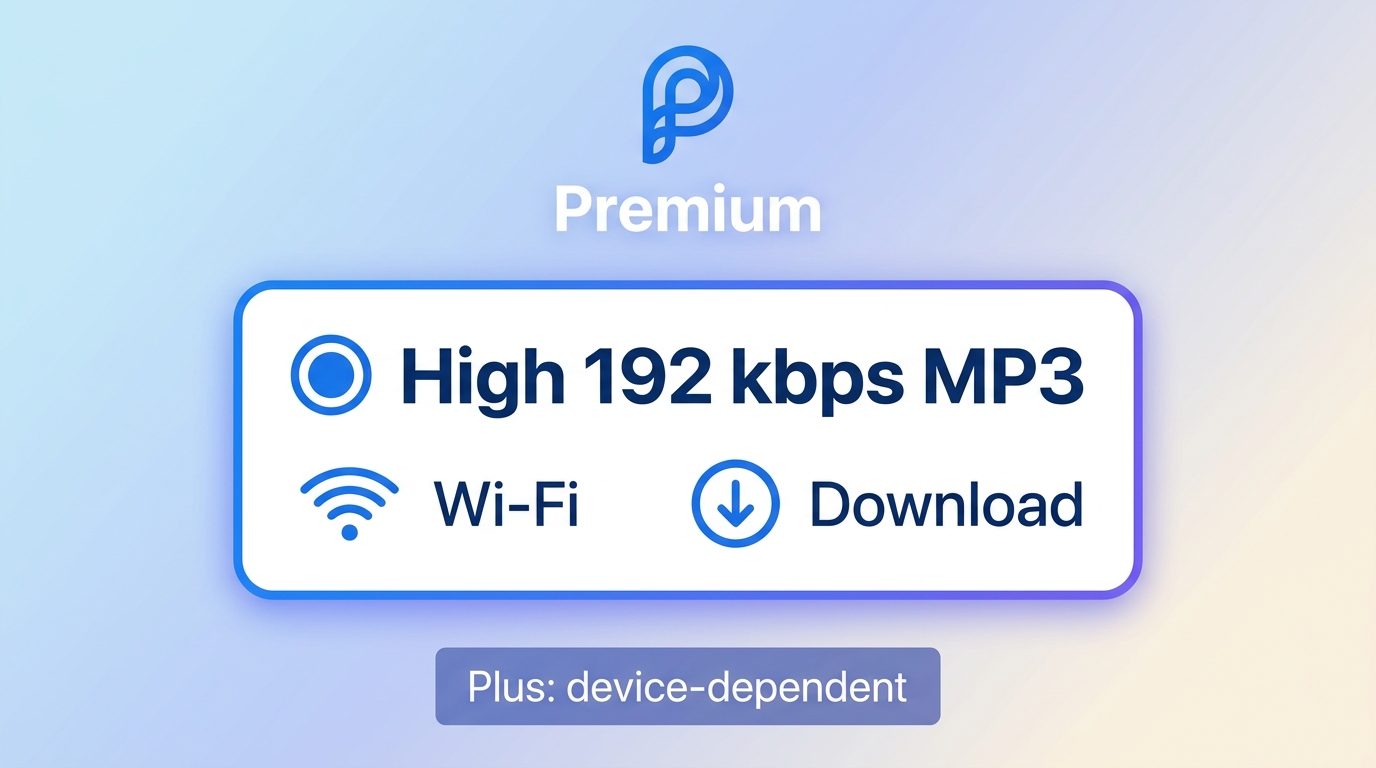
Desktop/web can look similar; mobile is where Premium tends to matter more. If you mostly listen on your phone (AirPods, CarPlay, Bluetooth speakers), Premium’s mobile audio controls and high-quality availability can be a real upgrade, especially if you set Wi-Fi/downloads to High.
| Platform/Device | Plan | Codec / bitrate |
|---|---|---|
| Web player | Free vs Plus/Premium | Free: AAC+ 64 kbps; Plus/Premium: 192 kbps |
| Mobile app — streaming | Free/Plus vs Premium | Free/Plus: 24-64 kbps; Premium: Low 32 (AAC+) / Std 64 (AAC+) / High 192 (MP3) |
| Mobile app — downloads | Premium | Same as your chosen tier (32/64/192) |
| In-home devices | All plans (device-limited) | Often noted as ~128 kbps MP3 |
Note: Premium is the tier more consistently associated with high-quality (192 kbps) on iOS/Android, while free/Plus can be lower depending on device, connection, and settings.
Pandora Plus vs Premium: Which Plan Fits You
Here's my honest take after living with both: more features don't automatically mean a better daily experience. If your habit is starting a station and letting it run, Premium's on-demand surface can feel like extra friction rather than an upgrade.
Whether Pandora Premium is worth it depends on how often you choose exact songs and build playlists. If those habits are occasional, Plus keeps the Pandora experience simpler.
Choose Pandora Plus for Radio-First Listening
- You mostly listen to stations for commutes, work, or background
- You value the familiar Pandora discovery flow and don't want to babysit a playlist
- You're okay with limited, automatic offline and don't need to hand-pick downloads
I'd pick Plus myself for a long-commute setup where the point is discovery, not curation. Paying extra for on-demand features I wouldn't touch just adds decision fatigue.
Choose Pandora Premium for More Control
- You want on-demand control to search, play, and build playlists
- You'd rather choose your own offline downloads than let Pandora decide
- You care about high-quality audio on mobile
Where Premium is not the obvious win: library and support friction can still affect the experience, and the offline availability limits are covered above. Base the upgrade on on-demand and playlist use, not on a frictionless-experience promise.
If you're paying Premium mainly hoping for audiophile sound, compare it first against services that offer lossless options at similar prices — see Spotify vs. Pandora.
Portable Pandora Audio Files with MusicFab
Picture this: you've been building a favorites list on Pandora for months, then switch phones — and everything you cached is gone. Pandora's own offline is app-bound by design, which is fine until you need those tracks somewhere Pandora doesn't run. That's the gap MusicFab Pandora Converter fills, as a separate local-file workflow for content you're authorized to access, where permitted by platform terms and applicable law. Disclosure: MusicFab is a third-party option relative to Pandora's official in-app downloads.
Formats, Audio Quality, and Metadata
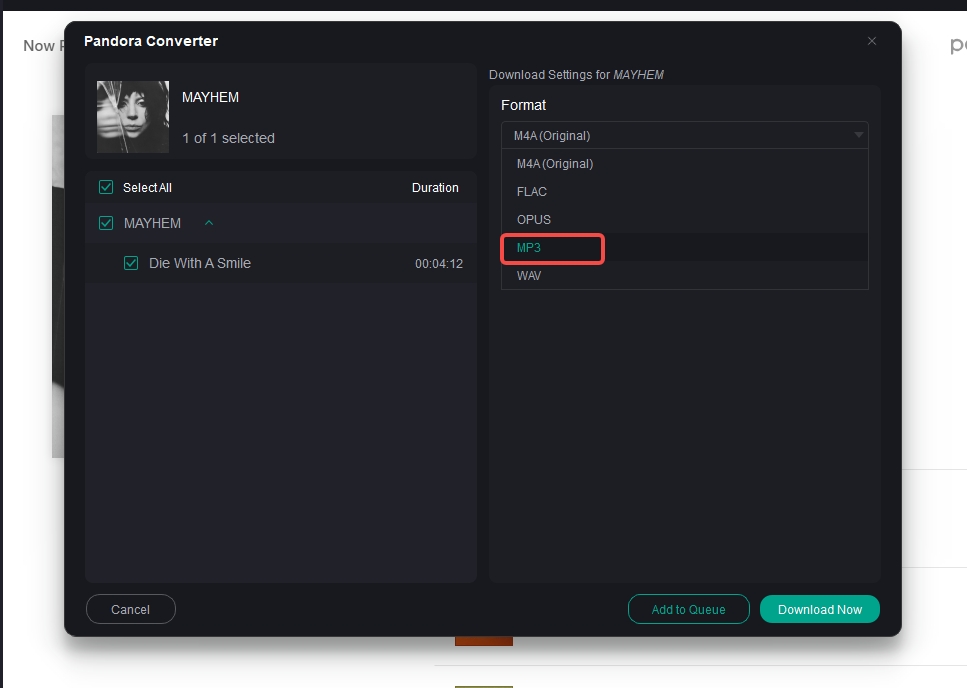
If format compatibility is your pain point — you want files that play in your car head unit, a hi-fi player, or a DJ app — MusicFab is a desktop app for Windows 11/10 and macOS that can download music from Pandora into MP3, FLAC, WAV, M4A, or OPUS at up to 320 kbps, with ID3 tags (title, artist, album, cover, track number) and .lrc lyrics preserved. Uses direct source download technology; requires an active Pandora subscription for the content you're saving.
Batch Downloads and Built-In Browser
If your bottleneck is efficiency — moving whole playlists or albums at once rather than one song at a time — MusicFab handles batch processing through a built-in browser, so you log in once and queue the content directly, no separate Pandora app install required. Not ideal if all you need is Pandora's in-app offline for the daily commute: for that, Premium's built-in downloads are simpler.

- Save Pandora music as MP3, FLAC, WAV, M4A or OPUS format
- Download Pandora stations/songs/playlists/albums/podcasts
- Support both Free and Premium account
- Built-in browser & batch download
FAQs
Why do I still hear ads with Pandora Plus?
Pandora Plus is Pandora without ads for standard station listening. A voluntary ad may still appear when Pandora offers a temporary on-demand unlock for an eligible song, album, or Artist Only mode. Skipping that offer leaves normal ad-free station playback unchanged.
Can I try Pandora Plus or Premium before paying?
Yes. Pandora lists a 30-day free trial for Plus and a 60-day free trial for Premium, including Student, Military, and Family plans. Eligibility can depend on prior subscription history, and the offer can differ between web and app checkout.
Does Pandora offer a senior discount?
Not as a dedicated tier. Pandora's current official discounted lineup covers Student, Military, and Family plans; there's no separate senior plan. If those don't apply, the standard Plus ($4.99/mo web) and Premium (0.99/mo web) prices are what you'll see at checkout.
Does Pandora Premium include Pandora Plus features?
Premium includes ad-free standard listening and expands the experience with ongoing on-demand search, playlist creation, and user-selected offline downloads. The practical reason to upgrade is control, not simply access to the same radio-first experience without ads.
Conclusion
The choice between Pandora Plus and Premium mainly comes down to how much control you want over your music. If you mostly open a station, press play, and let Pandora handle the recommendations, Plus offers a lower-cost way to remove ads, get more skips and replays, and keep a small selection of stations available offline.
Premium makes more sense if you regularly search for specific songs, build playlists, or want to decide exactly what gets downloaded for offline listening. It also gives mobile users access to more flexible audio quality controls, although Pandora still does not target the same lossless listening experience offered by some competing services.


Ever searched for a way to download Pandora music, then found that “download” can mean two different things? Pandora offline downloads are app-only on eligible plans, while local audio files follow a desktop workflow. This guide covers both paths and fixes for downloads that will not sync.
By Jane Chen - Aug 18, 2026
Learn which Pandora plans let you save stations offline, how downloads differ by device, what to fix when they fail, and when a qualified local-file workflow may
By Jane Chen - Aug 11, 2026