6 Bandcamp Downloaders Compared for MP3 and FLAC in 2026

Summary: Bandcamp's official purchase download is the first choice for source quality, while browser, open-source, and desktop tools serve narrower workflows. This guide compares six downloader options, explains MP3, FLAC, and WAV choices, and shows how to handle album limits, ZIP files, metadata, mobile access, and download safety.
Table of Contents
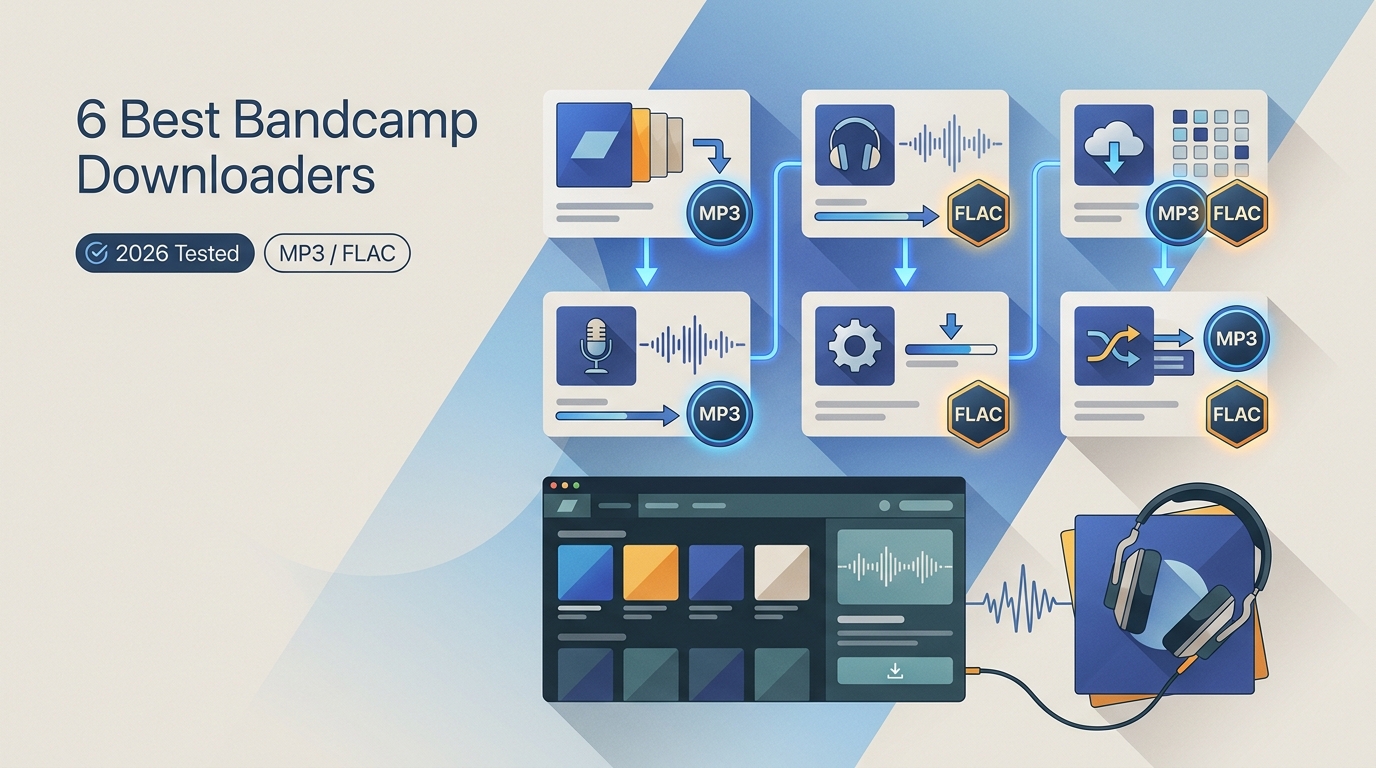
Searching for a Bandcamp downloader gets confusing fast: a purchased release, an artist-authorized free download, and a public stream do not provide the same files or audio quality. If you want to download from Bandcamp, start by identifying the source, then choose the simplest method that preserves what the artist actually offers.
The practical route is straightforward: use Bandcamp's official download for purchases, choose a format that matches your playback or archive needs, and consider an online, open-source, or desktop alternative only when the official path does not fit the job. The comparisons below focus on real limits rather than an unsupported universal winner.
Quick Comparison: Bandcamp Download Methods
The best Bandcamp downloader depends on the task. Official purchase downloads lead for source quality, browser tools suit occasional links, the Otiel project gives Windows users an open-source route, and MusicFab fits larger local-library workflows on Windows and Mac.
| Method or tool | Type | Status | Output | Batch Support | Best Fit | Limitations |
|---|---|---|---|---|---|---|
| Official Bandcamp purchase download | Official download | Available for eligible purchases | MP3, FLAC, WAV, and other formats offered by the release | Full album downloads supported | Purchased albums and artist-provided files | Does not convert public streams into downloadable files |
| MusicFab Audio Converter | Desktop converter | Current desktop option | MP3, M4A, WAV, FLAC, and OPUS | Supports songs, albums, and batch queues | Users building organized music libraries | Requires desktop installation and a compatible source workflow |
| BandcampDownloader.app | Online downloader | Availability requires verification | MP3-focused workflow | Mainly suited for individual tracks | Quick browser-based downloads | Ads may appear; album workflows are less convenient |
| Bandcamp Album Downloader | Online album downloader | Available with limited free access | MP3 and other advertised formats | Album selection and ZIP workflow available | Testing small album downloads | Free usage limits apply; output should be verified |
| STEPTODOWN Bandcamp Music Downloader | Online downloader | Page available; results need verification | MP3 workflow | No verified batch support | Simple single-link attempts | Limited quality and metadata information |
| PostSyncer | Browser downloader | Reachable general downloader | Bandcamp-specific quality unverified | No confirmed album queue | Occasional single links | Requires checking final output and metadata |
| Otiel BandcampDownloader | Open-source desktop tool | Active Windows project | Depends on project workflow | Designed for multi-item downloads | Windows users who prefer open-source tools | Windows only and requires local installation |
Status note: the availability, limits, and documentation observations above are as of July 2026. This update combines page checks, prior captures, and documented behavior; the tools were not all completed under one identical operating system, browser version, region, and network setup, so this is not a head-to-head performance test.
My decision rule is simple: source quality comes first, then complete track selection, metadata, and convenience. A fast converter cannot repair a low-bitrate source, and a long feature list does not help if the release is already available through Bandcamp's purchase flow.
Official Bandcamp Downloads Come First
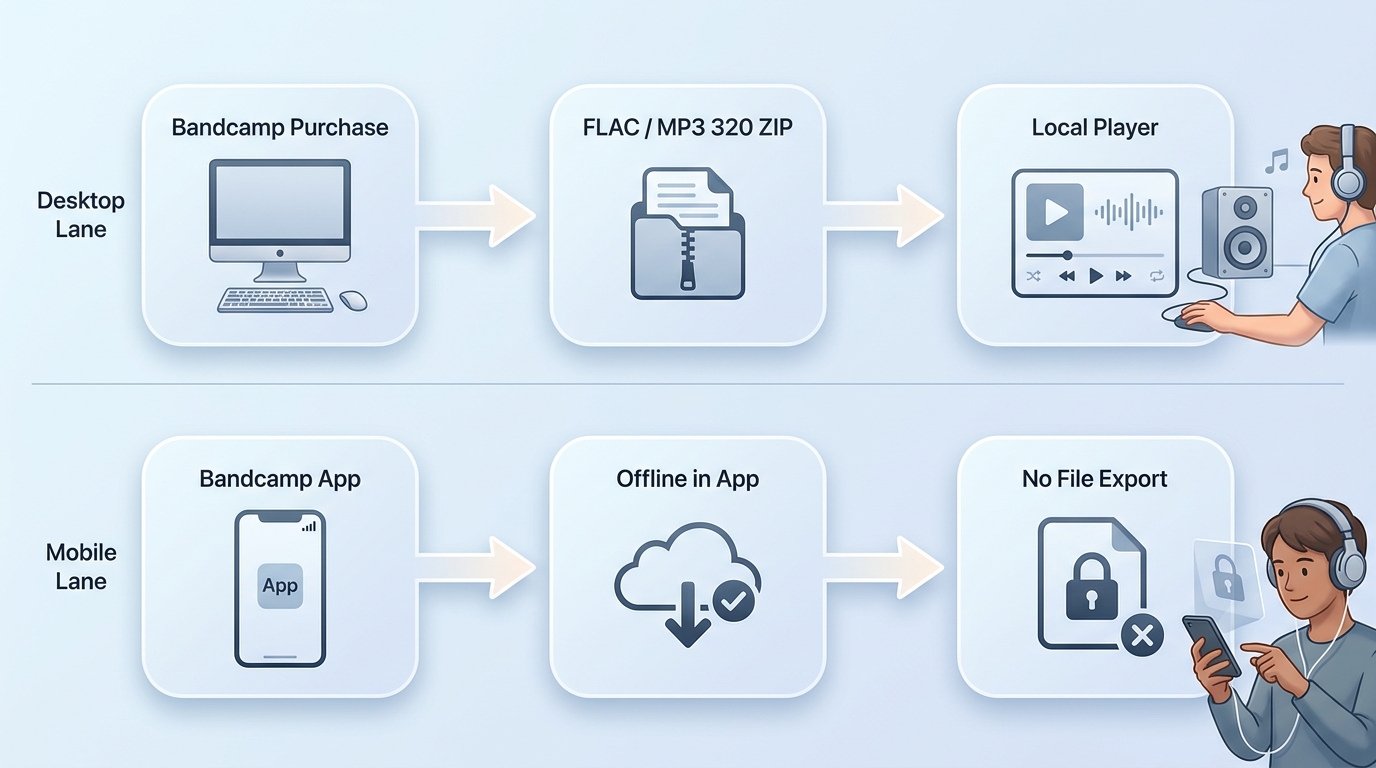
For music you purchased or an artist explicitly offers as a download, Bandcamp's official file is the most reliable first choice. It supports the artist and preserves the file options attached to that release instead of turning a public preview into a different container.
Purchases, Free Releases, and Public Streams
A Bandcamp download can begin from several very different sources. Match the method to the release before choosing software:
- Purchased album or track: use the purchase or collection download path and select one of the formats Bandcamp offers for that release.
- Artist-authorized free or name-your-price release: complete the artist's download flow, including any email step, rather than treating the public player as the file source.
- Public stream without download permission: do not assume a free Bandcamp downloader produces the artist's master or an official lossless file.
- Phone listening: separate app-based offline listening from a file you can extract, move, tag, or import into another player.
When readers ask how to download from Bandcamp, this source check is the step I would not skip. It prevents the most common quality mistake: labeling a converted preview as the same thing as a purchased FLAC.
Desktop Files Versus Mobile Offline Listening
The Bandcamp downloader app question often hides two needs. The Bandcamp app can support listening within its own environment, while downloadable files from a purchase can be stored, extracted from ZIP archives, and opened in compatible audio software.
On a phone, browser converters add extra friction because the device must handle pop-ups, file permissions, downloads, and ZIP extraction. If the goal is simply to hear a purchased release offline, the official app or purchase flow is usually cleaner than routing the link through another site.
Bandcamp Formats: MP3, FLAC, WAV, and More
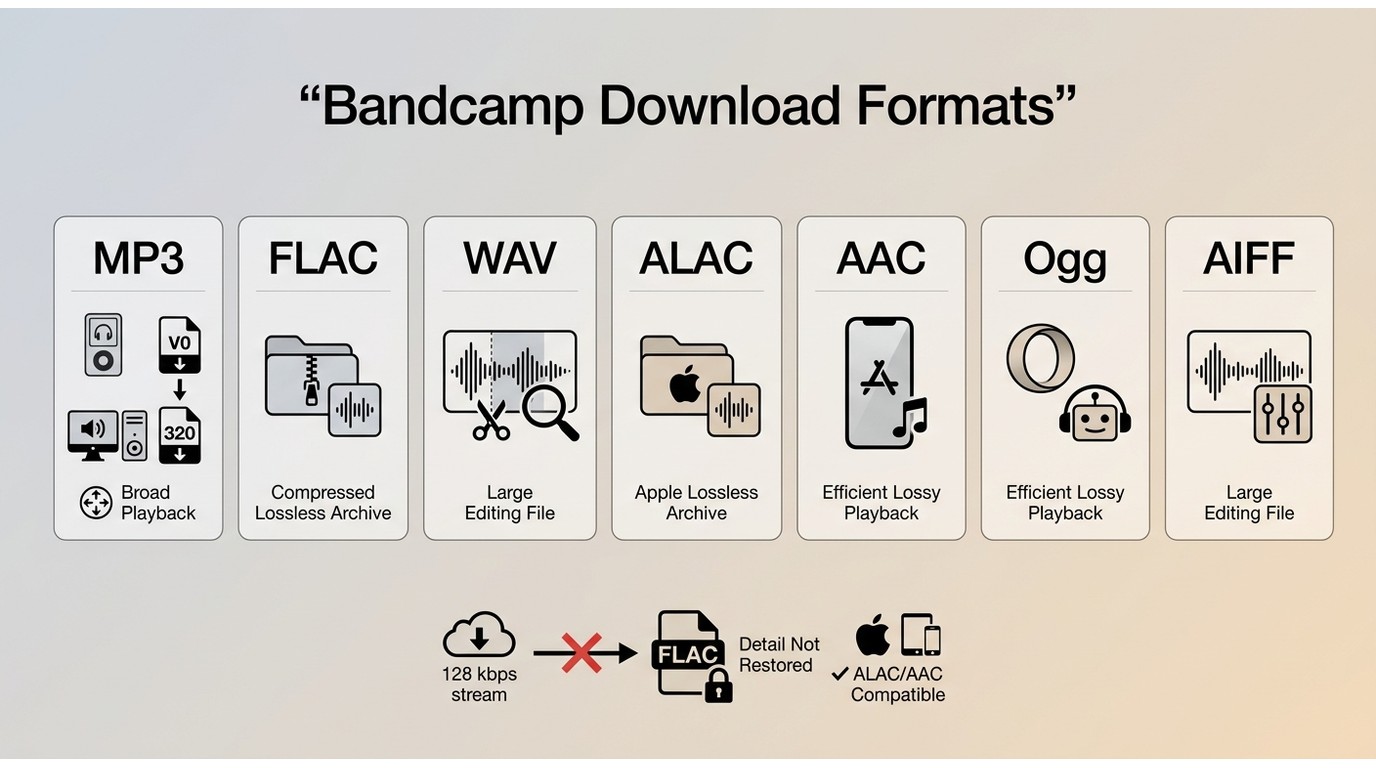
Bandcamp to MP3, Bandcamp to FLAC, and Bandcamp to WAV searches all lead to the same decision: choose the official purchase format when available, then balance source fidelity, storage, editing needs, and device support.
| Bandcamp Audio Format Comparison | ||||
|---|---|---|---|---|
| Format | Quality | File Size | Compatibility | Best Use |
| FLAC | Lossless | Medium | Widely supported by modern players | Music archives and high-quality listening |
| WAV | Lossless, uncompressed | Large | Excellent in audio and editing software | Audio production and editing workflows |
| AIFF | Lossless, uncompressed | Large | Strong support in Apple and production environments | Editing and professional audio workflows |
| ALAC | Lossless | Medium | Best suited to Apple-focused libraries | Lossless playback in Apple ecosystems |
| MP3 320 kbps | Lossy | Small | Almost universal device support | Portable music libraries and everyday playback |
| AAC | Lossy | Small | Excellent support on modern devices | Mobile listening when storage matters |
Lossless Quality Versus Storage and Compatibility
FLAC is the practical archival default for most buyers because it keeps lossless audio without the larger footprint of uncompressed WAV or AIFF. MP3 or AAC is easier for storage-limited phones, while WAV and AIFF make sense when a specific editor or DJ setup expects them.
Lossless audio does not guarantee complete library data. A release can sound intact and still omit genre, key, or other fields, so inspect tags before importing a large collection into DJ or catalog software.
Why Stream Conversion Is Not Lossless
A Bandcamp downloader 320 kbps option can be useful for compatibility, but the output label does not reveal the source quality. Saving a lower-bitrate public stream as FLAC or WAV changes the file format, not the audio detail that was already absent.
This is where a Bandcamp ripper claim deserves skepticism: the extension alone cannot prove source fidelity. For an archive, use the purchased lossless file. For casual playback, an MP3 from an authorized source may be the more practical choice.
Free Online Bandcamp Downloaders
A free Bandcamp downloader can be convenient for one public link, but current availability, limits, metadata, and output quality vary. The active Otiel project appears in the comparison matrix as a Windows open-source category rather than an online service.
Picture a common workflow: you buy an album, discover that the ZIP needs organizing, and also want to sample one public track before deciding on another purchase. Use the official file for the bought album; evaluate a browser tool only for the separate, authorized single-link task.
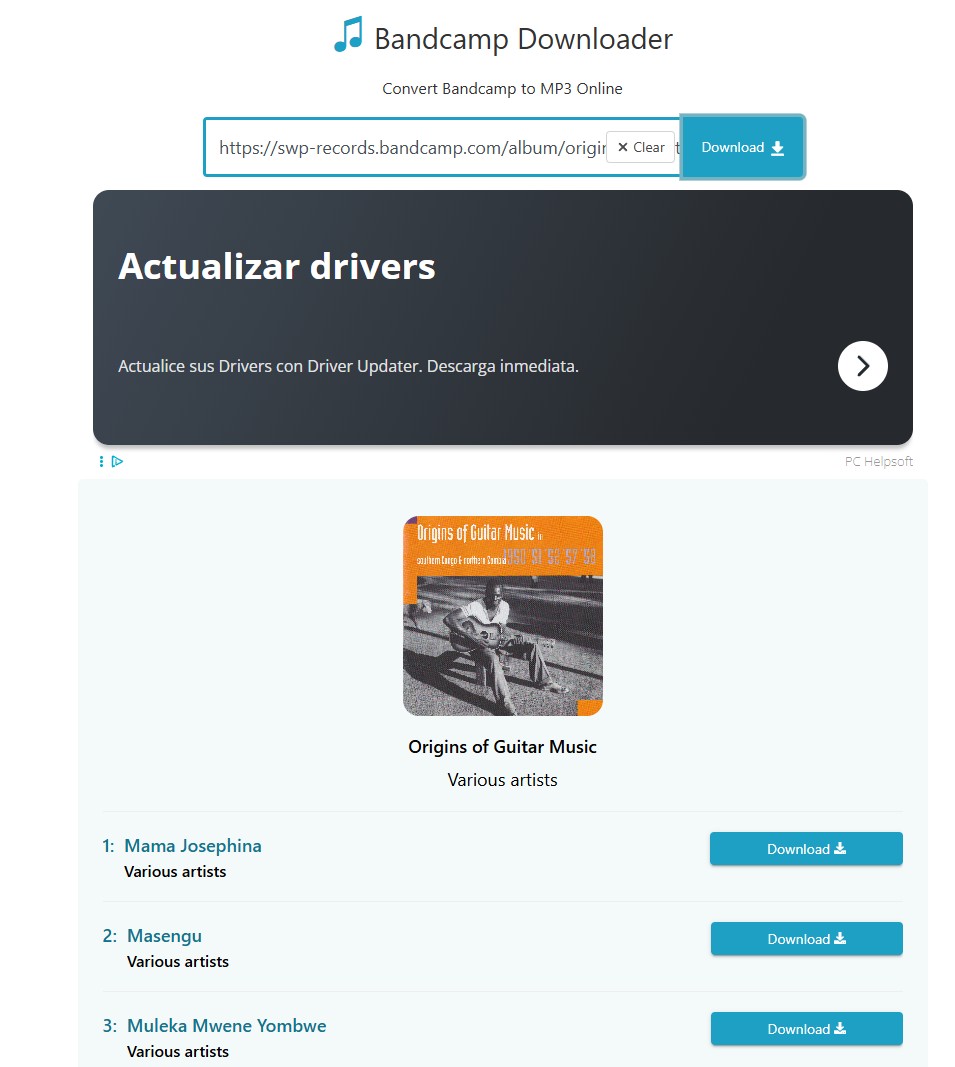
1. BandcampDownloader.app
BandcampDownloader.app is often the first result you'll see when you search for a Bandcamp downloader, and for good reason. It is a simple, free Bandcamp music downloader that lets you paste an album URL and download audio files with a single click.
| Website |
|
| Tested results |
|
| Pros |
|
| Cons |
|
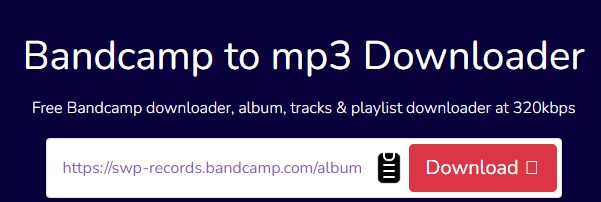
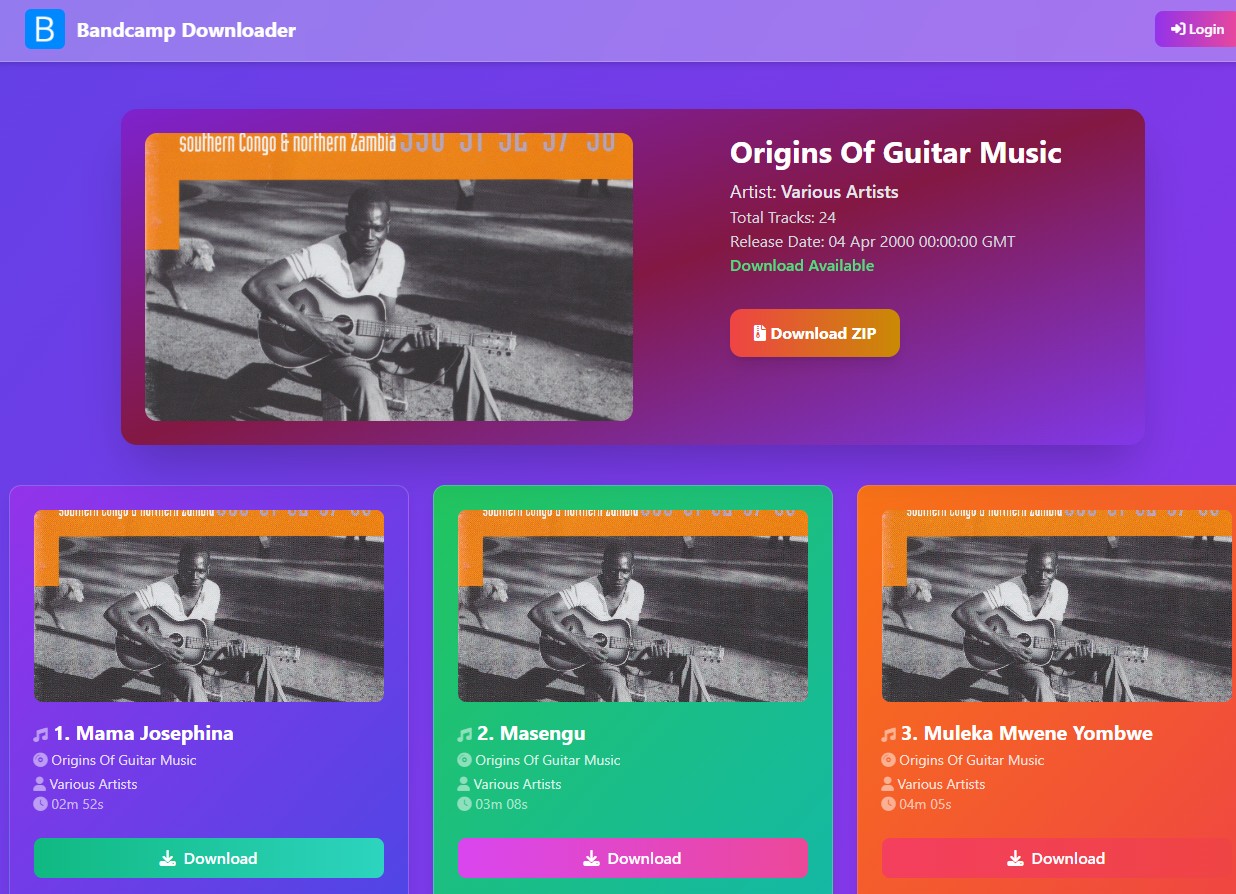
2. Bandcamp to MP3 Downloader
Bandcamp to MP3 Downloader stands out among those free Bandcamp music downloaders. It supports fast parsing, batch downloading Bandcamp albums to ZIP files, and even allows you to choose quality and other formats. Even if you download only a few singles from your favorite artist's album, you can easily select your targets, because it displays each song’s accurate metadata, including name, artist, duration, etc.
| Website |
|
| Tested results |
|
| Pros |
|
| Cons |
|
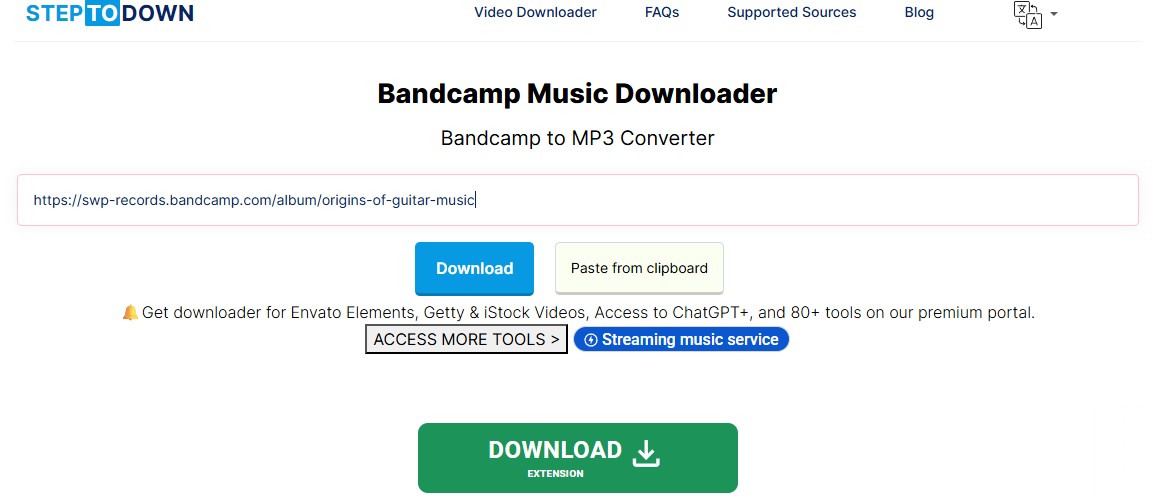
3. STEPTODOWN Bandcamp Music Downloader
STEPTODOWN is a general online downloader that includes a Bandcamp to MP3 page. It’s designed to work from your browser, with no installation needed.
| Website |
|
| Tested results |
|
| Pros |
|
| Cons |
|
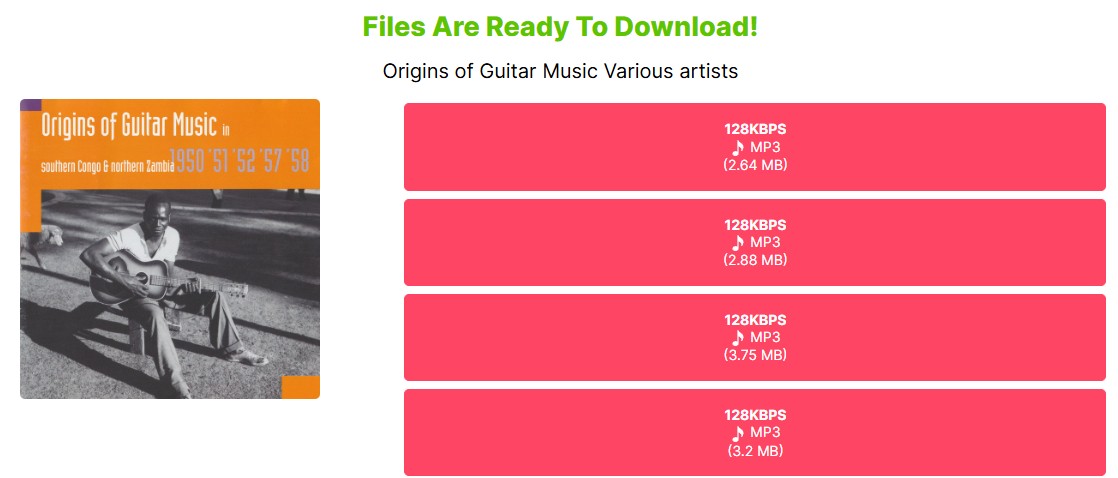
4. Postsyncer BandCamp Audio Downloader
Postsyncer Bandcamp audio downloader is another web-based tool that focuses on URL pasting. It has a more user-friendly interface than STEPTODOWN, but you still can't see the song titles before downloading.
| Website |
|
| Tested results |
|
| Pros |
|
| Cons |
|
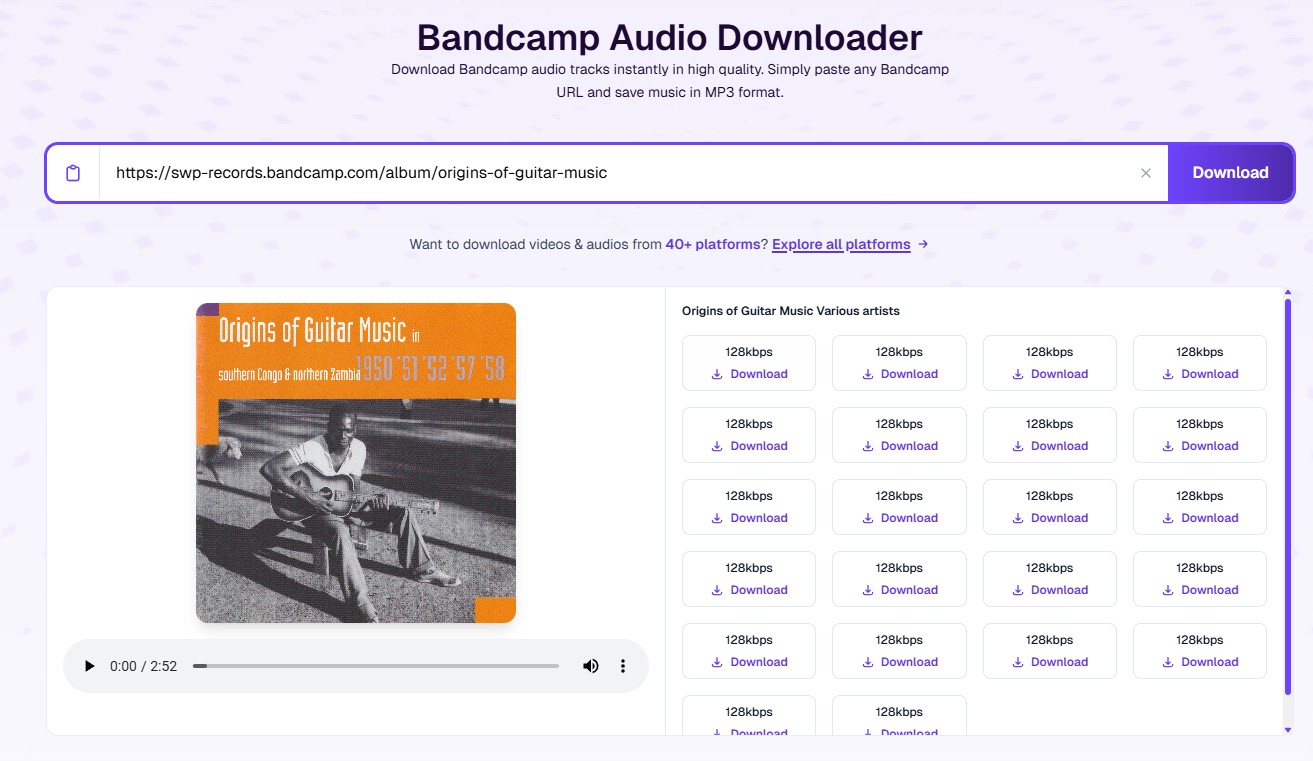
While convenient and free, these online tools can only download songs from Bandcamp at a maximum of 320kbps. This is a big difference compared to the 16-bit or 24-bit quality artists typically upload.
Best Bandcamp Downloader: MusicFab (Recommended)
MusicFab is an all-in-one music downloader brand built for listeners who want real, offline control of their music. It now supports Bandcamp and many major platforms like Spotify, Apple Music, YouTube Music, Amazon Music, and more.

- Save original sound quality from Bandcamp as MP3, FLAC, WAV, M4A or OPUS format.
- Download songs/playlists/albums/podcasts in batches.
- Automatically save ID3 tags, cover art, artist name, and album title.
- Support Bandcamp and other 100 platforms
How to Download Bandcamp songs using MusicFab Audio Converter?
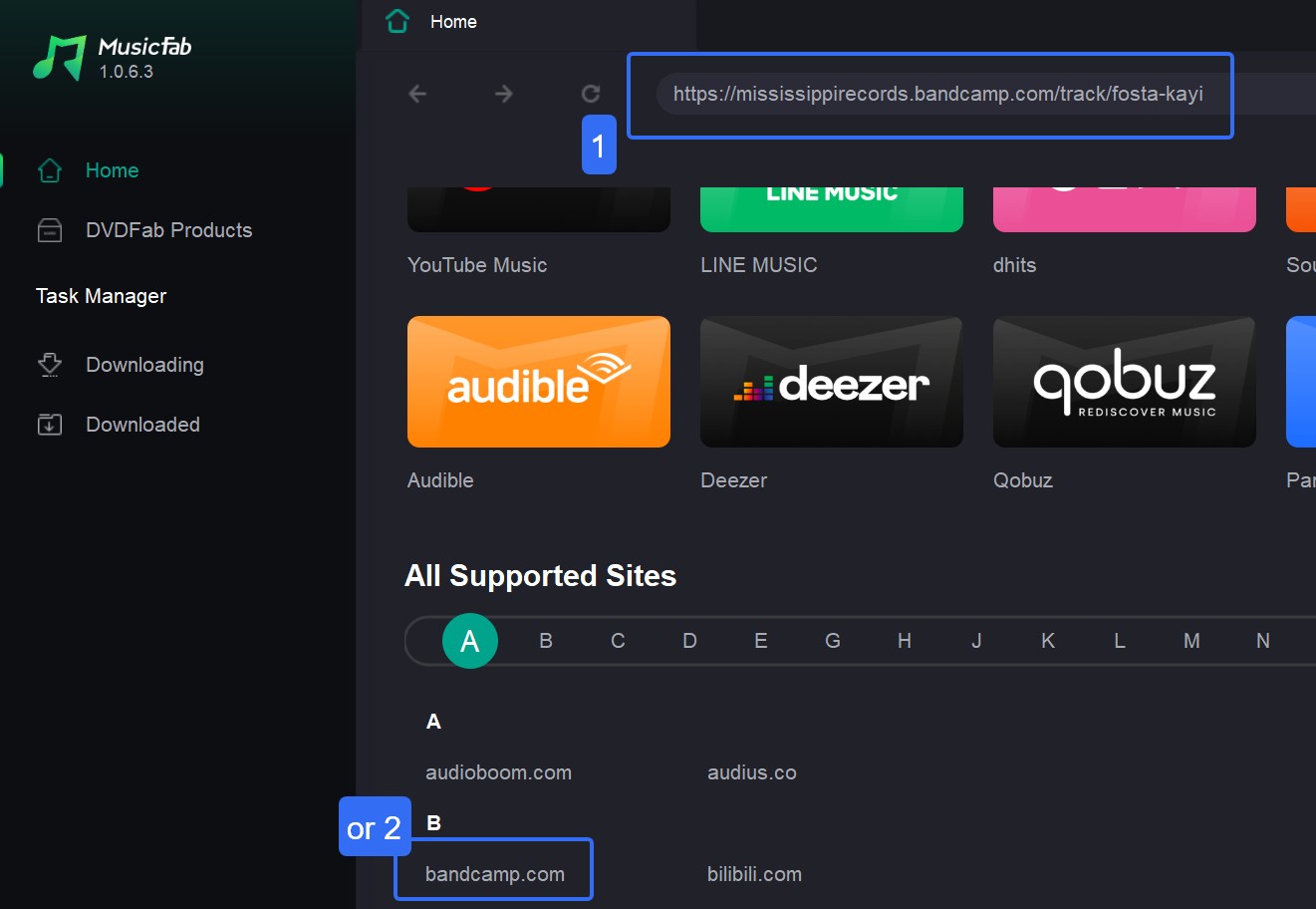
Log in to your Bandcamp account inside MusicFab if needed. Then browse normally:
- Search for an artist, album, or track you want.
- Open the album or playlist page as if you were about to stream it.
MusicFab will detect the music on the page in the background and get it ready for download.
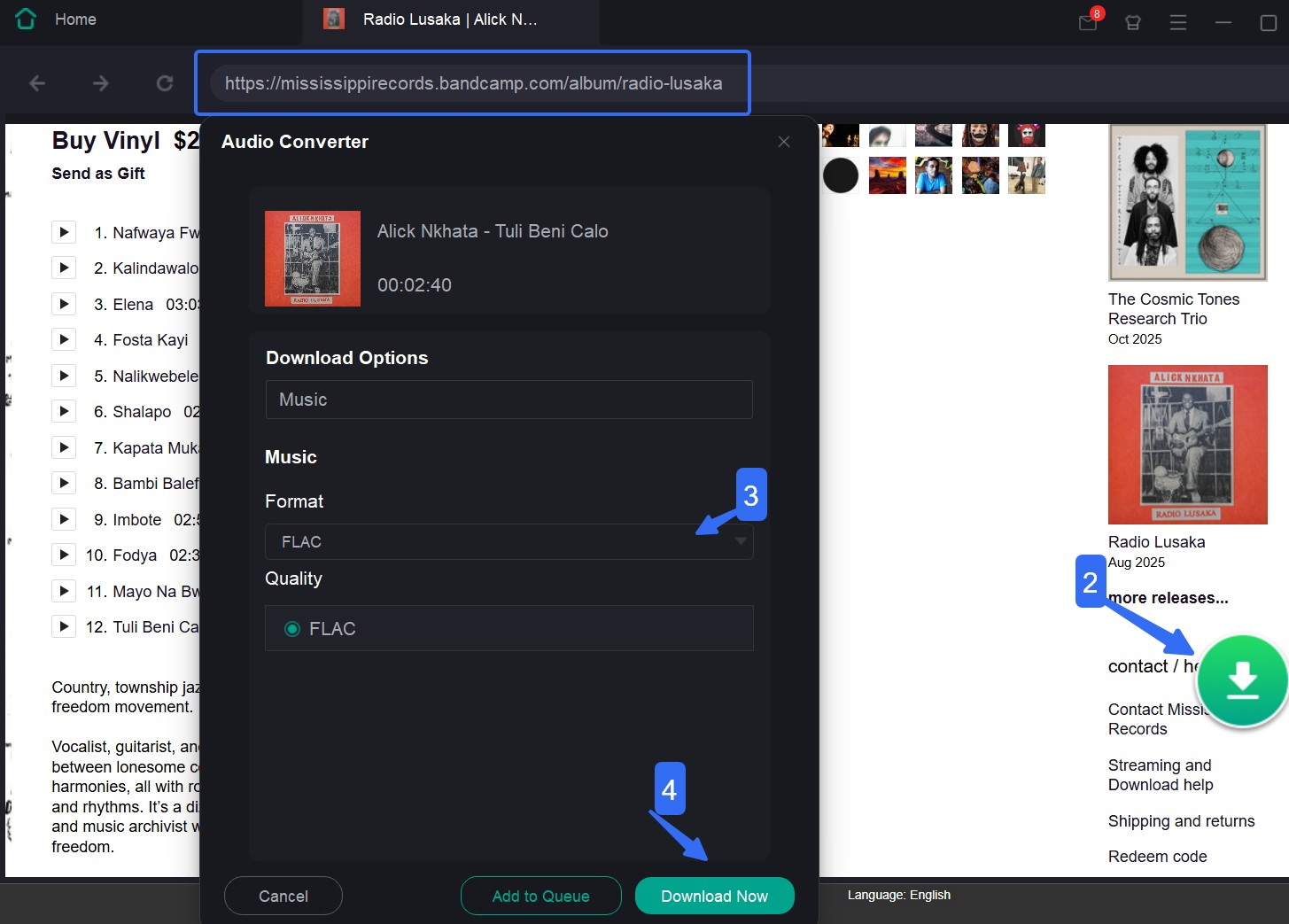
Once the download finishes, open your output folder. You’ll see your Bandcamp songs, albums, or playlists saved as regular audio files.
Tip: You can use MusicFab to download Bandcamp music without logging in to your account, but only at 128kbps. To get lossless quality, you'll need to purchase your favorite artist's album or single first before downloading.
FAQs
Where is the download button for a purchase?
Start in Bandcamp's Purchases or Collection area and open the qualifying release. The official purchase-download route is separate from a third-party batch workflow. If the release does not show a file option, confirm that the transaction completed under the correct account or email before trying another tool.
Why did my purchased ZIP download empty?
Confirm the purchase status, compare the Purchases and Collection views, retry the official file in another browser, and check available storage. Then save the ZIP fully before extracting it. If the archive remains empty, contact Bandcamp support with the order details rather than substituting an unverified conversion.
Can I download Bandcamp files on a phone?
Yes, when a purchase includes downloadable files, but mobile handling depends on the browser, file manager, storage permission, and ZIP support. Bandcamp app offline listening is a separate workflow. Browser converters can add redirects and file-permission friction, so the official path is preferable for purchased music.
Why did antivirus flag a Bandcamp download?
An official Bandcamp audio file or ZIP is different from an unexpected executable, browser-notification prompt, redirect, or installer offered by a converter page. Cancel files you did not request, scan the download, and avoid misleading buttons. Download content you purchased or are authorized to access, keep it for permitted personal listening, and do not redistribute it.
Conclusion
There is no single Bandcamp downloader that fits every listener. The best choice depends on where your music comes from and how you plan to use it.
If you purchased an album or track on Bandcamp, the official download remains the best option. For occasional links, online Bandcamp downloaders can be convenient, but always check the actual output quality, metadata, and download behavior. If you manage a larger collection across multiple albums or platforms, a desktop workflow can save time with batch downloads, format management, and library organization.

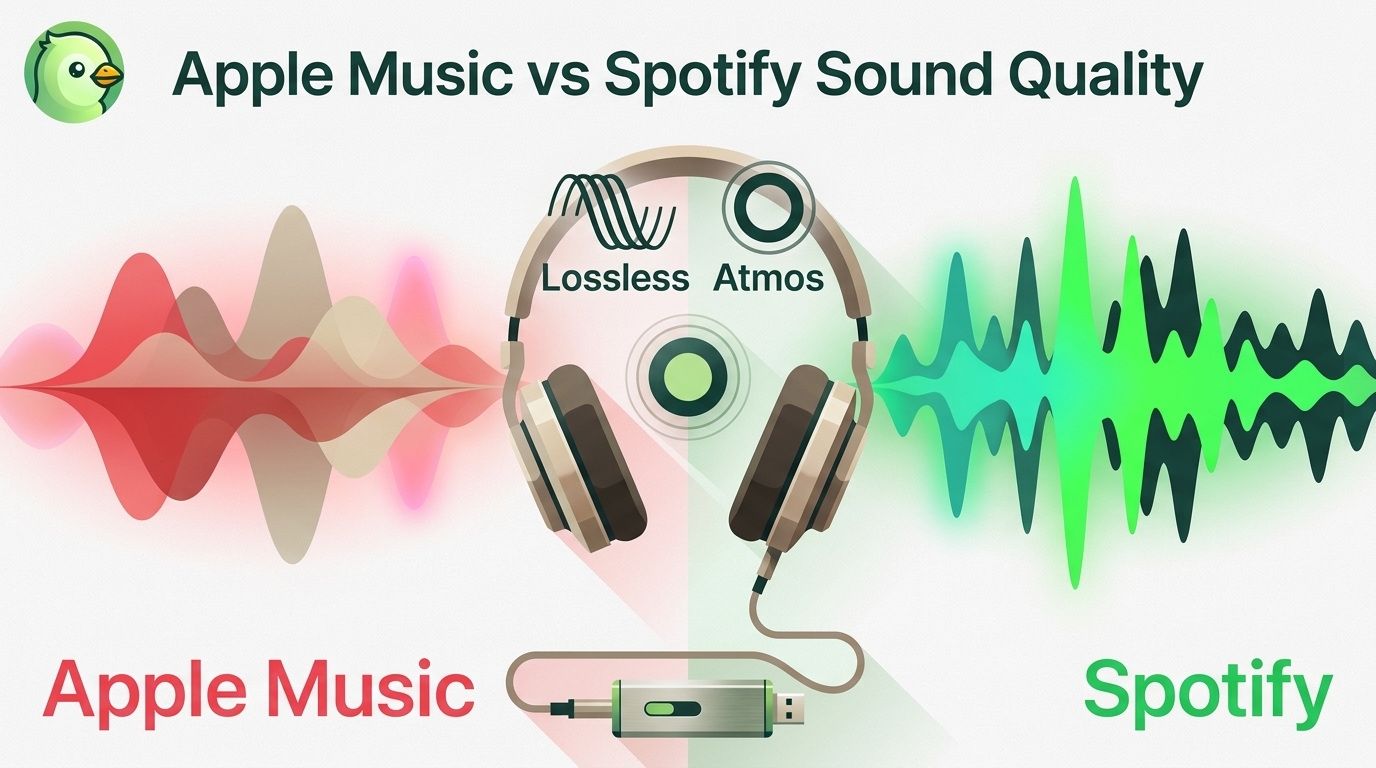
Apple Music offers a higher lossless ceiling and Dolby Atmos, while Spotify combines 24-bit/44.1 kHz FLAC with Connect and discovery strengths. This guide compares specs, device paths, settings, a fair listening protocol, switching trade-offs, and an optional authorized local-file workflow.
By Jane Chen - Aug 26, 2026
Choose a K-pop download method by file ownership, rights status, source quality, and batch needs. This guide compares MusicFab, licensed purchases, owned CD rips, creator-authorized catalogs, desktop tools, and unverified archives, with practical MP3-versus-FLAC guidance and four legal-use FAQs.
By Jane Chen - Aug 13, 2026
Podcast downloads fall into two categories: app-managed offline copies and portable audio files. This guide covers free publisher and RSS links, current iPhone and Android app workflows, bulk and retention limits, a platform comparison, and an authorized MusicFab desktop workflow for saving local files.
By Jane Chen - Aug 13, 2026
Choosing a FLAC downloader in 2026? Compare paid stores, free archives, desktop converters, web tools, and CD ripping — plus how to verify true lossless files.
By Jane Chen - Aug 12, 2026