Apple Music vs Spotify Sound Quality: Lossless and Real-World Differences (2026)

Summary: Apple Music offers a higher lossless ceiling and Dolby Atmos, while Spotify combines 24-bit/44.1 kHz FLAC with Connect and discovery strengths. This guide compares specs, device paths, settings, a fair listening protocol, switching trade-offs, and an optional authorized local-file workflow.
Apple Music vs Spotify sound quality is no longer a simple lossless-versus-compressed choice. Apple Music reaches 24-bit/192 kHz ALAC, while Spotify Lossless reaches 24-bit/44.1 kHz FLAC, but your headphones, connection, mastering, and settings decide whether that specification gap is audible.
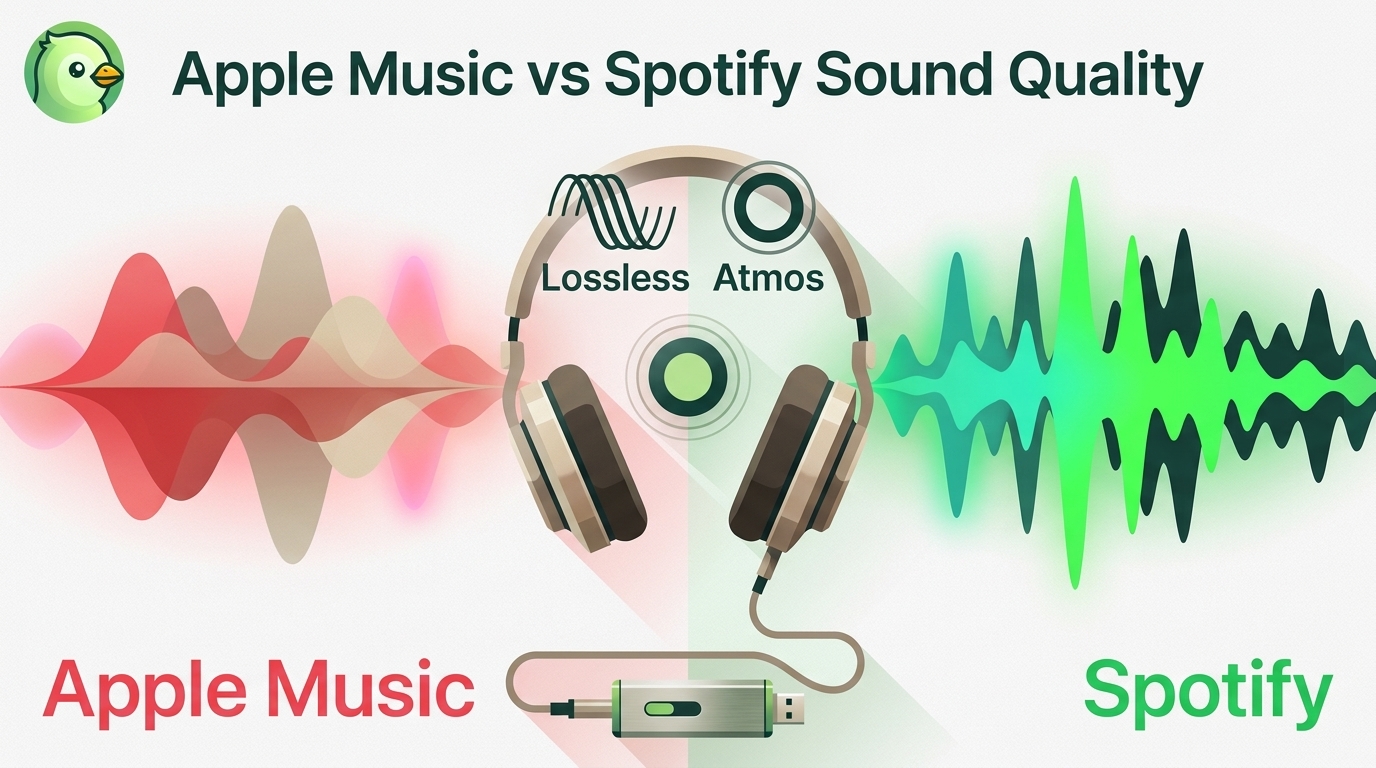
The useful Apple Music lossless vs Spotify lossless question is therefore not just which number is higher. This comparison covers the official ceilings, Bluetooth and wired playback paths, a fair same-track test, and the reasons to switch or stay.
Apple Music vs Spotify Sound Quality: The Short Answer
Apple Music has the higher lossless ceiling and includes Dolby Atmos, while Spotify now offers lossless FLAC at up to 24-bit/44.1 kHz. Apple leads on source specifications; the better choice for you still depends on your playback chain and software preferences.
- Choose Apple Music for: Hi-Res playback through compatible wired hardware, Apple Music Dolby Atmos, and close integration with Apple devices.
- Choose Spotify for: Spotify Connect, music discovery, a familiar cross-device interface, and lossless playback that already exceeds what ordinary Bluetooth can deliver bit for bit.
- Do not switch for a number alone: mastering, volume matching, EQ, and the actual output path can matter more than the maximum sample rate.
Audio Quality Specs Compared
Apple Music audio quality specs reach further on paper, while Spotify lists Lossless FLAC at up to 24-bit/44.1 kHz. The table keeps both ceilings precise and adds the account-and-device check that determines whether Spotify Lossless appears.
| Service | Maximum lossless ceiling | Codec | Availability check | Best playback path |
|---|---|---|---|---|
| Apple Music | Up to 24-bit/192 kHz | ALAC | Enable Lossless per device | Wired headphones with a compatible DAC |
| Spotify Premium | Up to 24-bit/44.1 kHz | FLAC | Eligible account, device, and Lossless indicator | Compatible wired output |
As of August 2026, Apple Music lossless audio has the higher numerical ceiling. Ordinary Bluetooth is not bit-perfect lossless, and Apple notes that sample rates above 48 kHz may require a compatible external DAC. Neither ceiling determines the mastering quality or the result on your headphones.
Dolby Atmos and Spatial Audio
Apple Music Dolby Atmos is the clearer differentiator for listeners who enjoy immersive mixes. Spotify remains primarily stereo-focused, so Apple Music offers a distinct format choice rather than merely a larger lossless number.
Atmos is still mix-dependent. Some albums gain useful space and separation; others sound less natural than their stereo masters. My take is simple: treat Atmos as an alternate presentation, not an automatic upgrade.
Enable Lossless on Both Services
Lossless playback must be enabled in each app, and streaming and download settings may be separate. Check the setting on every device you use rather than assuming one phone or desktop choice carries across your account.
Apple Music setup:
- Open Apple Music settings and select Audio Quality.
- Turn on Lossless Audio.
- Choose separate quality levels for Wi-Fi, cellular streaming, and downloads.
- Use compatible wired hardware if you select a sample rate above 48 kHz.
Spotify verification checklist:
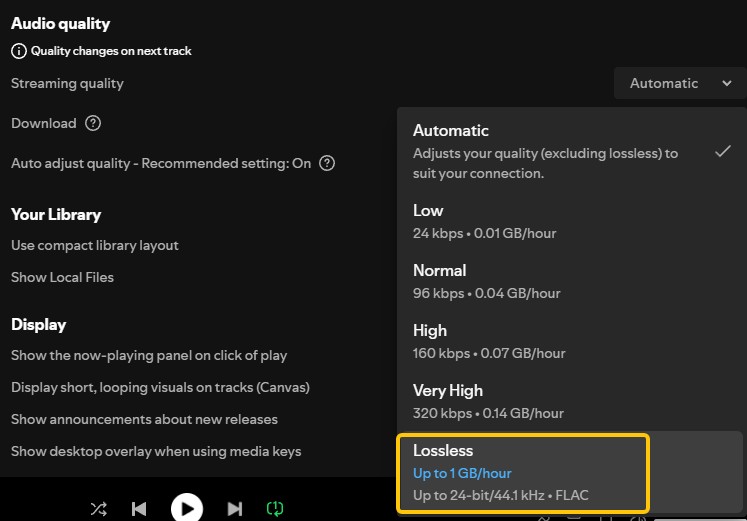
- Confirm that Lossless is available for your Premium account and current device.
- Set Wi-Fi and cellular streaming quality separately.
- Set download quality independently if you listen offline inside the app.
- Play a supported track and confirm the in-app Lossless indicator.
The Spotify audio quality settings walkthrough explains those controls without turning this comparison into a setup manual.
What You Hear on Each Device Path
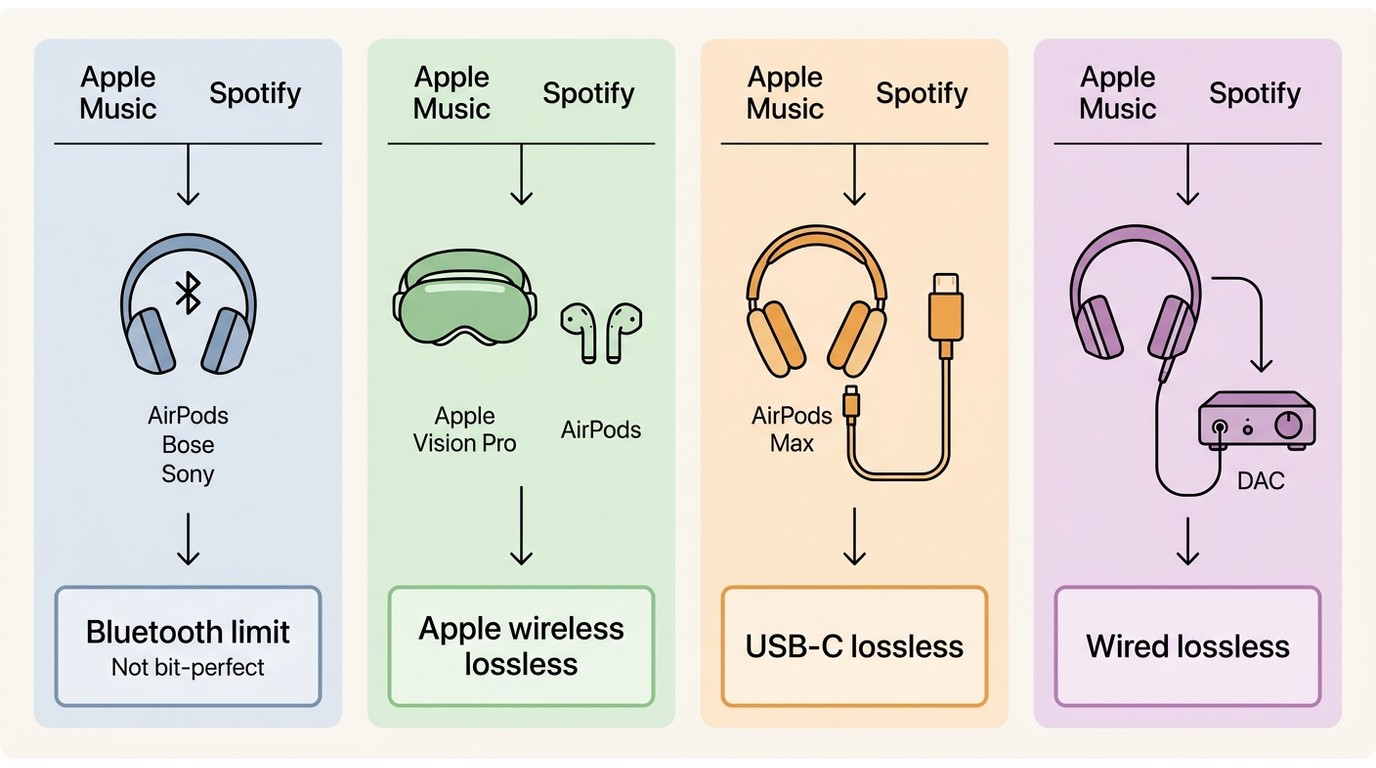
Your connection sets the practical ceiling. Ordinary Bluetooth, Apple’s specified Vision Pro path, USB-C AirPods Max over cable, and conventional wired headphones with a DAC should be treated as four different cases.
Ordinary Bluetooth and AirPods
Ordinary Bluetooth audio quality is not bit-perfect lossless, including common AirPods, Bose, and Sony wireless paths. That does not make both services sound identical: different masters, normalization, EQ, and Atmos settings can still change what reaches the Bluetooth encoder.
Practical judgment: if most listening happens over everyday Bluetooth, prioritize the app, discovery features, and device control you prefer before paying attention to 192 kHz versus 44.1 kHz.
Vision Pro, USB-C AirPods Max, and DACs
Apple documents specific exceptions to the ordinary Bluetooth rule. Supported AirPods paired with Apple Vision Pro can use Apple’s proprietary wireless lossless path, while USB-C AirPods Max can play lossless audio through a cable.
- Vision Pro with specified AirPods: use the supported Apple wireless path.
- USB-C AirPods Max: connect by USB-C for lossless playback.
- Conventional wired headphones: add a compatible DAC when the device output or higher sample rate requires it.
Wired headphones with a DAC expose Apple Music’s widest Hi-Res path, but a higher ceiling does not promise an audible improvement. Headphone tuning, the album master, listening level, and room noise can dominate the comparison.
Run a Fair Same-Track Comparison
A fair Apple Music vs Spotify sound quality test controls the variables that make one service seem better before codec quality enters the picture. Use the same release, the same output path, and closely matched volume.
Match Volume and Disable Processing
Start with controls that prevent a louder or differently processed stream from winning by default.
- Choose the same track and, where possible, the same album master.
- Turn off Spotify normalization and Apple Music Sound Check, then match volume manually.
- Disable EQ and compare stereo with stereo; test Atmos separately.
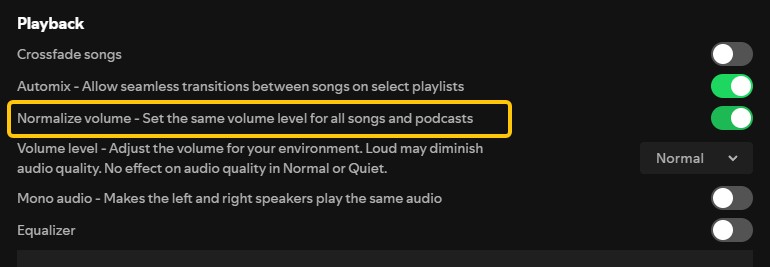
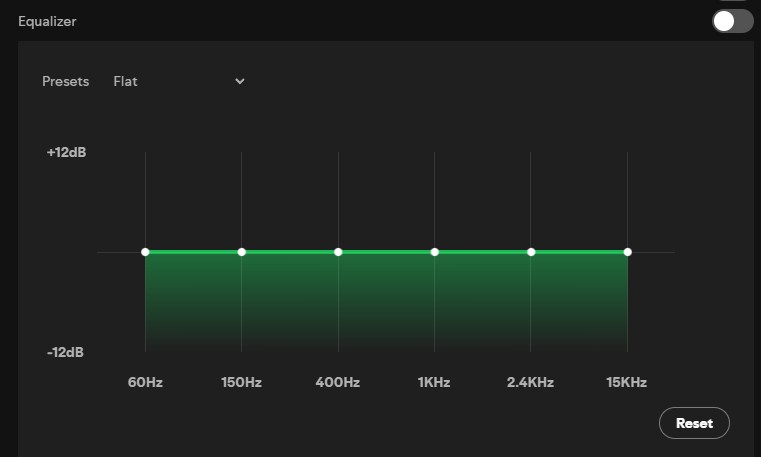
I trust this protocol more than a quick louder-first impression because it isolates the service and playback path instead of rewarding an app setting.
Verify Quality and Codec
Finish by confirming that both apps are actually delivering the quality you intend to compare.
- Check Apple Music’s Lossless or Hi-Res Lossless badge and Spotify’s Lossless indicator.
- Keep the same headphones, connection, and device, then repeat a short passage without changing volume.
If the result changes when normalization, EQ, or Atmos changes, that setting is part of what you heard. If it changes only on a wired DAC path, the connection was the limiting factor.
Should You Switch for Sound Quality?
Switch from Spotify to Apple Music if Hi-Res wired playback or Dolby Atmos matters more than Spotify Connect and discovery. Stay with Spotify if its device control and recommendation flow shape your daily listening more than Apple’s higher lossless ceiling.
- Apple Music is best for: listeners with compatible wired hardware, people who actively use Atmos mixes, and those already centered on Apple devices.
- Not ideal for: anyone who depends on Spotify Connect or strongly prefers Spotify’s discovery and interface.
- Spotify is best for: listeners who value cross-device control, playlist discovery, familiar social features, and a free-tier option.
- Not ideal for: people choosing specifically for Apple’s 24-bit/192 kHz ceiling or its Atmos catalog.
Catalog overlap is broad, so check the artists, versions, and exclusives you actually play. Price and plan structure also belong in the decision, but a higher maximum resolution by itself does not settle which service will sound better on your setup.
Pandora belongs to a separate decision: the Apple Music, Pandora, and Spotify comparison covers the wider ecosystem, while the Spotify and Pandora comparison focuses on those two services.
Optional Local-File Workflow: MusicFab
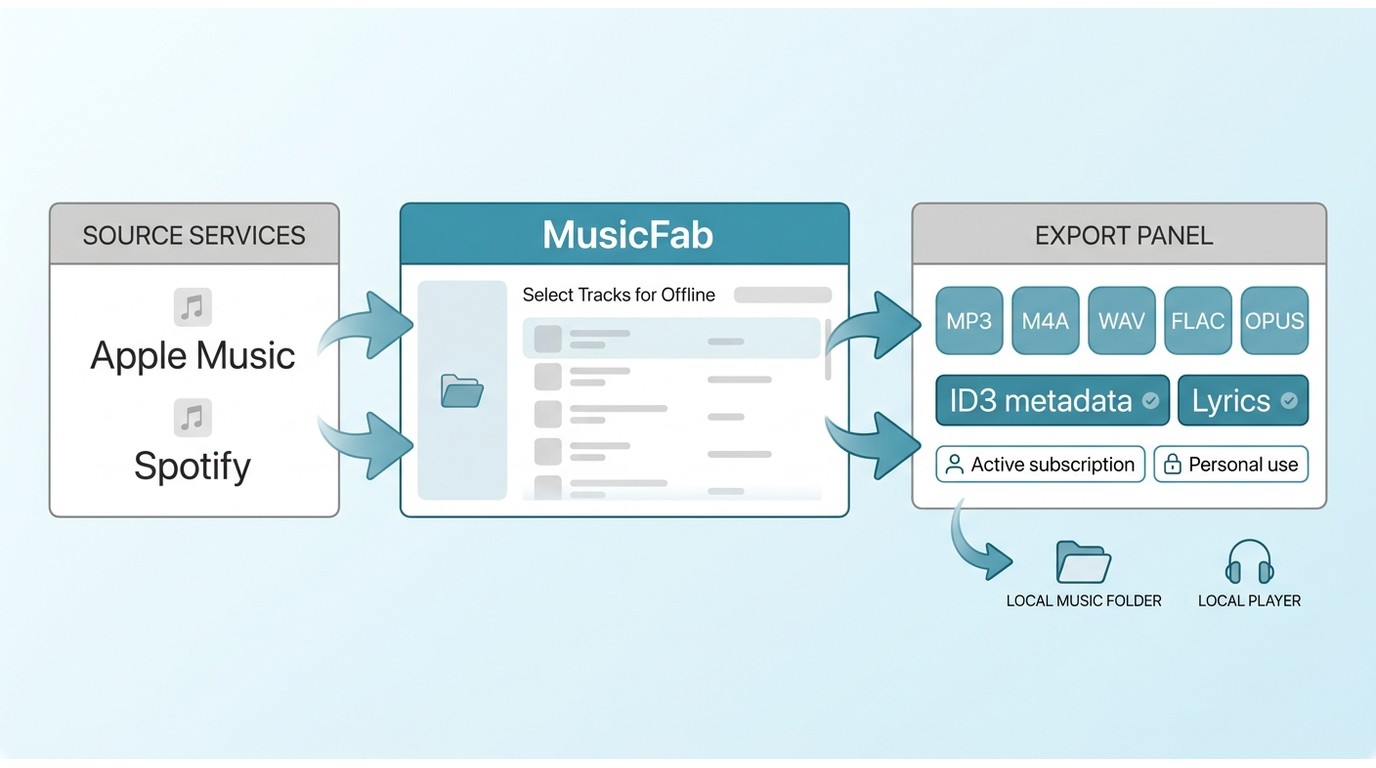
A local-file workflow is secondary to choosing a streaming service. It is useful when official downloads do not fit a Windows or Mac playback setup and you need authorized music in formats supported by your own player.
For content you are authorized to access, use a local-file workflow only where permitted by platform terms and applicable law.

- Download music from Spotify, Amazon Music, Apple Music, YouTube Music, and more apps
- Convert songs to formats like FLAC, MP3, WAV, AAC and more in lossless quality
- Batch download entire playlists, albums, or podcasts quickly
- Preserve ID3 tags and lyrics for organized music library
Selecting FLAC or WAV does not improve the source stream. Choose the format for compatibility and library management, while keeping the source quality and playback hardware in perspective.
Apple Music vs Spotify Sound Quality FAQs
Q1. Is Apple Music lossless really lossless?
Yes, Apple Music lossless audio uses ALAC to preserve the source data delivered by the service. The listening path still matters: ordinary Bluetooth is not bit-perfect lossless, and Hi-Res playback may require compatible wired hardware and a DAC.
Q2. Why might Spotify Lossless still sound better on my setup?
Spotify Lossless vs Apple Music can favor Spotify when its master, volume level, EQ, or device path suits your setup. Confirm the Lossless indicator, match volume, disable processing, and compare the same release before attributing the result to sample rate.
Q3. What are the drawbacks of lossless streaming?
Lossless uses more data and storage, can increase battery demand, and may require compatible hardware to deliver its full benefit. For ordinary Bluetooth listening, the source is encoded again for wireless transmission, so the practical gain can be smaller than the specification suggests.
Conclusion
Apple Music wins on technical specifications, with higher Hi-Res Lossless support and Dolby Atmos, but Spotify Lossless already delivers excellent quality for most listeners. In everyday Bluetooth listening, the difference between 192 kHz and 44.1 kHz is unlikely to matter as much as your headphones, mastering, and playback settings.
Choose Apple Music if Hi-Res wired playback and Atmos matter to you; choose Spotify if you prefer its discovery, playlists, and cross-device control. In the end, the best service is the one that fits your actual listening setup rather than the one with the bigger number.

Choose a K-pop download method by file ownership, rights status, source quality, and batch needs. This guide compares MusicFab, licensed purchases, owned CD rips, creator-authorized catalogs, desktop tools, and unverified archives, with practical MP3-versus-FLAC guidance and four legal-use FAQs.
By Jane Chen - Aug 13, 2026
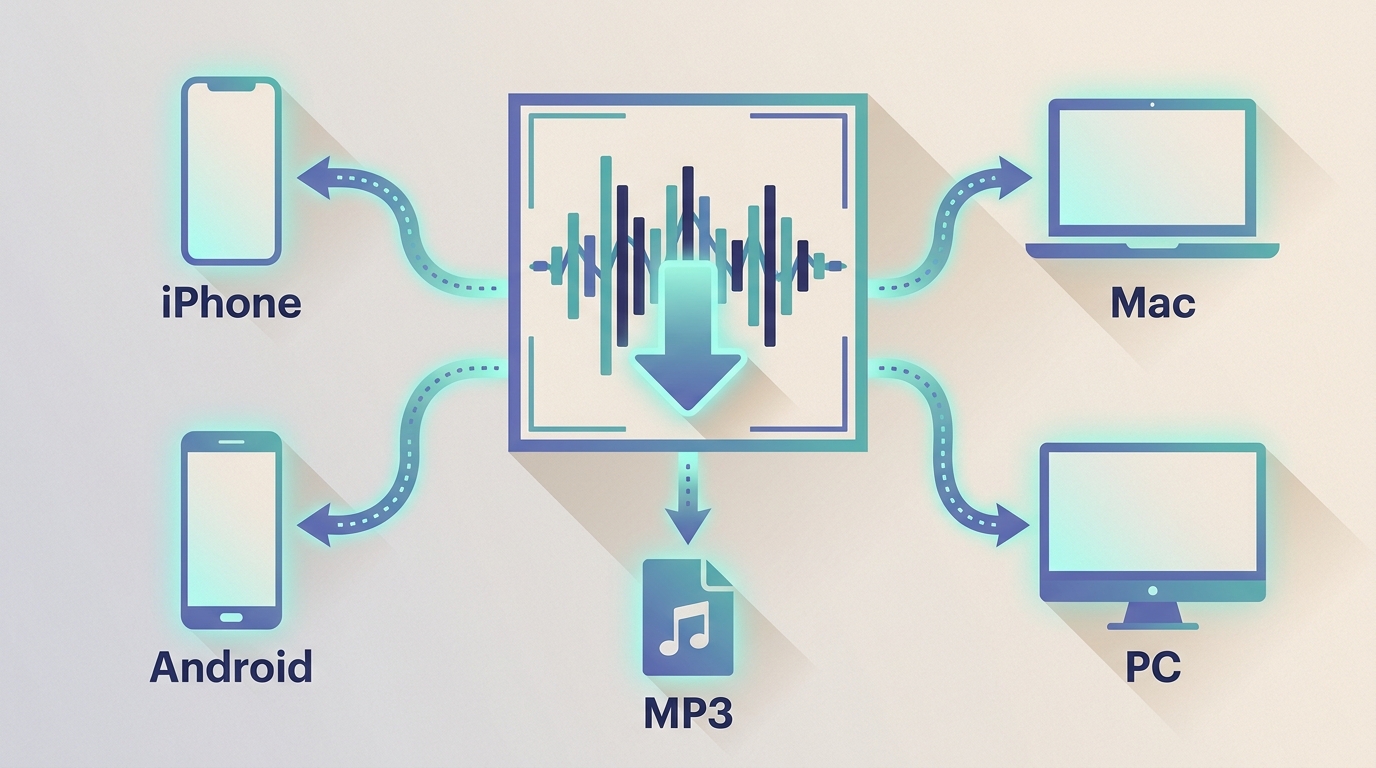
Podcast downloads fall into two categories: app-managed offline copies and portable audio files. This guide covers free publisher and RSS links, current iPhone and Android app workflows, bulk and retention limits, a platform comparison, and an authorized MusicFab desktop workflow for saving local files.
By Jane Chen - Aug 13, 2026
Choosing a FLAC downloader in 2026? Compare paid stores, free archives, desktop converters, web tools, and CD ripping — plus how to verify true lossless files.
By Jane Chen - Aug 12, 2026
Amazon Music and Spotify cost nearly the same in the United States, but they serve different listening habits. This guide compares lossless playback paths, catalogs, app reliability, Alexa and Spotify Connect, free and family plans, and the drawbacks that determine which service is easier to live with.
By Jane Chen - Aug 12, 2026