Download SoundCloud Songs to iPhone: Files, Offline Listening & Apple Music

Summary: This guide separates SoundCloud app-based offline listening from authorized local audio files on iPhone. It covers Go/Go+, Safari-to-Files, a desktop transfer workflow, Apple Music import, storage troubleshooting, and permission-first choices.
To download SoundCloud to iPhone, first decide whether you need SoundCloud offline listening inside the app or an authorized local audio file in Files or Apple Music. Go or Go+, Safari-to-Files, and a desktop transfer solve different versions of the same request.
My rule is simple: choose the destination before the method. This guide separates app-based SoundCloud songs on iPhone from files you can organize yourself. The steps stay iPhone-specific; the SoundCloud download workflow on Android uses a different storage handoff.
SoundCloud Downloads on iPhone: Files or Offline
“Download” has three practical meanings on iPhone: an app-managed cache, an uploader-enabled file, or an authorized file prepared on a computer and transferred. The destination determines the route.
SoundCloud Go Offline Listening
SoundCloud offline listening through Go or Go+ keeps eligible likes, playlists, albums, and tracks available inside the SoundCloud app. It does not export MP3 or FLAC files.
- Open the SoundCloud app and sign in to the account with an eligible Go or Go+ plan.
- Add the tracks, likes, playlists, or albums you want to hear offline.
- Use the app’s offline control where it appears, then allow the selected items to finish saving.
- Review Wi-Fi-only, automatic download, and storage settings before saving a large library.
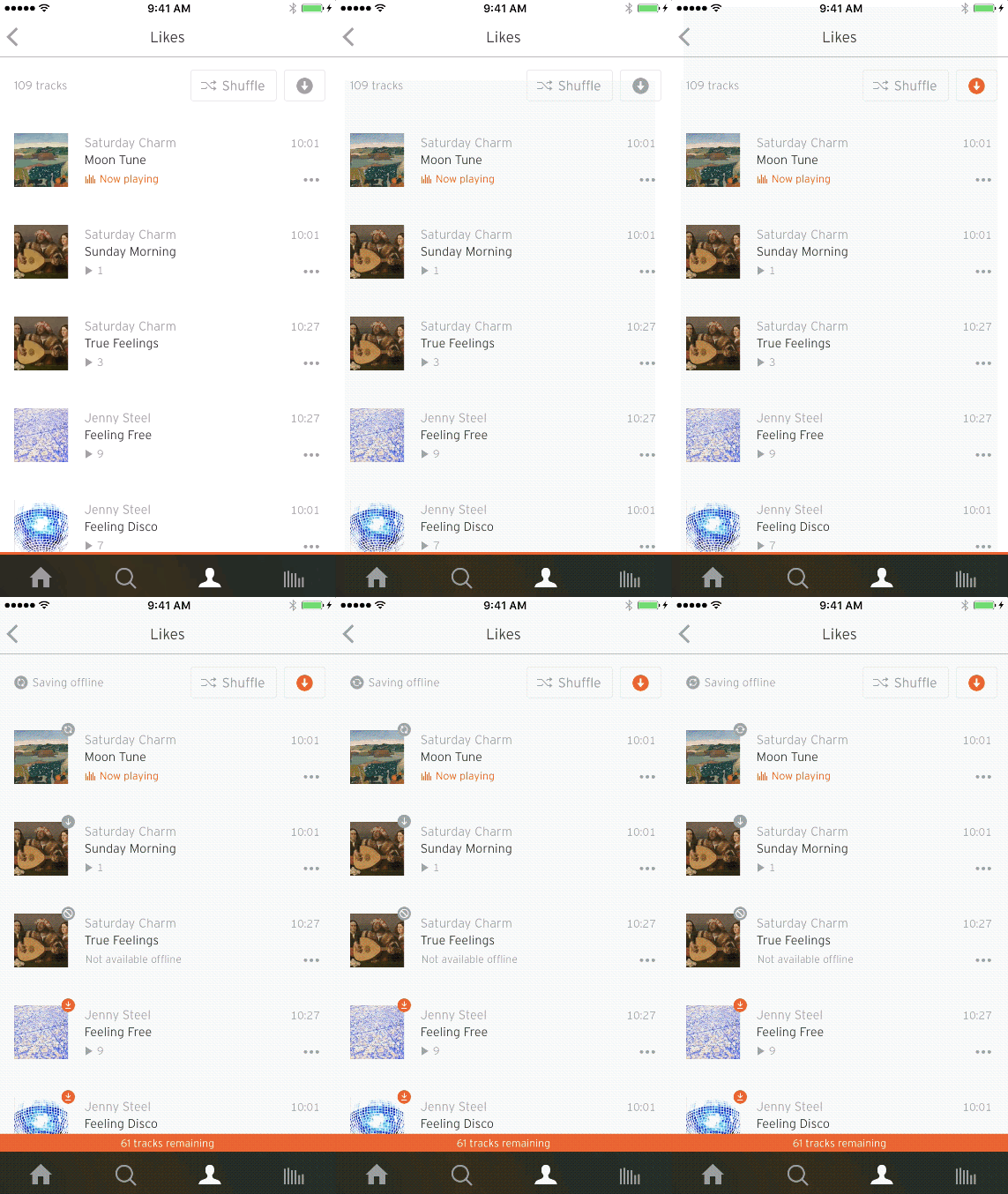
I recommend this route when the goal is simple listening with the least file management. It is not a good fit when you need an audio file for Files, another player, or Apple Music. Playlist completeness can also change if a track becomes unavailable.
Authorized Downloads in Safari and Files
SoundCloud does not provide a general direct-file download button in its iPhone app. On the Web, an individual track can offer a file only when its uploader has enabled that option.
- Open the track page in Safari and confirm that you are permitted to save the file.
- Use the Web page’s download control if the uploader has made it available. If needed, request the desktop version of the page.
- If Safari offers a file download, accept it and open Safari’s Downloads list.
- Open the downloaded item in Files, then move it to On My iPhone or iCloud Drive.
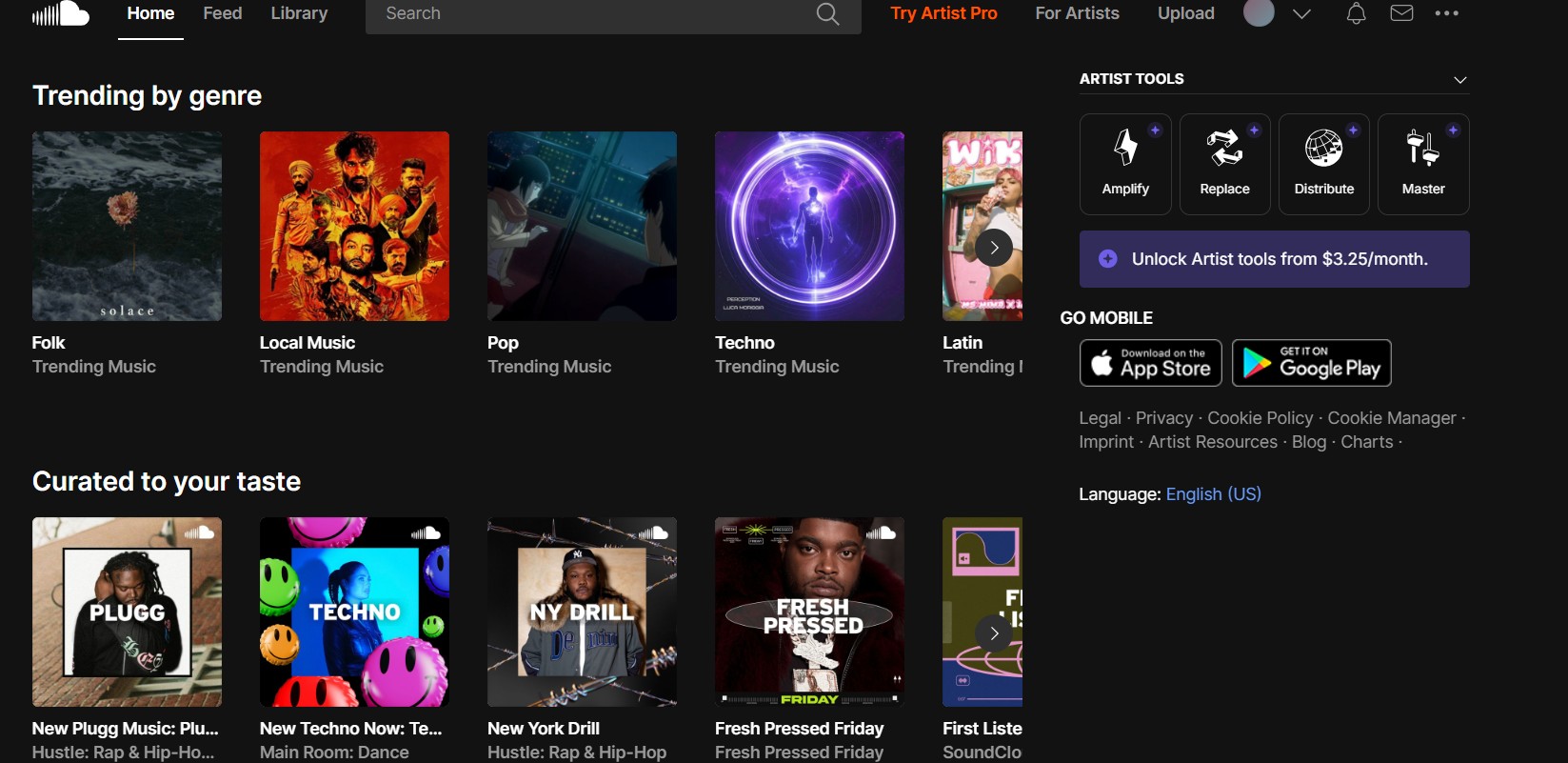
If the control is missing, Safari only plays the track, or the track is private, unsupported, or non-downloadable, this route will not produce a file. An authorized SoundCloud download also applies to eligible individual tracks, not an entire playlist in one action.
Desktop File Workflow for iPhone
- Best for: people building an organized local music library across devices.
- Not ideal for: anyone who only wants quick in-app playback or does not have permission to save the source material.
A desktop workflow is the practical route when you need an authorized local file rather than an app cache. It adds a computer step, but it gives you control over format, metadata, and the final iPhone destination.
Permission first: Use these steps only for tracks you own, tracks whose uploader has enabled downloads, public-domain material, or other content you are authorized to access, and only where permitted by platform terms and applicable law.
As of August 2026, MusicFab SoundCloud Converter runs on Windows and Mac and uses direct-source conversion. It supports MP3, M4A (AAC), WAV, FLAC, and OPUS, with output up to 320 kbps and 24-bit/44.1 kHz plus ID3 tags, artwork, and .lrc lyrics. That makes a SoundCloud MP3 on iPhone workflow possible after the file is transferred.

- Download any track from SoundCloud to local storage
- Convert audio to MP3, FLAC, WAV, M4A or OPUS
- Bulk download supported with stable, high-speed processing
- Preserve in original quality with ID3 tags
The app also supports batch handling and built-in browsing. Its 30-day trial covers three full songs per music service, including the core format and batch features. When MP3 is the preferred destination, the format tradeoffs in this SoundCloud to MP3 comparison can help you choose without changing the permission requirement.
- Install MusicFab on a Windows or Mac computer and open SoundCloud in its built-in browser.
- Sign in with an active SoundCloud account and select content you are authorized to access.
- Choose a compatible output format, add eligible tracks, playlists, or albums to the batch, and start the conversion.
- Check the saved title, artist, artwork, and track information before moving the files.
- Transfer the files with iCloud Drive, Finder, or AirDrop. To place supported files in Apple Music, import them on the computer and sync through Finder or iTunes.
Choose a Destination for Your Audio
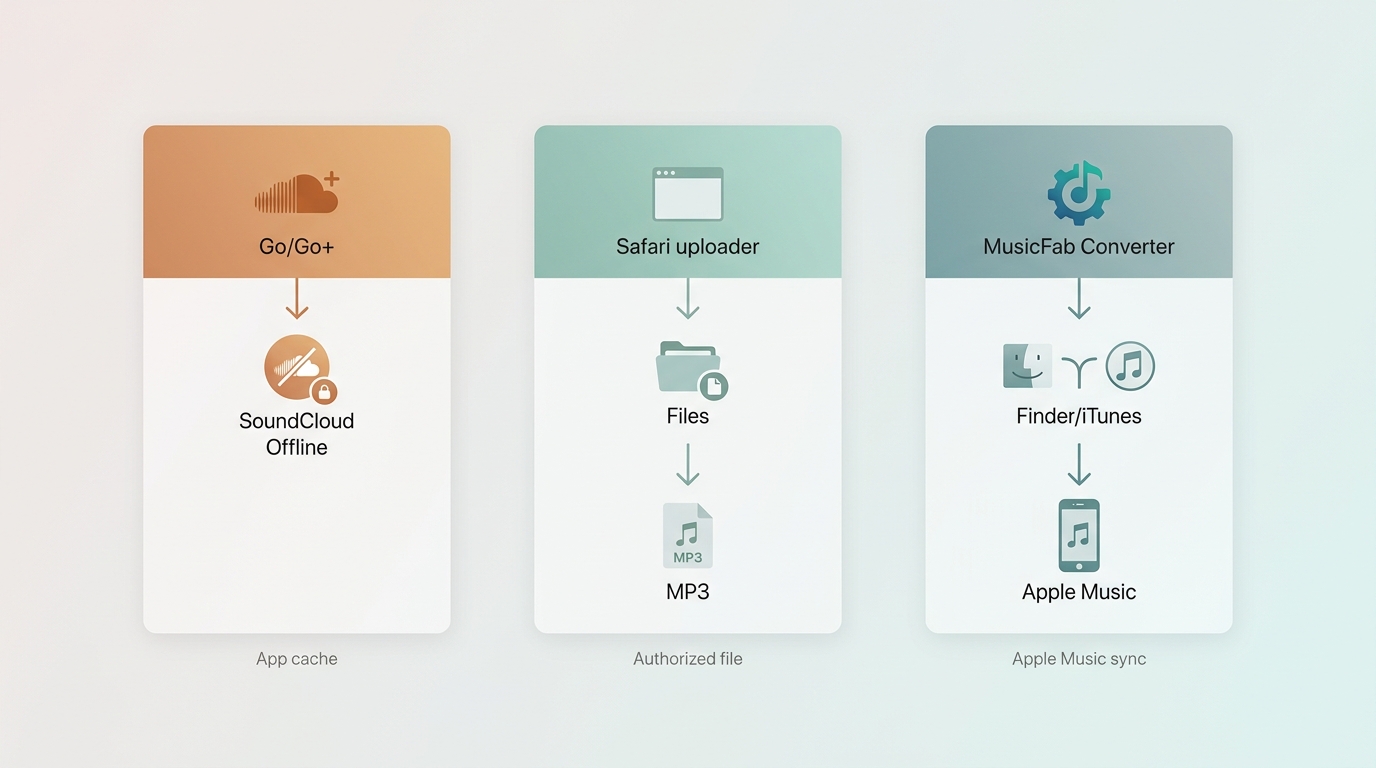
Use SoundCloud Library for app-managed offline access, Files for an authorized local file, and Apple Music only after a compatible permitted file has been imported through a computer.
| Route | What you get | Where it plays | Requirement | Best fit |
|---|---|---|---|---|
| SoundCloud Go/Go+ | App-managed offline cache | SoundCloud app | Eligible plan and storage | Simple offline listening |
| Uploader-enabled Web download | Authorized local file | Files or compatible player | Uploader enables download | One permitted track |
| Desktop file workflow | Local audio file | Files; Apple Music after import | Authorization and computer | Organized local library |
Likes, playlists, and albums can be saved through Go or Go+ when their tracks remain eligible, but that cache stays in SoundCloud. Uploader-enabled downloads are normally track by track. A desktop batch can prepare permitted playlists or albums for transfer, while the broader process of how to download SoundCloud songs still begins with the rights attached to each item.
A SoundCloud-to-Apple Music handoff does not convert SoundCloud’s offline cache into an owned file. Apple Music receives a compatible local file through Finder or iTunes, while Apple’s Files app can store that file without adding it to the Music library.
Troubleshoot Downloads and Storage
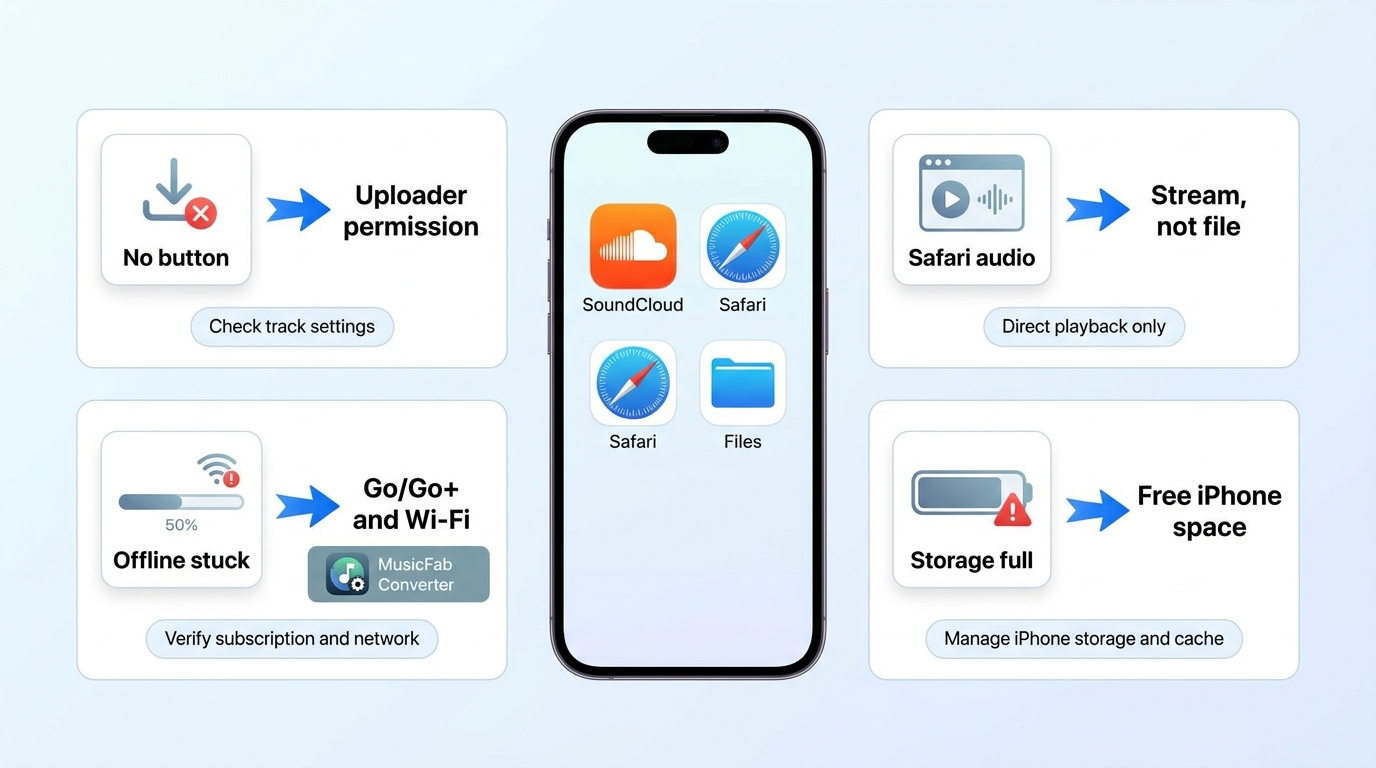
When a SoundCloud download fails on iOS, the cause is usually confusion between an app cache and a file, missing uploader permission, an account problem, or insufficient iPhone storage.
- No download button: The uploader may not have enabled a Web download, or the iPhone app may be showing playback controls rather than a file option.
- Safari plays audio instead: The page is exposing a stream, not a downloadable file. Use an authorized desktop route if a permitted file is available there.
- Private or unsupported track: Access does not automatically include file-download permission, and some tracks cannot be saved by the selected route.
- Offline items will not finish: Update the SoundCloud app, sign out and back in, confirm the correct plan, and review Wi-Fi-only or automatic download settings.
- A playlist is incomplete: Check whether individual tracks have become unavailable or are excluded from offline access.
- Storage is full: Manage SoundCloud’s offline downloads in the app or use iPhone Storage settings. Removing an app cache is different from deleting a local file in Files.
I would troubleshoot the destination first: if you expected an MP3 but received app playback, changing storage settings will not create a file. Switch to the authorized route that matches the result you actually need.
FAQs
Q1. Can I download any SoundCloud track directly to my iPhone?
No. The iPhone app mainly supports eligible in-app offline listening, while a direct file depends on an uploader-enabled Web download or another authorized file workflow.
Q2. What is the difference between SoundCloud offline listening and an audio file?
Offline listening is an app-managed cache that plays in SoundCloud. An authorized MP3, FLAC, or other compatible audio file can be stored in Files and opened by supported apps.
Q3. How do I save an authorized SoundCloud track in the Files app?
Use the uploader-enabled download on the SoundCloud Web page, accept the file in Safari when available, then move it from Safari’s Downloads list into the preferred Files folder.
Q4. Can I add an authorized SoundCloud file to Apple Music?
Yes, if you already have a permitted, compatible local file. Import it into Music or iTunes on a computer, then sync it to the iPhone. A SoundCloud app cache cannot be imported.
Conclusion
To download SoundCloud to iPhone, match the method to the destination. Choose Go or Go+ for simple SoundCloud offline listening, Safari for an uploader-enabled individual file, or an authorized desktop workflow for Files and Apple Music.
MusicFab fits readers who need a structured local-file workflow and have permission to save the content. It is not a fit for someone who only needs app-based offline playback or expects access to tracks that are not authorized for saving.

SoundCloud to WAV converter guide: learn how to verify real WAV files, follow creator permissions, compare active browser options.
By Jane Chen - Aug 26, 2026

This guide separates four practical PC download methods from two secondary technical alternatives. It explains SoundCloud's artist-enabled file option, source-quality limits, batch verification, online safety, and when a desktop workflow makes sense.
By Jane Chen - Aug 26, 2026
Learn how to download SoundCloud on Android, including Go and Go+ offline saves, artist-authorized files, downloader categories, file locations.
By Jane Chen - Aug 26, 2026
SoundCloud on a Mac can mean using the official player, taking a creator-enabled download, or creating an authorized local audio file. This guide explains the limits of each route, playlist checks, format choices, and where MusicFab fits.
By Jane Chen - Aug 25, 2026