
Download SoundCloud Songs on PC: 4 Methods + 2 Technical Alternatives

Summary: This guide separates four practical PC download methods from two secondary technical alternatives. It explains SoundCloud's artist-enabled file option, source-quality limits, batch verification, online safety, and when a desktop workflow makes sense.
Table of Contents
Trying to download SoundCloud songs on PC usually hits one immediate limit: many tracks have no Download file button because the artist has not enabled one. Start with the official file when available; otherwise, choose a permitted workflow based on batch needs, source quality, format control, and safety.
This guide covers four download methods and two technical alternatives. The four methods are SoundCloud's official file, a desktop converter, an online URL service, and a browser extension. Developer tools and real-time audio capture are secondary technical alternatives, not equivalent everyday methods.
Can You Download SoundCloud Songs on PC?
Yes, but the available SoundCloud PC download route depends on the track. SoundCloud provides a local file when the artist enables the Download file button; other workflows should be limited to audio you are authorized to access.
- Use the artist-enabled file for an eligible single track.
- Choose a SoundCloud downloader for PC when a permitted multi-track job needs batch handling and organized output.
- Use an online service or browser extension only for occasional tracks after checking its permissions and behavior.
- Treat developer tools and real-time audio capture as technical fallbacks with significant limits.
My practical rule is to match the method to the job before thinking about convenience. Permission, source quality, expected file count, metadata, and security tell you more than a large download button does.
Is Downloading SoundCloud Songs Legal?
The clearest permission signal is SoundCloud's Download file button, which appears when an artist has enabled downloads. Noncommercial intent by itself does not create permission for a local copy.
For any alternative workflow, use content you are authorized to access, where SoundCloud's terms and applicable law permit. The same permission-first boundary applies when downloading SoundCloud music for personal offline listening or library management.
Do not redistribute an artist's work or present this general information as legal advice. When the rights attached to a track are unclear, the artist-enabled file remains the most defensible route.
Official SoundCloud Downloads on PC
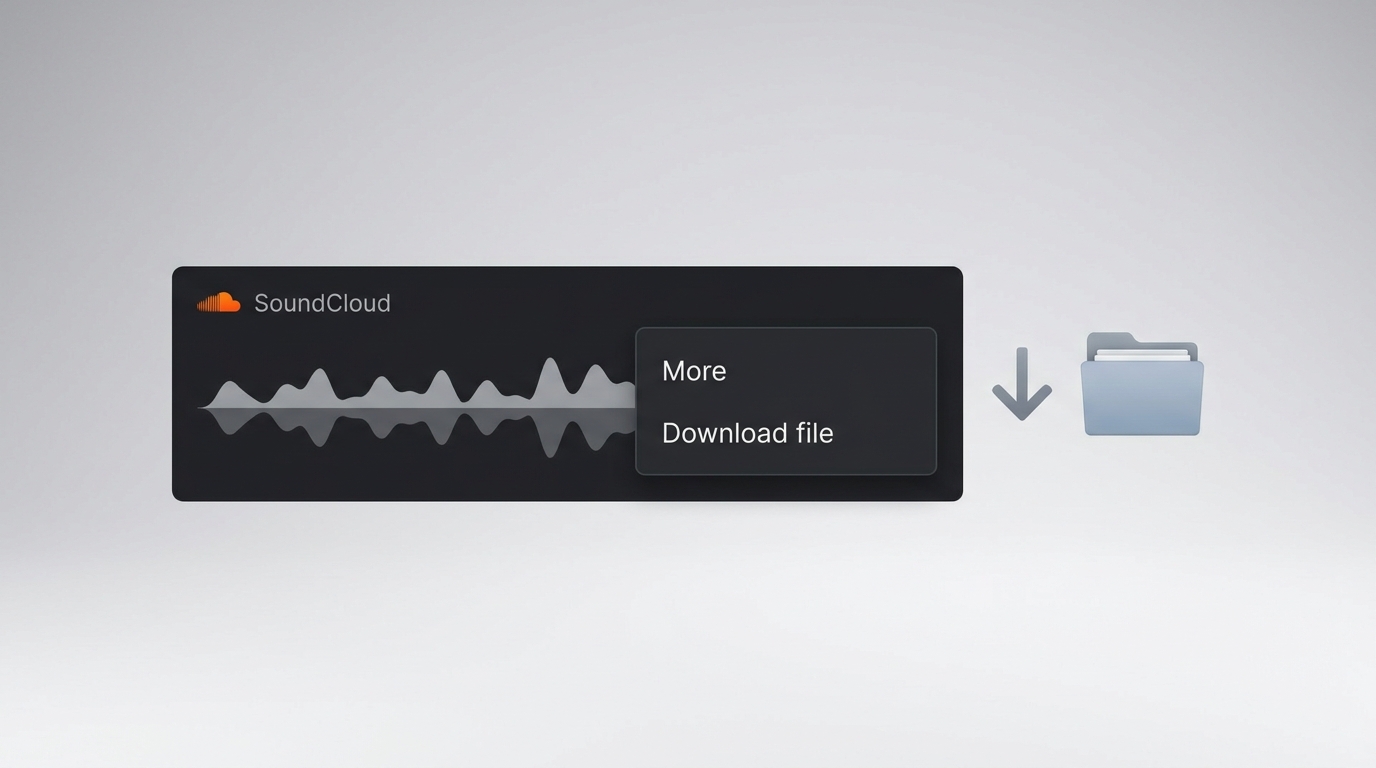
An artist-enabled Download file is the official way to save SoundCloud music to a computer. It creates a local file supplied through the track page, while SoundCloud's Windows app and browser-installed desktop player do not change a track's download eligibility.
Download an Artist-Enabled Track
- Open SoundCloud in a desktop browser and sign in if the track requires an account.
- Open the track page and select the More menu below the waveform.
- Choose Download file when that option appears.
- Select a folder on the PC and save the artist-provided file.
- Open the saved file and confirm that it plays before moving or organizing it.
If Download file is absent, reloading the page or changing browsers will not create permission. The missing button normally means the uploader has not made that track available as an official local file.
Windows App and Desktop Player Limits
SoundCloud documents its Windows app for Windows 10 desktop and tablet, but the app does not provide offline listening. The SoundCloud desktop player installed through Chrome, Brave, or Edge behaves like the web experience and does not turn an ineligible track into a downloadable file.
A SoundCloud download on Windows therefore means one of two different things: an artist-enabled local file, or a separate permitted workflow. The Windows app and SoundCloud desktop player are access interfaces, not substitutes for the Download file permission.
SoundCloud Download Quality Explained
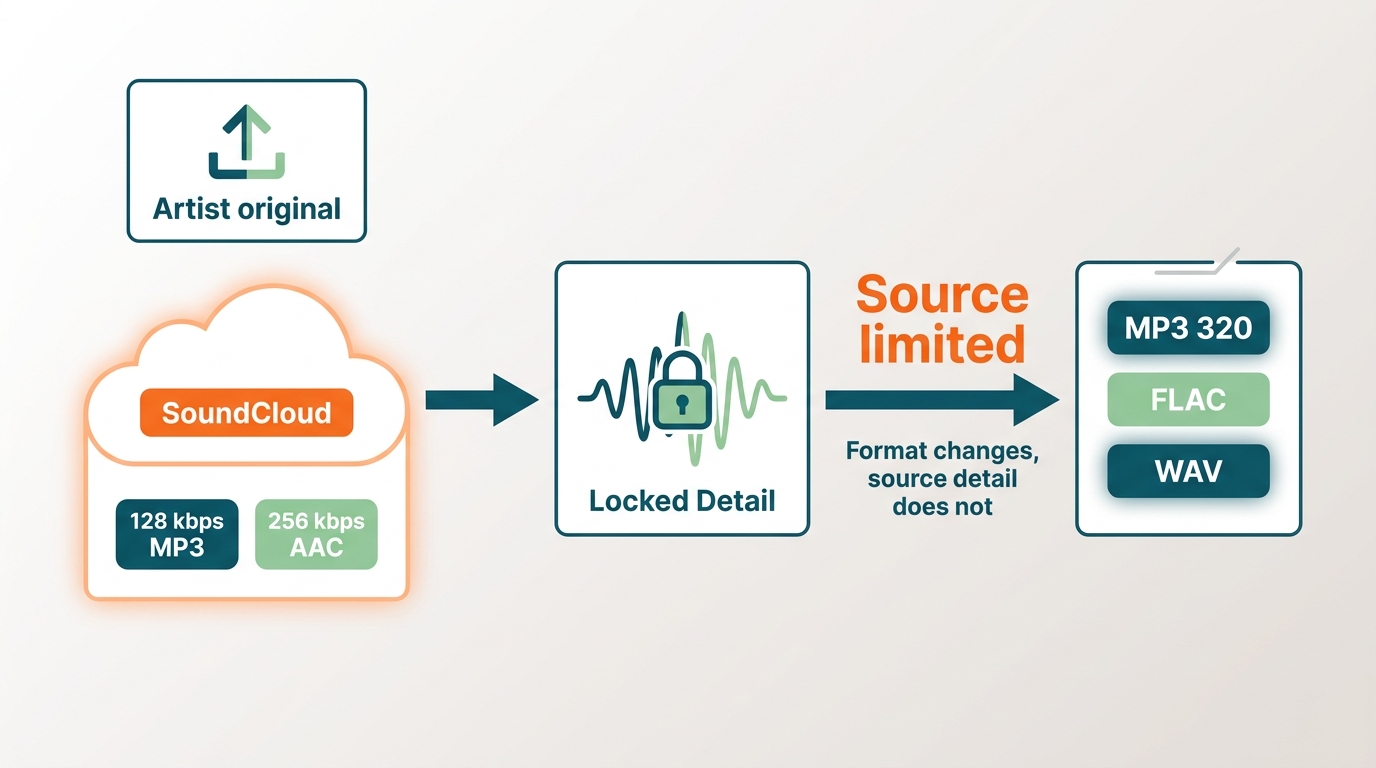
SoundCloud download quality starts with the available source. An export setting can change the container or bitrate label, but it cannot recreate audio detail that is missing from the source stream.
As of August 2026, SoundCloud documents standard streaming at 128 kbps MP3 and Go+ high-quality streaming at 256 kbps AAC, which it describes as comparable to 320 kbps MP3. An artist-enabled original file may differ because the uploader supplies it directly.
Source Quality Versus Export Bitrate
A 320 kbps export is an output setting, not proof of a 320 kbps source. Re-encoding a 128 kbps stream at a larger number increases file size without restoring discarded detail, while converting a 256 kbps AAC source to MP3 can introduce another lossy step.
- Artist-enabled file: keeps the format and quality the uploader made available.
- Converted stream: is bounded by the accessible source even when MP3, FLAC, WAV, M4A, or OPUS is selected.
- Lossless output: can simplify editing or library compatibility, but it does not make a lossy source lossless.
I care more about a method's source transparency than its largest bitrate label. A smaller file with a clearly described source is a better decision than a larger file whose quality claim cannot be explained.
MusicFab for Batch Downloads and Organized Files
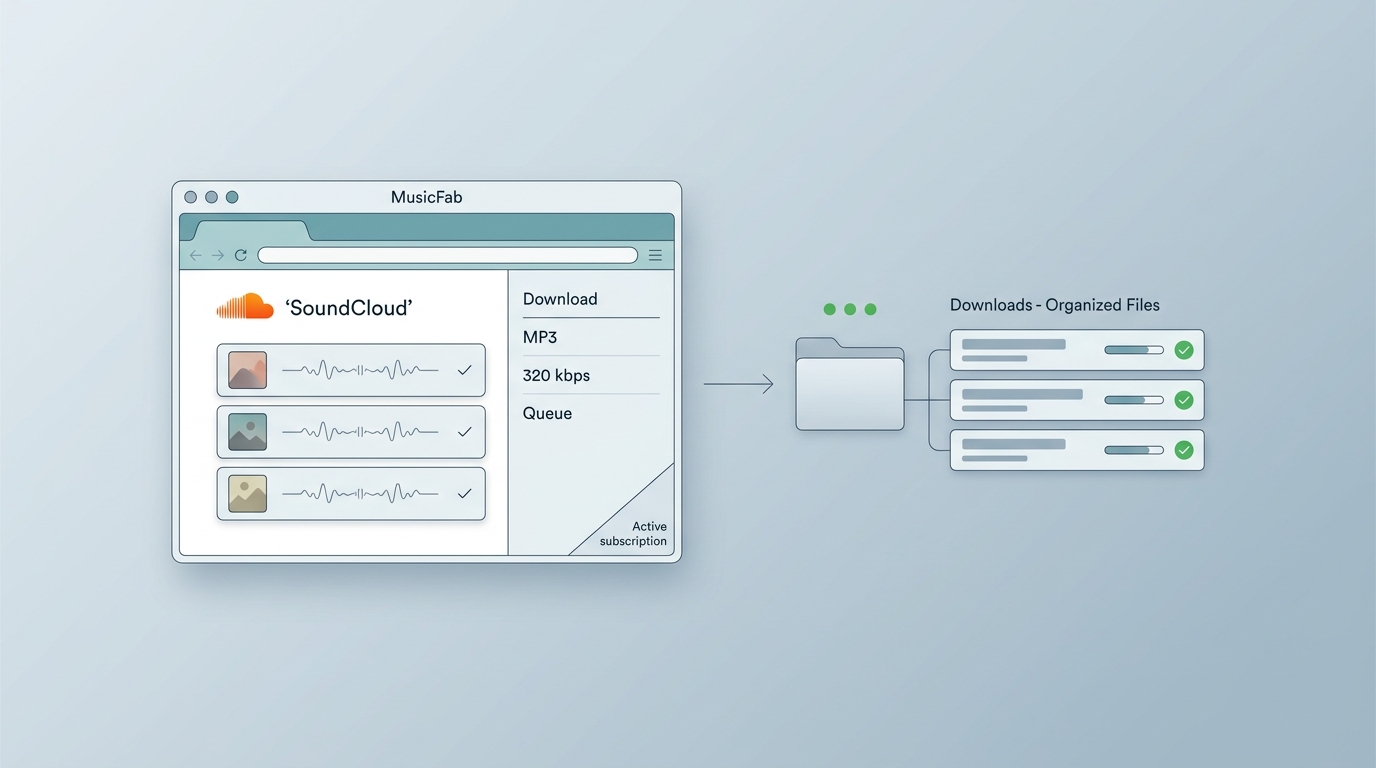
For content you're authorized to access, where permitted by platform terms and applicable law, MusicFab SoundCloud Converter is a desktop alternative for repeat PC users who need batch processing, output choices, and organized files.
The Windows and Mac app uses a built-in browser and direct-source conversion rather than real-time capture. It supports batch tasks, conversion at up to 20x depending on the network and computer, and a 30-day free trial covering three full SoundCloud songs.
It is not ideal for someone who needs one artist-enabled track and can use SoundCloud's official button. Installing desktop software adds unnecessary setup for that simple case.
Save Tracks with MusicFab
The workflow is straightforward: open SoundCloud inside the app, select accessible tracks, choose output settings, and send the task to the download queue.
1. Install MusicFab on a Windows or Mac computer. Open the built-in browser and choose SoundCloud.
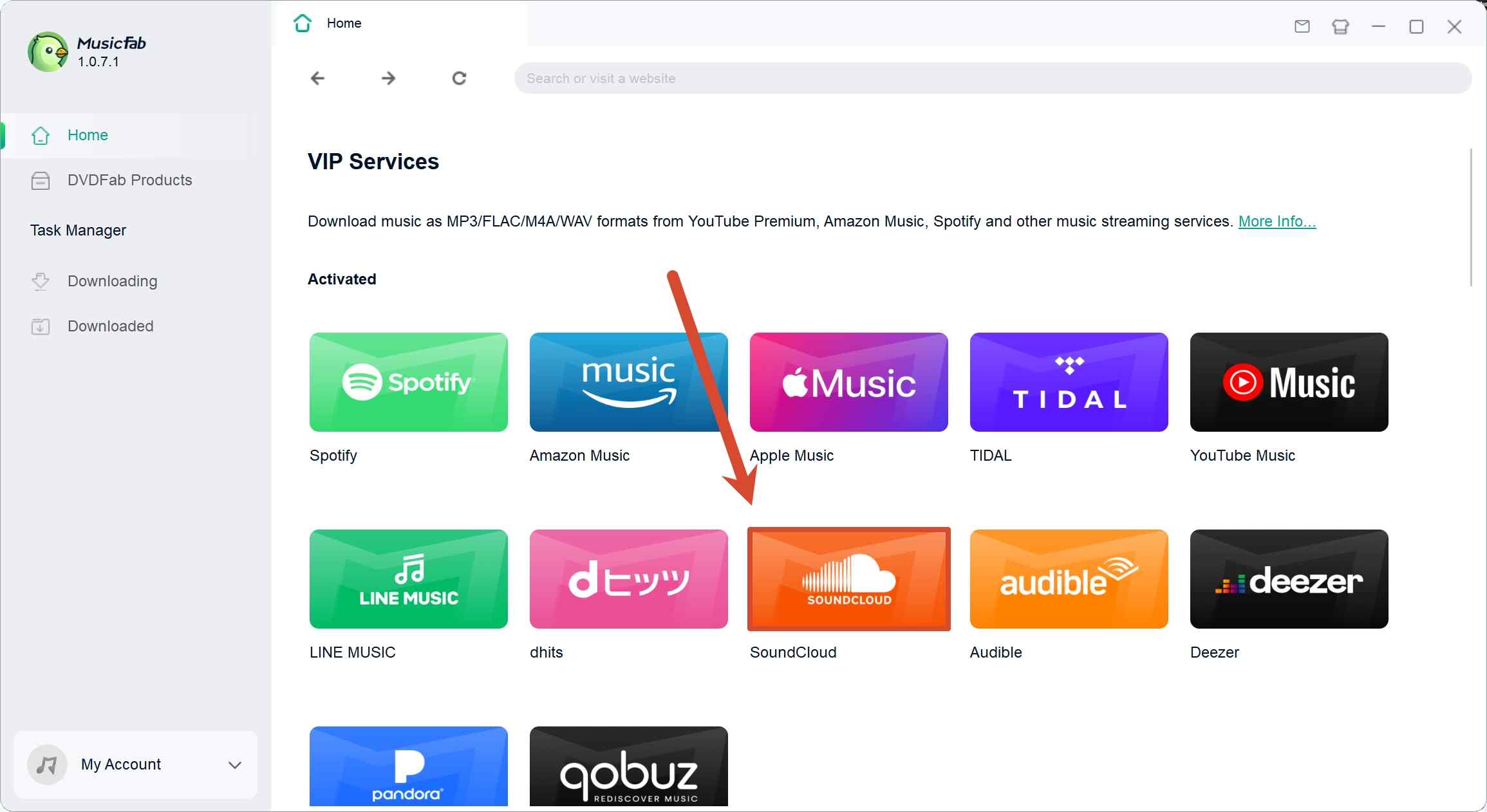
2. Sign in to the authorized SoundCloud account and open the track or playlist.
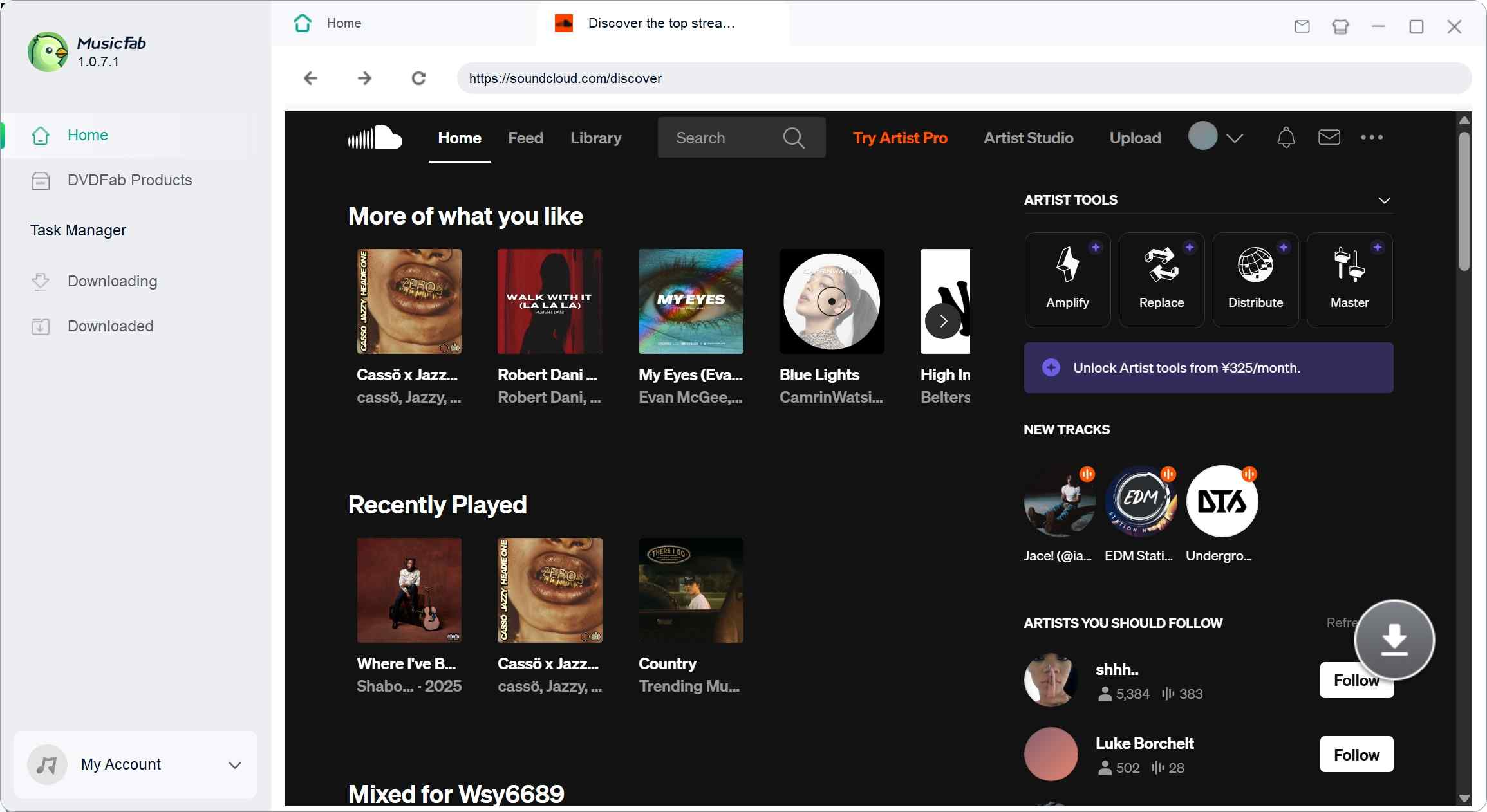
3. Choose the format, quality setting, save location, and tracks to process.
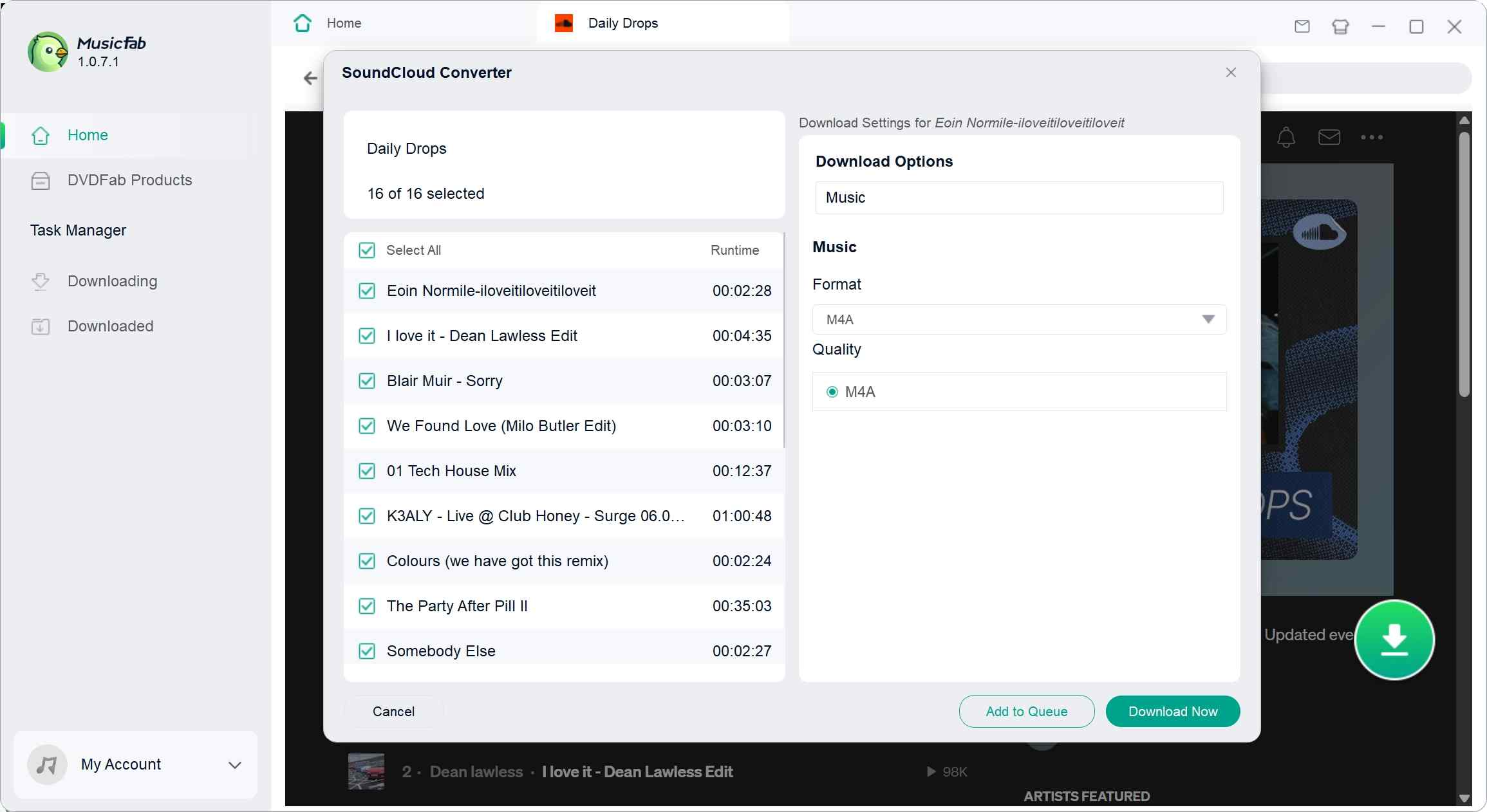
4. Start the task, then open the completed list and output folder when processing finishes.
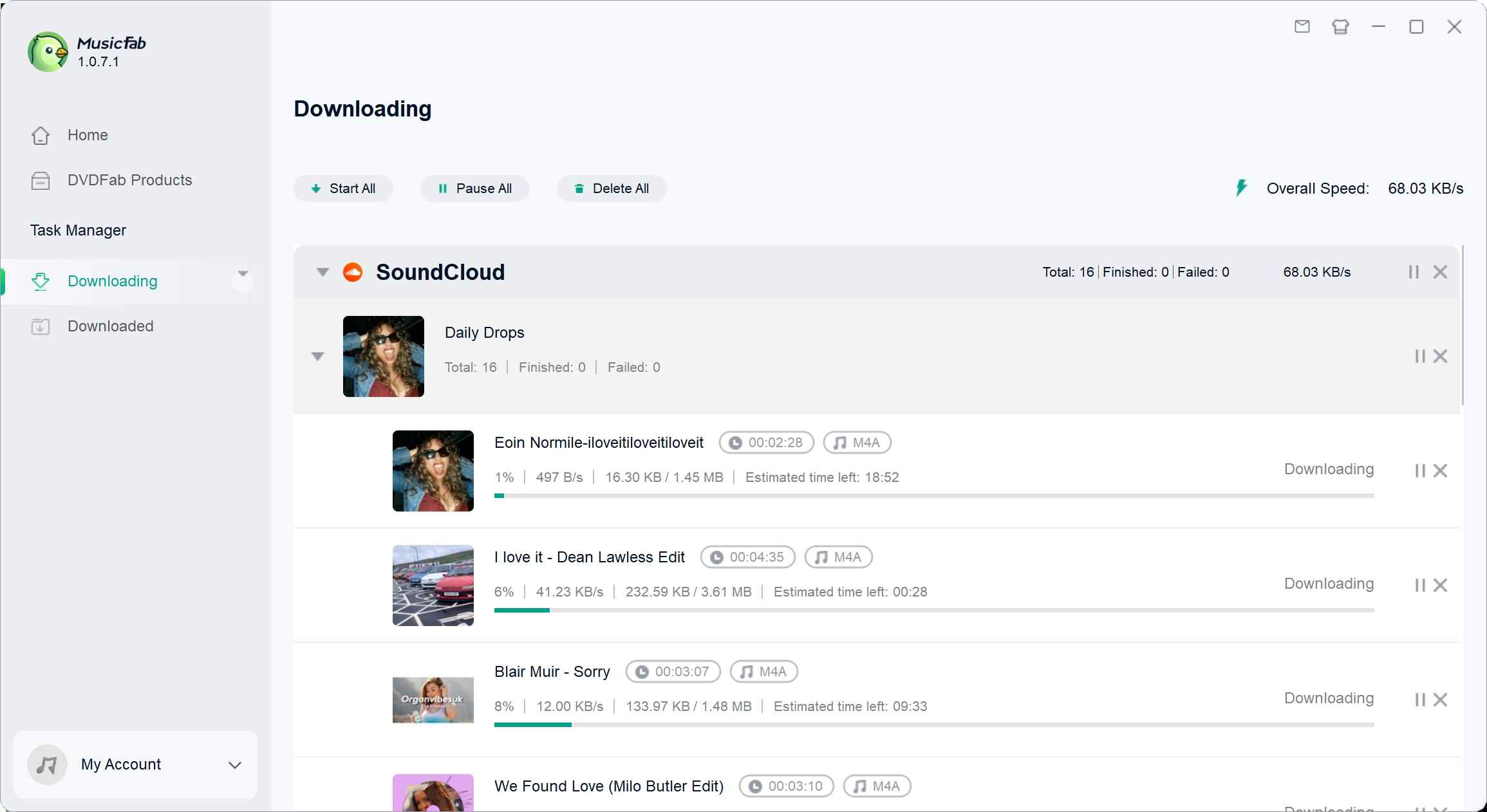
Formats, Quality, and Metadata
MusicFab can output MP3, M4A (AAC), WAV, FLAC, and OPUS at up to 320 kbps and 24-bit/44.1 kHz where the accessible source supports those settings. It can preserve ID3 fields, cover art, track numbers, and synchronized .lrc lyrics when that metadata is available.
For a portable library, MP3 or M4A is usually the practical choice. WAV or FLAC fits editing and archive workflows, but selecting a lossless format does not add detail beyond the SoundCloud source.
Verify Batch Results
A multi-track task is finished only after its files and metadata have been checked. A useful SoundCloud playlist downloader workflow should make missing or skipped items visible before the library is filed away.
- Confirm that each selected track is public or accessible to the authorized account.
- Note the expected track count and compare it with the completed-file count.
- Review skipped or failed items instead of assuming the full playlist finished.
- Open the output folder and spot-check the chosen format, ID3 fields, cover art, and lyrics.
- Play a sample from the beginning and middle of several files before moving the batch.
My cutoff is simple: a batch job is not complete until the output folder and metadata agree with the task list. That check catches practical library problems that a completed status alone cannot show.
Online SoundCloud Downloaders
An online SoundCloud MP3 download service may suit one permitted track when no software installation is wanted. It is a weaker fit for playlists, repeat use, stable quality controls, or predictable file organization.
A useful SoundCloud-to-MP3 converter comparison should examine redirects, credential requests, output limits, and file behavior instead of ranking sites by button size.
- Confirm the domain name and an HTTPS connection before pasting a track URL.
- Close pop-ups and leave pages that redirect repeatedly.
- Refuse any request for a SoundCloud password from a simple URL-based service.
- Reject a site that forces unrelated browser extensions or software installation.
- Download one permitted test file, scan it with the computer's security tool, and check its format before using the service again.
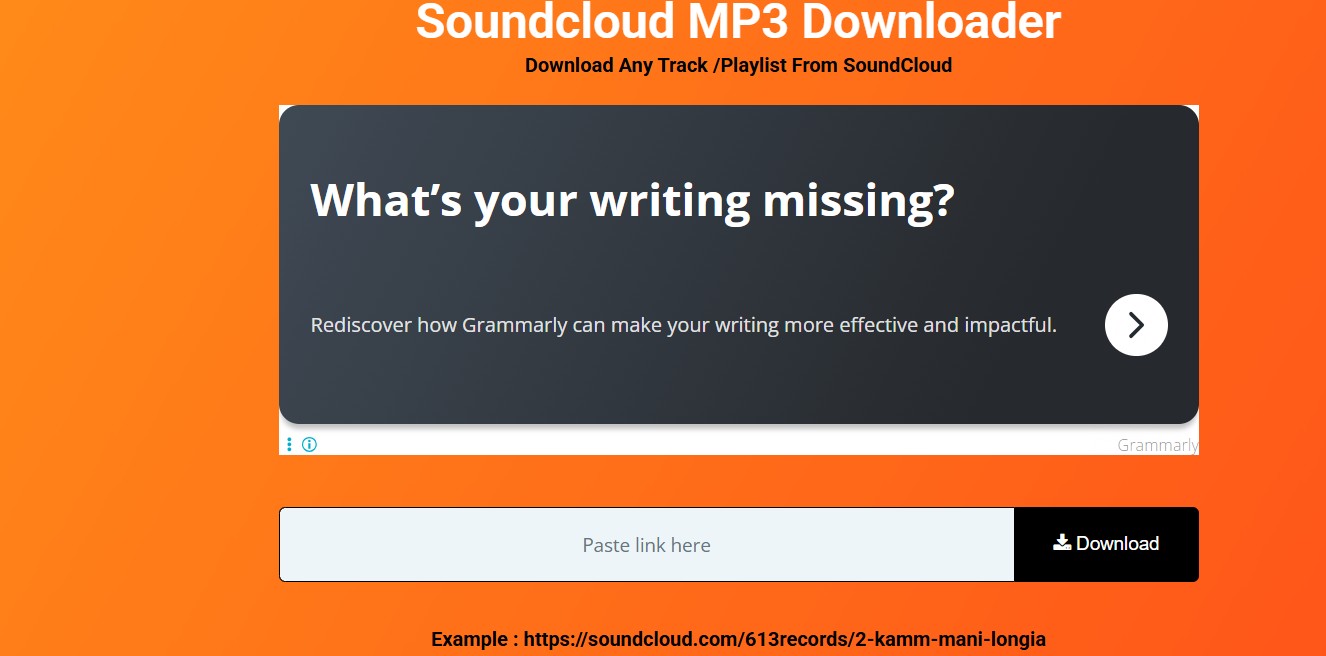
I would leave at the first credential prompt or forced install. Convenience is not worth trading away account access or accepting a file whose origin and type are unclear.
Browser-Based and Technical Alternatives
Browser extensions form the fourth download method; developer tools and real-time audio capture are the two technical alternatives. All three require more caution than the official button, and none should be treated as a way to override an artist's settings.
Browser Extensions
A SoundCloud browser extension may suit occasional in-browser use, but extension permissions, store availability, playlist support, output controls, and maintenance can change. It is not ideal when consistent batch completion or long-term reliability matters.
- Review requested browser permissions before installation.
- Check the extension's current store listing and recent maintenance history.
- Test one authorized track before relying on playlist behavior.
- Uninstall the extension if it injects unrelated ads, redirects, or page controls.
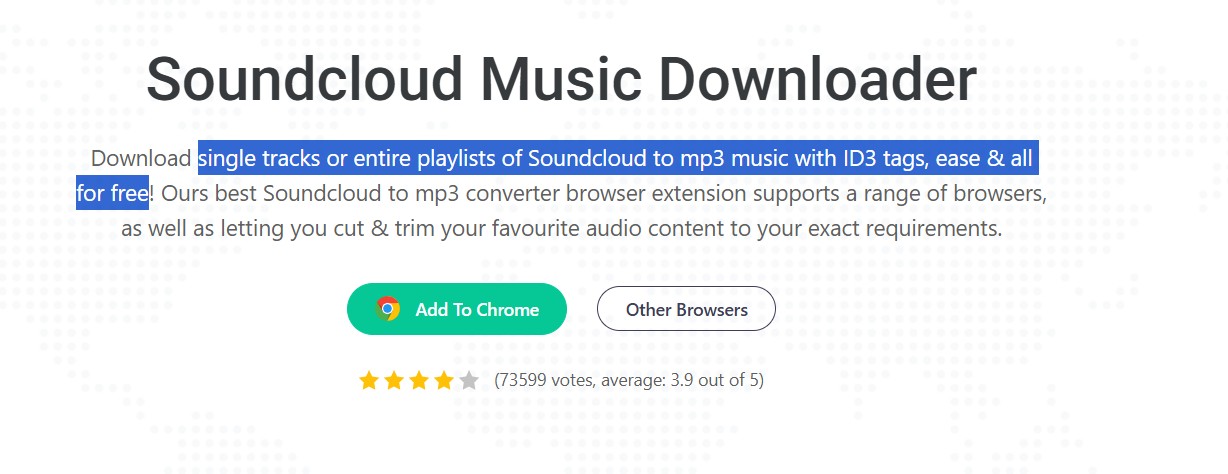
The fit is narrow: an extension can reduce clicks for an occasional permitted track, while a managed desktop queue is easier to audit when file counts and metadata matter.
Developer Tools for Advanced Users
Browser developer tools can expose network activity, but locating a usable audio request is technically difficult and inconsistent. Delivery details can change, and the method offers no dependable batch or metadata workflow.
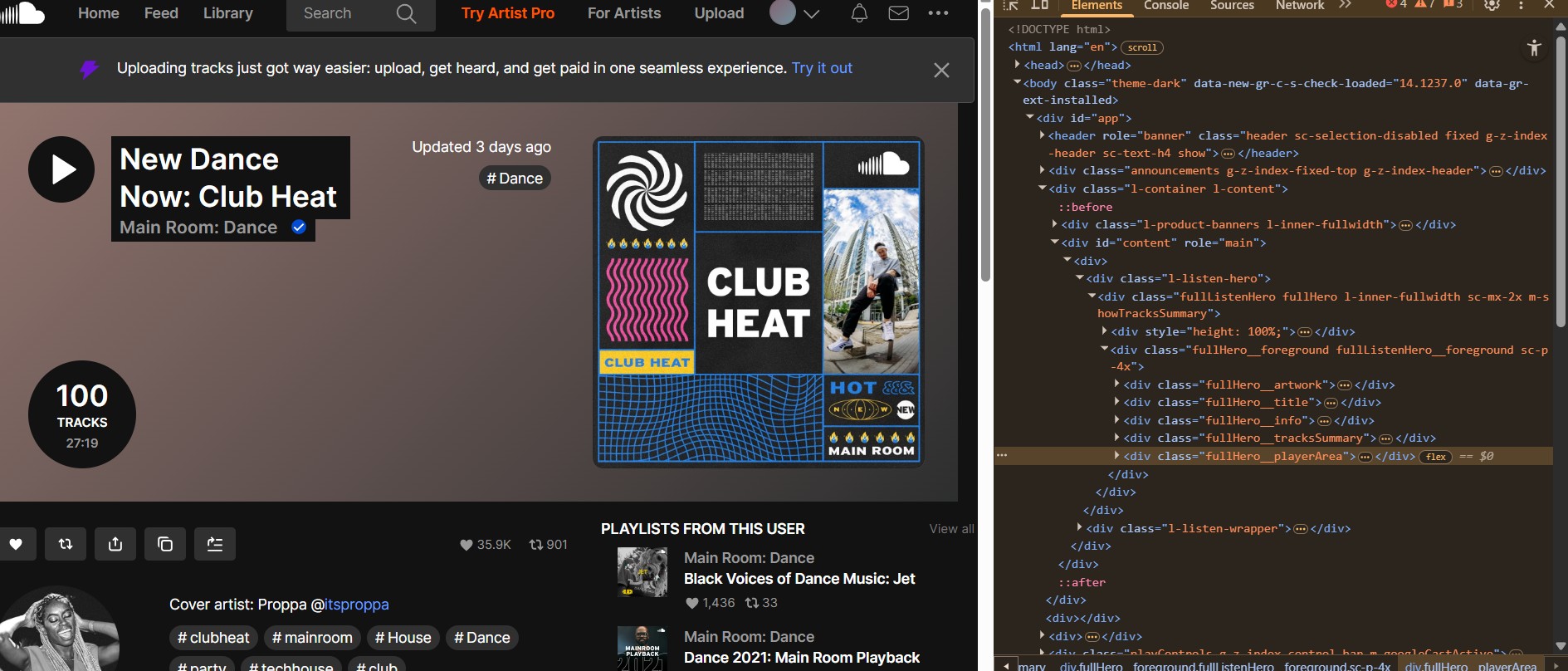
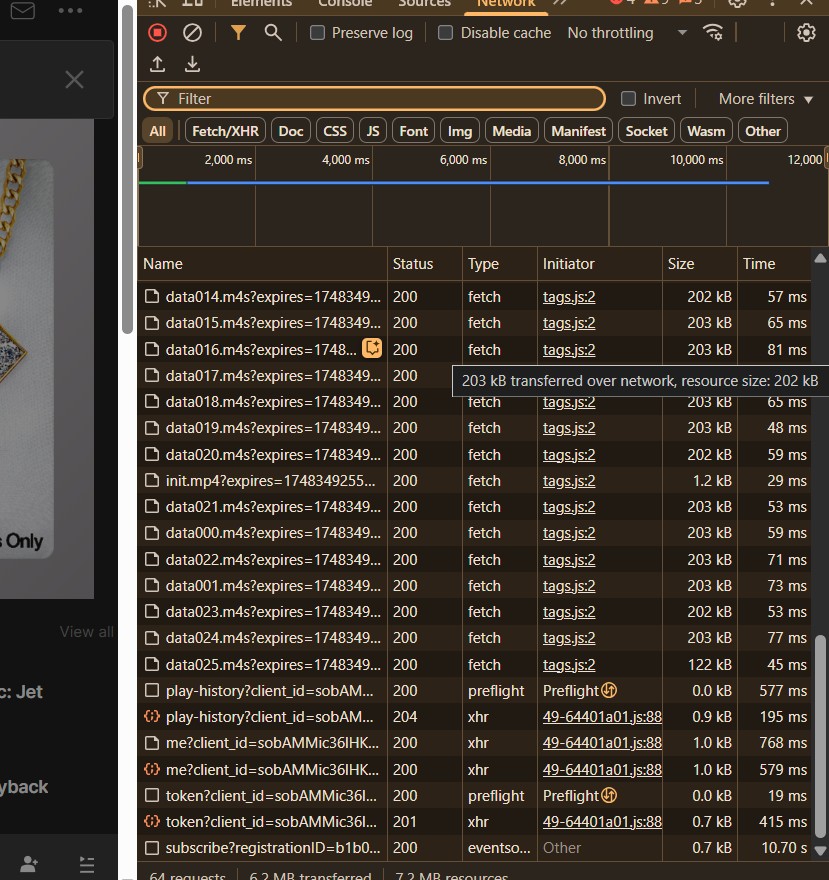
Use developer tools only for content you are authorized to access and where the applicable terms permit. This technical fallback is not a replacement for artist-enabled downloads and is a poor fit for readers seeking predictable source quality.
Audio Capture as a Last Resort
Real-time audio capture takes the full track duration and can include notification sounds or other system audio. It is a last-resort technical alternative for authorized content, not a practical playlist workflow.
- Select the computer's playback source in a desktop audio editor such as Audacity.
- Choose the output device that will play the SoundCloud track.
- Start the capture, play the track from beginning to end, then stop the task.
- Trim unwanted silence and export the file in a suitable format.
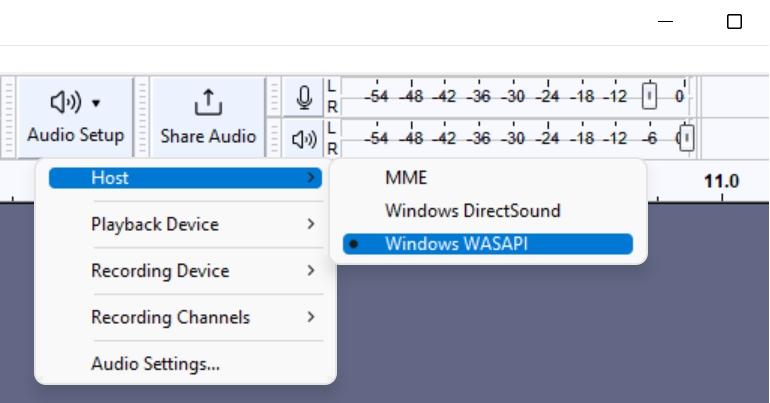
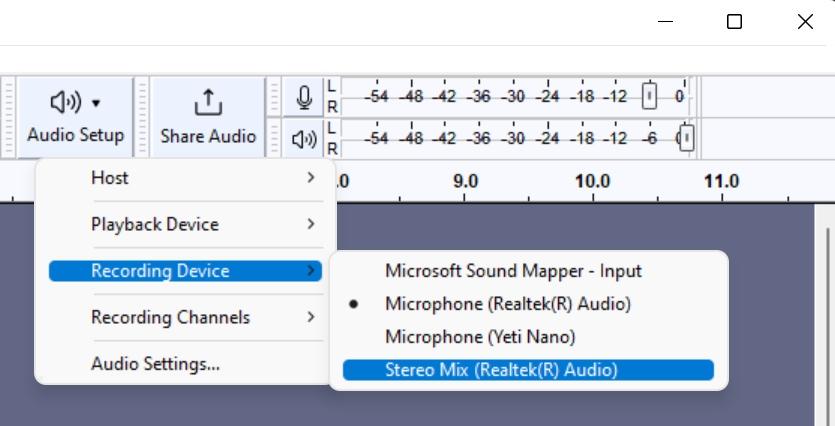
The one-to-one time cost makes this unsuitable for batch jobs, and source quality depends on the playback path and system settings. Disable alerts first if this route is permitted and genuinely necessary.
Compare PC Download Methods and Technical Alternatives
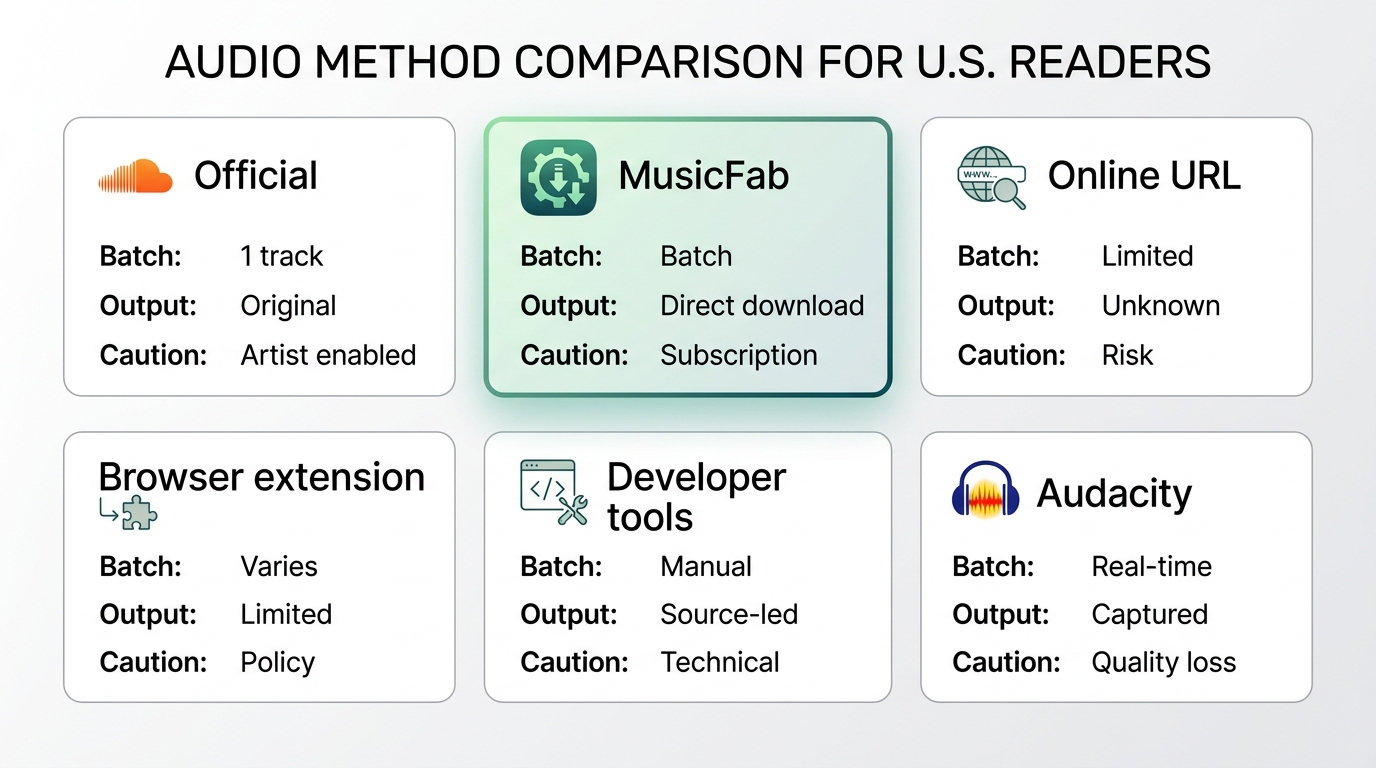
Choose among four download methods by permission, batch needs, format control, and safety. The two technical alternatives belong at the bottom of the list because they are slower, less predictable, or more difficult to verify.
| Method | Best for | Playlist or batch | Quality and format control | Key caution |
|---|---|---|---|---|
| Official Download file | Eligible single track | No | Artist-provided original | Artist must enable it |
| MusicFab desktop workflow | Authorized repeat jobs | Yes | Five formats; source-limited | Software setup; unnecessary for one file |
| Online URL service | Occasional permitted track | Usually no | Service-dependent; often MP3 | Redirects, credentials, file checks |
| Browser extension | Occasional browser use | Extension-dependent | Extension-dependent | Permissions and availability change |
| Developer tools | Technical inspection | No | Inconsistent source access | Difficult and unstable |
| Real-time audio capture | Authorized last resort | No | Playback-path dependent | Full track time; system sounds |
I would start with SoundCloud's official button for an eligible single track. MusicFab fits authorized batch and library work but requires software setup; online services and extensions fit occasional use; the two technical alternatives make sense only when their time, complexity, and quality limits are acceptable.
SoundCloud Download FAQs
Q1. Can I move a downloaded SoundCloud track to a USB drive?
Yes, if you have an authorized local audio file. Copy it to a USB drive like another file and keep its use within the rights attached to the track. SoundCloud's managed in-app or player cache is not a transferable local file.
Q2. Why did an online SoundCloud downloader stop working?
Online services can fail when SoundCloud changes delivery behavior or when the service itself is no longer maintained. Try another permitted method, but do not hand over account credentials or install unrelated software to make a broken site work.
Q3. What should I check when a batch download skips tracks?
Confirm account access and track availability, compare the expected and completed counts, review failed items, and inspect the output folder. Then spot-check format, ID3 fields, cover art, and lyrics before treating the batch as complete.
Q4. Should an online downloader ask for my SoundCloud password?
No. A simple URL-based service should not need a SoundCloud password. Leave the page if it requests credentials, opens suspicious redirects, or forces an unrelated installation.
Conclusion
Downloading SoundCloud songs on PC is less about finding the biggest download button and more about choosing a method that matches the track, the permission available, and the job you actually need to complete. The official Download file option remains the clearest choice for eligible tracks because it preserves the uploader-provided file without introducing another conversion step. For authorized batch downloads and organized music libraries, a desktop workflow such as MusicFab is more practical, while online services and browser extensions are better treated as occasional options that require closer attention to redirects, permissions, credentials, and file safety.
The technical alternatives are useful to understand, but they should remain secondary rather than becoming the default approach. Developer tools can be difficult and unstable, while real-time capture adds significant time and can introduce unwanted system audio. In every case, source quality matters more than the output bitrate label, and a successful download should be verified for file count, format, metadata, and playback before it becomes part of a personal library. A permission-first, source-transparent workflow is ultimately the most reliable way to save SoundCloud music while avoiding unnecessary technical complexity and security risks.

This guide separates SoundCloud app-based offline listening from authorized local audio files on iPhone. It covers Go/Go+, Safari-to-Files, a desktop transfer workflow, Apple Music import, storage troubleshooting, and permission-first choices.
By Jane Chen - Aug 26, 2026
SoundCloud to WAV converter guide: learn how to verify real WAV files, follow creator permissions, compare active browser options.
By Jane Chen - Aug 26, 2026
Learn how to download SoundCloud on Android, including Go and Go+ offline saves, artist-authorized files, downloader categories, file locations.
By Jane Chen - Aug 26, 2026
SoundCloud on a Mac can mean using the official player, taking a creator-enabled download, or creating an authorized local audio file. This guide explains the limits of each route, playlist checks, format choices, and where MusicFab fits.
By Jane Chen - Aug 25, 2026