
Lucida.to Review 2026: Is It Safe? Best Alternatives

Table of Contents
You’ve probably seen people talk about Lucida, Lucida music, or Lucida.to in music forums or Reddit. It describes itself as "music at internet speed," promising high-quality downloads from streaming services.
But is it safe? And why are so many users looking for sites like Lucida.to?
This guide will walk you through what Lucida is, whether it is safe to use, and show you a safer, more reliable way to get offline music with desktop alternatives like MusicFab.
Key Takeaways about Lucida.to
- What it is: Lucida.to is a free, browser-based music downloader for streams from platforms like Qobuz, Tidal, and Deezer.
- The Risk: It operates in a legal gray area with mixed trust scores and no official support.
- The Problem: Users frequently report slow speeds, timeouts, metadata issues, and periods of complete downtime.
- The Solution: For consistent, high-speed downloads with perfect tags, desktop tools like MusicFab provide a clearer, transparent Lucida alternative.
Disclaimer: This article is for informational and educational purposes only. We do not encourage copyright infringement or bypassing DRM. Always follow local laws and the terms of the platforms you use. And don’t distribute and share the downloaded files.
What is Lucida / Lucida.to?
Lucida is a website that lets you grab high-quality music from multiple streaming services in just a few clicks for free.
It currently supports Qobuz, Tidal, SoundCloud, Deezer, Amazon Music, and Yandex Music.
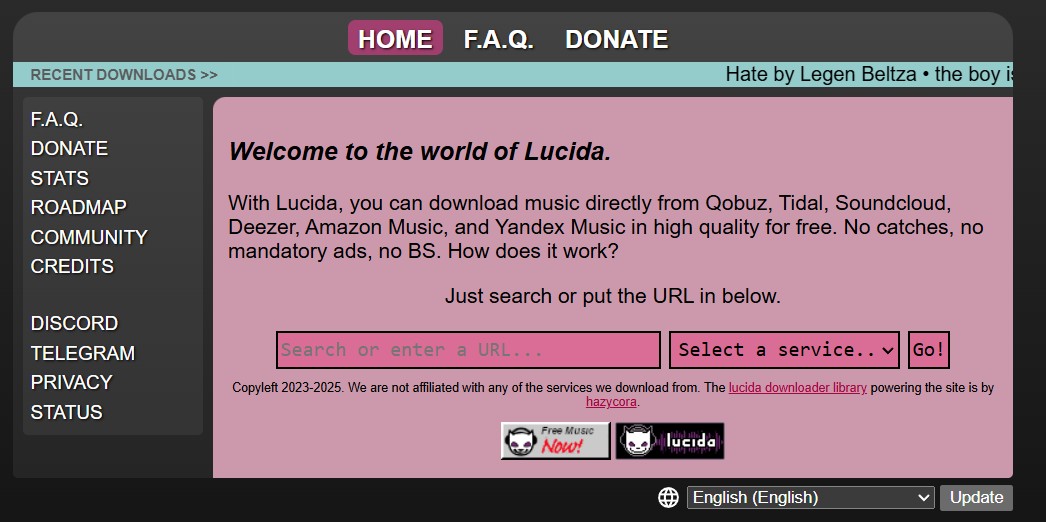
Is Lucida.to Safe?
Technically, Lucida.to is not an obvious, outright malicious site. But it may contain potential spam.
For a 100% safe experience, official downloads within streaming apps or use a verified desktop software like MusicFab are far superior.
How to use Lucida?
- Step 1: Paste a streaming URL or search by artist/album/song inside Lucida’s interface and select service.
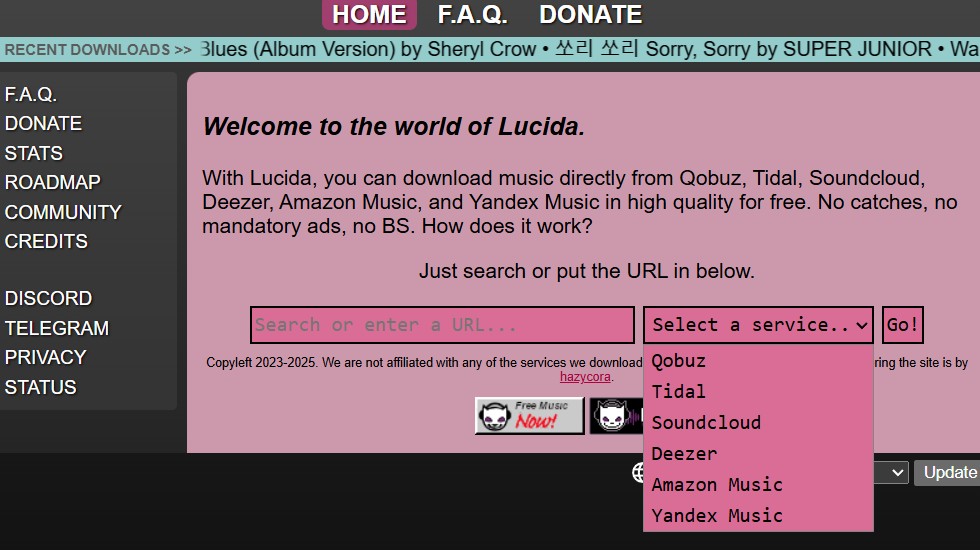
- Step 2: Click Go, and it will display the audio for download
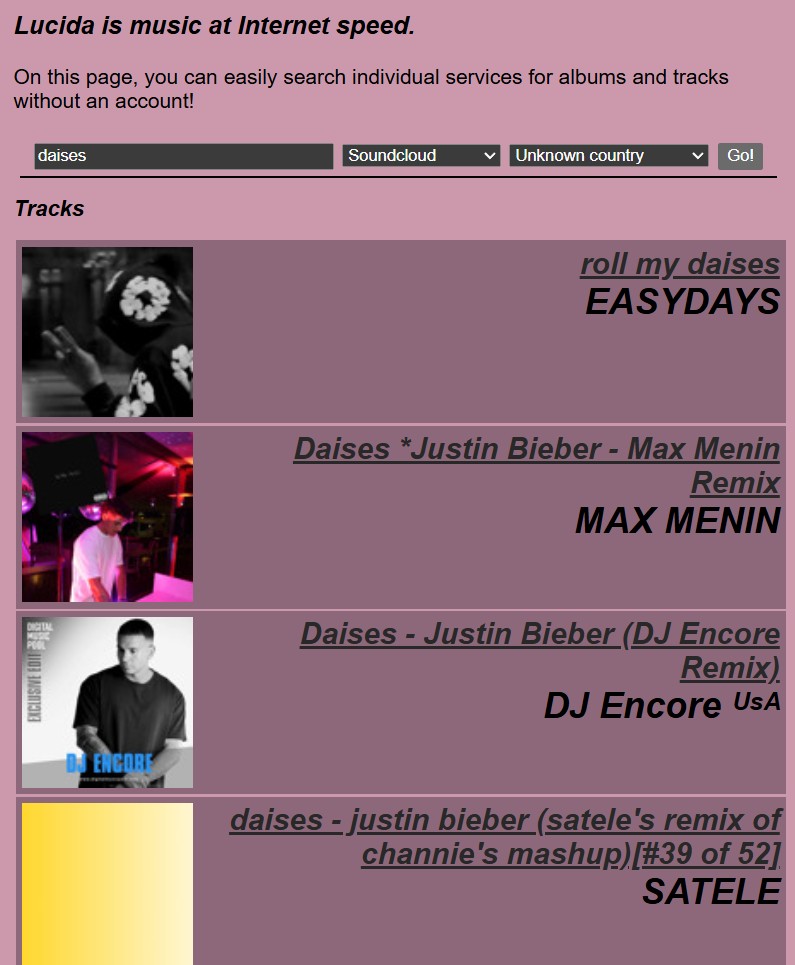
- Choose the one you want to download and save.
Limits of Lucida
- Unstable: Lucida and related domains have been reported down for weeks at a time.
- Broken Metadata: Lucida often messes up metadata
- Slow Speeds & Timeouts: "Never finishes albums" is a common review. The server often struggles with larger playlists, resulting in failed downloads
- Zero Support: No customer service
Best Lucida Alternative: MusicFab
If you’re tired of chasing unstable websites, MusicFab is the best Lucida.to Alternative. Unlike browser-based rippers or P2P networks like Soulseek, MusicFab is a maintained desktop software that ensures high-speed conversion and stability.
MusicFab All-in-One Converter
- Supports 50+ platforms, including Spotify, Apple Music, Amazon Music, YouTube Music, and Tidal.
- Automatically keeps track title, artist, album, and artwork organized.
- Convert music to MP3, FLAC, WAV, M4A, or OPUS without quality loss.
- Use the built-in browser to analyze and download playlists in one window.
Note: Tools like MusicFab should only be used to download or convert content you have a legal right to access in your region and in ways that comply with the terms of the services involved.
Here is a quick video tutorial on how to use MusicFab:
Lucida vs. MusicFab
| Aspect | Lucida | MusicFab |
|---|---|---|
| Tool type | Free browser-based ripper | Installable desktop software (Win/Mac) |
| Supported services | Qobuz, Tidal, SoundCloud, Deezer, Amazon Music, Yandex | Spotify, Apple Music, Amazon Music, YouTube Music, TIDAL, Deezer, Qobuz, Pandora, SoundCloud, LINE MUSIC, etc. |
| Output formats | MP3 / FLAC and similar (not always documented clearly) | MP3, FLAC, WAV, M4A, OPUS and more with metadata preserved |
| Safety | Medium-risk flags, no official support | Safe |
| Reliability | Subject to downtime, domain changes, service breakage | Reliable |
FAQs
Does Lucida.to still work with Spotify?
Lucida has had ongoing issues with certain services, including Spotify links timing out or failing after Spotify updates.
Is there any Lucida alternative software for desktop?
Yes. Instead of relying on websites that may disappear, use MusicFab All-In-One. It supports major music services and converts streams to MP3, FLAC, WAV, M4A, and OPUS while preserving metadata.
Can Lucida download FLAC?
Lucida is often discussed for high-quality downloads, including FLAC from services such as Qobuz or Tidal. However, output quality depends on the source, availability, and how the service processes the file.

Apple Music offers a higher lossless ceiling and Dolby Atmos, while Spotify combines 24-bit/44.1 kHz FLAC with Connect and discovery strengths. This guide compares specs, device paths, settings, a fair listening protocol, switching trade-offs, and an optional authorized local-file workflow.
By Jane Chen - Aug 26, 2026
Choose a K-pop download method by file ownership, rights status, source quality, and batch needs. This guide compares MusicFab, licensed purchases, owned CD rips, creator-authorized catalogs, desktop tools, and unverified archives, with practical MP3-versus-FLAC guidance and four legal-use FAQs.
By Jane Chen - Aug 13, 2026
Podcast downloads fall into two categories: app-managed offline copies and portable audio files. This guide covers free publisher and RSS links, current iPhone and Android app workflows, bulk and retention limits, a platform comparison, and an authorized MusicFab desktop workflow for saving local files.
By Jane Chen - Aug 13, 2026
Choosing a FLAC downloader in 2026? Compare paid stores, free archives, desktop converters, web tools, and CD ripping — plus how to verify true lossless files.
By Jane Chen - Aug 12, 2026