Soulseek Guide 2026: Is It Safe? How to Use It & Alternatives

Table of Contents
If you hang out on Reddit long enough, Soulseek eventually pops up like a secret door to “old internet” music culture. Someone mentions grabbing a rare vinyl rip there, another person calls it the best place for underground electronic, and suddenly you’re thinking:
“What exactly is Soulseek? Is it safe, and do I really need it?”
In this guide, you will learn how Soulseek works in 2026, how to use it more safely, what users like and dislike about it, and when a more predictable option like MusicFab makes better sense for saving music from streaming services you already use.
Soulseek Overview: Is It Still Worth Using in 2026?
- Soulseek is a niche P2P network for music discovery. It is best known among collectors who look for rare, underground, out-of-print, or hard-to-find music.
- It is not a modern streaming app. There are no official playlists, recommendation algorithms, or polished mobile apps. You search other users’ shared folders manually.
- It can still be useful, but it is not risk-free. Files come from individual users, so you need to think about malware, fake quality labels, privacy exposure, and copyright rules in your country.
- It works best for discovery, not convenience. Soulseek can be powerful when you are hunting for obscure music, but it is less ideal if you simply want fast, stable, organized downloads of playlists and albums.
- For mainstream streaming libraries, MusicFab is usually the easier route. If your goal is to save Spotify, Apple Music, Amazon Music, YouTube Music, or similar streaming content for personal offline organization, a dedicated downloader is simpler than joining a P2P network.
What is Soulseek?
Soulseek isn’t a new streaming service or a fancy subscription. It’s a free, old-school peer-to-peer (P2P) file-sharing network where music fans trade files directly with each other. It is also a niche tool to dig for deep cuts, rare releases, and music scenes that never fully moved to streaming.
- Music-first focus. The network is known mainly for music: underground scenes, independent artists, demos, bootlegs, and live sets, plus regular label releases.
- Free, ad-free, spyware-free. The official SoulseekQt client is proprietary freeware, no ads, no bundled spyware.
- Cross-platform. The main client (SoulseekQt) is available for Windows, macOS, and Linux.
There’s no glossy UI, no algorithmic playlists, just you, other users, and whatever they decide to share from their hard drives.
How to use Soulseek (Step-by-Step)?
How to download and setup Soulseek
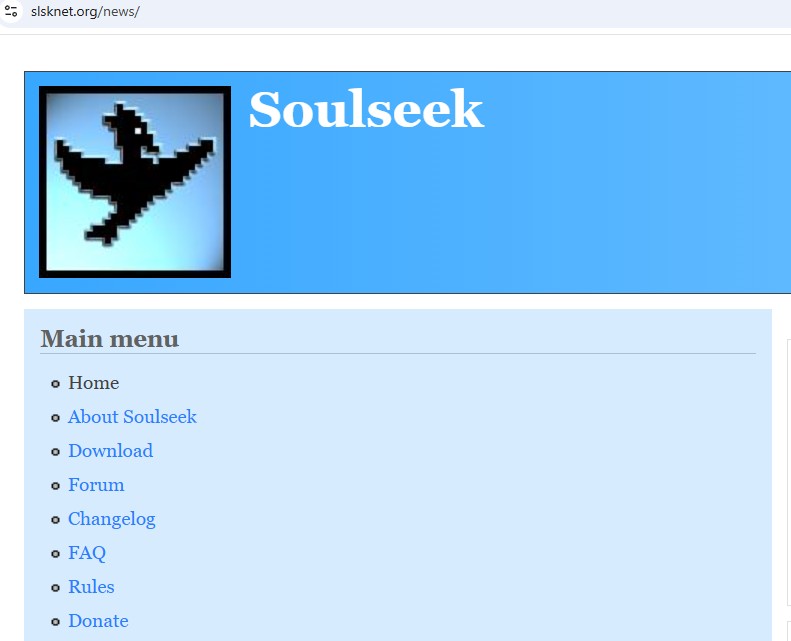
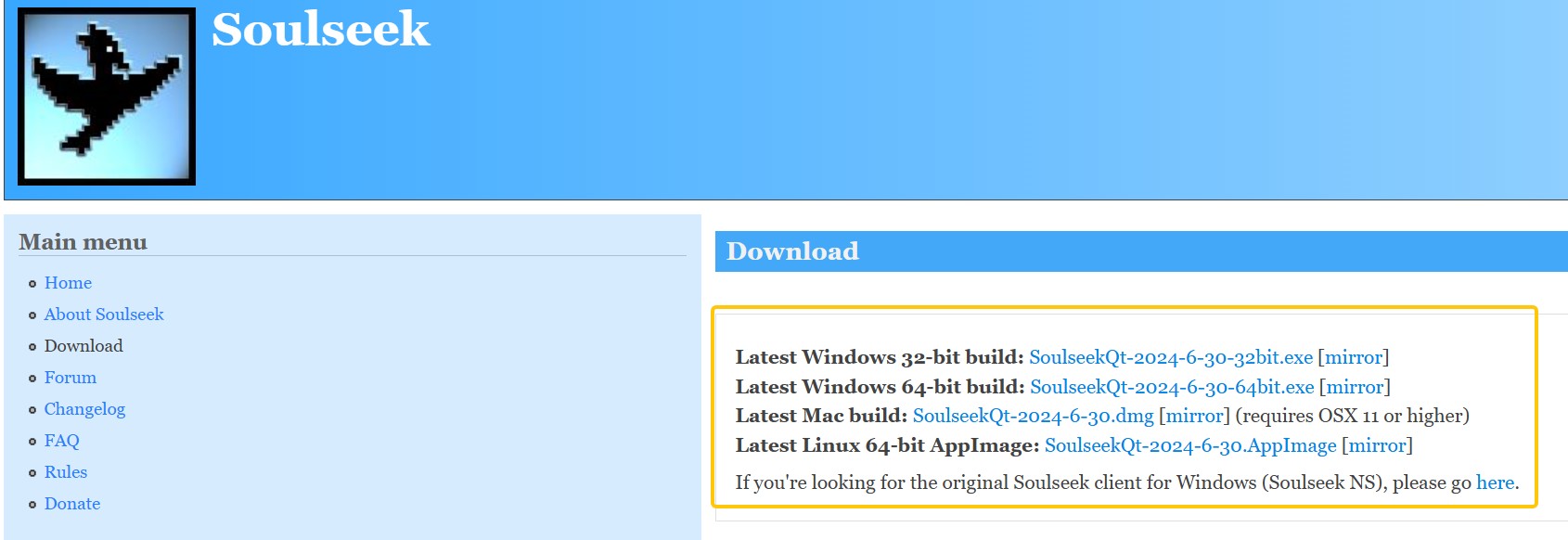
- Download the correct Soulseek installer for your OS from its official website. (https://www.slsknet.org/)
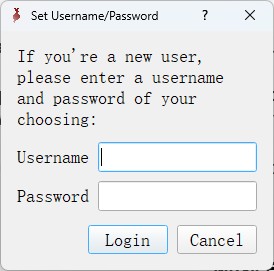
- Create your account: Pick a username and password. Other users will see this name, so avoid your real name or email.
- Set your download folder: Choose a dedicated folder where Soulseek will save everything it downloads. Keeping it separate makes it easier to organize and scan.

- Choose what you want to share (or not): You can pick one or more folders to share with other users (only share files you have the right to share)
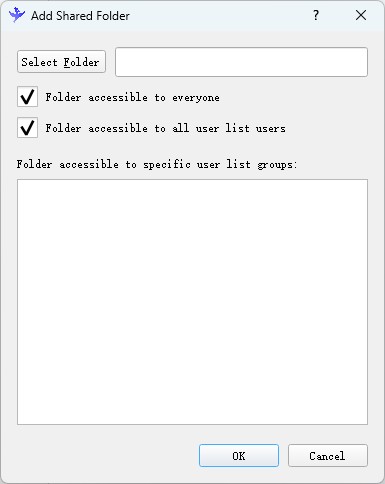
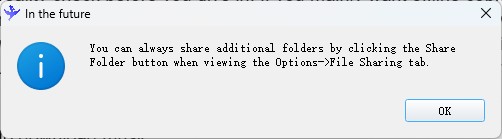
- Check your connection: Most people can leave the defaults alone. If you have a strict firewall or router, you may need to allow Soulseek to connect properly.
How to use Soulseek to download music
- Sign in to your account.
When you sign in, your client connects to the Soulseek network.
- Pick which folders on your computer to share.
In return, you can browse the folders they’ve chosen to share.
- Use search or user lists to find music.
You can search by artist, album, track name, or even file type. Matches appear as a list of users and files; you can queue single tracks or entire folders.
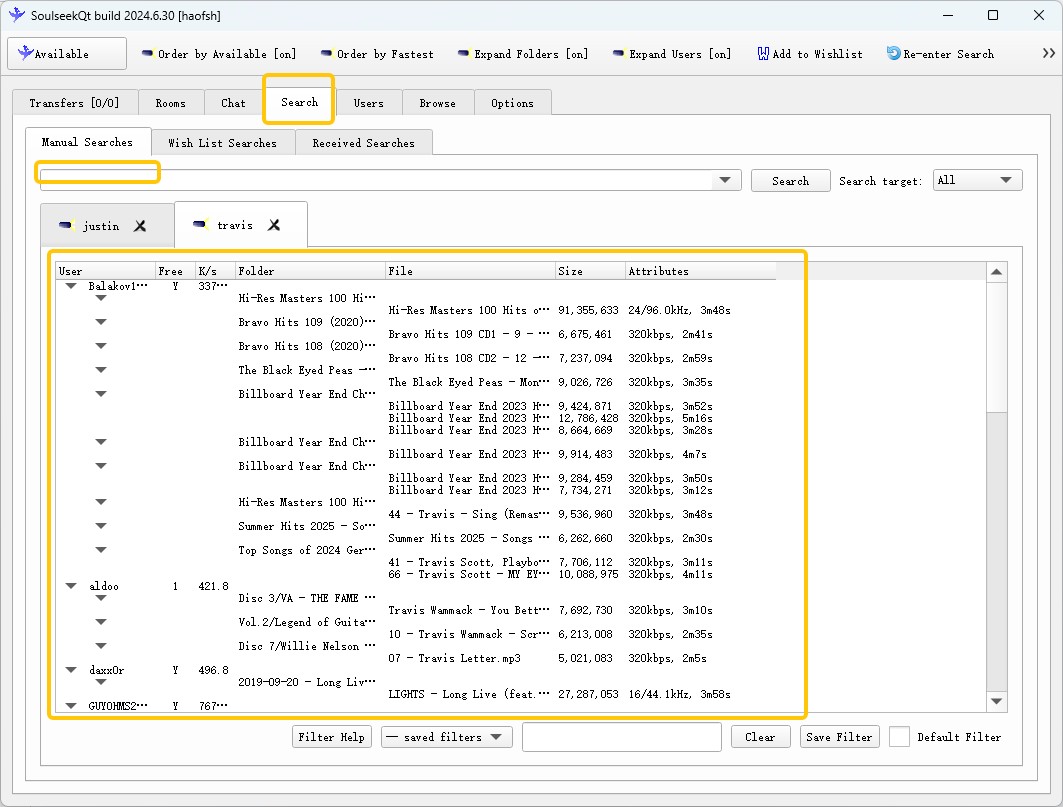
- Download files directly from the other person.
Soulseek does not use torrent-style multi-source swarming. For most downloads, you’re pulling the file from one user, so your speed and reliability depend heavily on that person’s upload connection and queue.
- Uploads and downloads run together.
While you download from others, they can download from you. There’s a basic social contract: you give a little, you get a little.
There’s no global content library and no corporation deciding what’s allowed. Everything comes from individual people on the network, which is both the charm and the risk.
How to avoid getting banned on Soulseek
- Double-check that you’re actually sharing: Under Options → File Sharing, click the blue Shared Folder link to confirm which folders are exposed and who can access them.
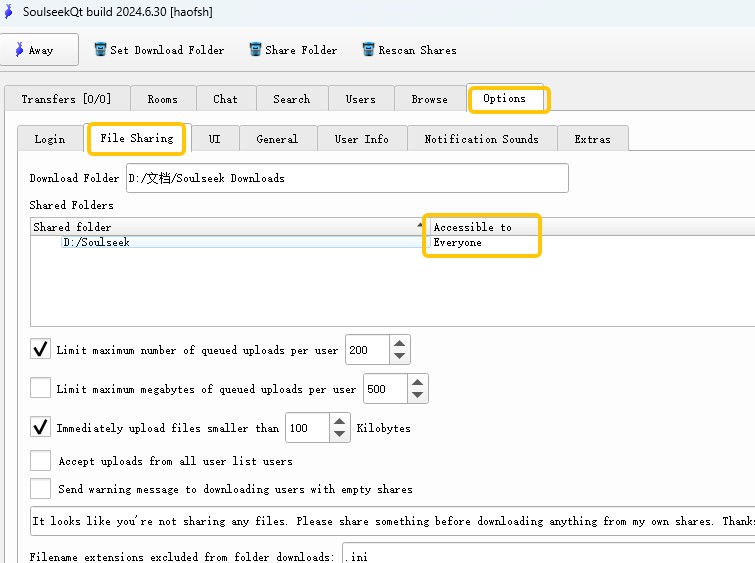
Then go to Users → User list, add your own username, and look at the Files column. If it shows `0`, everyone else will see you as not sharing anything at all—even if you thought you were.
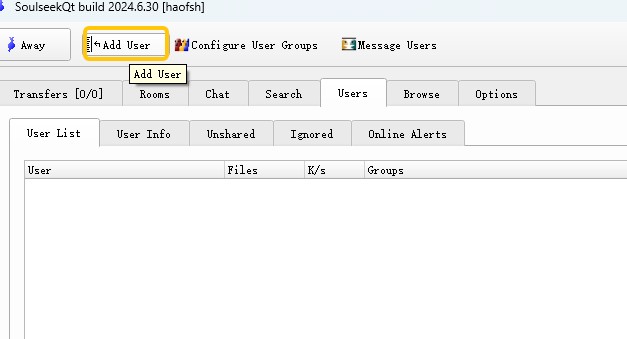
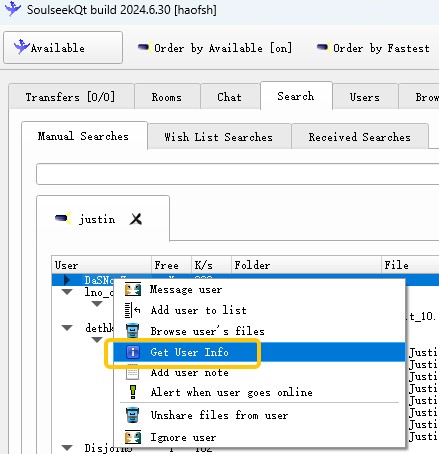
- Peek at a user’s profile before you go heavy.
Right-click a name in your search results and choose User info. Some uploaders leave notes like “no leechers,” “max 1 album at a time,” or other house rules. If you’re not ready to share much yourself, focus on users who don’t spell out strict requirements in their profile.
- Spread your downloads across multiple users.
Instead of hammering one generous uploader with dozens of albums, grab one or two releases from them and then look for other sources. Especially those offering rare FLAC rips are more likely to block people who take too much without giving back, and being banned by them can cut you off from some of the best content.
What People Like & Don't Like about Soulseek
Soulseek is more like a 24/7 global record store back room rather than an app.
- • Deep cuts and dead catalogs: Users can find a lot of music simply never made it to streaming platforms or disappeared after licensing changes.
- • Scene archives: Whole micro-scenes like local bands, netlabels, old club nights get archived by fans who upload flyers, live sets, and unreleased tracks.
- • Human curation: Instead of an algorithm recommending “Because you listened to…,” you’re browsing real people’s collections. When you find a user with good taste, their entire shared folder becomes better than any playlist.
So far we’ve focused on what Soulseek does well. But if you scroll through threads on subs like r/musichoarder and r/Piracy, you’ll see a consistent list of complaints from real users. It’s not all magic crates and rare vinyl rips.
Here are the main pain points people bring up, plus what they mean for you in practice.
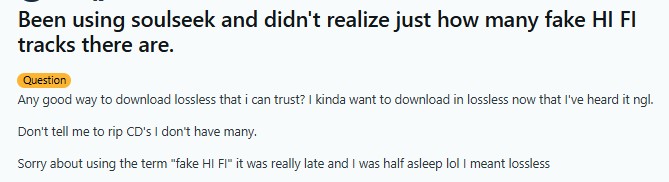
- Fake “hi-fi” and inconsistent audio quality: One of the loudest complaints is about fake lossless files and sketchy hi-fi claims.
- Slow downloads: Downloads hinge on a single uploader’s speed and availability, so if they’re throttled or offline, you’re stuck.
- Random bans: Users can block you for not sharing enough, grabbing “too much” from them, or any random reason they feel like.
- Old-school UI and occasional bugs: The interface is confusing for new users, especially if they’re used to modern streaming apps.
The takeaway: Soulseek works, but it’s sensitive to social norms and individual moods. If you want stable, predictable speeds, it’s not that.
Soulseek is amazing for rare and obscure music, but you pay for it with inconsistent quality, slow and fragile downloads, social friction, and ethical gray areas.
If you mainly want predictable audio quality, fast, reliable downloads, and fewer legal and ethical question marks, then you’re usually better off staying inside streaming services and using a downloader like MusicFab to save albums and playlists you already stream for personal offline listening and library building.
Is Soulseek Safe and Legal?
Is Soulseek technically safe?
When people ask, “Is Soulseek safe?” they usually mean two things: will it hurt my computer, and can I get in legal trouble?
The official Soulseek client itself is generally clean when you download it from the official website. The main risk comes from what you download through it:
- Every file comes from another random user, not from a trusted store.
- A file called “FLAC album” might be low-quality, mislabeled, or even malicious.
Is Soulseek legal?
The Soulseek protocol itself isn’t illegal. The problem is how people use it:
- Sharing or downloading copyrighted music without permission is illegal in many countries.
- On P2P networks, your IP address can be visible to other users and, in some cases, copyright monitoring groups.
Some people use a VPN to hide their IP. That can improve privacy, but it does not make illegal downloading legal.The only truly safe approach is only share and download files you have the legal right to use and follow the laws where you live.
Use Soulseek when you’re hunting for rare, out-of-print, or underground music that simply doesn’t exist on streaming platforms and accept the extra risk.
Best Soulseek Alternative: MusicFab
Soulseek is powerful, but it’s not the right tool for everything.
If your real goal is just
- Save your Spotify or Apple Music playlists offline, or
- Keep high-quality copies of albums you already stream,
Then you don’t need Soulseek for that. A dedicated downloader like MusicFab can download tracks, albums, and playlists directly from the services, with far less hassle and exposure than a P2P network.
Why MusicFab is easier:
- No Stranger Danger: You aren't downloading random files from a stranger's hard drive. You are downloading directly from the streaming services you trust.
- What You See is What You Get: If it says "High Quality" on Spotify, you get High Quality on your drive. No fake files and even more format options.
- Speed & Batch Downloading: No queuing. No waiting for "User123" to come online. You just hit download and save music in batches.
Here is a quick video tutorial on how to download Spotify to WAV using MusicFab. Learn about how MusicFab work:
Soulseek vs MusicFab
| Feature / Use Case | Soulseek | MusicFab |
|---|---|---|
| Main purpose | Trading files directly with other users | Downloading music directly from streaming services |
| Best for | Rare, underground, out-of-print releases | Everyday albums & playlists on Spotify, Apple Music, YouTube Music, etc. |
| Speed & stability | Depends on other users’ upload speeds and queues | Direct, consistent downloads from streaming platforms |
| Experience | Old-school UI, manual digging, community-based | Modern app, point-and-click, batch downloads |
| Risk & responsibility | Higher: random files, visible P2P traffic, legal gray zones | Lower: still must follow local laws & terms |
| Ideal mindset | “I’m a collector and I like digging” | “I just want my streaming library offline and organized” |
FAQs
Is there a Soulseek mobile app?
No. Soulseek is old-school; the official client is only for Windows, Mac, and Linux. There are no official apps for iPhone or Android. If you want music on your phone, it’s easier to use MusicFab to download files on your PC and move them over.
Is Soulseek still active in 2026?
Yes, Soulseek still works and is popular on musichoarder community.
Why are Soulseek downloads slow?
Soulseek downloads usually come from one user at a time. If that user has a slow upload speed, a long queue, strict limits, or goes offline, your download can slow down or stop.
Can Soulseek downloads be fake FLAC files?
Yes. A file name or extension does not guarantee real lossless quality. A file labeled FLAC may still come from a lower-quality source. Use audio analysis tools if quality matters to you.

Apple Music offers a higher lossless ceiling and Dolby Atmos, while Spotify combines 24-bit/44.1 kHz FLAC with Connect and discovery strengths. This guide compares specs, device paths, settings, a fair listening protocol, switching trade-offs, and an optional authorized local-file workflow.
By Jane Chen - Aug 26, 2026
Choose a K-pop download method by file ownership, rights status, source quality, and batch needs. This guide compares MusicFab, licensed purchases, owned CD rips, creator-authorized catalogs, desktop tools, and unverified archives, with practical MP3-versus-FLAC guidance and four legal-use FAQs.
By Jane Chen - Aug 13, 2026
Podcast downloads fall into two categories: app-managed offline copies and portable audio files. This guide covers free publisher and RSS links, current iPhone and Android app workflows, bulk and retention limits, a platform comparison, and an authorized MusicFab desktop workflow for saving local files.
By Jane Chen - Aug 13, 2026
Choosing a FLAC downloader in 2026? Compare paid stores, free archives, desktop converters, web tools, and CD ripping — plus how to verify true lossless files.
By Jane Chen - Aug 12, 2026