Sidify Music Converter Review 2026: Editions, Price, Trial & Alternatives

Summary: This article will walk you through Sidify's main products, features, prices, step-by-step guide and user feedback of Sidify, and summarized its pros & cons, making a comparison with its alternative product MusicFab.
Table of Contents
TL;DR: A one-minute Pro trial makes it hard to judge which Sidify edition fits, what the full version costs, or whether the output reflects the source quality. This Sidify music converter review separates Freeware, Pro, and All-in-One, then examines safety, workflow, pricing, and the MusicFab comparison.
1. What is Sidify Music Converter
Sidify is a music conversion brand established in 2015, focused on helping users download high-quality audio from services like Spotify, Apple Music, and Amazon for personal use. With this software, you can save songs locally and listen to them offline. It can convert the format of the specific service to MP3, etc.
Its current lineup includes the standalone Sidify Freeware, paid Pro products for individual services such as Spotify, and Sidify All-in-One, which the publisher says supports 17 platforms.

This table will help you quickly understand the main features of Sidify.
| Supported System | Windows and Mac |
|---|---|
| Format | Spotify product: MP3, FLAC, AAC, WAV, AIFF, ALAC; MP4 is listed for supported video content |
| Service | 17 platforms advertised for Sidify All-in-One |
| Additional Features | Batch download, save ID3 Tag, and support 48 languages. |
| Quality | Up to 320 kbps for supported lossy audio output |
| Method | Web Player mode or App mode |
2. Is Sidify Music Converter Safe & Legal?
For installer hygiene, download Sidify Music Converter from Sidify's official website. An official installer, a converter license and personal use do not grant permission to copy every work. Save only content you are authorized to access and copy, follow applicable law and platform terms, maintain an active subscription for subscription-only content, and do not redistribute copies.
3. My Experience with Sidify
3.1 Sidify interface
The service-picker layout resembles the interfaces shown in our NoteBurner Spotify converter review and AudiFab Spotify converter review. The app is straightforward, with a clean interface and clearly labeled controls.
As you can see below, on the main interface, you can choose the services you need. On the left main menu bar, you can choose whether you want to download music for a specific platform, or general podcasts and radio.

3.2 How to use Sidify Music Converter
Here, I choose Spotify as an example to show you how to download music from Spotify using Sidify on Windows.
Step 1: Choose Spotify and log in to your account. Sidify supports Spotify Free and Premium accounts, but a Sidify license does not provide access to music or permission to copy it. Use content you are authorized to access, with an active Spotify subscription for subscription-only content.

Step 2: Locate the playlist or albums you want to download, select the songs you want to download, you can choose the whole list or an individual song, then tap on the Add button.
Step 3: Customize output settings, such as the format, folder, bitrate, and any other settings.

3.3 Download Speed and Quality of Sidify
For me, two things make or break a converter: sound quality and download speed. Sidify advertises conversion speeds of up to 40X in Web Player mode and up to 10X in App mode.
Those advertised ceilings do not predict how long every playlist will take. For a useful quality check, compare the finished files with the authorized source playlist rather than relying on the speed setting alone.
Output format and source fidelity are separate questions. FLAC can preserve the audio information it receives, but saving a lossy source as FLAC does not restore audio information that was already discarded.
4. Price of Sidify
As of October 2026, Sidify separates its standalone Freeware product, service-specific Pro products, and the multi-service All-in-One package. Sidify Spotify Music Converter for Windows or Mac costs $44.95 billed annually or $89.90 for a lifetime license on one corresponding computer; Sidify All-in-One for Windows costs $79.90 billed annually or $159.90 for a lifetime license on one computer. Displayed monthly equivalents are billed annually. Annual plans auto-renew, while lifetime purchases do not. Published refund windows are five days for annual licenses and 30 days for lifetime licenses when the purchase meets the policy’s eligibility conditions; cancellation stops future renewal but does not automatically create a refund. Different needs call for different choices: the service-specific Pro license is more focused for Spotify-only use, while All-in-One is designed for people who use several supported music services.
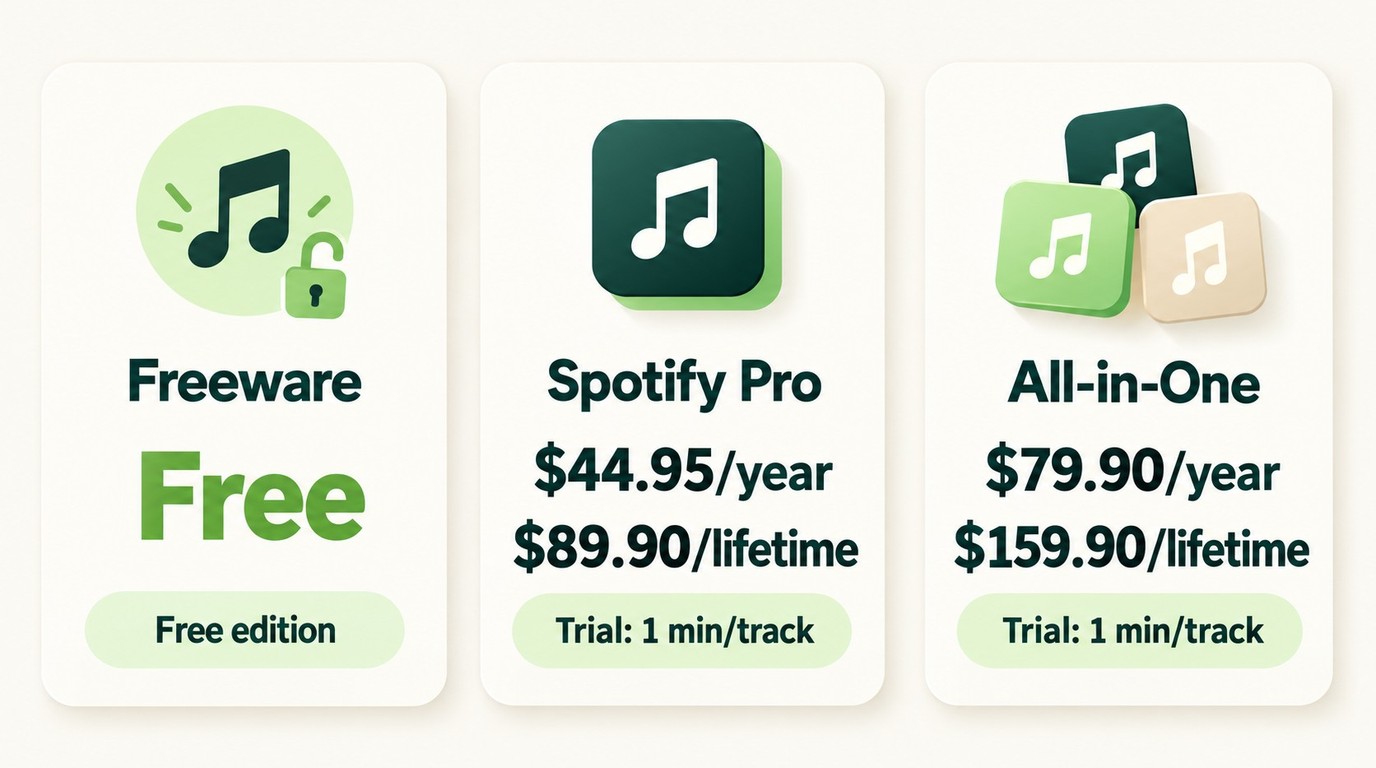
Sidify offers a standalone Freeware product. The Sidify Spotify Pro trial converts one minute per track; Pro is the paid full version, and All-in-One is a separate multi-service product. Buying Pro removes the one-minute trial restriction, but it does not improve the source audio quality or provide a Spotify subscription.
5. User Review of Sidify Music Converter
Dated user comments show a mixed picture of Sidify's long-term use, service coverage, support, and output quality. A Reddit commenter on February 27, 2026 reported using Sidify for more than eight years, while another commenter in 2025 valued being able to work with several music services.

The negative experiences were also specific rather than universal. One Reddit commenter in 2025 reported poor support responsiveness, and a different 2025 commenter questioned the quality of files saved as FLAC. That FLAC complaint reflects one historical experience, not a finding about every current edition, mode, or source.

My takeaway is that the comments support checking the current edition against your service mix, support expectations, and source-quality needs rather than treating either praise or criticism as a universal verdict.

6. Best Alternative to Sidify: MusicFab Spotify Converter
MusicFab All-In-One fits a specific multi-service local-library workflow rather than every Sidify use case. For readers managing authorized music across several services, MusicFab All-In-One uses direct source download technology rather than real-time audio capture, supports 13+ music services, and preserves supported ID3 metadata for local library organization.

- Download music from 10+ platforms such as Spotify, Amazon Music, Apple Music, and others.
- Convert audio to MP3, M4A(AAC), WAV, FLAC or OPUS and more.
- Batch download songs,alubms,playlist,podcasts and audiobooks at 20X faster speed.
- Search and download music all in MusicFab, no extra app required.
- Keep ID3 tag and lyrics for music library management.
The trial lasts 30 days. It allows three complete songs per service without registration. The paid version has a limit of 300 songs per streaming service per day, so the trial provides a practical way to assess the multi-service workflow described in the detailed MusicFab review. Use the workflow only for content you are authorized to access and save for personal use, with an active original-platform subscription for subscription-only content.
7. Pick one: MusicFab vs. Sidify
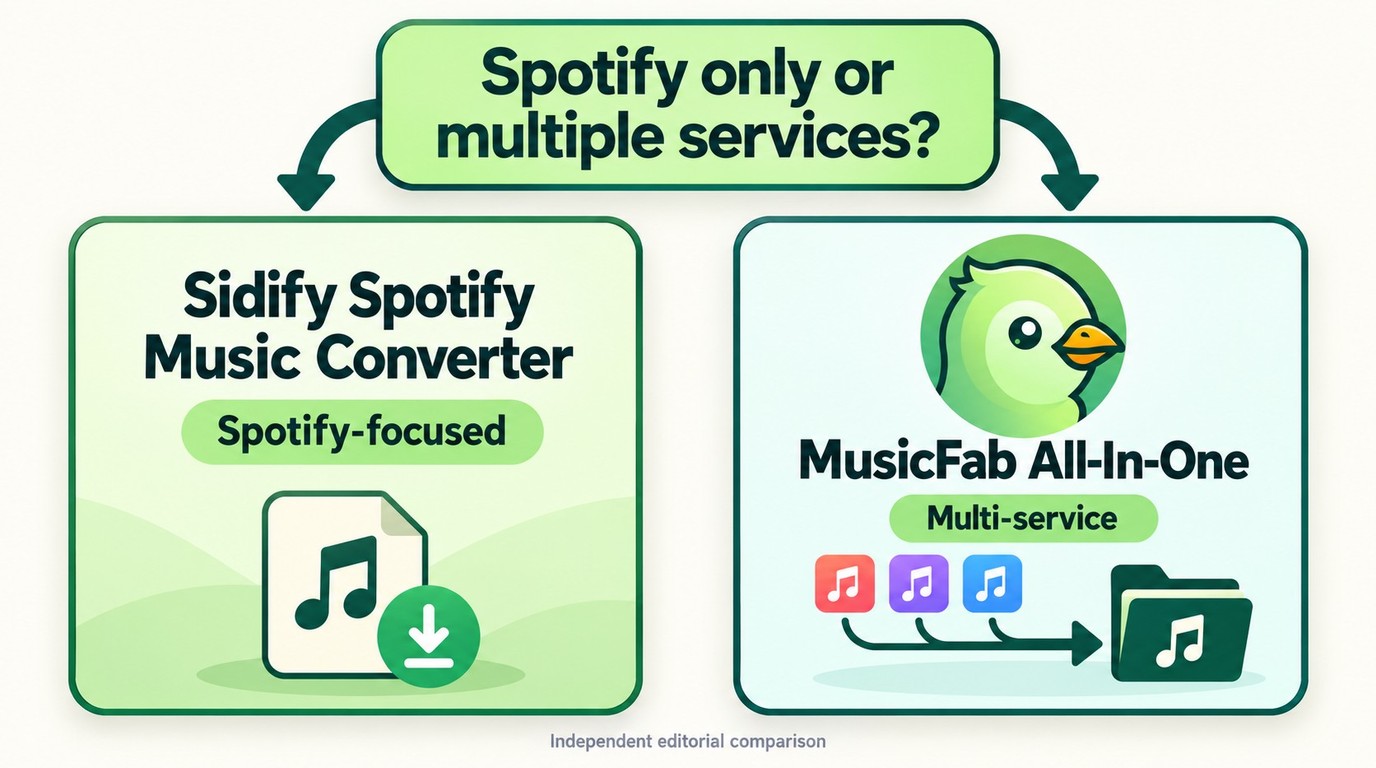
This is not a like-for-like product comparison: MusicFab All-In-One is a multi-service bundle, while Sidify Spotify Music Converter Pro for Windows is a Spotify-only product. Sidify also offers a separate All-in-One edition. The focused Sidify product may suit Spotify-only users, while MusicFab is designed for managing authorized music from multiple services.
| MusicFab All-In-One vs. Sidify Spotify Music Converter Pro for Windows | |||
|---|---|---|---|
| Product | Service scope | Trial allowance | Lifetime computers |
| MusicFab All-In-One | 13+ listed services | 30 days; 3 complete songs per service; no registration | 3 computers |
| Sidify Spotify Music Converter Pro for Windows | Spotify | 1 minute per track | 1 PC |
8. Conclusion: Is Sidify Worth It?
Sidify Music Converter is a reasonable fit if you want a guided, Spotify-focused workflow for content you are permitted to save. Its dedicated Spotify product keeps the decision simpler for users who do not need a multi-service library tool.
If your Spotify plan includes offline playback and you only want to listen inside Spotify, the platform's official download feature is the lighter option. MusicFab All-In-One fits a different scenario: saving authorized music from multiple services as local files and keeping supported metadata organized in one workflow.
Whichever option you choose, use it only for content you are authorized to access and save, with an active subscription where required.
Quick recommendation
- Choose Sidify if you want a straightforward, Spotify-focused converter.
- Choose MusicFab All-In-One if you need an authorized multi-service local-file workflow.
9. FAQs
Do I need Spotify Premium to use Sidify?
Sidify's Spotify product supports both Spotify Free and Spotify Premium accounts. A Sidify license does not provide a Spotify subscription or permission to save every track; subscription-only content still requires active access, and use must follow Spotify's terms and applicable law.
What are the trial limitations of Sidify?
The Sidify Spotify Music Converter Pro trial converts one minute of each track. Sidify Freeware is a separate product, while Pro is the paid full version; buying Pro removes the trial restriction but does not improve the quality of the source audio.
Is there a free alternative to Sidify for offline listening?
For music you own or have permission to download, an artist-provided download can be played in a local audio player without a paid converter. This route does not save subscription-only Spotify tracks, and a limited software trial is not an ongoing free alternative.
Can Spotify detect Sidify?
Spotify's terms restrict unauthorized copying and service use. Individual users reported temporary account restrictions in 2025 and an account ban in August 2026 after using Sidify, but those reports do not establish a measurable risk rate or reveal a technical detection method.
Does saving a song as FLAC improve its quality?
FLAC can preserve audio without adding further lossy compression, but converting a lossy source to FLAC does not restore discarded audio information. The source tier and conversion mode determine what reaches the saved file.


Compare 11 album download sites, archives, apps, and desktop workflows by authorization, full-album availability, file type, and limitations. The guide also explains safe ZIP downloads, MP3 versus FLAC, audio-quality checks, Android offline access, and practical library organization.
By Jane Chen - Oct 21, 2026
Bandcamp's official purchase download is the first choice for source quality, while browser, open-source, and desktop tools serve narrower workflows. This guide compares six downloader options, explains MP3, FLAC, and WAV choices, and shows how to handle album limits, ZIP files, metadata, mobile access, and download safety.
By Jane Chen - Oct 21, 2026
In this article, I will share my personal MusicFab review, analyzing its features, pros and cons, user feedback, recently update and roadmap.
By Jane Chen - Sep 22, 2026
Apple Music offers a higher lossless ceiling and Dolby Atmos, while Spotify combines 24-bit/44.1 kHz FLAC with Connect and discovery strengths. This guide compares specs, device paths, settings, a fair listening protocol, switching trade-offs, and an optional authorized local-file workflow.
By Jane Chen - Aug 26, 2026