
AudiFab Spotify Converter Review 2026: Safety, Price, and Key Considerations

Summary: Looking for an AudiFab review before trusting it with Spotify? AudiFab is a legitimate desktop converter with broad format support, but its pricing, trial limits, and reported account-enforcement concerns deserve more weight than marketing speed claims. This review explains who it suits and where caution is warranted.
Table of Contents
Quick Verdict: Is AudiFab Worth It?
Here is the decision in brief:
- Safety and legitimacy: Use the official installer and keep authorized personal use within platform terms and applicable law. A verified user report describes a Spotify suspension at 1x mode, so no converter can be presented as risk-free.
- What AudiFab does well: It supports common audio formats, MP4 output for supported video content, metadata retention, and a desktop workflow on Windows and Mac.
- Best fit: AudiFab may suit desktop users who prioritize format flexibility. It is less compelling for mobile-only listeners or anyone who needs a fully documented trial and account-risk profile before buying.
What Is AudiFab Spotify Music Converter
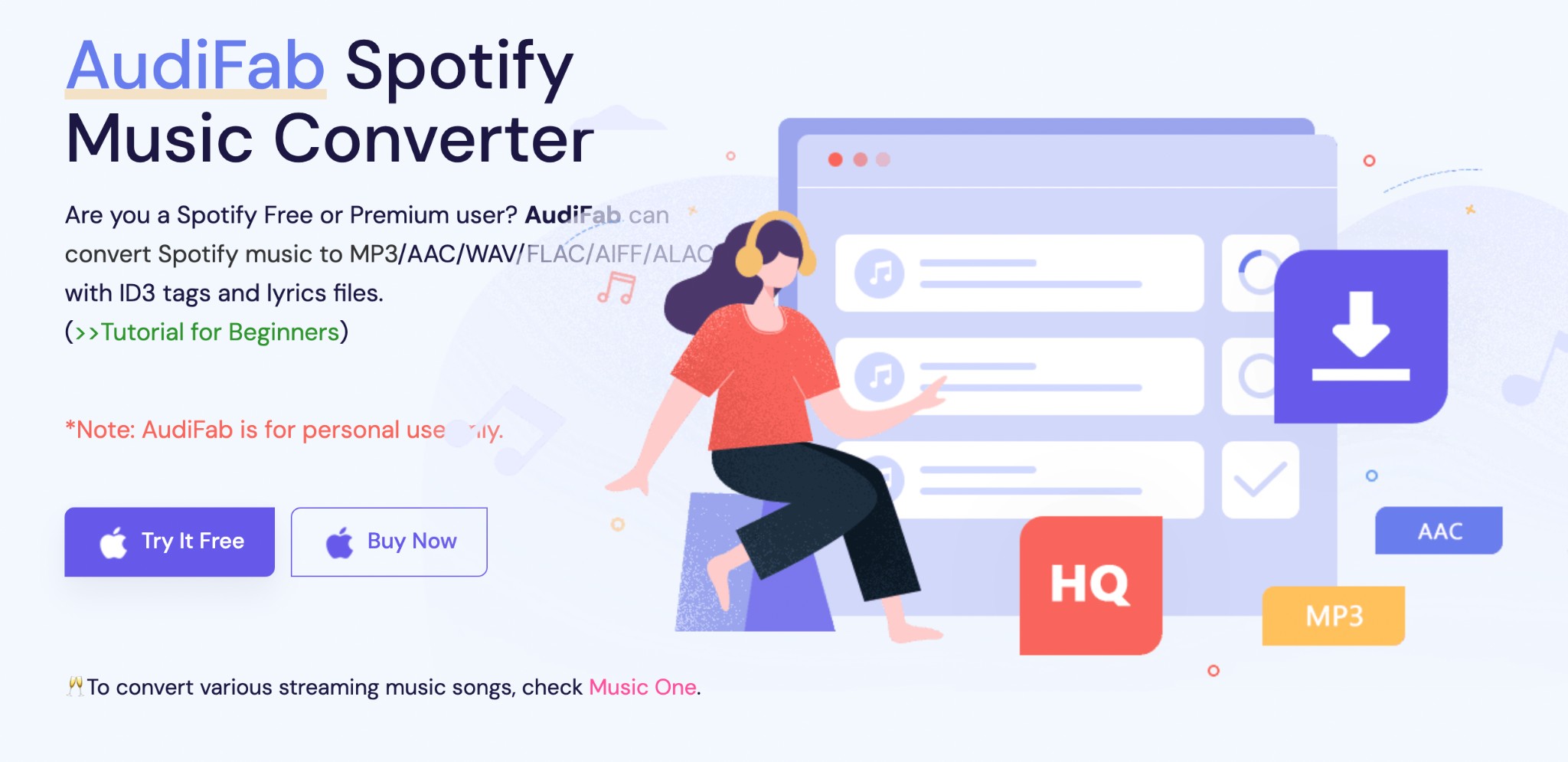
AudiFab Spotify Music Converter is a desktop tool for exporting supported Spotify music, playlists, podcasts, music videos, and video podcasts into local files for authorized personal access. Its current product page advertises both audio and MP4 output.
Formats, Quality, and Metadata
| Capability | Current AudiFab claim |
|---|---|
| Audio formats | MP3, AAC, WAV, FLAC, AIFF, ALAC |
| Video output | MP4 for supported music videos and video podcasts |
| Lossless claim | Up to 24-bit/44.1 kHz with Premium Lossless workflow |
| Modes | Record mode or web-player mode |
| Account and metadata | Login recommended; ID3 tags and lyrics supported |
| Desktop support | Windows and Mac |
You can convert Spotify music to WAV when your playback device supports it, but format support matters more than a vague “original quality” label. For lossless claims, the subscription tier, mode, codec, bit depth, and sample rate all need to match the stated workflow.
However, the core question remains: How does it actually perform in 2026?
Is AudiFab Safe and Legit
Is AudiFab safe? That depends on which risk you mean. Download the installer from AudiFab’s official site rather than an unofficial modified copy, and treat software security separately from Spotify account enforcement.
For content you’re authorized to access, where permitted by platform terms and applicable law, local-file workflows should be limited to personal use. Is AudiFab legal is not a yes-or-no question because platform rules and copyright exceptions vary by use and location.
A verified Trustpilot user report describes a Spotify suspension while using 1x mode. One report does not establish a universal outcome, but it is enough to show that no mode should be treated as protection against platform enforcement.
AudiFab Pricing and Free Trial
AudiFab is not free. Its current US page displays annual and lifetime licenses; the trial policy should be treated as a current product-policy question rather than a permanent one-minute limitation.
| Subscription Models | Prices | Features |
|---|---|---|
| Annually | Regular $59.95; displayed $44.95 | 1 license/computer Money-back guarantee (within 5 days) |
| Lifetime | Regular $129.90; displayed $89.90 | 1 license for 1 computer Money-back guarantee (within 30 days) |
Prices shown as of August 2026. AudiFab’s official pricing page is the source for the displayed license options.
Using AudiFab Spotify Music Converter
You must set up AudiFab Spotify Music Converter properly before using its full functions. Here's how I used AudiFab, the latest Version 3.4, to download Spotify audio tracks.
Set Up AudiFab
Step 1: Download AudiFab Spotify Converter from the official site on Windows or Mac computers.
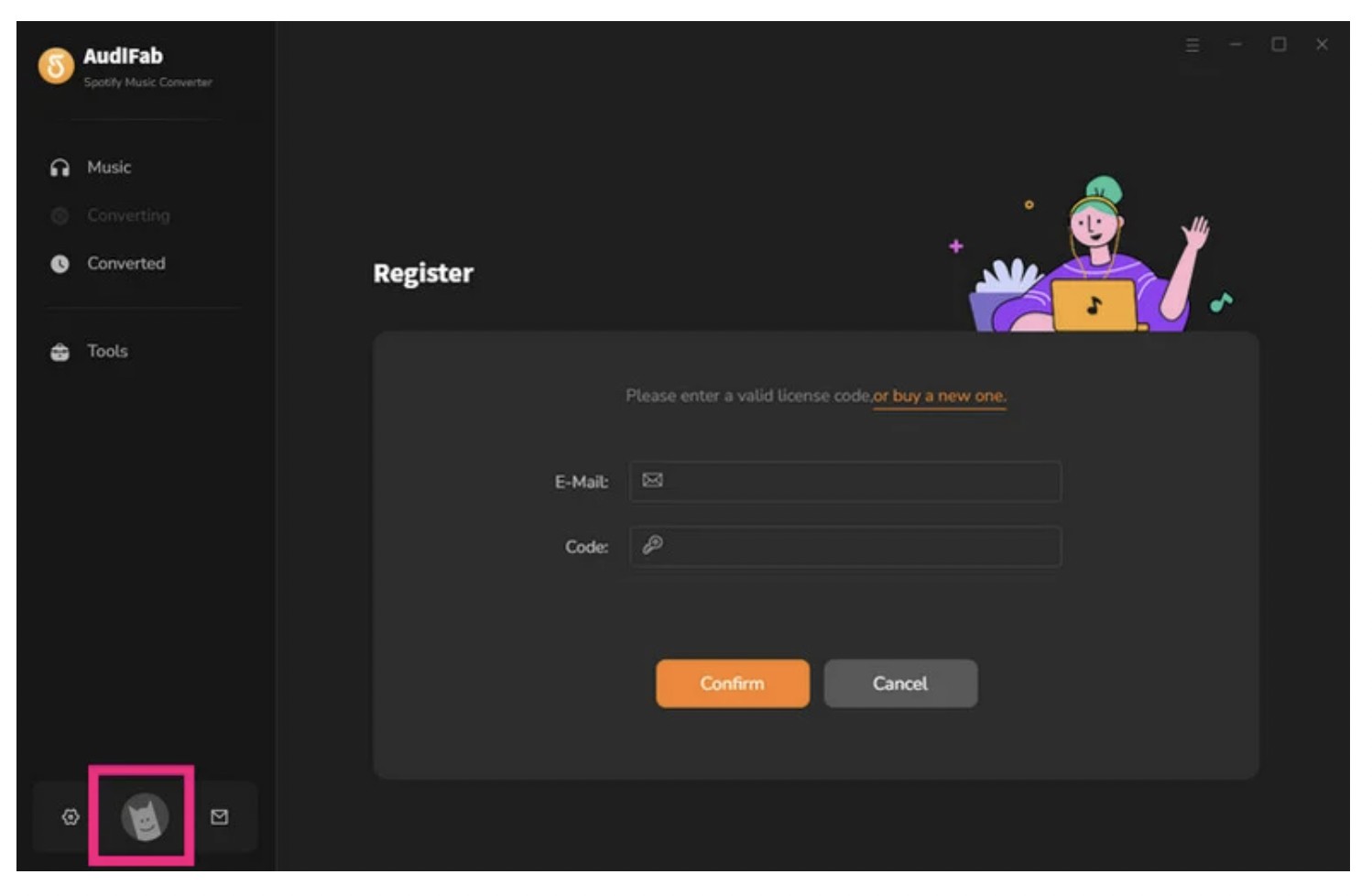
Step 2: Tap Register in the lower left corner and open the registration dialog.
Step 3: Enter your active email and the license Code in the spaces.
Step 4: Hit Confirm to complete the registration process.
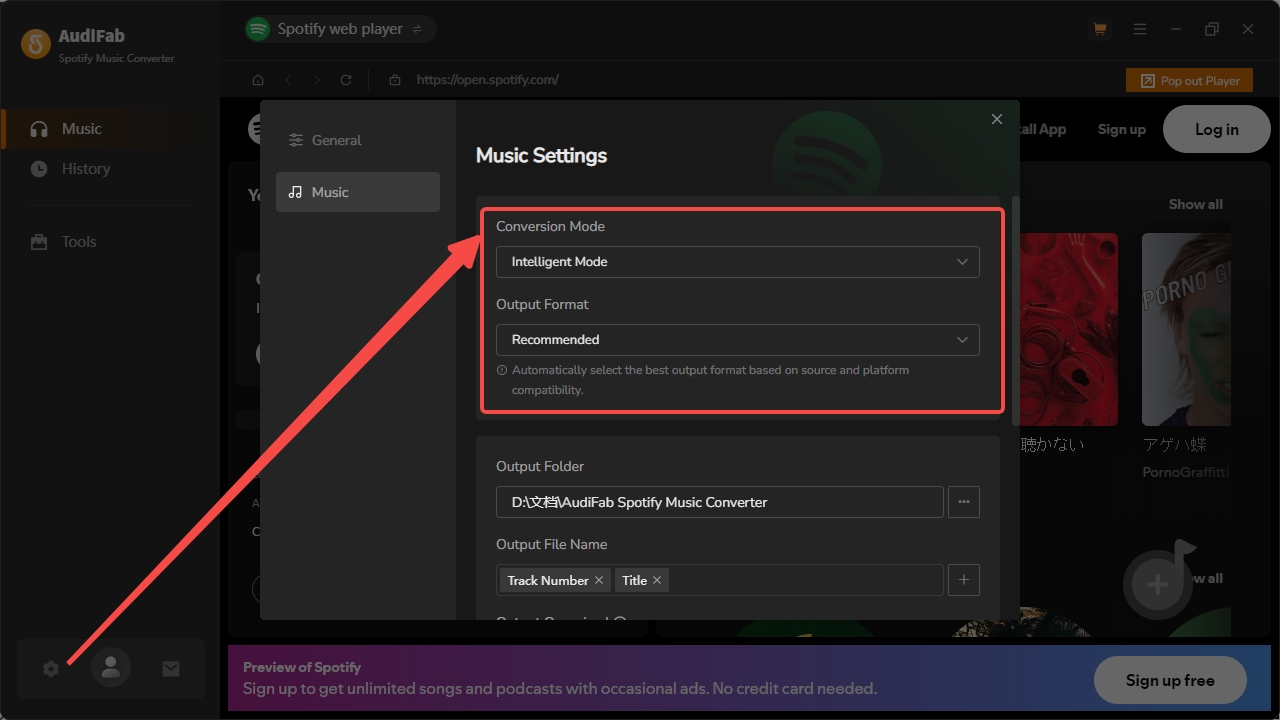
Step 5: Choose your desired conversion mode and output formats before you start to use it.
Download Spotify Music With AudiFab
Step 1: After setting up, you can choose to download inside AudiFab or inside the Spotify App in the upper-left corner.

And you can choose whether to log in to your Spotify account. As AudiFab claims, to get the best audio quality and full metadata, it's recommended to log in.
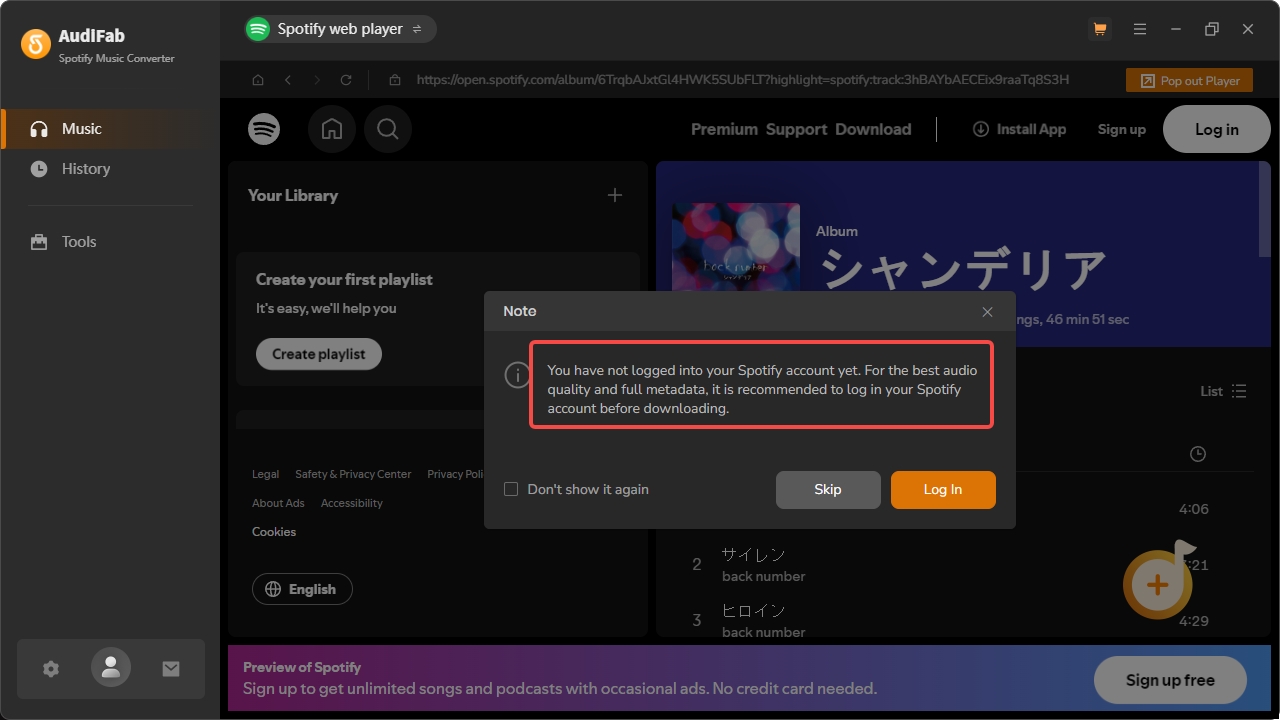
Suppose you are a Windows user and have selected the Spotify web player. Then, here's how to proceed.
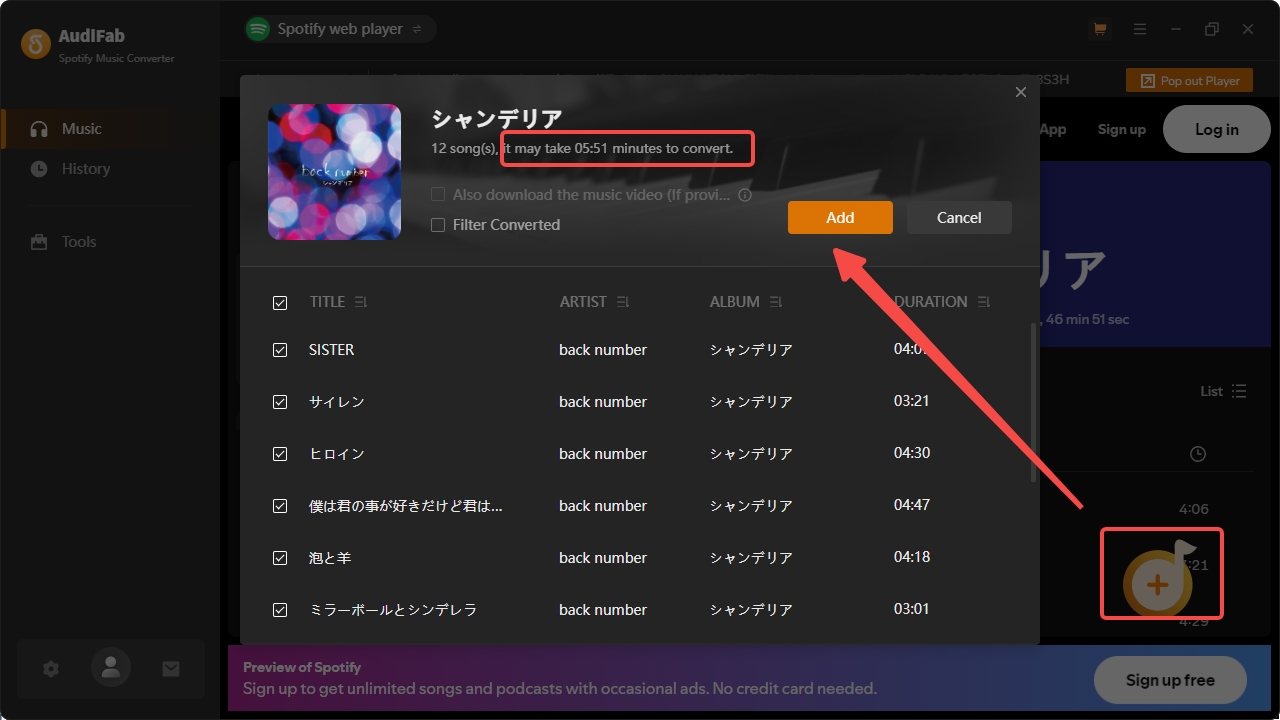
Step 2: Find the playlist or albums you want to download, then click the Add button in the bottom right corner. Then the pop-up window will show you the full playlists and estimated time of conversion. Select Add to confirm.
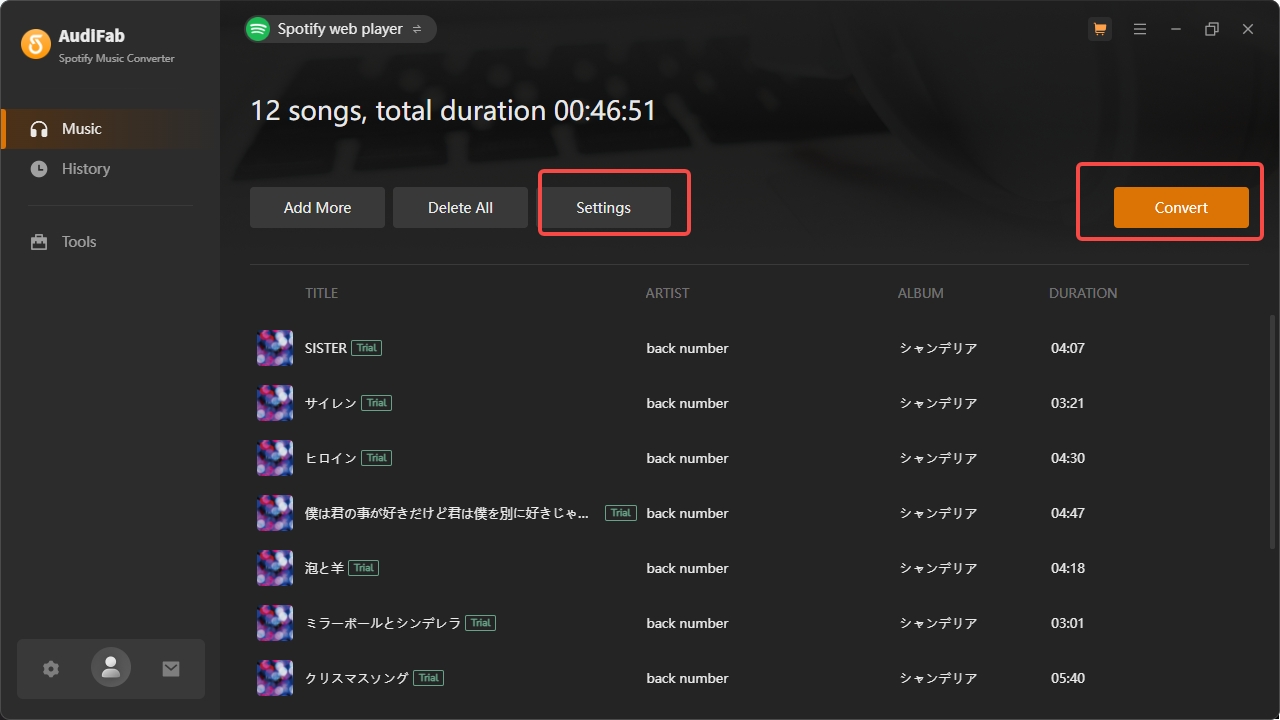
Step 3: Next, click Settings to set your output quality and then start Convert.
Step 4: Once it is finished, the folder will open automatically, allowing you to view the song's metadata.

Note: Since I use the free trial version, I can only get the first minute of each song and can't select the audio quality. Here I got MP3 files at a 256 kbps bit rate.
AudiFab Evidence and Practical Limitations
We updated AudiFab to the latest Version 3.4 (released January 23, 2026) to evaluate its performance.
AudiFab is the same as those Spotify converters I tested, including Sidify, Noteburner, TunePat, and TuneFab. The conversion workflow is straightforward and simple. But they're all actually using recording mode, and most free trials only allow downloading the first minute of a song.
This is essentially meaningless for those who wish to evaluate the software's actual download quality and stability before purchasing.
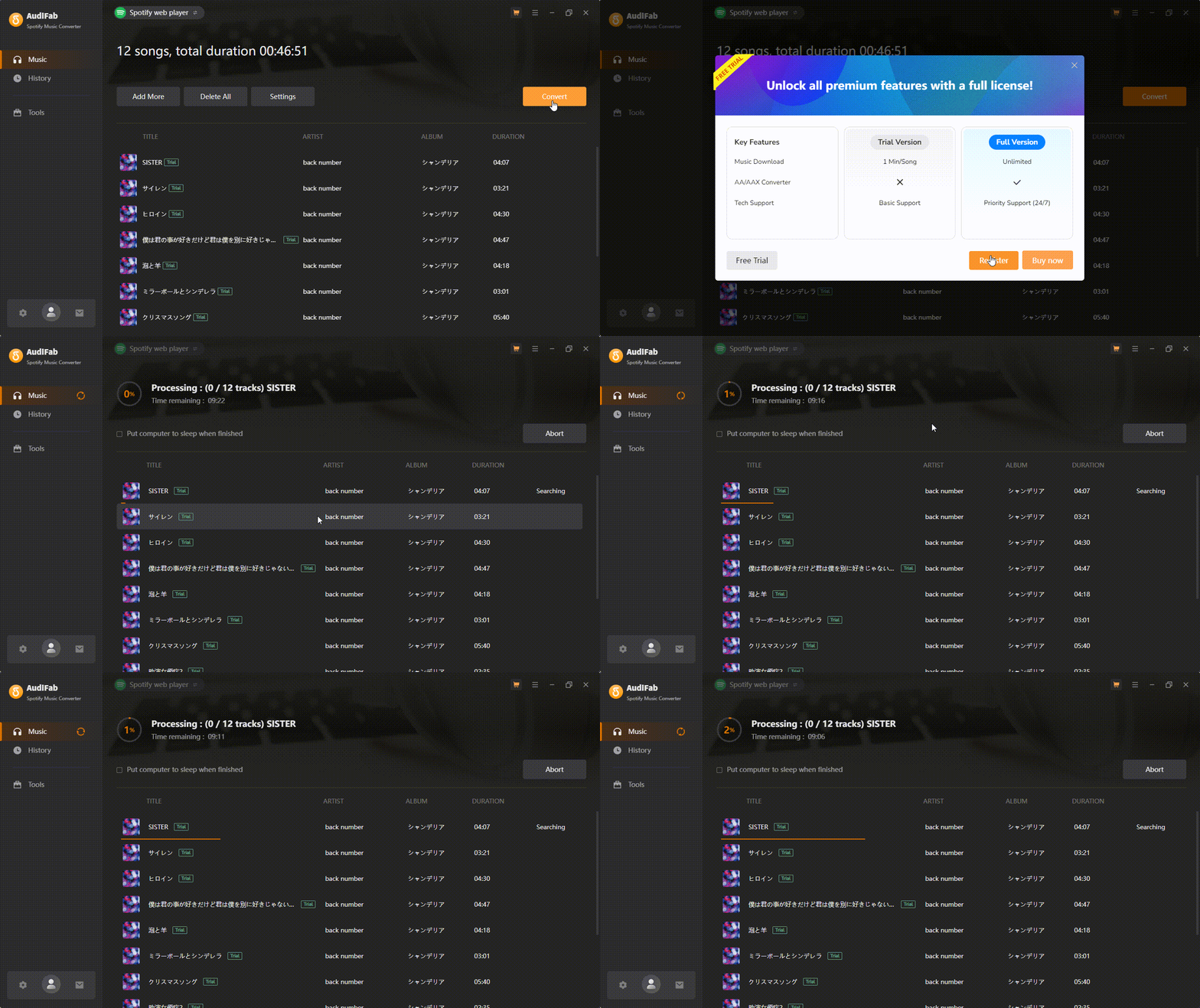
As shown in the gif, the download speed is not particularly fast.
For small playlists, it might work reasonably well. If you have a playlist with 100+ songs, AudiFab takes a significant amount of time.
What AudiFab Users Report
For readers comparing AudiFab Reddit reviews with public rating-site feedback, AudiFab’s US Trustpilot page shows 3.9 out of 5 from 29 reviews as of August 2026.
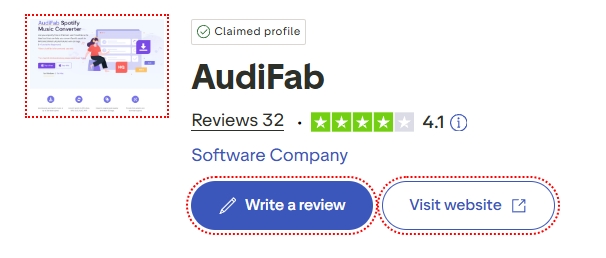
Positive feedback commonly mentions usability, formats, and perceived output quality. Negative feedback includes reported suspension concerns as well as dissatisfaction with refunds or support. With 29 reviews, the pattern is directional rather than conclusive.
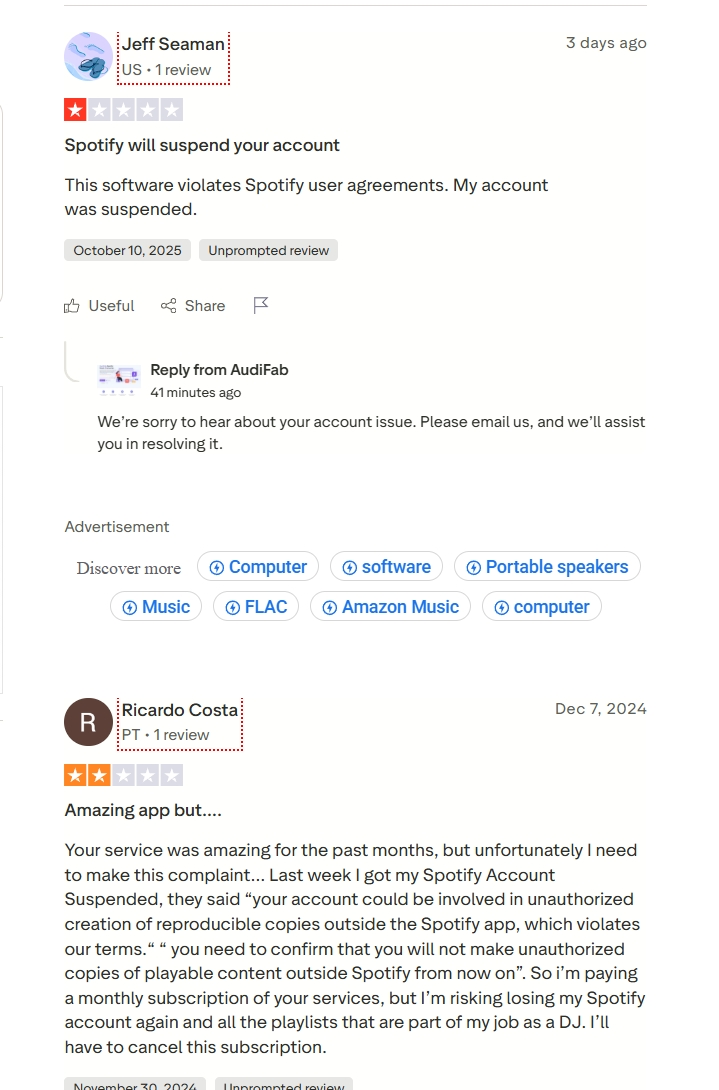
My read is that the feedback is useful for spotting tradeoffs, not for predicting an individual outcome. Ease of use is a recurring strength, while the reported enforcement and support concerns deserve consideration if the Spotify account matters to you.
AudiFab Spotify Music Converter Errors and How to Fix
When I was using AudiFab Spotify Music Converter to convert my chosen audio tracks, I encountered the 'Failed 1000' error due to some unknown issue, and I had to try again later. The error codes below describe the possible causes listed in AudiFab’s support materials.
Here are common AudiFab error codes and the possible causes described in AudiFab’s help materials.
| AudiFab Spotify Music Converter Errors | Reason for AudiFab Music Errors |
|---|---|
| Failed 1000 | Unknown error |
| Failed 1005, 1200, 1201, 6208 | AudiFab converts song timeouts or other errors |
| Failed 1007 | When many devices are logged into the same Spotify account and play songs at the same time |
| Failed 1010, 1700-1702 | When a query has no match, query failure, or download failure under the "YouTube Download" conversion mode |
| Failed 1101 | Fails to launch Spotify |
| Failed 1102 | Spotify does not play your music |
| Failed 1106 | Your computer has no audio output device connected, causing playback issues in the Spotify App |
| Failed 1802-1803 | Failed authorization of the Spotify Music app |
| Failed 4000-4005, 4100-4106 | Multiple causes: The input/output path is non-existent |
| Failed 4106 | The size of the output file is too large to save on your FAT disk |
You may encounter these AudiFab Failed errors at any time. While there is no fixed reason, we have listed the possible causes of your screen displaying the "Failed Error" code.
If AudiFab’s trial terms, reported account-enforcement concerns, or desktop workflow do not fit your needs, compare it with other desktop converters based on supported formats, local-file handling, and the services you already subscribe to.
MusicFab as an AudiFab Alternative
MusicFab Spotify Music Converter is a Windows and Mac desktop option for subscribers who want local music files for authorized personal offline access, where permitted by platform terms and applicable law. It uses direct source download technology and supports MP3, M4A, FLAC, WAV, and OPUS output, with metadata and lyrics retention.
MusicFab All-In-One supports more than 13 music services and can output up to 320 kbps, depending on the original service and subscription. Its 30-day trial includes three full songs per service, and paid use is limited to up to 300 songs per streaming service per day.
It is a practical fit for desktop users building a local library across services. It is not ideal for mobile-only listeners or anyone looking for a native Android workflow.
Steps to Convert and Download Spotify Music with MusicFab Spotify Music Converter
Step 1: Install and run MusicFab Spotify Converter on Windows or Mac computers. On the main screen, hover the cursor over VIP Services > Spotify. Enter the Spotify username and password to use the built-in web browser.
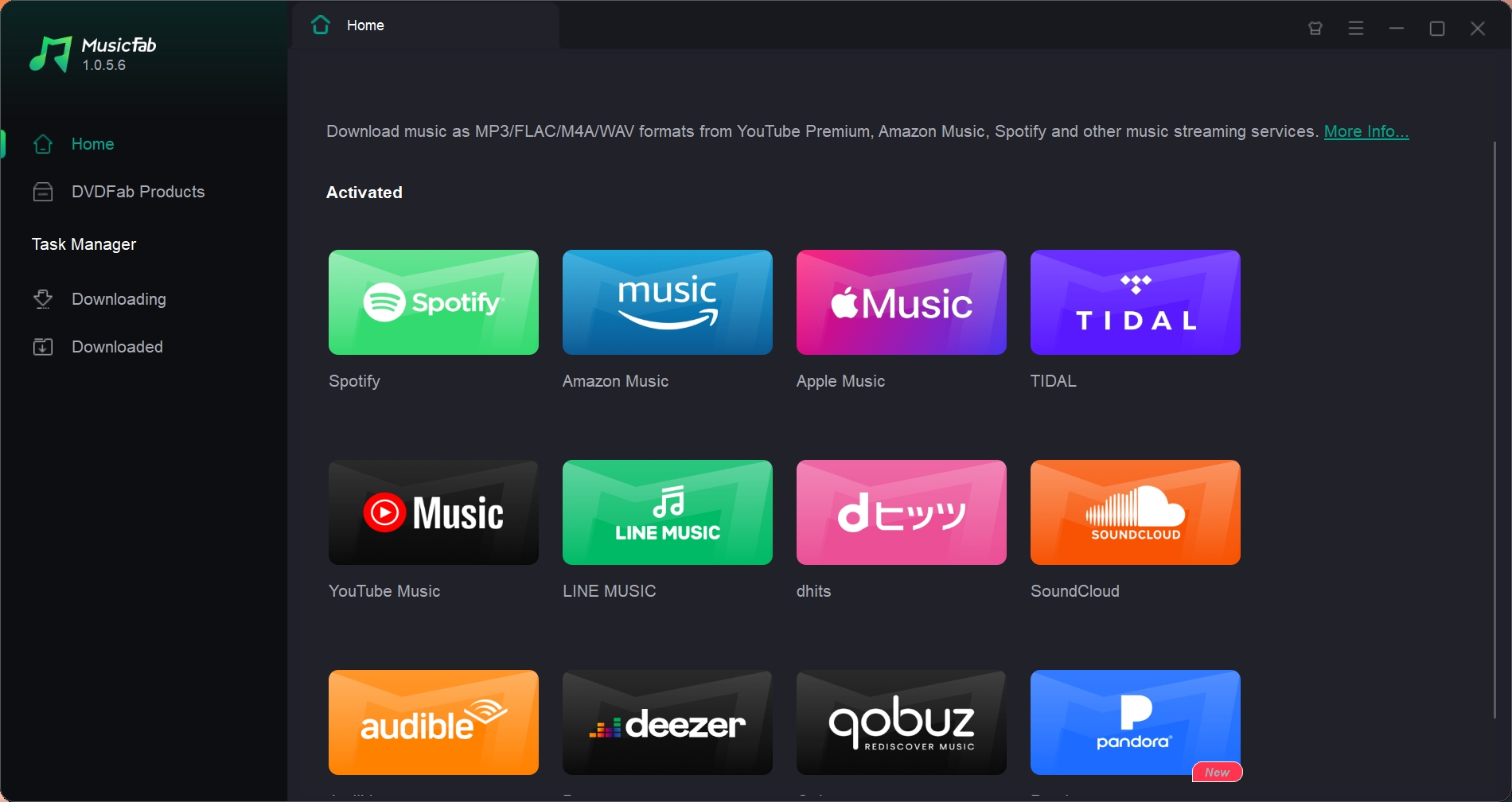
Step 2: Select the Spotify audio track, playlist, album, or podcast you wish to download.
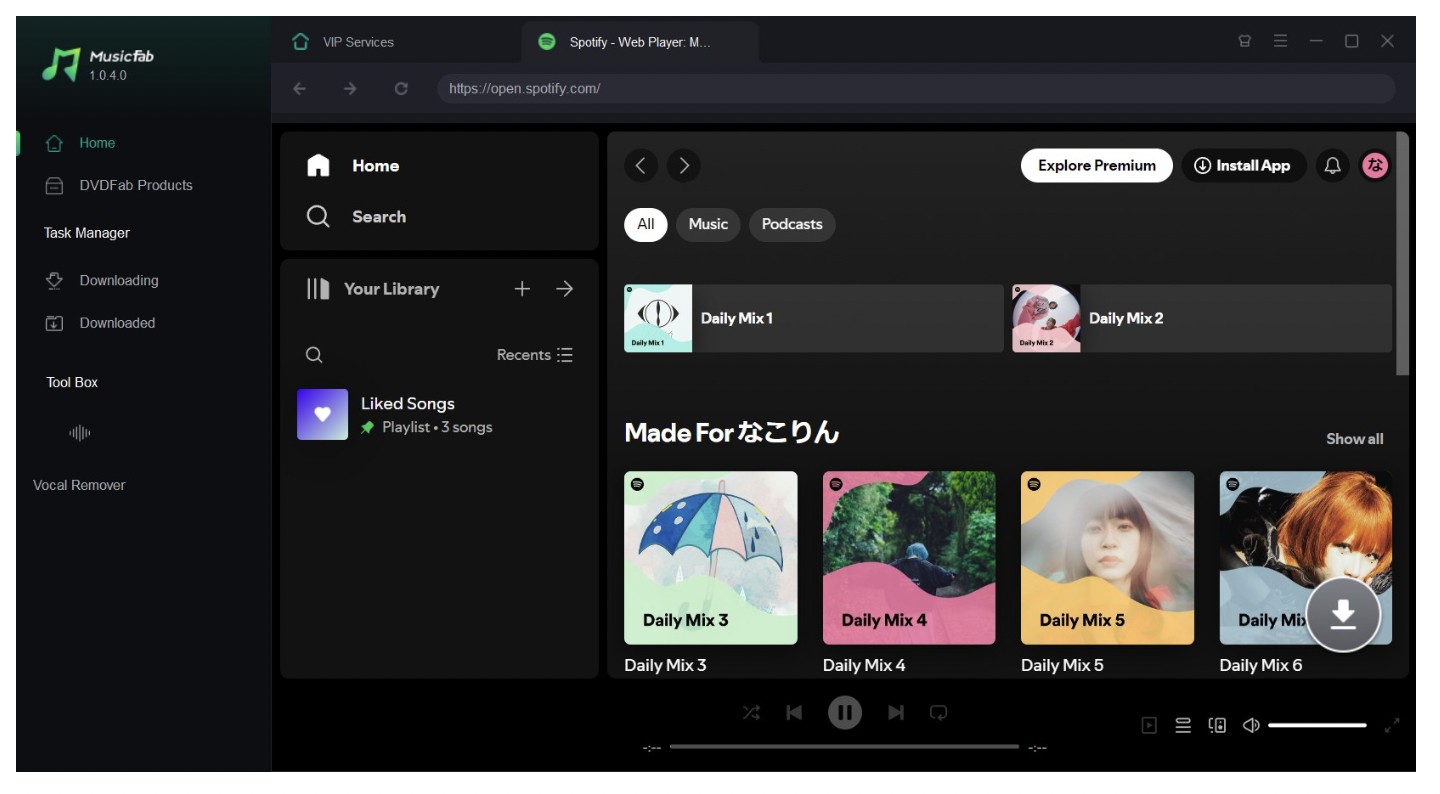
Step 3: Tap the desired music file and then hit the arrow button in the bottom right corner. Customize the output format (MP3), audio quality, and more parameters as needed.
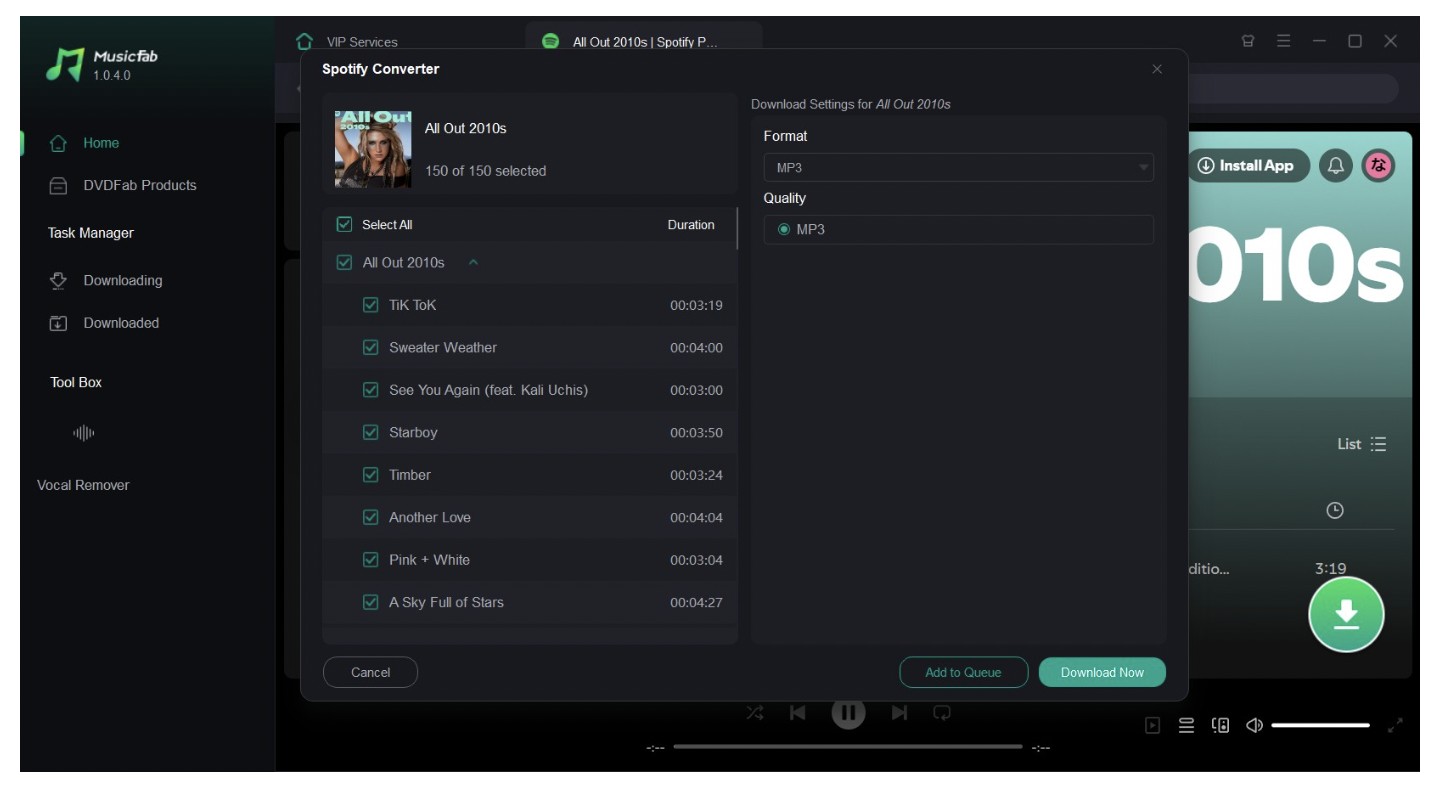
Step 4: Press the Download Now button to start the Spotify music download. It will also automatically save the song's lyrics and ID3 tags.
Try It Free: MusicFab offers a 30-day trial with three full songs per music service, without registration.
For a broader assessment of its service coverage, formats, and desktop workflow, the full MusicFab review covers those details without taking this AudiFab comparison off topic.
AudiFab vs. MusicFab
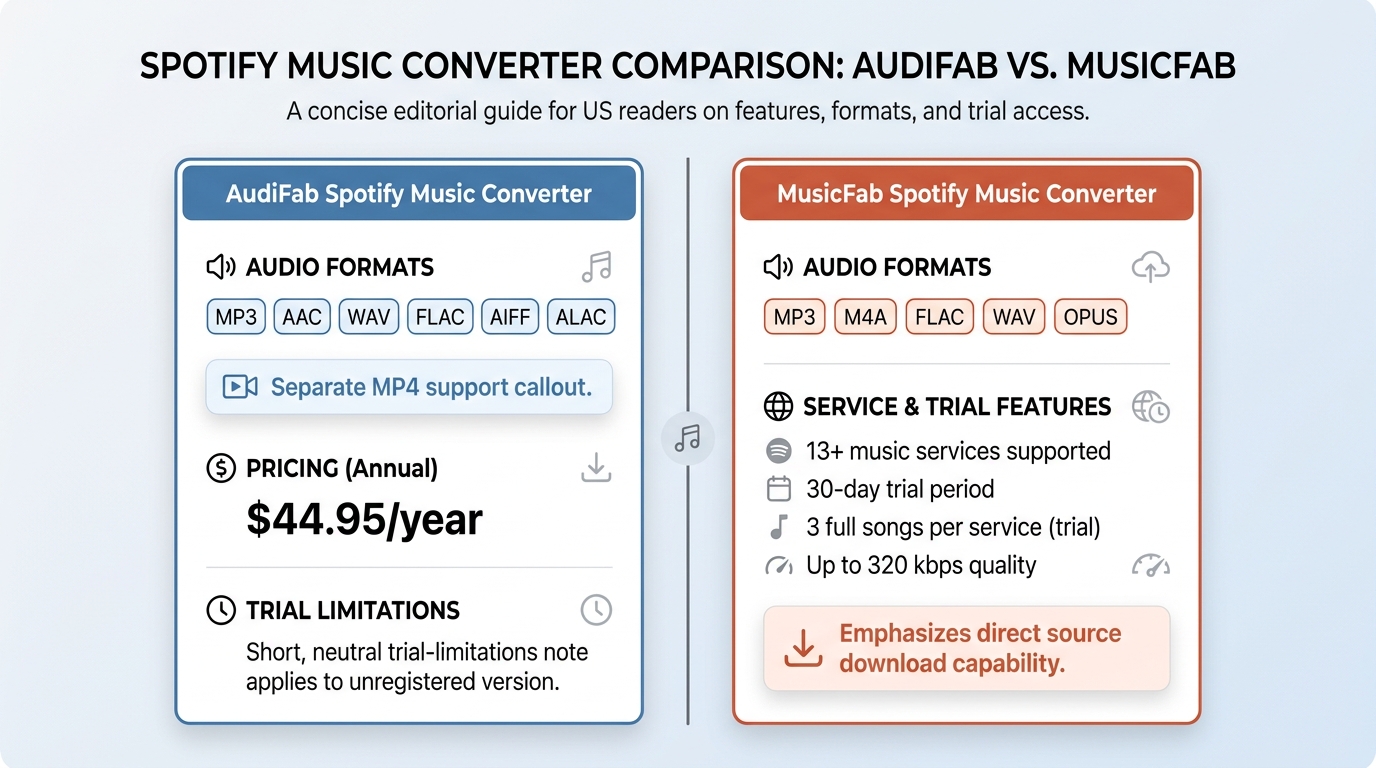
Let's compare AudiFab Spotify Music Converter and MusicFab Spotify Music Converter to see how they differ in terms of features and other offerings.
| Comparison point | MusicFab Spotify Converter | AudiFab Spotify Music Converter |
|---|---|---|
| Desktop support | Windows and Mac | Windows and Mac |
| Audio output | MP3, M4A, FLAC, WAV, OPUS | MP3, AAC, WAV, FLAC, AIFF, ALAC |
| Video output | Audio-focused Spotify converter | MP4 for supported music videos and video podcasts |
| Quality claim | Up to 320 kbps, depending on service | Up to 24-bit/44.1 kHz in stated Premium Lossless workflow |
| Local-file workflow | Direct source download; metadata and lyrics | Record mode or web-player mode; ID3 tags and lyrics |
| Trial | 30 days; 3 full songs per service | Current policy should be checked in product terms |
| Account-risk evidence | No outcome can be guaranteed | Verified user suspension report at 1x; outcome varies |
| Best fit | Multi-service desktop library users | Desktop users needing MP4 or broad audio formats |
Final Thoughts
AudiFab is best viewed as a desktop converter for users who value its format range, MP4 support for eligible video content, and familiar workflow. Its main unresolved consideration is account enforcement: a verified 1x-mode suspension report is meaningful evidence of risk, but it does not predict every user’s outcome.
If its current pricing and trial terms work for you, AudiFab may be worth considering. If you want a multi-service desktop library workflow with direct source download and verified full-song trial access, MusicFab is one alternative to compare.
FAQs
Can AudiFab save Spotify songs for playback from a USB drive?
For content you are authorized to access, AudiFab can export local files in formats such as MP3, WAV, FLAC, AAC, AIFF, and ALAC. USB playback depends on whether your car stereo, speaker, or other device supports the chosen file format.
Does AudiFab have an Android app?
AudiFab Spotify Music Converter is a Windows and Mac desktop application, not a native Android app. Files exported on a computer can be transferred to an Android device, provided the device supports the selected format.
Can AudiFab’s free trial convert a full song?
AudiFab’s trial terms can change, so this is best treated as a current policy question rather than a fixed rule. The pricing section above reflects the currently displayed license options, while trial access is defined in AudiFab’s product terms.

This guide compares nine Spotify downloaders across browser, desktop, Android, and iOS workflows. It weighs source matching, output quality, playlist and ZIP behavior, metadata, account exposure, and tool status, then explains which option fits a single track, a long playlist, or a managed local library.
By Jane Chen - Aug 26, 2026
Spotify downloads can stall because of Premium eligibility, device limits, storage, network permissions, cache state, or a service incident. This guide gives one nine-fix recovery path, then separates iPhone, Android, Windows/Mac, Apple Watch, partial-playlist, Offline Mode, and clean-reinstall cases. It also explains when a MusicFab local-file workflow fits authorized personal use.
By Jane Chen - Aug 26, 2026

Spotify Premium can download music for playback inside the Spotify app, while Free accounts can download podcasts. This guide covers setup, device differences, download limits, troubleshooting, travel checks, and a portable-file option.
By Jane Chen - Aug 18, 2026
Is Spotify Duo still worth $18.99 for two people at one address? Get the current price, savings vs Individual and Family, address verification rules, setup
By Jane Chen - Aug 13, 2026