
3 Ways to Convert Spotify to WAV: Free and Paid

Summary: A WAV extension does not prove that audio came from Spotify or that it is lossless. This guide compares MusicFab, OnTheSpot, and Audacity, then explains source quality, batch workflow, setup tradeoffs, account considerations, and when FLAC is the more efficient choice.
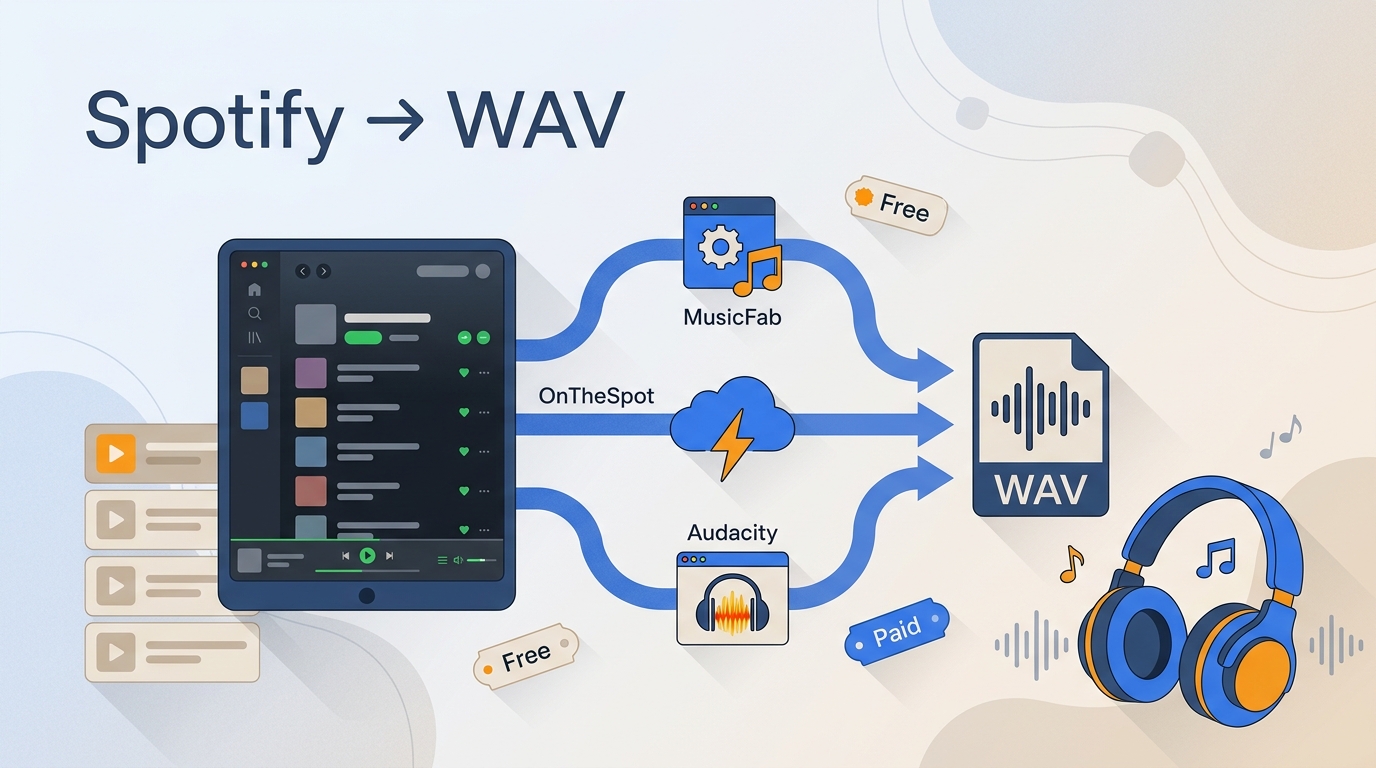
Ever searched for a Spotify to WAV converter and wondered whether the resulting .wav file actually came from Spotify? The extension alone proves neither the source nor lossless quality. The right method depends on source integrity, library size, metadata needs, setup tolerance, and how you plan to use the file.
This guide compares three workflows: a desktop Spotify WAV downloader for playlists, an open-source project for technical users, and Audacity for real-time capture. It then explains Spotify WAV quality, safe source checks, and the practical difference between WAV and FLAC.
Spotify to WAV Methods Compared
Source integrity matters more than the WAV suffix. Use the table to choose a method by source, scale, metadata, setup, and account exposure before you spend time converting a library.
| Method | Free limit | Expected output quality | Playlist or batch support | Metadata and lyrics | Account or privacy risk |
|---|---|---|---|---|---|
| MusicFab Spotify Converter | 30-day trial; 3 full songs | Preserves available source quality; WAV, MP3, M4A, FLAC, and OPUS are supported | Albums and playlists in batches | ID3 tags, artwork, track number, and .lrc lyrics | Account use remains subject to Spotify terms; credentials are entered in the desktop app |
| OnTheSpot | Open-source software; service access requirements still apply | WAV is not documented in the current public README, so do not assume support | Project features vary by release | Confirm in the installed release | Community software and credential handling require careful review; the repository notes a reported account lock |
| Audacity | Free software; the time cost scales with track length | Limited by the playback path and source selected in Spotify | Manual, one playback session at a time | Manual naming, trimming, and tag work | No credentials shared with Audacity, but Spotify terms still govern the playback use |
| Online converters with disclosed source | Varies by service | Cannot be judged from the .wav extension | Varies | Often limited or inconsistent | Privacy and source risk vary widely |
My practical filter is simple: choose the source first, then the format. A convenient interface cannot restore detail that was missing before conversion, and a free workflow is not automatically the easiest one.
What WAV Can Preserve from Spotify
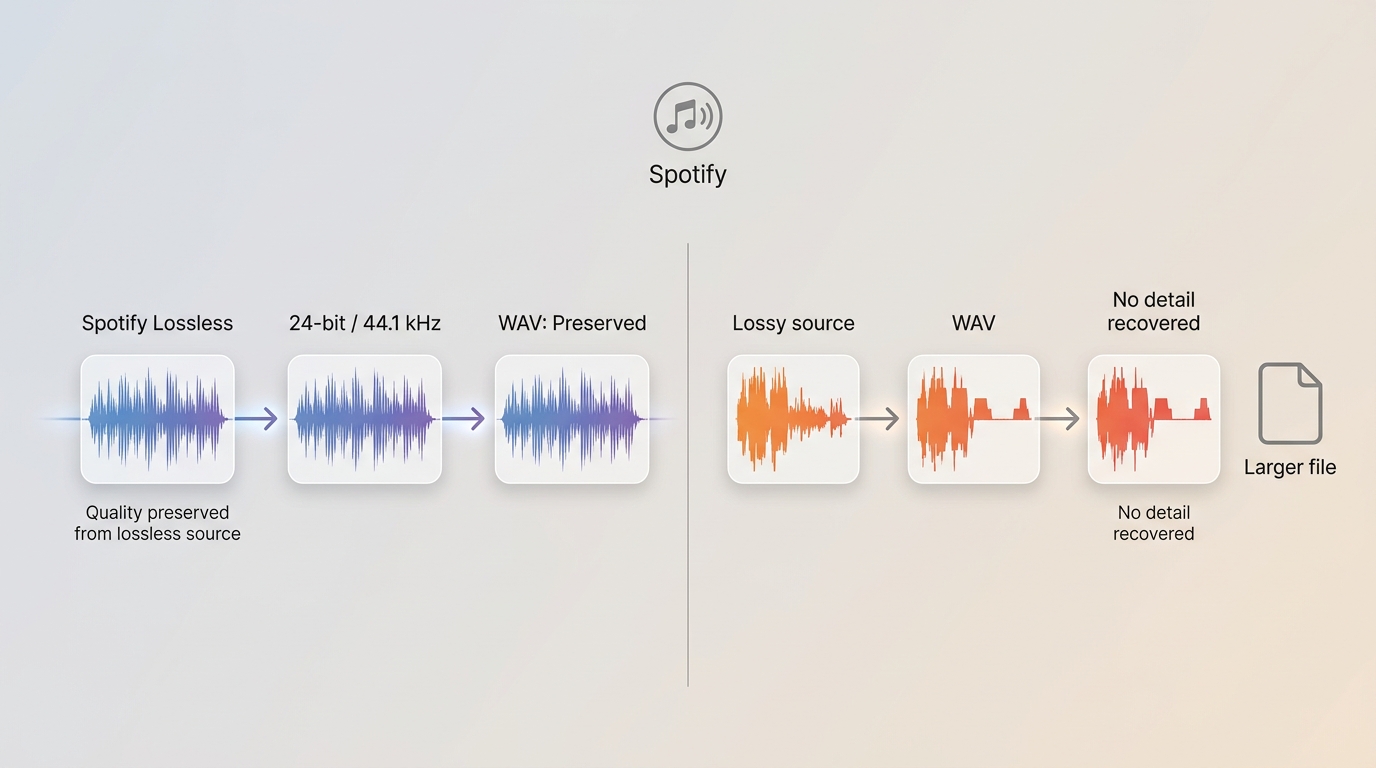
WAV preserves the quality available in the source, but it cannot create missing detail. As of July 2026, Spotify Premium Lossless is available in the United States at up to 24-bit/44.1 kHz FLAC.
A Spotify Lossless WAV conversion can retain the available lossless signal while changing it to an uncompressed container. If the source is a lossy Spotify setting, the WAV becomes larger without recovering discarded information. That is the central Spotify WAV quality rule.
- When the Spotify source is lossy, WAV keeps the audible result but does not improve it.
- When Spotify Lossless is the source, WAV can preserve the available quality for editing and compatibility.
- When the source is external or undisclosed, the extension says nothing about whether the audio came from Spotify.
I care more about source integrity than the container label. WAV is useful for editing, DJ software, older hardware, and burning CDs from Spotify; FLAC usually stores the same lossless signal more efficiently.
MusicFab for Fast Batch WAV Exports
MusicFab fits batch Spotify WAV work when you want playlists, tags, and local files in one desktop workflow. Use it only for content you are authorized to access, keep an active Spotify subscription, and follow Spotify terms and applicable law.
Among desktop Spotify downloader options, MusicFab Spotify Converter uses direct source download technology rather than real-time capture. It runs on Windows and Mac, supports batch album and playlist queues, and offers a free trial for three full songs during the 30-day trial period.
MusicFab Features That Matter for WAV
The useful features here are the ones that reduce work on a large library, not a long product checklist.
- Batch workflow: queue albums or playlists and convert at up to 20x, with actual pace affected by network and hardware.
- Source-quality preservation: export WAV or choose MP3, M4A, FLAC, or OPUS when storage and compatibility matter more.
- Library organization: retain ID3 fields, artwork, track numbers, and .lrc lyrics instead of rebuilding a playlist by hand.
For a batch Spotify WAV project, I would pay for automation when the queue is large enough that manual trimming and tagging cost more time than the license. For one occasional track, paid desktop software is unnecessary.
Export Spotify Tracks to WAV with MusicFab
To download Spotify WAV files with MusicFab, set the source and output once, review the queue, and let the Task Manager organize the batch. The four-step sequence is more practical for playlists than a real-time capture session.
Video walkthrough:
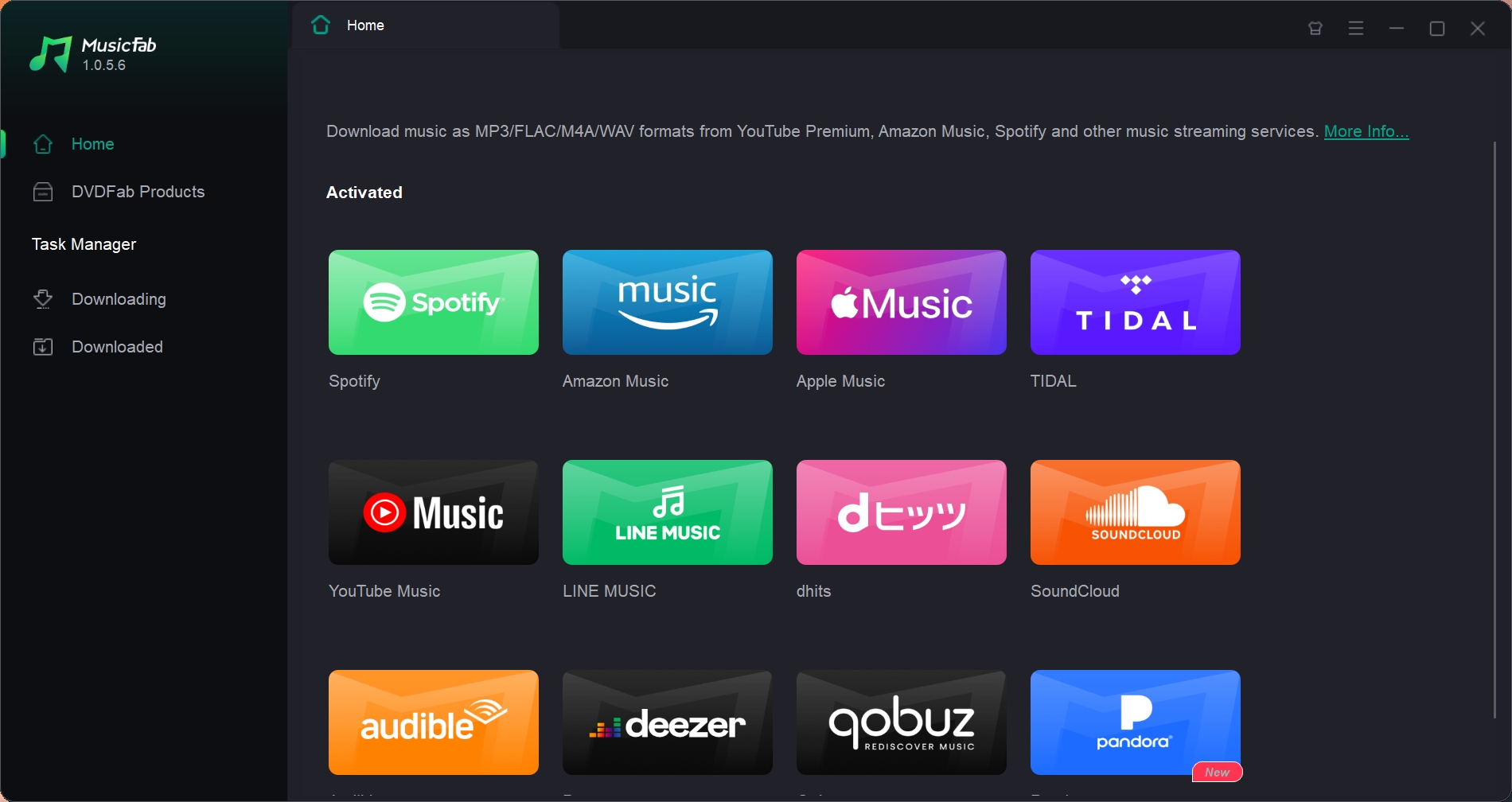
- Open the Spotify module. Launch MusicFab, select Spotify, and sign in to the account with authorized access.
- Choose the playlist or album. Open the collection and select Download so MusicFab can build the track queue.
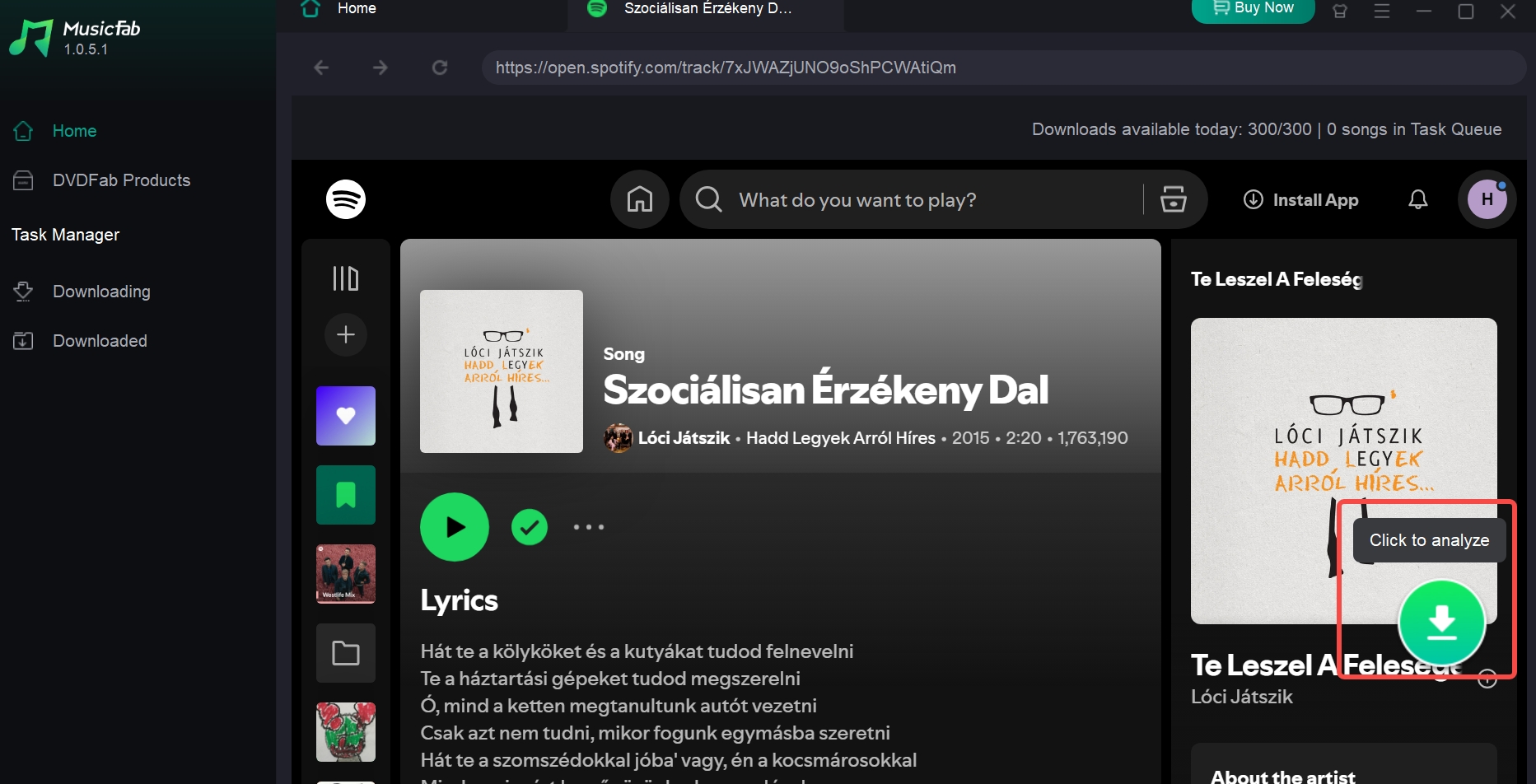
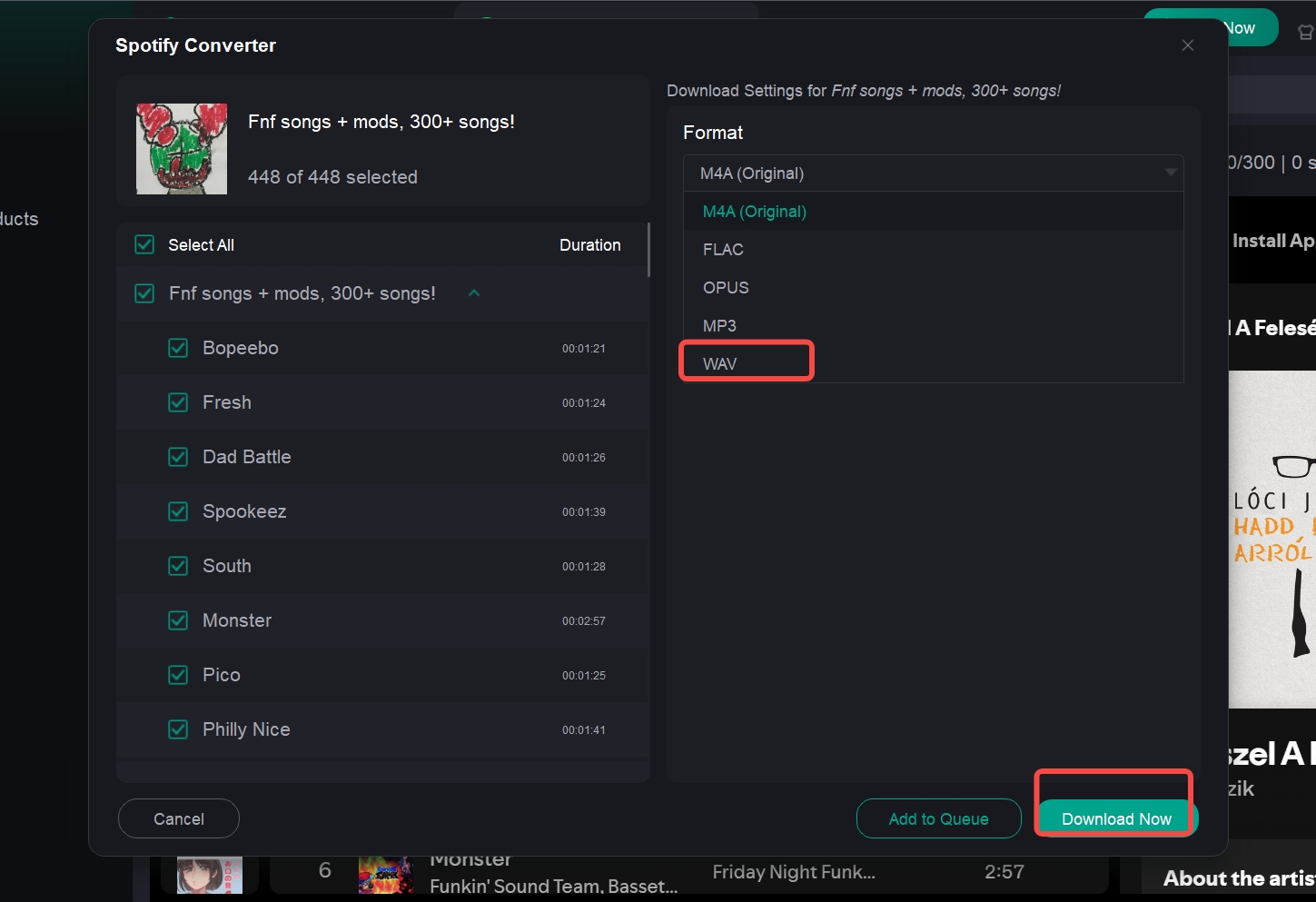
- Select WAV and quality. Review the detected tracks, choose WAV, set the available quality, and select Download Now.
- Monitor and locate the files. Use Task Manager to follow the queue and open the completed output folder.
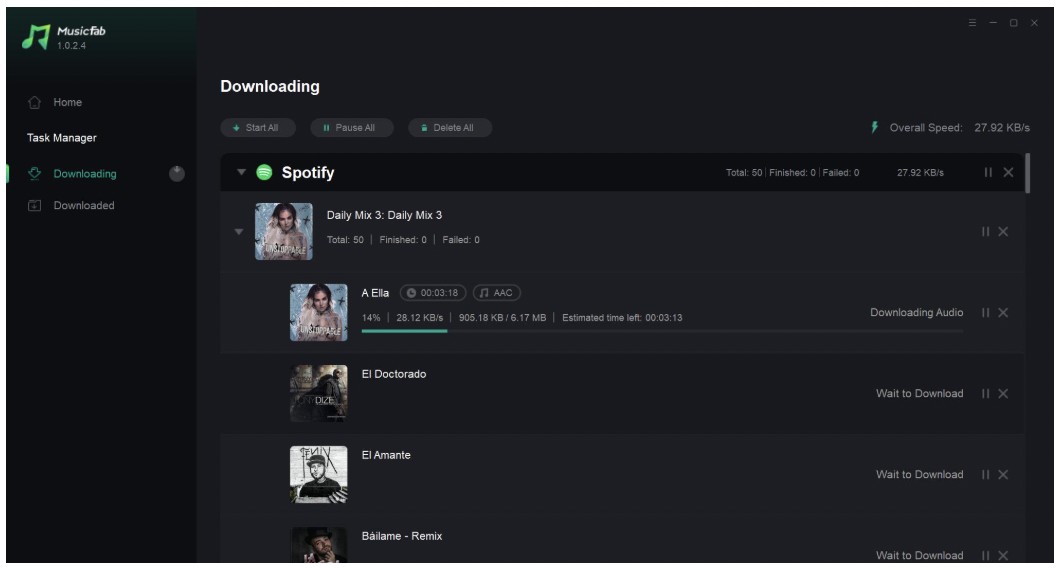
In a reproducible Windows 11 workflow, the Spotify module, queue analyzer, WAV selector, and Task Manager appear in that order, so the observable result is an organized export process rather than a track-by-track capture timeline.
OnTheSpot for Open-Source Conversion
OnTheSpot is an active open-source option for technically comfortable users, but it is not an online website and its current public README does not confirm WAV output. Treat it as a free Spotify WAV converter candidate only after checking the installed release.
The active project is at github.com/ots-downloader/onthespot. Its public page describes GUI, CLI, and Web UI frontends. It also notes a user report of a locked Spotify account, which is a reason for caution, not proof that the same outcome will occur for everyone.
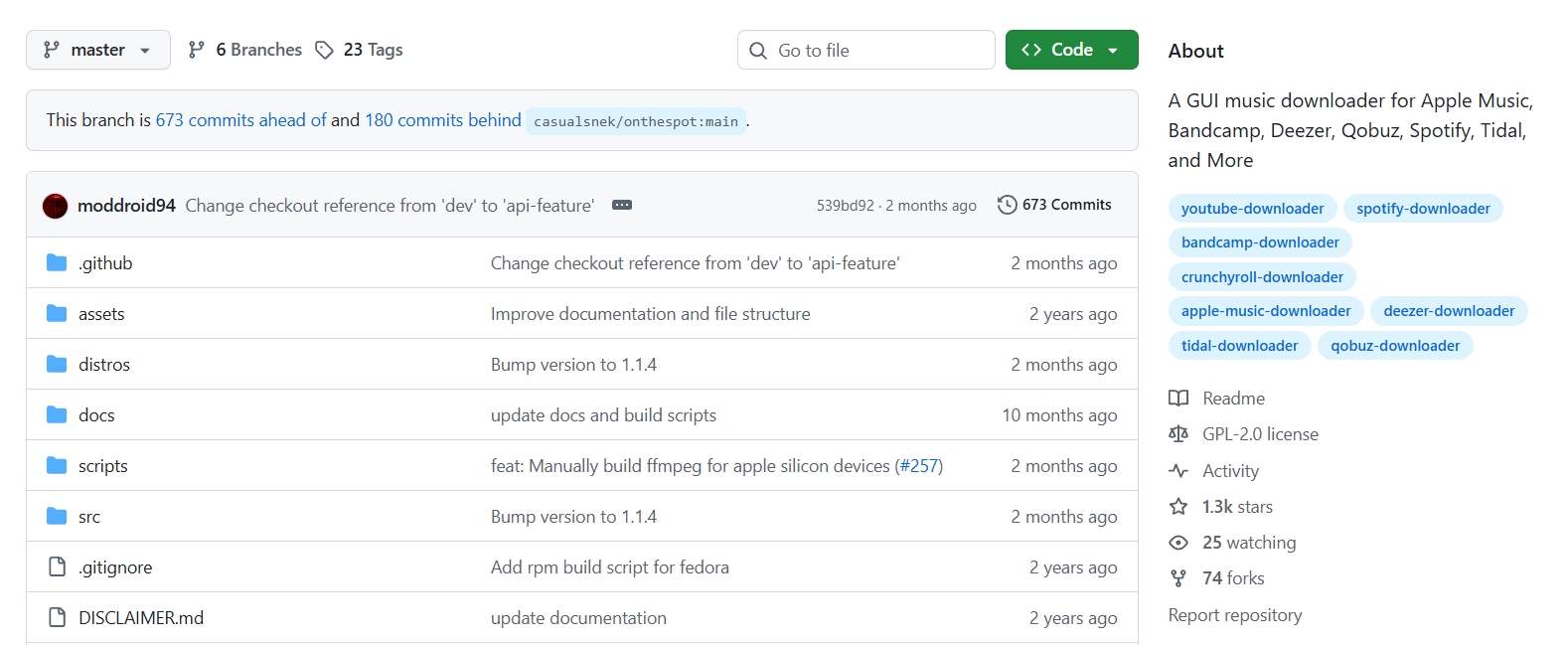
Free does not automatically mean beginner-friendly. My judgment is that OnTheSpot makes sense for readers who are comfortable checking releases, configuration, credential handling, and output behavior before committing a playlist.
Set Up OnTheSpot and Verify WAV Support
Verify the output menu before treating OnTheSpot as a Spotify-to-WAV route. The current README does not list supported audio formats, so a screenshot or older tutorial is not enough evidence for the installed build.
- Open the active repository and read the current release notes and installation guide for your operating system.
- Install the release using the project instructions, then review how it handles service login and stored credentials.
- Open the output settings before adding a playlist. Confirm whether WAV appears in that specific release.
- If WAV is unavailable, do not rename another format to .wav; use a workflow with confirmed WAV output instead.
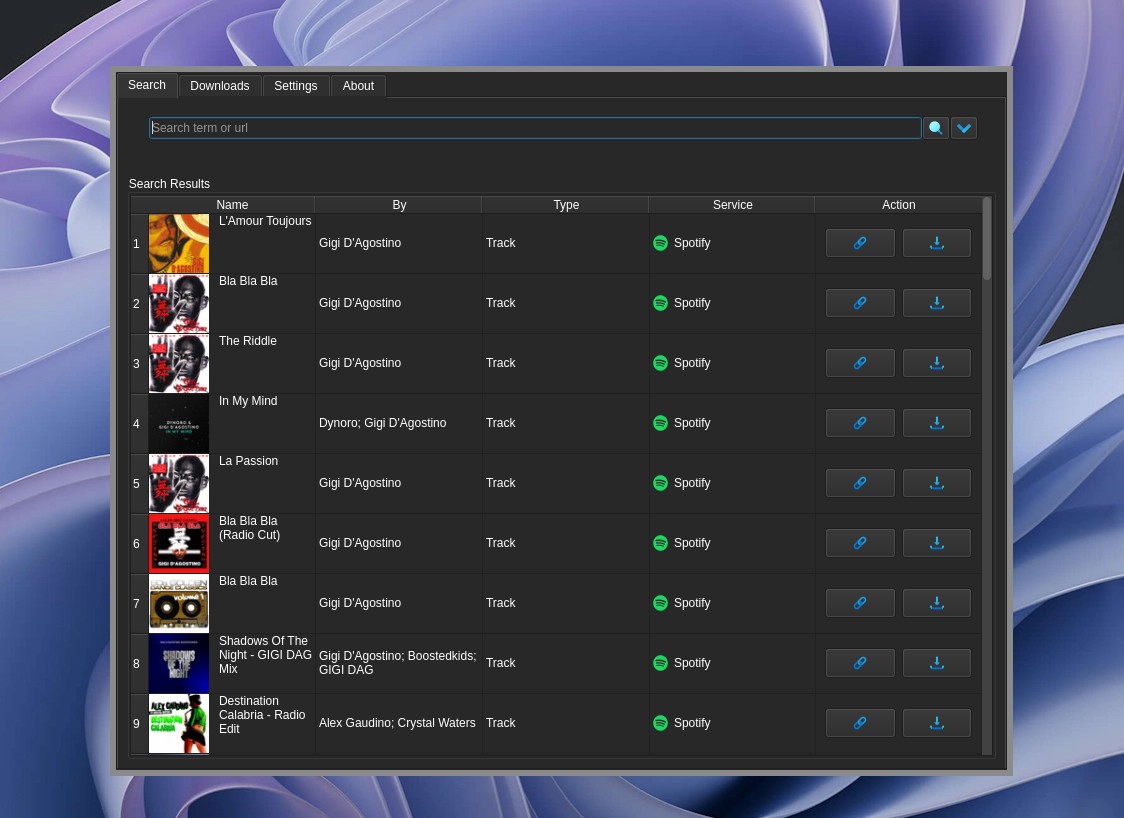
On the v1.8.0beta5 repository page, the visible README documents the frontends but not WAV support; the observable result is an unresolved format question that must be answered inside the installed release.
Audacity for Real-Time WAV Capture
Audacity is a free Spotify WAV converter only in the practical sense that it can capture system playback and export WAV. It does not download Spotify's source file, and the process runs for the full duration of the audio.
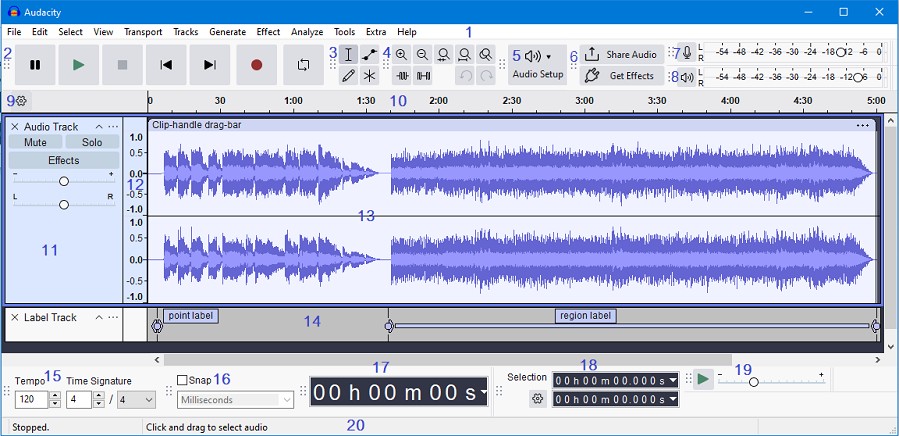
- Suits: one or two tracks, waveform editing, trimming practice, and situations where time is not the main constraint.
- Less suitable for: playlists, podcasts, or metadata-heavy libraries because each item needs real-time playback and manual cleanup.
My verdict: Audacity is the sensible no-cost route for a small job, but its time and tagging overhead grows directly with the queue.
Capture Spotify Playback with Audacity
Windows WASAPI loopback captures the selected playback endpoint without asking Audacity for Spotify credentials. Match the endpoint you are actually hearing, then export the captured waveform as WAV.
- In Audacity's audio setup, choose Windows WASAPI as the host.
- Select the active speaker or headphone output followed by (loopback).
- Start capture in Audacity, begin Spotify playback, and stop when the track ends.
- Trim leading and trailing silence, then export as WAV and add the filename or tags you need.
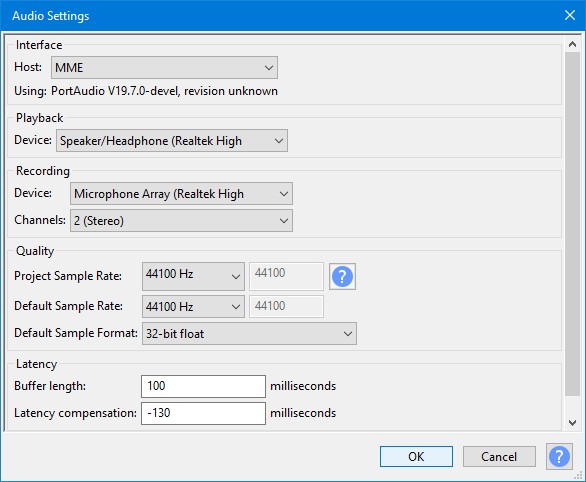
On a Windows 11 desktop with Windows WASAPI and the active speaker loopback selected, a waveform appears only while Spotify playback is running; this observable behavior confirms a real-time playback path, not a direct-source batch process.
Safety, Terms, and Source Checks
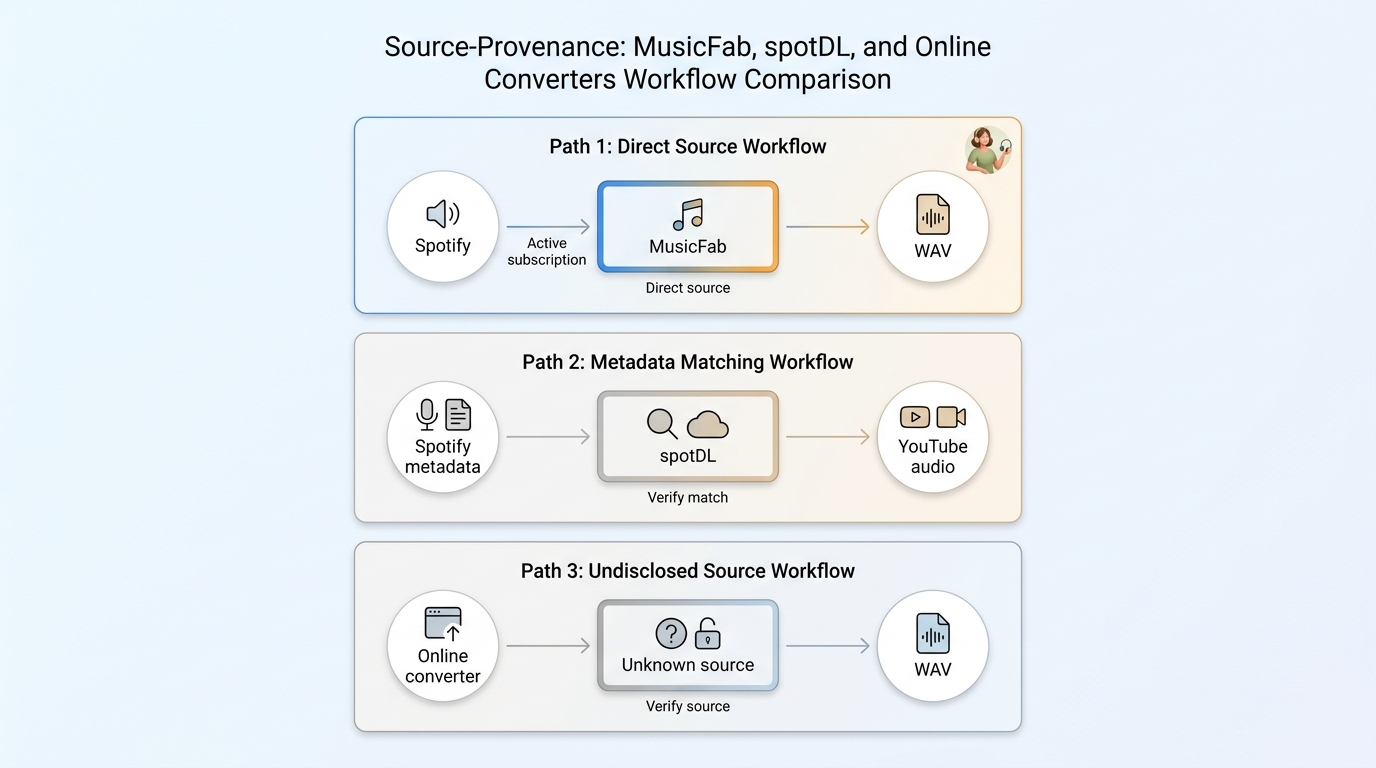
Evaluate Spotify to WAV services on four separate questions: what audio source they use, how they handle credentials, what Spotify permits, and what copyright rules apply to the intended use.
Check the Real Audio Source
Some browser services disclose their source, some match Spotify metadata to external audio, and some reveal almost nothing. spotDL is a concrete example of a workflow that matches Spotify metadata to YouTube audio, so its output should not be described as a direct Spotify source.
A .wav extension is a container label, not an authenticity certificate. If a service only offers Spotify to MP3 conversion or cannot explain where the audio comes from, judge it by that disclosed workflow rather than assuming that every online converter behaves the same way.
- Look for a clear statement of the audio source and whether another service supplies the sound.
- Check whether the service requests Spotify credentials and how its privacy policy describes storage.
- Compare the resulting metadata and duration with the source, but do not treat tags as proof of audio origin.
- Use spectrum inspection as a clue, not a definitive test; transcoding history can make interpretation uncertain.
Understand Account and Usage Limits
Spotify grants limited personal, non-commercial access and prohibits uses not expressly permitted; account action may follow a breach. Copyright analysis is separate and depends on the content, authorization, location, and intended use.
Keep the questions separate: platform terms govern the account relationship, copyright law governs protected works, credential handling affects privacy, and sharing or commercial distribution creates different concerns from an authorized personal workflow.
Adding WAV Files to Spotify
After export, adding a WAV file to Spotify is a short local-files task, not another conversion method. On iPhone, enable local audio, place the file in Spotify's folder, and open it from Local Files.
- Open Spotify, tap the profile picture, and go to Settings and privacy, then Apps and devices.
- Enable Local audio files and open Your Library to locate Local Files.
- In the Files app, copy or move the WAV file to the Spotify folder under On My iPhone.
- Return to Spotify and open the track from Local Files.
This is a useful finishing step for a local library, but it should not distract from the main decision: whether the original export has the source, quality, tags, and scale your workflow needs.
FAQs
Why is a WAV file much larger if the sound quality does not improve?
WAV normally stores audio without the space-saving compression used by formats such as FLAC or streaming codecs. Converting a lossy source makes a larger file but cannot reconstruct discarded detail. Converting a lossless source can preserve that detail, not enhance it.
Do I need Spotify Premium to save tracks in WAV format?
It depends on the method and the source quality you expect. Premium Lossless is needed for Spotify's lossless source, while other plan levels provide lower-quality playback. MusicFab should be used with active Spotify access; Audacity captures available playback; OnTheSpot requirements depend on the installed release.
Can a large Spotify playlist keep its track order and metadata in WAV?
Yes, if the selected tool supports batch queues and writes the relevant fields. MusicFab retains ID3 data, artwork, track numbers, and lyrics, although individual players vary in how they display WAV metadata. Audacity requires manual naming and cleanup.
How can I tell whether a WAV came from Spotify or YouTube?
Start with the service's disclosed source. Compare metadata and duration, then use spectrum analysis only as a supporting clue. A WAV extension and Spotify-style tags do not establish origin; a service may match Spotify metadata to audio supplied by YouTube or another source.
Conclusion
Choose MusicFab for playlist-scale local files with tags, OnTheSpot for open-source evaluation after format verification, and Audacity for a few tracks or editing practice. WAV is useful when an editor, DJ tool, CD workflow, or older device expects uncompressed audio.
My rule is to avoid WAV when storage efficiency matters more than uncompressed compatibility. In that case, a Spotify to FLAC workflow keeps lossless compression and uses less space. For routine listening from a lossy source, smaller formats can be more practical.
MusicFab fits when batch order, tags, artwork, lyrics, and multiple output choices justify paid desktop software. It is not the right purchase for someone who wants a browser-only workflow or converts one track occasionally.

This guide compares nine Spotify downloaders across browser, desktop, Android, and iOS workflows. It weighs source matching, output quality, playlist and ZIP behavior, metadata, account exposure, and tool status, then explains which option fits a single track, a long playlist, or a managed local library.
By Jane Chen - Aug 26, 2026
Spotify downloads can stall because of Premium eligibility, device limits, storage, network permissions, cache state, or a service incident. This guide gives one nine-fix recovery path, then separates iPhone, Android, Windows/Mac, Apple Watch, partial-playlist, Offline Mode, and clean-reinstall cases. It also explains when a MusicFab local-file workflow fits authorized personal use.
By Jane Chen - Aug 26, 2026
Spotify Premium can download music for playback inside the Spotify app, while Free accounts can download podcasts. This guide covers setup, device differences, download limits, troubleshooting, travel checks, and a portable-file option.
By Jane Chen - Aug 18, 2026
Is Spotify Duo still worth $18.99 for two people at one address? Get the current price, savings vs Individual and Family, address verification rules, setup
By Jane Chen - Aug 13, 2026