
How to Download Music from Apple Music: Official & Batch MP3 Methods (2026 Guide)

Table of Contents
Want to download music from Apple Music for offline listening, save all your songs faster, or get tracks onto your computer as local files? Maybe you are asking one of three things:
- How do I download songs on Apple Music the official way?
- How do I download all songs on Apple Music without tapping every album one by one?
- How do I download music from Apple Music to computer/mobile phone or save it as MP3?
Quick Answer: Can You Download Music from Apple Music?
Yes. You can download songs, albums, and playlists from Apple Music for offline listening with the official app on iPhone, Mac, Windows, and other supported devices. But those official downloads are meant for playback inside Apple’s ecosystem and remain linked to your active subscription. If you want standard local files for your computer, MP3 conversion, or broader device compatibility, you’ll need an alternative method.
Key Takeaways:
- Apple Music supports offline downloads for songs, albums, and playlists in your library.
- Official downloads are great for listening offline in the app, but they are still subscription-based.
- There is a big difference between offline app downloads and true local files on your computer.
- If you want to download all songs on Apple Music more efficiently, save music to computer, or convert Apple Music to MP3, you need a batch or file-based solution.
- If you care about in-app sound quality, Apple Music also offers lossless download settings on supported devices.
Comparison Overview: Best Ways to Download Songs from Apple Music
In this guide, we will answer all questions and show you three ways to get your music. Which option is right for you?
- Choose the Official Way: If you only want offline playback inside the app.
- Choose MusicFab: If you want to download Apple Music to your computer, batch-save playlists, or convert Apple Music to MP3 or other formats.
- Choose the Online Free Way: for light, occasional use when convenience matters more than quality or consistency.
| Feature | Official Apple Music App | MusicFab(Recommended) | APLMate(Online Apple Music Downloaders) |
|---|---|---|---|
| Download All Songs Button | No | Yes, Batch Download | No |
| Output Format | Encrypted M4P | MP3,AAC,OPUS,WAV,FLAC | MP3(low bitrate) |
| Keep After Canceling Sub | No | Yes | Yes |
| Speed & Quality | Standard | Fast/Lossless | Slow/Lossy |
Is There a Download All Button on Apple Music?
Not exactly. Apple Music lets you download individual songs, full albums, and playlists, but there is no universal Download All button for your entire library. If you want to use the official app to download all music from Apple Music:
- On iPhone or iPad: the easiest workaround is to put the songs you want into one playlist, then download that playlist with one tap.
- On Mac: downloading a large library is more manageable because you can work from the Songs view, select many tracks at once, and download them together.
- On Windows: Apple supports adding and downloading Apple Music content in the Apple Music app, and iTunes also includes automatic download settings for future additions.
If you have a massive library, this is still time-consuming. Fortunately, there is a better solution for those asking how to download all my Apple Music at once, and we will cover that in the MusicFab section below.
How to Download Songs on Apple Music (Official Way)
The official Apple Music method is still the best choice if your goal is simple: listen offline inside the Apple Music app on the devices you already use. Apple lets subscribers add songs, albums, and playlists to their library, then download them for offline playback on iPhone, Mac, and Windows.
Before you start, make sure you are signed in with the same Apple Account you use for Apple Music. If you want your library to stay consistent across devices, turn on Sync Library.
For Windows & Mac (Apple Music App)
- Open the App: Launch the Apple Music app and ensure you are logged in.
- Add to Library: You cannot download a song until it is added to your library. Click the + (Plus) icon next to the song, album, or playlist.
- Download: Once added, a cloud icon with a down arrow will appear. Click it to begin the download.
- Success: When the cloud icon turns into a checkmark, your download is complete.
Mac is also the easiest official environment for larger downloads because you can view your library more clearly, manage playlists faster, and handle multiple songs with less friction than on mobile.
For iPhone or iPad (Apple Music App)
Open the app
Find the songs, album, or playlist and add it to your library
Tap the Download button to save it offline
If you are downloading more than one track, it is usually faster to add songs to a playlist first and then download the full playlist in one step.
For Windows
On Windows, use the Apple Music app if your PC supports it. If not, you can still use iTunes. In both cases, the basic workflow is the same: add the music to your library first, then download it for offline playback.
How to Download Songs from Apple Musc (The Best Way)
If you are looking for how to download all songs on Apple Music so you can actually own the files (MP3/FLAC) and listen anywhere, you need a specialized tool.
MusicFab lets you download Apple Music songs, playlists, podcasts, or albums in their original quality with ID3 tags like correct artist, album, and lyrics-saving support.

Super fast, Lossless, and Reliable.
- Download MP3 from Apple Music with many other formats supported like AAC, FLAC, WAV, etc
- Batch processing and save them up to 320 kbps or 24-bit lossless quality.
- Using a built-in web browser, you can search & download Apple Music content inside the MusicFab
How to Download Music From Apple Music on Mac & Windows with MusicFab
MusicFab lets you download 3 songs with no limits during its free trial.
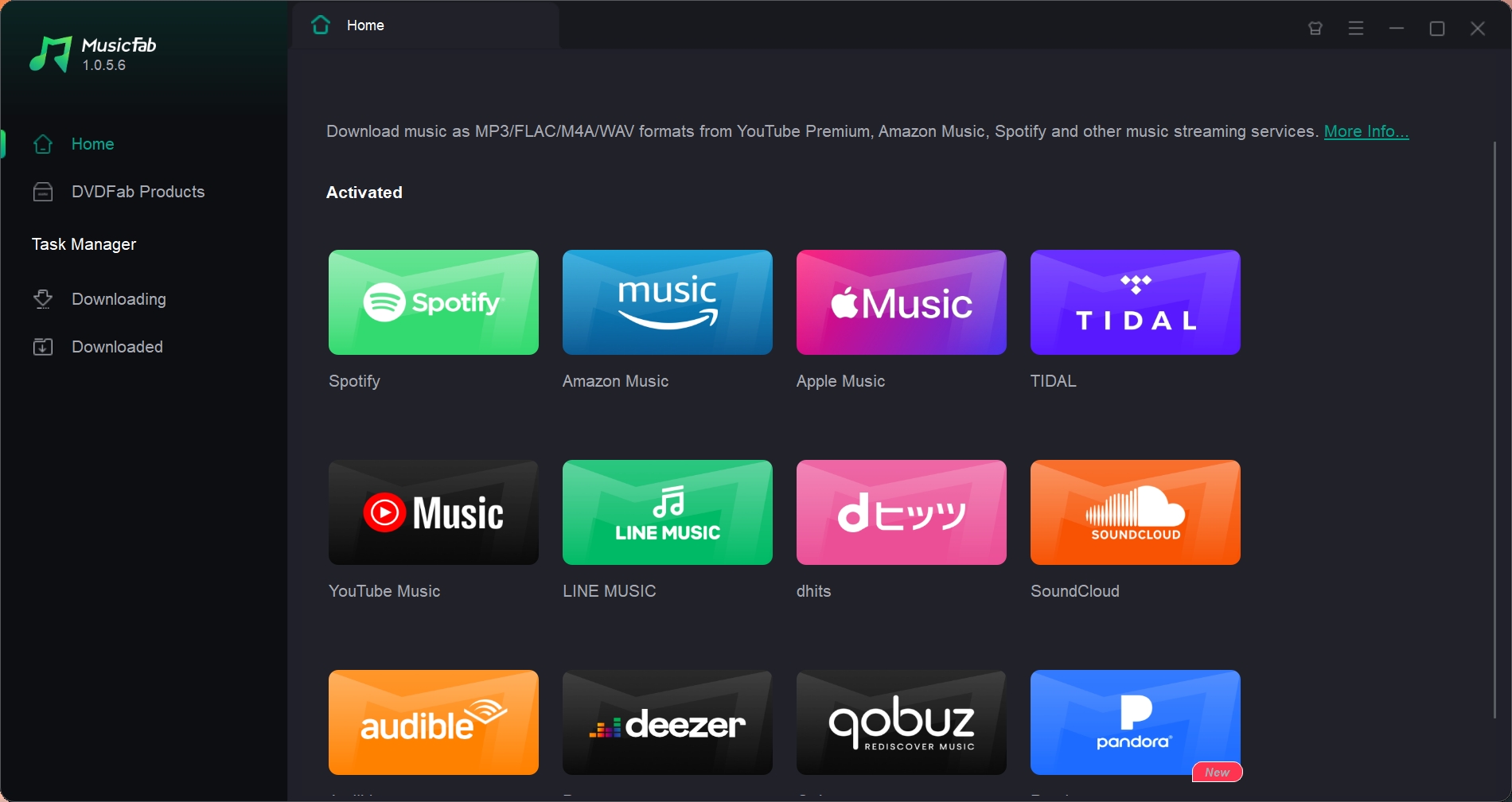
Step 1: Download and install MusicFab. Open the program and select Apple Music from the main interface.
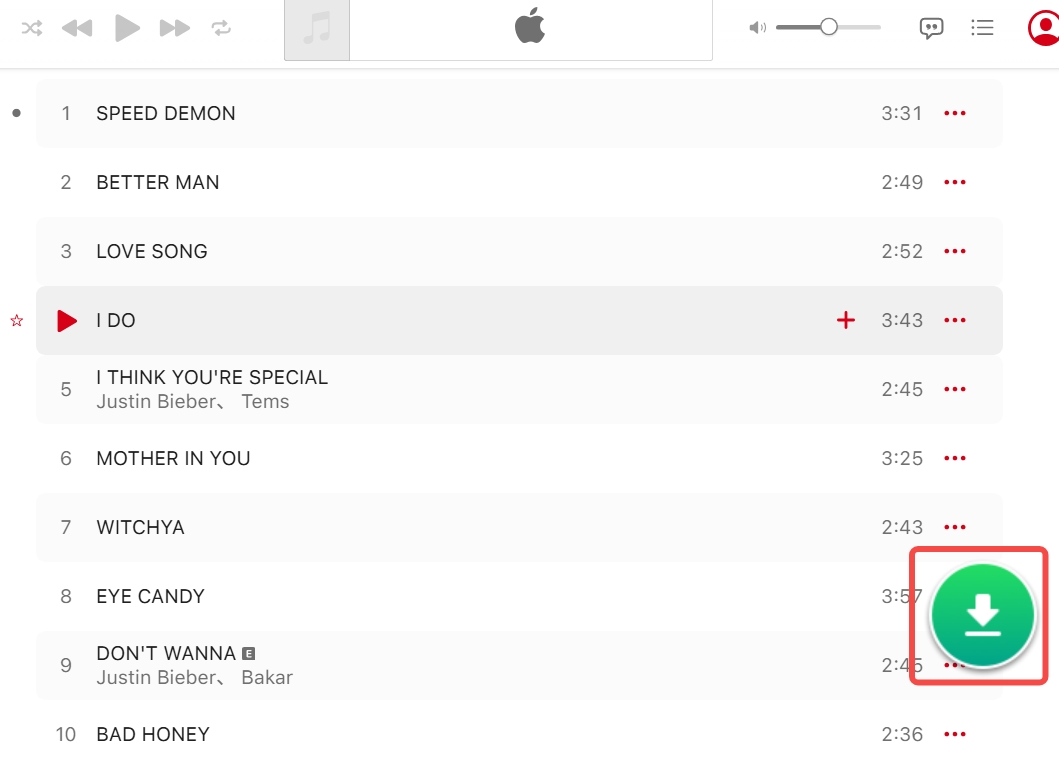
Step 2: Log into your premium Apple Music account > use the built-in browser to locate and open your preferred songs or playlist > once the arrow button turns green, click it and MusicFab will analyze all tracks.
Unlike the official app, MusicFab can analyze all the tracks on the page instantly.
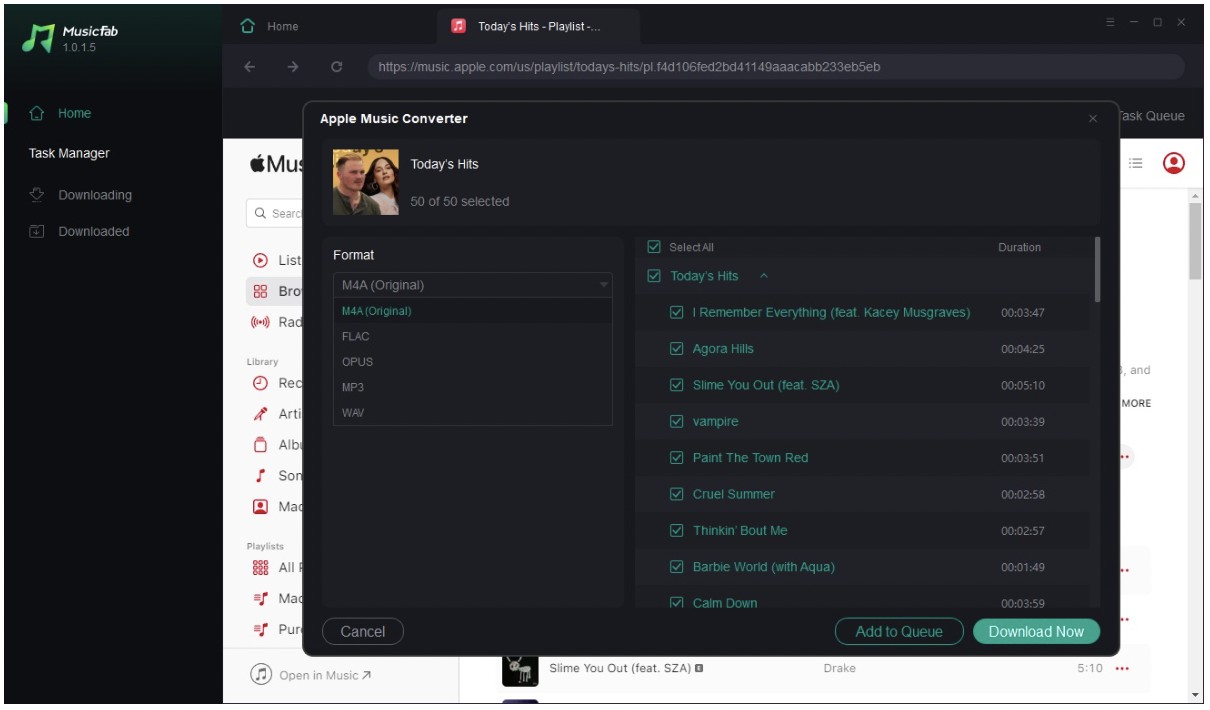
Step 3: A window will pop up listing all songs in that playlist or album.
- To mass download songs on Apple Music, simply check the "Select All" box at the top.
- Choose your output format (e.g., MP3) and quality (e.g., 320 kbps).
- Click Download Now.
MusicFab will now download your selected music at high speed, saving them as local files on your hard drive.
MusicFab Apple Music Converter is the solution for users who want to download their entire Apple Music library efficiently. It removes the restrictions of the official app, allowing for true batch downloading.
Why Use MusicFab?
- Batch Download: Unlike the official app, you can add multiple playlists or albums to the queue and download all Apple Music songs at once.
- High Quality: Supports lossless download quality and retains original ID3 tags (Artist, Album, Lyrics).
- Multiple Formats: Convert Apple Music to MP3, FLAC, M4A, or WAV.
- Keep Forever: Even if you cancel your Apple subscription, these downloaded files remain on your computer playable forever.
How to Download MP3 from Apple Music (Online Free Tool)
If you don't want to install software and only need to grab one or two tracks, you can use an online Apple Music downloader like APLMate. While convenient, online tools generally cannot download all songs on Apple Music at once. They are designed for single tracks.
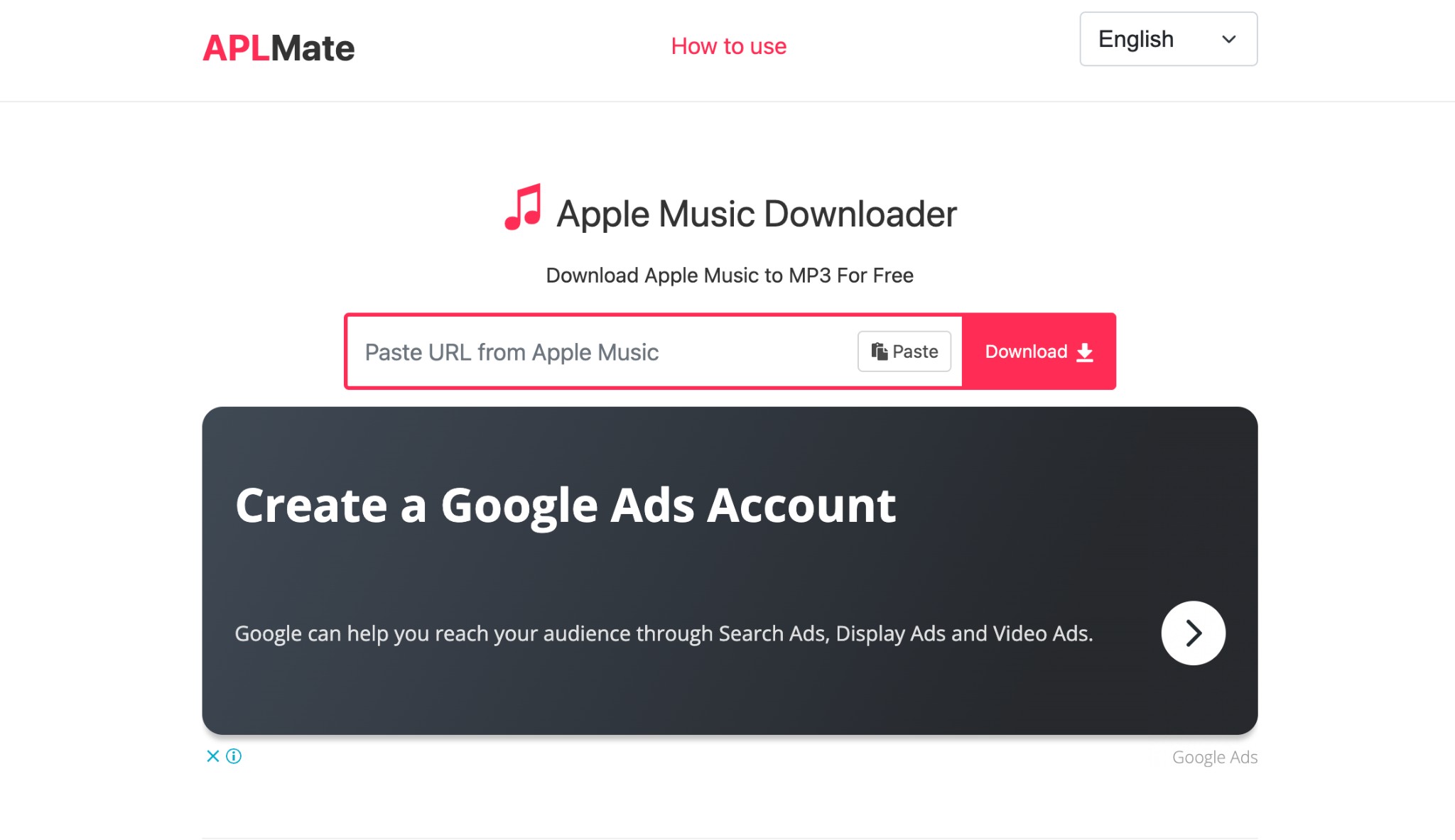
APLMate is a popular free and fast online Apple Music downloader you can use on computer. You don't need to install software or log in to your account.
Limits:
- Only support MP3 format, up to 320 kbps
- You can process playlist links, but you can't batch download them in one go
- The saved file contains website watermark in the song title
How to Download Music From Apple Music to Computer With APLMate
- Step 1: Paste the copied Apple Music song link in the address bar.
- Step 2: Click Download, it will show the analyzed result, and then tap Download button below the tab.
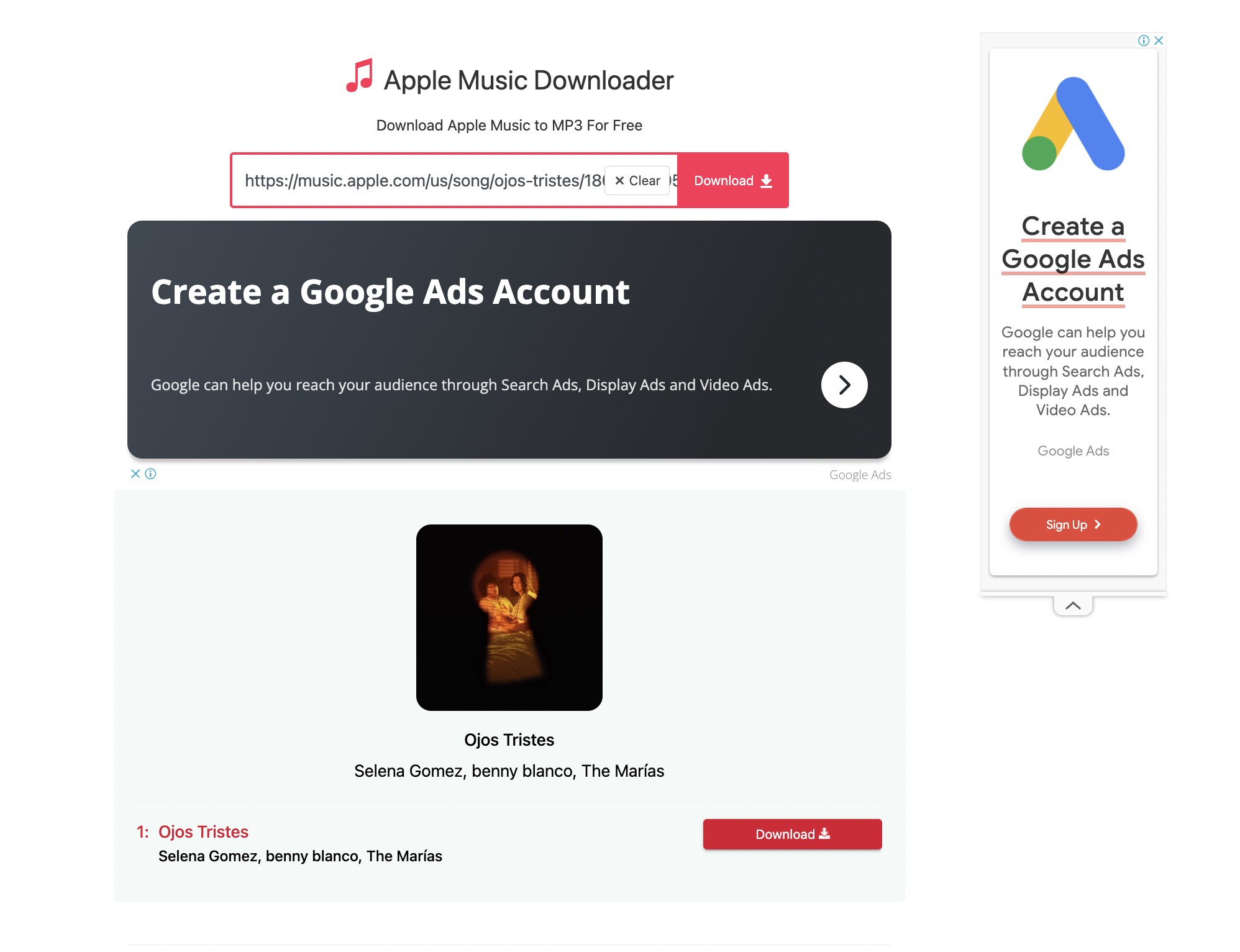
- Step 3: Click ctrl+j to open your file
Wondering about converting Apple Music to MP3? Go ahead with more online websites in this post.
FAQs
How to download all songs on Apple Music iPhone?
Currently, the iPhone Music app does not have a "Download All" button. You must tap the download icon for every playlist manually. Alternatively, you can use MusicFab on your computer to download all music, and then transfer the MP3s to your iPhone via iTunes/Finder.
How to download music from Apple Music to USB?
Official downloads cannot be moved to a USB drive because they are DRM-protected cache files. To do this, you must use MusicFab to convert the songs to MP3 first. Once converted, you can drag and drop the files onto any USB stick.
Can I download all my Apple Music at once?
Officially, no. But with third-party tools like MusicFab, you can batch process playlists and albums, effectively allowing you to download entire Apple Music library collections in one go.
Will I lose my music if I cancel my subscription?
If you use the official download method, yes, your downloads will disappear. If you use MusicFab to download them as local MP3 files, no, you keep the music forever.

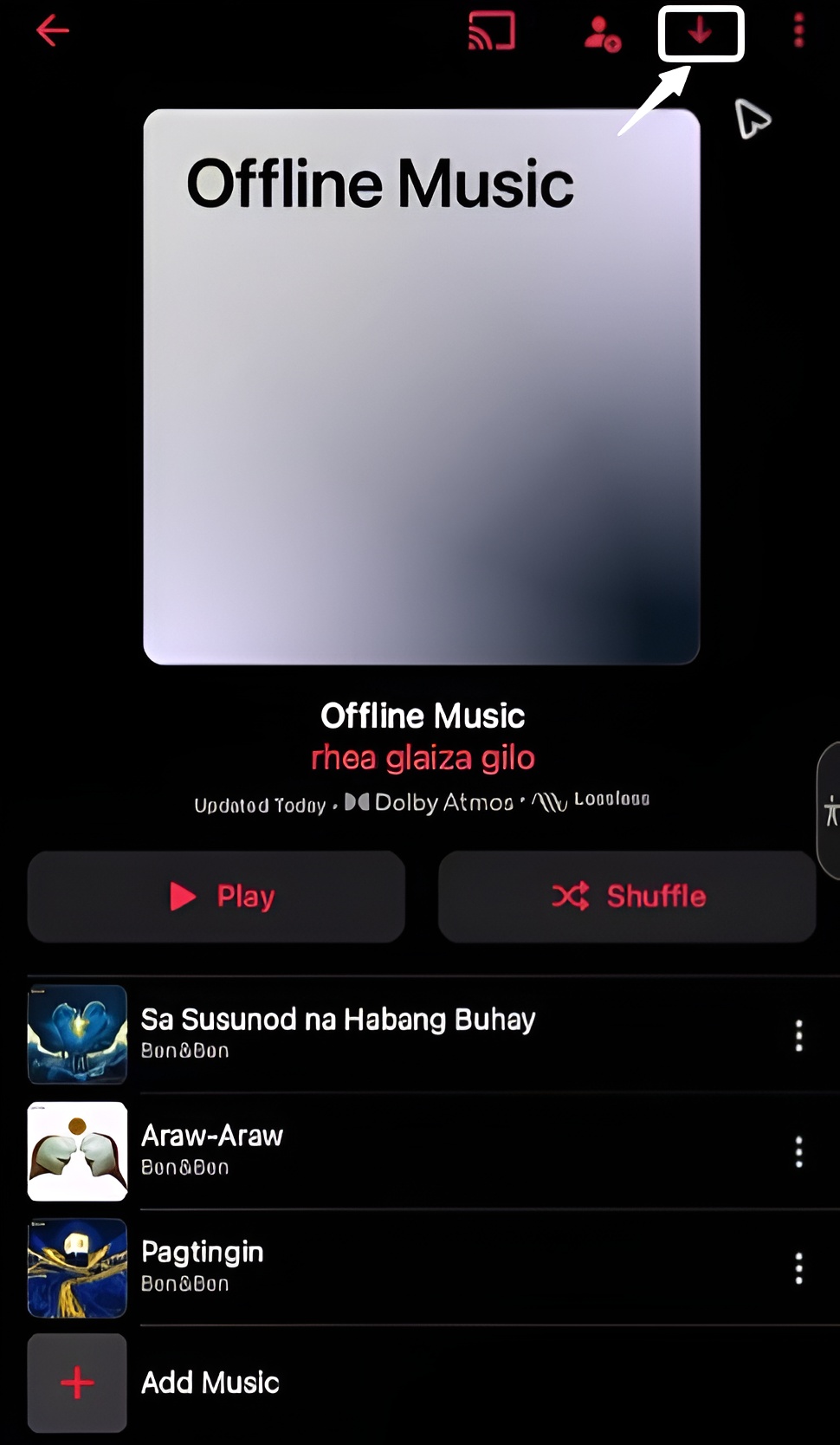
Learn the fastest ways to download Apple Music for offline play on iPhone, Android, Windows, and Apple Watch, plus lossless settings, limits, and pro tips.
By Jane Chen - Feb 4, 2026
Compare free apple music downloaders with MusicFab to save playlists from Apple Music in MP3 or FLAC offline. Pick the best Apple music downloader for you.
By Jane Chen - Feb 3, 2026
Learn how to convert Apple Music to MP3 on PC, Mac, iPhone and online. We test 8 free Apple Music to MP3 converters and show why MusicFab is the best option.
By Jane Chen - Jan 21, 2026
If you've ever tried to screen record Apple Music, you probablyran into some frustrating issues. This guide will walk you through why Apple Music blocks screen recording, and how you can get around it in a legal and effective way. We will also try checking out the alternatives to screen recording from Apple Music.
By Jane Chen - Nov 7, 2025
To help you out, we have tried and tested some free options and robust paid solutions. Learn how to download MP3 from iTunes to deal with DRM-free tracks and protected Apple Music files.
By Jane Chen - Nov 6, 2025