Convert an Apple Music Playlist to MP3: 3 Key Boundaries

In short, you can convert a playlist to MP3 only by separating three cases: Apple’s own conversion applies to eligible local files; a playlist workflow can only use content available through your authorized Apple Music account; and Apple Music offline downloads inside its app are not exportable MP3 files. This guide keeps those boundaries separate while comparing the existing official, online, and desktop routes.
I judge these methods by the file they actually produce, not the promise on the download button. You will see where an Apple Music link to MP3 tool is merely available, where a result has been measured, and which route fits a single song, a playlist, or a portable player.
What Apple Can Convert Officially
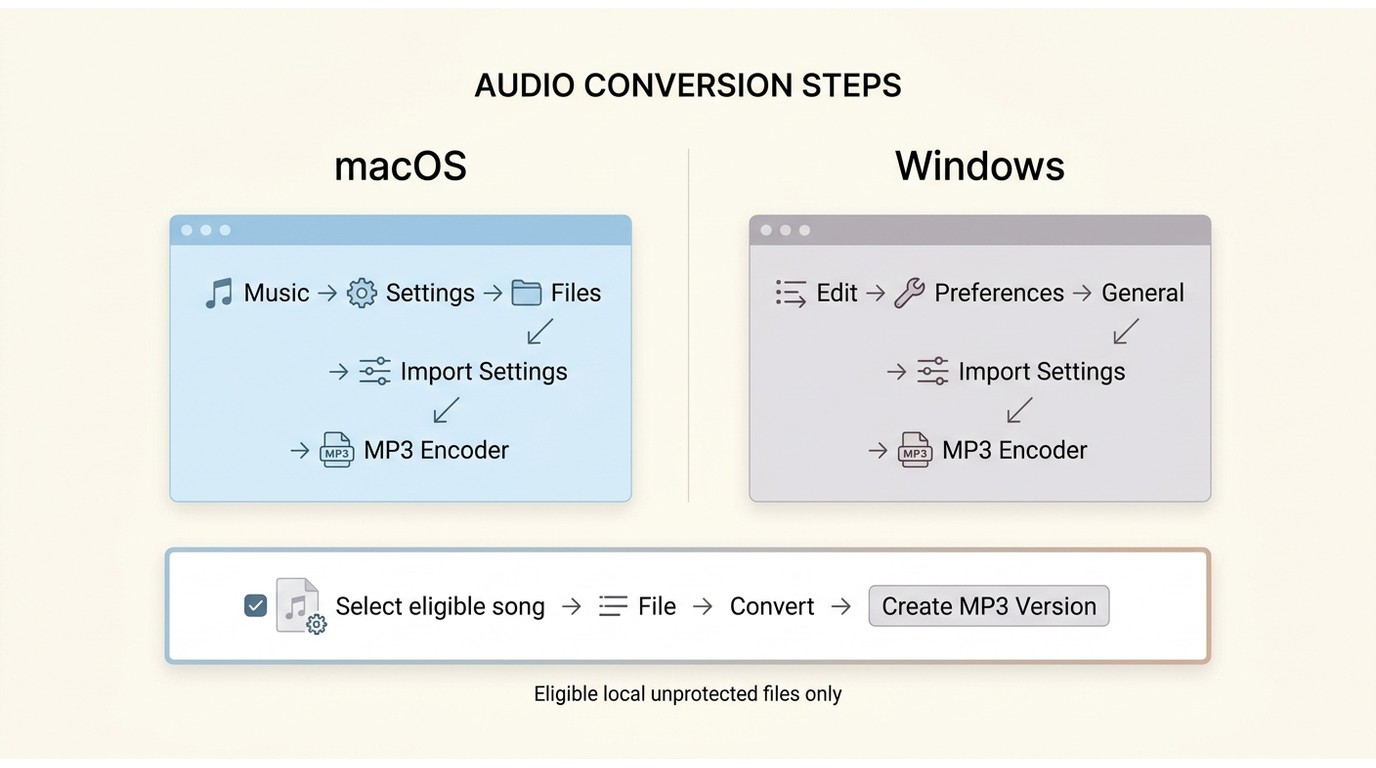
Apple's built-in conversion is the simplest way to convert Apple Music to MP3 when the source is an eligible local, unprotected file. It does not turn an Apple Music subscription download into an ordinary transferable MP3.
- Use Apple's built-in route: The song was purchased, imported, or ripped and is already stored as an eligible local file.
- Use a different workflow: The item is an Apple Music subscription track managed inside the Music app.
That difference matters because converting an existing local file and downloading music from Apple Music are separate tasks. For an eligible file, an iTunes to MP3 converter workflow already built into Apple's software avoids extra services and uncertain source matching.
- Open the Apple Music app on Mac or iTunes on Windows.
- Open Music > Settings on Mac, or Edit > Preferences on Windows.
- Select Files or General, then choose Import Settings.
- Set “Import Using” to MP3 Encoder and confirm the change.
- Select the eligible song, then choose File > Convert > Create MP3 Version.
My practical judgment is straightforward: if the audio is already an eligible local file, stop here. Adding an online service or paid desktop app creates extra work without improving this official conversion path.
Free Online Apple Music-to-MP3 Converters
A free Apple Music converter can be convenient for an occasional track, but each online Apple Music converter needs separate checks for source quality, playlist handling, redirects, and free gates. The broader online Apple Music downloader comparison covers downloader-focused choices; this section stays on MP3 conversion evidence.
How the checks are scoped: As of July 2026, the repeatable workflow uses one track link and one album or playlist link, records whether the page loads and whether processing completes; then inspects codec, bitrate, sample rate, metadata, artwork, redirects, processing behavior, login requirements, and the free-access gate. A live interface is not counted as a completed download.
APLMate: Easy Single-Track Downloads
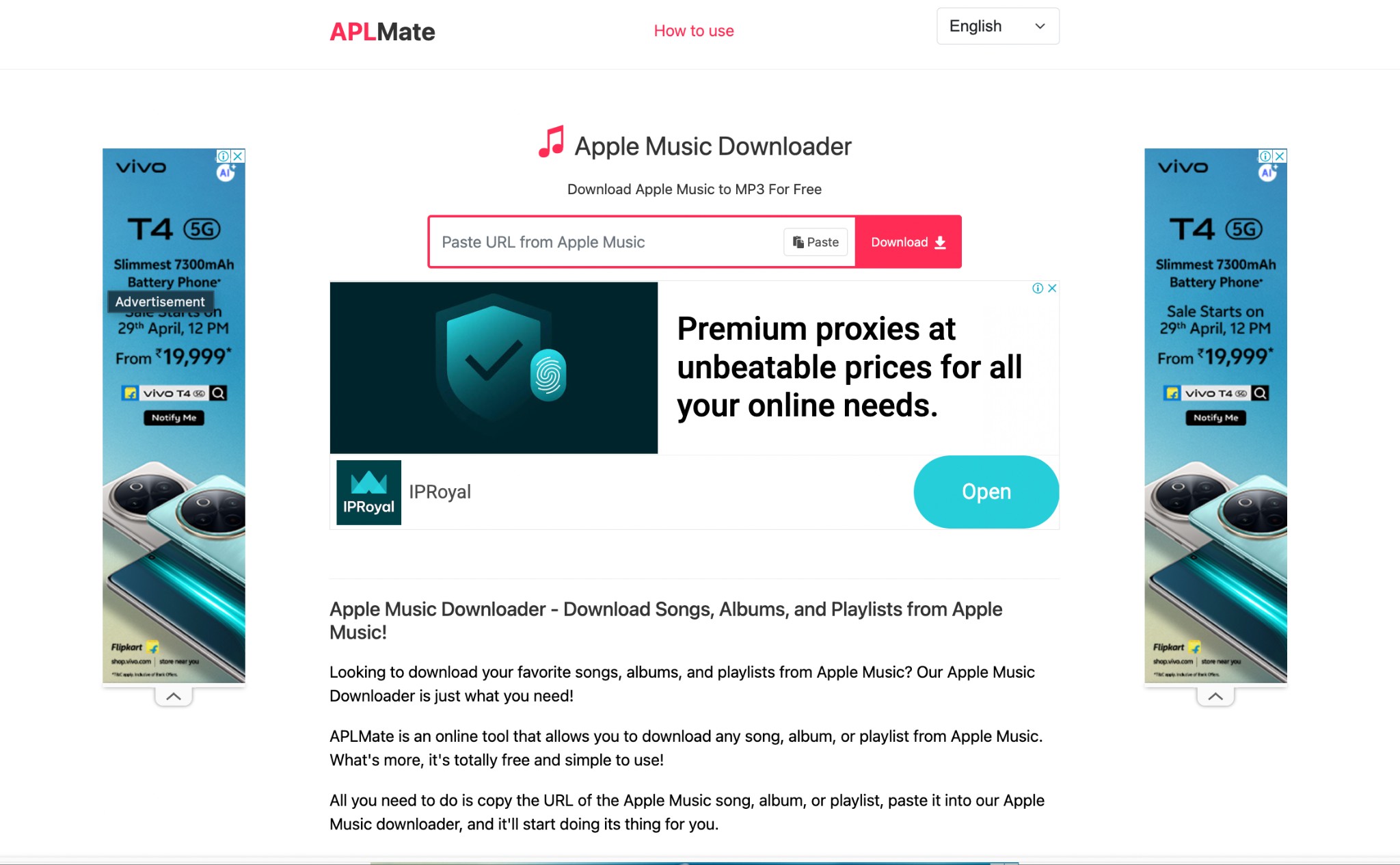
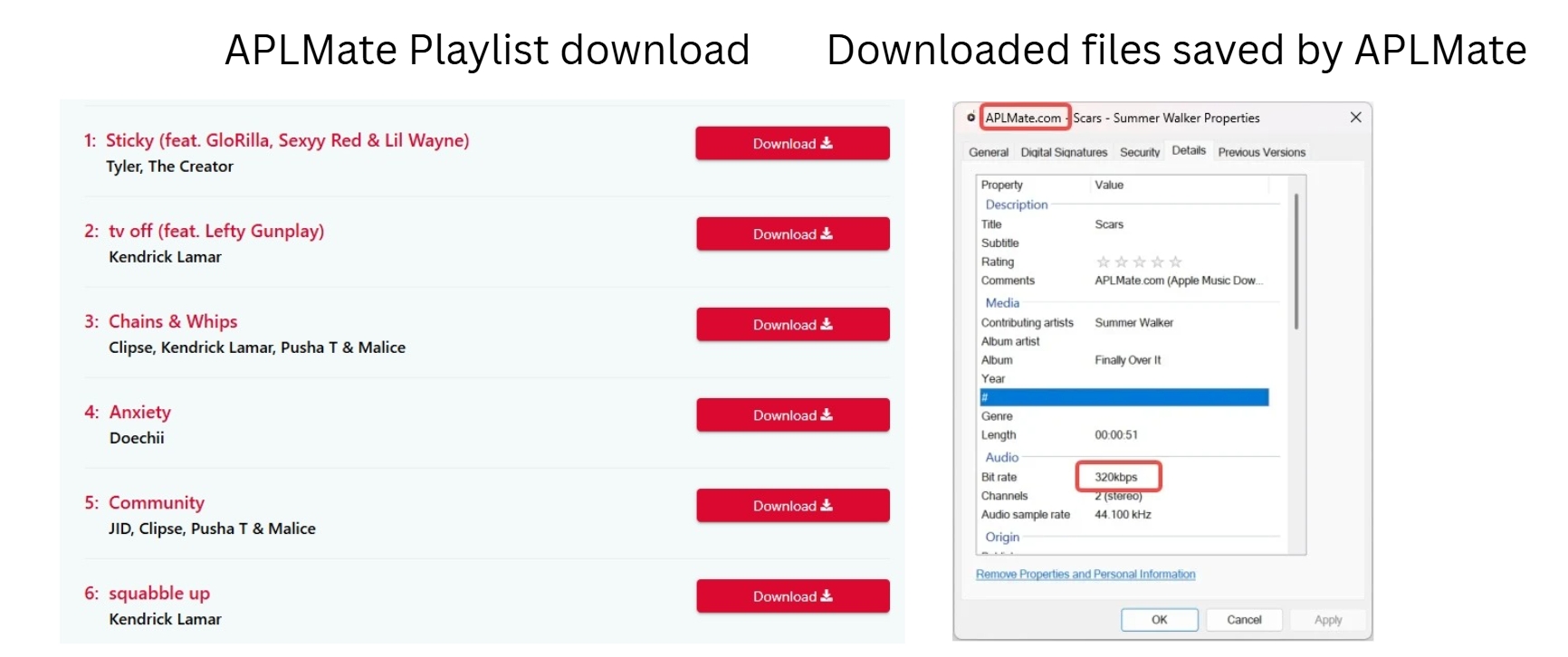
APLMate is a quick single-track attempt, but its advertised Apple Music converter 320kbps claim should not be treated as a measured result. June 2026 comparisons reported roughly 128 kbps or inconsistent output, so current source fidelity remains unverified without a fresh MediaInfo check.
- Suitable for: Trying one song in a browser without installing software.
- Less suitable for: Batch playlists, complete metadata, or anyone who needs verified source fidelity.
- Copy the track link from Apple Music.
- Paste it into APLMate and start processing.
- Inspect the downloaded file in MediaInfo before relying on the displayed bitrate label.
AAPLmusicDownloader: Dated Playlist ZIP Observation
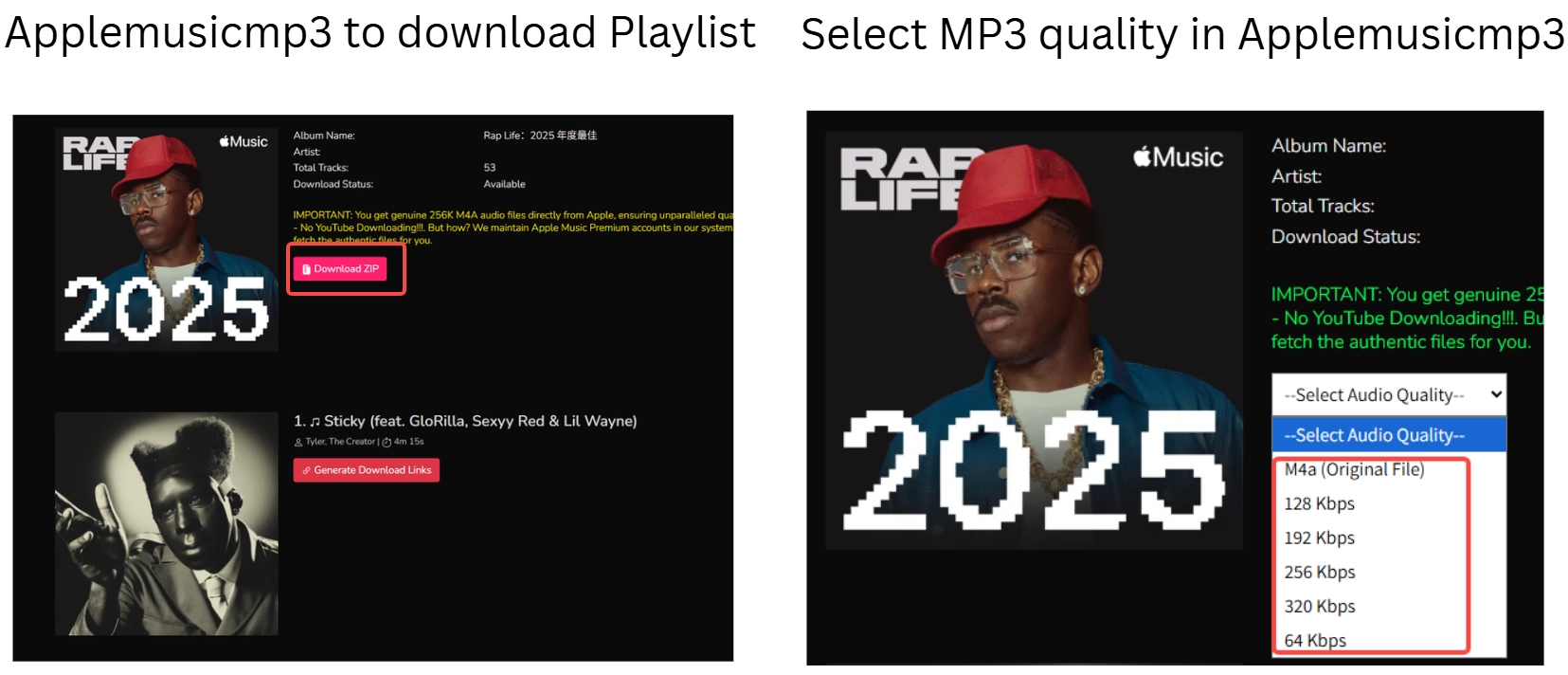
In June and July 2026 observations, AAPLmusicDownloader presented album and Apple Music playlist ZIP output behind a premium access gate. Treat that as a dated observation rather than a current offer, and recheck the service directly before relying on it for a playlist.
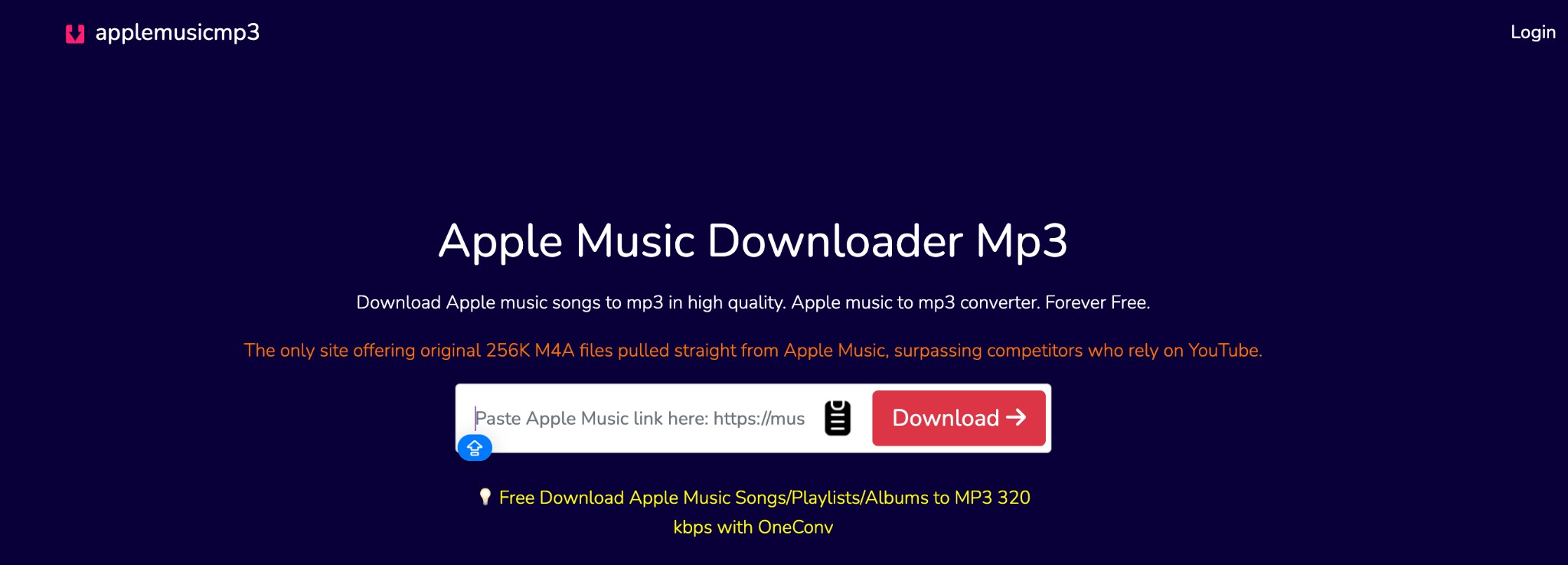
The preserved AAPLmusicDownloader service link belongs here as the original article asset. Its observed playlist ZIP access conditions are dated and need a direct recheck before use.
- Suitable for: A direct recheck of a single link when the current page accepts it.
- Less suitable for: Readers who need a confirmed free playlist ZIP workflow.
Apple Music Downloader: Single Tracks Only
Apple Music Downloader is positioned as a single-track copy-and-paste service. The reviewed workflow did not support playlist analysis, and the destination is identified by brand name here rather than displaying a competitor URL in the paragraph.
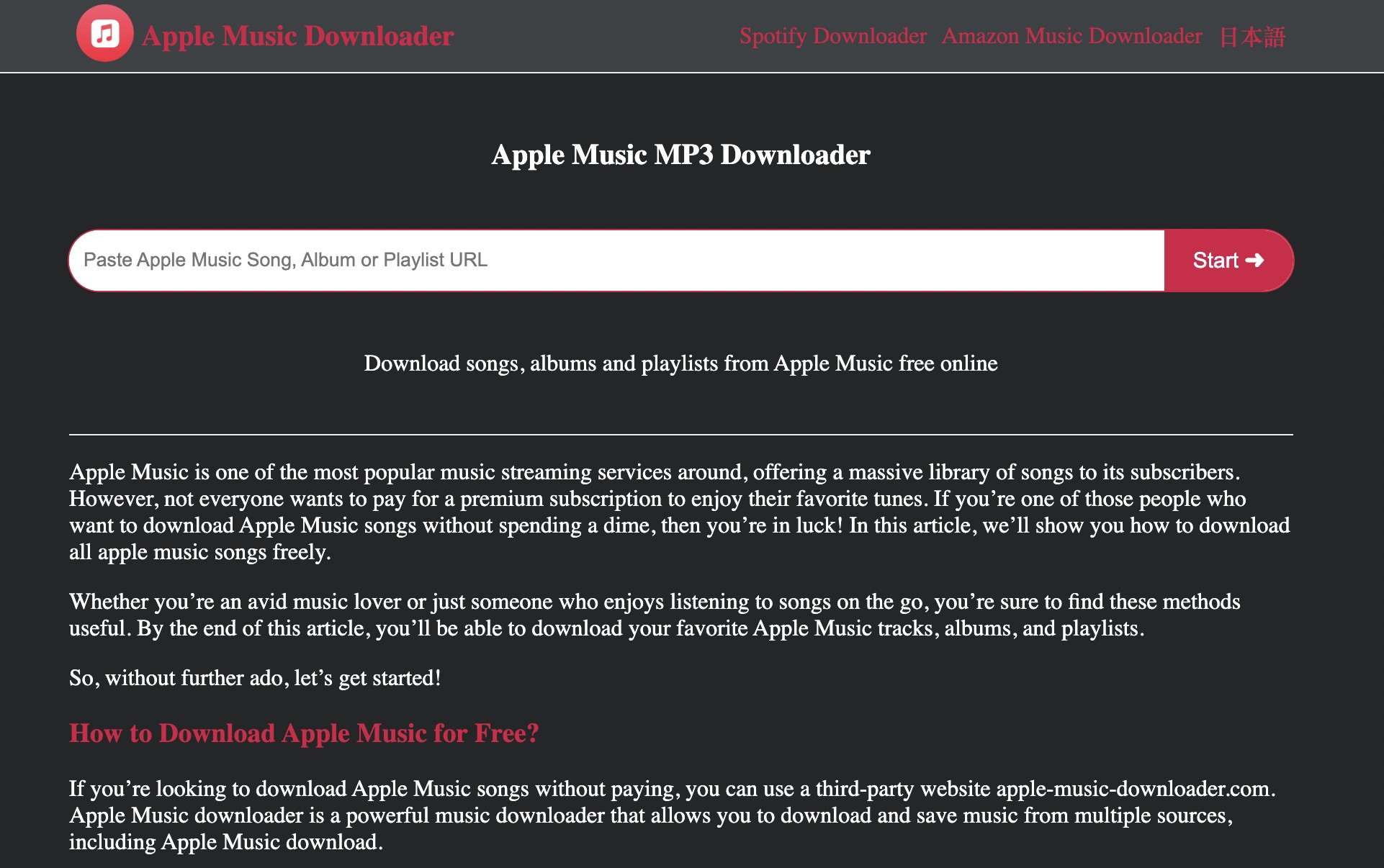
- Suitable for: An occasional track when the link completes successfully.
- Less suitable for: Albums, playlists, or a workflow that requires dependable batch results.
The earlier test reached a playlist-analysis failure, which supports the single-track positioning but does not establish a universal success rate or current bitrate.
KeepVid: Simple but Lower-Quality Matches
The KeepVid Apple Music downloader worked as a single-song fallback in dated comparisons, but the observed output was around 128 kbps and the match could come from a separate media source rather than the Apple Music audio itself.
- Suitable for: A quick single-song fallback when an approximate match is acceptable.
- Less suitable for: Playlists, complete metadata, or source-fidelity verification.
My take is that a familiar title and a 128 kbps MP3 are not enough evidence. Check the artist, duration, codec, cover art, and audible version before adding the file to a managed library.
AceThinker: Current Support Is Unverified
AceThinker's former page redirects to its newer site, but a completed Apple Music-specific workflow was not verified. Current link support, download limits, output quality, and redirect behavior should remain marked unverified.
Suitable for: Checking whether the current interface recognizes a non-sensitive test link. Less suitable for: A dependable Apple Music conversion workflow until processing and file output are completed and measured.
PasteDownload: One Track at a Time
PasteDownload's explanatory page loaded, but a usable Apple Music input interface and completed download were not verified. Claims about device coverage, formats, playlist parsing, and current success should not be inferred from page availability.
Suitable for: Rechecking a single non-sensitive link if the input box is available. Less suitable for: Anyone who needs verified output, playlist support, or a predictable free allowance.
AplMusicDownloader: Dated M4A and Allowance Observation
In June and July 2026 observations, AplMusicDownloader described M4A song and playlist handling with a limited allowance. No new completed-file test is available for this update, so both the output description and allowance need a direct recheck.
- Suitable for: A direct check of one or a few links when the current page is available.
- Less suitable for: Large batches or readers who need a currently verified MP3 workflow.
Desktop Conversion With MusicFab
For content available through your authorized Apple Music account, MusicFab Apple Music Converter uses a built-in Apple Music browser: sign in, select songs, playlists, albums, podcasts, or audiobooks, then choose a compatible local output format such as MP3, M4A, FLAC, WAV, or OPUS. This does not change Apple’s local-file conversion rule or make in-app offline downloads exportable MP3s.

MusicFab Apple Music Converter
- Suitable for: Windows or Mac users who need an Apple Music playlist MP3 workflow, organized metadata, and repeatable file settings.
- Less suitable for: Someone converting an eligible local file, where Apple's built-in route is simpler, or someone without a Windows or Mac computer.
I would choose the desktop route for a large library because playlist order and metadata matter after the novelty of a quick download wears off. I would not pay for it merely to convert a purchased local track that Apple's app can already handle.
Save an Apple Music Playlist as MP3
The workflow has three steps: use the built-in Apple Music browser to sign in to your authorized account, select a song, album, or playlist, then choose compatible local output settings. Use any local output only for authorized personal listening under the applicable terms and law.
1. Launch MusicFab and select Apple Music from its available services.
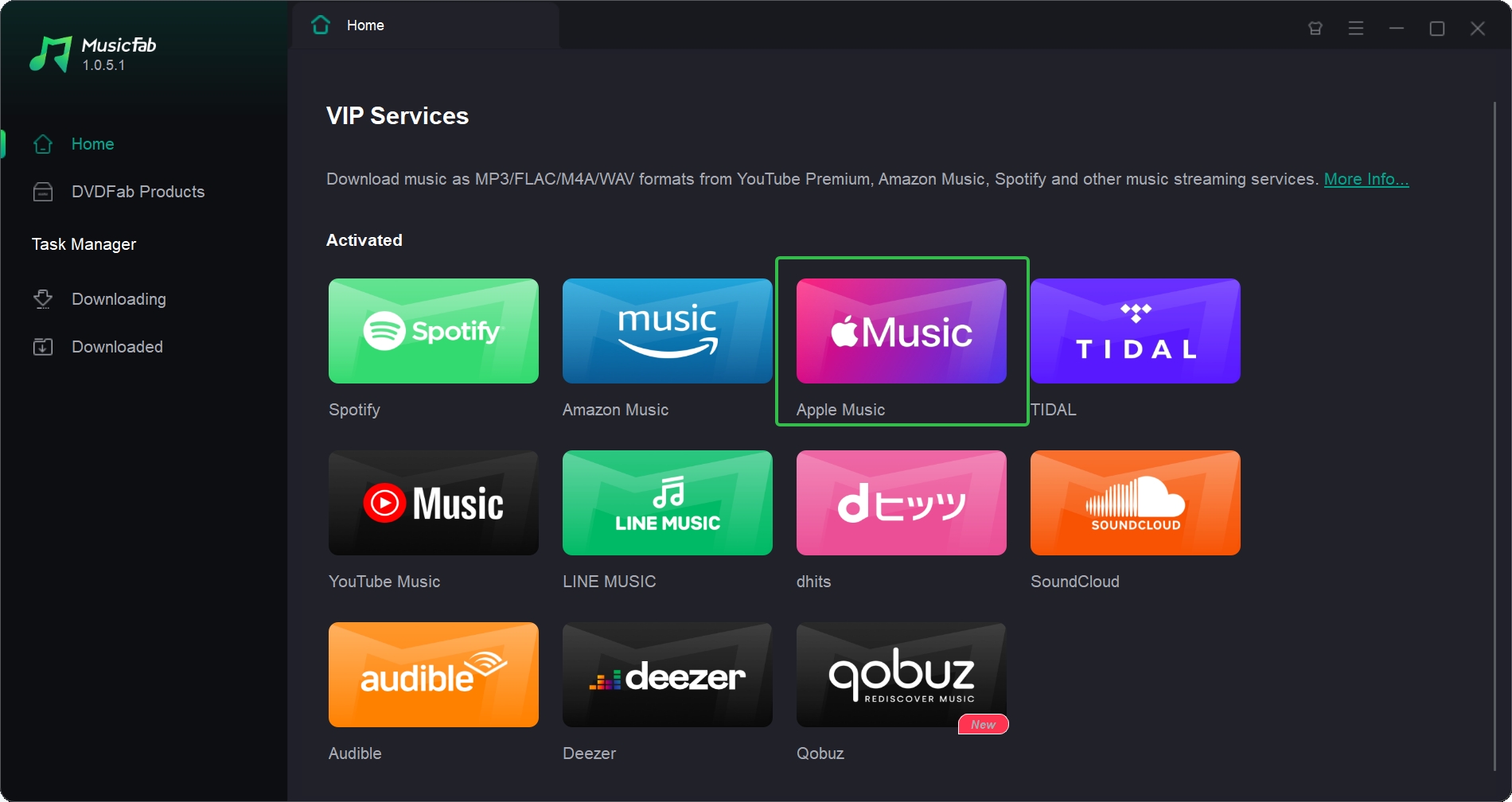
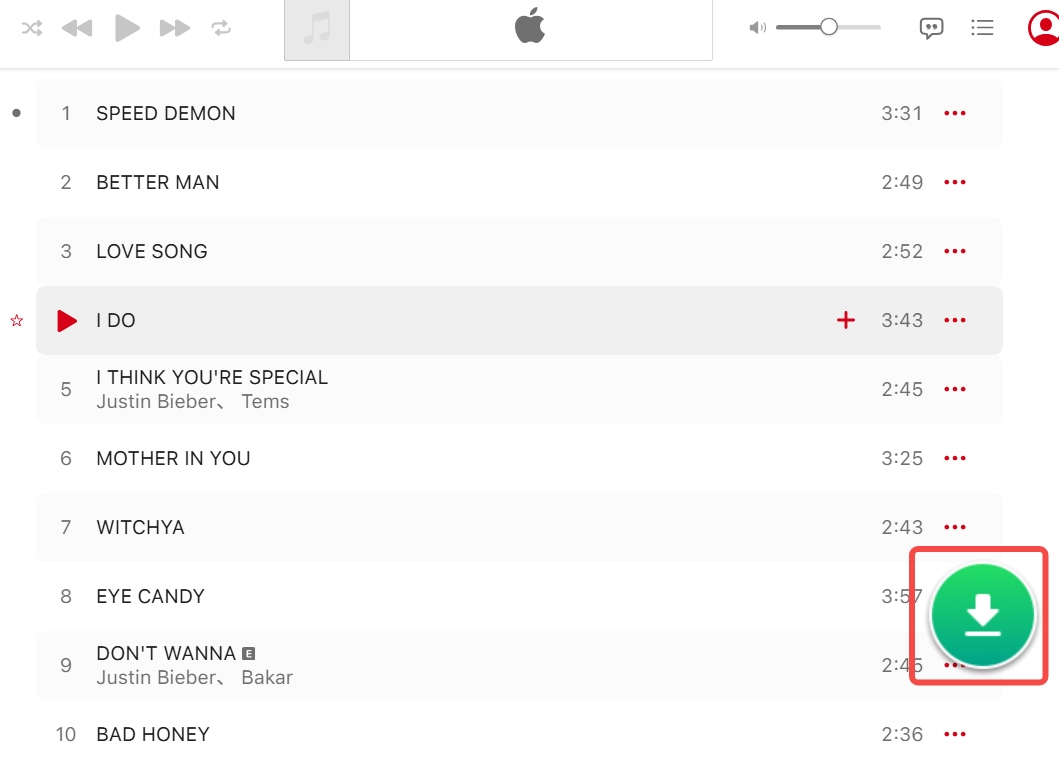
2. Sign in through the built-in browser, then open and select the song, album, or playlist.
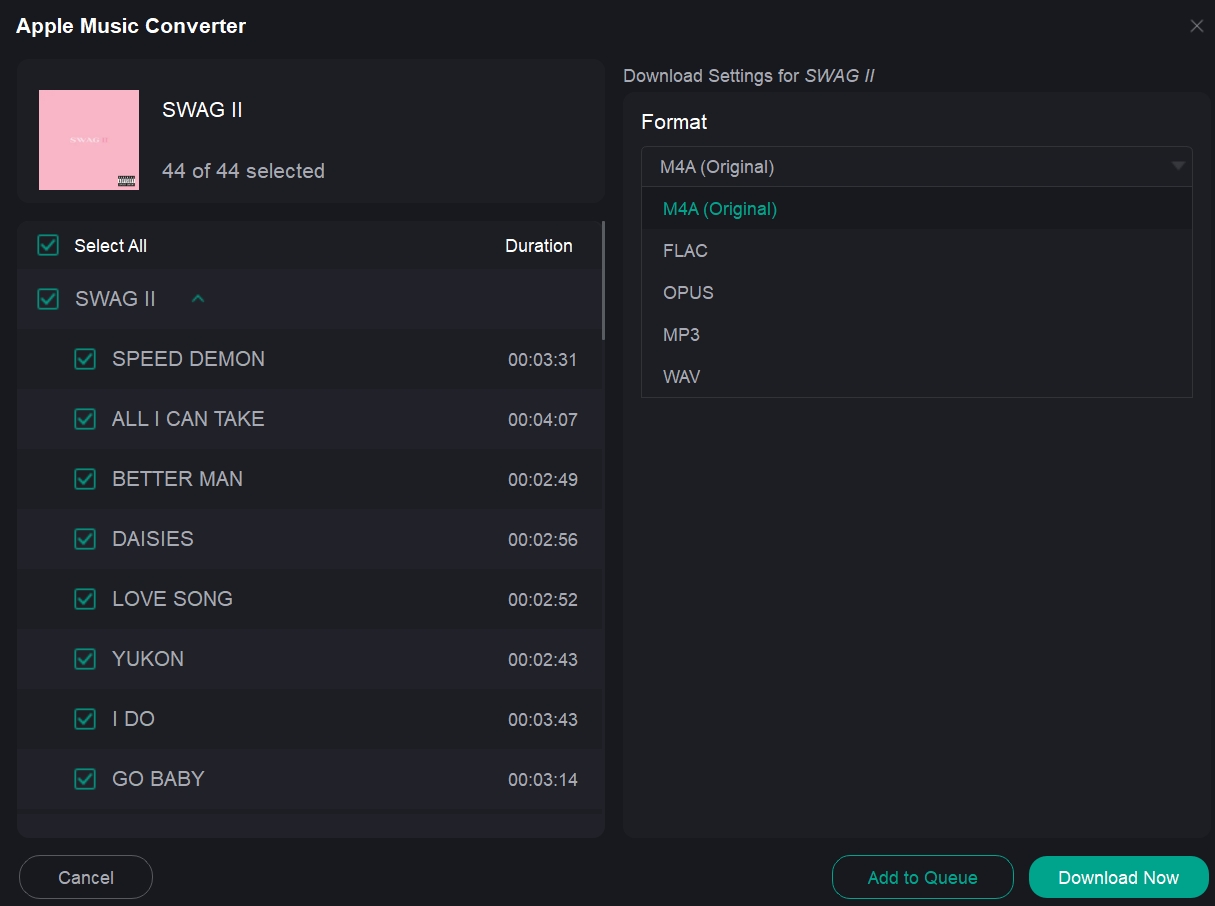
3. Choose MP3 or another supported output format, adjust the output settings, then add the selection to the queue.
Use any local output only for authorized personal listening under the applicable terms and law. A compatible local output is not the same as an Apple Music app offline download, which remains app-managed rather than an exportable MP3 file; see listening to Apple Music offline for the separate in-app context.
All Apple Music to MP3 Methods Compared
The comparison below separates verified results, dated observations, current disclosures, and unverified status. That distinction matters more than a large bitrate label because an Apple Music converter 320kbps claim does not identify the source or prove the file's fidelity.
Choose the Route First
Start with the route that matches the source and the file you actually need. Detailed tool notes remain in the sections above.
| Route | Best for | Playlist or batch use | Main limit |
|---|---|---|---|
| Apple Music app or iTunes | Eligible purchased, imported, or ripped local files | Multiple selected local files | Does not export Apple Music subscription downloads |
| Online link tools | An occasional song link and a quick browser check | Usually single-track; playlist support is inconsistent | Source, bitrate, metadata, redirects, and free gates need rechecking |
| MusicFab desktop workflow | Content available through an authorized account when playlist order and local formats matter | Songs, albums, and playlists can be selected together | Requires account sign-in; current formats and plan details should be checked on the product page |
Online Tools: Evidence Snapshot
The labels below separate dated completed results from interfaces or claims that still need a fresh check.
| Tool | Typical scope | Output evidence | Playlist status |
|---|---|---|---|
| APLMate | Single track | Dated MP3 results; advertised bitrate was not consistently measured | No dependable batch result |
| AAPLmusicDownloader | Tracks, albums, and playlists presented | Current format and quality need a direct recheck | Dated ZIP access observation |
| Apple Music Downloader | Single track | MP3 disclosed but not freshly measured | Playlist analysis failed in an earlier check |
| KeepVid | Single-song search or match | Around 128 kbps in dated findings; source match may vary | No playlist support in dated tests |
| AceThinker | Redirected online service | Apple Music-specific output remains unverified | Unverified |
| PasteDownload | Information or service page | A usable Apple Music input and output were not verified | Unverified |
| AplMusicDownloader | Song and playlist links presented | Dated M4A and allowance observations need rechecking | Playlist service presented but not freshly verified |
Reading rule: “Dated” means a prior result exists but may have changed. “Unverified” means the page or claim was visible without a completed, measured Apple Music file. Neither label should be treated as a current recommendation.
Soundloaders is excluded from the peer rows because current roundups treat its Apple Music service as discontinued. The practical upshot is to compare source provenance, completed output, and library organization before comparing headline bitrate.
Frequently Asked Questions
Is converting Apple Music to MP3 legal?
The answer depends on the source and use. Converting an eligible file you own for personal use differs from interfering with platform protections or distributing copyrighted music. Use authorized content only and follow the service terms and applicable U.S. law.
Can I export an Apple Music song directly to the Files app on iPhone?
Not as an ordinary MP3 through a built-in iPhone command when it is an Apple Music subscription track. Eligible local audio can be converted on a Mac or Windows PC, then transferred to the iPhone or iPad as a regular file.
Can I put converted Apple Music songs on an MP3 player?
Yes, if the result is an ordinary local MP3 and the player supports that file. Apple Music's managed subscription downloads are different and are not transferable MP3 files.
Does a 320 kbps download guarantee Apple-quality audio?
No. A 320 kbps setting or label describes an output target, not the source. Check the codec, measured bitrate, sample rate, duration, metadata, and whether the service matched or transcoded audio from somewhere else.
Conclusion: Which Method Fits Your Use Case
Use Apple's built-in method for eligible local files, treat online options as dated observations that need a direct recheck, and use a desktop workflow when you need to manage compatible local output from content available through your authorized account.
- Purchased, imported, or ripped local audio: Use the Apple Music app or iTunes.
- One occasional link: Choose an online option only after confirming the current free gate, redirects, and the downloaded file's properties.
- Playlists and an organized library: A desktop workflow is the better fit when batch order, tags, artwork, lyrics, and format settings are worth managing.
- Apple Music app offline downloads: Keep them separate from a transferable local MP3; they remain app-managed.
My strongest recommendation is not a brand name but a test: inspect provenance and measured output before trusting a “320 kbps” badge. For MusicFab or any other service used with subscription content, keep the use personal, maintain authorized access, and stay within the platform's terms and applicable law.

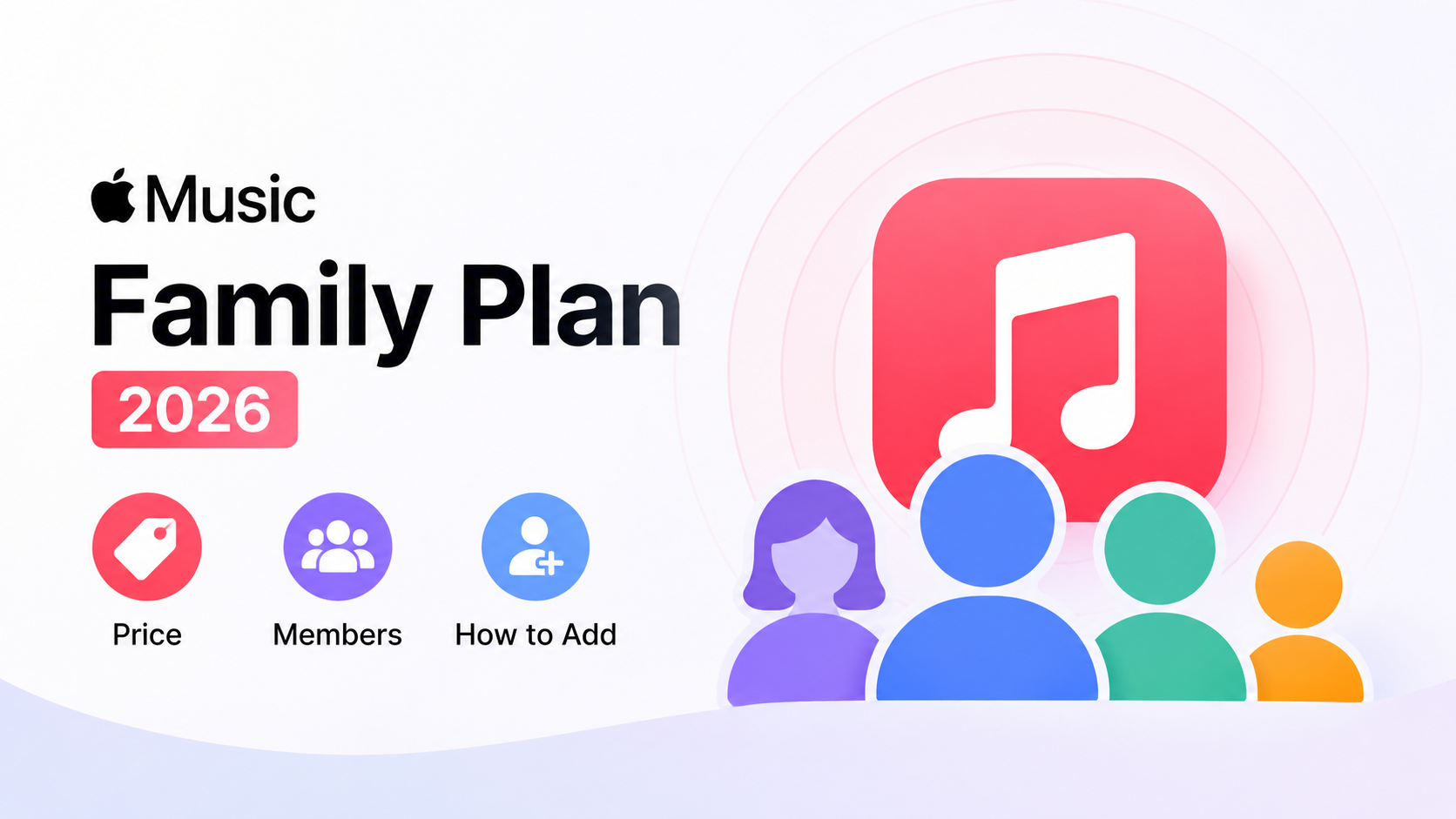
The Apple Music Family Plan costs $19.99 a month in the US for up to six people.
By Jane Chen - Aug 26, 2026

Apple Music's official apps handle offline listening on iPhone, iPad, Android, Mac, and Windows, but those downloads remain app-based. This guide explains device steps, whole-library limits, cancellation effects, and when a MusicFab or online local-file workflow fits better.
By Jane Chen - Aug 18, 2026

Learn the official steps to listen to Apple Music offline on iPhone, Android, Windows, Mac, and Apple Watch, with practical playback fixes and a clear comparison
By Jane Chen - Aug 13, 2026
Compare six FLAC-to-ALAC converter options for Mac and Windows. Find the right workflow for preserving metadata, batch conversion, and confirming an M4A file uses
By Jane Chen - Aug 12, 2026