
9 Apple Music Downloaders Online: Tested & Reviewd (2026 Update)

Summary: This guide separates Apple Music's official offline downloads from local-file workflows, then evaluates two browser services and MusicFab for different library sizes. It also flags stale services, explains quality checks, and gives a practical selection rule for occasional tracks, playlists, and organized collections.
Table of Contents
An Apple Music downloader search usually starts with one frustration: Apple's Download button supports offline listening inside its app, but it does not create ordinary audio files for a personal library. Browser tools add another tradeoff because playlist support, source matching, and output claims are often hard to confirm.
This guide separates those jobs, gives a quick verdict, reviews two online Apple Music downloader workflows, explains a desktop option for larger libraries, and checks four services that should not be treated as current recommendations. My rule is simple: match the tool to the library size, then verify the actual file rather than trusting a label.
Quick Overview: Apple Music Downloaders Work in 2026
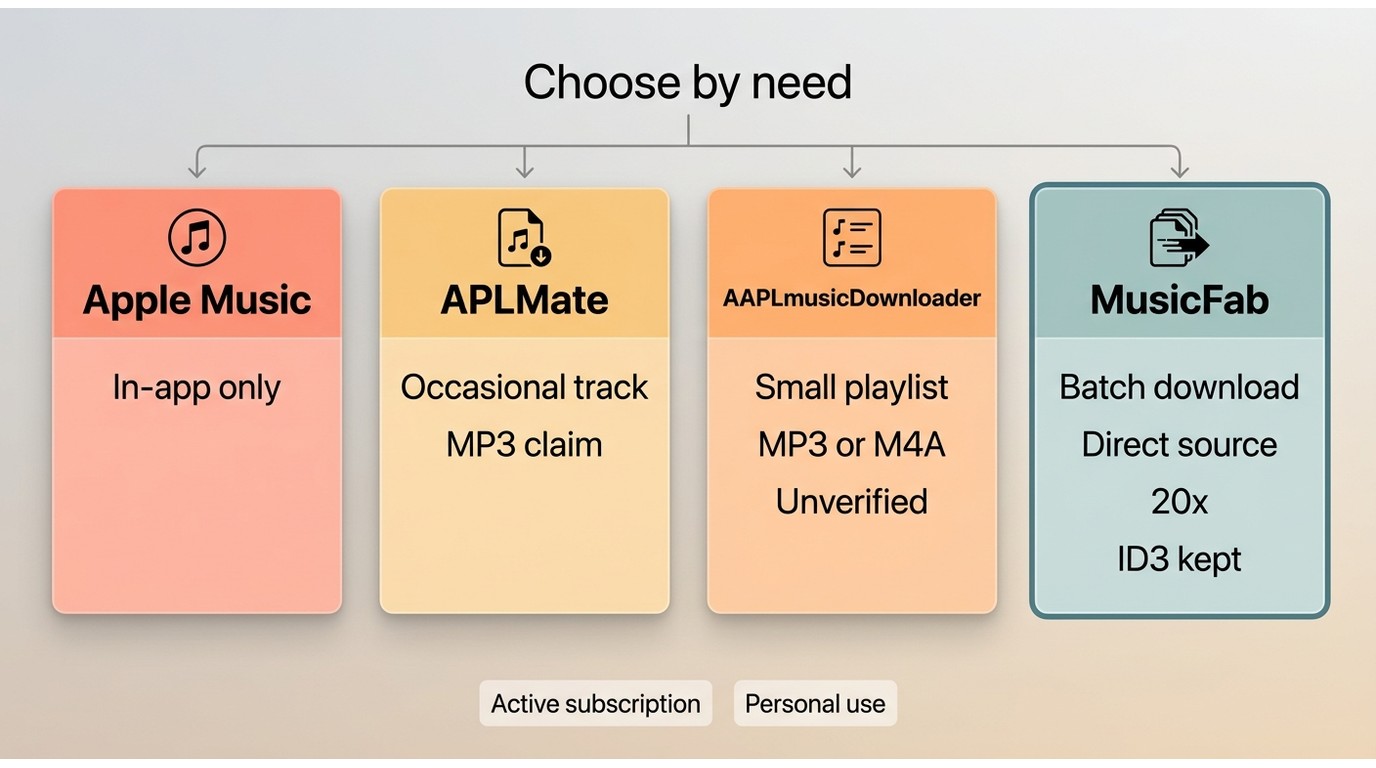
Use Apple Music's official downloads for routine in-app offline playback. For an occasional track, a current browser service may be enough. For a larger, organized local library, a desktop Apple Music download tool offers more control, but it also requires installation and a more deliberate workflow.
The detailed checks below cover APLMate for occasional tracks and AAPLmusicDownloader for playlist attempts. Readers managing a broader collection can jump to the desktop library workflow.
Official Downloads vs Local Files
An Apple Music online download made through Apple's own app stays inside the Apple Music account and app environment. It is the right route for offline playback while the subscription is active, not a way to export MP3, WAV, or FLAC files.
A separate local-file workflow serves a different need: organizing authorized tracks in standard formats for personal use, where platform terms and applicable law permit it. That distinction matters more than whether a page calls itself an Apple Music song downloader.
What We Tested in July 2026
As of July 2026, this ledger separates page reachability from conversion evidence. It checks the submitted link type, single-track and playlist status, output claims, metadata, limits, redirects, and account handling.
| Apple Music Downloader Comparison (Updated July 2026) | ||||||
|---|---|---|---|---|---|---|
| Candidate | Type | Status | Output Formats | Batch Support | Best Fit | Limitations |
| Apple Music official downloads | Official in-app offline feature | Available to eligible subscribers | App-managed offline media | Albums and playlists can be saved for offline listening inside the app | Users who only need offline playback in Apple Music | Cannot export standard local audio files such as MP3 or FLAC |
| APLMate | Online Apple Music URL downloader | Site available; current output result requires verification | MP3 claim | Better suited for individual tracks; playlist workflows require repeated actions | Occasional single-track downloads without installing software | Large playlists are inconvenient and output quality should be checked |
| AAPLmusicDownloader | Online playlist downloader | Active, but reliability varies by workflow | MP3 and M4A claims | Supports ZIP batch downloads with limitations | Users testing small playlists or M4A output | Current limits, completion rate, and metadata retention should be verified |
| MusicFab Apple Music Converter | Desktop Apple Music converter | Documented current product | MP3, M4A (AAC), WAV, FLAC, and OPUS | Supports batch handling for albums and playlists | Users building larger organized personal music libraries | Requires desktop installation and an active Apple Music subscription for authorized content |
The practical takeaway is that the official feature has the lowest workflow overhead, browser services trade consistency for convenience, and a desktop workflow trades installation and cost for batch organization. I would not rank a candidate from a displayed bitrate alone; the file's codec, measured bitrate, source match, and tags matter together.
APLMate: Suited to Occasional Single Tracks
- website: https://aplmate.com/
The APLMate Apple Music downloader is most sensible as an occasional Apple Music URL downloader, not as a large-playlist solution. Its browser-first flow is easy to understand, but the available material does not support calling it the top choice or treating its displayed quality label as a measured result.
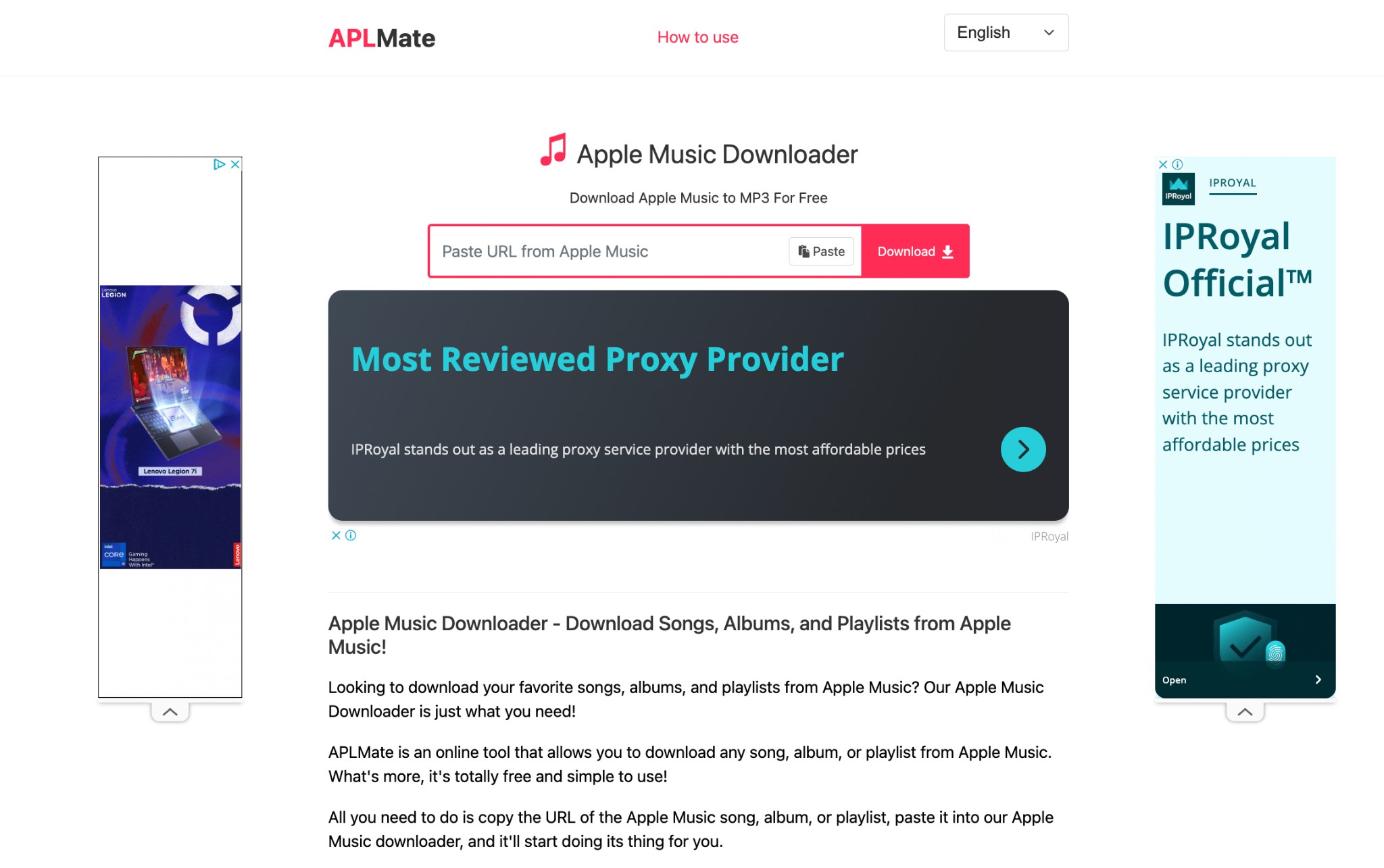
The documented APLMate online downloader flow accepts Apple Music links and offers a download action for individual results. A displayed "320 kbps" choice makes it relevant to searches for an Apple Music downloader 320 kbps option, but that label does not prove source provenance or lossless quality.
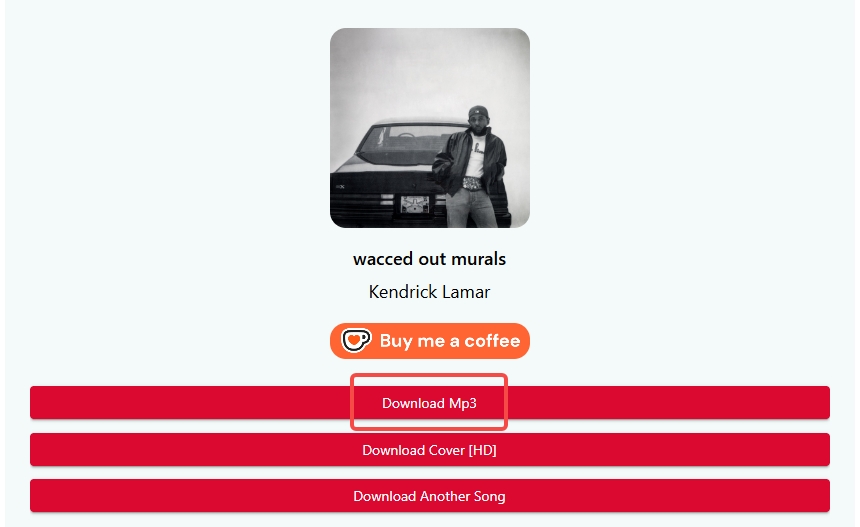
Good fit: someone handling an occasional song without installing software.
Less suitable: anyone expecting an Apple Music playlist downloader to package a large list automatically, because the documented process returns to manual track-level actions.
How to Download Songs With APLMate
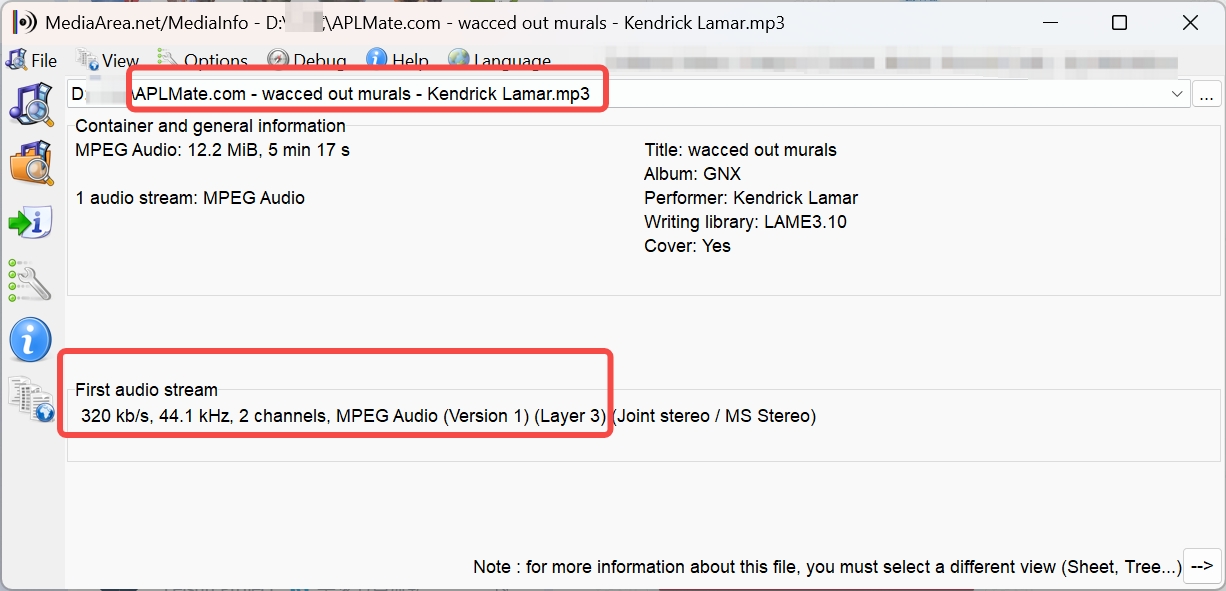
The process is short, but inspect the resulting file before adding it to a library. A correct title in the result list is not enough to confirm the exact release, codec, or embedded metadata.
- Open the song in Apple Music, choose Copy Link, and paste the URL into APLMate.
- Run the analysis and match the result to the correct artist, album, and version.
- Select the available MP3 action, then inspect the downloaded file's codec, bitrate, artwork, and tags.
- Repeat the process for each track if the submitted URL represents an album or playlist.
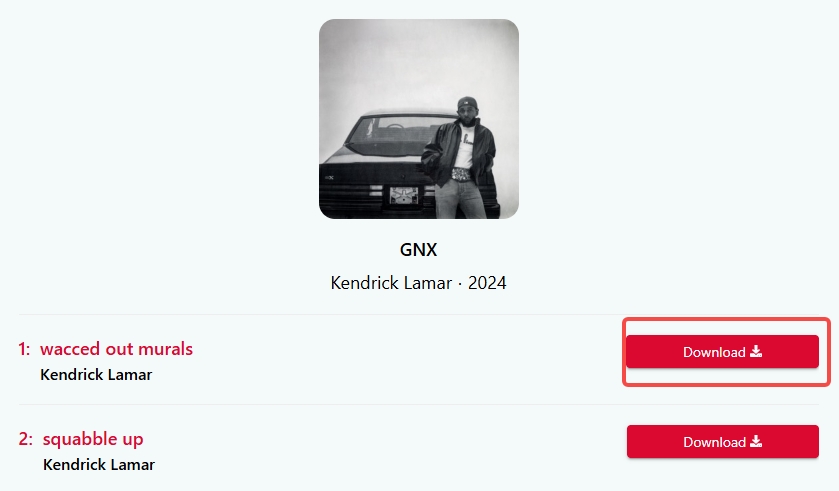
My judgment is use-case based: the low setup cost helps with a single track, while the repeated clicks become the main limitation as the queue grows.
AAPLmusicDownloader(Online & Batch ZIPs & M4A Support)
- website: https://aaplmusicdownloader.com/
For users who prefer Apple's native audio format, AAPLmusicDownloader (also known as AppleMusicMP3) is a standout online Apple Music playlist downloader. Beyond converting Apple Music to MP3, it also supports M4A (AAC) output. It also features a unique ZIP batch download function, allowing you to grab multiple tracks at once, though with some limitations for free users.
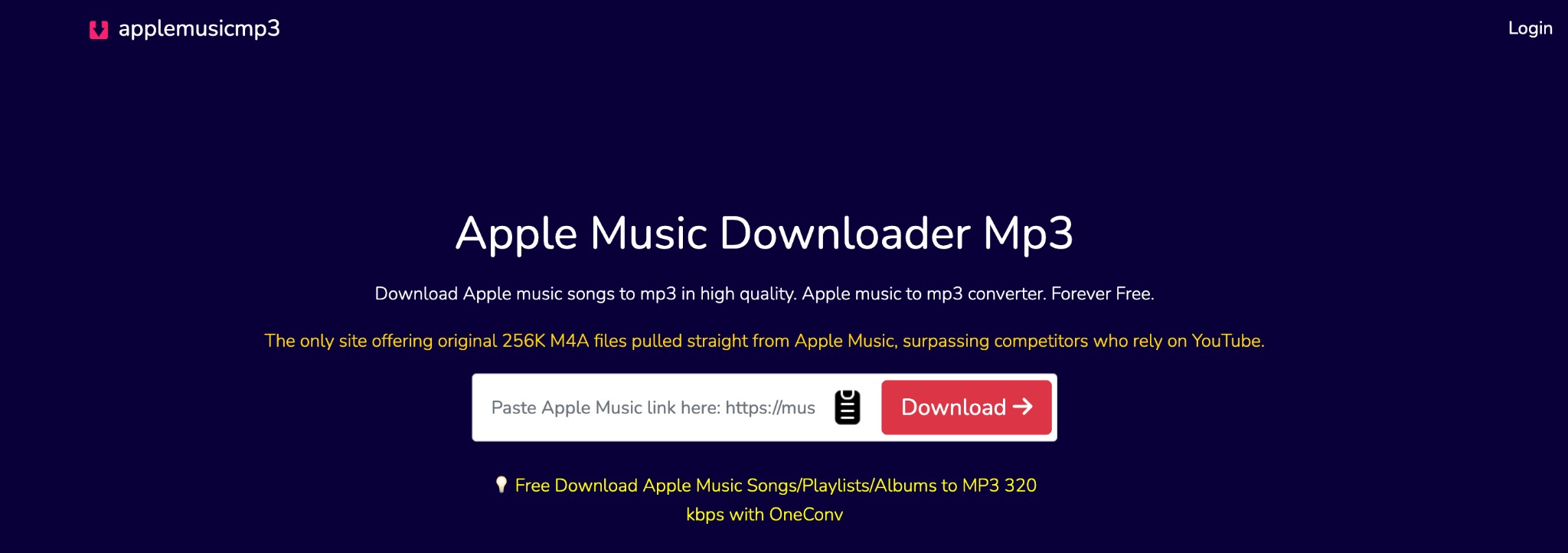
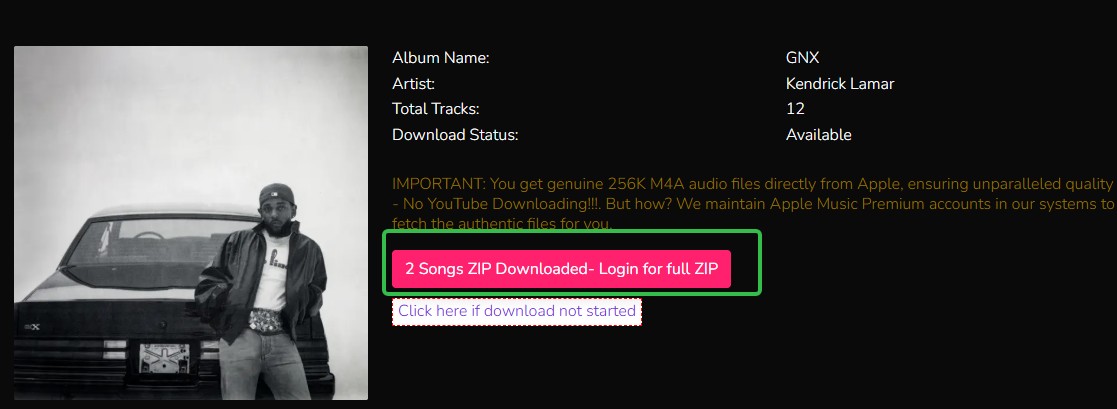
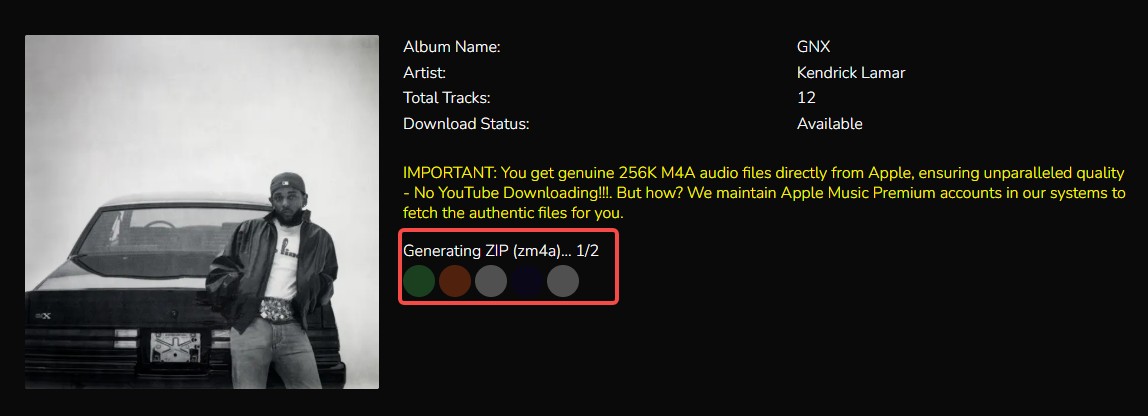
Our Experience: MediaInfo analysis confirms this tool delivers high-quality 265 kb/s AAC files, making it excellent for audiophiles who want M4A. However, the 2-song limit for free users makes it less ideal for backing up large playlists unless you upgrade.
Pros:
- Supports both 256 Kbps M4A (Apple's native format) and 320 Kbps MP3
- Can package multiple songs into a single ZIP file
- Offers multiple bitrate choices for MP3s (up to 320kbps)
- Relatively straightforward interface compared to ad-heavy competitors
Cons:
- Server response times can be sluggish; generating download links takes time
- Free users are limited to batch downloading only 2 songs per ZIP. Unlocking full playlist downloads requires a paid subscription ($8.99/month).
- The process involves more clicks (generating links -> selecting quality -> downloading) than simpler tools like APLMate.
How to download Apple Music songs with AAPLmusicDownloader
- Step 1: Copy the link of your desired song or playlist from Apple Music.
- Step 2: Paste the link in the dedicated link pasting bar > it will analyze and show you the result as below.
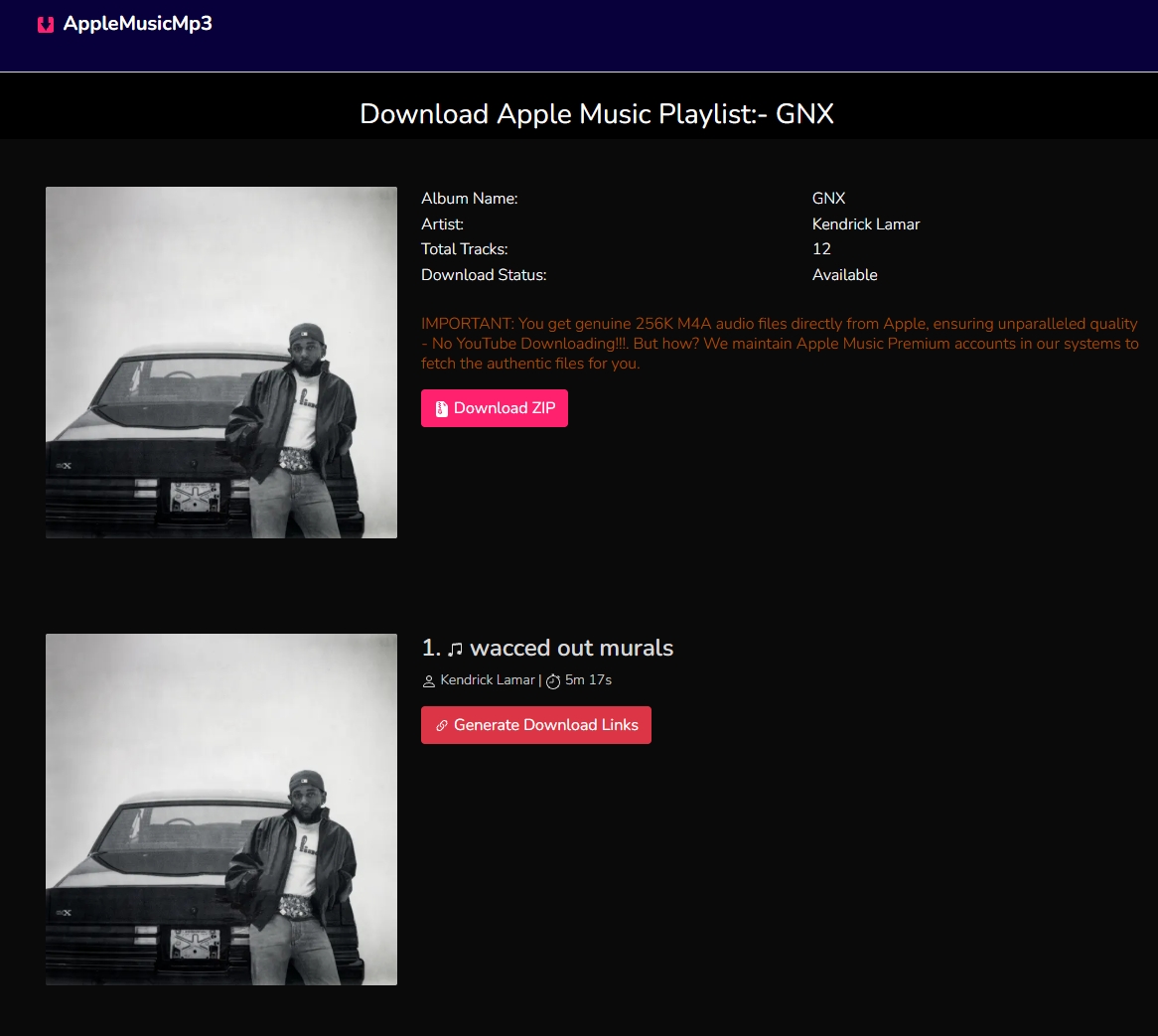
- Step 3: Click the Generate Download Link button or Download ZIP button > choose your format and audio quality.
- For M4A: it automatically downloads the best quality
- For MP3: select your desired bitrate (e.g., 320kbps, 192kbps) from the dropdown menu to start the download.
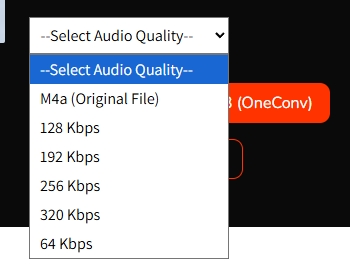
- Step 4: The site will process the tracks (showing "Generating ZIP..."). Once ready, the download will begin automatically.
MusicFab: Desktop Choice for Large Libraries
For content you're authorized to access, where permitted by platform terms and applicable law, MusicFab provides a desktop local-file workflow for active Apple Music subscribers managing larger personal libraries. It uses direct source download technology and runs on Windows and macOS.
Its relevant strengths here are batch handling, format choice, and library organization. MusicFab can save authorized tracks as MP3, M4A (AAC), WAV, FLAC, or OPUS, with output up to 320 kbps and 24-bit/44.1kHz where the source and format support it. It also retains ID3 tags, artwork, track numbers, and .lrc lyrics.
The MusicFab Apple Music Converter includes a 30-day trial covering three full songs. That is enough to check a real file and its metadata before considering a paid plan, without turning the trial into a promise about every source track or network environment.
Good fit: a larger, organized collection where batch jobs and metadata reduce manual cleanup.
Less suitable: someone who wants one occasional song in a browser and does not want to install desktop software. That limitation is real, and it should carry as much weight as the richer format support.
How to Download Apple Music Songs With MusicFab
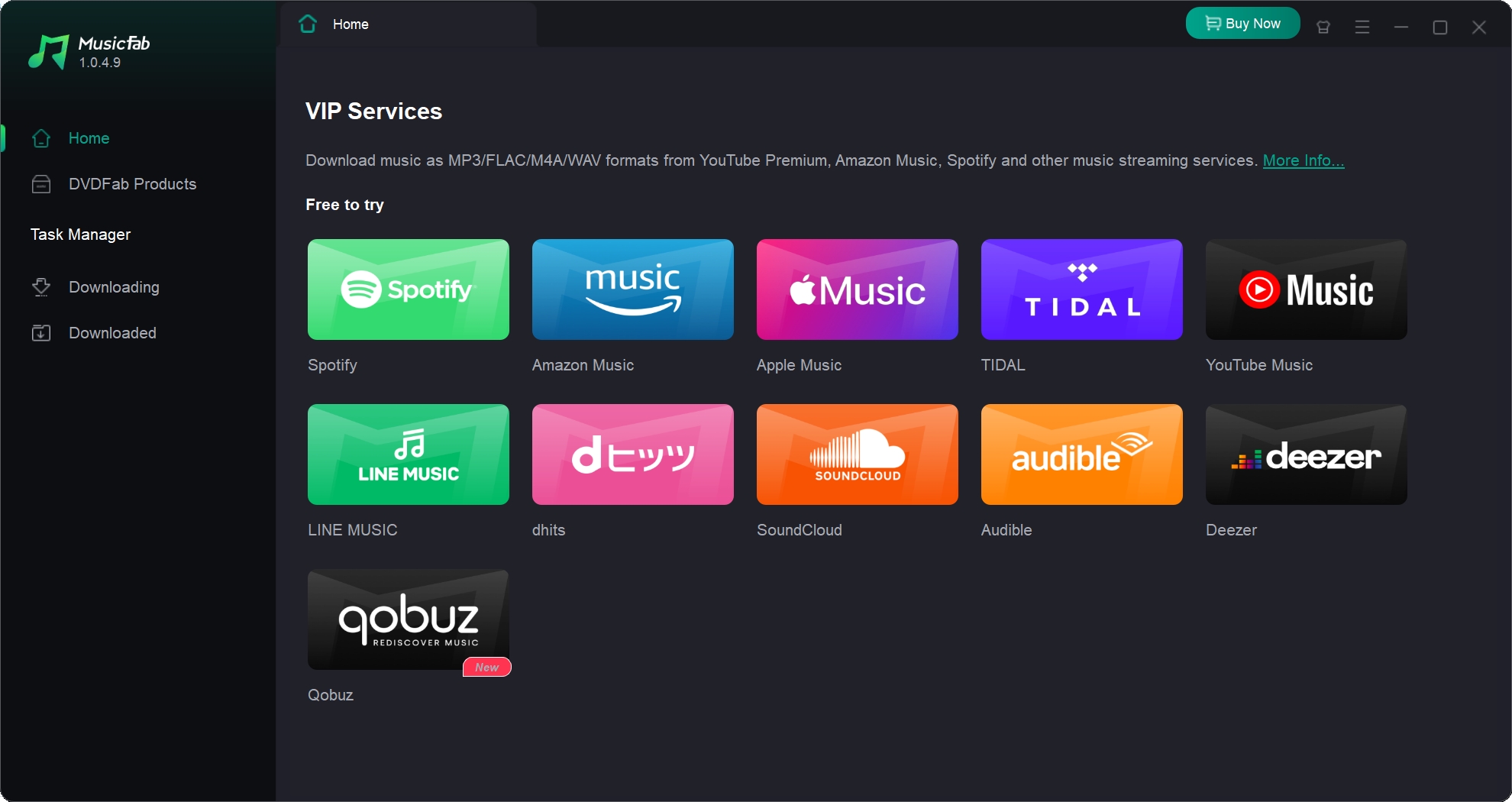
Step 1: Open MusicFab and go to the main interface, and select “Apple Music.” Then, log in to your Apple Music account.
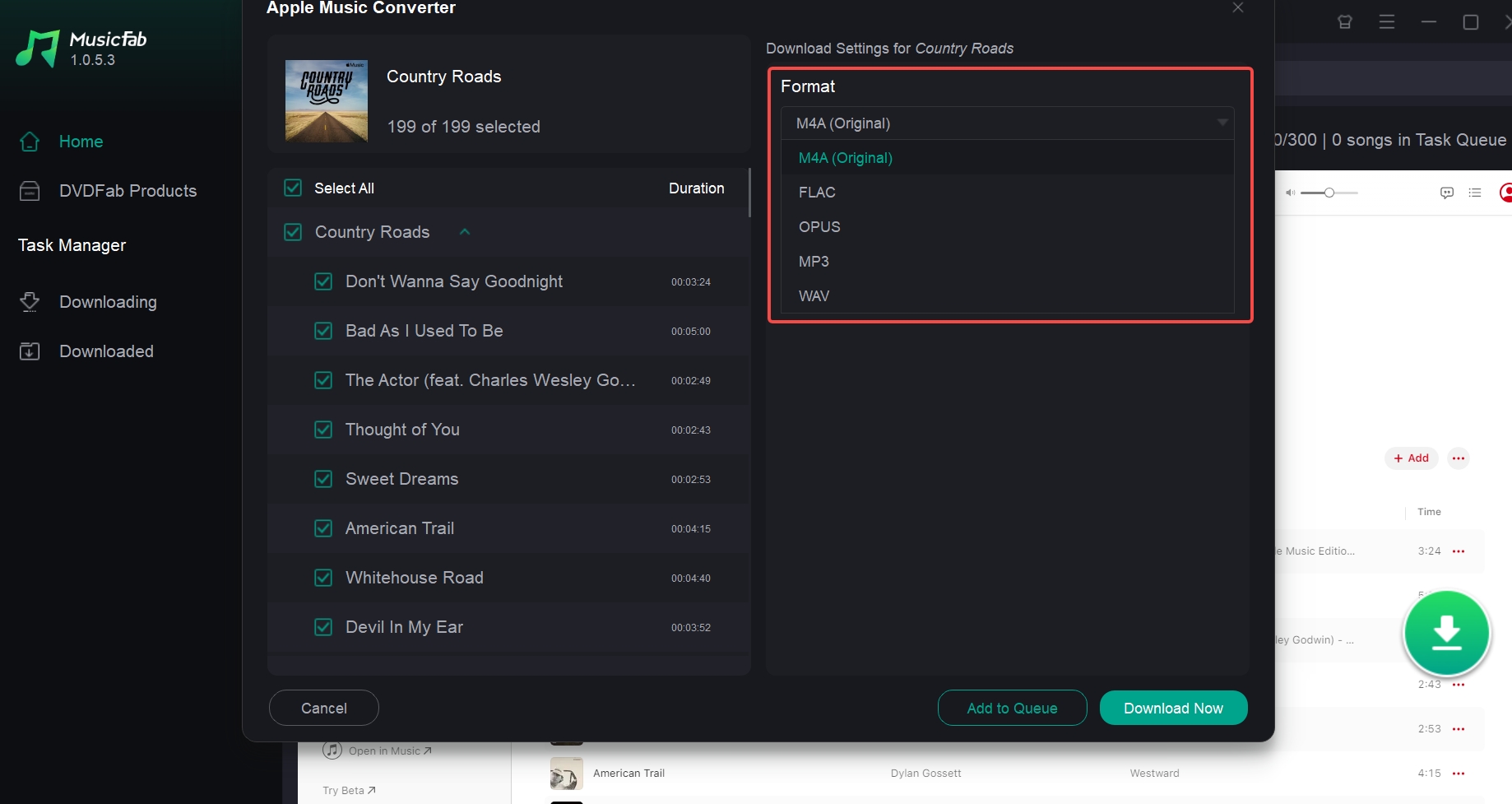
Step 2: Use the built-in browser to select an Apple Music song for downloading. Click the Arrow button in the bottom-right corner, MusicFab will automatically analyze the information about your selected music.
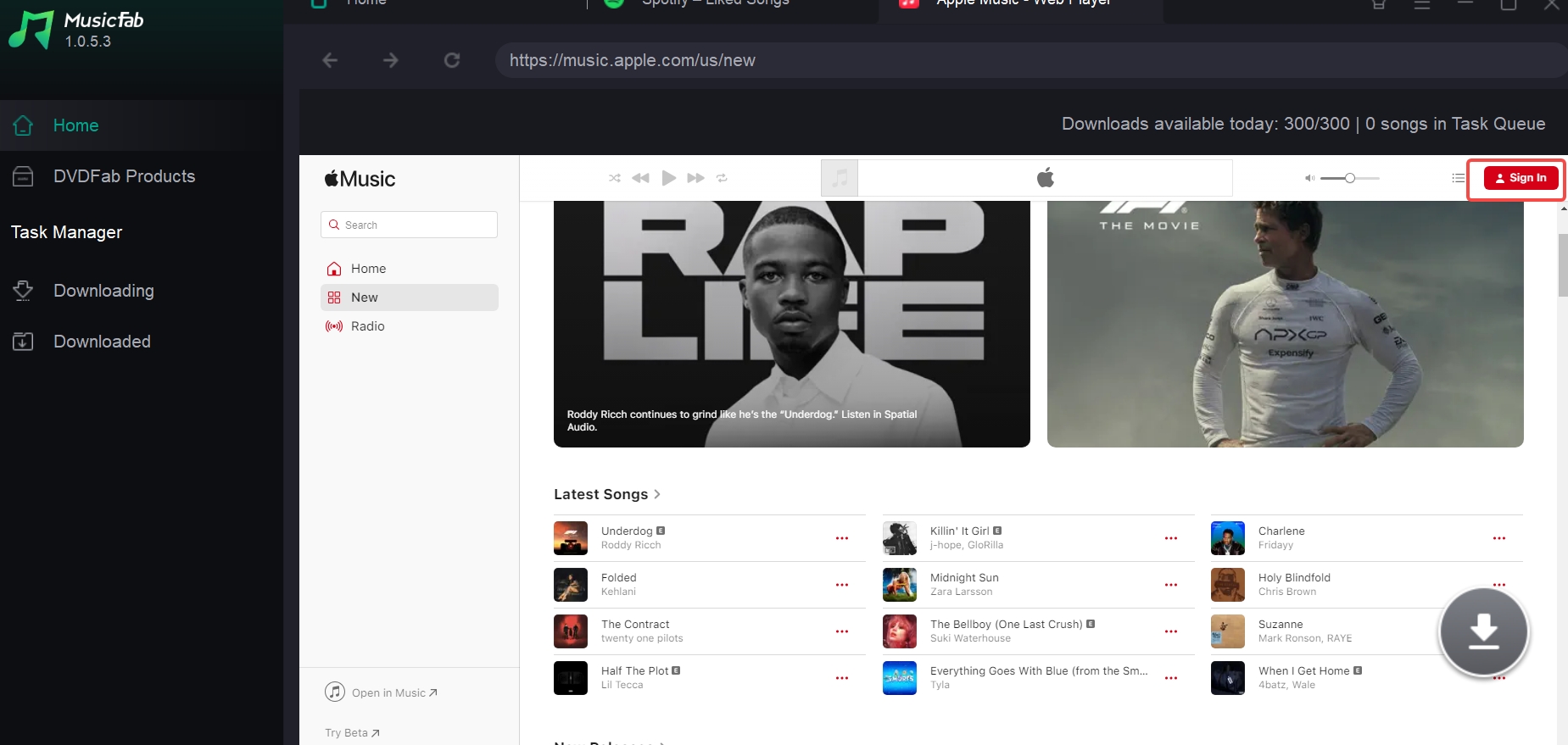
Step 3: A panel will pop up. Here, you can pick the output format and quality. After that, select the “Download Now” option to complete the downloading process.
Online Apple Music Downloaders vs MusicFab
An online Apple Music downloader reduces setup for a quick track, while MusicFab adds desktop overhead in exchange for batch and organization features. Neither route is universally better: frequency, playlist size, file inspection, and tolerance for redirects should decide.
- Occasional track: APLMate has the lighter workflow, provided the downloaded file passes a source and metadata check.
- Small playlist experiment: AAPLmusicDownloader exposes batch controls, but completion, current limits, and output should be checked with a short list first.
- Large organized library: MusicFab is built for batches and retained library data, but installation and a paid desktop model are unnecessary overhead for a one-song task.
- Ordinary in-app offline listening: Apple's official feature remains the simpler answer because no exported file is needed.
If MP3 is the specific destination rather than the wider downloader comparison, the focused guide to convert Apple Music to MP3 covers that sibling intent without turning this review into a format tutorial.
The choice is mostly about workflow effort. A browser service may be quicker at the start but slower across many manual tracks; desktop software takes longer to set up but can reduce repeated work on albums and playlists.
Search-Based Tools Are Not Direct Downloaders
A search-based audio finder does not parse an Apple Music file source in the same way as a direct Apple Music link service. It may search another catalog by title, so the result can be a different release, edit, live performance, or cover even when the filename looks right.
Judge these services by source match, codec, measured bitrate, metadata, redirect behavior, and whether they ask for unnecessary credentials. The broader explanation of online YouTube audio search and extraction tools is useful context because many search-based results originate outside Apple Music.
OKmusi
OKmusi is an example of a search-based finder rather than a direct Apple Music song parser. That can work for locating a generic audio match, but it is a weak fit for preserving a specific Apple Music release or its exact metadata.
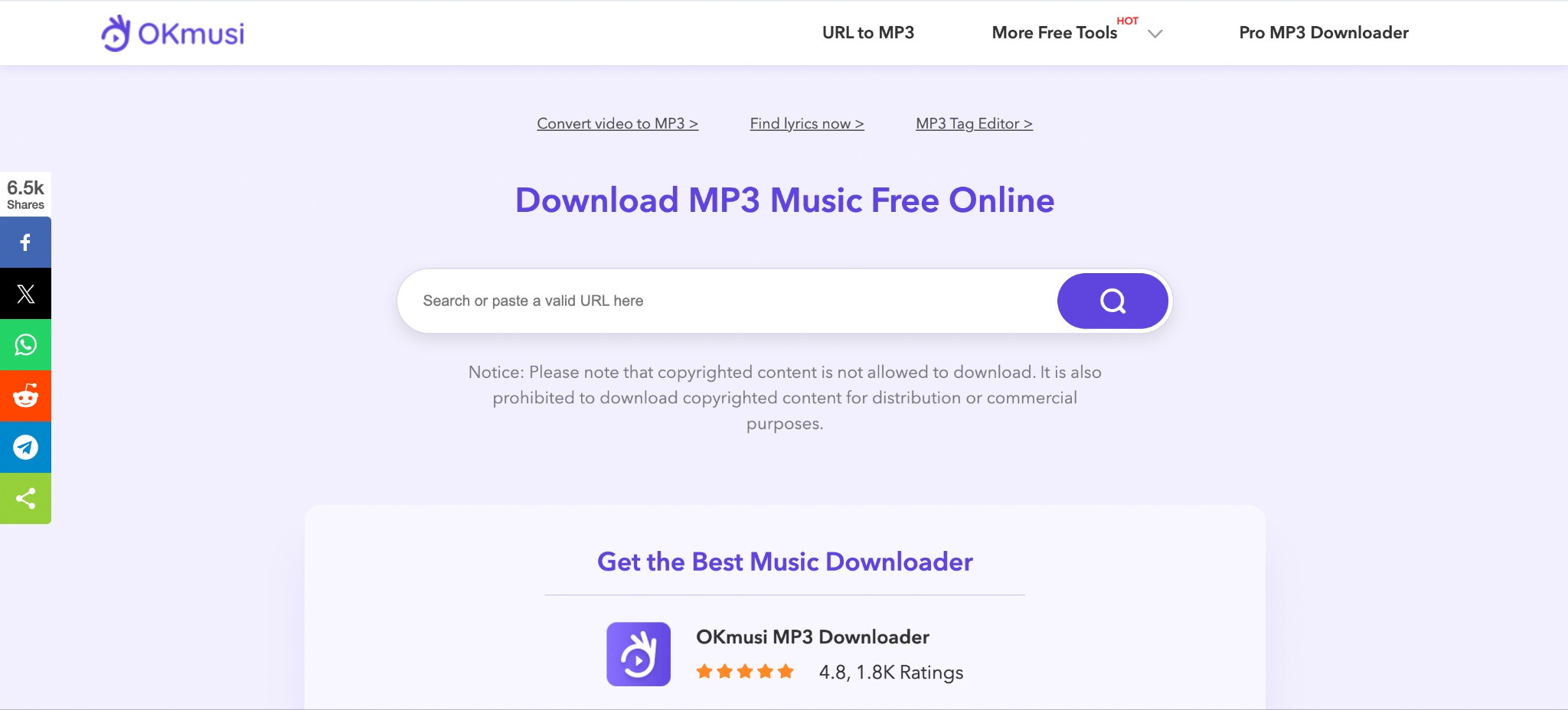
My check would start with the release details, not the bitrate badge. If the artist, album, duration, or artwork does not match, the file is already the wrong library asset regardless of its displayed quality.
Mp3Juice
Mp3Juice also belongs in the search-based category, but the unrelated destination previously associated with it is not retained as an authoritative product link. Without a verified official destination and a matched source file, it should not be treated as a current Apple Music recommendation.
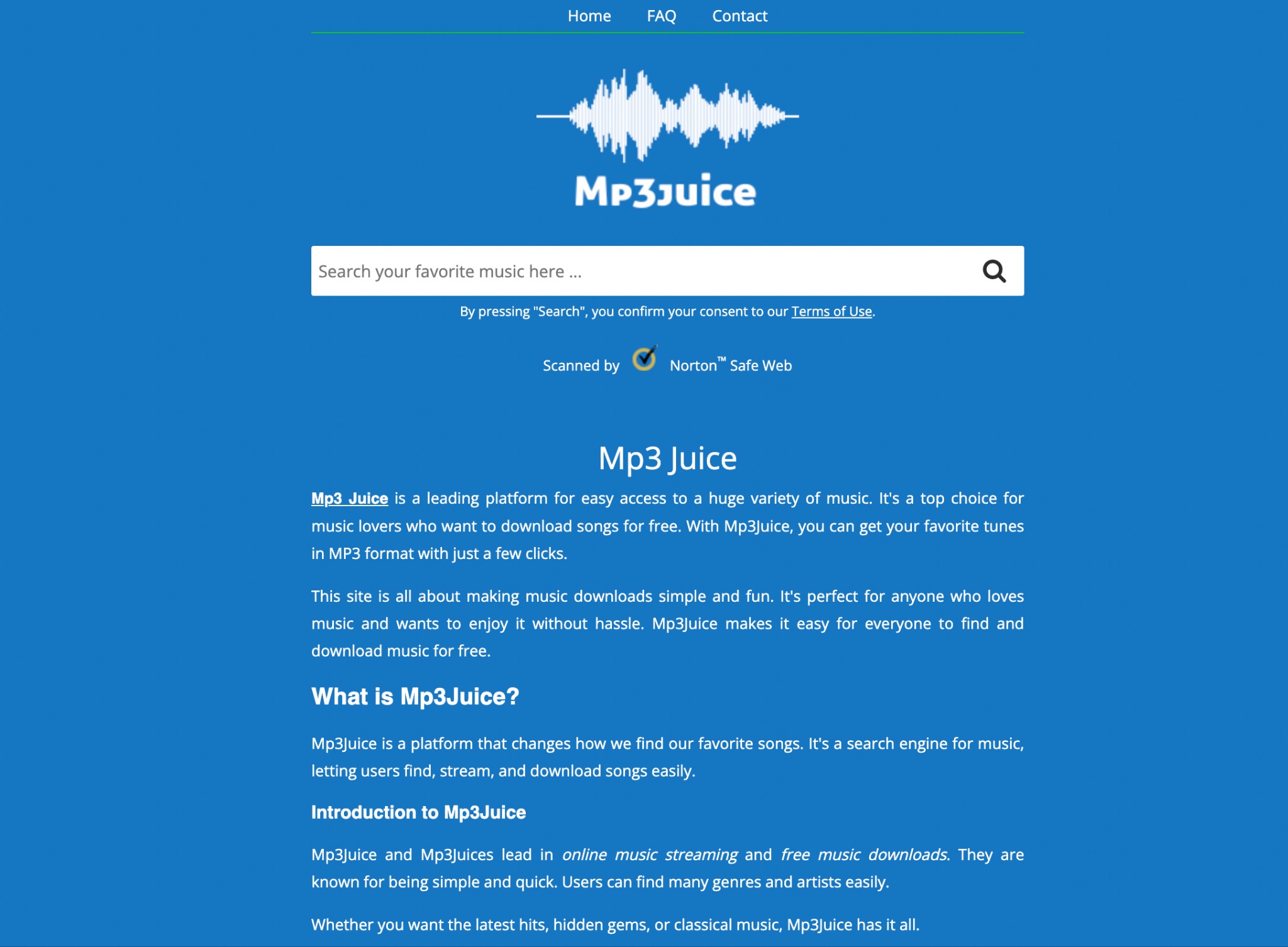
This category may suit someone who only wants a rough title match. It is not appropriate for a carefully tagged Apple Music library where edition, provenance, and metadata matter.
Online Free Apple Music Downloaders (Broken) to Avoid 2026
These tools may still appear in Google search results, but our latest 2026 testing confirms they are either dead, dangerous, or completely non-functional. Save your time and avoid them.
| Broken Apple Music Downloader list (Updated February 2026) | ||||||||||||||||||||||||||||||||||||||||||||||||||||||||||||||||||||||||||||||||||||||||||||||||||
|---|---|---|---|---|---|---|---|---|---|---|---|---|---|---|---|---|---|---|---|---|---|---|---|---|---|---|---|---|---|---|---|---|---|---|---|---|---|---|---|---|---|---|---|---|---|---|---|---|---|---|---|---|---|---|---|---|---|---|---|---|---|---|---|---|---|---|---|---|---|---|---|---|---|---|---|---|---|---|---|---|---|---|---|---|---|---|---|---|---|---|---|---|---|---|---|---|---|---|
| Tool | Status | Reason | Website | |||||||||||||||||||||||||||||||||||||||||||||||||||||||||||||||||||||||||||||||||||||||||||||||
| KeepVid Apple Music Downloader | ❌ | Failed to analyze links | https://keepvid.ch/apple-music-new4 | |||||||||||||||||||||||||||||||||||||||||||||||||||||||||||||||||||||||||||||||||||||||||||||||
| Apple Music Playlist Downloader (pvx.onrender) | ❌ | Extremely slow or often asleep | https://apple-playlist-downloader-pvx.onrender.com/ | |||||||||||||||||||||||||||||||||||||||||||||||||||||||||||||||||||||||||||||||||||||||||||||||
| Apple Music MP3 Downloader | ❌ | Failed to analyze links | https://apple-music-downloader.com/ | |||||||||||||||||||||||||||||||||||||||||||||||||||||||||||||||||||||||||||||||||||||||||||||||
| Soundloaders | ❌ | Page expired or redirected |
https://www.soundloaders.com/apple-music-downloader/
| |||||||||||||||||||||||||||||||||||||||||||||||||||||||||||||||||||||||||||||||||||||||||||||||
FAQs
Can I download an entire Apple Music playlist at once?
Apple Music can make an album or playlist available offline inside its own app. A browser Apple Music playlist downloader may impose manual steps or batch limits, while a desktop workflow can handle larger queues but needs storage, installation, and a sample-file check. For a large playlist, I would choose the route that preserves track count and metadata before scaling up.
Which Apple Music downloaders are trustworthy?
Look for a dated status, clear limits, minimal redirects, no unnecessary request for Apple credentials, and a file you can inspect for source match, codec, bitrate, and tags. I trust a modest tool with a verifiable result more than an Apple Music downloader online free page that promises everything without showing its boundaries.
Can an online downloader save genuine lossless audio?
A “320 kbps” label is not lossless, and it does not prove the source or measured output. Check the actual codec, bitrate, release match, and metadata. An Apple Music WAV downloader may create a WAV container without creating new source detail, so I would not infer quality from the extension alone.
What happens to official Apple Music downloads if I cancel?
Official downloads are designed for offline playback inside the Apple Music app and remain tied to the subscription and account. Standard local files belong to a different authorized personal-library workflow. The practical distinction is where playback is managed, not a promise of continued access after a subscription ends.

The Apple Music Family Plan costs $19.99 a month in the US for up to six people.
By Jane Chen - Aug 26, 2026

Apple Music's official apps handle offline listening on iPhone, iPad, Android, Mac, and Windows, but those downloads remain app-based. This guide explains device steps, whole-library limits, cancellation effects, and when a MusicFab or online local-file workflow fits better.
By Jane Chen - Aug 18, 2026

Learn the official steps to listen to Apple Music offline on iPhone, Android, Windows, Mac, and Apple Watch, with practical playback fixes and a clear comparison
By Jane Chen - Aug 13, 2026
Compare six FLAC-to-ALAC converter options for Mac and Windows. Find the right workflow for preserving metadata, batch conversion, and confirming an M4A file uses
By Jane Chen - Aug 12, 2026