
Amazon Music vs Spotify in 2026: 7 Differences That Matter.

Summary: Amazon Music and Spotify cost nearly the same in the United States, but they serve different listening habits. This guide compares lossless playback paths, catalogs, app reliability, Alexa and Spotify Connect, free and family plans, and the drawbacks that determine which service is easier to live with.
Table of Contents
Amazon Music vs Spotify looks like a price tie until daily habits expose the real split: Amazon Music Unlimited fits Prime, Alexa, and higher-resolution playback paths, while Spotify Premium is easier to favor for discovery, sharing, and device handoff.
As a music-software reviewer, I treat Amazon Music Unlimited vs. Spotify Premium as a friction decision, not a specification contest. This comparison moves from US pricing to sound, catalog fit, app reliability, devices, and the drawbacks that can overturn an obvious first choice.
Amazon Music vs Spotify at a Glance
The Amazon Music vs Spotify comparison is close on price but not on daily fit. Amazon favors Prime, Alexa, and the higher maximum lossless ceiling; Spotify favors discovery, social listening, and flexible device handoff.
Seven Differences at a Glance
The seven meaningful differences are US price, lossless ceiling, discovery, catalog fit, app reliability, social use, and device path. Neither service leads on all seven.
| Decision profile | Spotify Premium | Amazon Music Unlimited |
|---|---|---|
| Seven-difference snapshot | Price parity; Lossless on compatible paths; broader discovery; catalog fit varies; broad handoff; strong social collaboration; recommendations can repeat | Prime discount; higher Ultra HD ceiling plus Spatial Audio; focused artist stations; catalog fit varies; Alexa-native devices; fewer social tools; search, sorting, and stability can add friction |
| Better fit for | Discovery, sharing, and frequent device switching | Prime value, Alexa use, and supported hi-res playback paths |
Comparison context: United States market, as of August 2026.
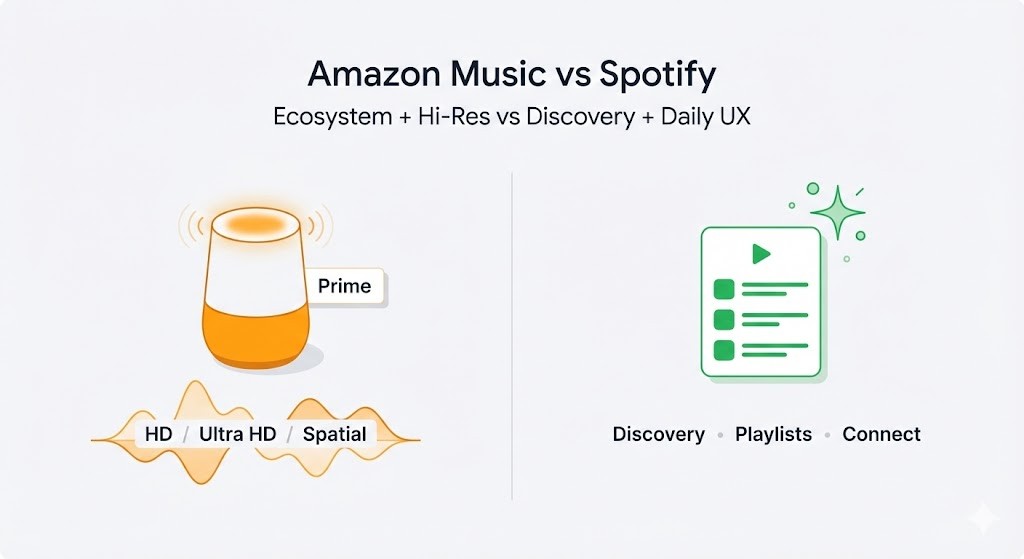
My sharper take is that app friction and device habits decide more listening hours than either headline specification. Price still sets the first boundary, so the next step is separating plans that look similar on the surface.
Plans, Prices, and Prime Value
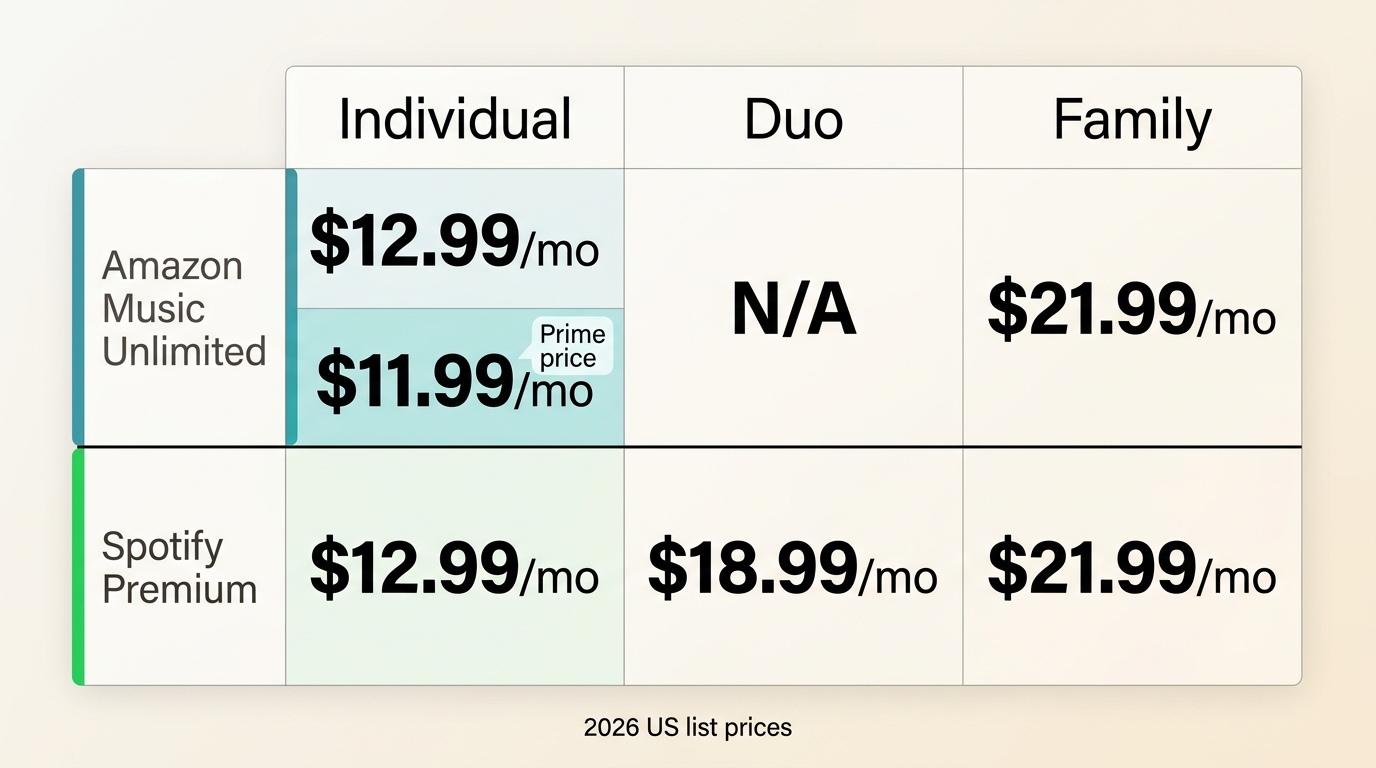
Amazon music costs and Spotify pricing are nearly aligned in the United States, with one meaningful exception: Prime members pay less for Amazon Music Unlimited Individual.
Premium Plans and Prime Discounts
The Amazon Music vs. Spotify Premium billing decision starts with aligned standard individual plans. Amazon discounts its Individual tier for Prime members, while Spotify adds a two-person Duo option.
| Plan (US) | Spotify Premium | Amazon Music Unlimited |
|---|---|---|
| Individual | $12.99/month | $12.99/month for non-Prime customers |
| Prime-member Individual | No separate discount | $11.99/month |
| Duo | $18.99/month | Not offered |
| Family (up to 6) | $21.99/month | $21.99/month |
Spotify Duo is designed for two eligible listeners at one address, so the Spotify Duo eligibility rules matter more than the plan name when comparing it with Amazon's Individual or Family options.
Free Tiers and Playback Control
Amazon Music Free vs. Spotify Free is less about nominal access than playback control. Spotify Free is ad-supported and allows more song-level choice in some contexts; Amazon Music Free centers on ad-supported playlists and stations, while Prime Music is ad-free but often shuffle-led.
- Choose Spotify Free for active sampling: it is generally the more useful route when selecting a particular track matters.
- Choose Prime Music for lean-back listening: it can suit Prime members who want an ad-free stream without paying for Music Unlimited.
The free experience is a preview of each service's habits, not a substitute for comparing the paid plans.
Family Plans and Household Rules
Amazon Music Family vs. Spotify is also aligned on monthly cost for plans covering up to six members, but the household rules and shared-device setup are different.
- Spotify requires plan members to live at the same address, and eligibility can be verified.
- Amazon family invitations are tied to account and marketplace rules, and a member cannot participate in multiple family plans at once.
Neither plan is automatically easier for every household. With prices this close, audio quality is the next tempting tiebreaker, but it matters only through an actual playback path.
Audio Quality in Real-World Listening
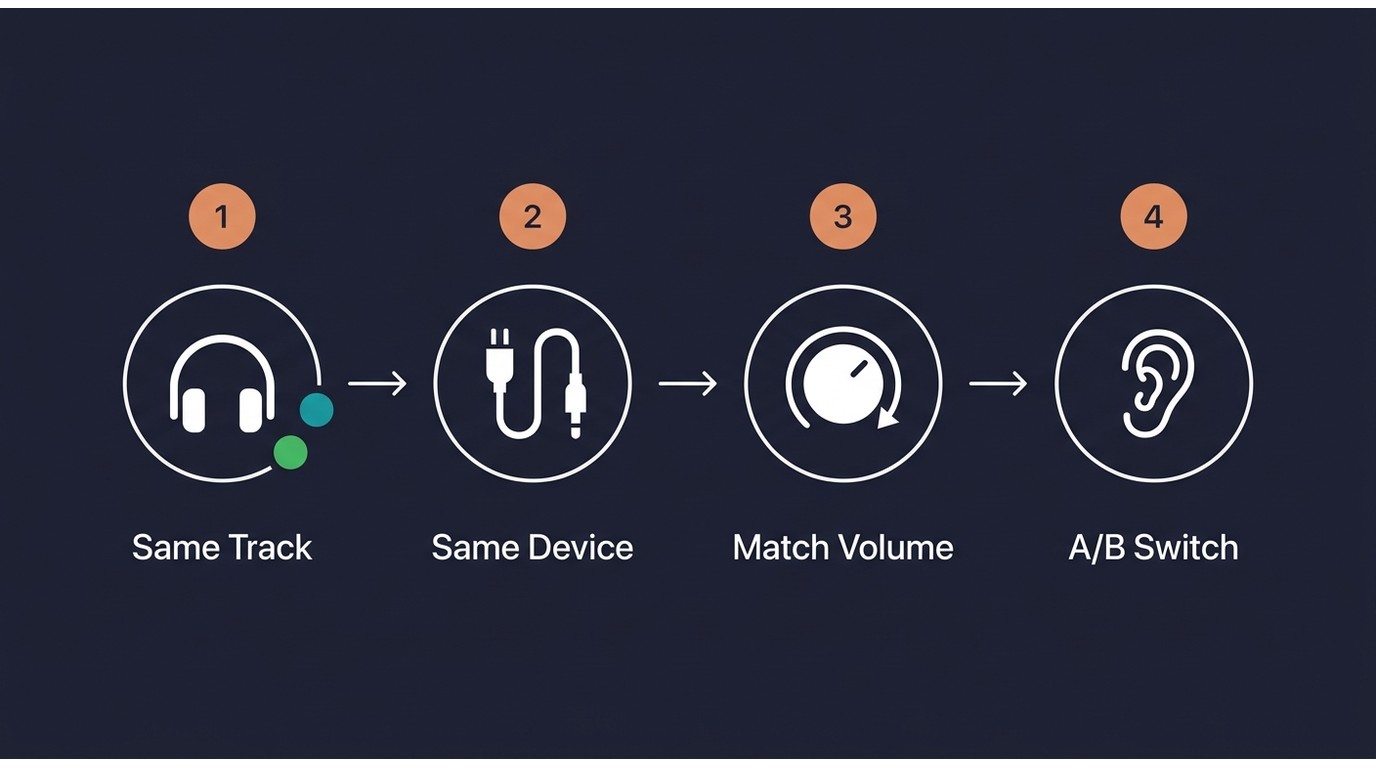
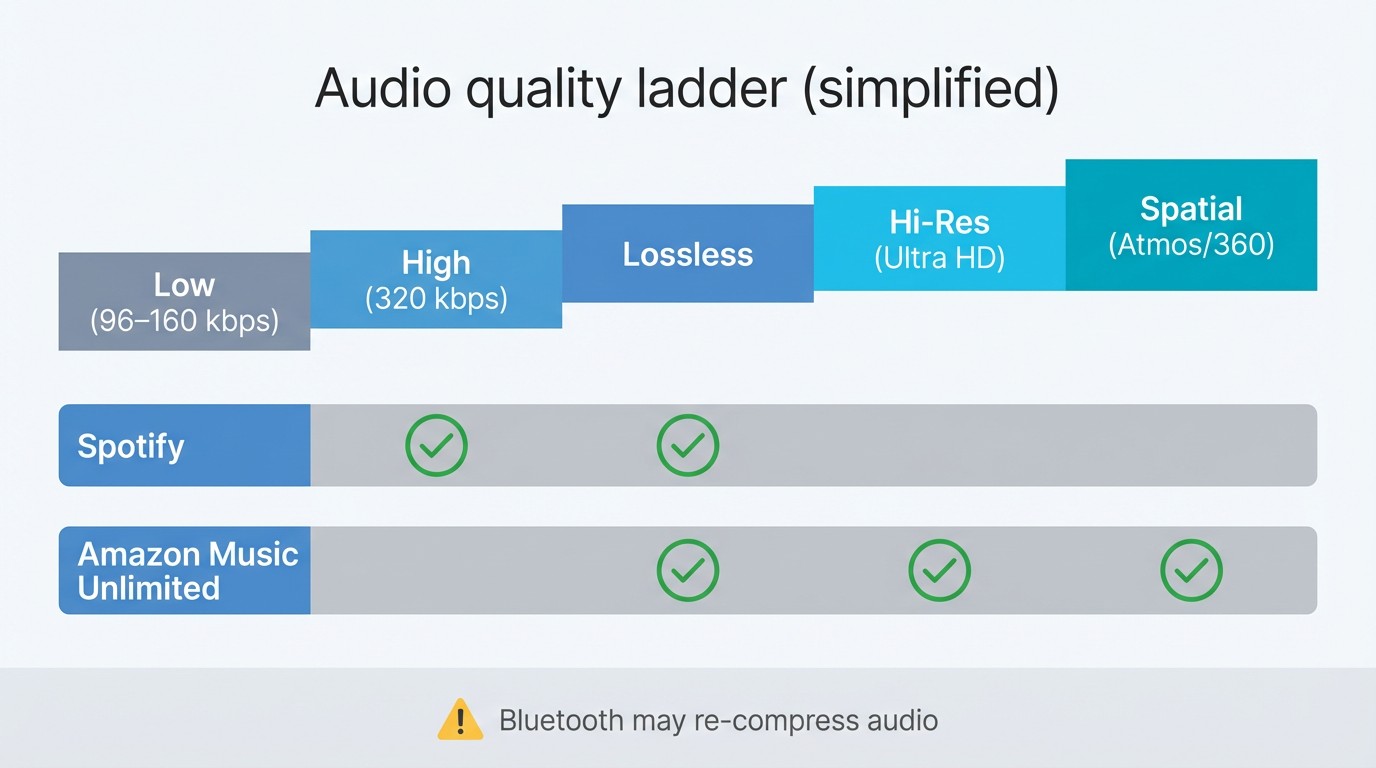
Amazon Music quality vs. Spotify is not settled by the largest number. Amazon reaches a higher Ultra HD ceiling and offers Spatial Audio; Spotify Lossless closes much of the gap when the device, settings, and connection preserve the signal.
Lossless Formats and Maximum Quality
Spotify Lossless vs Amazon Ultra HD compares two lossless tiers with different maximum ceilings on supported content and playback paths. Amazon also offers supported Spatial Audio mixes.
| Playback path | Spotify Premium | Amazon Music Unlimited |
|---|---|---|
| Maximum lossless | Up to 24-bit/44.1 kHz | Ultra HD up to 24-bit/192 kHz |
| Standard Bluetooth | The path recompresses the signal | The path recompresses the signal |
| Wired or compatible path | Lossless can be preserved when device and settings support it | HD, Ultra HD, and supported Spatial Audio can be preserved |
I would not choose from this matrix alone. Amazon's higher ceiling matters most to a compatible wired or home-audio setup; Spotify's ceiling is already substantial for listeners whose devices preserve it.
Bluetooth, Wired, and Connect Paths
An Amazon Music bitrate vs. Spotify comparison can be misleading when standard Bluetooth recompresses both streams. Wired output, compatible receivers, bandwidth, download-quality settings, volume normalization, and the master used for a track can change what reaches your ears.
- Choose the same release and track on both services.
- Match playback volume and normalization behavior before switching.
- Use the same device, output connection, and offline quality setting for both passes.
On Spotify, confirm the Spotify audio quality settings before judging lossless. Readers comparing another lossless service face the same path problem in an Apple Music vs. Spotify sound-quality comparison: the output chain matters more than changing apps mid-test.

- Standard Bluetooth can recompress lossless audio, so compare both services at matched volume on the same device and connection.
- My take: commuters should prioritize app behavior and handoff, while wired or home-audio listeners can give the higher ceiling more weight.
This repeatable test is more useful than treating a maximum format as audible proof. Once the playback path is controlled, the next question is whether either catalog actually contains the music you want.
Catalog and Library Availability
Catalog size rarely settles whether to choose Amazon Music or Spotify. The practical winner is the service that reliably carries your artists, regional releases, preferred editions, and uploads in a library you can search without friction.
Catalog Size Versus Actual Availability
Headline catalog claims hide licensing gaps, duplicate editions, clean-versus-explicit variants, and releases that appear in one region before another. Search a representative set of albums, niche artists, and older editions instead of relying on a single total.
My rule is simple: five missing albums in your core rotation matter more than a larger catalog claim you cannot feel in daily listening.
Regional Gaps and Library Handling
Regional availability can change the answer even when both services list the same artist. Check whether saved albums, followed artists, playlist tracks, and local additions remain easy to find after the initial import or migration.
- Test exact album editions, not just artist pages.
- Search for local or uploaded tracks using the devices you use most.
- Confirm that library filters and sorting match the way you revisit music.
A catalog is useful only when its app exposes the right version quickly. That turns the decision from content breadth to the daily search, playlist, and handoff experience.
Discovery, Playlists, and App Reliability
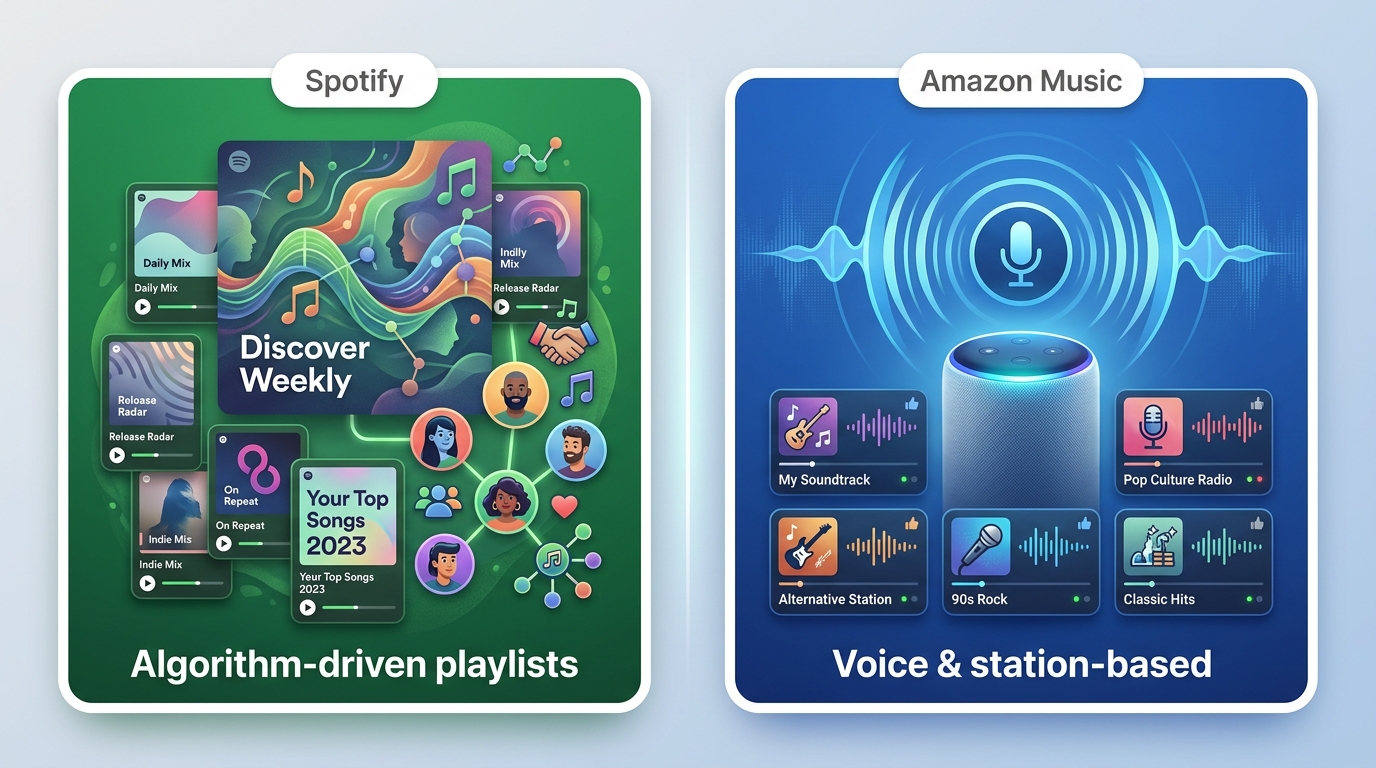
The Amazon Music app vs. Spotify decision affects every session. Spotify generally offers stronger discovery, playlist organization, social listening, and device handoff; Amazon can suit listeners who prefer focused artist stations and deep Alexa integration.
Search and Playlist Organization
Spotify usually makes playlist creation, sorting, and retrieval easier to scan across phones and desktops. Amazon Music can surface the right result, but search behavior, playlist ordering, and library navigation may add extra steps for some collections.
For me, a service loses value quickly when a saved album takes several taps to recover, even if its sound specification is stronger.
Recommendations and Discovery Fatigue
The Amazon Music vs Spotify comparison is not simply “algorithm versus no algorithm.” Spotify offers a wider set of personalized playlists, but repeated patterns can create discovery fatigue; Amazon artist stations are narrower and can work well for thumb-driven listening around one performer.
I favor Spotify when the goal is to branch into new genres, but Amazon's focused station flow can be calmer when I already know the artist I want. Listeners deciding between playlist discovery and radio-style discovery may also find a Spotify vs Pandora comparison more relevant.
Stability and Cross-Device Handoff
Spotify Connect is the more flexible handoff model across many speakers, TVs, phones, and computers. Amazon Music feels most natural inside Alexa and Echo setups, while app stability, persistent sorting, and account switching can introduce friction depending on the device mix.
The practical test is not whether an app has a feature but whether it remembers your queue, sort order, and active device. That device layer becomes even more important when listening is shared.
Devices, Sharing, and Everyday Access
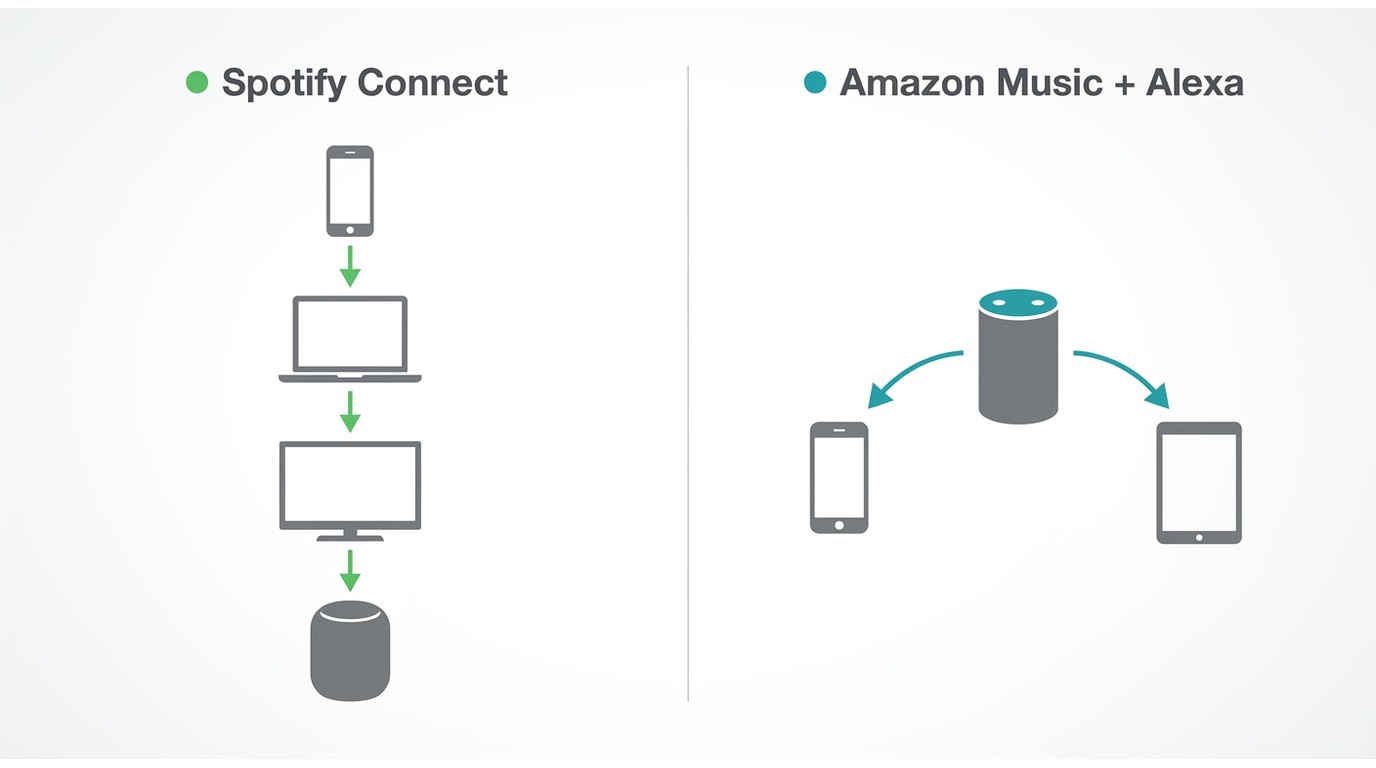
Amazon Music Prime vs. Spotify is most distinct in the home: Amazon fits Alexa-first routines, while Spotify emphasizes Connect handoff, collaborative listening, and a broader social layer.
Alexa, Echo, and Spotify Connect
Amazon Music is the native fit for Alexa voice requests and Echo-centered playback. Spotify can also work on Echo devices, but household profile mapping and simultaneous playback may require more deliberate account setup.
Spotify Connect is stronger when one person moves a queue among a phone, computer, TV, and compatible speaker. Amazon's advantage is less about universal handoff and more about how directly its service sits inside an Alexa household.
Collaboration, Podcasts, and Audiobooks
Spotify is the stronger social choice: collaborative playlists and the ability to start a Spotify Jam make shared listening part of the app. Both services also combine music with podcasts and audiobooks, but those extras should remain a secondary decision factor.
- Native offline access: paid-plan downloads stay managed inside each service's app; Spotify offline downloads are useful when that app-bound model matches your devices.
- Playlist migration: an Amazon Music playlist to Spotify transfer is generally a one-time move, not continuous two-way synchronization.
- Local-file workflow: This is a separate desktop path for listeners who need supported files they can organize outside the native apps.
For personal offline listening to content you are authorized to access, where platform terms and applicable law permit, MusicFab All-In-One offers a Windows and macOS local-file workflow across 13+ services. Its direct-source method can convert at up to 20x rather than requiring real-time capture. It fits readers who need supported local files and is not ideal when native offline mode already covers the routine.
Disclosure: MusicFab is a DVDFab product.
The access model should follow the listener's real need, not become a feature inventory. With those workflows separated, each service's drawbacks become easier to judge.
Drawbacks That May Change Your Pick
The deciding drawback is usually recurring friction, not a missing headline feature. Amazon's app and household behavior can outweigh its audio advantage; Spotify's repetition and lower maximum hi-res ceiling can outweigh its discovery lead.
Where Amazon Music Falls Short
Amazon Music is less convincing when the listener values fast library retrieval and predictable cross-device behavior above Alexa integration.
- Search can make alternate editions and saved releases harder to distinguish.
- Playlist sorting and library organization can require more manual navigation.
- App stability and queue continuity may vary across a mixed device setup.
- Shared Echo households can face profile and simultaneous-playback friction.
- Best for: Prime and Alexa listeners who value supported Ultra HD or spatial audio paths.
- Not ideal for: listeners who resent repeated search, sorting, or account-management steps.
Where Spotify Falls Short
Spotify's polished discovery layer does not prevent long-term recommendation fatigue, and its maximum lossless specification remains below Amazon's Ultra HD ceiling.
- Personalized mixes can repeat familiar tracks instead of widening discovery.
- Its maximum lossless format is lower than Amazon's highest supported Ultra HD format.
- Echo profile mapping can feel less direct than an Amazon-native setup.
- Best for: discovery, social listening, and device handoff.
- Not ideal for: listeners choosing chiefly for the highest supported hi-res ceiling or Alexa-native control.
In practice, I treat repeated recommendations as a bigger warning for active explorers than for listeners who replay a stable library. The drawbacks identify who should walk away from each service. The final choice should now be a fit judgment, not a recap of specifications.
Conclusion: Which Service Fits You Best?
If choosing Amazon Music or Spotify still feels close, decide by the friction you encounter most often: home-device control, discovery, shared listening, or access outside a native app.
Best for Prime and Alexa Households
Choose Amazon Music Unlimited when the Prime discount, Alexa voice control, supported Ultra HD playback, or Spatial Audio matters in your actual setup. It is not the best fit when search and playlist organization already frustrate you.
Best for Discovery and Social Listening
Choose Spotify Premium when personalized playlists, social sessions, collaborative listening, and frequent device handoff shape your routine. It is not the better fit when Amazon's higher maximum hi-res path or Alexa-native behavior is the priority.
When Neither Service Fully Fits
Neither service fully fits when you need a local-file workflow outside app-managed offline access or when your must-have artists are missing. Test the catalog and access model before letting a small monthly difference decide.
My final judgment is simple: daily friction can outweigh a small price advantage or a higher specification, because the service you enjoy navigating is the one you will use. The remaining questions are billing and household edge cases, not a second verdict.
Frequently Asked Questions
Q1. Why might Amazon Music show a $5.99 charge?
A $5.99 line item may belong to a separate Amazon Music plan, a promotion, or an account-specific charge; it is not the standard Amazon Music Unlimited Individual price. Match the charge to the exact subscription name shown in your Amazon account.
Q2. Can separate family members use Spotify on the same Echo?
They can link Spotify accounts through compatible Alexa profiles, but profile mapping and simultaneous playback depend on the household's linked accounts, plan rules, and device setup. Test voice recognition for each profile before relying on shared playback.
Q3. Why can one service sound clearer when both offer lossless?
Mastering, volume normalization, loudness, Bluetooth recompression, and the output device can outweigh the format label. Compare the same release at matched volume on the same device and connection before attributing the difference to the service.
Q4. Do Amazon Music artist stations work like Spotify recommendations?
Not exactly. Amazon artist stations stay focused around a selected performer and respond to feedback, while Spotify spreads discovery across personalized playlists, mixes, and broader recommendation surfaces. Pick the focused station for controlled exploration and Spotify for wider branching.

In this article, I will share my personal MusicFab review, analyzing its features, pros and cons, user feedback, recently update and roadmap.
By Jane Chen - Sep 22, 2026
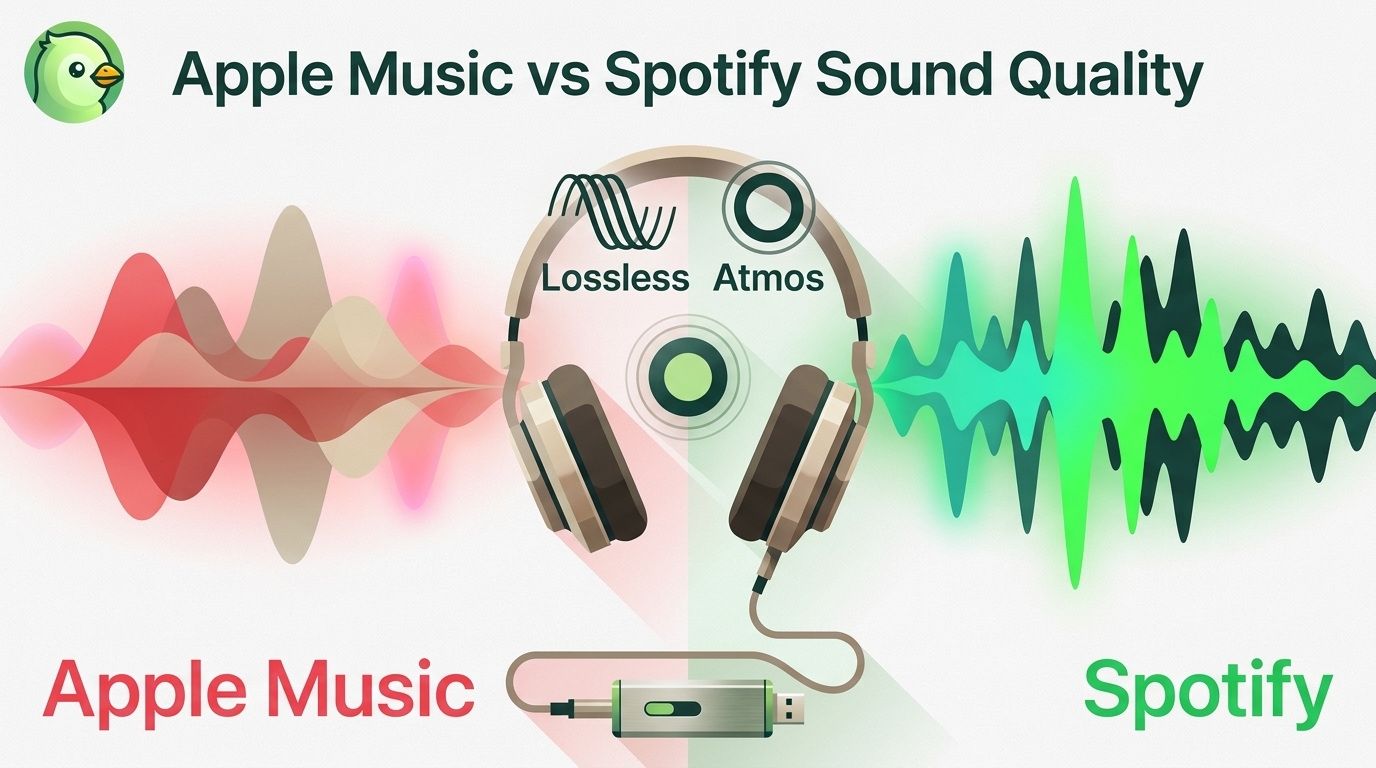
Apple Music offers a higher lossless ceiling and Dolby Atmos, while Spotify combines 24-bit/44.1 kHz FLAC with Connect and discovery strengths. This guide compares specs, device paths, settings, a fair listening protocol, switching trade-offs, and an optional authorized local-file workflow.
By Jane Chen - Aug 26, 2026
Choose a K-pop download method by file ownership, rights status, source quality, and batch needs. This guide compares MusicFab, licensed purchases, owned CD rips, creator-authorized catalogs, desktop tools, and unverified archives, with practical MP3-versus-FLAC guidance and four legal-use FAQs.
By Jane Chen - Aug 13, 2026
Podcast downloads fall into two categories: app-managed offline copies and portable audio files. This guide covers free publisher and RSS links, current iPhone and Android app workflows, bulk and retention limits, a platform comparison, and an authorized MusicFab desktop workflow for saving local files.
By Jane Chen - Aug 13, 2026