
Spotify Song Downloader Android Guide: 5 Options Compared

Spotify’s official Android downloads stay inside the app and require Premium for music. For transferable files, the practical alternatives are phone-only APK or browser tools—often based on source matching—or a desktop-to-Android workflow.
- • Official mode: Premium music downloads for playback inside Spotify.
- • APK or browser tool: Phone-only local files, often via source matching; verify permissions and current status.
- • Desktop workflow: Standard formats and organized metadata, followed by transfer to Android.
The content described here is intended for authorized, personal, non-commercial use and assumes compliance with applicable copyright laws and Spotify’s terms. Third-party tool availability and platform rules can change.
Table of Contents
Phone apps and browser tools can change availability, permissions, ads, and source methods without notice. Many match Spotify metadata to audio from another catalog, which can affect the recording version, tags, and output quality.
This guide compares those phone-only options with a desktop transfer workflow using hands-on tests and an evidence review. For Spotify’s own account eligibility, see Spotify Free and Premium download eligibility. Recheck volatile tool details within 60 days of publication.
Quick Verdict: Spotify Downloader Paths on Android Compared
Choose official mode for in-app offline listening, an APK or browser tool for phone-only convenience with source-matching risk, or a desktop workflow when standard formats and organized metadata matter most. The comparisons below focus on source method, output, maintenance, and permissions.
| Path or Tool | Runs On | Audio and Output Boundary | Playlist or Batch Use | Local File Result | Suitable For |
|---|---|---|---|---|---|
| Spotify Official Offline Mode | Android Spotify app | Official in-app download; music requires Premium | Albums and playlists inside Spotify | No transferable MP3/FLAC file | Offline listening inside Spotify |
| SpotDown | Android APK | Matched external audio; current source details require verification | Search, tracks, and playlists observed in March 2026 | Local audio files where the app currently supports them | Phone-only convenience |
| SpotiFlyer | Android APK | Link and source matching; output quality depends on the matched source | Playlist-link workflow observed in March 2026 | Local audio files | Open-source phone workflow |
| YTDLnis or Seal | Android APK | yt-dlp-based external-source workflow, not direct Spotify export | Depends on the source and active project | Configurable local files | Advanced users who want more controls |
| Spotidownloader.com | Android browser | Web-based link resolution; source and quality vary | ZIP option may be available; large lists timed out in March 2026 testing | Individual files or ZIP archive | No-install browser workflow |
| MusicFab Desktop-to-Android | Desktop first, then Android | MP3, FLAC, WAV, AAC/M4A, or OPUS; up to 320 kbps | Tracks, playlists, albums, podcasts, and audiobooks | Standard local audio files with registered metadata support | Formats and organized library management |
1. SpotDown (Android App)
In our March 2026 test, SpotDown provided in-app search, previews, and a workflow for saving matched tracks on an Android phone. Treat this as a dated observation: the app’s current availability, advertising, permissions, and audio sources should be checked before installation.
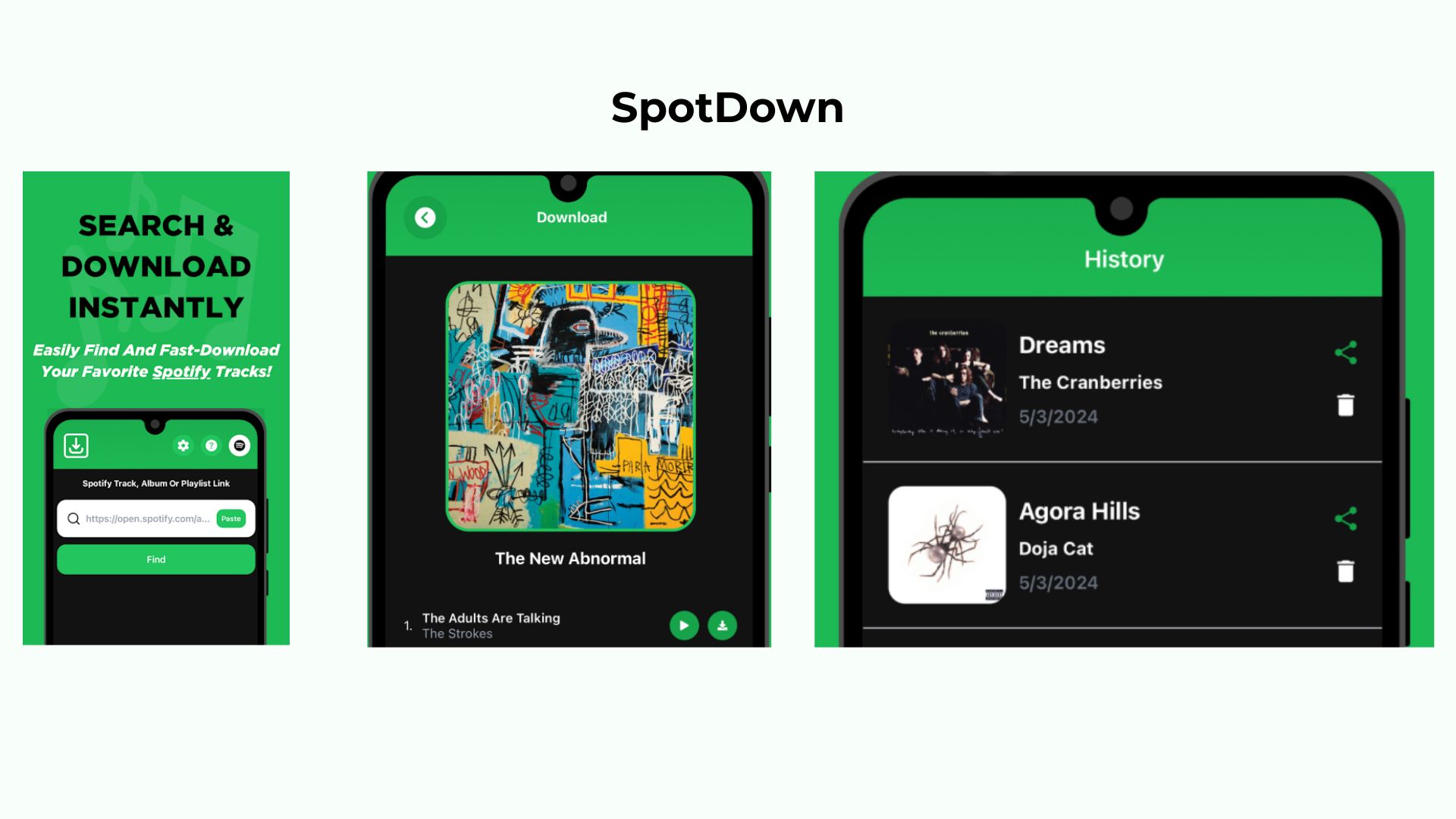
- Observed advantage: Search and download history were available inside one Android interface.
- Evidence boundary: The workflow should not be presented as a direct export from Spotify. Review the current app listing, requested permissions, and source information before use.
2. SpotiFlyer (Open-Source Android APK)
SpotiFlyer is an open-source Android option built around link-based music discovery and downloading. In the March 2026 test, it offered a clean phone-only workflow without requiring the Spotify app to export an audio file.
The output quality shown by an app or file container does not prove the quality of the source recording. Because source availability and project maintenance can change, confirm the current repository status and documentation instead of relying on a universal 128kbps or 320kbps promise.
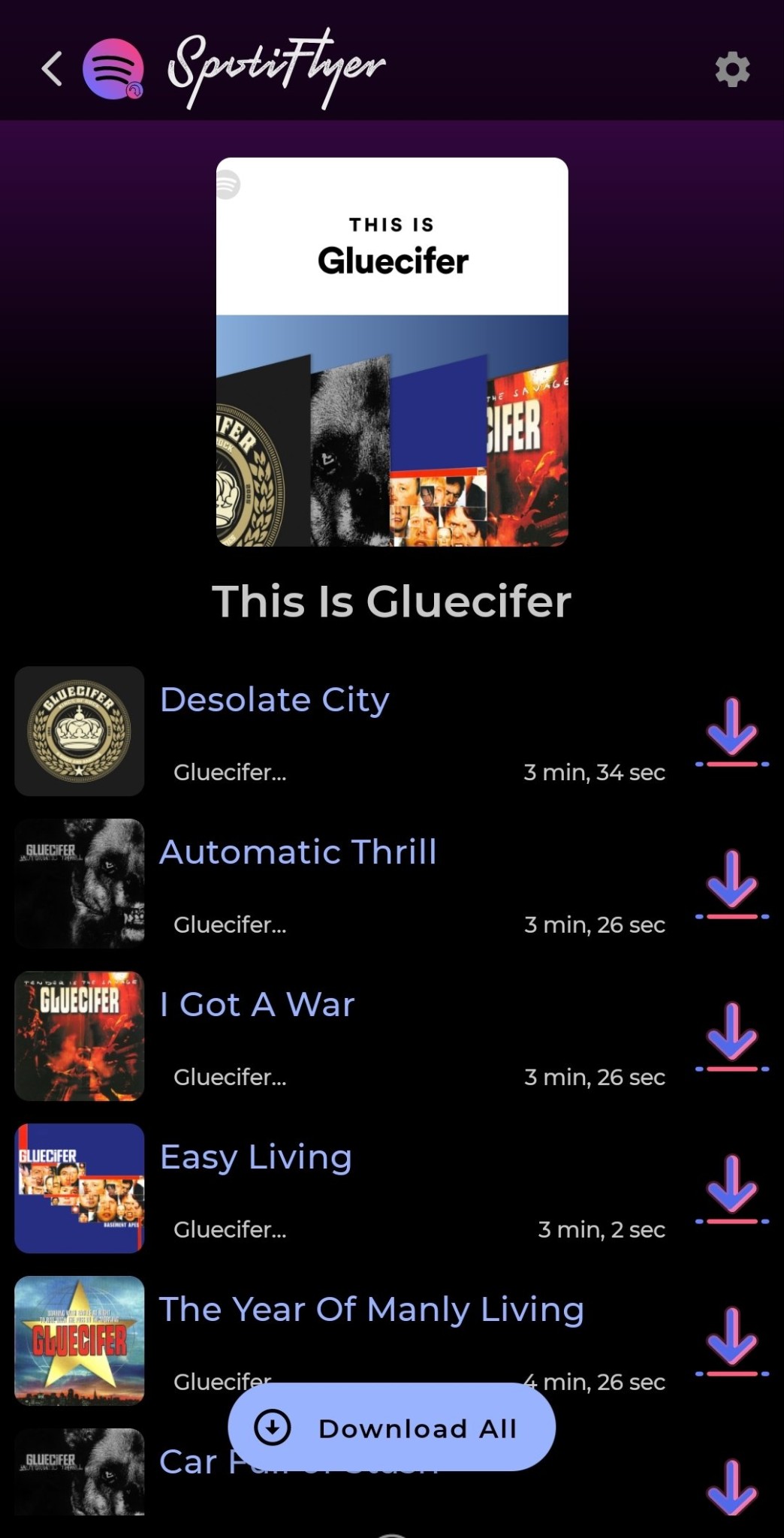
- Observed advantage: A phone-only, open-source interface for processing song and playlist links.
- Limitation: Source matching can return a different recording or incomplete metadata, and current output specifications require verification from the active project.
3. YTDLnis (Open-Source Android APK)
YTDLnis is an Android interface built around yt-dlp for users who want more control over formats, folders, subtitles, and metadata. The March 2026 test found it more configurable than a typical paste-and-download tool.
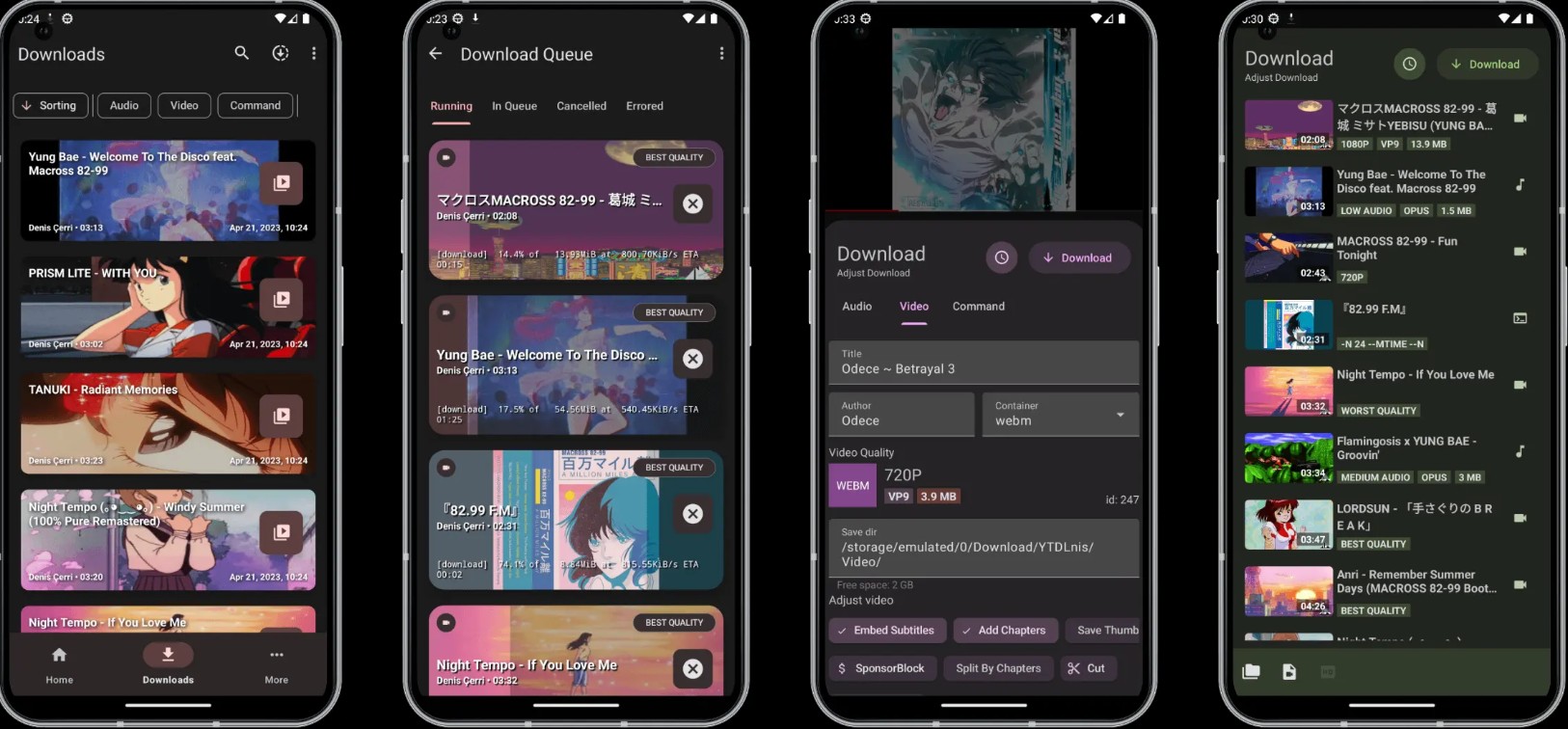
- Observed advantage: Flexible download paths and output settings for advanced Android users.
- Limitation: It is not a Spotify-native exporter. A Spotify link must be resolved against audio available through supported external sources, so a match is not guaranteed to be the same version.
4. Seal (Open-Source Android APK)
Seal is another Android interface based on yt-dlp. It can process supported links, extract audio, and apply available metadata or thumbnails, but it is not a direct Spotify download path.
- Observed advantage: Open-source controls and playlist handling without relying on a conventional Spotify converter interface.
- Limitation: Results depend on the external source and match. Current permissions, maintenance status, supported sites, speed, and metadata behavior should be checked in the active project documentation.
5. Spotidownloader.com (Browser and ZIP Workflow)
A browser-based workflow avoids installing another APK. With tools such as Spotidownloader.com, the usual process is to paste a Spotify playlist link into a mobile browser, let the service resolve the tracks, and download individual files or a ZIP archive when that option is available.
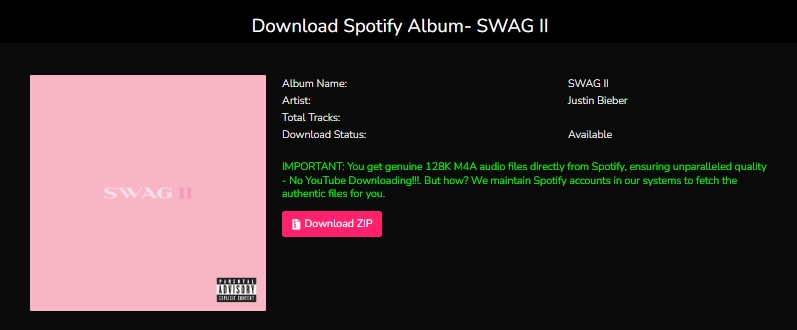
- Observed advantage: No Android app installation and a possible ZIP workflow for multiple tracks.
- Limitation: In the March 2026 test, large playlists could time out in a mobile browser. Current batch limits, source quality, advertising, and ZIP availability require a fresh check on the service itself.
Limitations and Risks of Android Downloader Options
Phone-only tools trade convenience for uncertainty. The most important checks are where the audio comes from, whether an APK requests unnecessary permissions or Spotify credentials, whether the project is actively maintained, and whether a browser page uses deceptive buttons or intrusive ads.
- SpotMate: During the March 2026 test, the service had repeated downtime and failed on a playlist containing more than 100 tracks. This is a dated test result, not a statement about its current server status.
- SoundLoader: During the same test window, it was not suitable for a large batch and returned weak metadata. Its current behavior was not independently re-tested in August 2026.
- Source-matching tools: An incorrect match, live version, remix, or lower-quality source may be saved even when the Spotify title and artwork are correct.
Open-source code can improve transparency, but it does not by itself guarantee that every APK package or distribution website is safe. Prefer the project’s official repository, review permissions, and avoid entering Spotify credentials into an unrelated downloader.
Desktop-to-Android Workflow for Exportable Local Files
If phone-only tools are too inconsistent for a large library, a desktop-to-Android workflow separates downloading from phone transfer. This path requires a computer first, but it can create standard local files that Android music players can organize and play.
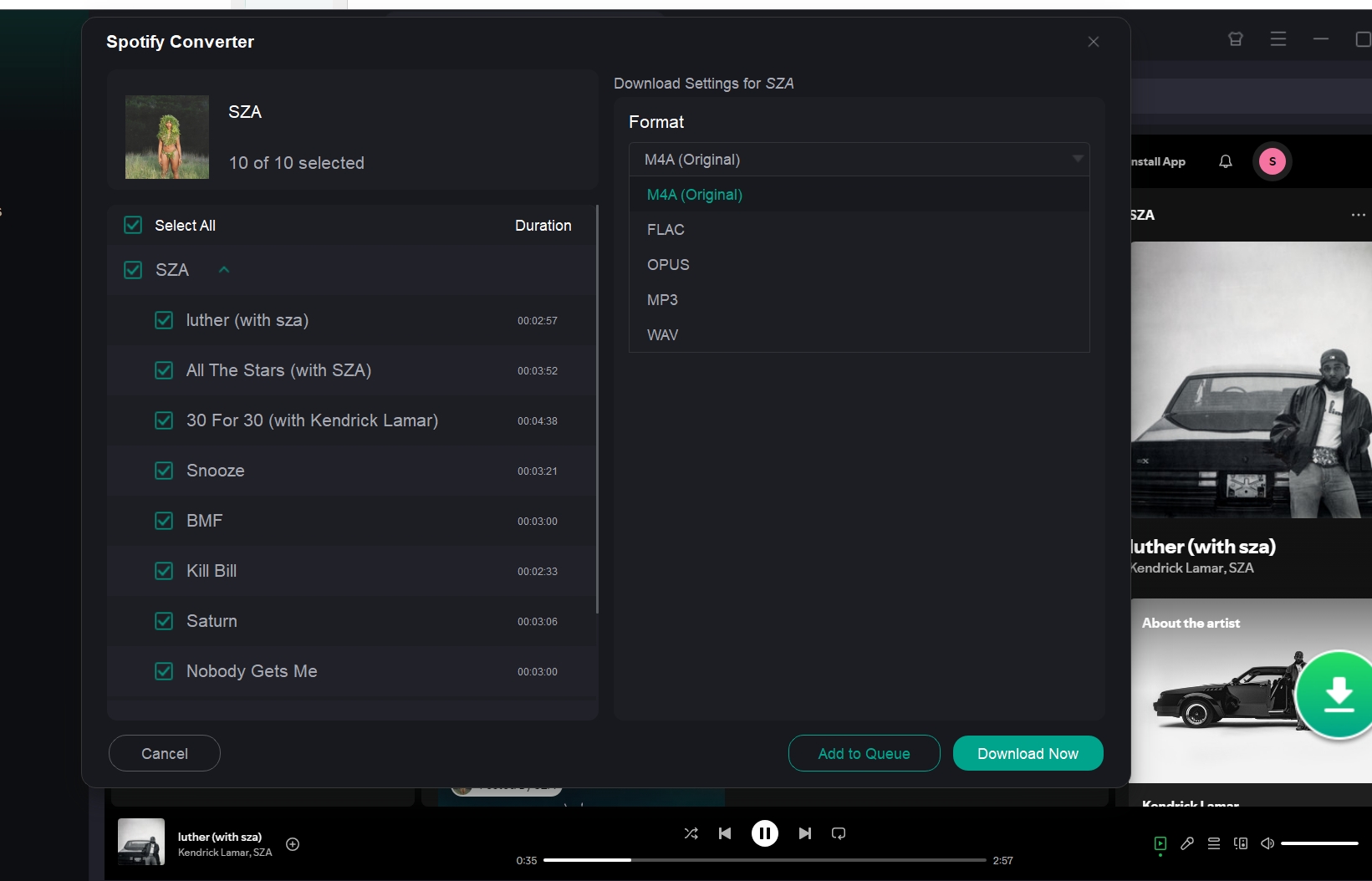
According to MusicFab product data verified in August 2026, MusicFab Spotify Converter supports Spotify Free or Premium accounts, tracks, playlists, albums, podcasts, and audiobooks. Registered output formats include MP3, FLAC, WAV, AAC/M4A, and OPUS, with cover art, ID3 tags, and lyrics where available. Quality should be described only as up to 320 kbps, not as a universal lossless or original-quality guarantee.
Suitable for
- Users who need standard local formats before moving music to Android.
- Playlists or libraries where cover art and ID3 organization matter.
- Users who accept a desktop step instead of installing a third-party downloader APK.
Limitation
- A desktop computer is required before the files can be transferred to an Android device by USB or cloud storage.
3 Steps to Sync MusicFab Downloads to Android
The transfer workflow has three steps:
- Download on Desktop: Open MusicFab, use its built-in browser to select authorized Spotify content, and choose a supported local format and quality setting.
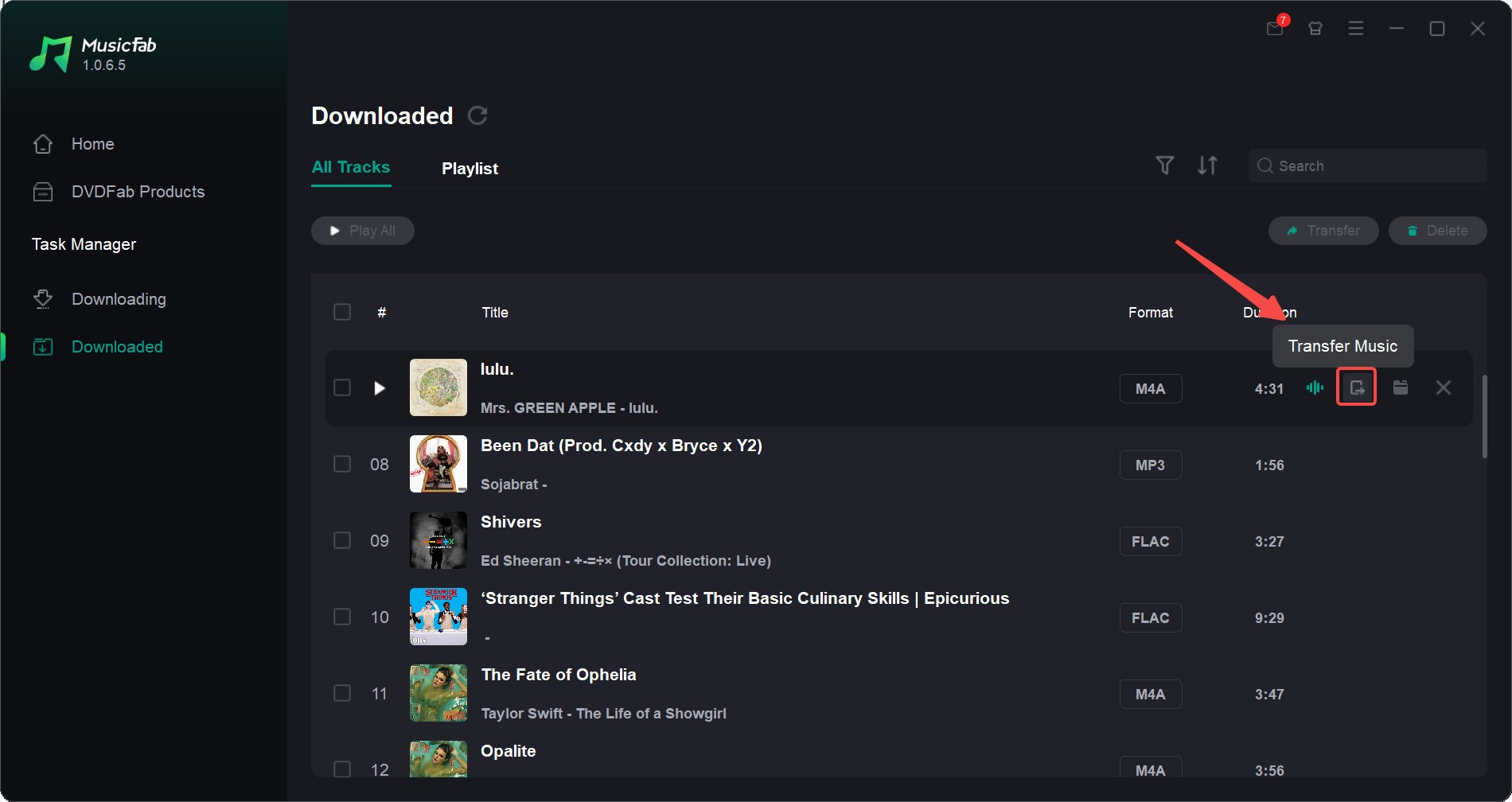
- Connect Your Device: Connect the Android phone to the computer by USB, or prepare a cloud folder that the phone can access.
- Transfer and Play: Use the Transfer Music control or copy the files into Android local storage, then open them with a compatible music player.
FAQs About Spotify Song Downloaders on Android
These questions clarify the output and risk boundaries shared by the options above.
Are third-party Spotify downloader APKs safe to install?
Safety depends on the project and the APK source. Prefer the official repository, inspect permissions, avoid unrelated sites with deceptive download buttons, and do not enter Spotify credentials into a downloader that does not need them. Open-source status improves transparency but is not a universal safety guarantee.
Can I save a full Spotify playlist as local files on Android?
Some APK and browser tools can process playlist links, but they may match audio from an external source rather than export it from Spotify. Batch size, track matching, metadata, and current availability vary by tool. Spotify’s official download keeps the playlist inside the app.
Can an Android browser download a Spotify playlist as a ZIP file?
Some browser services offer playlist processing and ZIP packaging. Check whether the option is currently available, how the service sources the audio, and whether the page introduces intrusive ads or deceptive buttons before downloading anything.
Does Spotify’s Android download create transferable audio files?
No. Spotify’s official music downloads are for offline playback inside the Spotify app and require Premium. On the free version, Spotify currently allows podcast downloads, not music downloads. These in-app downloads are different from ordinary MP3, FLAC, or ZIP files.
Conclusion
Choose the Android path by the output you need. Spotify’s official mode is appropriate for in-app offline listening. APK and browser tools are phone-friendly but require closer checks of source matching, permissions, project maintenance, and current availability. A desktop-to-Android workflow is more suitable when standard formats and organized metadata matter.
For the registered desktop option, review the current MusicFab Spotify Converter product information, including its supported formats, content types, and quality settings. Always confirm current specifications before downloading and use any method only for content you are authorized to access.

This guide compares nine Spotify downloaders across browser, desktop, Android, and iOS workflows. It weighs source matching, output quality, playlist and ZIP behavior, metadata, account exposure, and tool status, then explains which option fits a single track, a long playlist, or a managed local library.
By Jane Chen - Aug 26, 2026
Spotify downloads can stall because of Premium eligibility, device limits, storage, network permissions, cache state, or a service incident. This guide gives one nine-fix recovery path, then separates iPhone, Android, Windows/Mac, Apple Watch, partial-playlist, Offline Mode, and clean-reinstall cases. It also explains when a MusicFab local-file workflow fits authorized personal use.
By Jane Chen - Aug 26, 2026
Spotify Premium can download music for playback inside the Spotify app, while Free accounts can download podcasts. This guide covers setup, device differences, download limits, troubleshooting, travel checks, and a portable-file option.
By Jane Chen - Aug 18, 2026
Is Spotify Duo still worth $18.99 for two people at one address? Get the current price, savings vs Individual and Family, address verification rules, setup
By Jane Chen - Aug 13, 2026