
6 YouTube Music Playlist Downloaders Tested in 2026

Table of Contents
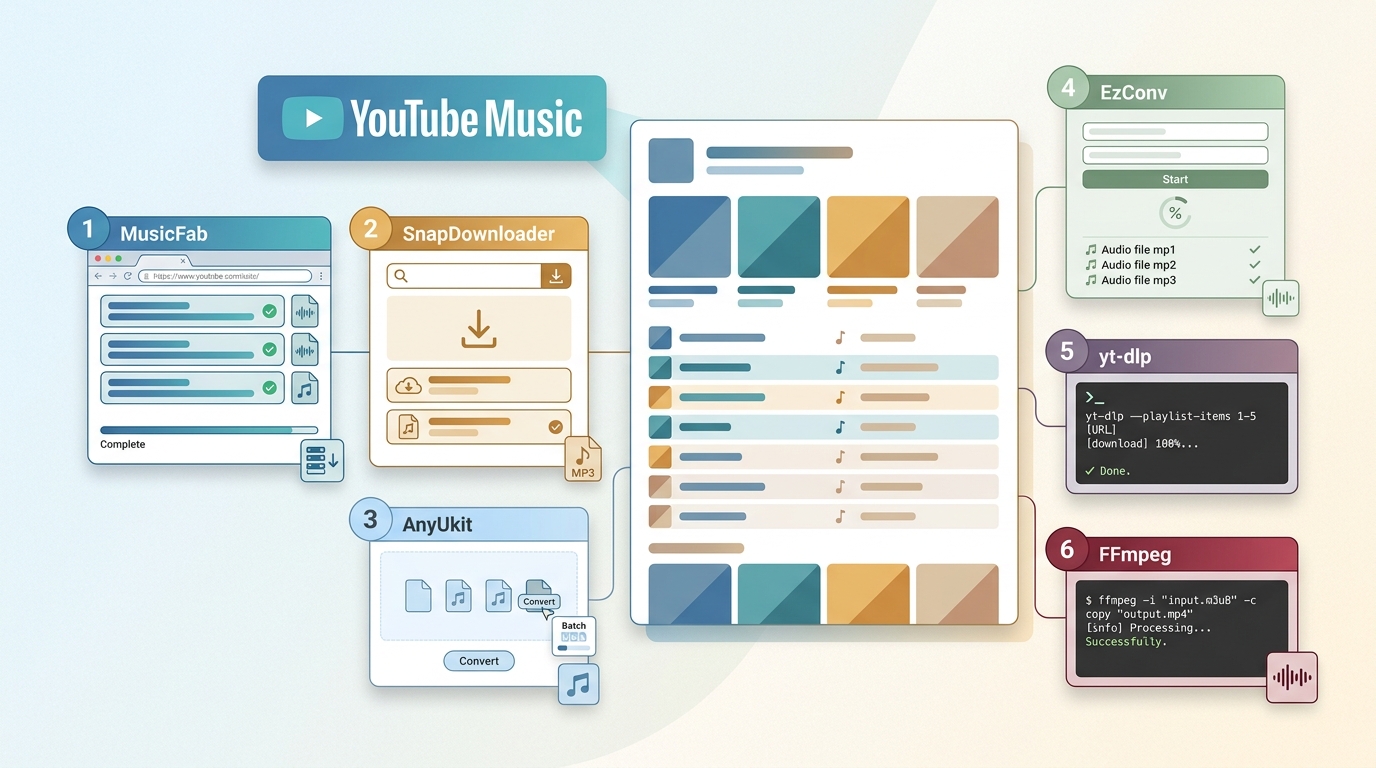
Ever pasted a 300-song YouTube Music playlist into a "downloader" and watched it churn through one track at a time, or die on redirect number four? That's the pain that sent me testing six tools this round. Here's the short answer: only two of them finished a large queue without dropping songs or losing playlist order, and I'll show you which ones below.
Before the tool-by-tool breakdown, one distinction matters more than any spec: a YouTube Music Premium offline download (which lives inside the app) is not the same thing as a local MP3 or FLAC file you can move around. Get that wrong and you'll pick the wrong tool. I cover it in the next section, then walk through the six options, an honest comparison table, and the fake sites I'd skip.
Official Downloads vs Local Playlist Files
The biggest reason people end up with the wrong tool: they conflate two very different "downloads."
- YouTube Music Premium offline downloads stay inside the YouTube Music app. You can listen to YouTube Music offline on the device you downloaded on, but you can't export those files, copy them to a USB stick, or play them in a third-party player. They also disappear if your subscription lapses.
- Local playlist files (MP3, FLAC, WAV, M4A, OPUS) are standalone audio files on your disk. You can move them to a car USB, load them into a home player, or keep them in your personal library. For content you're authorized to access, where permitted by YouTube's terms and applicable law, this is the workflow the rest of this article covers.
My rule of thumb: if you only ever listen inside the YouTube Music app, Premium offline is simpler. If you need portable files (USB playback, a DJ library, a Plex/roon setup, a car head unit that reads MP3), you need a local-file tool, and you also need to check that the tool actually reads music.YouTube.com URLs, not just standard YouTube video pages.
Choose a Download Method by Playlist Size and Setup
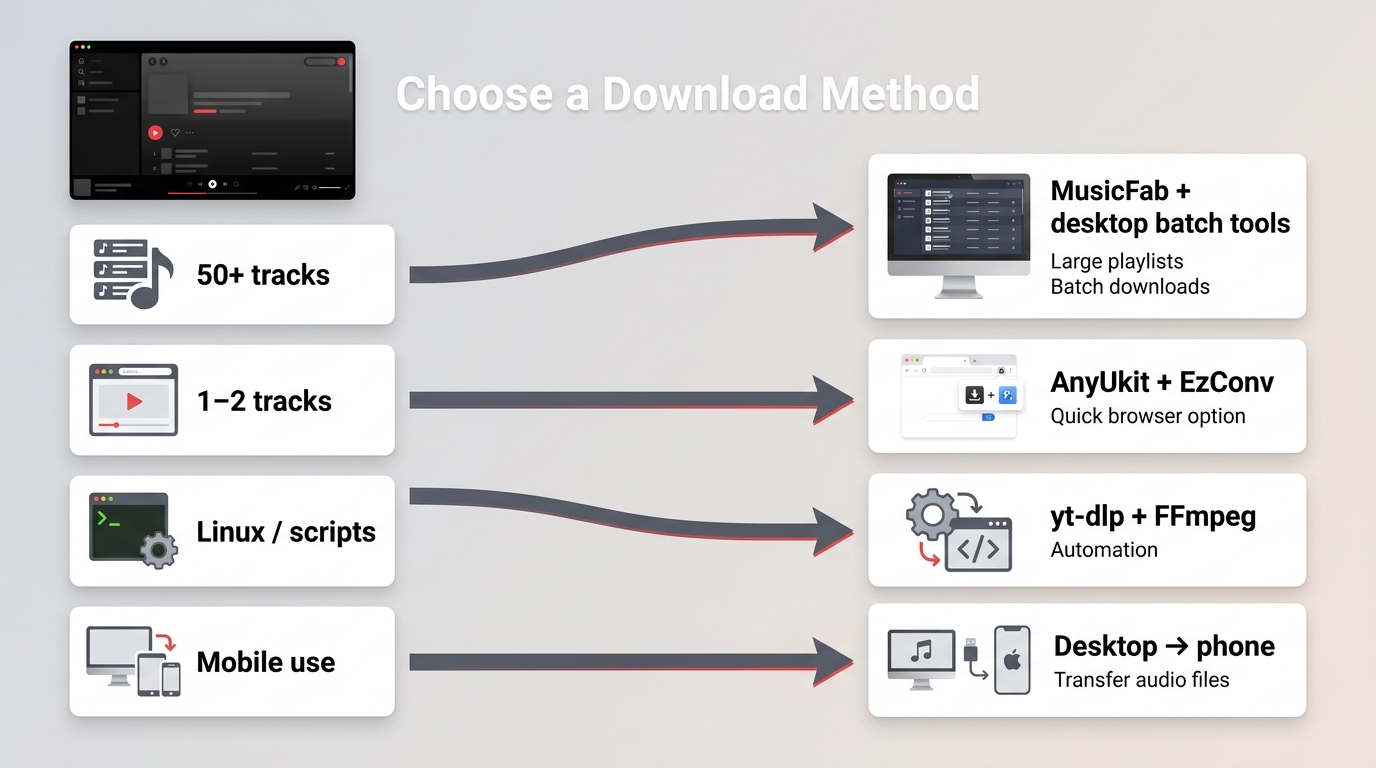
After running the same 200-song test playlist through all six tools, my honest read on which method fits which reader:
- Desktop app (Windows/Mac) — best for whole playlists, albums, or anything past ~50 tracks. Handles queues, retries, preserves playlist order and ID3 tags, and doesn't fall over on redirects. Best for: anyone building a real local library. Not ideal for: one-off single-song grabs. How to download music from YouTube Music on a computer covers the general desktop workflow.
- Online tool (browser) — fine for one or two tracks when you can't install software. Expect one-file-at-a-time behavior, ad redirects, quality caps behind a paywall, and inconsistent music.YouTube.com support. Best for: occasional single-track grabs. Not ideal for: full playlists, batch queues, or anything you need reliably twice.
- Command-line (yt-dlp) — maximum control, scriptable, and often the most resilient when YouTube changes something. But you need FFmpeg on PATH and comfort with a terminal. Best for: automation, filename templates, cross-platform (Linux included). Not ideal for: readers who don't want to touch a command prompt.
- Mobile — I'd honestly do the download on a desktop and sideload to your phone. App-store playlist downloaders come and go, and the ones that persist often need root/ADB access.
The rest of this article walks through the six specific tools I tested in each of these categories.
MusicFab for Large YouTube Music Playlists
MusicFab YouTube Music Converter is the tool I reach for when the queue is big. On a 200-song playlist it kept order, wrote clean ID3 tags (title, artist, album, cover art, track number), and saved lyrics as separate .lrc files, which is the difference between a folder of files and an actual library. Output covers MP3, M4A, WAV, FLAC, and OPUS.
MusicFab YouTube Music Converter for Windows and Mac supports batch YouTube Music playlist downloads in MP3, M4A, WAV, FLAC, and OPUS at up to 320 kbps, retaining ID3 tags and external .lrc lyrics. It requires an active YouTube Music subscription for the content you want to save. The 30-day free trial includes three full songs per service (as of August 2026).
One caveat worth flagging honestly: some users hit a 403 error on YouTube Music parsing when YouTube pushes backend changes. In my testing the fix was updating to the latest build, but the takeaway is universal — with any playlist downloader, run a small trial batch before committing to a large purchase or a 500-song queue.
Best for: anyone downloading full playlists, albums, or podcasts and wanting a portable local library. Not ideal for: readers who just need a single MP3 once a month and don't want a desktop install.
Download a YouTube Music Playlist with MusicFab
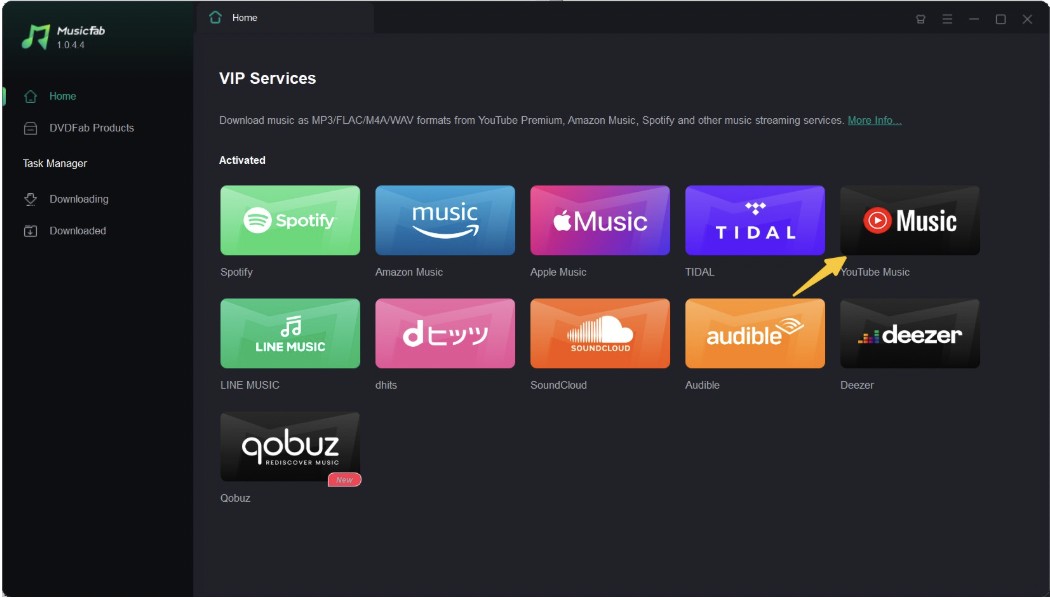
- Step 1: Download MusicFab from its official site and launch it. On the main interface, go to the VIP Service section and select the YouTube Music tile.
- Step 2: Sign in to your account and use the built-in browsing option to find your desired YouTube or YouTube Music playlists. Click the “Download” button, then it will analyze the content.
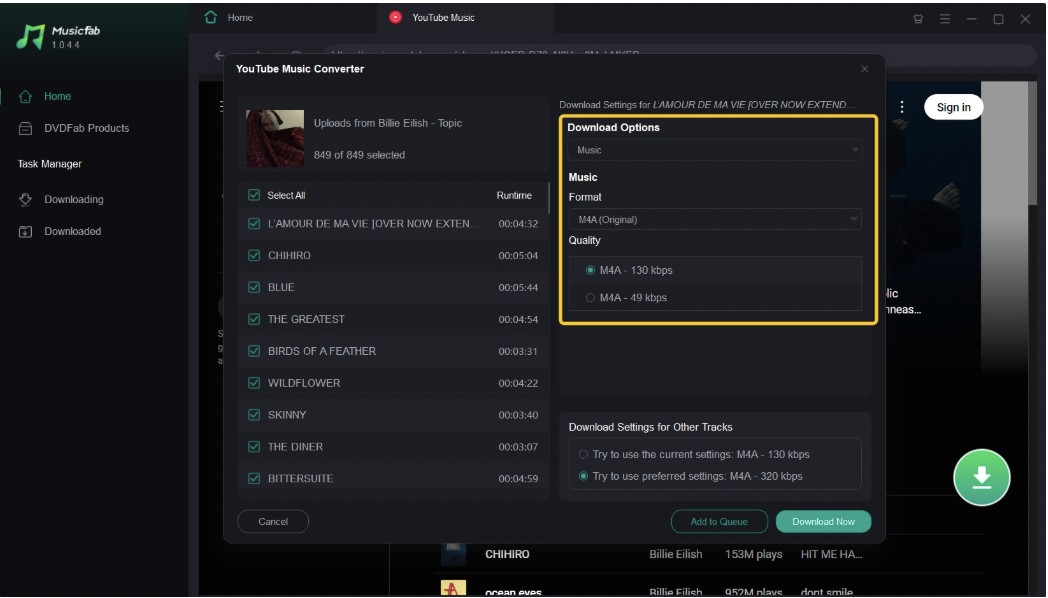
- Step 3: Select your preferred output quality and format in the window after the analysis. Next, tap “Download Now” to save the playlists instantly. You can also keep the content in the “Add to Queue” option to save it later.
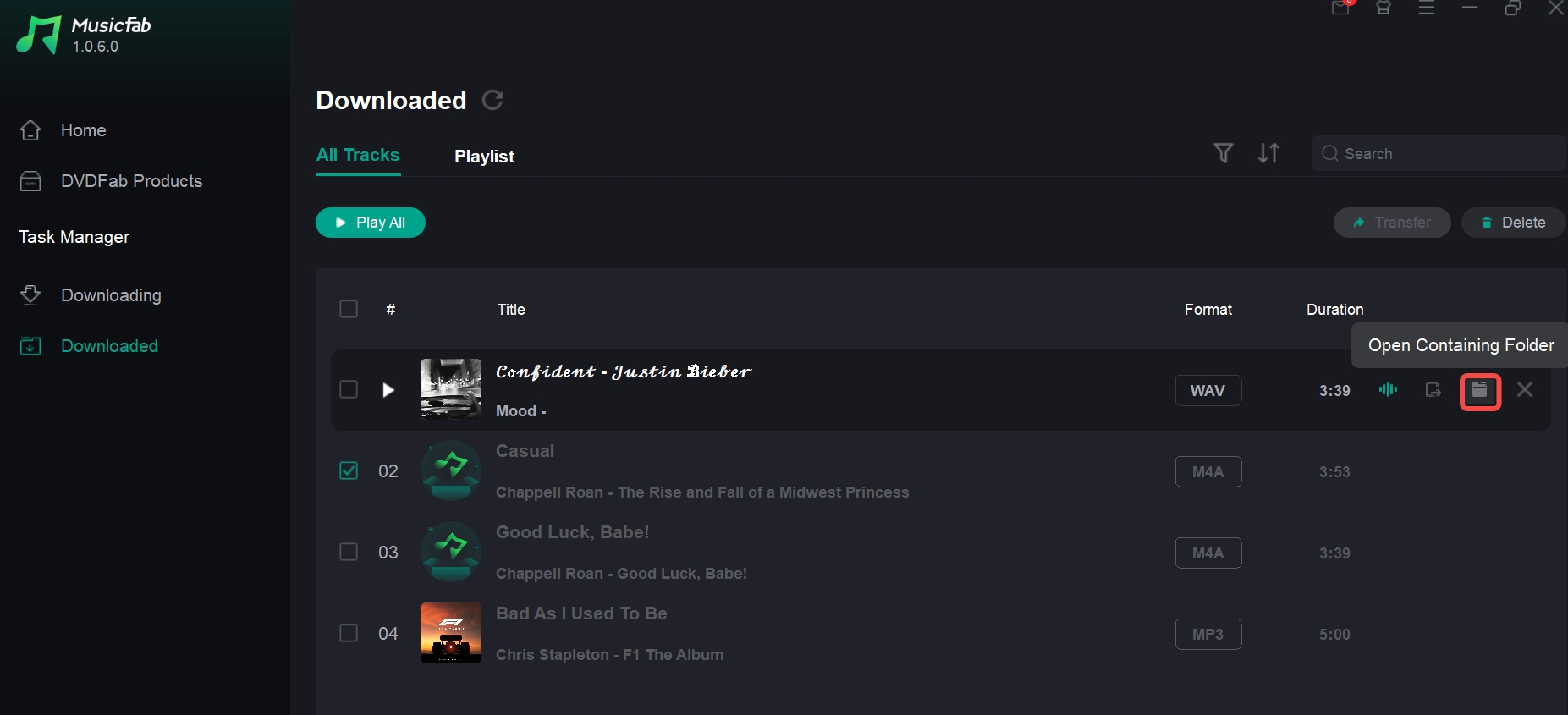
- Step 4: You can find the downloads in the Task Manager > Downloaded. And click the folder icon to locate the files.
Pros:
- Reliable for full playlist downloads
- Better for batch jobs than most free tools
- Supports multiple output formats
- Cleaner experience for the local library building
- Easier for beginners than command-line tools
Cons:
- Requires desktop installation
- Not the right fit for users who only download one song once in a while
- Some casual users may prefer a free tool first, even if it is less stable
SnapDownloader YouTube Music Playlist Downloader (PC/Mac)
SnapDownloader is another robust desktop YouTube & YouTube music downloader available for Windows and Mac. Unlike most online converters, it is designed to handle heavy lifting, supporting multiple formats and batch processing.
Website: SnapDownloader
- Pros:
- Supports actual music.YouTube.com links, not just standard videos.
- Parses and downloads entire playlists effortlessly.
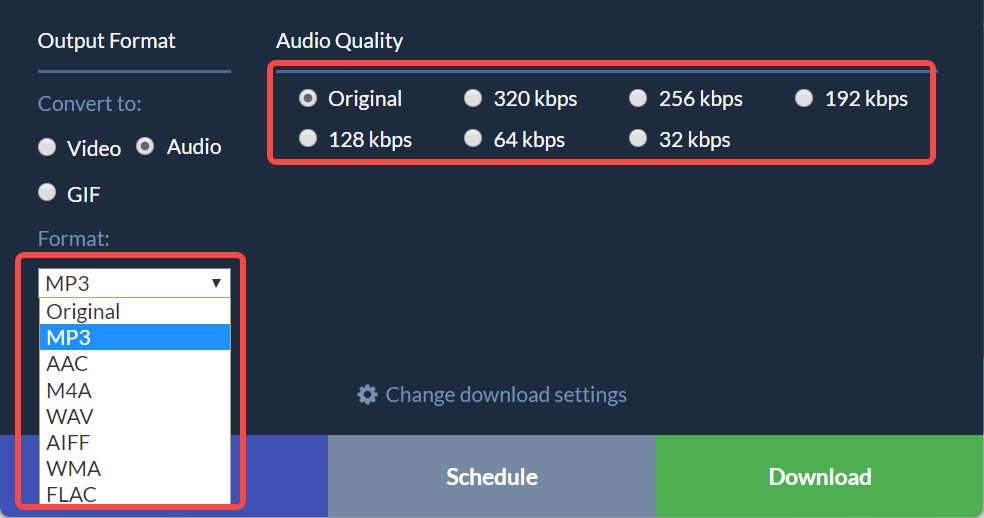
- Allows you to select audio quality up to 320kbps.
- Cons:
- You can only use it for free for 48 hours before needing a license.
My Experience: This is a powerhouse. During my test, it easily parsed a YouTube Music link and extracted the audio. However, remember that free is only temporary. Once the trial expires, you'll need to pay.
Download a Playlist with SnapDownloader
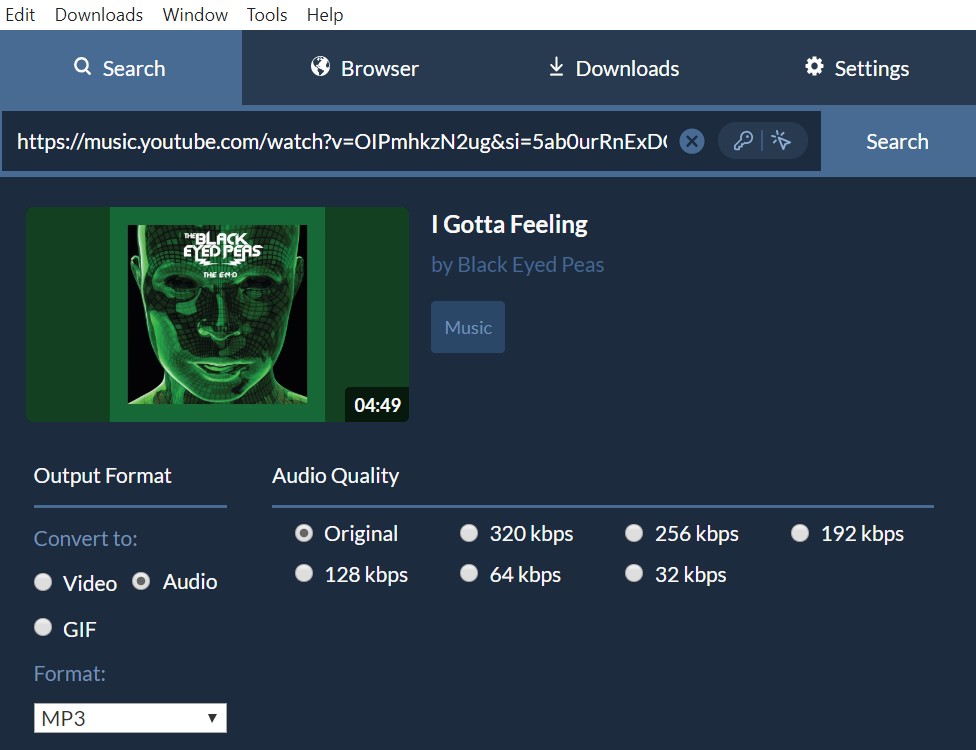
- Download and install SnapDownloader (select "Continue with free trial").
- Paste your YouTube or YouTube Music link into the search bar.
- Select "Audio" and your desired format (e.g., MP3) and quality (e.g., 320kbps).
- Click "Download".
AnyUkit (Free Online YouTube Music Downloader)
Free online tools are the best backup options for light use. Anyukit is the better of the two online options in our testing because it at least supports both YouTube and YouTube Music playlist links. That makes it more relevant than tools that only work with standard YouTube playlists.
You can convert and download YouTube playlists to MP3/MP4. You don't need to sign in to an account to start the download. It has various quality options for you to choose, but higher quality, such as 320 kbps, requires payment and installing a client to unlock.
During my test, its web tool only fetches one file at a time. To get true batch playlist downloads, you need the app.
Download a Playlist with AnyUkit
- Step 1: From the YouTube or YouTube Music app, select your preferred playlist and copy its URL.
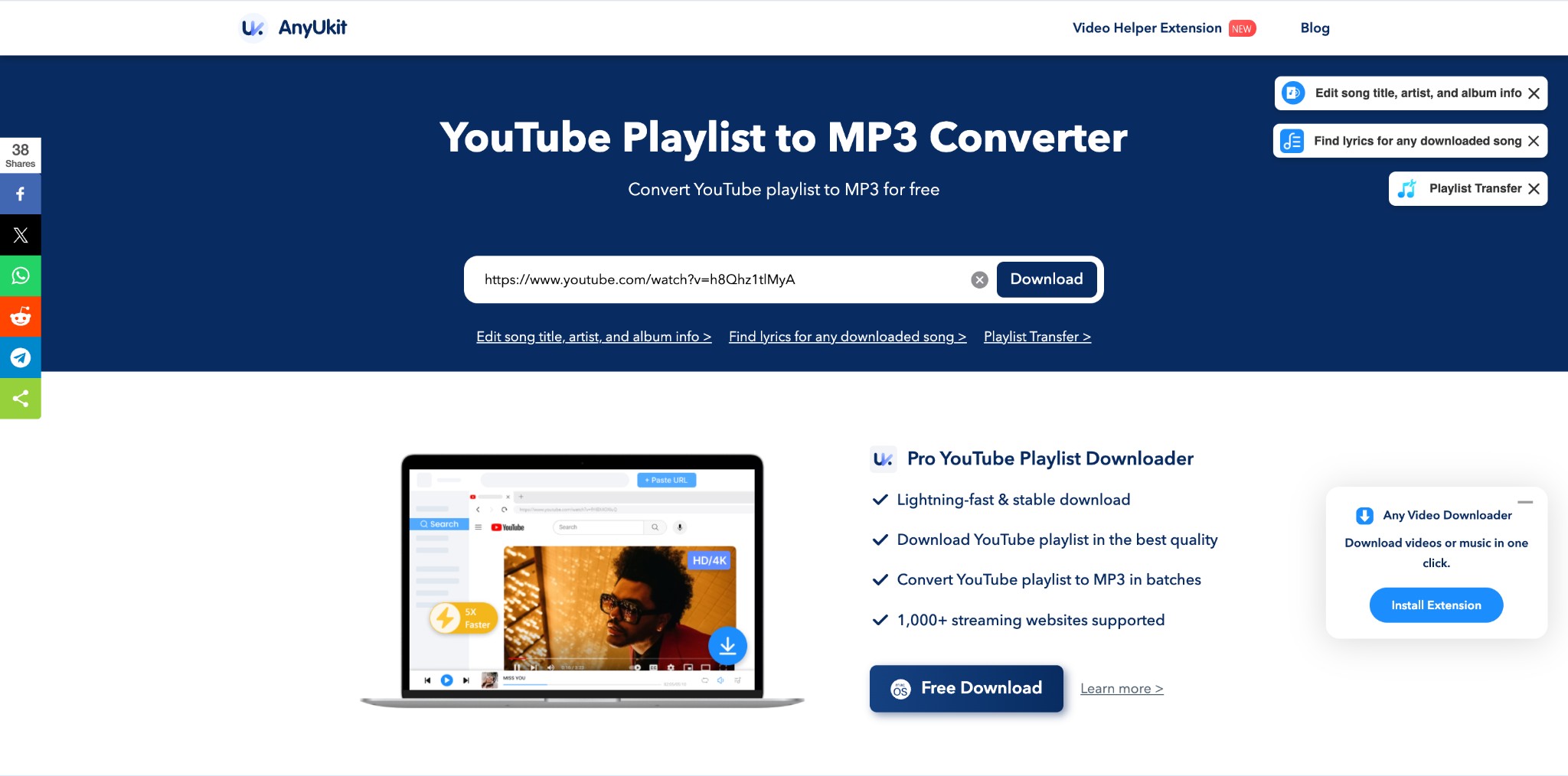
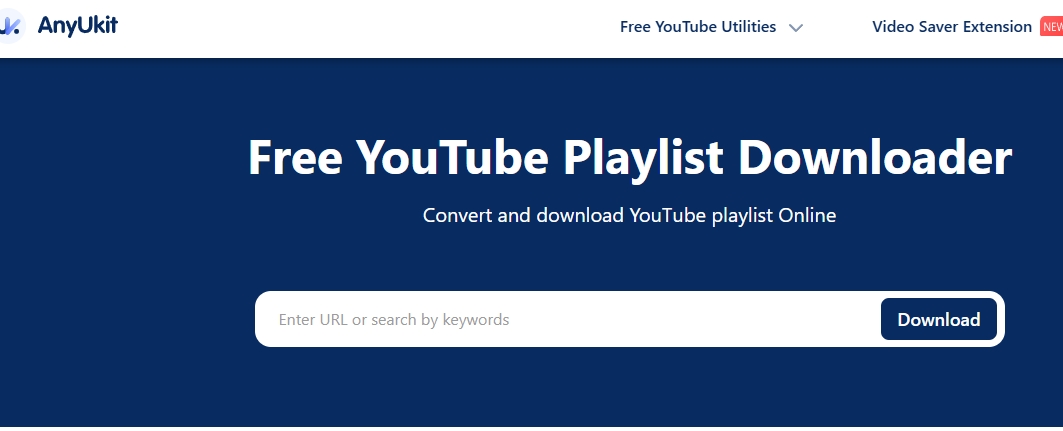
- Step 2: Open the AnyUkit online tool on any device > move to the URL searching box to paste the copied link > Next, click on the “Download” option.
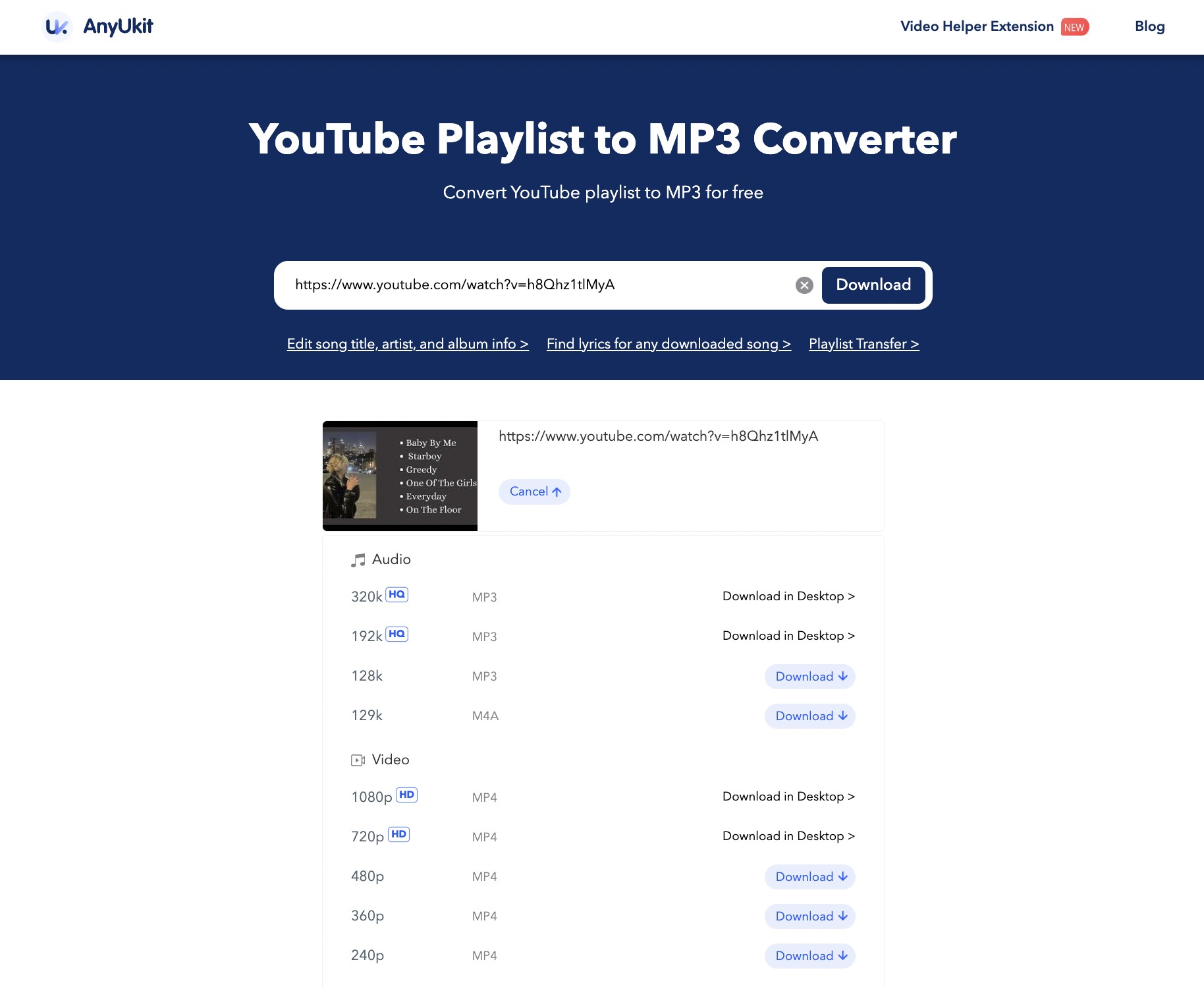
- Step 3: Select the output audio quality and format as per your need from the shown option, then again hit the “Download” option one more time to complete the conversion process.
EzConv for Single-Track Downloads
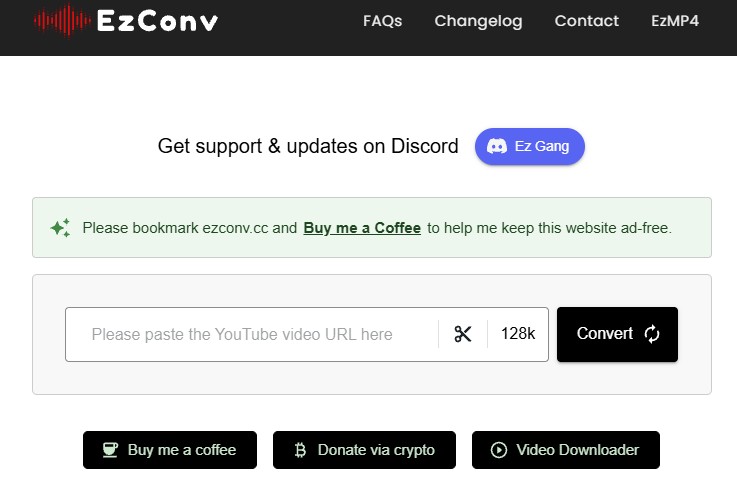
EzConv is the online tool I'd use for one-song grabs, not for playlists — it doesn't process a full playlist URL. What it does well: paste a single video link, pick a bitrate, optionally trim the audio, and download.
Website: EzConv
- Pros:
- Zero ads or annoying redirects.
- Fastest download speed among the online tools we tested.
- Allows you to choose your audio quality ranging from 64kbps to 320kbps.
- Built-in trimming tool to cut specific parts of the audio.
- Cons:
- No playlist support
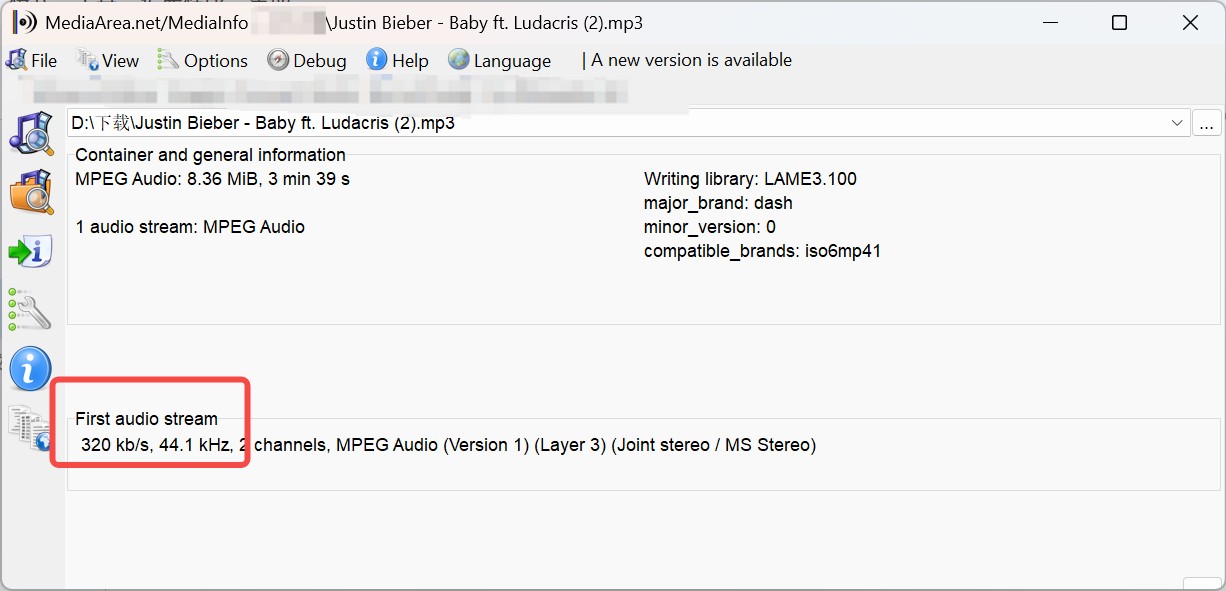
My take: MediaInfo confirmed the downloaded MP3 is genuinely encoded at the 320 kbps I selected — many free converters lie about this, so it's a real point in EzConv's favor. But an important caveat: a 320 kbps MP3 output setting doesn't create extra source detail. YouTube Music's High and Always High tiers are capped at 256 kbps AAC/OPUS, so re-encoding to 320 kbps MP3 gives you a bigger file, not a better master. For more on this, see the YouTube Music quality breakdown.
Best for: occasional single-track downloads without installing software. Not ideal for: full playlists (no playlist parsing).
How to Use:
- Open the EzConv website.
- Paste the YouTube video URL.
- Click the quality dropdown (default is 128k) and select your preferred bitrate (e.g., 320k).
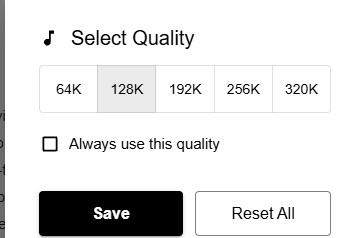
- Click "Convert" and then "Download MP3".
Loaderr.to (Free Online YouTube Video Downloader)
Loaderr.to is a browser-based YouTube downloader that offers batch ZIP exports for standard YouTube playlists and more format choices than most lightweight web tools. Its site is live but I'd treat freshness claims cautiously.
Pros: Support converting MP3 files up to 320 kbps, as well as M4A, FLAC, and WAV files.
Cons: Many redirects and the downloading speed is slow
Note: It is aimed at YouTube, but it doesn't guarantee support for YouTube Music playlists, and its reliability varies.
Download a Playlist with Loaderr.to
- Step 1: Go to YouTube or YouTube Music, select a playlist, and copy the URL into the Loaderr.to input.
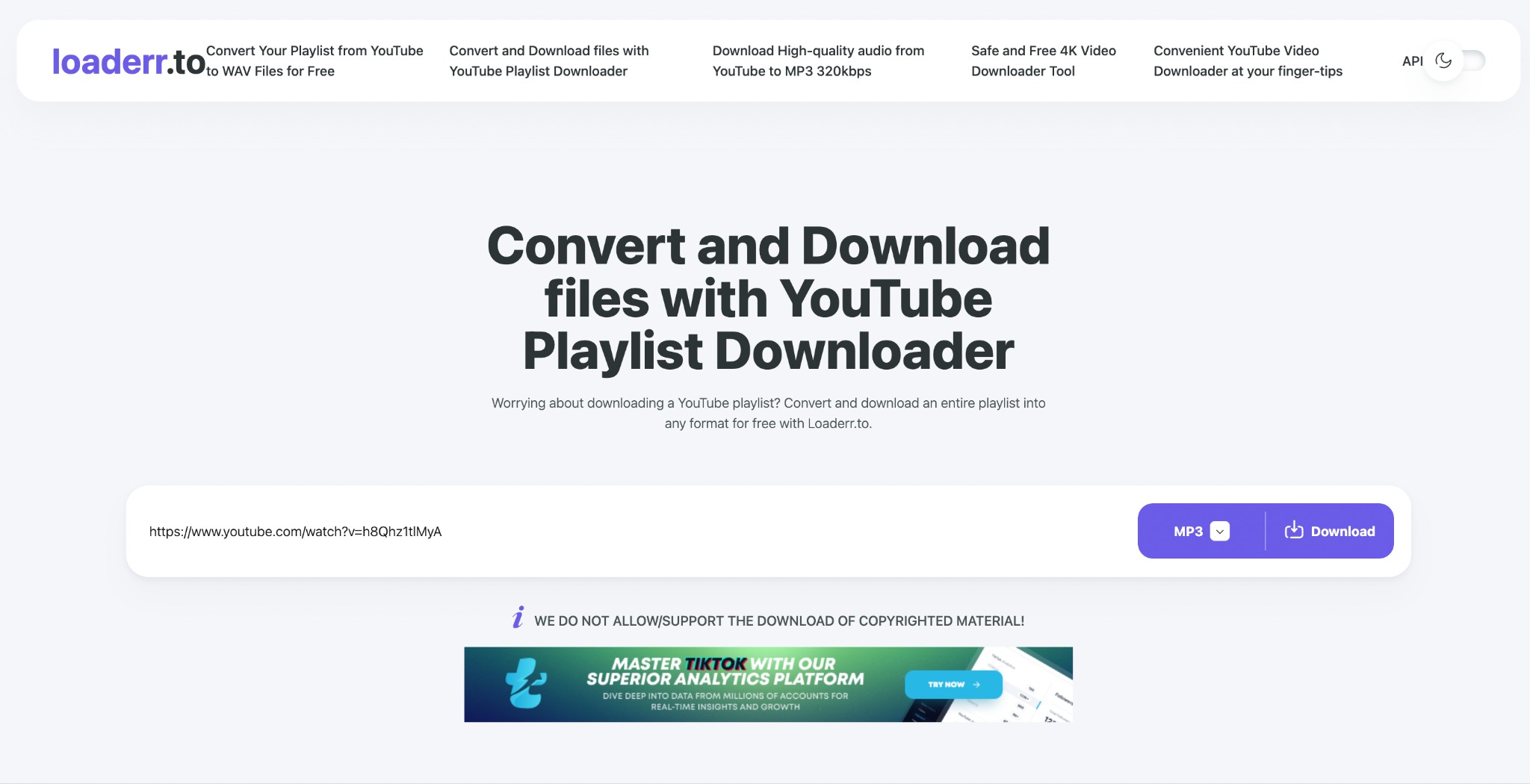
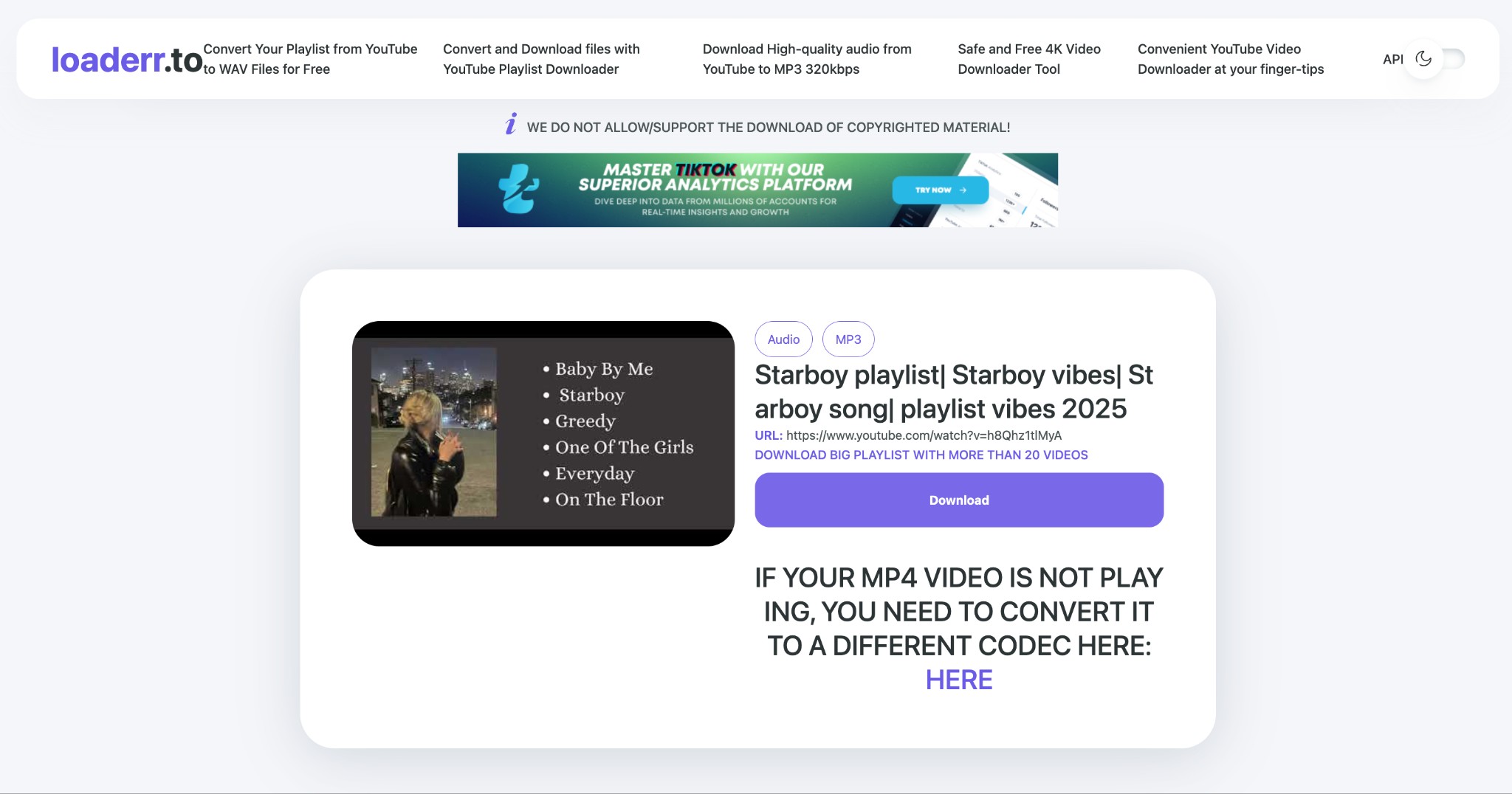
- Step 2: Choose your desired MP3 or other format from the drop-down list of options, then click the "Download" button on the right to save the file.
yt-dlp (Open-Source for Power Users)
yt-dlp is the maintained fork most Linux users and scripters land on. It's the option I trust when a desktop app breaks on a YouTube backend change — a well-maintained CLI tends to get patched faster than an abandoned GUI. Downside: FFmpeg has to be on your PATH, and you need to be comfortable with a terminal, so it's not what I'd hand to a casual user.
The command below pulls a playlist and re-encodes each track to a 320 kbps MP3, embedding metadata and cover art. Note that 320 kbps is your output setting — YouTube Music's source stream is capped at 256 kbps AAC/OPUS, so this doesn't magically upgrade fidelity. See the YouTube to MP3 converter guide for how output bitrate relates to source quality.
Best for: automation, custom filename templates, Linux users, and anyone who hits parsing failures with GUI tools. Not ideal for: readers who don't want to install FFmpeg or touch a command line.
Pros:
- Best for automating playlist downloads
Cons:
- Not beginner-friendly
Automate Playlist Downloads with yt-dlp
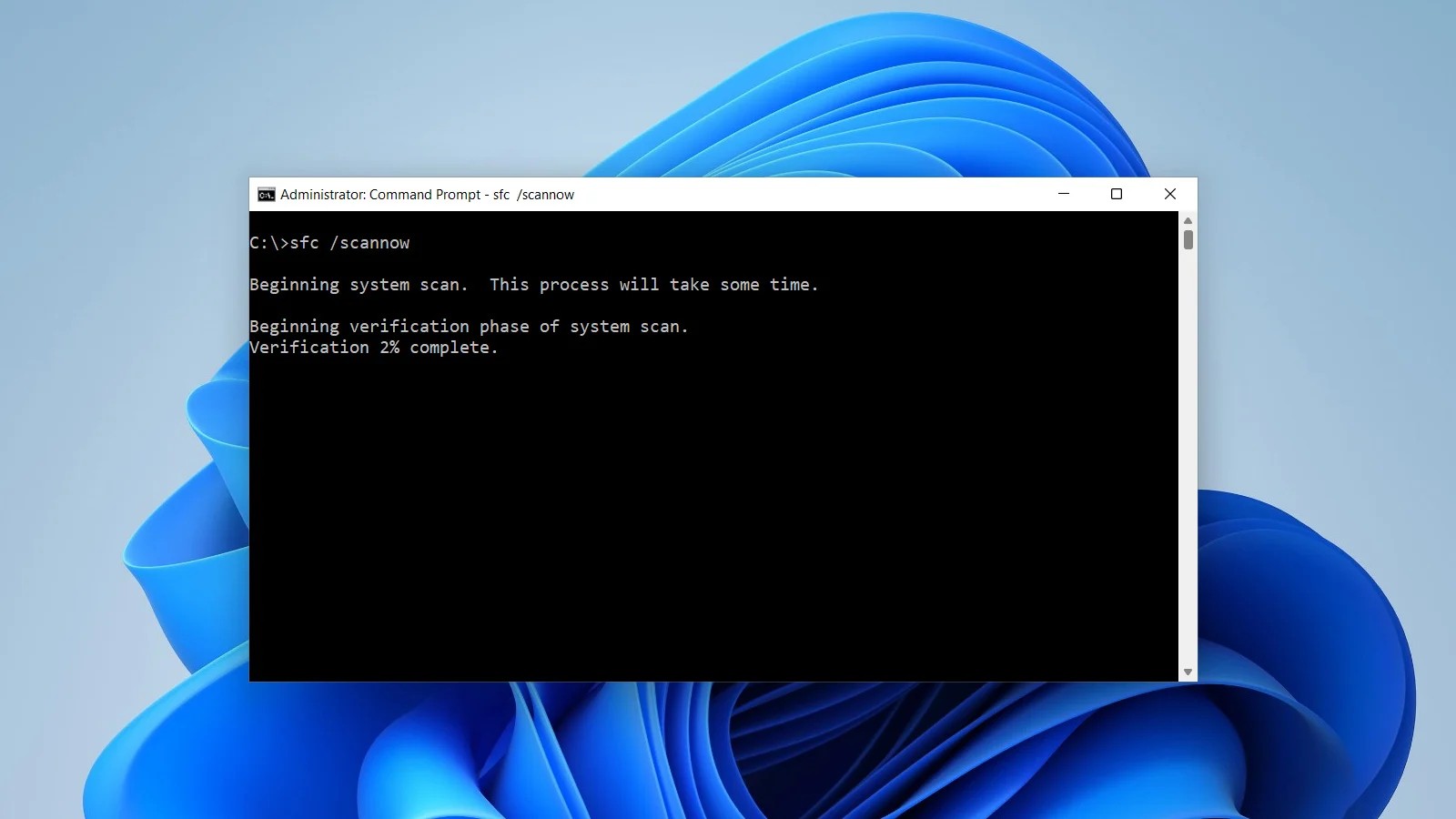
- Step 1: Go to your computer's search box and type "cmd" > open the "Command Prompt" > run "pip install yt-dlp" to install the yt-dlp command line tool. Make sure FFmpeg is installed and on your PATH.
- Step 2: Once the program is installed, run the another command “yt-dlp -x --audio-format MP3 --audio-quality 320K --embed-thumbnail --add-metadata -o "%(playlist_index)s - %(title)s.%(ext)s" "PLAYLIST_URL". Here you have to replace the “ Playlists_URL” By your selected YouTube playlists URL.
- Step 3: After that, the downloaded file will be saved in the current CMD directory.
Free YouTube Music Downloaders to Skip
Three names are worth treating cautiously for different reasons: safety concerns, unavailability, and category mismatch.
- Fake Y2Mate Clones: Several lookalike sites use the same deceptive template.
They let you paste a link and display a realistic-looking download menu (offering 320kbps, 256kbps, etc.) alongside a fake "Verify you are human" Cloudflare check.
Do not click these. Clicking the download buttons will not give you an MP3; it will hijack your browser and redirect you to shady third-party websites.
- 320YouTube — currently unavailable. The site is no longer reachable as a working playlist downloader, so I'd treat any current recommendation of it as outdated.
- Playlists Downloader — unverified. I couldn't find a canonical official site or confirm current operating status, so I'm not comfortable calling it either functional or broken today. Skip until you can verify a legitimate source.
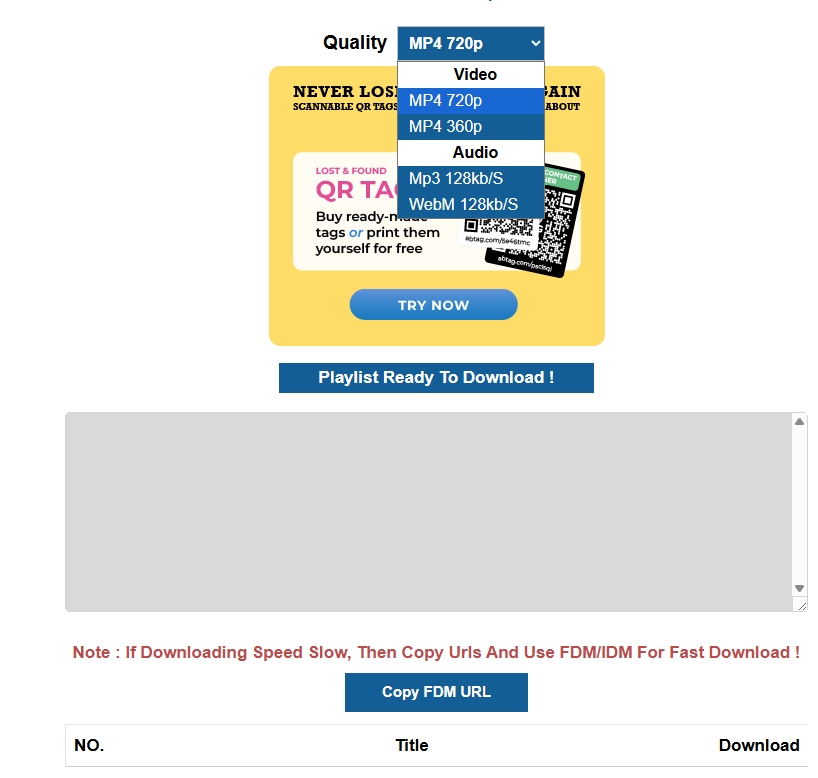
- TurboScribe: not a playlist downloader. It's an active transcription service, not a YouTube Music playlist downloader. Don't judge it as a peer of the tools above; just know that when it shows up in "YouTube to MP3" searches, you're looking at the wrong category.
Comparison: YouTube Music Playlist Downloaders at a Glance
This comparison table will help you choose the best-suited YouTube Music playlist downloaders mentioned below for your specific purpose.
Source-quality note: YouTube Music's High and Always High streams are capped at 256 kbps AAC/OPUS, so a 320 kbps MP3 output setting is re-encoding, not proof of added source detail. The comparison reflects available specs and trial terms as of August 2026.
| Tool | Playlist behavior | Library and output | Best fit | Key limitation |
|---|---|---|---|---|
| MusicFab YouTube Music Converter | Batch playlists and albums | MP3 / M4A / WAV / FLAC / OPUS; ID3 + .lrc | Large local libraries | Desktop install; active subscription required |
| SnapDownloader | Parses full playlists | Multiple audio formats | Medium playlists | License needed after trial |
| AnyUkit (web) | One file at a time | MP3 / MP4 | Occasional tracks | App needed for batch use |
| EzConv | No playlist parsing | MP3 output | Single tracks | Not a playlist option |
| Loaderr.to | Standard YouTube playlists | Several audio formats | Small queues | YouTube Music support is unconfirmed |
| yt-dlp (CLI) | Playlist automation | MP3 via FFmpeg; metadata | Automation and filename control | Terminal and FFmpeg required |
FAQs
Is it legal to download a YouTube Music playlist?
Save only content you're authorized to access, where permitted by YouTube's terms and applicable law. Personal offline listening from an active subscription may fall under personal copying exemptions in your jurisdiction, but redistribution and commercial use are separate questions. Keep it personal, keep an active subscription, and don't share the files.
Why does a playlist downloader return a 403 error?
A 403 usually means YouTube changed something on the backend and the tool hasn't caught up yet. Fix order I'd try: update to the latest build, restart the app, sign back into your account inside the tool, and test with a 2–3 song playlist before retrying the big one. If the tool is a maintained project, a patch typically follows within days. If it's an abandoned app, no update will come.
Can I move playlist files to a USB drive?
YouTube Music Premium's in-app offline downloads can't be copied to a USB drive — they only play inside the YouTube Music app on the device that downloaded them. Local audio files (MP3, FLAC, WAV, M4A) saved via a desktop tool are standard files you can drag onto a USB stick, provided your car head unit or player reads that format. MP3 is the safest bet for older head units.
Conclusion
If you only need to save an occasional track, an online downloader can be the quickest option, but playlist support, redirects, and output quality can vary from site to site. For larger YouTube Music playlists, a desktop downloader is usually more practical because it can handle batch downloads, multiple formats, and metadata with less manual work.
MusicFab fits users who want a graphical desktop workflow and regularly save full YouTube Music playlists as local audio files. SnapDownloader is another desktop option, while yt-dlp gives advanced users more control and automation through the command line. Free web tools are better treated as lightweight options for individual tracks rather than dependable playlist managers.


Five browser-based YouTube audio rippers are compared using the same checks for redirects, file type, bitrate, and playlist handling. The guide also explains source-quality limits, safer method selection, troubleshooting, and when a desktop batch workflow makes more sense than another converter site.
By Jane Chen - Oct 21, 2026
Nine YouTube to MP3 options are reviewed by current status, redirects, output quality, device fit, and playlist handling. Use the comparison to choose a one-off online converter or a desktop workflow for repeated, organized conversions.
By Jane Chen - Oct 21, 2026
A WAV label does not prove that a converter delivered real WAV audio. This guide explains how to verify the file, when WAV is worth the storage cost, and how current browser and desktop routes fit single-video, playlist, and metadata-sensitive workflows.
By Jane Chen - Oct 21, 2026
Download YouTube Music to a computer with a clear look at official mobile-only downloads, desktop local-file options, format choices.
By Jane Chen - Aug 26, 2026