
7 Free Online YouTube Audio Rippers Tested in 2026

Summary: Seven browser-based YouTube audio rippers are compared using the same checks for redirects, file type, bitrate, and playlist handling. The guide also explains source-quality limits, safer method selection, troubleshooting, and when a desktop batch workflow makes more sense than another converter site.
Searching for a YouTube audio ripper usually means you want one song quickly, not a maze of fake buttons, redirects, or files whose quality does not match the label. A free YouTube audio ripper can handle a basic job, but method choice matters more than the number of converter sites in a list.
This guide compares seven browser tools, explains how to rip music from YouTube without confusing output settings with source quality, and shows when a desktop or command-line route is more practical. If browser safety is your first concern, the existing YouTube to MP3 converter safety review explains the warning signs in more depth.
Key Takeaways
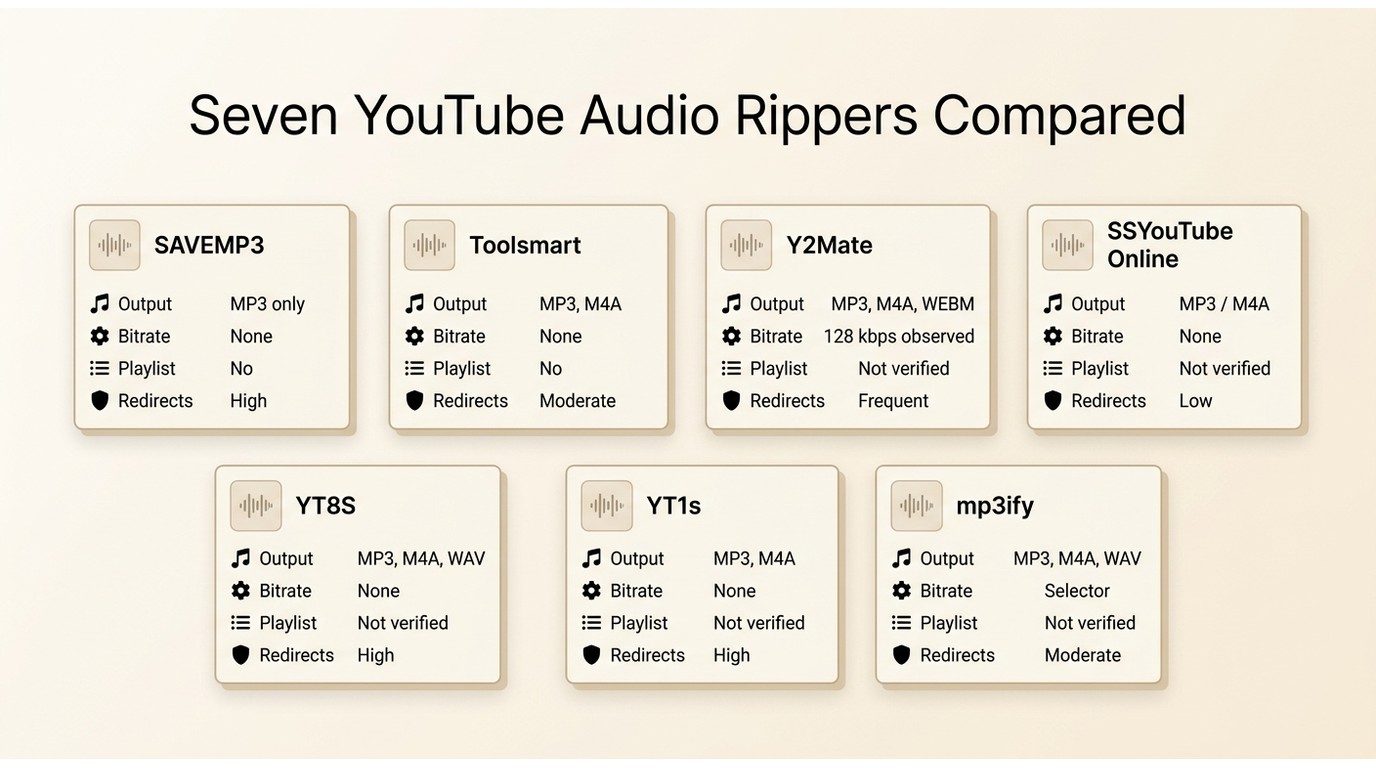
The best YouTube audio ripper depends on whether you need one MP3, a playlist, reliable metadata, or tighter control over the file. No browser tool below is the right fit for every workload.
- Quick single-song use: SAVEMP3 and Toolsmart had the simplest MP3 workflows in the reviewed paths.
- Format choice: SSYouTube Online exposed M4A in the reviewed flow, while mp3ify presented a bitrate selector. Neither label proves better source audio.
- Batch or YouTube Music: A maintained desktop app or command-line method fits repeated queues better than a single-URL online audio extractor.
- TubeRipper: The TubeRipper.com URL reviewed here was unreachable; other domains use the name, but their relationship is unclear.
Prerequisite: Use any extraction method only for content you are authorized to access, for personal copying where permitted by platform terms and applicable law, and keep an active subscription to the original platform when subscription access is required. The steps and tools below do not provide a way around subscriptions, access restrictions, or paid features.
Rip YouTube Audio in Four Steps
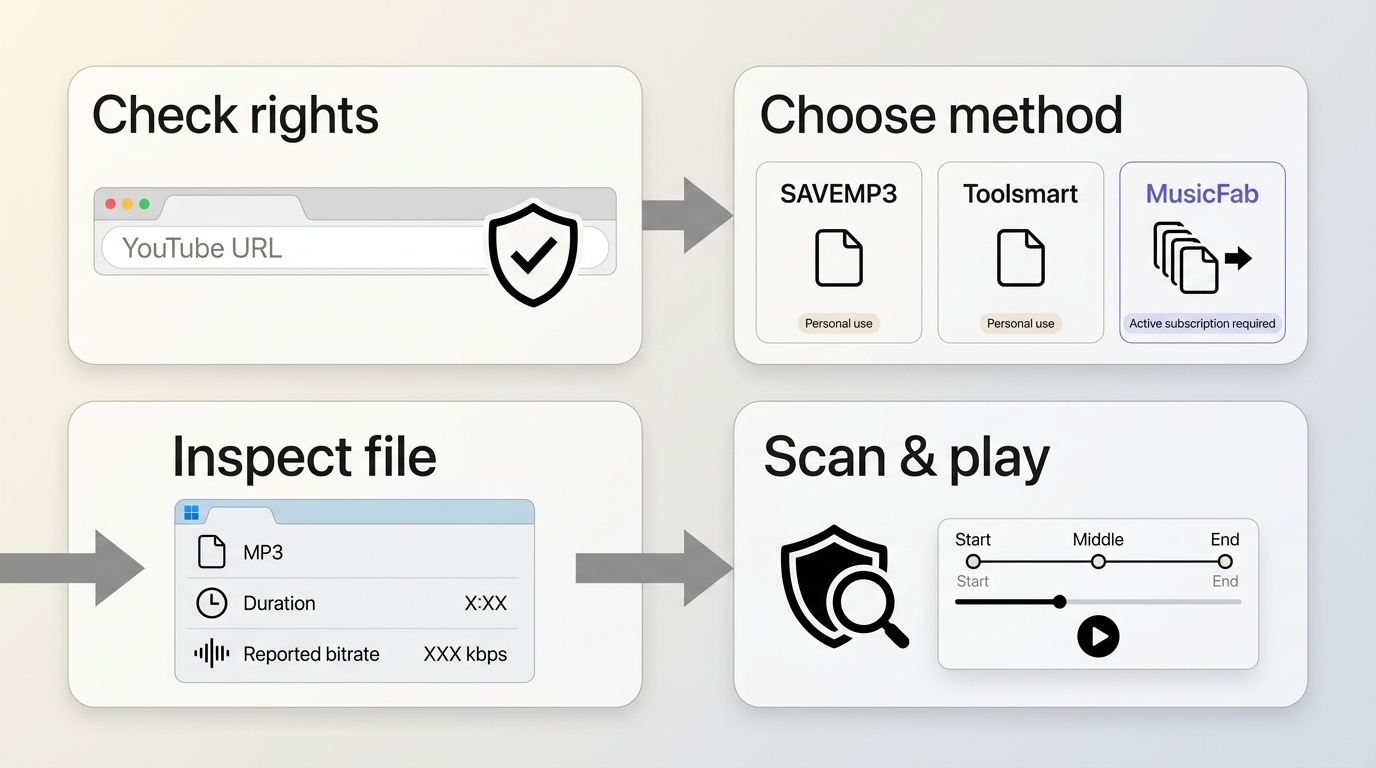
To rip songs from YouTube with fewer surprises, verify rights and URL type first, then choose the method, inspect the output, and check the finished file before depending on it.
- Confirm the source and permission. Start with a normal public video URL and make sure personal extraction is allowed for that content and account.
- Match the method to the workload. A YouTube audio ripper online is convenient for one file; playlists and organized libraries usually need a maintained desktop or command-line workflow.
- Inspect the actual output. Check the extension, container, duration, and reported bitrate instead of trusting the button label.
- Scan and play the file. Reject executable or mismatched downloads, then play the start, middle, and end before deleting the original reference.
My rule is simple: choosing the right method saves more time than opening five near-identical converter tabs.
How the checks were run: As of July 2026, the browser paths were reviewed on a Windows 11 laptop in current Chrome with a regular public video URL and a playlist URL. We noted destination domains, unexpected redirects, file extensions, reported bitrate, and whether a playable audio file was produced. A pass required a recognizable audio file without an executable installer or unexplained file-type mismatch.
In that Windows 11 and Chrome session, a regular-video URL reached the result stage on several sites, while the playlist URL exposed the clearest limitation: most browser pages did not accept it as a batch job. That is why advertised format labels were treated as interface claims, not proof of the source stream or final audio quality.
1. SAVEMP3
SAVEMP3 is a YouTube audio ripper online for a basic single-video MP3 workflow. Its reviewed page was cleaner than the redirect-heavy options, but it did not offer playlist handling or useful format control.
| Reviewed address | https://savemp3.net/lirk9 |
|---|---|
| Observed fit | One regular YouTube video to MP3 |
| Limit | No playlist support or bitrate choice in the reviewed web flow |
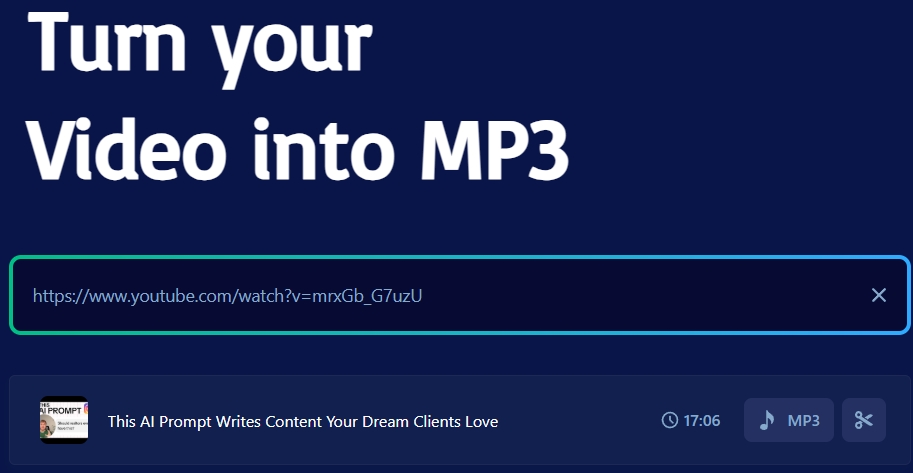
- Copy the public YouTube video URL.
- Paste it into SAVEMP3 and wait for the result.
- Select MP3 and download the audio file.
I would use SAVEMP3 for a disposable one-song task, not for an archive where format choice and repeatability matter.
2. Toolsmart
Toolsmart works as a straightforward online audio extractor for one MP3. The reviewed flow was quick to understand, but it did not establish playlist support, alternate audio formats, or bitrate control.
| Reviewed address | https://www.toolsmart.ai/feature-youtube-to-mp3/ |
|---|---|
| Observed fit | Quick single MP3 conversion |
| Limit | Not suited to playlists, format choice, or bitrate selection |
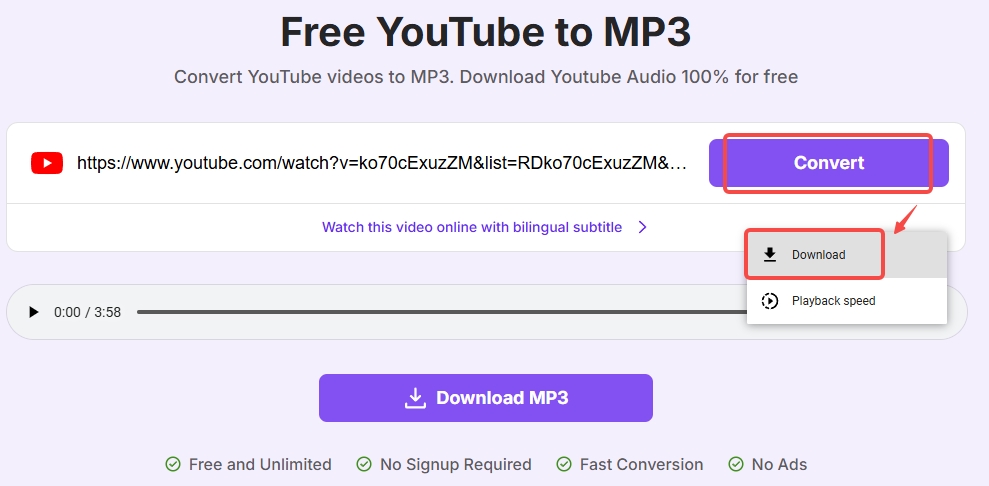
- Paste the YouTube video URL into the input box.
- Select Convert and wait for the page to analyze the link.
- Use the file menu to download the resulting MP3.
After the first two tools, the pattern is already clear: a tidy interface helps, but it does not turn a single-file converter into a playlist or quality-control tool.
3. Y2Mate
Y2Mate is a familiar YouTube audio grabber name, but the exact versioned address reviewed here could not be treated as a stable identity. The tested path produced a 128 kbps MP3 and unexpected redirects.
| Reviewed address | https://v6.www-y2mate.com/convert/ |
|---|---|
| Observed result | 128 kbps MP3 in the reviewed conversion |
| Limit | Redirect risk and uncertain identity across similarly named domains |
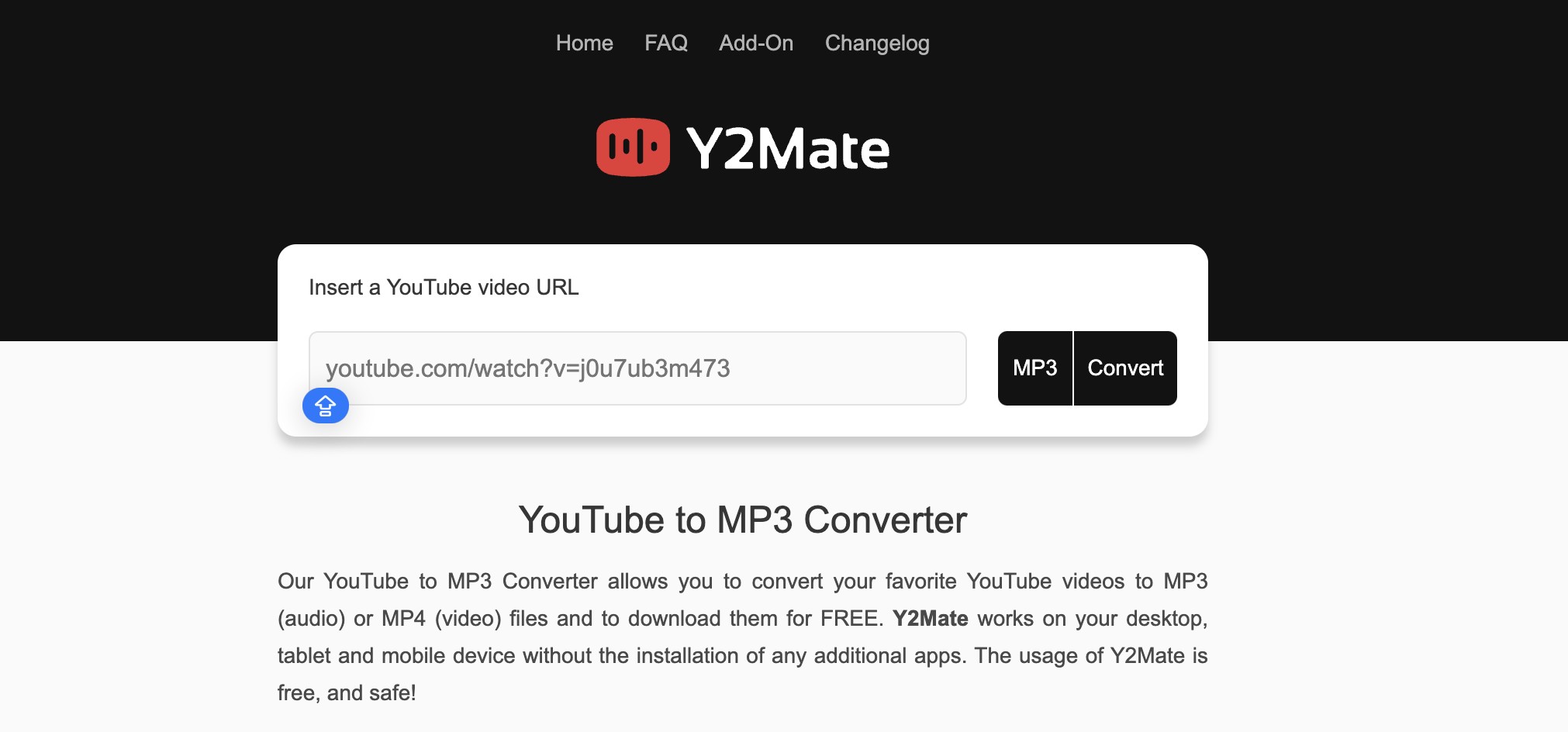
- Paste a regular public video URL into the input field.
- Select the MP3 option and start the conversion.
- Leave the page if a new destination opens unexpectedly; download only the expected audio file.
This route may suit someone who accepts redirect risk for a one-off file. I would not use it on a work computer or for privacy-sensitive material.
4. SSYouTube Online
SSYouTube Online handled a simple YouTube audio rip and exposed M4A in the reviewed flow. The old address redirected to ssyou.online, so the destination domain matters as much as the page name.
| Reviewed address | https://ssyoutube.online/en2/ |
|---|---|
| Current destination | ssyou.online during the shared test session |
| Observed fit | Single-video audio with MP3 or M4A choices shown |
The M4A option is useful when device compatibility matters, and a dedicated YouTube to M4A converter comparison can explain format-specific tradeoffs, but the original article contains no separate link for that topic.
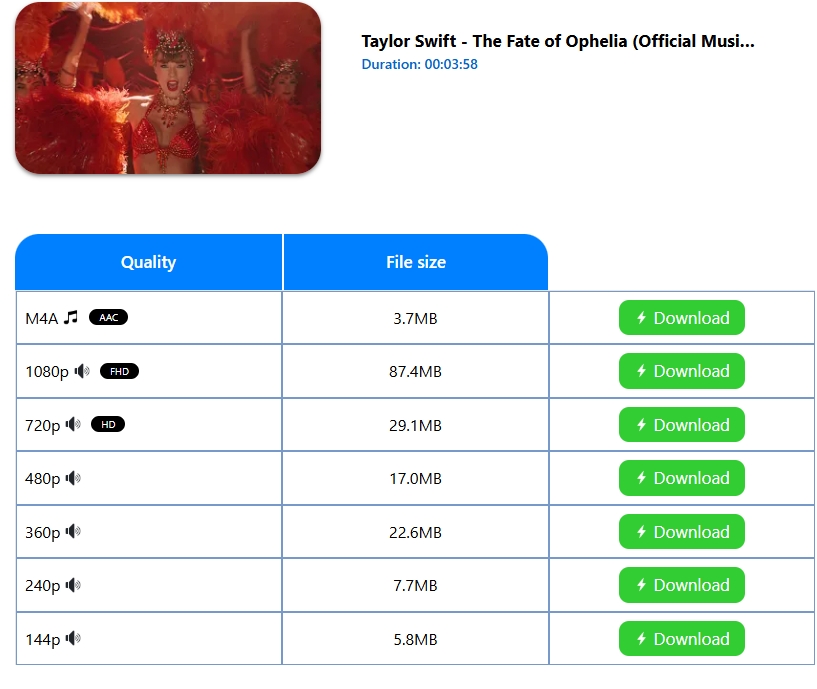
- Copy a regular YouTube video URL.
- Paste it into the page after confirming the destination domain.
- Select the available audio format and download the matching file.
The useful distinction here is format availability, not a promise of higher fidelity. A new container cannot add audio information missing from the source.
5. YT8S
YT8S functioned as a YouTube song ripper for a tested single MP3 workflow. The review did not establish playlist support, quality controls, or long-term service availability.
| Reviewed address | https://yt8s.com/en811 |
|---|---|
| Observed fit | One regular video converted to MP3 |
| Limit | No verified batch or bitrate-control workflow |
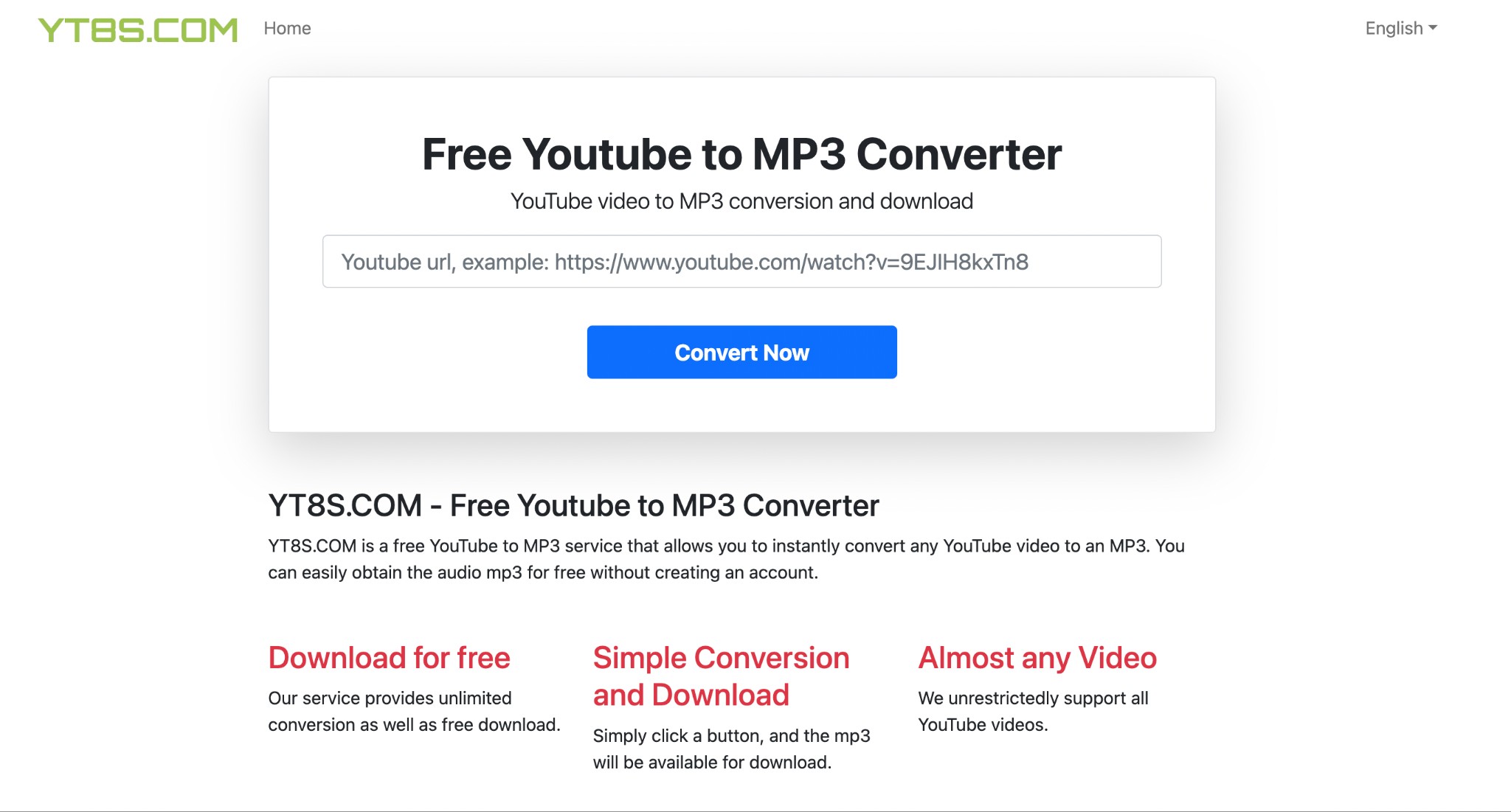
- Paste the selected public video URL into the input box.
- Select Convert Now and wait for the result.
- Download the MP3, then confirm that the extension and playback match the selection.
YT8S belongs in the same one-file category as the first tools. It is not evidence that an online page can manage a music library.
6. YT1s
YT1s is a compact YouTube ripper with a simple copy-and-paste flow. In the reviewed path, unwanted destinations were the main concern and there was no dependable output-quality selector.
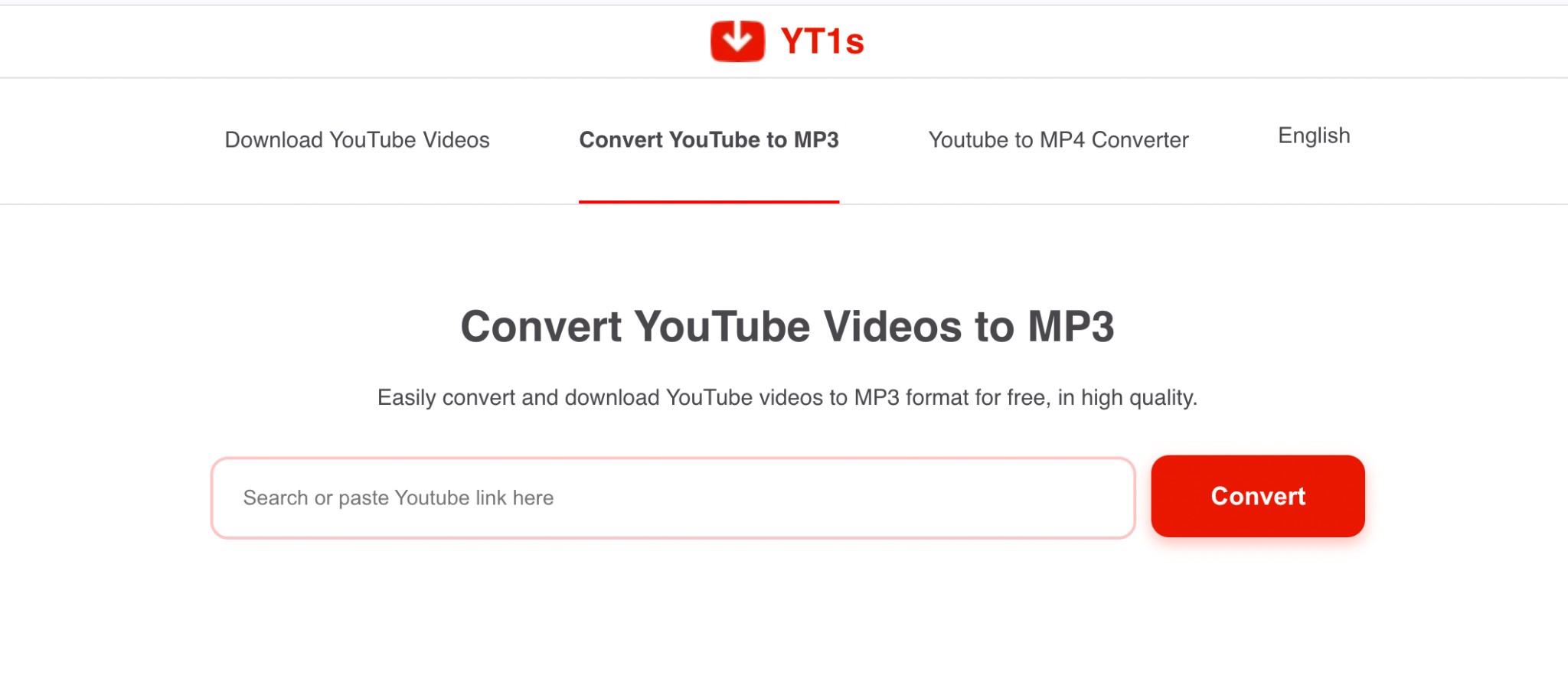
| Reviewed address | https://v2.yt1s.biz/en14/ |
|---|---|
| Observed fit | Single-link conversion |
| Limit | Unexpected redirects and weak quality control |
- Paste a public video URL into the search box.
- Select the audio output shown by the page.
- Close unrelated tabs and accept only the expected audio download.
On the same Windows 11 laptop, an unexpected tab opened during this browser flow while the requested file remained on the original page. That observable split is a reason to slow down, not to click every visible Download button.
7. mp3ify
mp3ify is a YouTube audio ripper that presents an output bitrate choice, but the reviewed mp3ify.com address redirected to mp3ify.io. A selected number describes the requested output, not verified source audio quality.
| Reviewed address | https://www.mp3ify.com/ |
|---|---|
| Current destination | mp3ify.io during the shared test session |
| Observed fit | Single-file MP3 with an output-setting selector |
| Limit | Account friction and no demonstrated playlist workflow |
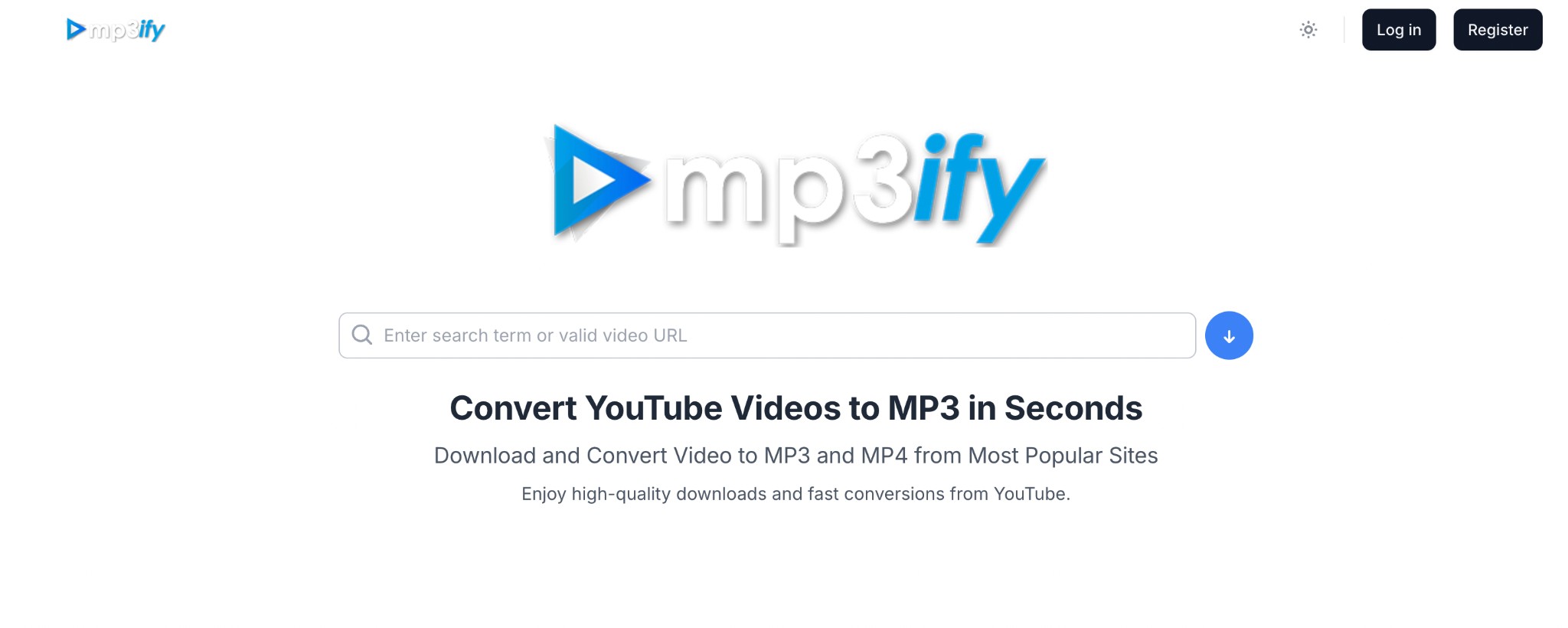
- Paste the YouTube link into the input field.
- Open the output selector and choose the available setting.
- Download the file and inspect what was actually produced.
I treat a bitrate picker as a workflow control, not a listening-quality certificate. The source stream sets the ceiling.
TubeRipper Status in 2026
The TubeRipper audio extractor URL used in the original review, TubeRipper.com, was unreachable. Services using the TubeRipper name remain visible on other domains, including .net and .org, but shared branding does not establish shared ownership.
| Reviewed address | https://tuberipper.com/41/ |
|---|---|
| Status | Unavailable in the shared test session |
| Editorial treatment | Status note, not a ranked working recommendation |
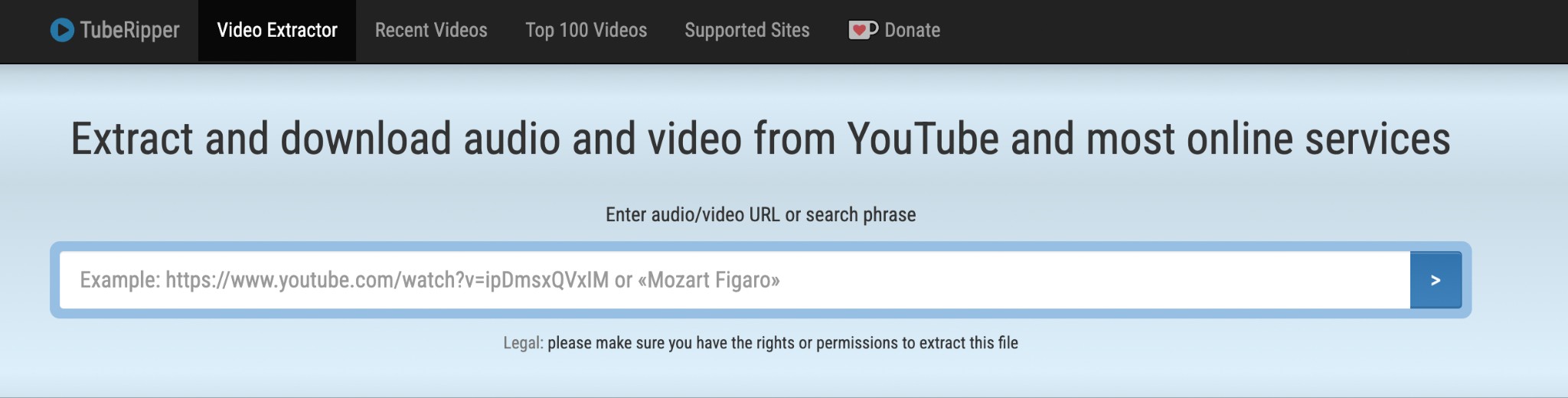
Do not assume that every similarly named domain is malicious, but do not assume it is the same service either. Confirm the destination and apply the same file and redirect checks used for any unfamiliar YouTube ripper.
MusicFab for Batch Desktop Workflows
For content you are authorized to access, where permitted by platform terms and applicable law, MusicFab YouTube Music Converter is a Windows and Mac desktop alternative for repeated YouTube Music queues. It requires an active subscription to the original platform and is intended for personal copying.
MusicFab uses direct source download technology, does not perform DRM decryption, and is not a live-capture method. For this article, its useful advantages are batch album or playlist queues, retained ID3 tags and lyrics, and a built-in browser that keeps search and conversion in one workflow.
That makes it a stronger fit for people organizing repeatable batches and metadata. It is a poor fit for someone who wants one quick browser conversion and does not want to install desktop software. For regular YouTube rather than YouTube Music, MusicFab Audio Converter is the closer product match.
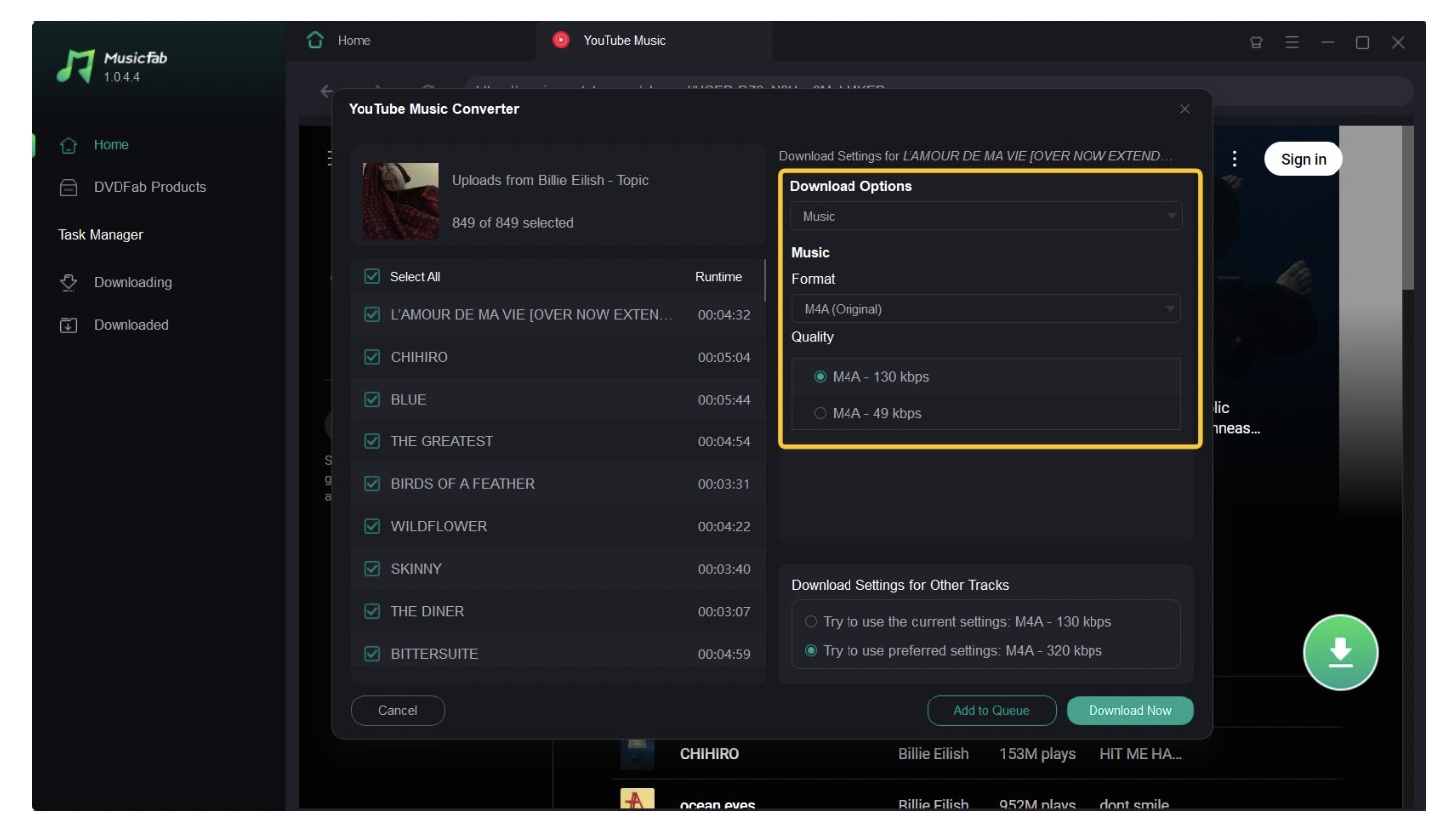
The product supports MP3, M4A (AAC), WAV, FLAC, and OPUS, with a 30-day trial that covers three full songs. Format availability does not change the source-quality rule explained later.
MusicFab Desktop Workflow
The desktop workflow separates source selection, format choice, and queue management, which is easier to repeat than opening a converter page for each track.
Step 1: Launch MusicFab on Windows or Mac and select YouTube Music in the built-in browser.
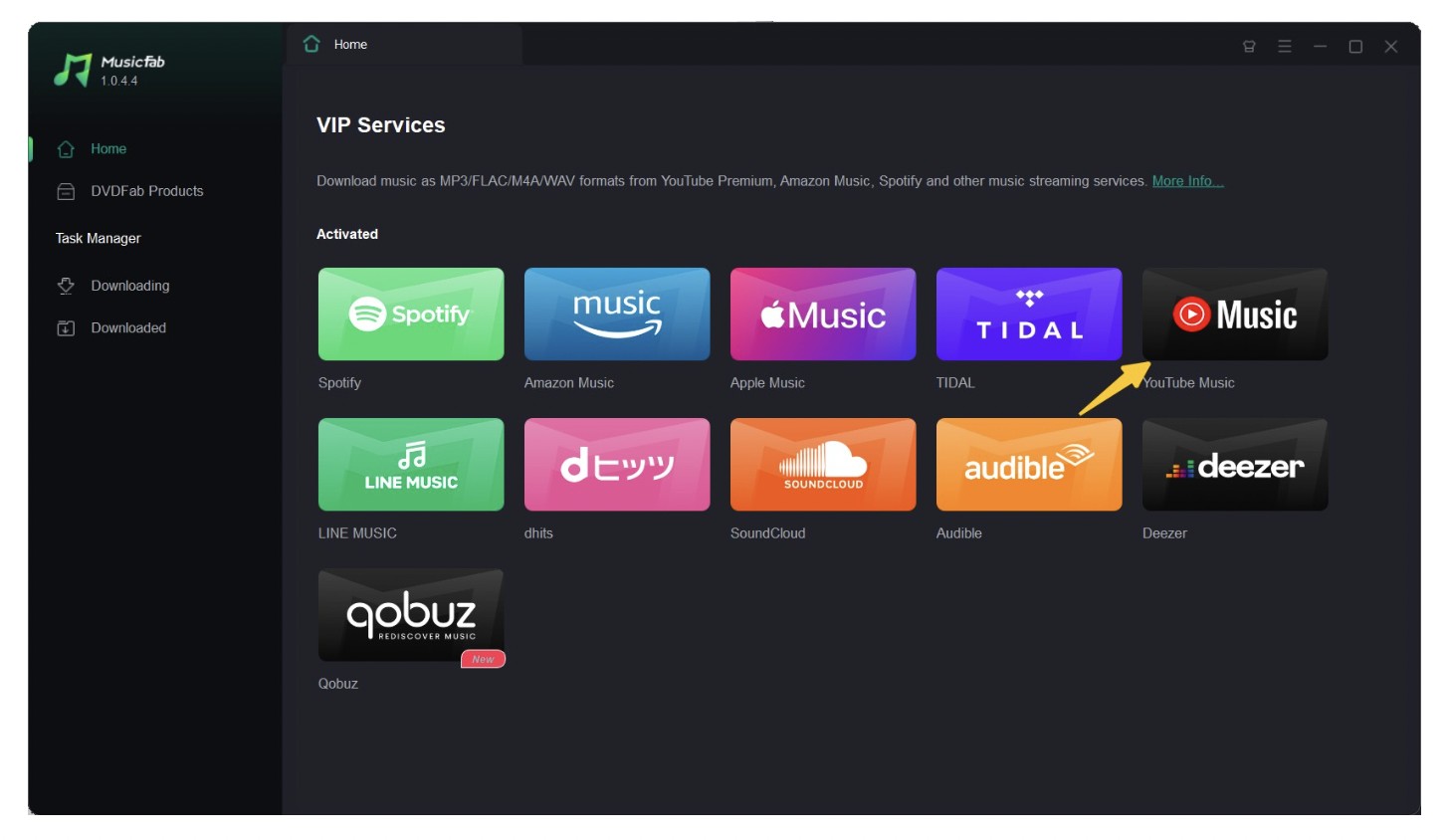
Step 2: Sign in with an active account, then open the authorized album, song, or playlist.
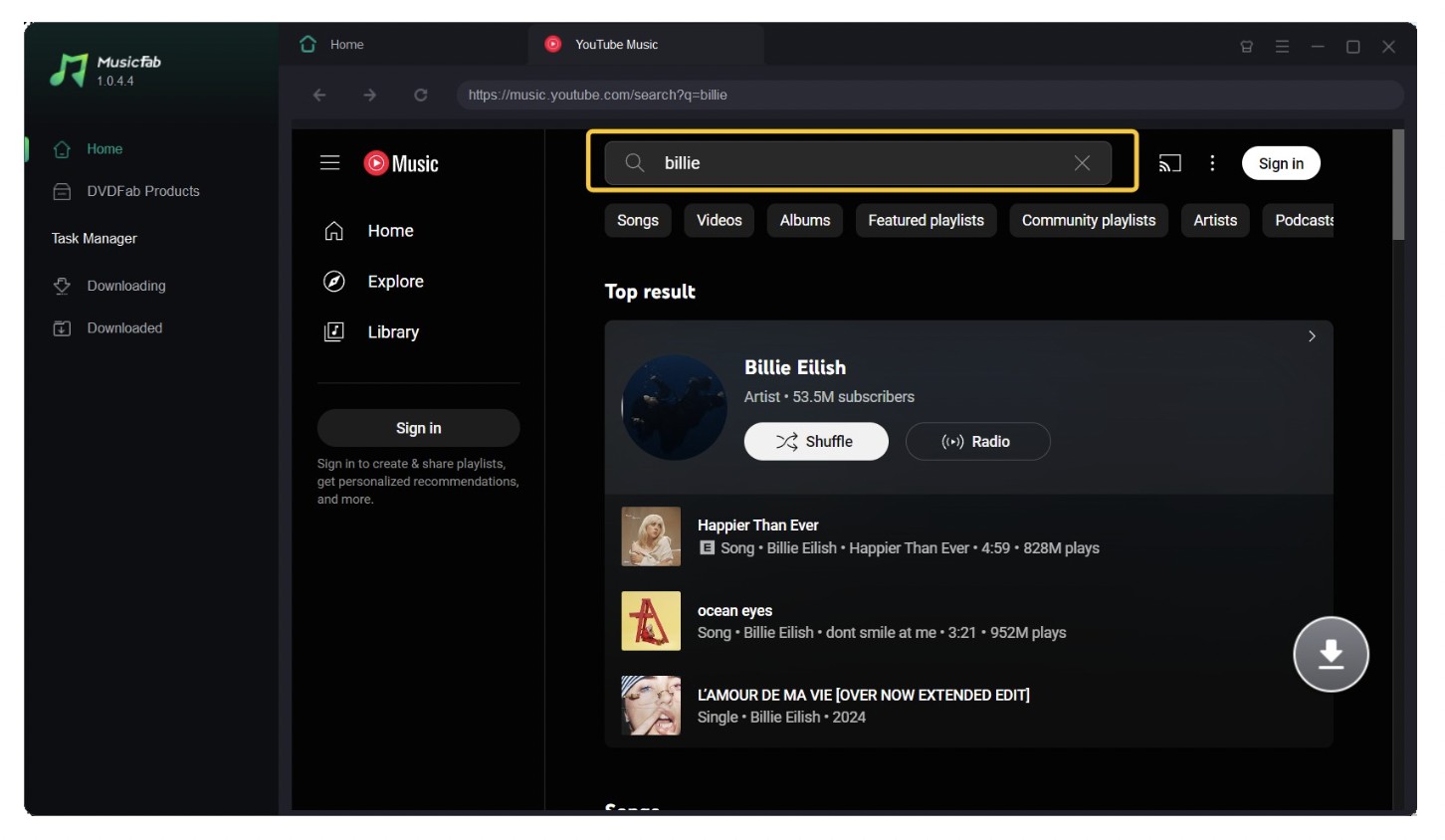
Step 3: Select the available output options and add the items to the queue.
Step 4: Monitor the queue and check the destination folder for the audio files and retained metadata.
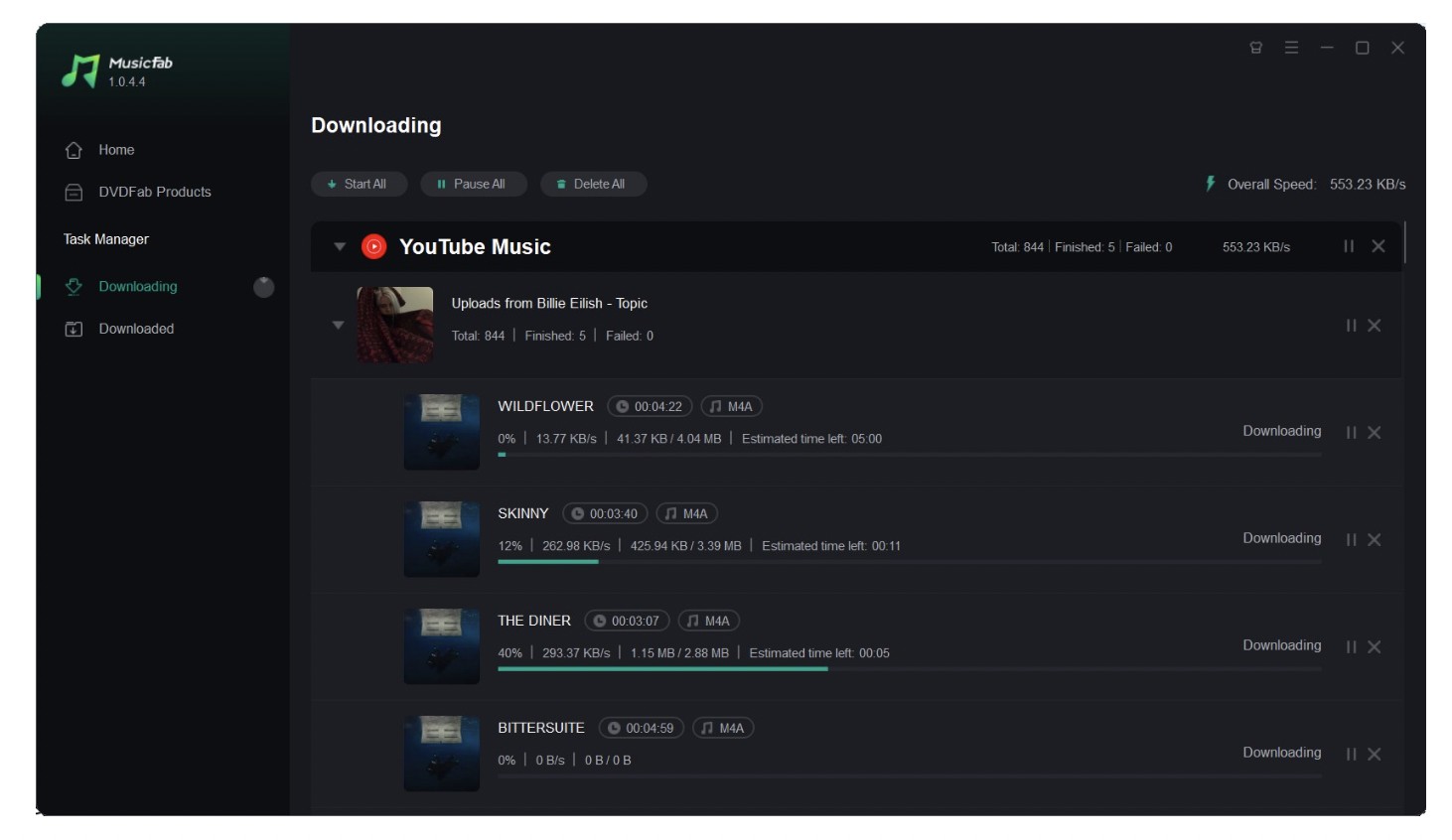
On a MacBook Air running macOS 15, adding a mixed song-and-playlist test set produced one visible queue with title and artwork fields populated before conversion. The useful result in that scoped check was organizational consistency, not a universal speed claim.
A dedicated YouTube Music playlist downloader guide covers larger album and playlist queues without turning this article into a second playlist ranking.
Choose the Right Ripping Method
A YouTube ripper app is not automatically safer or more capable than a website. Choose by workload, device, source access, and how much verification you are willing to do.
Online, Desktop, Command Line, or Capture
Browser tools win on convenience, command-line tools offer control, desktop software reduces repetitive queue work, and loopback capture is a separate real-time fallback. MusicFab belongs to the direct-source desktop category, not the capture category.
| Candidate | Best for | Actual audio result | Formats | Playlist or batch | Ad or redirect risk |
|---|---|---|---|---|---|
| SAVEMP3 | One quick MP3 | Playable MP3 | MP3 shown | No | Low in reviewed path |
| Toolsmart | Simple single MP3 | Playable MP3 | MP3 shown | No | Low in reviewed path |
| Y2Mate | One-off use with caution | 128 kbps MP3 | MP3 and MP4 shown | No | High |
| SSYouTube Online | M4A choice for one video | Audio choices displayed | MP3 and M4A shown | No | Medium |
| YT8S | Single MP3 | Playable MP3 | MP3 shown | No | Low to medium |
| YT1s | Disposable single link | Audio file offered | MP3 shown | No | High |
| mp3ify | Output-setting choice | MP3 setting offered | MP3 shown | No | Low to medium |
| TubeRipper.com status note | Domain-status reference | No result | Not assessed | No | Unknown |
| yt-dlp | Maintained, scriptable jobs | Depends on selected source and options | Source-dependent | Yes | No page-ad risk |
| loopback capture | Editing a short authorized segment | Real-time captured audio | Editor-dependent | Manual | No page-ad risk |
| MusicFab YouTube Music Converter | Authorized batch queues with metadata | Source-dependent audio file | MP3, M4A, WAV, FLAC, OPUS | Yes | No browser-ad workflow |
The practical decision is scenario-based: use a browser converter for one low-stakes file, yt-dlp when terminal control matters, loopback capture for a short edit that must follow real-time playback, and desktop direct-source software when repeated authorized queues and metadata are the main problem.
Windows, Mac, iPhone, and Android
Windows and Mac support all four method families. On iPhone and Android, browser tools are easier to open but harder to inspect, because downloads, pop-ups, and file locations are less visible.
- Windows or Mac: Prefer a maintained local method for repeated jobs; desktop file inspection is also clearer.
- iPhone or Android: Use a reputable browser, reject app-install prompts, and confirm the downloaded extension in the Files app or file manager.
- Shared or managed device: Avoid redirect-heavy services and do not install unknown executables or profiles.
For mobile use, I value a transparent file handoff more than a page that merely looks clean. A YouTube ripper app or website still needs the same rights, destination, and file checks.
Audio Quality Claims Explained
Source audio quality sets the ceiling. A larger bitrate number or a lossless container can change the output file, but it cannot reconstruct information absent from the YouTube source.
Source Quality Versus Output Format
Think of the chain as source stream, extraction method, output container, and any added conversion. Each stage can preserve what is available or lose more; it cannot create missing detail.
| Source and output example | What it means |
|---|---|
| Compressed YouTube source to MP3 | A new lossy conversion may discard additional information. |
| Compressed YouTube source to WAV | The WAV container can aid editing, but the missing source detail does not return. |
| Compressed YouTube source to FLAC | The FLAC file avoids another lossy storage step, but it is not proof of a lossless source. |
| Direct YouTube Music workflow | The available source may differ from a regular YouTube video, so compare the source before comparing output labels. |
The same distinction matters when evaluating a YouTube Music ripper: preserving the best available source is more meaningful than selecting the largest number in a menu.
What 320 kbps Really Means
A 320 kbps MP3 setting describes the output target. If the source contains less information, encoding it again at 320 kbps can produce a larger file without a matching improvement.
For my reviews, the honest test is not “Does the button say 320?” It is “What was the source, was another lossy conversion added, and does the resulting file match the selected container?”
Safety and Legal Checklist
A clean interface is not evidence of privacy or file safety. Apply the same five checks to every free YouTube audio ripper before trusting the download.
- Identify the real control. Ignore oversized ad buttons and confirm the button belongs to the conversion result.
- Leave on unexpected redirects. A surprise tab or domain is a warning, especially if it asks for notifications or an extension.
- Reject mismatched files. An audio request should not produce an executable, installer, browser profile, or unrelated archive.
- Consider retention. If the service does not explain what it receives or stores, do not submit private, unpublished, or account-specific URLs.
- Stay within authorized use. Limit extraction to personal copying of content you may access, where platform terms and applicable law permit, with the required active subscription.
I treat repeated redirects as a method failure, not a puzzle to solve by weakening browser protections.
FAQs
These quick answers cover four common questions that do not need another full section.
Does private browsing make an online YouTube ripper safer?
Not by itself. Private browsing reduces local history after the session, but it does not stop fake buttons, redirects, tracking by the site, unclear URL retention, or a malicious file.
Why does a WAV or FLAC download sound unchanged?
Because the container cannot restore audio information that was absent from the source. WAV or FLAC may help with editing or storage workflow, but the source remains the quality ceiling.
Why does a playlist fail when a single video works?
Many browser tools parse one standard video URL and do not support playlist input. Login requirements, restricted items, regional availability, or a parser change can also break the batch while a public single video still works.
Conclusion
A broken YouTube ripper usually points to a changed parser, unsupported URL type, account restriction, region rule, or browser block. Diagnose the input before assuming the whole method is gone.
- Try a normal public single-video URL instead of a Short, playlist, live stream, private video, or age-restricted link.
- Confirm that the address lands on the expected domain and has not moved to an unrelated page.
- Retry with a maintained method after a reasonable interval, because format and parser changes can break older services.
- If single videos work but playlists fail, switch to a method designed for batch input.
- If the browser path keeps redirecting or producing mismatched files, move to a maintained desktop or command-line alternative.
During a Chrome test on Windows 11, the public single-video URL reached a result while the playlist URL failed at input on multiple browser tools. That scoped result supports changing the method for playlists rather than retrying the same page with fewer protections.

Download YouTube Music to a computer with a clear look at official mobile-only downloads, desktop local-file options, format choices.
By Jane Chen - Aug 26, 2026

This guide separates a converter's live page, completed conversion, and verified .m4a file. It compares six browser tools using current status and prior outcomes, explains how to inspect the container and codec, and outlines desktop workflows for single videos and playlists.
By Jane Chen - Aug 19, 2026

YouTube Music tops out at 256 kbps AAC & OPUS with no native lossless tier. Here's how it compares to Spotify Lossless and Apple Music, plus the Wi-Fi, mobile
By Jane Chen - Aug 13, 2026
Compare six YouTube Music playlist downloaders for desktop, online, and command-line use. See full-playlist support, MP3 output limits, metadata, safety signals
By Jane Chen - Aug 12, 2026