Best MP3 Players for Spotify in 2026: Native Apps vs. Offline Use

Table of Contents
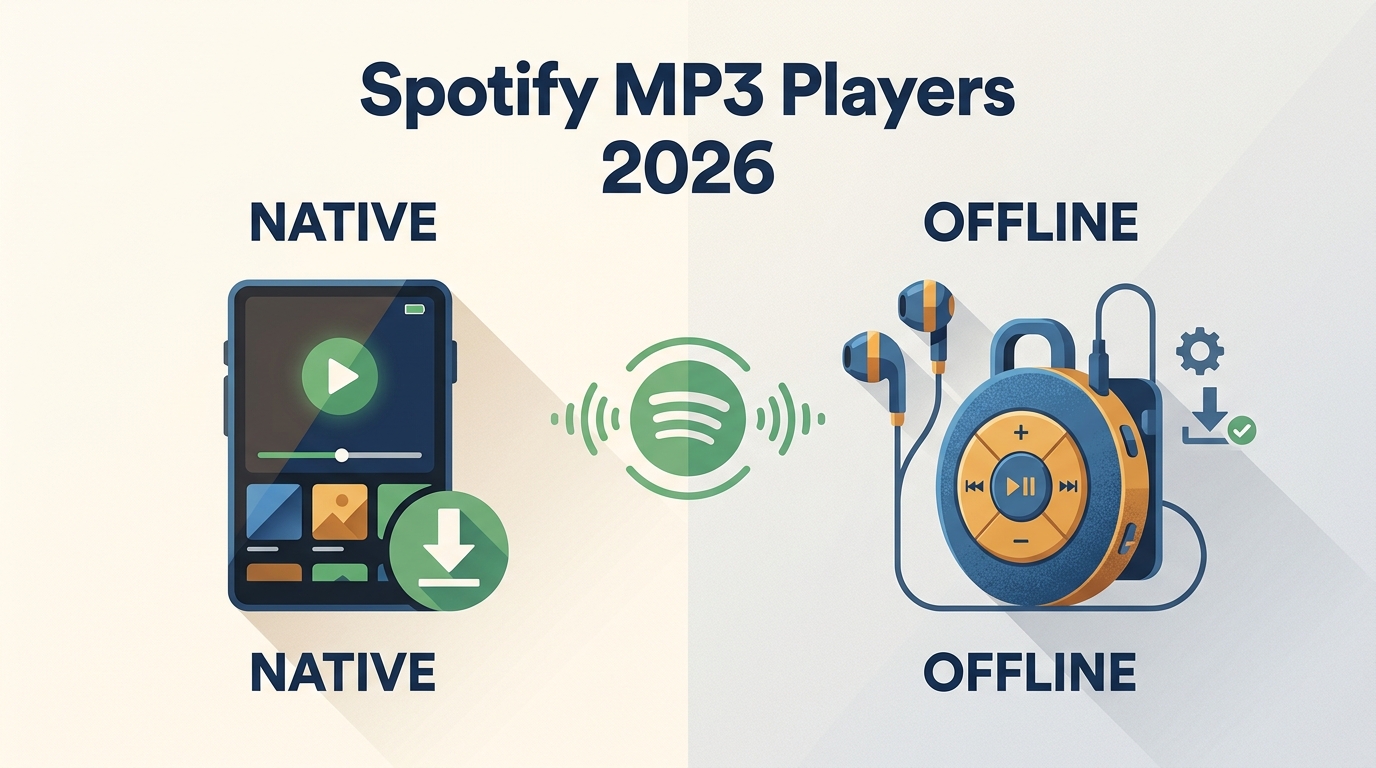
Here's the short answer: an MP3 player with Spotify falls into three real paths: an Android device with the full app, a licensed offline-sync player, or a classic player for local MP3 files. Choose based on phone distraction, battery and storage needs, subscription dependence, and the support life you need.
The three paths:
- Android-based Spotify players: Touchscreen DAPs that install the full Spotify app from Google Play, so streaming and offline behavior mirror your phone.
- Licensed offline-sync devices: Screenless players like Mighty 3 that pair with a phone once, then sync Premium playlists over Wi-Fi.
- Classic MP3 players with local files: Simple hardware (SanDisk, iPod, Sony E-series) that only plays ordinary audio files you already own or add yourself.
I've spent years switching between these three setups myself, and none of them is universally best. Picking the wrong path leaves you with a device that either forces a Premium subscription you didn't want, ships with an app version that can't be updated, or expects you to maintain a local library you weren't ready for. Below, I compare six current options against the constraints that actually decide the purchase: availability, Spotify support life, Premium requirement, offline behavior, storage, and daily fit.
Quick Comparison: Spotify Players by Use Case
The matrix below compares the six options on the dimensions I'd actually check before buying: Spotify method, OS or app source, whether Premium is required, phone dependency, offline behavior, storage, connectivity, U.S. availability, and how long Spotify support is expected to last. Availability and support-horizon fields reflect each vendor's official pages as of August 2026; specifications come from those pages, while any "fit" judgment is my own read after using devices in these categories over the past few years. The shortlist prioritizes current U.S. availability and app longevity because a great feature list means little if the app stops updating in a year.
| Category | Top Product (2026) | Spotify Method | OS / Tech | Best For |
|---|---|---|---|---|
| Android DAPs | HiFiWalker G7 Pro | Native App (Play Store) | Android 13 | Tech-Savvy Audiophiles |
| Premium Audio | Sony NW-A306 | Native App (Play Store) | Android 12 | Sony Ecosystem Fans |
| Budget/Kids | Innioasis G1 | Pre-installed App | Older Android | Kids & Casual Listening |
| Screenless | Mighty 3 | Sync via Phone | WiFi + Bluetooth | Phone-Free Workouts |
| Wearable | Apple Watch S11 | Native App (Download) | watchOS 12 | iPhone Users |
| Classic MP3s | SanDisk Clip | Via MusicFab | N/A | Digital Detox |
Category 1: Android Spotify Players
Best for: Buyers who want one dedicated device for both Spotify streaming and local HiFi audio.
These function like mini-smartphones without a SIM, so you install Spotify, Tidal, or Audible directly from Google Play. The single most important spec here is the Android version: many budget DAPs still ship with Android 8 or 9, which limits which app builds will keep installing and updating. If Spotify longevity matters to you, treat OS version as a primary buying criterion, not a footnote.
1. HIFI WALKER G7 Pro
The HIFI WALKER G7 Pro is currently sold with Android 13 and Google Play access, which is why I'd start any Android Spotify player shortlist here in August 2026. Android 13 doesn't guarantee the Spotify app will keep updating forever, but it's the most current OS I've seen on a mainstream DAP, so its runway is longer than the Android 8 to 9 devices still on shelves.
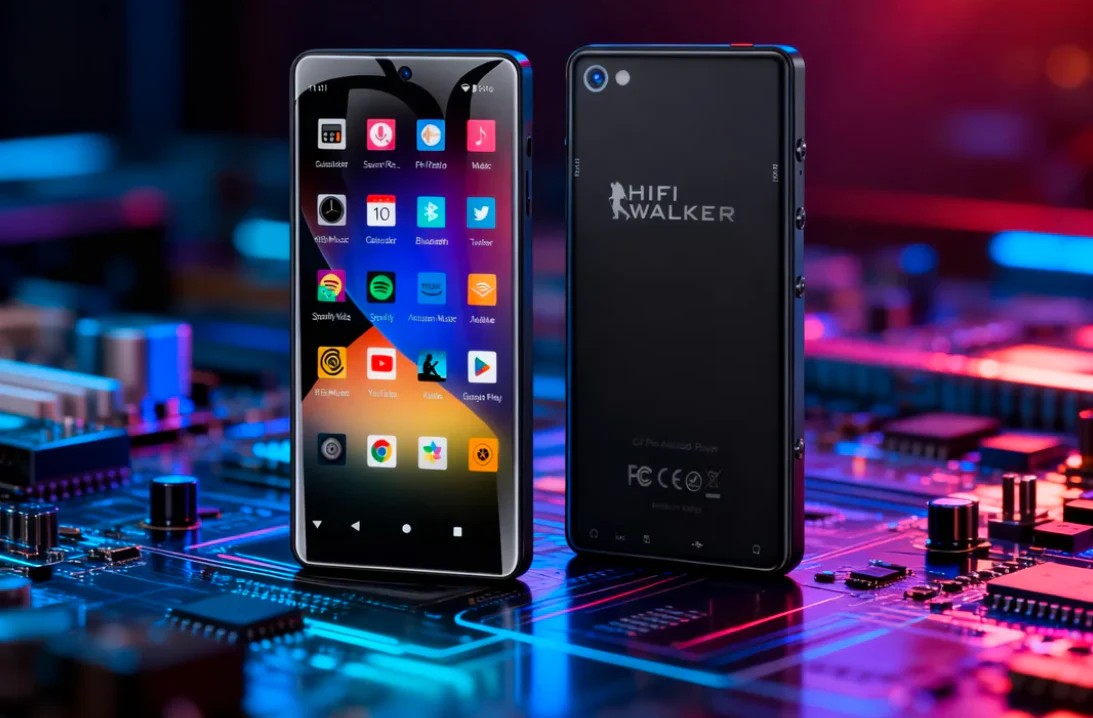
- Access method: Full Spotify app installed from Google Play; Premium is required for offline downloads, same as on your phone.
- Meaningful specs: Dedicated DAC, 8-core processor, dual-band Wi-Fi, Bluetooth. No SIM slot, so it's media-only.
- Best for: Listeners who want one device for both Spotify streaming and higher-quality local files, and who don't mind a chunky pocket footprint.
- Not ideal for: Runners who want something clip-on, or anyone who won't tolerate a device thicker than a phone.
2. Sony NW-A306: Legacy Availability
Sony's official U.S. page marks the NW-A306 as not available, so I've taken it out of the peer comparison table. It's a well-built Android 12 Walkman with Wi-Fi and LDAC, and if you already own one it can still run Spotify fine. I only recommend hunting for it if you independently find a reputable listing you trust.
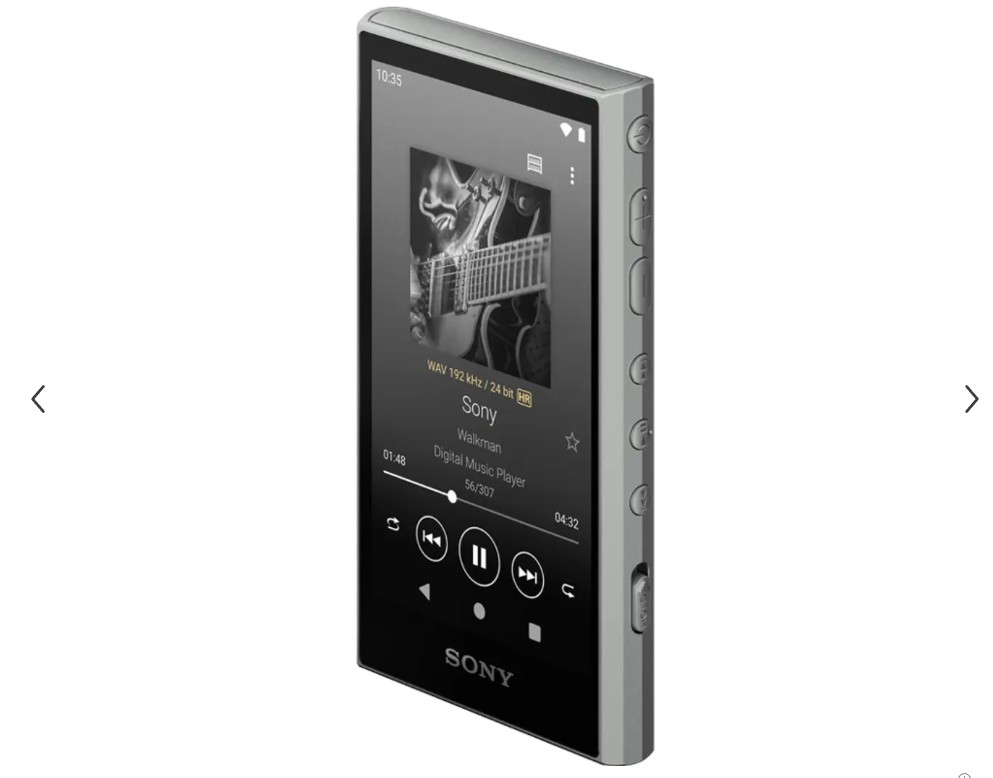
- Fit: Reasonable for existing owners; not an easy current U.S. purchase for new buyers.
- Note: The system takes a chunk of the 32 GB internal storage, so plan on a microSD card for any serious library.
Category 2: Budget and Kid-Friendly Players
Best for: Kids, students, and parents who want a walled-garden device with parental controls, and who can live with limited long-term app support.
The Android DAPs above are the flexible choice. If your reader is a nine-year-old who just wants a workout playlist, that flexibility is overkill and long-term app support becomes the real risk. This tier is where compatibility caveats matter most.
3. Innioasis G1 and PECSU P5S: Compatibility Risks
Both sit in the $50 to $80 range and both come up constantly in "cheap Spotify MP3 player" searches, but the Spotify story on each has real caveats.
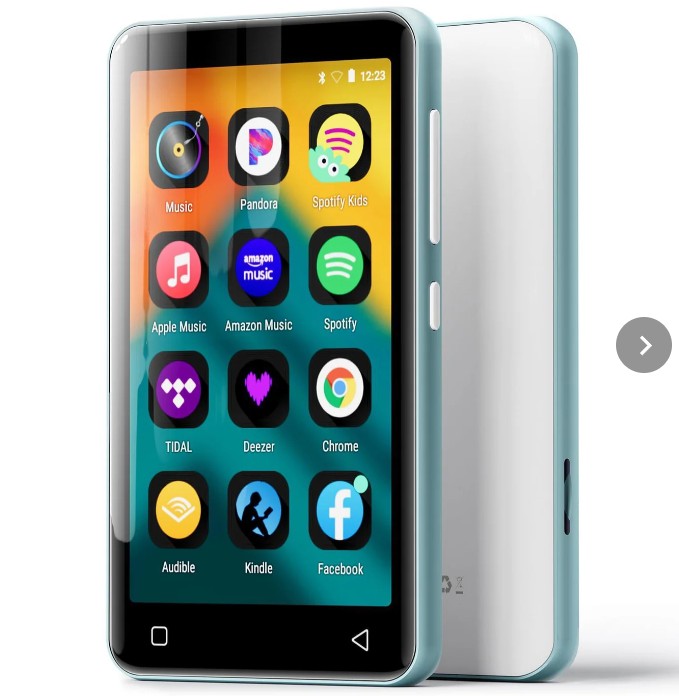
- Innioasis G1: The official product page contains conflicting statements about Spotify compatibility, so the exact support status depends on the SKU and firmware you receive. Treat any "comes with Spotify preinstalled" claim as unconfirmed until you can check.
- PECSU P5S: PECSU states that newly installed app versions on the P5S must remain compatible with Android 8.0. That means today's Spotify build may install, but as Spotify raises its minimum Android version over time, updates will eventually stop.
- Best for: A short-term device for kids or casual use where you accept that Spotify support may end well before the hardware does.
- Not ideal for: Buyers who need dependable long-term Spotify access, or who don't want to research firmware versions before checkout.
Category 3: Screenless Offline-Sync Players
Best for: Runners, gym-goers, and anyone who wants a clip-on device with no notifications, provided they can live with a limited Spotify support runway.
Where Category 2 stretched budget hardware to run the full app, this tier drops the screen entirely and moves Spotify management to your phone. That's the appeal, and it's also where the biggest 2026 caveat lives.
4. Mighty 3: Limited Spotify Support Window
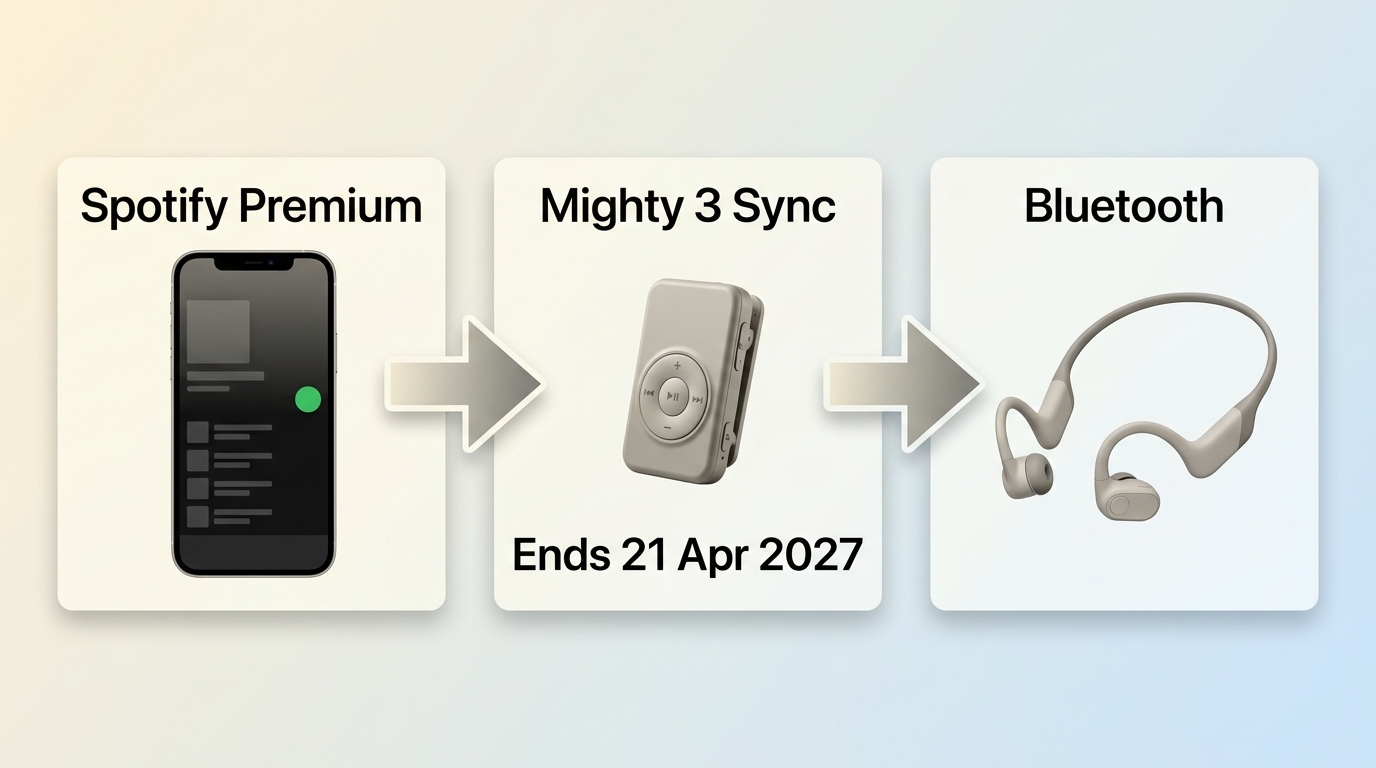
Mighty 3 keeps the screenless, clip-on design and adds USB-C, longer battery life, and more stable syncing than the older Mighty Vibe. Two facts drive the recommendation now, though. Mighty 3 is currently out of stock on the vendor's site, and its official product page states that Spotify support will end on April 21, 2027. That reframes it from an enduring standard into a transitional device with a countable runway.
- Access method: Sync Spotify Premium playlists via a phone app over Wi-Fi. Premium is required, and periodic re-sync is needed to keep offline files valid.
- Best for: Someone who wants a phone-free workout clip right now and is comfortable that Spotify functionality has a hard end date.
- Not ideal for: Buyers who expect years of ongoing Spotify use from a new device purchase, or who need current availability from the vendor.
Category 4: Wearable Streamers
Best for: iPhone owners who already live inside the Apple ecosystem and want Spotify on the wrist rather than a second device in the pocket.
A wearable is the opposite trade-off from Category 3: nothing to clip on, but you gain a screen, notifications, and cellular options you may or may not want.
5. Apple Watch Series 11 and Ultra 3
- Access method: Native Spotify app on the watch; Premium is required for offline downloads. Playback goes to Bluetooth headphones.
- Meaningful specs: The native Spotify app plays through Bluetooth headphones, while offline listening follows Spotify's Premium requirements.
- Best for: Readers already using an iPhone and a paired Apple Watch who want to leave the phone at home.
- Not ideal for: Android users, or anyone outside the Apple ecosystem being asked to buy a watch and a Premium plan just for music.
Category 5: Classic Players and Local-File Workflows
Best for: Weeks of battery life, the lowest hardware price, and readers who prefer managing a local library on the desktop.
The previous four categories use Spotify directly on the device. A classic player does not run Spotify; it plays ordinary local audio files instead. A SanDisk Clip, a Sony E-series, or an older iPod won't install any app, so the question stops being "which Spotify method?" and becomes "how do I get authorized local audio files onto this thing?" That's a different workflow, and it's the right one if catalog removals or subscription fatigue are what pushed you here in the first place.
6. MusicFab Spotify Converter for Local Files
For content you're authorized to access, where permitted by platform terms and applicable law, a desktop tool like MusicFab Spotify Converter can produce the ordinary local files a classic player expects. It uses direct source download technology to convert Spotify tracks to MP3 or other open formats, so the output is a normal audio file you can copy over USB.
MusicFab Spotify Converter is a Windows and Mac desktop app that converts Spotify tracks to MP3, M4A, WAV, FLAC, or OPUS at up to 320kbps, 24-bit, and 44.1kHz while retaining ID3 tags and .lrc lyrics.

- Direct source download technology; up to 20x conversion speed (does not perform DRM decryption or screen recording).
- Output to MP3, FLAC, WAV, M4A, or OPUS with original audio quality preserved.
- Complete ID3 tags and .lrc lyrics retained for library management.
- Requires an active Spotify subscription; recommended for personal use only.
When this path fits and when it doesn't:
- Fit: Desktop users who want to organize a personal library, batch-process playlists, and copy files to a simple player.
- Not ideal for: Readers who want an official in-app sync experience on the device itself, or who don't want to maintain files on a computer. Availability of any locally saved file depends on your environment and each service's terms.
Set Up Local Files on a Classic MP3 Player
If you're on the Category 5 path, this is the workflow I use for organizing and moving authorized local files onto a classic player. Before you start a big batch, confirm the destination player's supported formats (most classic players accept MP3; FLAC and WAV support varies), plan folder structure by artist or playlist downloads, and check for duplicates already sitting on the microSD card.
For larger libraries, I typically download Spotify music in batches by playlist and review metadata before copying anything to the device.
How to download music to MP3 player from Spotify using MusicFab:
- Launch MusicFab
- Open the software. It embeds the Spotify Web Player for easy access.
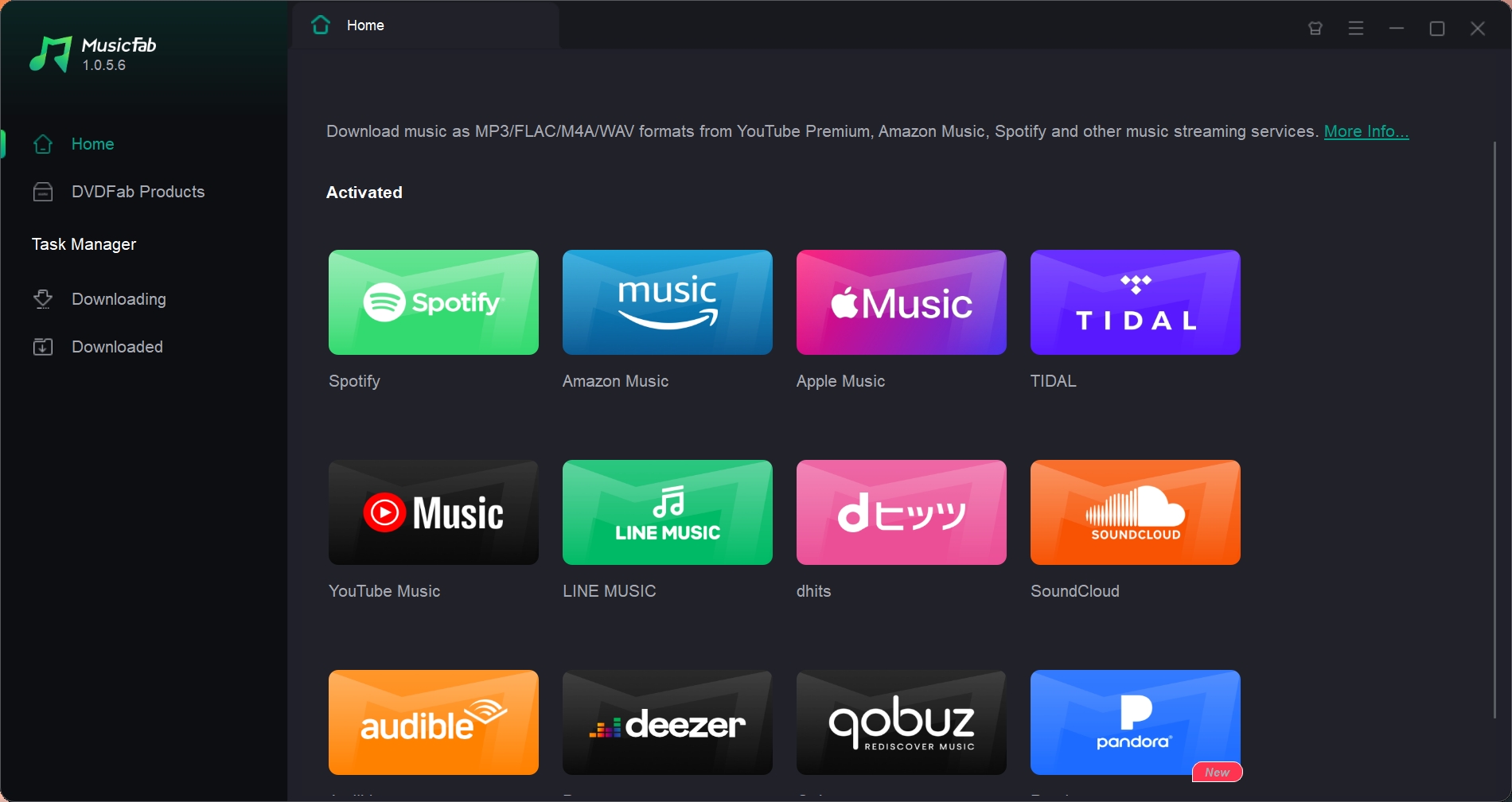
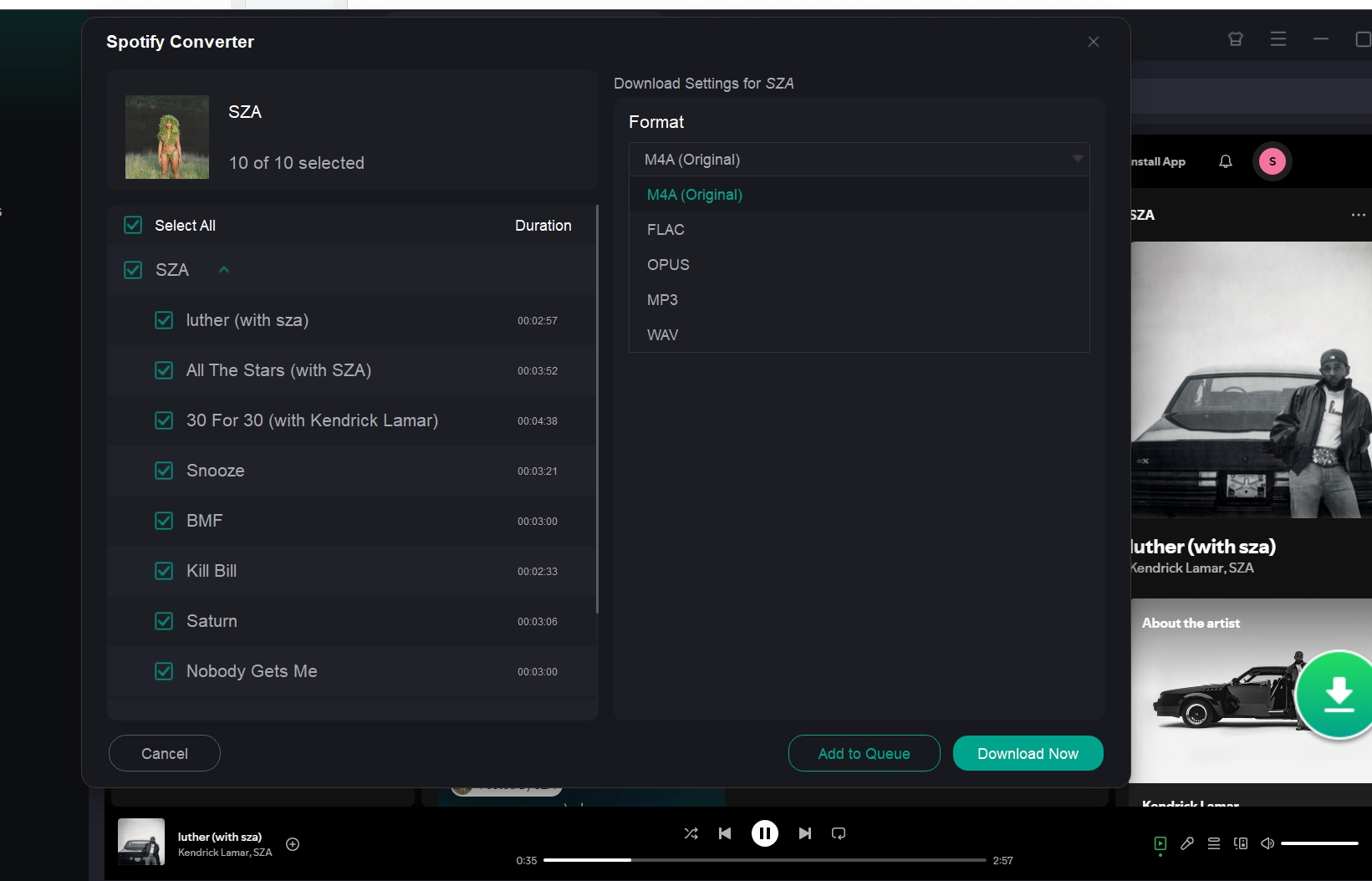
- Select your playlist
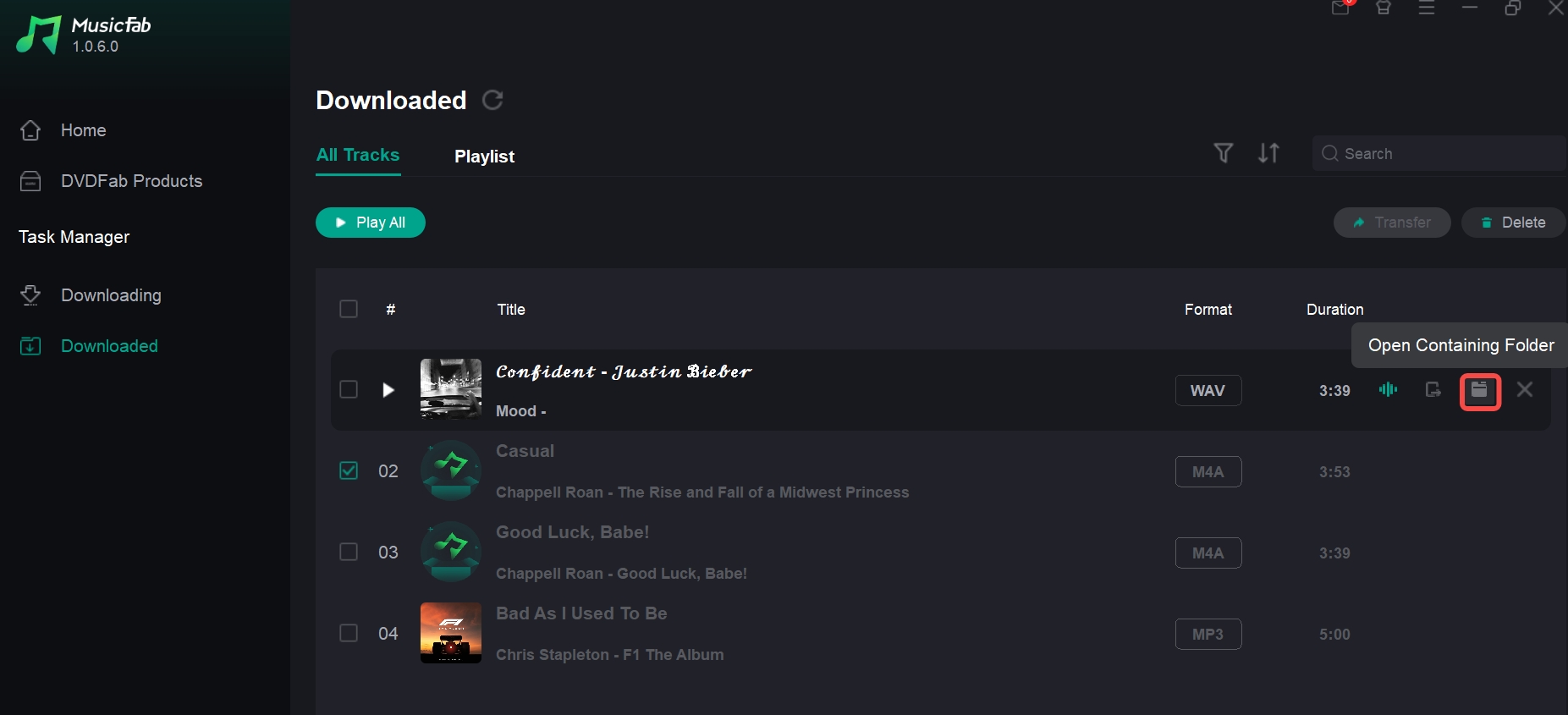
Log in to Spotify account > Find the playlist and click the Download button> Choose MP3>Click Download Now button. MusicFab will download playlists as local files.
- Open the downloaded files > Transfer via USB
- Click the file icon from the Downloaded panel to open the file folder. Then plug in your MP3 player and drag-and-drop the files. No sync apps, no Wi-Fi, no hassle.
Choose by Access, Support, and Daily Fit
No single player is best for every reader. After going through six options, my honest read is that the right pick comes down to three things: which Spotify access method matches your daily habits, how long you need that access to keep working, and whether you'd rather carry a second device or maintain a library on the desktop. Both are real trade-offs, not a free lunch. The quick guide below is how I'd map the paths to specific reader profiles.
- If you want the longest Spotify support runway: Start with the HIFI WALKER G7 Pro. Android 13 and Google Play access give the full Spotify app the best chance of staying updatable.
- If you want a phone-free workout clip and accept a limited horizon: The Mighty 3 still works as a transitional option, but Spotify support on that device ends April 21, 2027, per the vendor.
- If you're already in the Apple ecosystem: Add an Apple Watch Series 11 or Ultra 3, pair Bluetooth headphones, and keep Premium for offline downloads.
- If you want a local library on a classic player: Pair a classic player like a SanDisk Clip with a desktop workflow such as MusicFab to prepare authorized local files. You give up in-app sync and take on library maintenance, so weigh that against daily convenience.
FAQs
Which MP3 players can run Spotify directly?
It depends on how you want to "run" Spotify: Full app: Android-based DAPs such as the HIFI WALKER G7 Pro install the Spotify app from Google Play and behave like your phone. The exact experience depends on the device's Android version. Sync-only: Screenless devices like Mighty 3 don't run the app on the device. You use a phone once to sync Premium playlists over Wi-Fi. Local files only: Classic players (SanDisk, Sony E-series, older iPod) can't install any app; they only play files you copy over. Some budget kid-focused players advertise preinstalled Spotify, but current support can vary by SKU and firmware.
Can I listen to Spotify without carrying my phone?
Yes, but "phone-free" means different things: An Android Spotify player like the HIFI WALKER G7 Pro is fully independent once set up, provided you have Premium for offline downloads. A wearable such as Apple Watch Series 11 or Ultra 3 streams or plays offline from the wrist, again with Premium. A licensed offline-sync device like Mighty 3 needs a phone once to sync, then plays on its own. Note that its official page states Spotify support ends April 21, 2027, so factor that horizon into the decision. A classic MP3 player is fully phone-free but only plays local files, not Spotify itself.
Can Spotify downloads be copied to an MP3 player?
No. Official Spotify offline downloads stay inside the Spotify app and cannot be dragged onto a standard USB MP3 player as ordinary files. A classic player needs normal local audio files obtained through an authorized workflow where permitted by applicable terms and law.
Do Spotify MP3 players require Premium?
It depends on the playback method: Full Spotify app on an Android DAP or wearable: Streaming and offline downloads follow the same account rules as on a phone, so offline generally requires Premium. Licensed offline-sync devices (Mighty 3): Require an active Spotify Premium subscription to sync playlists. Classic players with local files: The device itself doesn't check any Spotify account; it just plays whatever audio files are on it. The account status only matters at the point where you originally obtained those files from an authorized source.
Is converting Spotify music to MP3 legal?
Two separate rule sets apply: copyright law in your jurisdiction, and Spotify's own service terms. Whether a local copy is permitted depends on the specific content, your jurisdiction, your authorization to access it, how you use the file, and the applicable service terms. Tools using direct source download technology (as opposed to DRM decryption or screen recording) may fall under personal copying exemptions in some copyright regimes, but that outcome is not universal. Review Spotify's end-user agreement and your local copyright rules before making a copy, and treat any local file as personal use only.
Conclusion
The right Spotify MP3 player depends less on a single device ranking and more on how you plan to listen. If you want the full Spotify app on a dedicated music device, an Android-based DAP gives you the closest experience to using Spotify on a phone.
For workouts and phone-free listening, a compact device such as Mighty 3 may be more practical, while an Apple Watch makes sense for iPhone users who already rely on the Apple ecosystem. These options are convenient for Spotify streaming and offline playback, but their offline features generally remain tied to the Spotify app and subscription requirements. A classic MP3 player is a different choice. It cannot run Spotify directly, but locally stored MP3 files can be transferred to inexpensive players, older iPods, car stereos, and other USB-compatible devices. A desktop converter such as MusicFab can support this workflow when transferable local files are more important than having the Spotify app on the player itself.

This guide compares nine Spotify downloaders across browser, desktop, Android, and iOS workflows. It weighs source matching, output quality, playlist and ZIP behavior, metadata, account exposure, and tool status, then explains which option fits a single track, a long playlist, or a managed local library.
By Jane Chen - Aug 26, 2026
Spotify downloads can stall because of Premium eligibility, device limits, storage, network permissions, cache state, or a service incident. This guide gives one nine-fix recovery path, then separates iPhone, Android, Windows/Mac, Apple Watch, partial-playlist, Offline Mode, and clean-reinstall cases. It also explains when a MusicFab local-file workflow fits authorized personal use.
By Jane Chen - Aug 26, 2026
Spotify Premium can download music for playback inside the Spotify app, while Free accounts can download podcasts. This guide covers setup, device differences, download limits, troubleshooting, travel checks, and a portable-file option.
By Jane Chen - Aug 18, 2026
Is Spotify Duo still worth $18.99 for two people at one address? Get the current price, savings vs Individual and Family, address verification rules, setup
By Jane Chen - Aug 13, 2026