
Which Free Spotify to MP3 Converter Should You Use?

Looking for a free Spotify to MP3 converter but not sure which type fits? In short, use a browser converter only for an occasional track after a one-file safety and output check; use a desktop converter when playlists, repeat jobs, format choice, and metadata matter. Here, “free” can mean no-cost web use, a limited trial, or support for a Spotify Free account—these are not interchangeable. Spotify’s official offline downloads stay inside the Spotify app, while this article compares options for exportable local audio for authorized personal use where permitted.
- • Occasional track: A browser tool may be the lower-effort starting point, but verify the actual file and redirect behavior first.
- • Repeat or playlist work: A desktop workflow is the more practical fit when format choice, tags, artwork, and fewer manual actions matter.
- • What “free” means: No-cost use, a limited trial, and compatibility with a Spotify Free account describe different boundaries.
- • Evidence labels: This article separates verified product facts, active-but-unverified pages, vendor claims, and legacy or failed evidence.
- • Last checked: Spotify rules and current MusicFab English product facts were verified on August 6, 2026.
Quick Verdict: 2 Spotify to MP3 Picks
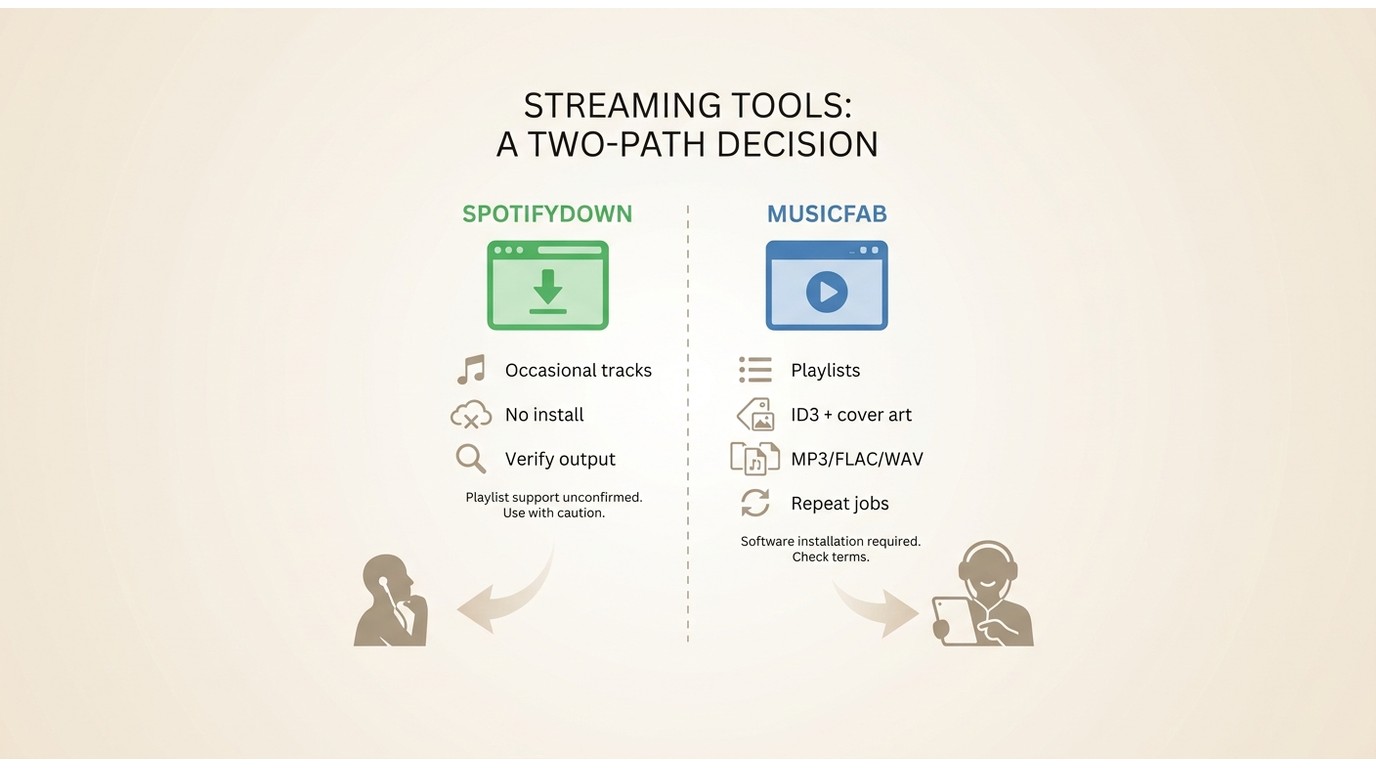
For a single occasional track, SpotifyDown is a low-setup browser candidate only after a current one-file check; its completed output is not verified in this review. For repeat conversion or larger playlists, MusicFab is the more practical desktop option because its current English product data verifies format choice, cover art, ID3 tags, lyrics where available, and a built-in browser workflow.
| Use case | Practical pick | Why it fits |
|---|---|---|
| Repeat desktop or larger playlist jobs | MusicFab | Built-in browser workflow with registered output formats, cover art, ID3 tags, and lyrics where available. |
| Occasional browser-based conversion | SpotifyDown | Low setup for a one-file check, but current completed output, playlist ZIP behavior, and bitrate remain unverified. |
What “Free” Means on This Page
A “free Spotify to MP3 converter” can describe three different things: a web service that charges no fee for a limited task, a desktop product with a restricted trial, or a tool that accepts a Spotify Free account. None of those labels proves that the current output is correct, that playlist handling is automatic, or that an exported file came directly from Spotify.
Online vs Desktop: Which Fits?
Spotify to MP3 online tools fit one-off use when installation is not worth it. Desktop software fits repeat conversion, larger playlists, multiple output formats, and cases where accurate metadata matters more than zero setup. The choice is about workflow and verified output—not a universal “best” converter.
- Online fit: an occasional track, a short list, and a willingness to inspect redirects and output details.
- Online limitation: browser services may require repeated clicks, change domains, impose unclear caps, or return a matched source that differs from the requested track.
- Desktop fit: People processing albums or playlists who want tags, artwork, lyrics, and format controls in one workflow.
- MusicFab limitation: installing desktop software is unnecessary if the job is a single occasional track.
How We Tested Each Converter
As of August 6, 2026, this update verified Spotify’s official offline-download boundary and the current English product facts registered for MusicFab. The available browser-tool evidence did not include a new completed-file test in a controlled environment, so those entries are labeled active but unverified, vendor claim, or legacy or failed instead of “tested.”
For a result to qualify as verified output, the record needs a check date, environment, input, completed file, track and duration match, actual format or bitrate inspection, metadata review, redirect behavior, and playlist effort. I retained the dated screenshots below as evidence records, but a visible interface alone does not establish current file creation.
Use conversion tools only for authorized, personal, non-commercial copies where platform terms and applicable law permit. Keep Spotify credentials away from sites that do not need them, inspect fake download buttons and unrelated redirects, and treat privacy exposure as part of the safety check.
Desktop Spotify Converter: MusicFab
MusicFab Spotify Converter is the desktop option in this comparison for repeat work, format selection, and metadata retention. Current MusicFab English product data states support for Spotify Free or Premium accounts and a built-in browser workflow. That account boundary is separate from Spotify’s own in-app offline-download rules.
Verified MusicFab English product facts include MP3, FLAC, WAV, AAC/M4A, and OPUS output; tracks, playlists, albums, podcasts, and audiobooks; and cover art, ID3 tags, and lyrics where available. Check the current product page for volatile specifications such as system requirements, trial allowance, speed, and regional availability.
This desktop workflow is most relevant when the task repeats or when a larger collection would otherwise require many browser clicks. It is unnecessary for someone who needs only one occasional track.
Convert Spotify to MP3 with MusicFab
For content you are authorized to access, where permitted by platform terms and applicable law, use the four-step workflow below. MusicFab’s registered account boundary includes Spotify Free or Premium; this does not change Spotify’s separate rules for official in-app offline downloads. Start with one song before adding a larger list.
- Open MusicFab and sign in. Launch the app, choose Spotify in the built-in browser, and sign in to the account that can access the music.
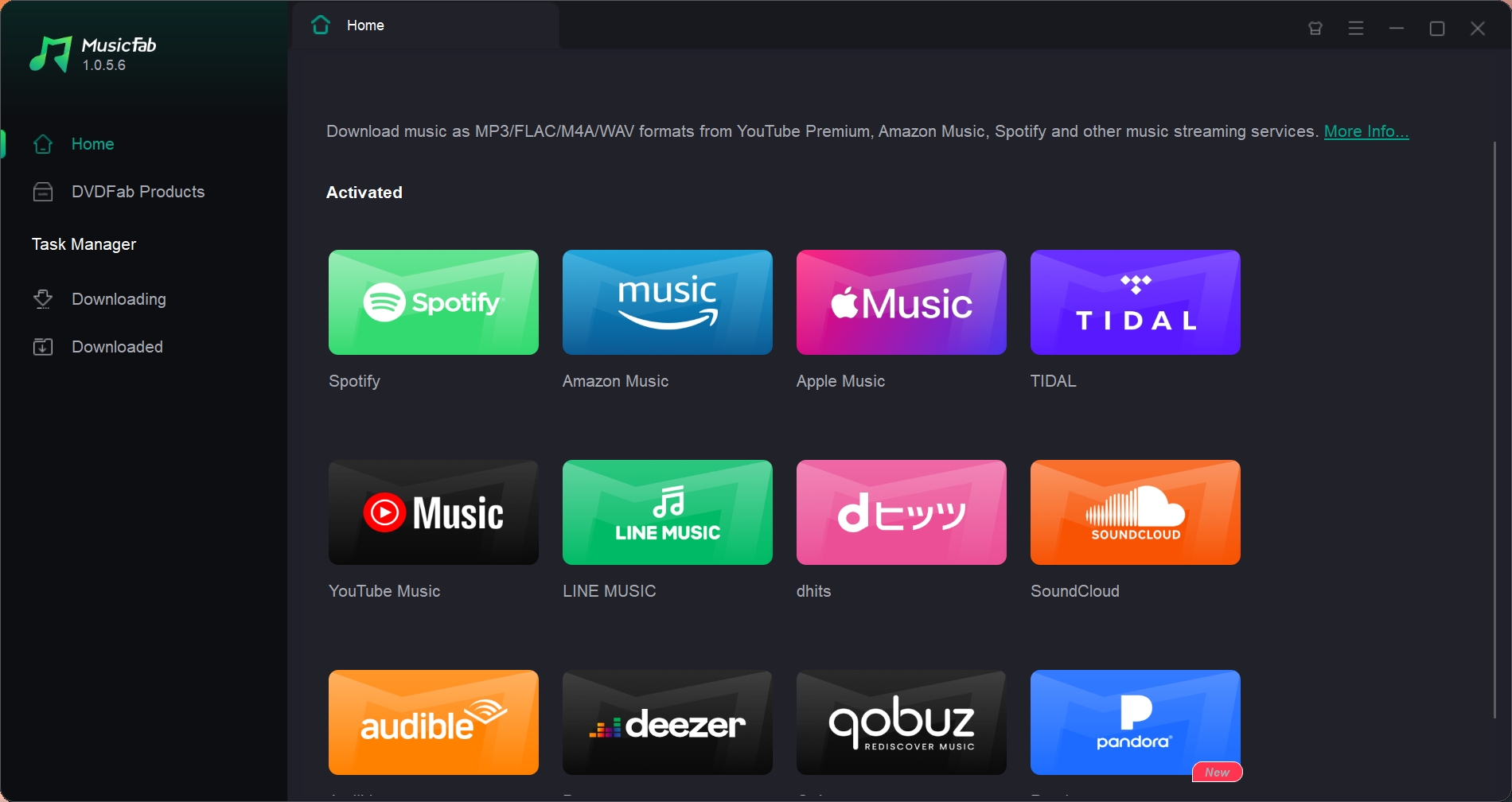
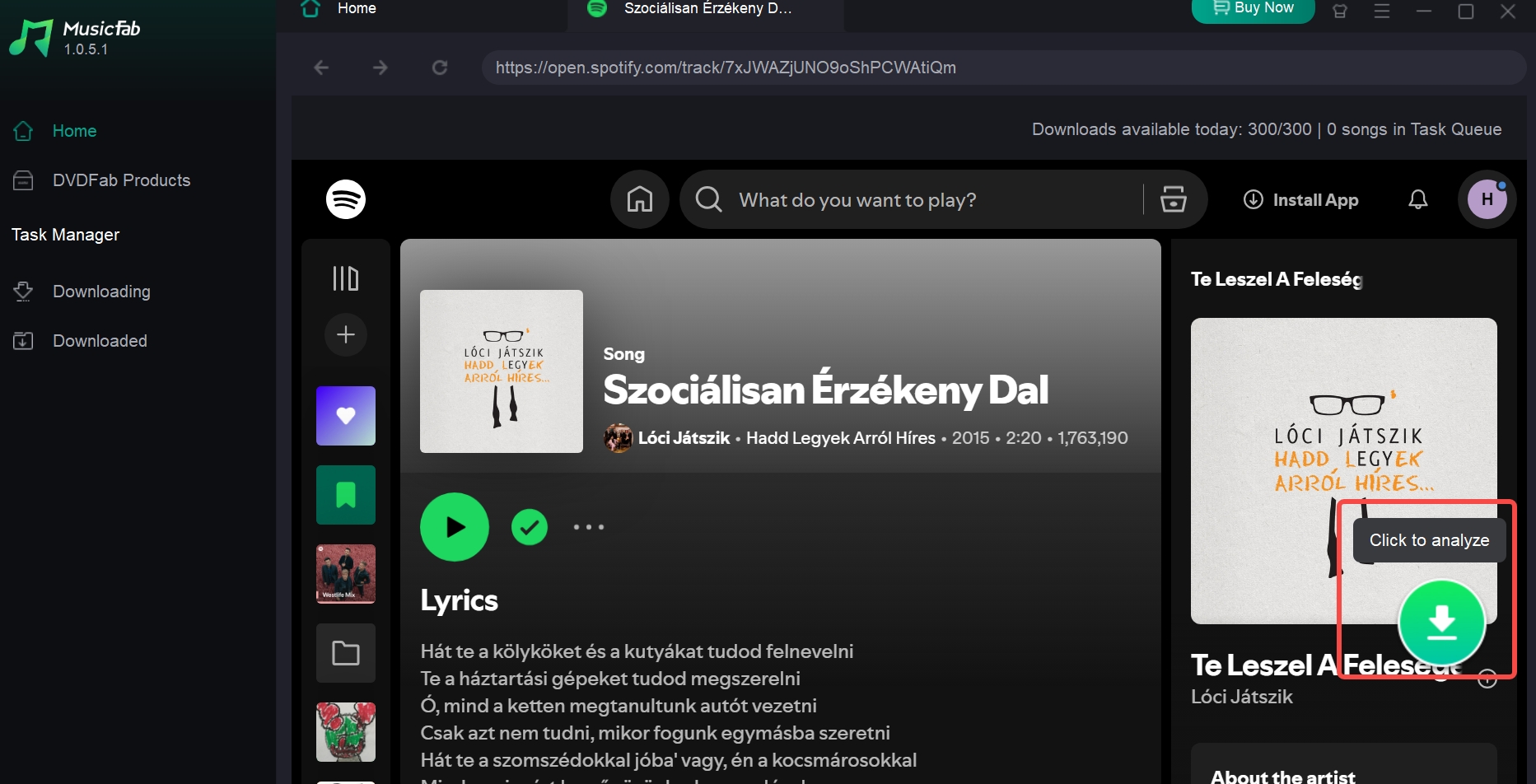
- Select the song, album, or playlist. Search inside Spotify or open the intended link, then select the analysis control to load the available items.
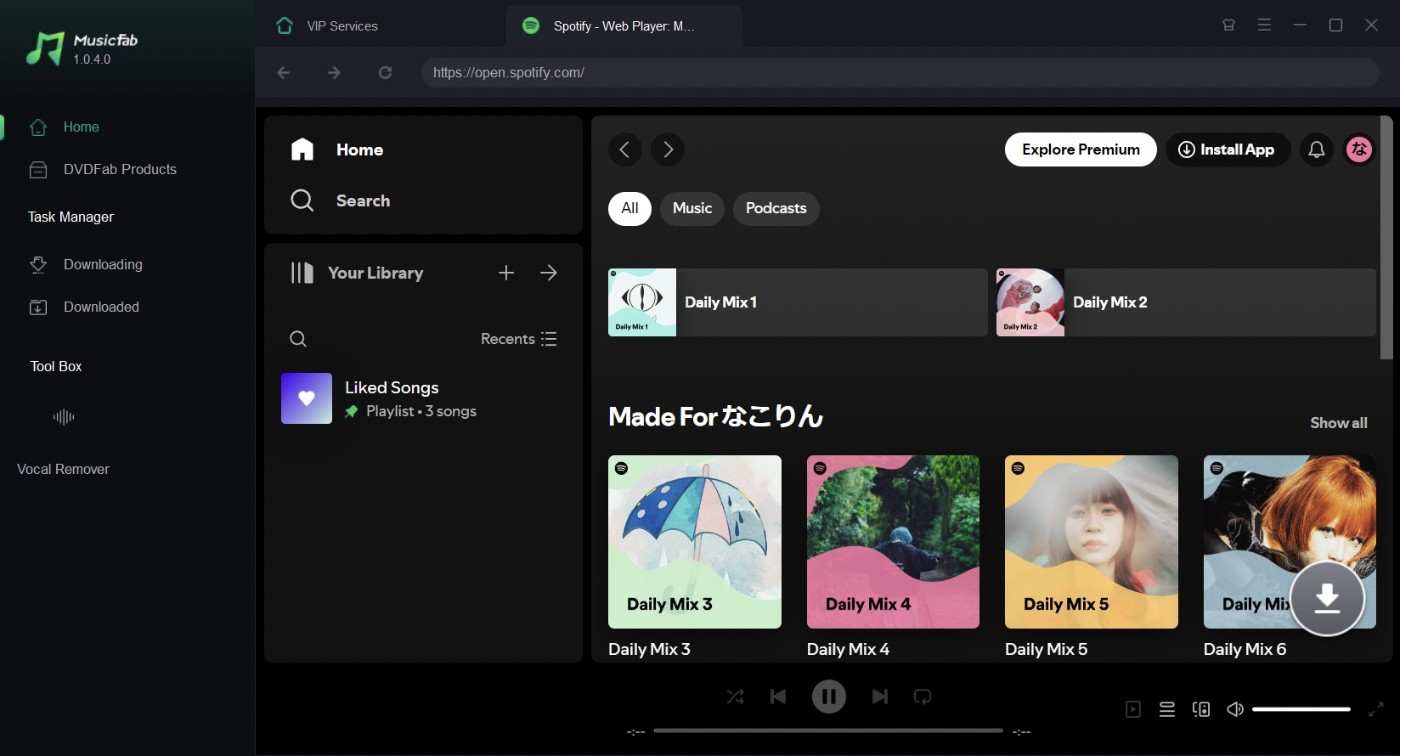
- Choose the saved format and output setting. Select MP3 or another supported format, choose the available output setting, and click Download Now. An available output setting describes the saved-file configuration; it does not by itself prove that the source contains equivalent audio detail.
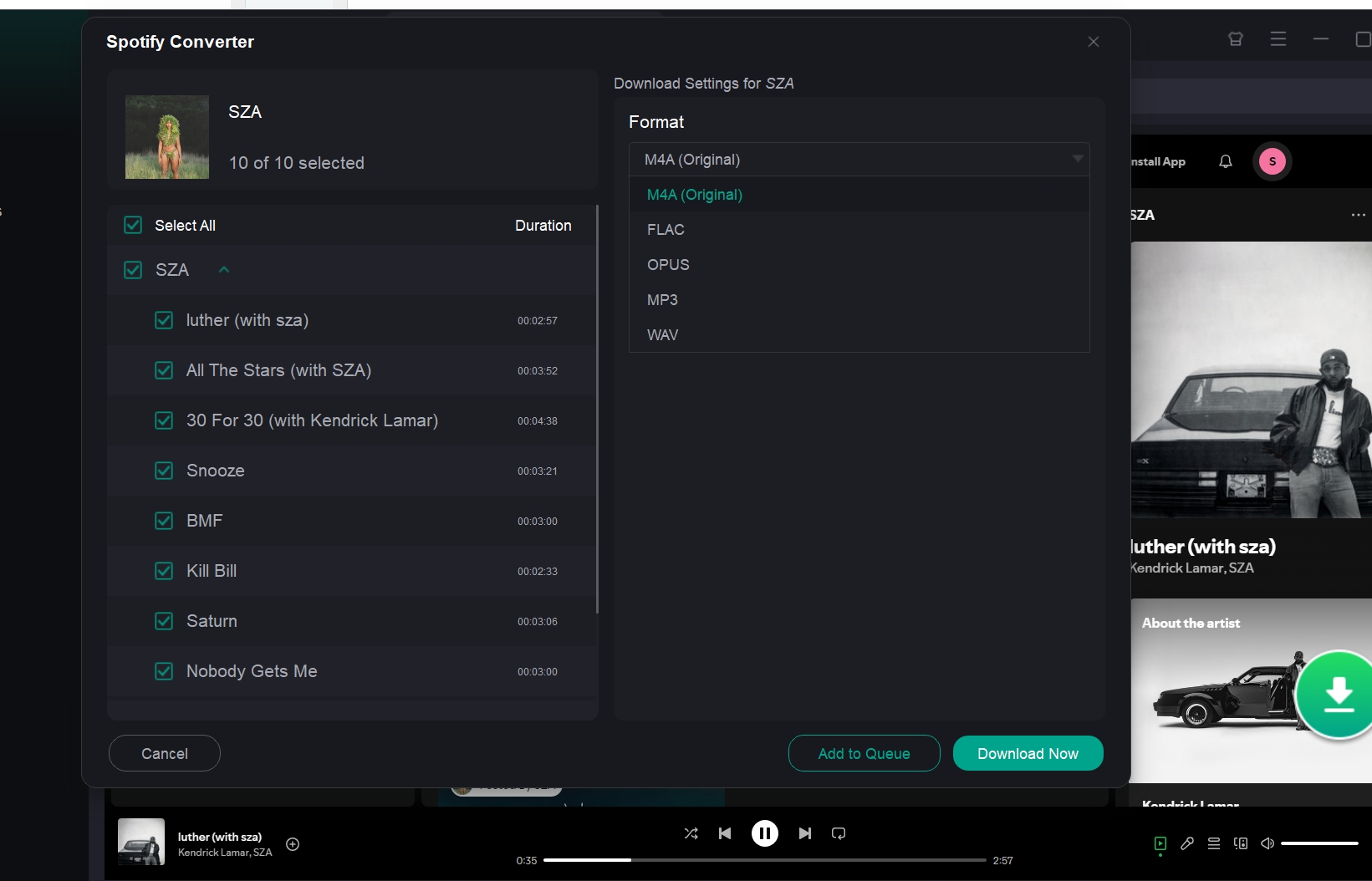
- Inspect the finished files. Open the downloaded area, locate the song and optional lyrics file, then confirm the MP3 opens correctly.
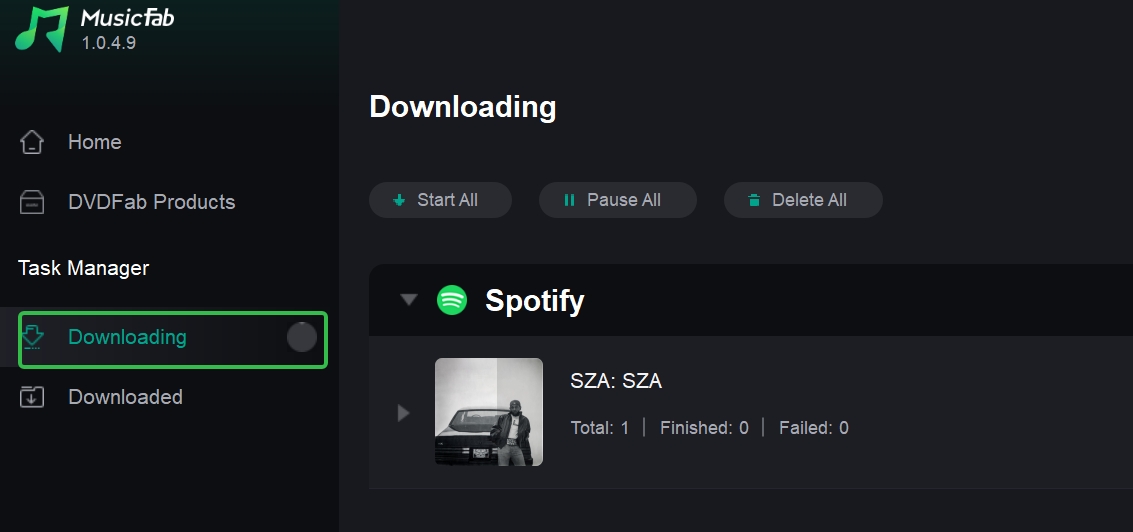
Before processing a large playlist, I use a one-file check: confirm the duration, artist, album, artwork, track number, saved format, and audible match. This verification step catches a wrong selection before it becomes a folder-wide cleanup job.
6 Free & Paid Online Spotify to MP3 Converters
Browser services change quickly, so this section preserves the original interfaces and observations without treating every entry as a current successful test. Use the evidence label beside each option before deciding whether it is suitable for even a one-track check.
- Verified output: a completed file was inspected with a recorded date, environment, input, and result.
- Active but unverified: the page is reachable or accepts input, but current completed output was not inspected.
- Vendor claim: a capability appears in site copy but lacks independent output evidence here.
- Legacy or failed: the retained screenshot or observation is dated, conflicting, or did not produce a completed file.
1. SpotifyDown (Now SpotiDownloader)
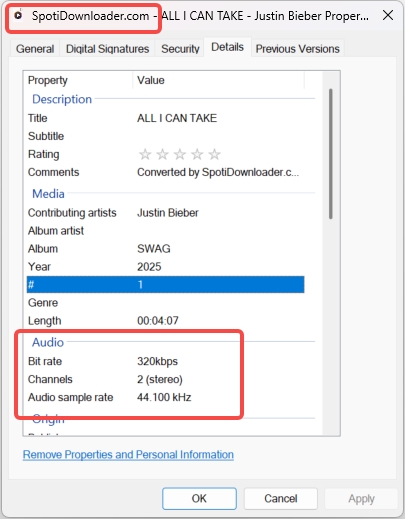
Evidence status: active but unverified. The page has been available under the SpotiDownloader name, but this review does not contain a current completed file. Earlier MP3, FLAC, playlist ZIP, metadata, advertisement, redirect, and audio-quality observations therefore remain dated evidence rather than current facts.
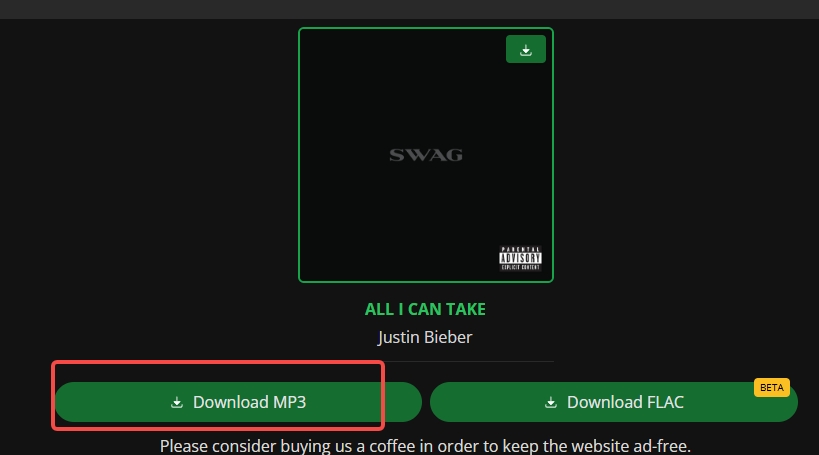
A playlist interface is not enough to establish playlist conversion. Before relying on SpotifyDown, verify one completed file for the correct track, duration, format, tags, artwork, redirects, and number of required actions.
2. SpotMate
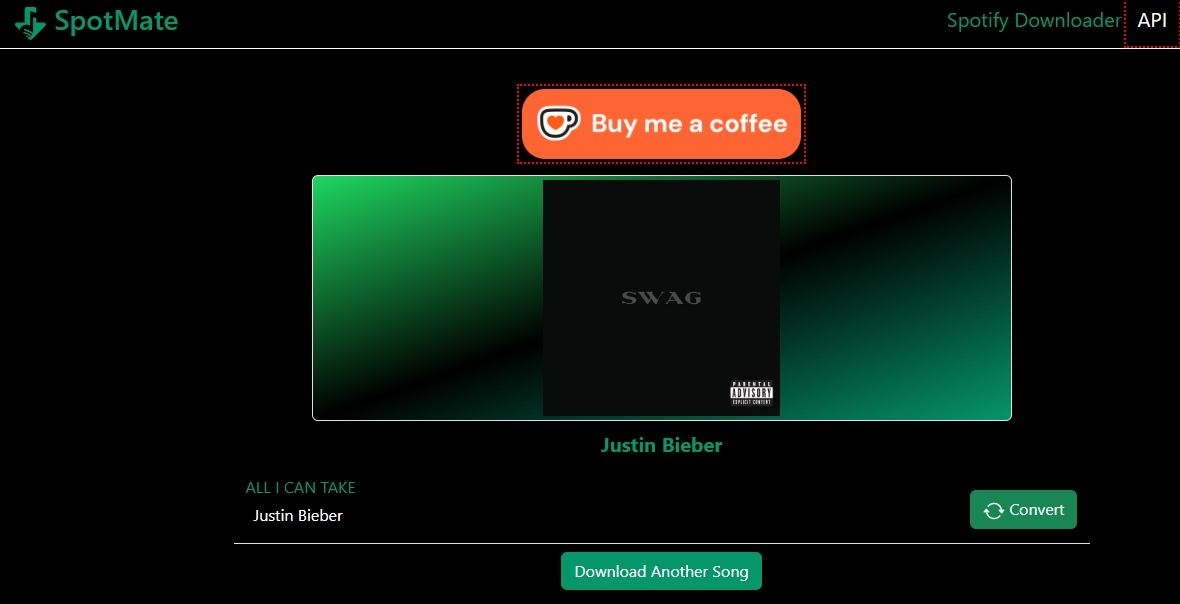
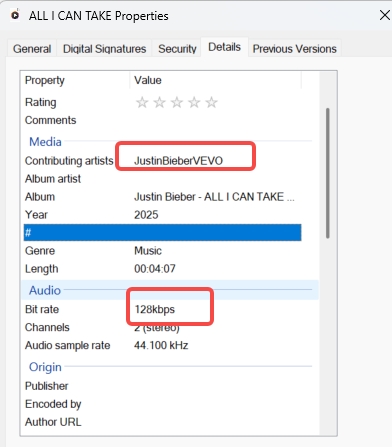
Evidence status: active but unverified. SpotMate remains a one-track browser candidate, but its current free limit, source method, actual bitrate, metadata accuracy, playlist behavior, account exposure, and mobile experience were not verified with a completed file. The retained interface shows the former separate Convert and Download actions, which would add manual work across an album.
3. SPOTISAVER
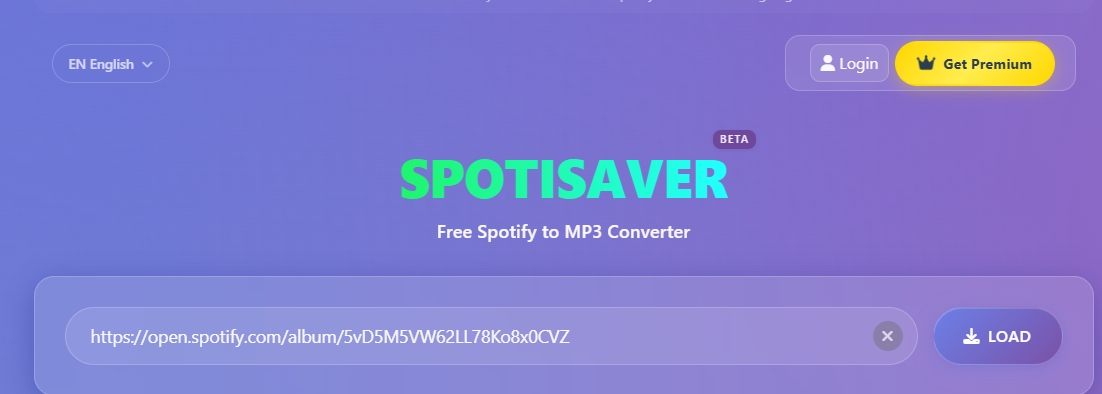
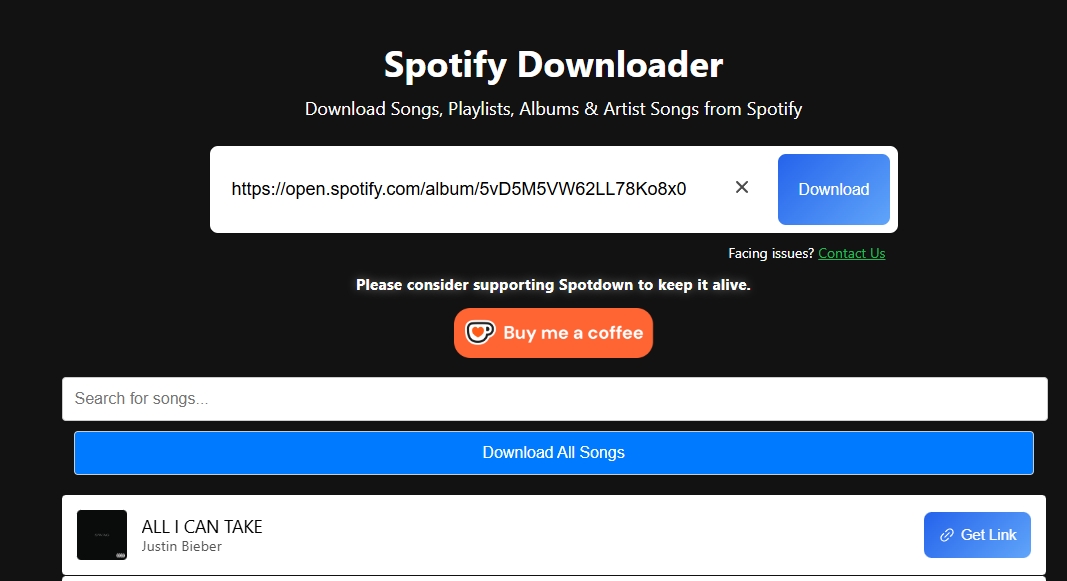
Evidence status: vendor claim and legacy observation. The retained interface shows that SPOTISAVER previously accepted a playlist link, but this update does not contain a current completed-file test. Claims about track limits, ZIP creation, speed, filenames, advertisements, redirects, and free-account restrictions should be checked again before use.
The dated evidence is useful for identifying what to verify, not for promising current limits:
- Does one submitted playlist produce the intended tracks in the correct order?
- Is the result a ZIP package, separate buttons, or an automatic queue?
- Do filenames and tags contain a site label or other unexpected changes?
- Does the workflow request credentials, show intrusive ads, or open unrelated pages?
4. Spotidown.me
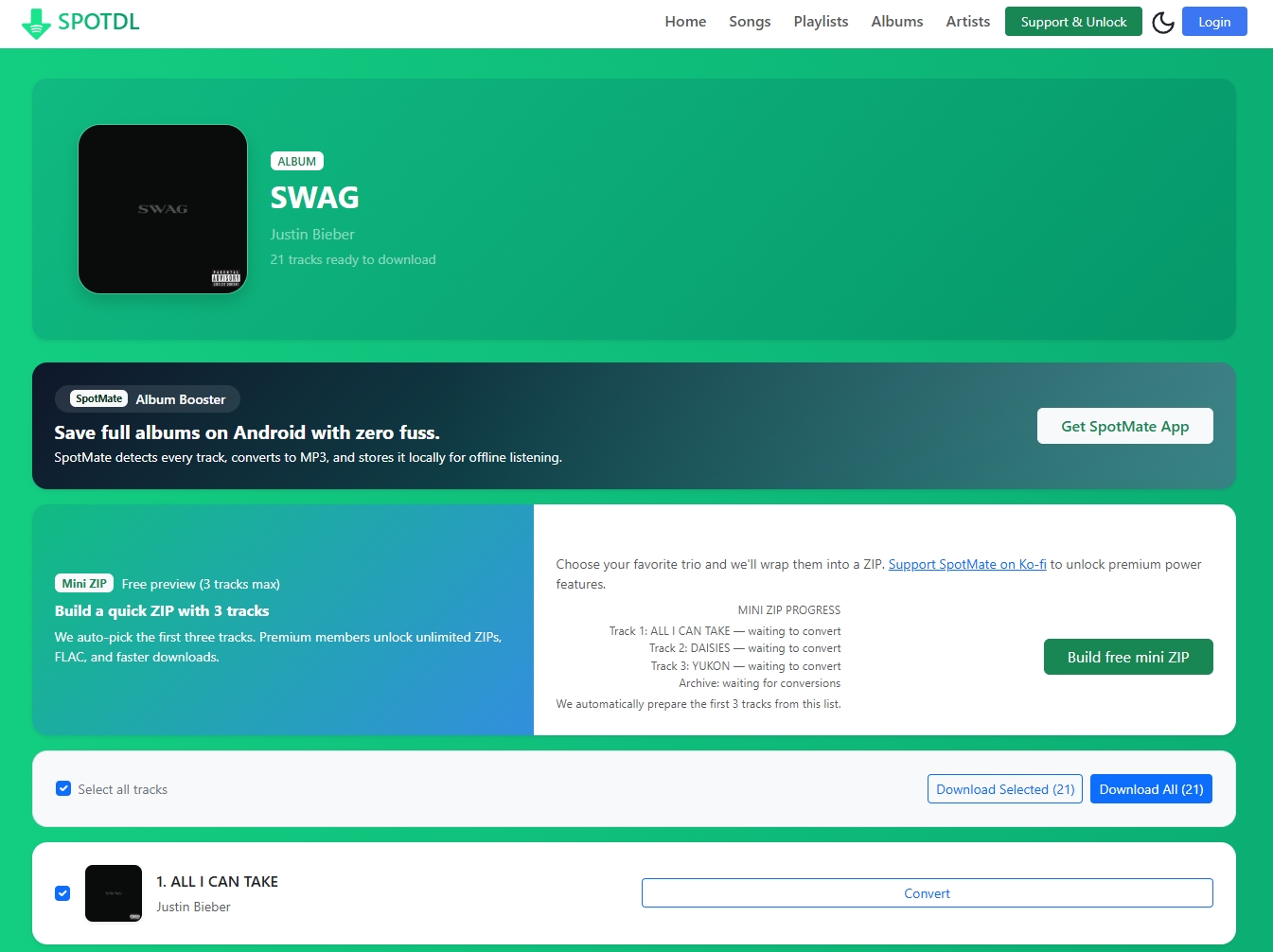
Evidence status: legacy observation and vendor claim. The former spotdl.io web address redirected to Spotidown.me, which should not be confused with the open-source spotDL project. The retained interface evidence does not support a current claim of 320 kbps output, no advertisements, faster member downloads, batch processing, or high-quality metadata.
The earlier interface generated separate track buttons after a Download All action. That is a playlist-parsing workflow, not proof of an automatic batch queue. A current completed-file test is required before making a stronger recommendation.
5. Spotdown
Evidence status: legacy or failed. The retained Spotdown screenshot shows a prior failed request, and the comparison record contains no completed file to inspect. Earlier statements about outstanding speed, preserved metadata, 229 kbps output, or membership-free batch handling are not carried forward as current facts. I could not verify a completed output from the retained evidence.
6. Spotify.downloaderize
Evidence status: legacy or failed. The retained screenshot is a legacy error screen from the former converter service. Earlier statements about a 30-second preview, paid downloads, or the absence of free output are historical observations and should not be used as a current recommendation without a new site and file check.
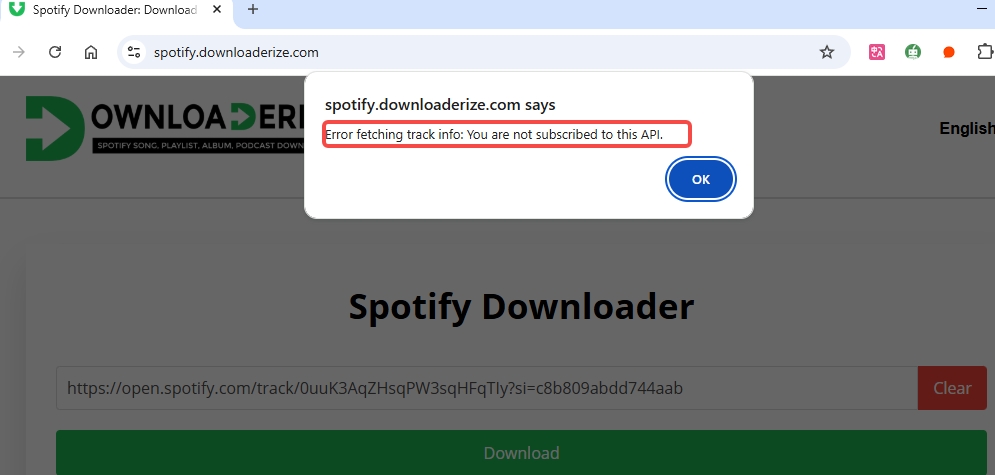
This entry remains only to preserve the original evidence set and keep the seven-option table aligned with the six online sections plus MusicFab.
Compare 7 Current Spotify to MP3 Options
The comparison below uses evidence status as the first decision filter. A reachable page or a claimed bitrate is weaker evidence than a completed, correctly matched file with inspected metadata and a recorded test context.
| Option | Evidence status | Delivery method | Output evidence | Playlist handling | Metadata | Account exposure | Ads or redirects |
|---|---|---|---|---|---|---|---|
| MusicFab Spotify Converter | Official English product facts verified August 6, 2026 | Desktop built-in browser workflow | MP3 up to 320 kbps; FLAC, WAV, AAC/M4A, and OPUS registered | Tracks, playlists, albums, podcasts, and audiobooks registered; current queue behavior not independently retested here | Cover art, ID3 tags, and lyrics where available | Spotify sign-in in the built-in browser; product page states Free or Premium support | Desktop product; check the current product page for volatile specifications |
| SpotifyDown | Active but unverified | Browser link conversion; likely source matching not independently confirmed | No current completed file inspected | Prior playlist and ZIP interface; current behavior unverified | Current tag and artwork accuracy unverified | Prior workflow did not require Spotify login; current behavior unverified | Current advertisement and redirect behavior unverified |
| SpotMate | Active but unverified | Browser link conversion; source method unverified | No current completed file inspected | Former workflow used separate actions per file | Current accuracy unverified | Current credential behavior unverified | Current advertisement and redirect behavior unverified |
| SPOTISAVER | Vendor claim and legacy observation | Browser link conversion; source method unverified | No current completed file inspected | Prior playlist interface; limits and ZIP behavior require verification | Filename and tag behavior require verification | Current account behavior unverified | Current advertisement and redirect behavior unverified |
| Spotidown.me | Legacy observation and vendor claim | Browser link conversion; not the open-source spotDL project | Earlier output claim not independently verified here | Prior Download All control generated separate track buttons | Current accuracy unverified | Prior workflow did not require Spotify login; current behavior unverified | Current advertisement and redirect behavior unverified |
| Spotdown | Legacy or failed | Browser link conversion; source method unverified | No completed file; retained screenshot shows a failed request | No completed playlist output | Not verifiable without a file | No current account requirement established | Prior unrelated redirect evidence; current behavior unverified |
| Spotify.downloaderize | Legacy or failed | Former browser service | No current completed file inspected | No current playlist output verified | Not verifiable without a file | Historical payment or preview behavior not treated as current | Legacy error evidence only |
The practical cutoff is evidence plus manual effort. Do not send a large playlist through a browser service until a one-track check confirms the correct file, metadata, redirects, and number of required actions.
Playlist ZIP, Order, and Batch Limits
Spotify playlist to MP3 support can mean accepting a playlist URL, packaging separate files in a ZIP, generating one button per track, or processing a queue without repeated clicks. Those behaviors are not interchangeable, and only a completed workflow can establish which one a service currently provides.
- ZIP packaging: convenient delivery, but it does not prove simultaneous processing or correct playlist order.
- True batch behavior: the queue continues without requiring a click for each track.
- Order: numbered filenames or retained track numbers are more useful than an unordered folder. Do not assume M3U or M3U8 export unless the service actually provides it.
- Failed matches: compare title, artist, duration, and version before accepting a source-matched file.
- Spotify MP3 metadata: check artist, album, cover art, and track number, especially when a site adds its name to the file or tags.
- Large lists: daily limits, one-playlist caps, timeouts, and manual buttons can make a nominal playlist feature impractical.
My practical cutoff is manual effort: if the service still asks for a separate action on each song, it is a playlist parser rather than a verified automatic batch workflow.
What Spotify-to-MP3 Converters Actually Do
The label “Spotify to MP3” covers several technically different workflows. The distinction matters because it changes whether the result stays inside Spotify, comes from a matched source, follows real-time playback, or becomes an exportable local file managed by desktop software.
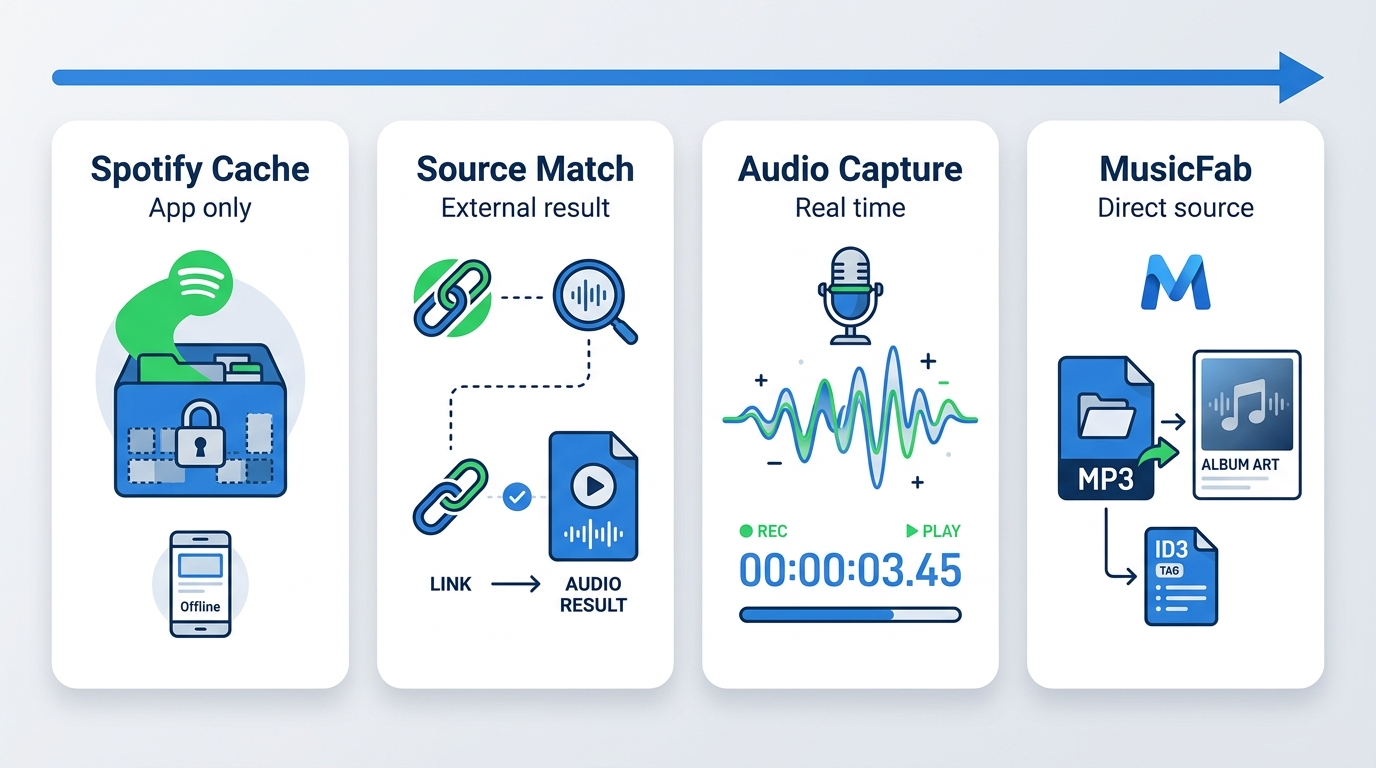
A saved-file setting such as 320 kbps describes the output configuration, not proof that the source contained equivalent audio detail. The method also affects track matching, metadata, playlist handling, processing time, and account or browser exposure.
Official Offline Cache
Spotify’s official offline downloads remain inside the Spotify app and are not ordinary exportable MP3 files. Spotify Support, checked August 6, 2026, distinguishes music downloads available to Premium users from podcast downloads available to Free users. Local Files is a separate Spotify feature for audio already stored on the user’s device.
Source Matching and Audio Capture
Many free web services use a Spotify URL as a reference and may search for a matching recording elsewhere. That can return a different version, duration, artwork, or source. Real-time audio capture is another method and normally follows playback time while remaining sensitive to system interruptions.
A selected output label cannot restore information absent from the source. Check the finished file’s duration, artist, version, tags, artwork, format, and audible match rather than treating the label as proof.
Desktop Local-File Workflows
A desktop tool can combine browsing, item selection, format settings, naming, metadata, and local output management. For MusicFab, the current English product data verifies its built-in browser workflow and registered formats and metadata fields; it does not establish a universal lossless result, speed multiplier, or one acquisition method for every item.
This category makes the most sense when the work repeats. For one track, setup time may outweigh the benefit; for a larger list, reducing manual actions and cleanup becomes the stronger reason to consider desktop software.
Spotify to MP3 FAQs
Can I convert Spotify to MP3 for free?
Some browser services offer no-cost conversion, but they may add ads, manual clicks, uncertain source matching, quality limits, or playlist caps. As verified on the official MusicFab English product page on August 7, 2026, MusicFab advertised a 30-day full-function free period and a trial allowance of three full songs, with no limit on length or format for those trial downloads. This time-limited trial is not the same as an unlimited free web service.
Does 320kbps conversion improve Spotify audio?
No. A 320kbps output setting cannot recreate detail that was not present in the source. Check the actual format, duration, metadata, artwork, and audible match instead of treating the bitrate label as proof of better sound.
Are online Spotify converters safe to use?
No browser converter should receive automatic trust. Check for unrelated redirects, fake buttons, unsolicited installers, unclear privacy disclosures, and unnecessary OAuth or Spotify login requests. Start with one non-sensitive track and inspect the result before submitting a playlist.
Do Spotify-to-MP3 Chrome extensions still work?
Dedicated extensions are often blocked, delisted, or left outdated. Avoid sideloading an unknown extension because it can request broad browser permissions; a browser-based service already evaluated in this article is easier to isolate and reassess.
Can MP3 files play on a standalone player?
Yes, a standard local MP3 can be copied to a compatible standalone player. Spotify's official offline cache is different: it stays inside Spotify's managed app environment and is not an ordinary exportable MP3.
Conclusion
The practical choice depends on job size and evidence. Use a browser converter only for an occasional track after checking one completed file, redirects, and credential requests. Use a desktop option when repeat work, playlists, format choice, and metadata matter enough to justify installing software.
Among the options on this page, MusicFab has the clearest current English product-fact record. SpotifyDown is a low-setup browser candidate, not a verified-output recommendation. The remaining online entries should be treated according to their active-but-unverified, vendor-claim, or legacy status.
Spotify’s official offline downloads serve a different purpose from exportable local audio. For the separate Free-versus-Premium eligibility boundary, see Spotify’s official download eligibility explained. This page remains focused on selecting a Spotify-to-MP3 converter for authorized personal use where permitted.

This guide compares nine Spotify downloaders across browser, desktop, Android, and iOS workflows. It weighs source matching, output quality, playlist and ZIP behavior, metadata, account exposure, and tool status, then explains which option fits a single track, a long playlist, or a managed local library.
By Jane Chen - Aug 26, 2026
Spotify downloads can stall because of Premium eligibility, device limits, storage, network permissions, cache state, or a service incident. This guide gives one nine-fix recovery path, then separates iPhone, Android, Windows/Mac, Apple Watch, partial-playlist, Offline Mode, and clean-reinstall cases. It also explains when a MusicFab local-file workflow fits authorized personal use.
By Jane Chen - Aug 26, 2026

Spotify Premium can download music for playback inside the Spotify app, while Free accounts can download podcasts. This guide covers setup, device differences, download limits, troubleshooting, travel checks, and a portable-file option.
By Jane Chen - Aug 18, 2026
Is Spotify Duo still worth $18.99 for two people at one address? Get the current price, savings vs Individual and Family, address verification rules, setup
By Jane Chen - Aug 13, 2026