Download Spotify Podcasts to MP3: 3 Routes for Desktop and Phone (2026)

Summary: Spotify offline downloads stay inside the app, while portable MP3 files require an eligible public source or a desktop workflow. This guide compares the official option, browser tools, MusicFab, phone storage steps, video limits, and short-clip capture so you can choose by link type, queue size, and device.
Table of Contents
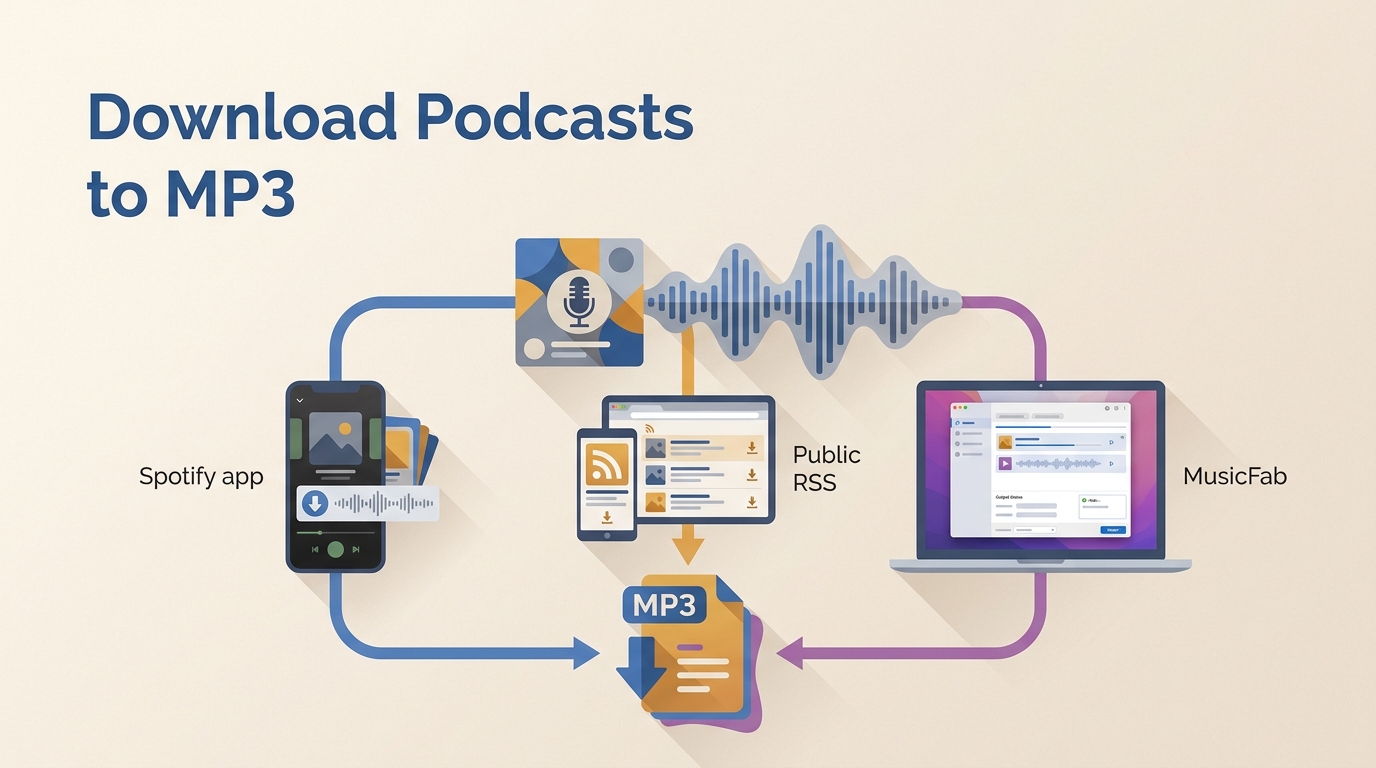
Need a normal file for a car stereo, swim player, or archive? To download Spotify podcast to MP3, first check whether the episode has a public audio source, then choose Spotify offline mode, a browser tool, or a desktop local-file workflow.
A Spotify podcast downloader cannot treat every link equally. Public episodes may resolve through an RSS feed, while exclusive, subscriber-only, removed, or video-only pages can fail. On a phone, the browser route remains the same route; iPhone and Android simply save the eligible result in different folders.
Spotify Offline Downloads Are Not MP3 Files
If your goal is to download Spotify podcast to MP3, the first distinction is that Spotify offline downloads are managed inside the app, not portable podcast MP3 files. They cannot be copied to a USB drive, a basic MP3 player, or another audio app.
Spotify App Downloads Stay Inside Spotify
Spotify lets free users download podcasts for offline listening, while offline music downloads require Premium. The app must reconnect at least once every 30 days to keep downloads available, as of August 2026.
My rule is simple: if Spotify's app works on the device you plan to use, the official option is sufficient and avoids an unnecessary conversion step.
Portable Files Work on Other Devices
Portable podcast MP3 files are useful when the destination device reads ordinary storage but cannot run Spotify. A standard MP3 can be copied to compatible car stereos, swimming players, media servers, and editing apps.
The tradeoff is source eligibility. A portable file workflow is relevant only when the episode is available to you and the chosen method can reach an eligible audio source.
How to Choose a Podcast to MP3 Downloader
Choose a Spotify podcast downloader by source and output, not by device label. The three routes are Spotify's official offline mode, a public-feed browser path, and a desktop local-file workflow; a podcast to MP3 converter is relevant only for the latter two.
Desktop, Online, and Phone Routes Compared
| Method | Best Fit | Accepted Source | Output | Main Limitation |
|---|---|---|---|---|
| MusicFab | Long queues | Authorized Spotify audio | MP3 and other formats | Desktop install |
| PodcastToMP3 | Public shows | Search or public feed | MP3 when eligible | Bulk delivery unverified |
| PodcastMP3 | One episode | Spotify link plus public RSS | Public-feed MP3 | No public source, no file |
| SpotScribe | Quick link check | Spotify episode URL | Converter result | Reliability unverified |
| Audacity | Short excerpt | Audible system audio | Manual MP3 export | Real-time only |
The desktop local-file route fits long queues, while the online browser route fits one eligible public episode.
On mobile, the phone browser-to-file route saves the same eligible result, while the short-clip capture route is a manual fallback.
Podcast conversion is narrower than the broader Spotify-to-MP3 workflow because episode availability may depend on a public feed. For songs and albums, downloading music from Spotify follows a different source and subscription path.
Check the Link Before You Convert
Link type is the biggest predictor of success. Before changing tools, identify whether you copied a Spotify episode link, a show page, a public podcast RSS feed, an exclusive episode, a removed page, or a video-only page.
Episode, Show, and Public Feed Links
An episode link points to one item. A show link identifies the series and may let a service list several episodes. A public podcast RSS feed exposes the publisher's original audio enclosure, which many browser tools use to produce an MP3.
A successful show lookup does not mean each episode has an eligible file. Publishers can mix public audio, subscriber-only items, removed releases, and video entries within the same show page.
Why Some Links Fail
Many browser services use Spotify as a directory clue, then look for audio on a public feed or the publisher's original host. They may not return Spotify-exclusive, subscriber-only, removed, or video-only episodes.
- Try the exact episode link before using the broader show link.
- Check whether the publisher exposes the episode on a public feed or original site.
- Confirm whether the episode is exclusive, subscriber-only, removed, or video-only.
- Switch to another method only when the source is eligible for that method.
This source-first check saves more time than cycling through several converters that all depend on the same missing public file.
MusicFab Fits Batch and Multi-Format Downloads
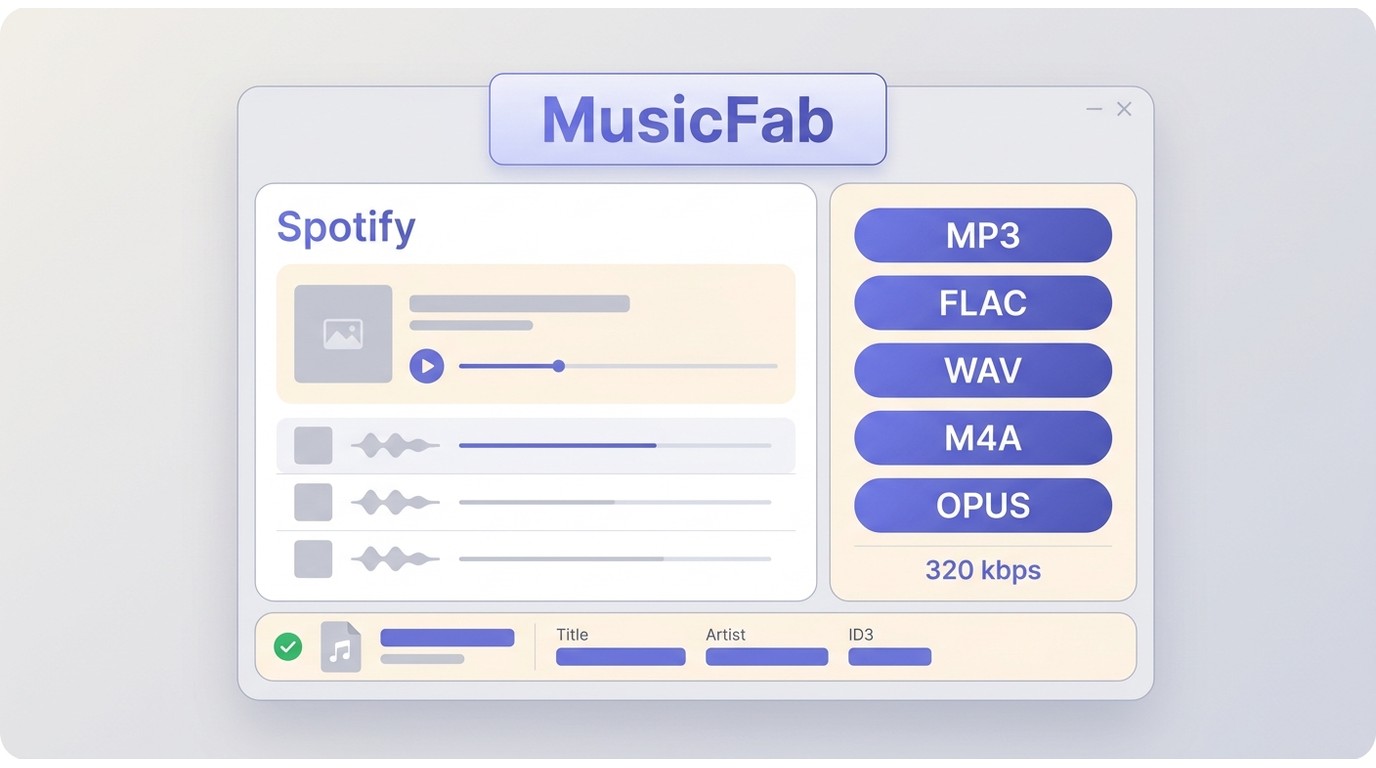
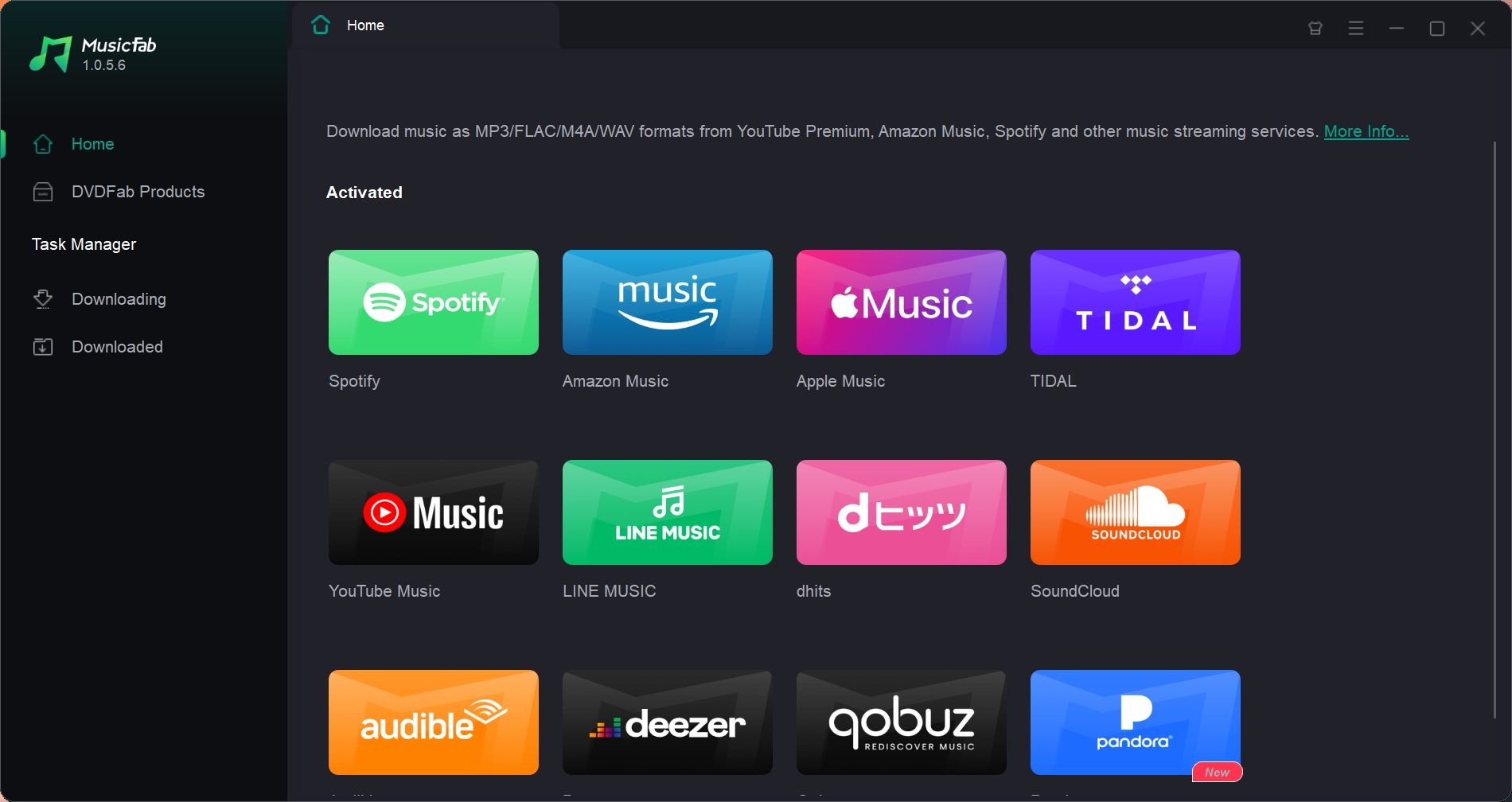
For a batch podcast download of content you're authorized to access, where permitted by Spotify's terms and applicable law, MusicFab fits long queues that need a local Spotify podcast MP3 library, metadata, and more than one audio format.
MusicFab Spotify Converter is a Windows and Mac desktop app that saves authorized Spotify audio as MP3 up to 320 kbps, FLAC, WAV, M4A (AAC), or OPUS, with batch queues and preserved ID3 metadata.
The source podcast sets the ceiling for meaningful Spotify audio quality; selecting a higher output setting cannot create detail missing from the source.
Best Fit and Tradeoffs
It is a good fit for a long backlog or an organized local library. It is not ideal for someone who needs one public episode and does not want to install software. In that case, a no-login public-feed tool is the lighter choice.
The 30-day trial allows three complete songs per service. Continued use requires a paid license, with pricing determined by the current license shown on the product page.
On Windows, the install-and-save pattern covered in our Spotify downloader options for Windows also applies here, while macOS uses the same built-in browser flow.
I would choose this route for queue control and metadata, not because every podcast needs desktop software. A single eligible public episode rarely justifies the extra setup.
How to Download Episodes with MusicFab
Prerequisites are an active Spotify account with access to the episode, MusicFab on Windows or Mac, enough local storage, and a personal offline-use purpose allowed by the service terms and the rules that apply where you live.
Use the current installer and built-in Spotify browser before starting the four-action workflow.
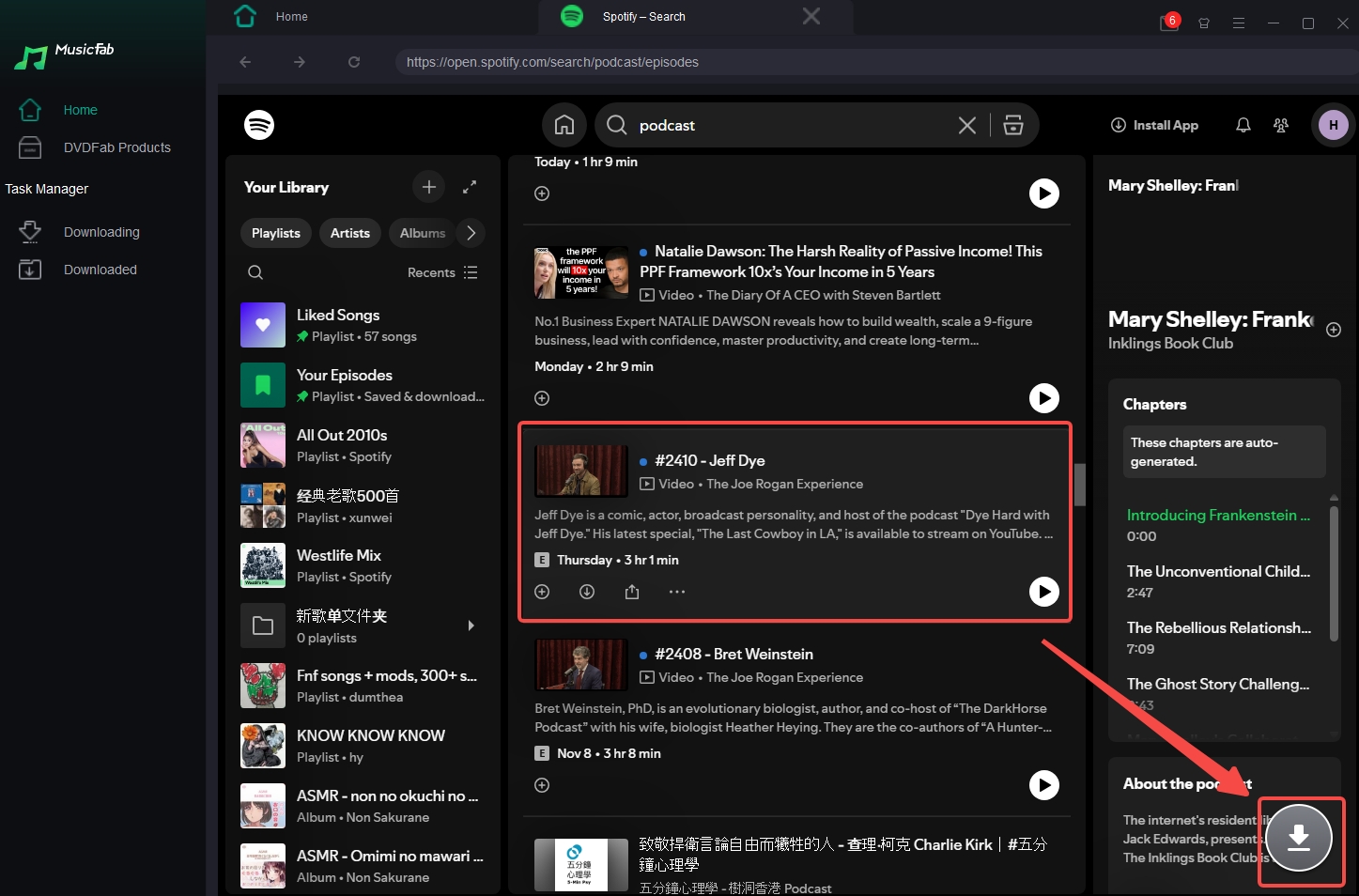
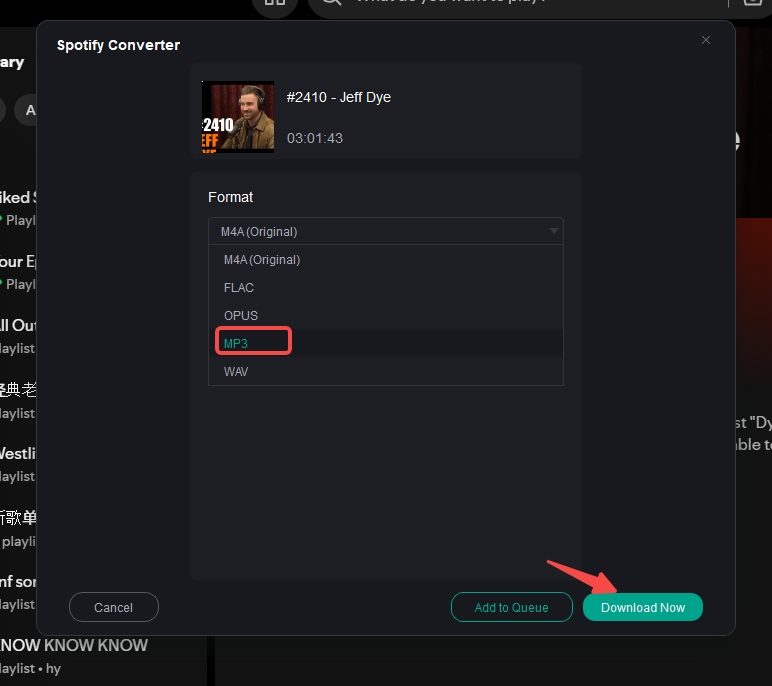
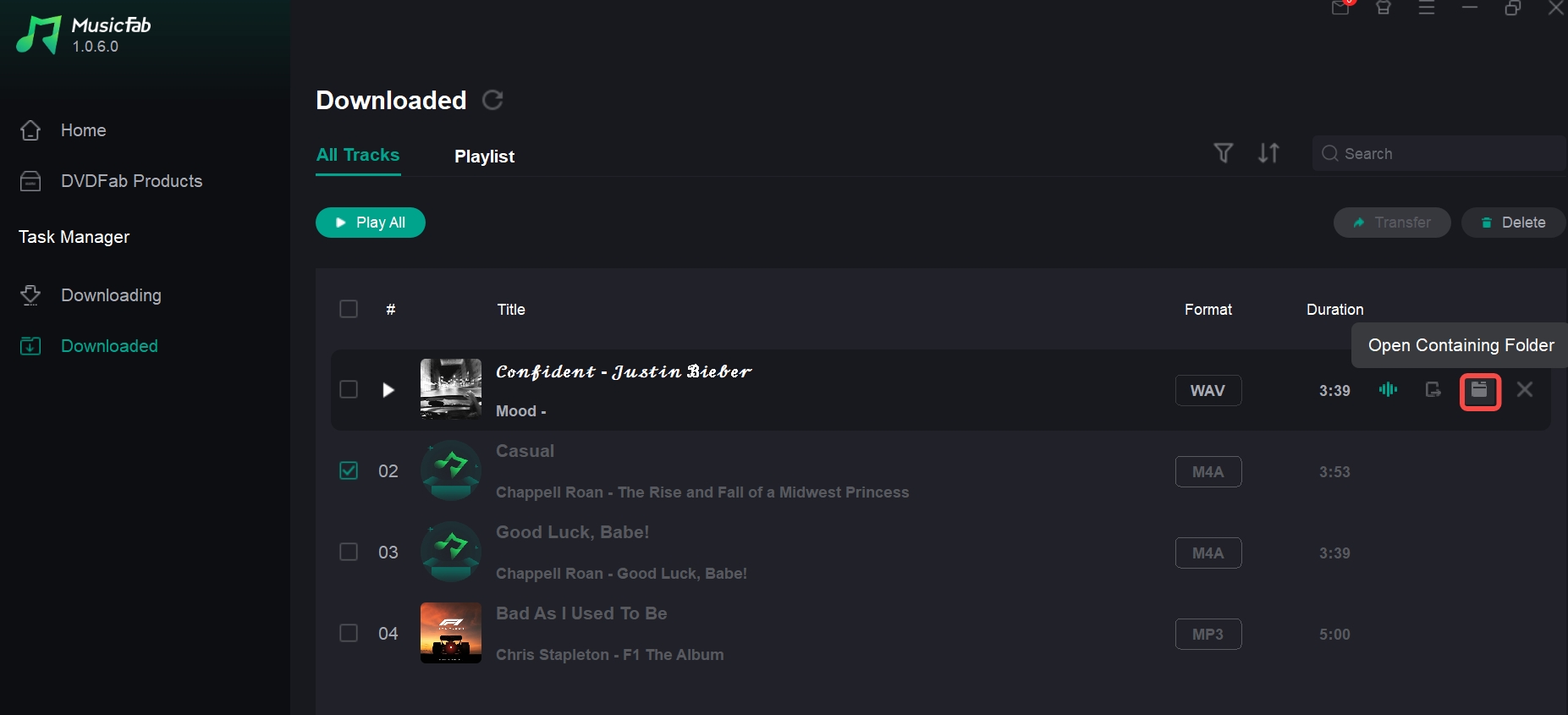
Online Spotify Podcast to MP3 Converters
An online podcast downloader or browser-based podcast to MP3 converter is most useful for one eligible public episode when you want no installation. It depends on public-source availability and gives you less control over batch delivery and metadata.
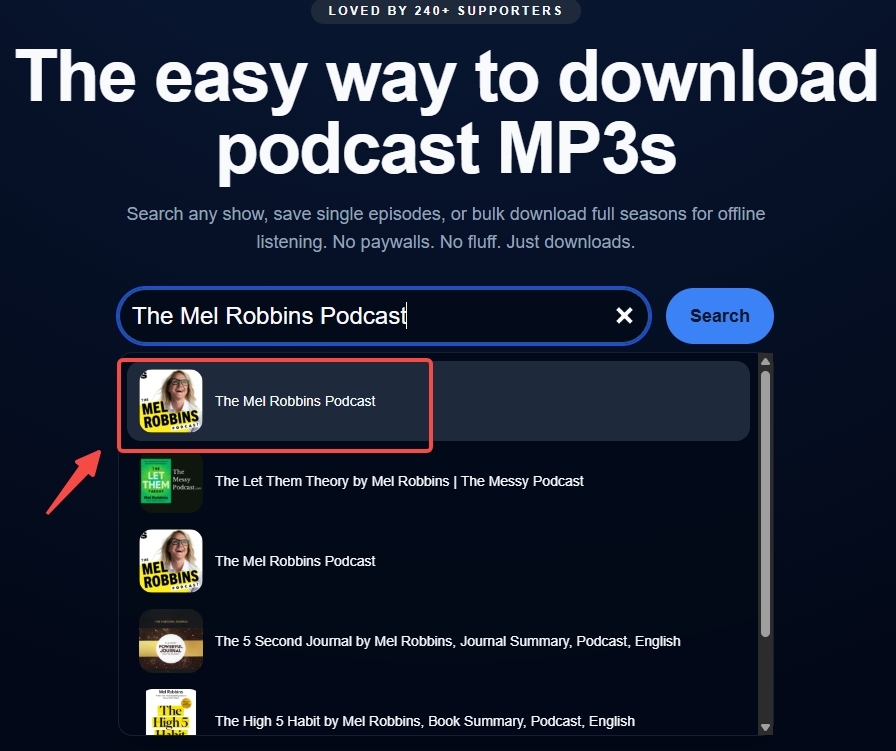
PodcastToMP3
PodcastToMP3 currently advertises full-season and multi-episode downloads. Selecting several episodes is not the same as receiving several files automatically, so bulk delivery should remain unverified until a dated multi-episode test is completed.
Best fit: a no-install search for a public show or episode.
Less suitable: exclusive material, a large queue that needs predictable file delivery, or a library that needs consistent metadata.
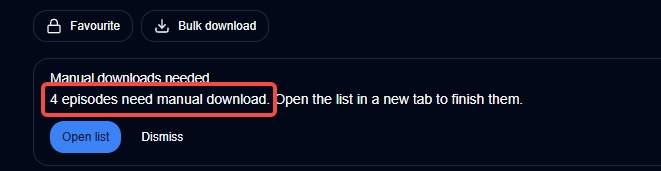
- Search for the podcast or paste the supported show information.
- Select the episode or advertised multi-episode option.
- Use the result page's download control to save each available MP3.
PodcastMP3
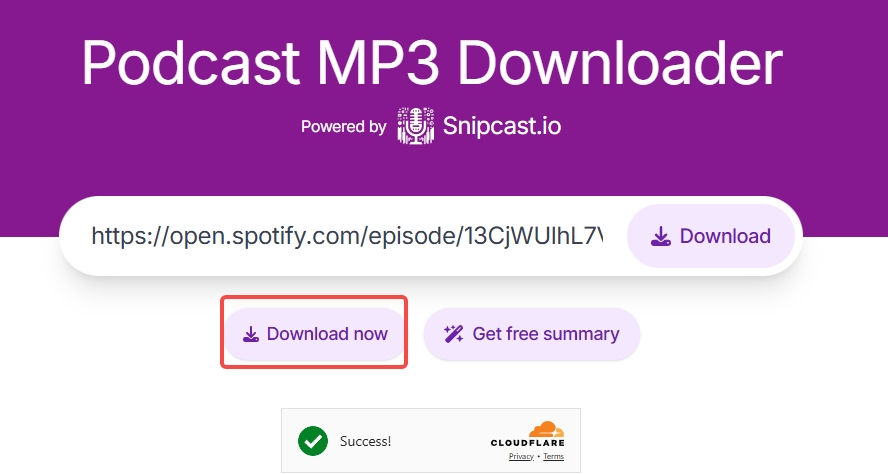
PodcastMP3 is a clear example of a podcast to MP3 converter that accepts a Spotify link, then looks for the podcast's public RSS MP3. It does not imply that every Spotify-hosted page has a downloadable public source.
Best fit: one public-feed episode when the link is already in hand.
Less suitable: exclusives, subscriber-only items, removed episodes, video-only pages, or full-show queues.
- Copy the Spotify episode link.
- Paste it into the browser tool and run the lookup.
- If a public file appears, use the result page to save it.
SpotScribe
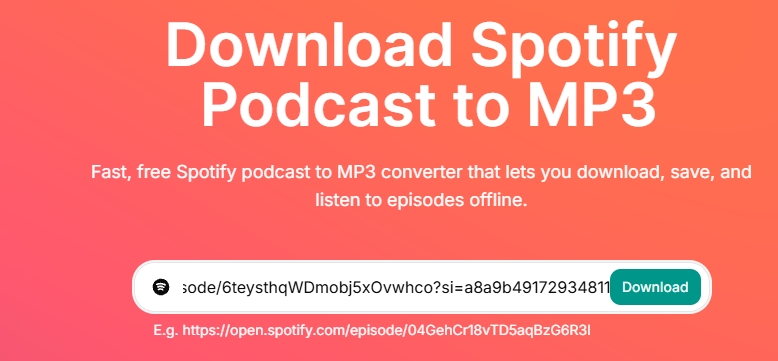
SpotScribe's converter page is active, so it should not be labeled a failed or discontinued service. Its end-to-end conversion reliability has not been reverified, and page availability alone does not establish that a given link will produce a file.
Use it as a quick eligibility check, not as the foundation for a large queue. If the same public episode fails across several browser tools, return to the source check instead of repeating the same lookup.
Save MP3 Files on iPhone and Android
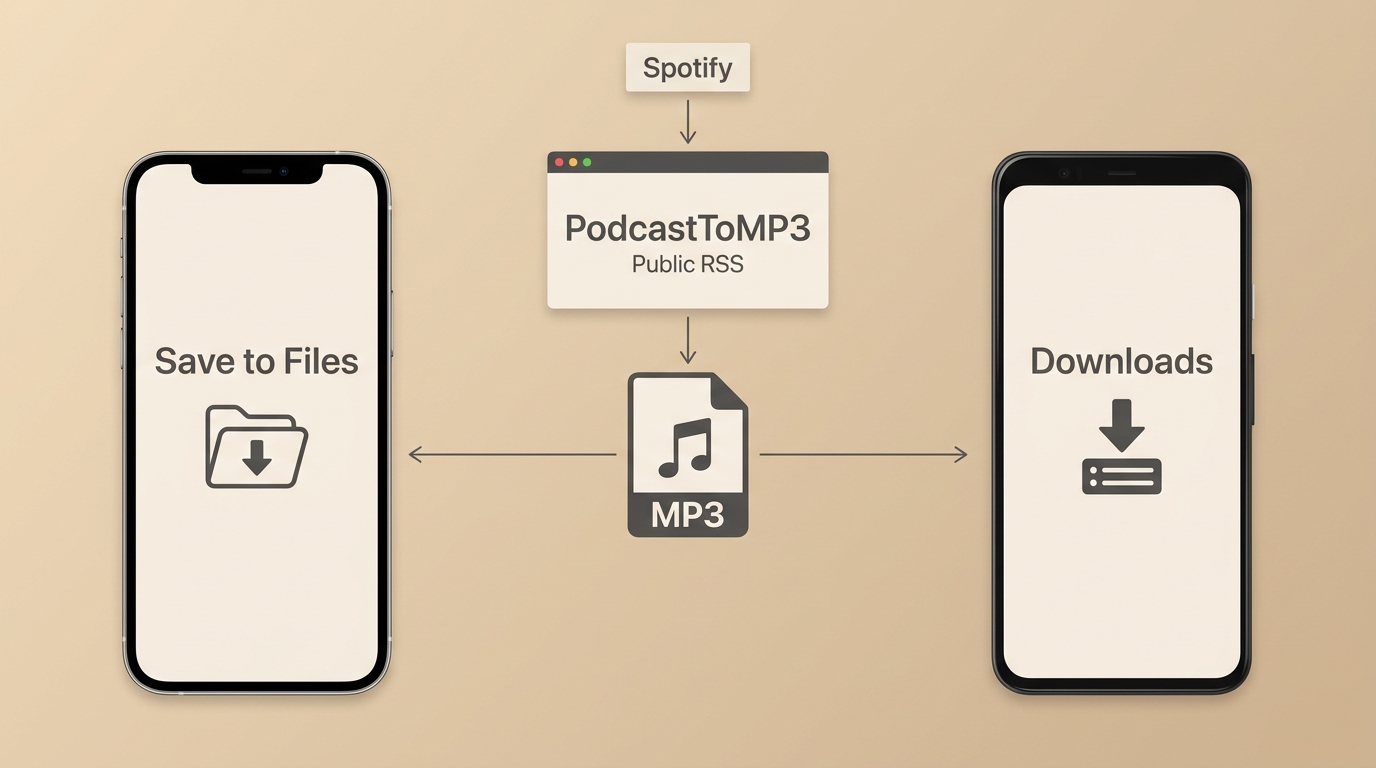
The phone route is the same browser-based public-feed path, not a fourth conversion method. When an eligible MP3 appears, iPhone and iPad save it to Files, while Android normally places it in Downloads.
Save to Files on iPhone and iPad
A Spotify podcast iPhone workflow starts in Safari or another browser that receives a real downloadable file from an eligible public-feed tool.
- Open the browser tool and submit the eligible episode link.
- On the result page, tap the download or Share control.
- Choose Save to Files, select a folder, and confirm the filename.
If the page only starts playback and exposes no file action, the browser has not received a normal MP3 to store. Changing folders will not fix a source-eligibility problem.
Save to Downloads on Android
A Spotify podcast Android workflow uses the same eligible public source, but the saved file normally appears in the browser's Downloads list or the device's Downloads folder.
- Open the public-feed tool in the browser and submit the episode link.
- Tap the result page's download control and approve the browser prompt.
- Open Files or My Files, then check Downloads and rename the file if needed.
This section stays limited to browser-to-file podcast steps. Broader Spotify downloader Android choices involve a different intent, and an abandoned APK is not needed for this workflow.
Audio and Video Podcasts Need Different Outputs
Choose the output by what you plan to keep. MP3 carries audio only, while video podcast MP4 availability depends on the original episode source and a tool's currently verified video support.
MP3 Saves Audio Only
A Spotify podcast MP3 is appropriate for spoken audio, car listening, swimming players, audio editors, and storage-focused libraries. It does not preserve the visual track from a video podcast.
For audio-only listening, I would not add a video workflow. The larger file and extra compatibility checks bring no practical benefit when the screen will not be used.
MP4 Support Depends on the Source
A video-only Spotify page may not expose a public audio enclosure, and a public-feed browser service may fail even when the page plays inside Spotify. MP4 output should be claimed only when both the episode source and the chosen tool explicitly support it.
MusicFab's Spotify Converter product page lists audio outputs such as MP3, FLAC, WAV, M4A, and OPUS; it does not list MP4 output for this product.
Audacity Works Best for Short Clips
An Audacity podcast MP3 workflow is a real-time capture fallback for a short excerpt you are authorized to use. It is not efficient for full episodes because the capture takes roughly the episode's running time and metadata must be added manually.
When Real-Time Capture Makes Sense
Use Audacity when you need to edit a brief excerpt and the normal file routes are unsuitable. A 90-minute episode takes roughly 90 minutes to capture, so this method does not fit full-show queues.
- Set Audacity to the appropriate system-audio input on Windows, Mac, or Linux.
- Start the short section in Spotify, begin capture in Audacity, and stop at the end of the excerpt.
- Trim the clip, export it as MP3, and add the title and other metadata manually.
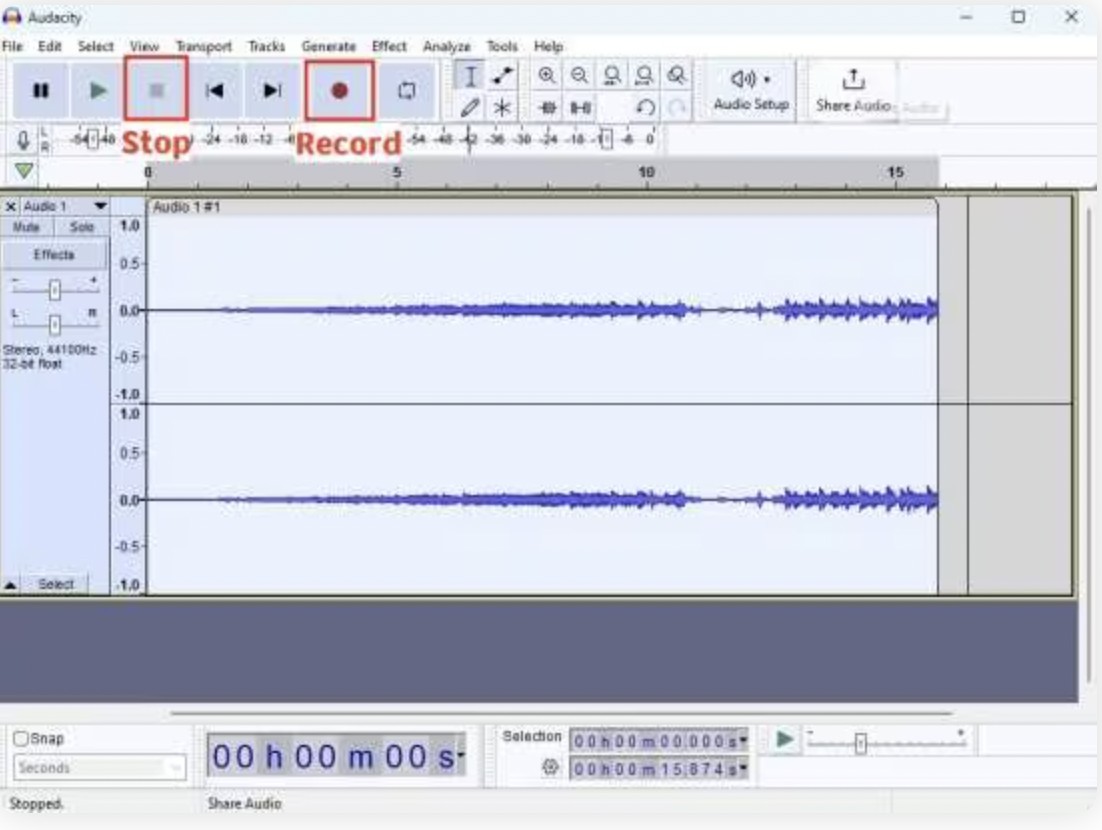
The practical line is clear: Audacity makes sense for an excerpt you plan to edit, not for an unattended podcast archive.
Discontinued and Unverified Tools
Old app listings and browser extensions can linger in search results after maintenance ends. Treat current availability, official distribution, and a recent release history as separate checks before trusting a tool recommendation.
SpotiFlyer Is No Longer Maintained
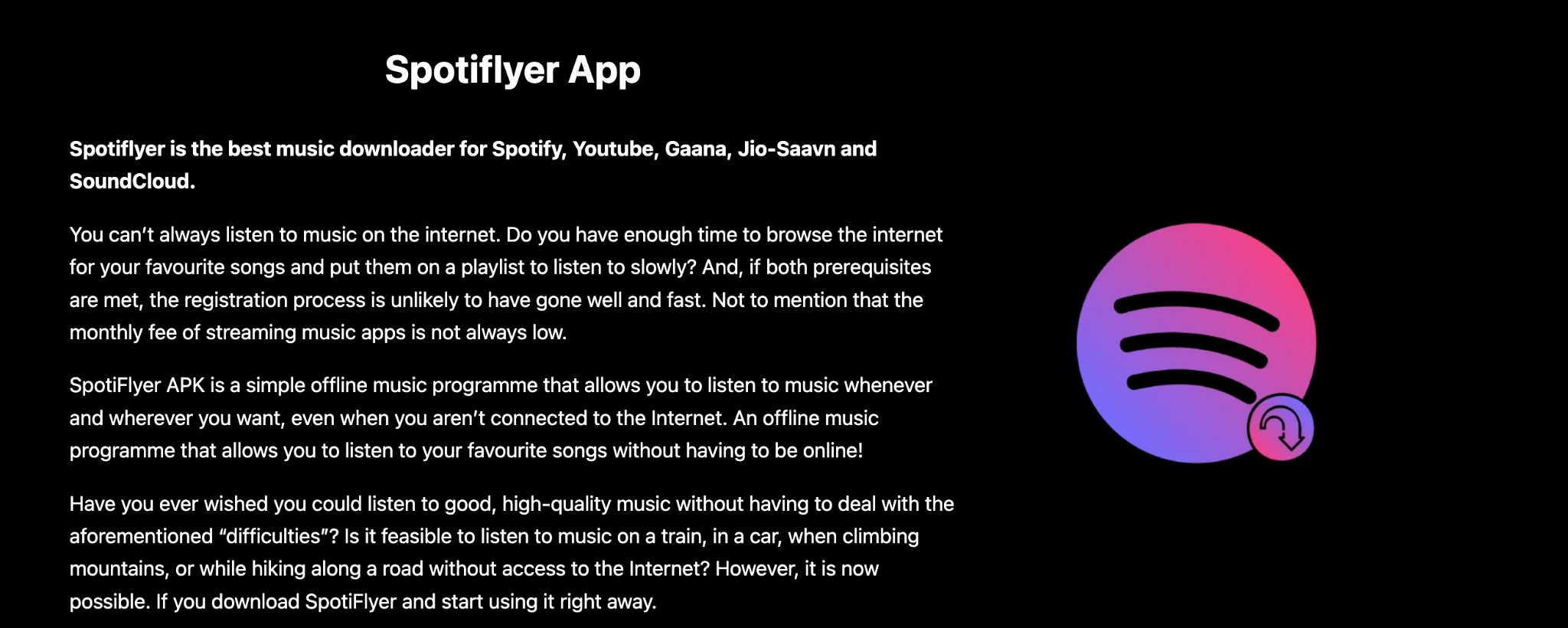
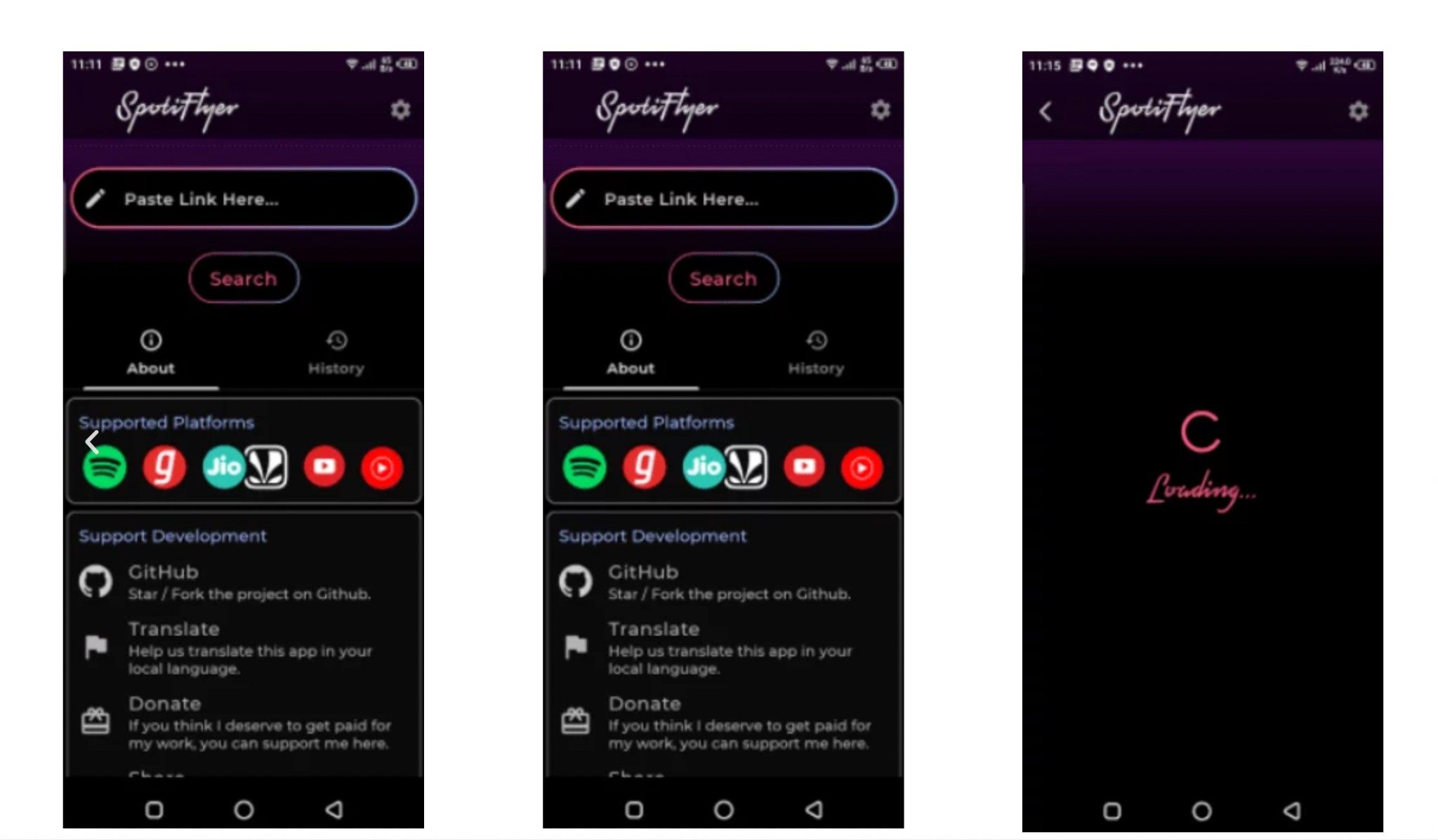
SpotiFlyer is no longer maintained as a standalone project. Its official repository says the project will receive no more updates, and the latest listed release dates to November 2023.
These archived screens help identify the discontinued app, but they are not current setup guidance. The phone route in this guide uses an eligible browser download and does not require a sideloaded app.
Avoid Removed Browser Extensions
The Spotify and Deezer Music Downloader extension was removed from the Chrome Web Store in January 2021 and is not a current official-store option. Do not use reuploaded copies as a substitute for an official listing.
Its removal from the official store is sufficient reason to avoid unofficial reuploads; there is no need to assume a specific security problem.
Conclusion: Which Method Fits Your Podcast
The right Spotify podcast downloader or podcast to MP3 converter depends on source eligibility, portability, and queue size. Keep the same three-route model: official in-app playback, a public-feed browser route, or a desktop local-file workflow.
- Official offline mode: Choose it when playback inside Spotify is enough. It is not for moving files to storage-only devices.
- Browser route using a public feed: Choose it for one eligible episode on desktop or phone. It is not for exclusives, video-only pages, or predictable batch delivery.
- Desktop local-file route: Choose it for authorized long queues, metadata, or multiple audio formats. It is not the lightest option for one public episode.
For episodes hosted beyond Spotify, the source-first approach in our cross-platform podcast download guide helps identify an eligible feed before you choose a tool.
My recommendation is to start with Spotify's official option and move to a file workflow only when portability or library control actually matters. Keep local copies for personal use, respect the creator's rights, and do not redistribute or reuse the audio commercially.
Frequently Asked Questions
Can I move a podcast MP3 to a swimming player or car stereo?
Yes, if the device accepts ordinary MP3 files and the file was obtained from an eligible source for authorized personal use. Spotify's in-app offline download is different because it stays managed inside Spotify and cannot be copied as a normal audio file.
Does an RSS-based download still count as a Spotify listen?
Playback from a public podcast RSS feed happens outside Spotify and may not register as a Spotify stream. If supporting the creator's Spotify metrics matters, follow the show and play the episode on its official platform as well.
Is it legal to save a Spotify podcast as an MP3?
It depends on the content, Spotify's terms, applicable law, and your purpose. Limit saving to material you are authorized to access for personal offline use. Do not redistribute the file, publish it elsewhere, or use it commercially without permission.

This guide compares nine Spotify downloaders across browser, desktop, Android, and iOS workflows. It weighs source matching, output quality, playlist and ZIP behavior, metadata, account exposure, and tool status, then explains which option fits a single track, a long playlist, or a managed local library.
By Jane Chen - Aug 26, 2026
Spotify downloads can stall because of Premium eligibility, device limits, storage, network permissions, cache state, or a service incident. This guide gives one nine-fix recovery path, then separates iPhone, Android, Windows/Mac, Apple Watch, partial-playlist, Offline Mode, and clean-reinstall cases. It also explains when a MusicFab local-file workflow fits authorized personal use.
By Jane Chen - Aug 26, 2026
Spotify Premium can download music for playback inside the Spotify app, while Free accounts can download podcasts. This guide covers setup, device differences, download limits, troubleshooting, travel checks, and a portable-file option.
By Jane Chen - Aug 18, 2026
Is Spotify Duo still worth $18.99 for two people at one address? Get the current price, savings vs Individual and Family, address verification rules, setup
By Jane Chen - Aug 13, 2026