
Best Spotify Downloader for Windows PC in 2026: Top Tools Compared

Summary: This Windows-focused guide separates Spotify’s official offline cache from standard local audio workflows. It compares five desktop apps with active, legacy, discontinued, and unconfirmed free options, then provides playlist verification, format guidance, and Windows 11 troubleshooting.
Table of Contents
Looking for a Spotify downloader for Windows usually means Spotify’s in-app offline cache is not enough: you need standard audio files for a Windows player, another drive, or a compatible portable device. This guide separates official caching from local-file workflows and compares current desktop, online, and open-source choices.
For any local-file workflow, keep an active subscription to the original platform and limit use to content you are authorized to access for personal offline listening, where permitted by Spotify’s terms and applicable law. Broader Spotify downloader choices may cover mobile or cross-platform needs; this review stays focused on Windows.
Best Spotify Downloader for PC: Method Comparison
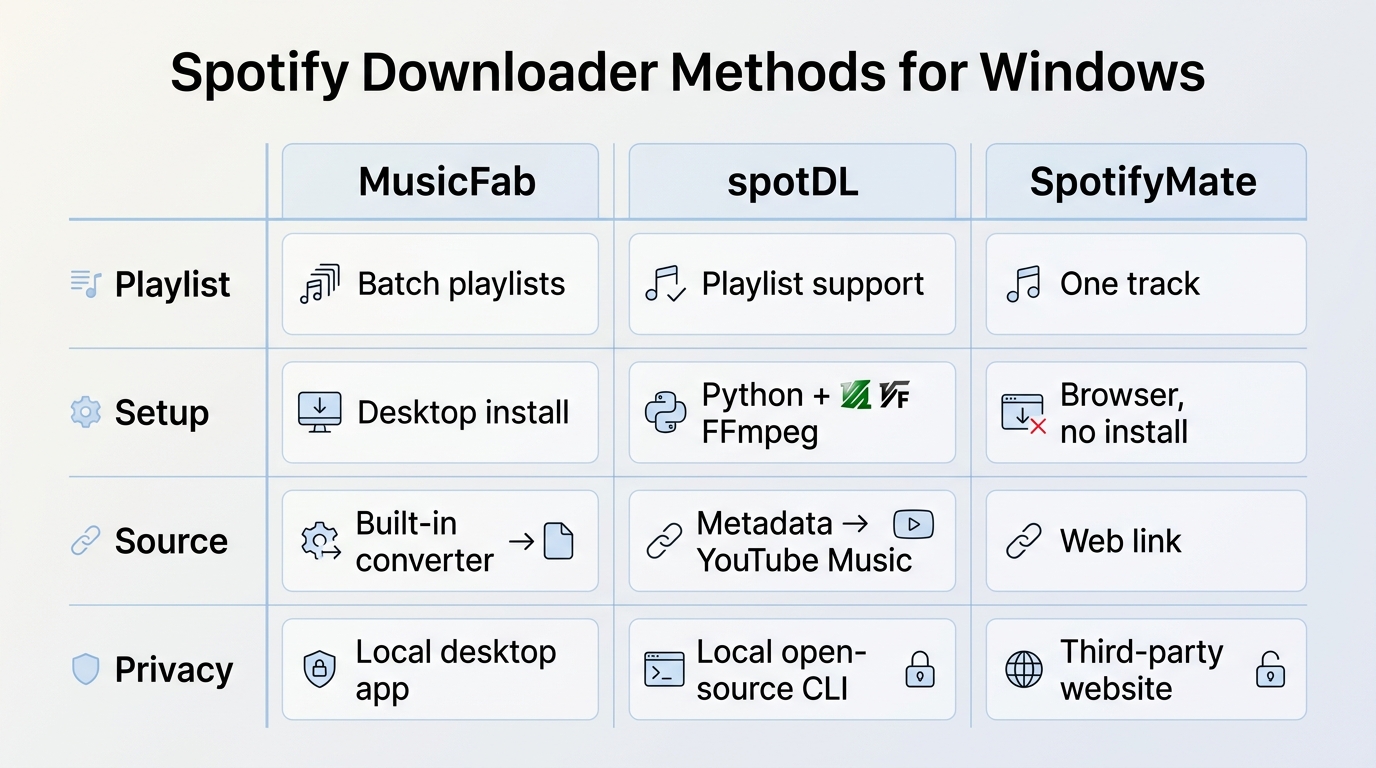
A Spotify downloader Windows search leads to three distinct methods: desktop converter software, source-matching open-source tools, and online services. They do not obtain audio in the same way, so playlist accuracy, file quality, setup effort, and privacy exposure can differ substantially.
- Desktop apps: suited to larger playlists, graphical controls, chosen output folders, and metadata management. They require installation and usually become paid after a trial.
- Open-source tools: suited to technical users who accept Python, FFmpeg, dependency updates, and possible source mismatches.
- Online tools: suited to a quick one-track attempt when installation is undesirable, but availability, privacy, and playlist handling are less predictable.
What We Tested in July 2026
The comparison uses a repeatable Windows 11 checklist rather than accepting a headline speed multiplier as proof of performance.
- Obtain the installer from the official vendor page or the project from its official repository.
- Confirm the login method and whether the workflow asks for a Spotify session, metadata access, or no account access.
- Load the same mixed playlist sample and note requested tracks versus completed tracks.
- Inspect obvious title or artist mismatches, output format, cover art, track numbers, and lyrics where supported.
- Play several files in a Windows audio player and confirm the selected output folder.
- Label the tool active, legacy, discontinued, or unconfirmed based on its visible maintenance state.
My deciding metrics are playlist completion, matching accuracy, and installation friction. A faster-looking job is not useful when tracks are missing, matched to the wrong source, or scattered without dependable tags.
Audio Files, Not MP4 for Songs
For ordinary Spotify songs, the useful outputs are audio formats such as MP3, FLAC, WAV, M4A, or OPUS when the selected Spotify downloader converter supports them. MP4 is a video container, so a Spotify downloader MP4 query generally points to video-podcast content or a separate video workflow.
- MP3: the practical default for broad Windows, car stereo, and portable-player compatibility. A dedicated Spotify-to-MP3 workflow is easier to move between devices than an app-managed cache.
- FLAC or WAV: useful when the available source and downstream editing or archiving workflow justify larger files.
- M4A or OPUS: efficient alternatives when the target player supports them and smaller storage use matters.
- MP4: not the normal target for an audio-only Spotify song download on PC.
Selecting FLAC or WAV does not manufacture genuine lossless detail from a lossy source. I choose MP3 for compatibility; I choose FLAC or WAV only when the available source quality and the destination workflow justify the storage cost.
Playlist-to-PC Workflow
A reliable Spotify playlist downloader PC workflow should finish with verified files, not merely a completed progress bar. Full-playlist batch handling is covered in more depth by this Spotify playlist downloader guide, while the Windows process below keeps the decision practical.
Step 1 Install and sign in: download MusicFab Spotify Converter from its official page, open the Spotify card in the built-in browser, and sign in with an account that can access the selected content.
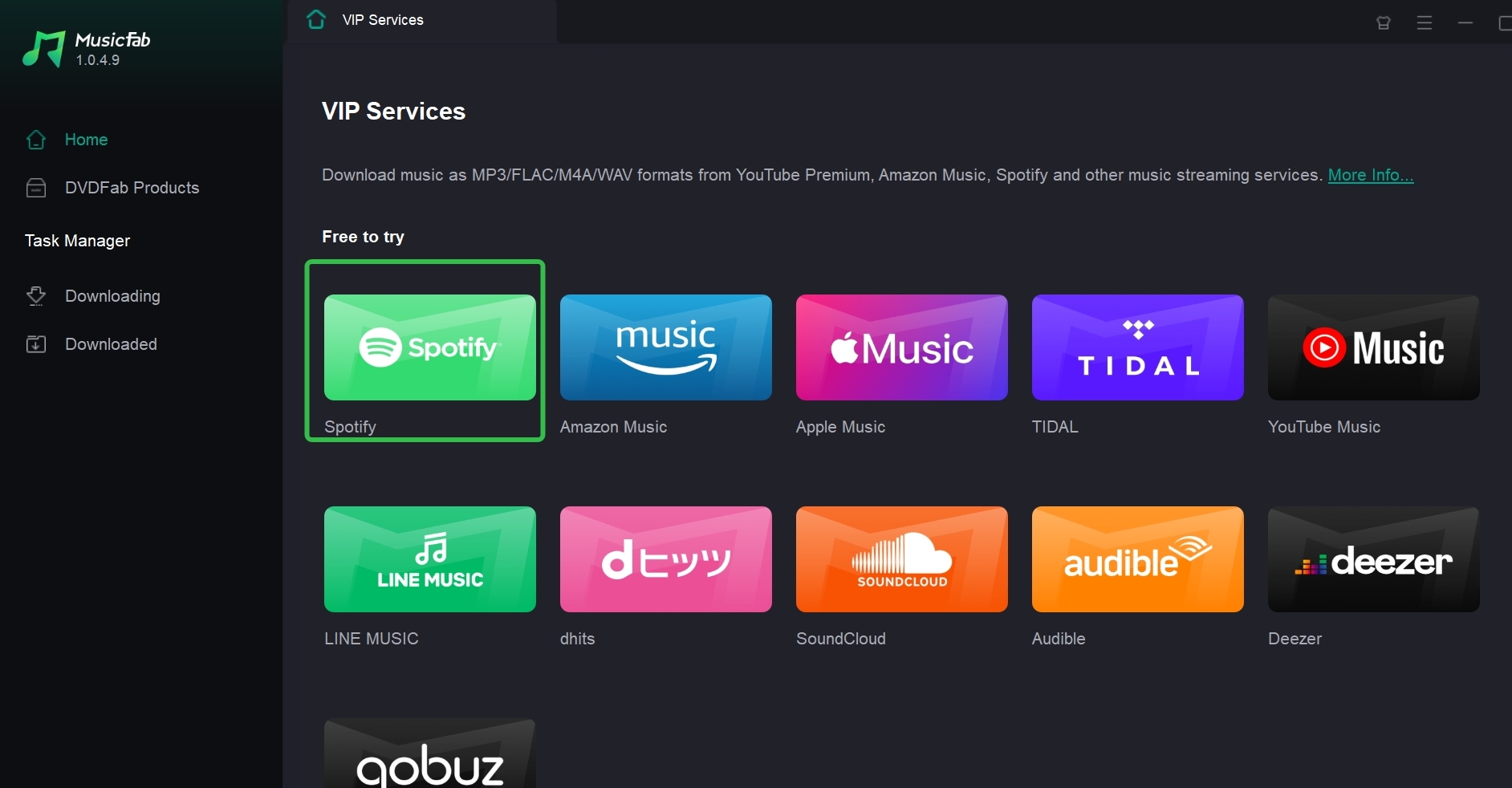
Step 2 Load the playlist: browse to a playlist, album, or song, or paste its link, then let the app analyze the track list.
Step 3 Choose the output: select MP3, M4A, WAV, FLAC, or OPUS according to device compatibility, source quality, and available drive space.
Step 4 Download and verify: start the job, open the chosen folder, and check the result before moving a larger library.
The Spotify music download workflow should end with a simple check: requested versus completed track count, obvious source mismatches, chosen folder, selected format, readable tags, cover art, and playback in a Windows player.
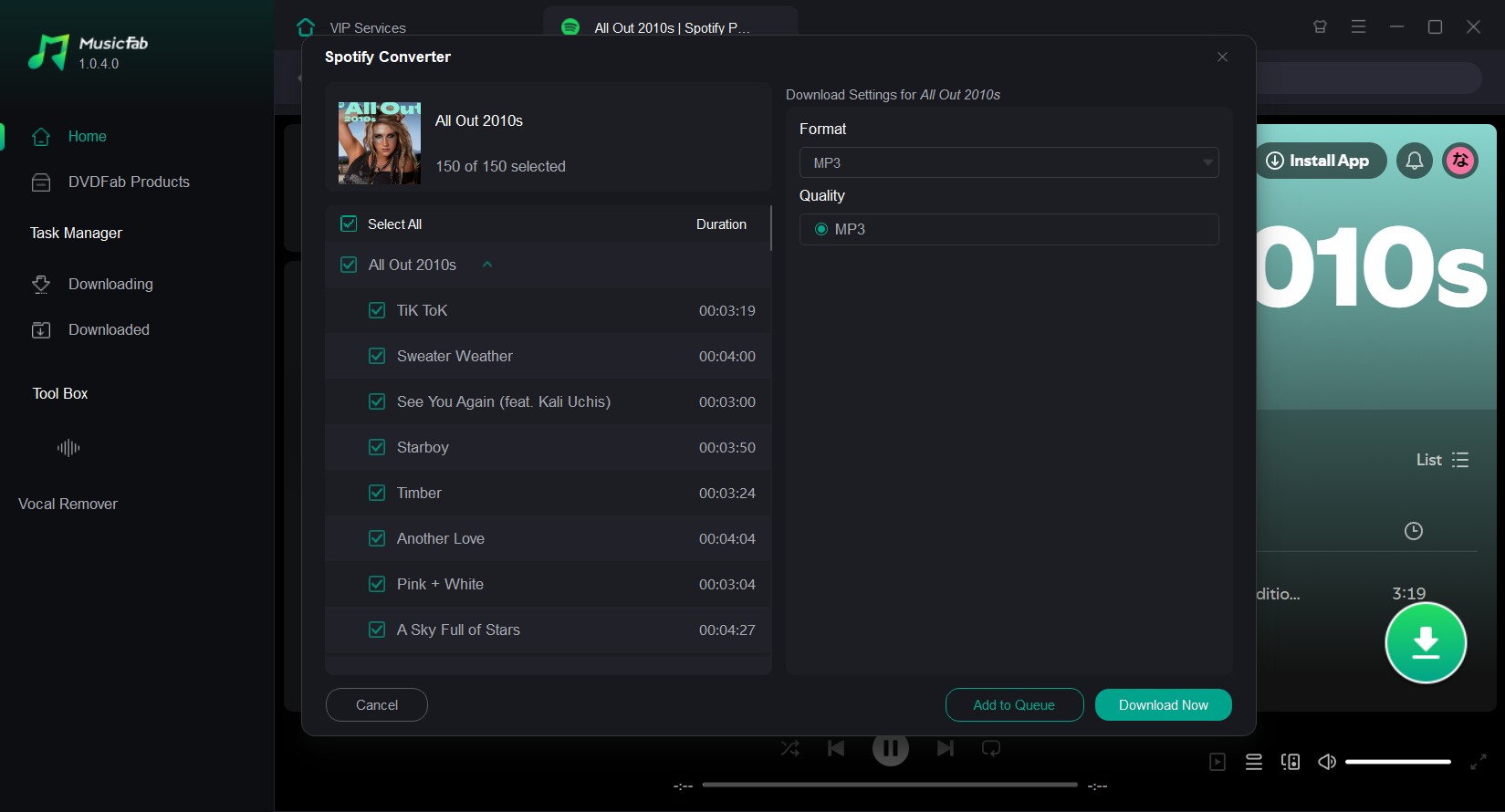
A correctly tagged, complete playlist is more valuable than a quicker result with gaps. That is the standard I would use before trusting any tool with a larger library.
Best Spotify Downloaders Software for Windows PC
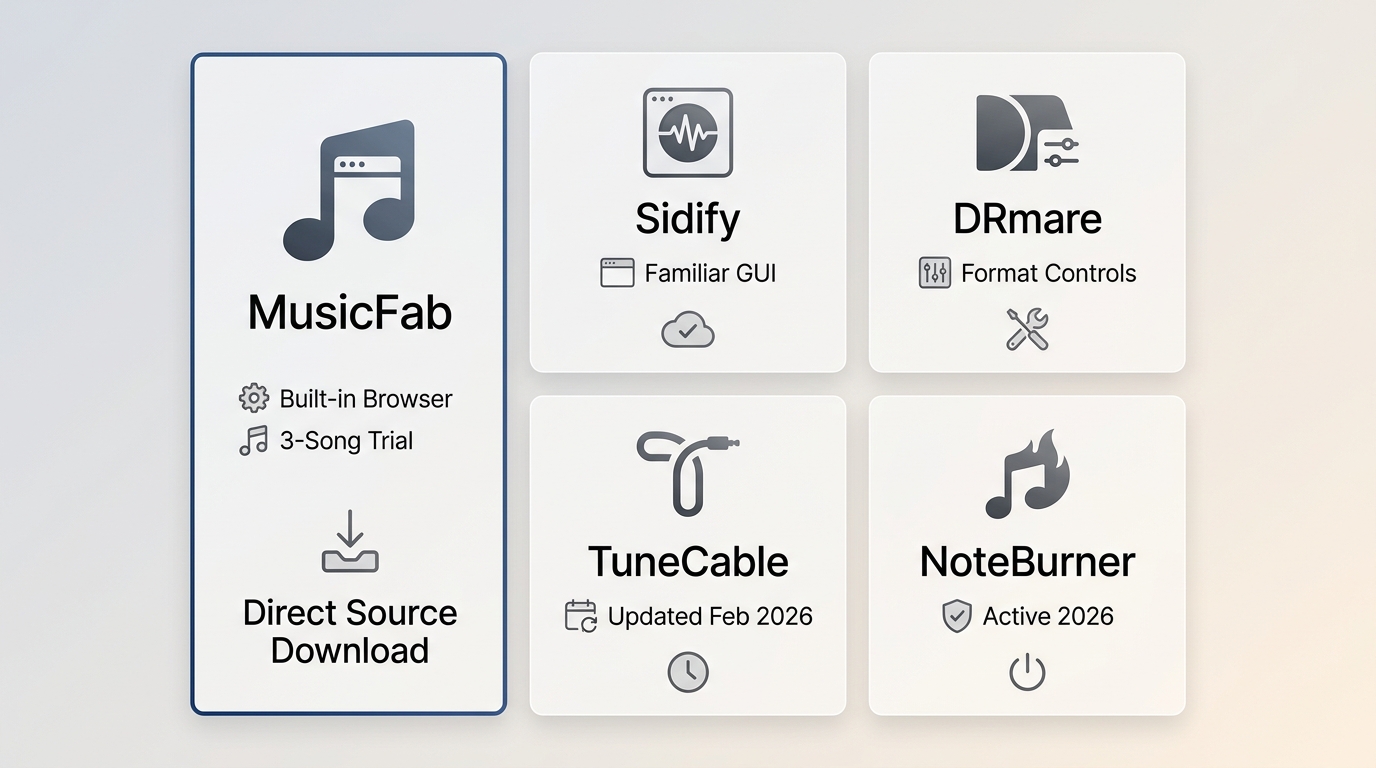
The five desktop apps below remain recognizable Spotify downloader software choices for Windows. The useful question is not which product has the longest feature list, but which one fits your preferred login flow, playlist size, output needs, and tolerance for installation.
MusicFab Spotify Converter
MusicFab Spotify Converter is a MusicFab Spotify downloader for Windows and macOS built around a graphical playlist workflow. It is best suited to users who want batch handling, standard audio output, and organized metadata without maintaining command-line dependencies.
For authorized personal listening, MusicFab Spotify Converter uses direct source download technology rather than one-to-one playback processing. It supports MP3, M4A (AAC), WAV, FLAC, and OPUS, with Spotify output up to 320 kbps and metadata such as title, artist, album, cover art, and track number. Lyrics can be saved as .lrc files where available.
Best for: Windows users who need a GUI for full playlists, consistent ID3 tags, and a built-in browser.
Not ideal for: readers who want a no-install browser tool or who do not want paid software after testing.
The trial lasts 30 days and allows three full songs per service, which is enough to inspect complete files rather than short excerpts. The product’s Trustpilot profile showed 4.2 out of 5 from 131 reviews as of July 2026, but review scores are secondary to testing your own playlist and destination player.
My sharp take: MusicFab’s relevant advantage here is not a sprawling feature list. It is the combination of batch playlist handling, a built-in browser, and complete-file trial output. The trade-off is equally clear: it must be installed, and a browser-only user should look elsewhere.
Desktop Spotify converters can look similarwhen their format lists are compared alone. For a large Windows playlist, judge the completed track count, source accuracy, tags, and setup friction rather than an advertised multiplier. MusicFab usesdirect source download technologyand a built-in browser, while other tools may suit readers who prefer a different interface or trial model.
Sidify Spotify Music Converter
Sidify remains an active desktop option for Windows users who want a familiar graphical converter and several audio formats. Its main appeal is an established interface; its limitation is that current playlist performance and trial restrictions should be checked with the same sample used for every other app.
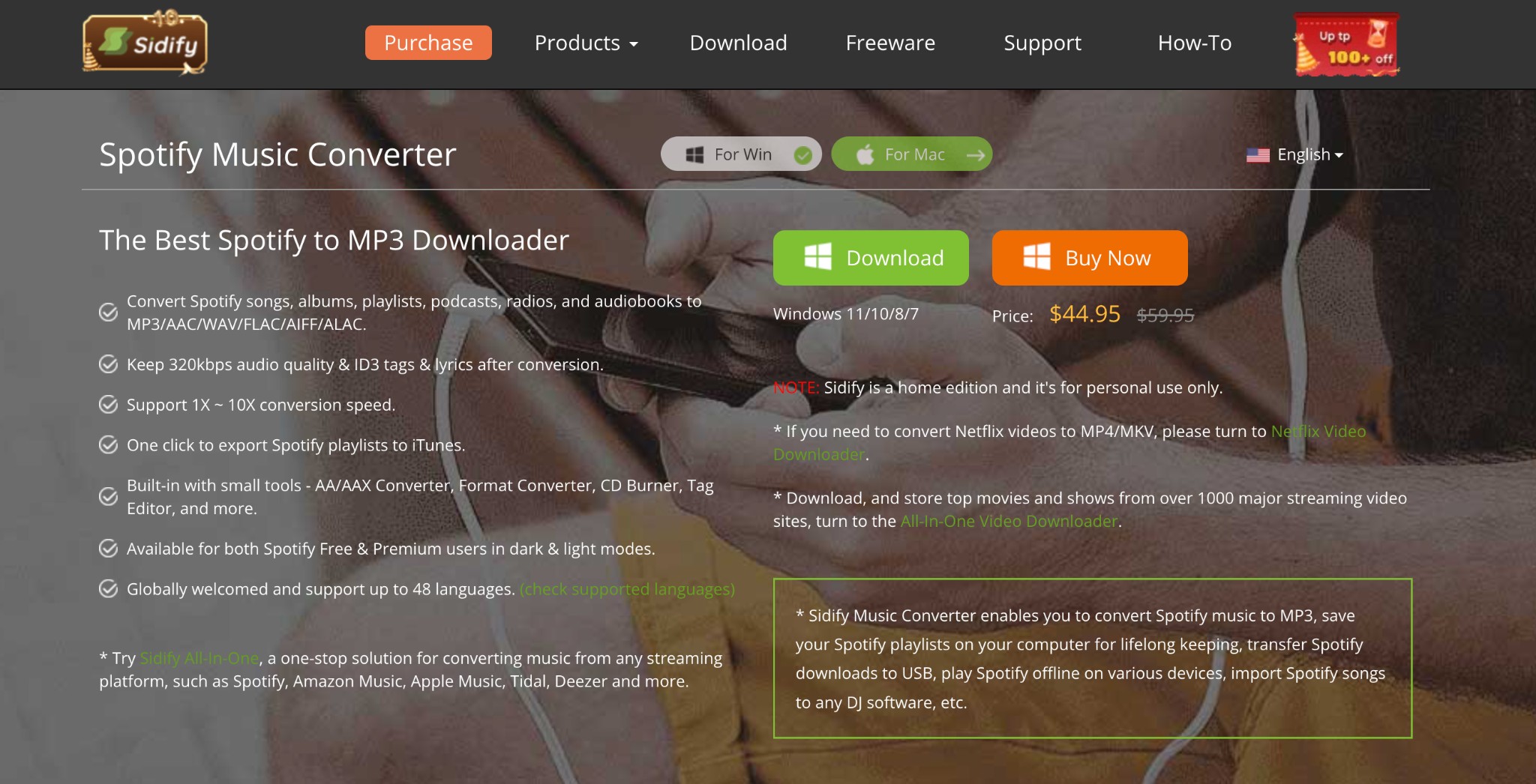
The Sidify Spotify Music Converter review is most useful when you compare its setup, format options, and metadata results against the exact playlist you plan to process. Unsupported claims about routine account penalties or universal failures are not a sound basis for choosing or rejecting it.
Best for: users who prefer Sidify’s desktop interface and want a current Windows product.
Not ideal for: anyone expecting a maintenance-free browser workflow or treating advertised speed as a playlist-completion result.
DRmare Spotify Music Converter
DRmare is another installed Spotify downloader converter for Windows and Mac, aimed at users who want format controls and batch selection in a desktop interface. It should be judged on successful playlist completion, output choices, and trial limits rather than older claims about ratings, activation, or account outcomes.
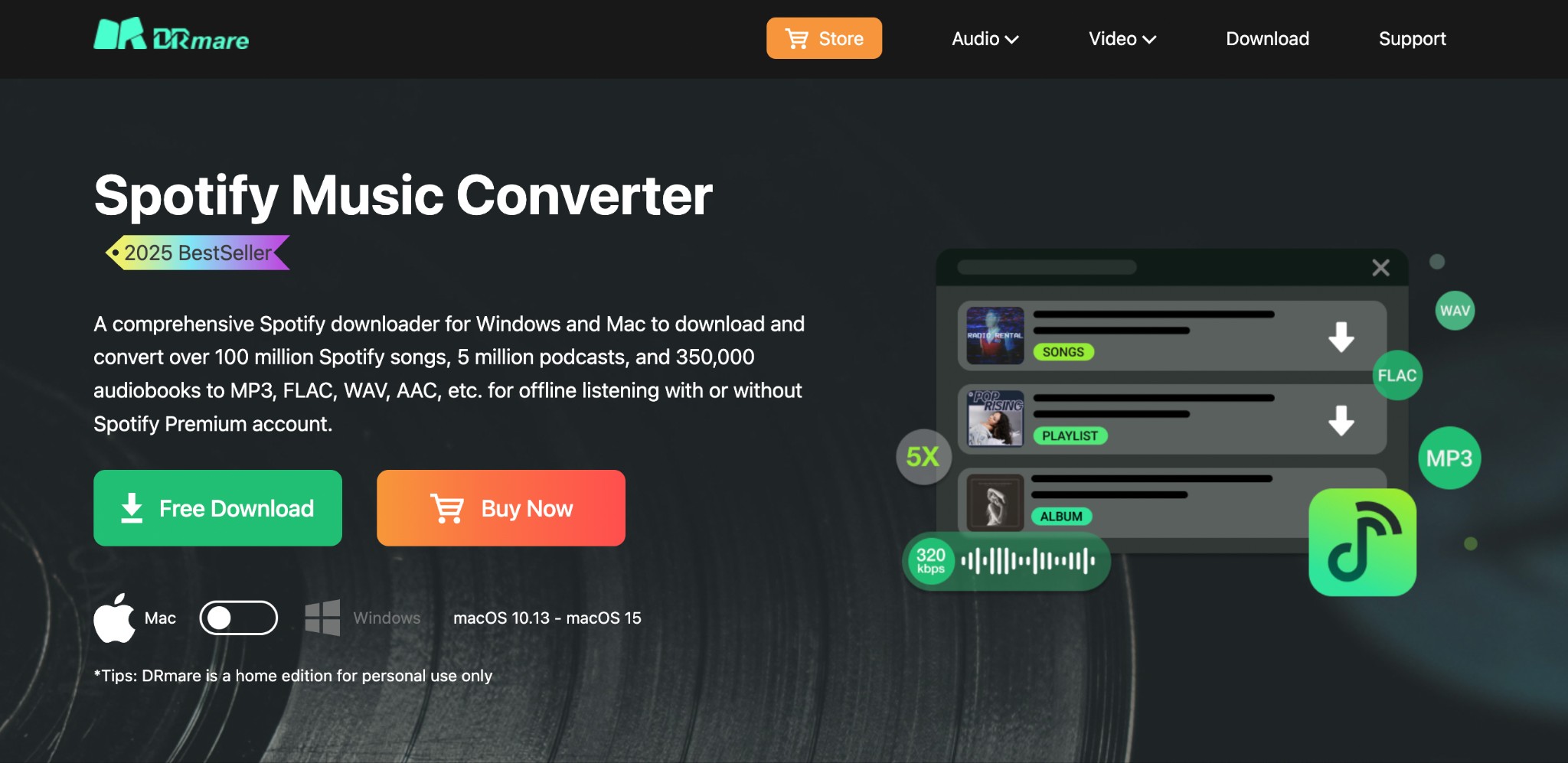
Best for: users who want a conventional desktop converter with configurable output.
Not ideal for: readers who do not want to install software or who need independently completed same-environment speed rankings.
I would test DRmare with a mixed playlist containing alternate versions and similarly named tracks. That exposes matching and metadata problems more effectively than a single popular song.
TuneCable Spotify Downloader
TuneCable is an active Spotify downloader software option with a Windows desktop workflow and multiple output choices. Its February 2026 version history supports treating it as maintained, but that does not establish a universal speed, quality, or reliability result for every playlist.
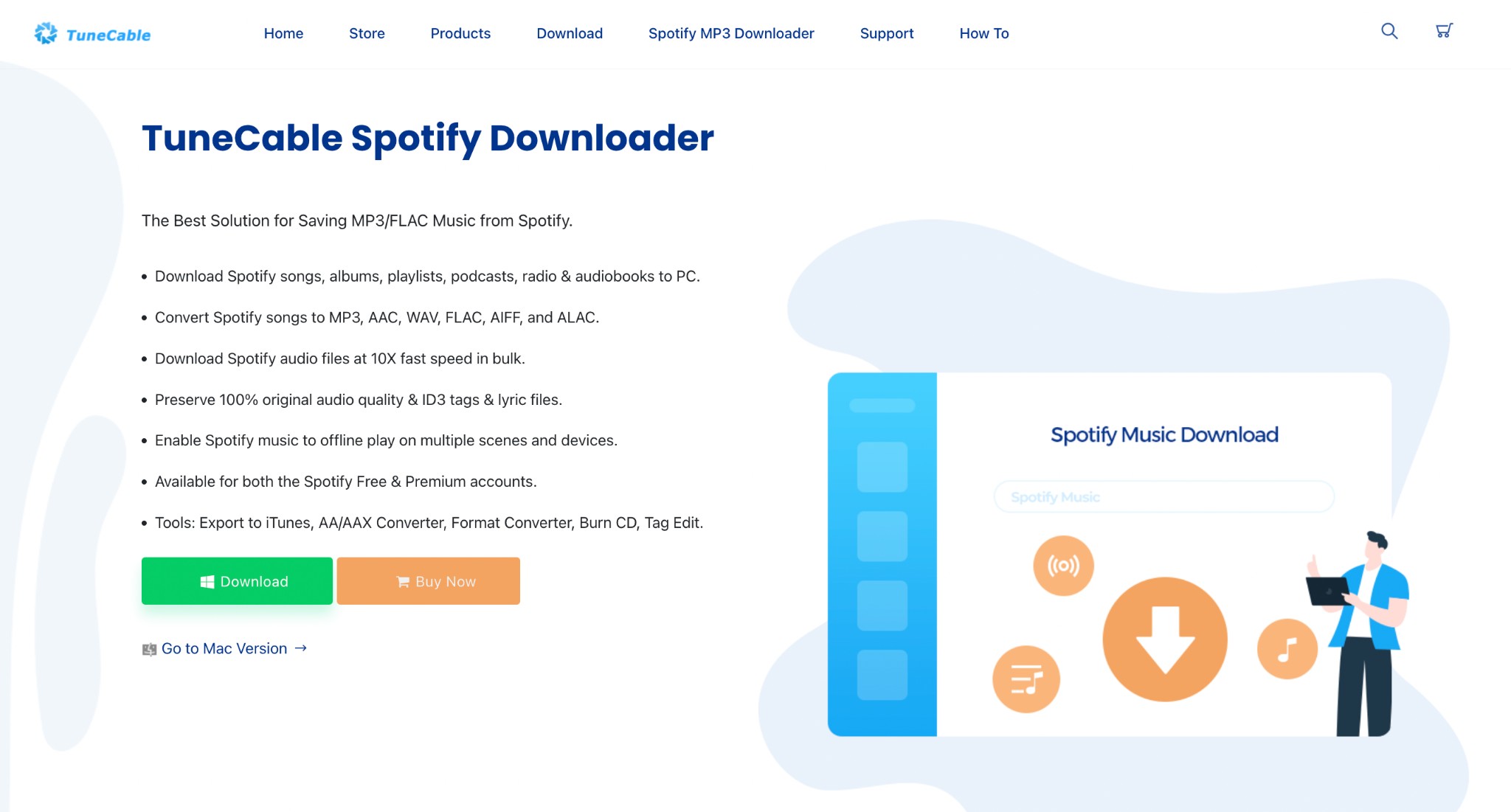
It can also handle albums, so readers comparing playlist and Spotify album download workflows should check whether tags, cover art, and track order remain consistent across a full release.
Best for: users who like TuneCable’s interface and want an actively updated installed app.
Not ideal for: readers who need a no-install workflow or a comparative completion rate that has not been measured in the same environment.
NoteBurner Spotify Music Converter
NoteBurner remains active in 2026 and follows the same broad desktop pattern: select Spotify content, choose an audio format, and send the files to a Windows folder. Its fit depends more on interface preference and trial terms than on unsupported promises of zero quality loss or fixed speed.
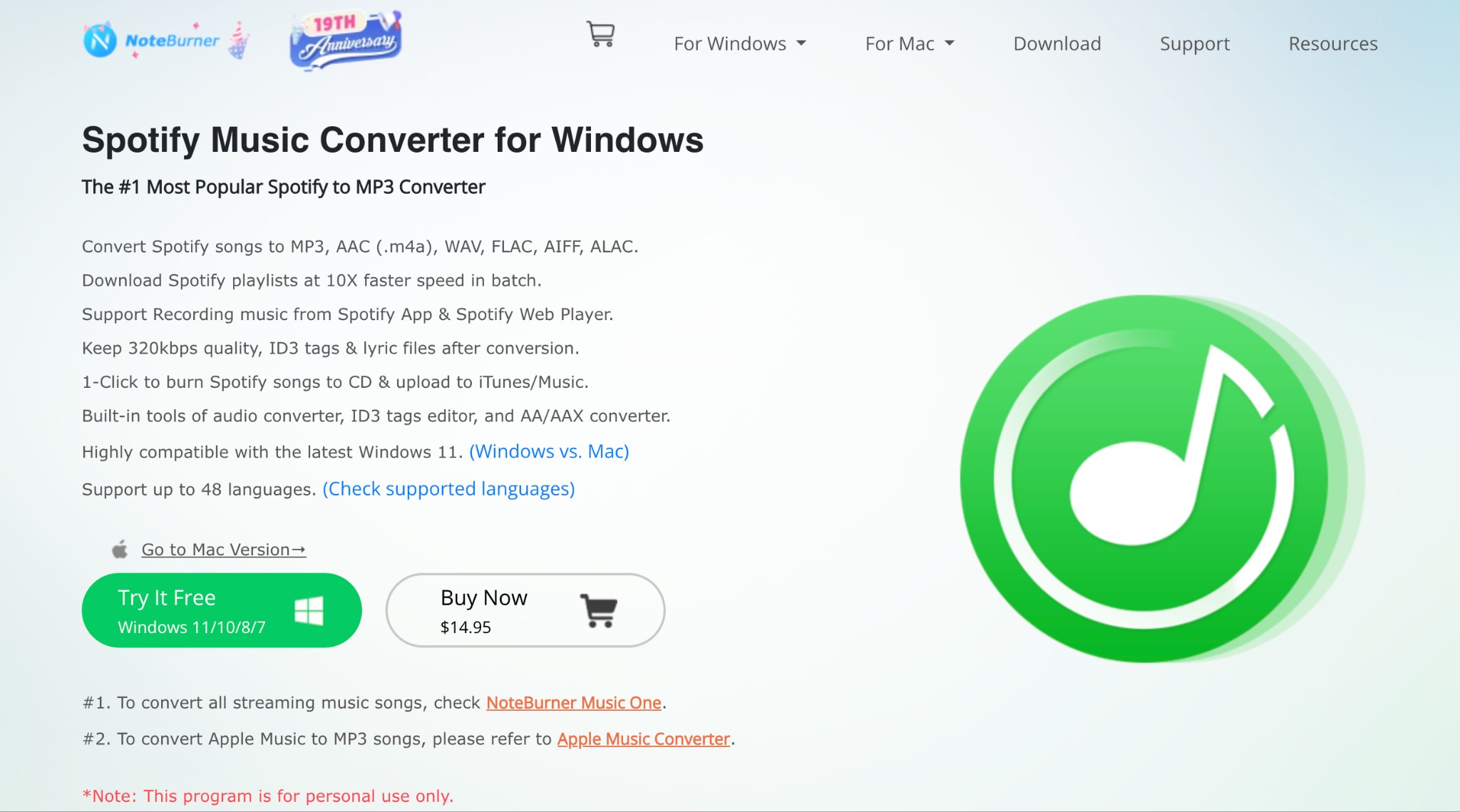
The detailed NoteBurner review can help with product-specific questions, while this Windows comparison keeps the criteria consistent across all candidates.
Best for: users who prefer NoteBurner’s desktop workflow and need batch audio output.
Not ideal for: readers who want a browser-only tool or who require a verified current price and trial comparison inside this article.
Free Spotify Downloaders for Windows: Online, GitHub, and CLI
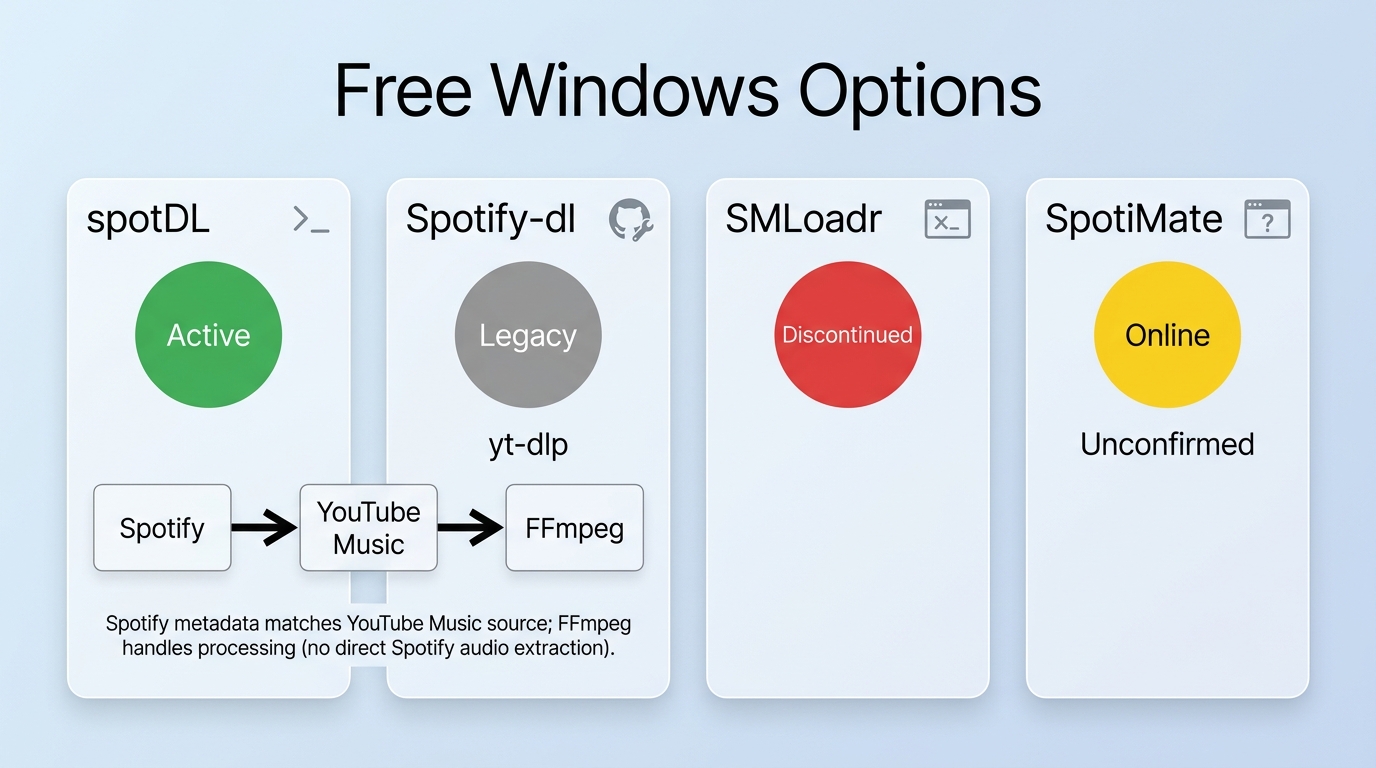
A free Spotify downloader may avoid a license fee, but it can add command-line setup, dependency maintenance, source matching, uncertain availability, or privacy trade-offs. “Free” describes the price, not the effort or reliability of the workflow.
spotDL: Active but Source-Matched
Trustpilot Rating: N/A
spotDL is a free, lightweight Spotify downloader, an open-source Windows program that can help you download Spotify playlists and albums in a few minutes. This tool curbs the need to open Spotify. Instead, you can directly access the web browser and its web-based UI to download and access your Spotify songs.
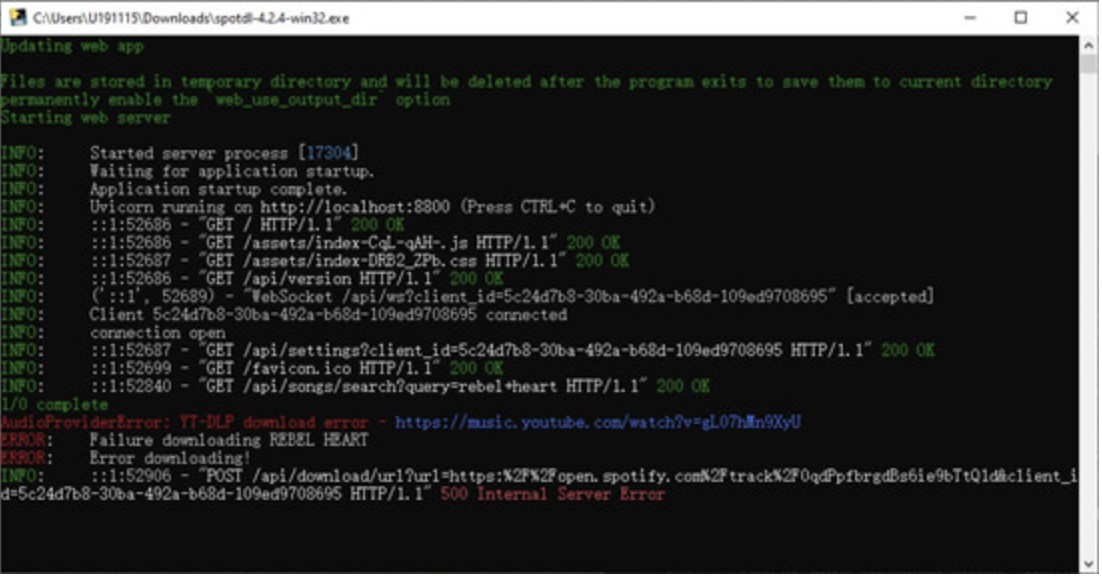
Key Features:
- Completely free and open-source
- Converts and save Spotify music in MP3 format
- Download Spotify songs at moderate speed
- Bypass the need to install Spotify desktop software
- Lightweight software that does not take much of the device's storage space
Cons:
- Only supports MP3 output audio format
- Cannot download Spotify audiobooks and podcasts in batches at the same time
Spotify-dl: A Legacy CLI Option
Spotify-dl uses Spotify metadata with yt-dlp in a command-line workflow. Its latest visible release was dated January 2024, so it belongs in the legacy category and should pass a current installation test before anyone follows commands.
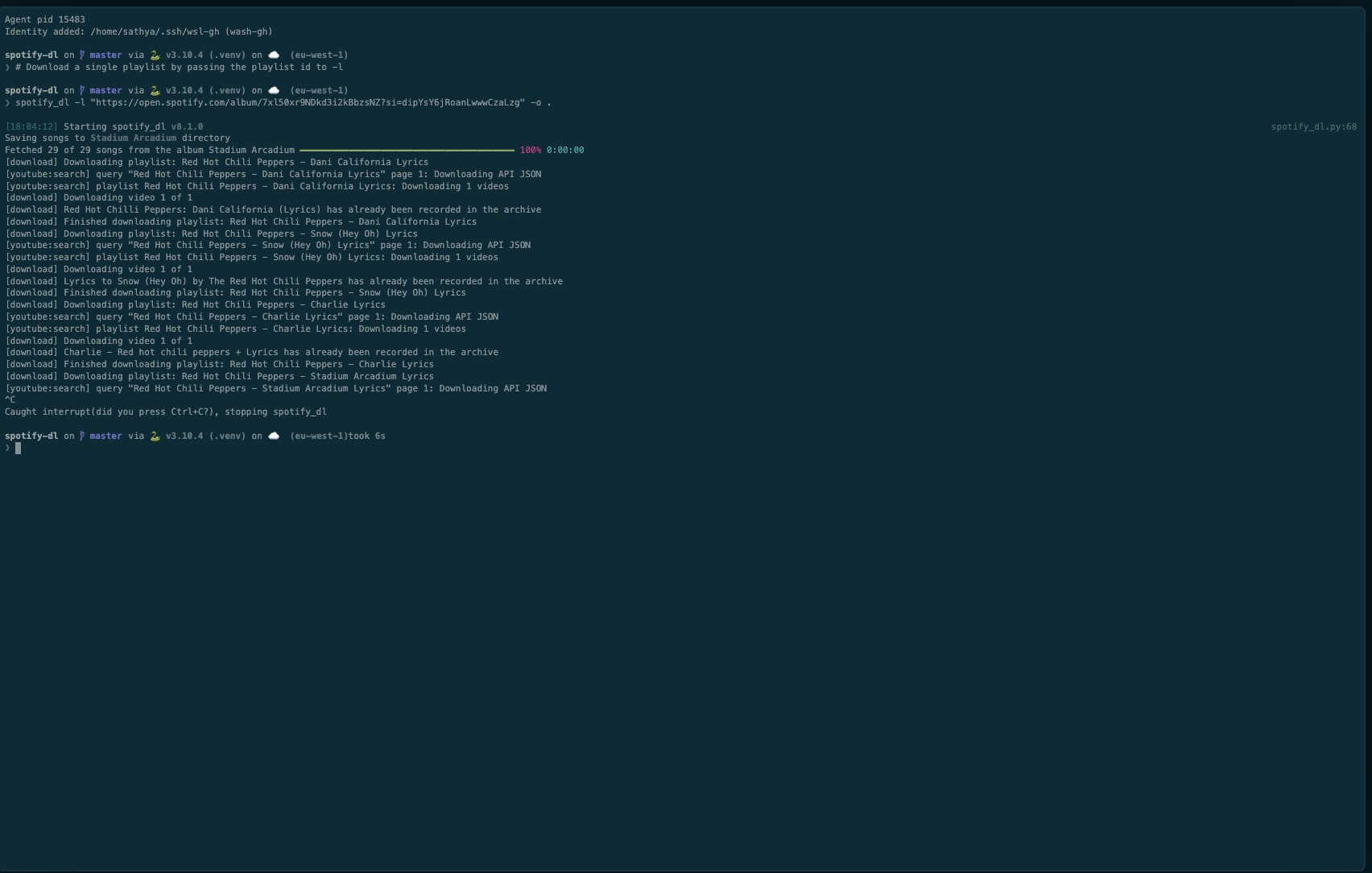
Key Features:
- Free, open-source, Python-based software
- Runs flawlessly on Windows, Mac, and Linux computers
- Converts Spotify music to MP3 at moderate speed
- Provides a command-line interface for high-end users
- Supports batch conversion to download multiple Spotify music files and entire playlists at once
Cons:
- The steep learning curve for beginners and new users requires technical knowledge to use
- It doesn't provide an embedded graphical interface and can be slow to download large playlists
SMLoadr: Open-Source
Trustpilot Rating: N/A
If you are looking for a simple, lightweight, no premium Spotify downloader to avoid complications, SMLoadr can fit your requirements. You can download single tracks, full albums, artists, playlists, or any of your favorite tracks from Spotify for free. The clean interface of this streaming music downloader makes the tool easy to use for downloading and using Spotify tracks for personal and educational purposes.
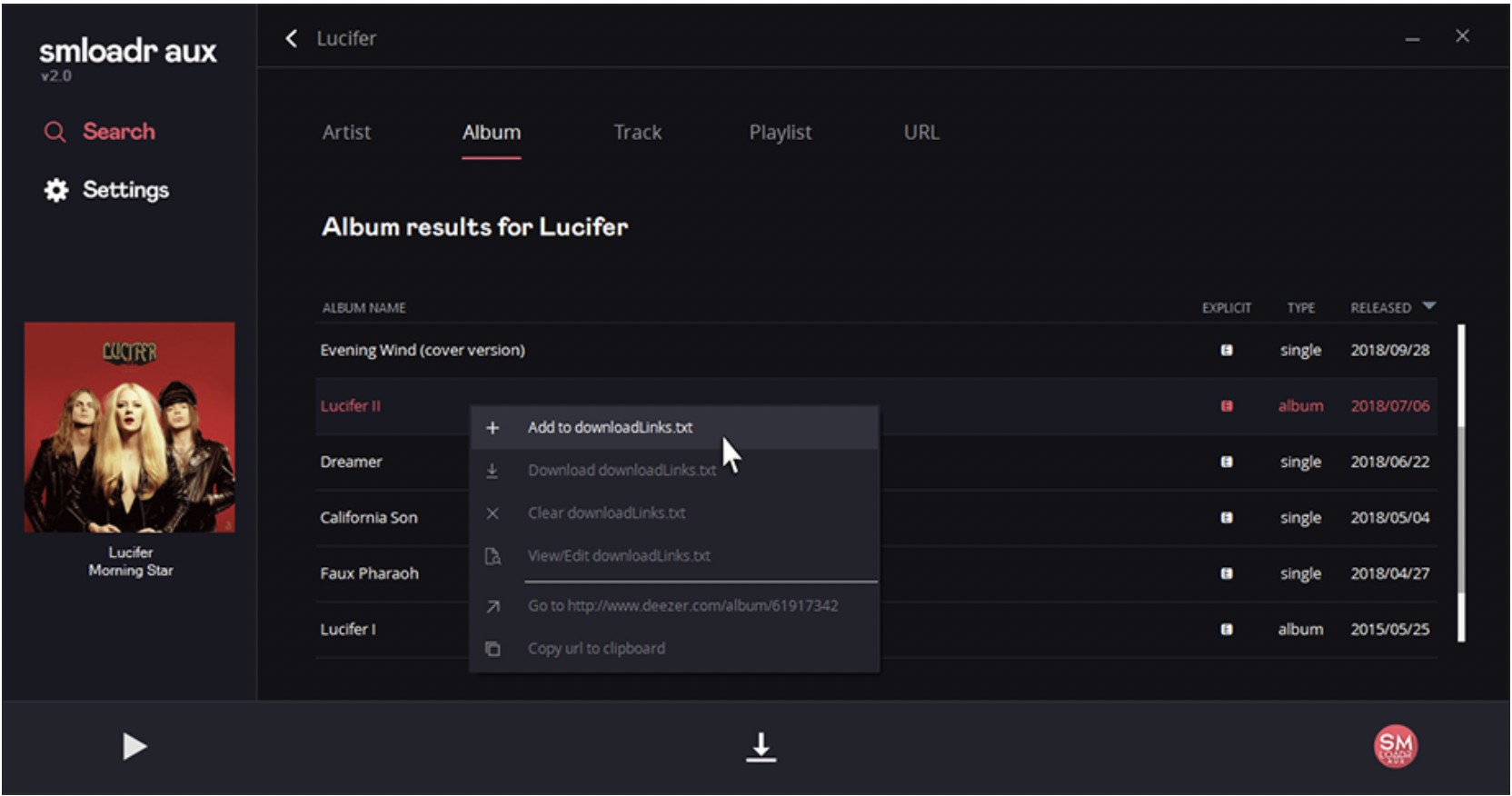
Key Features:
- Features ease of use with no installation required
- Supports high-quality audio downloads (MP3: up to 320 kbps and FLAC: up to 1411 kbps) for conversion and downloads
- Allows downloading Spotify playlists, albums, artists, and single tracks
- Works seamlessly on various devices such as Windows x64, Windows x86, Linux x64, Linux x86, Mac OS x64, Android and ARM like Raspberry Pi
- Converts and downloads Spotify music files at a reasonable speed
Cons:
- It may not support all Spotify playlists
- While the audio output format is limited to MP3 and FLAC, the reliability can vary
SpotiMate: Free and Online
Trustpilot Rating: 3.2/5
SpotifyMate is a worthy online tool and another free Spotify downloader for Windows or any OS and platform. It can convert Spotify songs to MP3 files for a rhythmic offline experience. You do not need to sign up or log in to use the download function. Just copy and paste the song's URL to download and save high-quality audio tracks and playlists from Spotify.
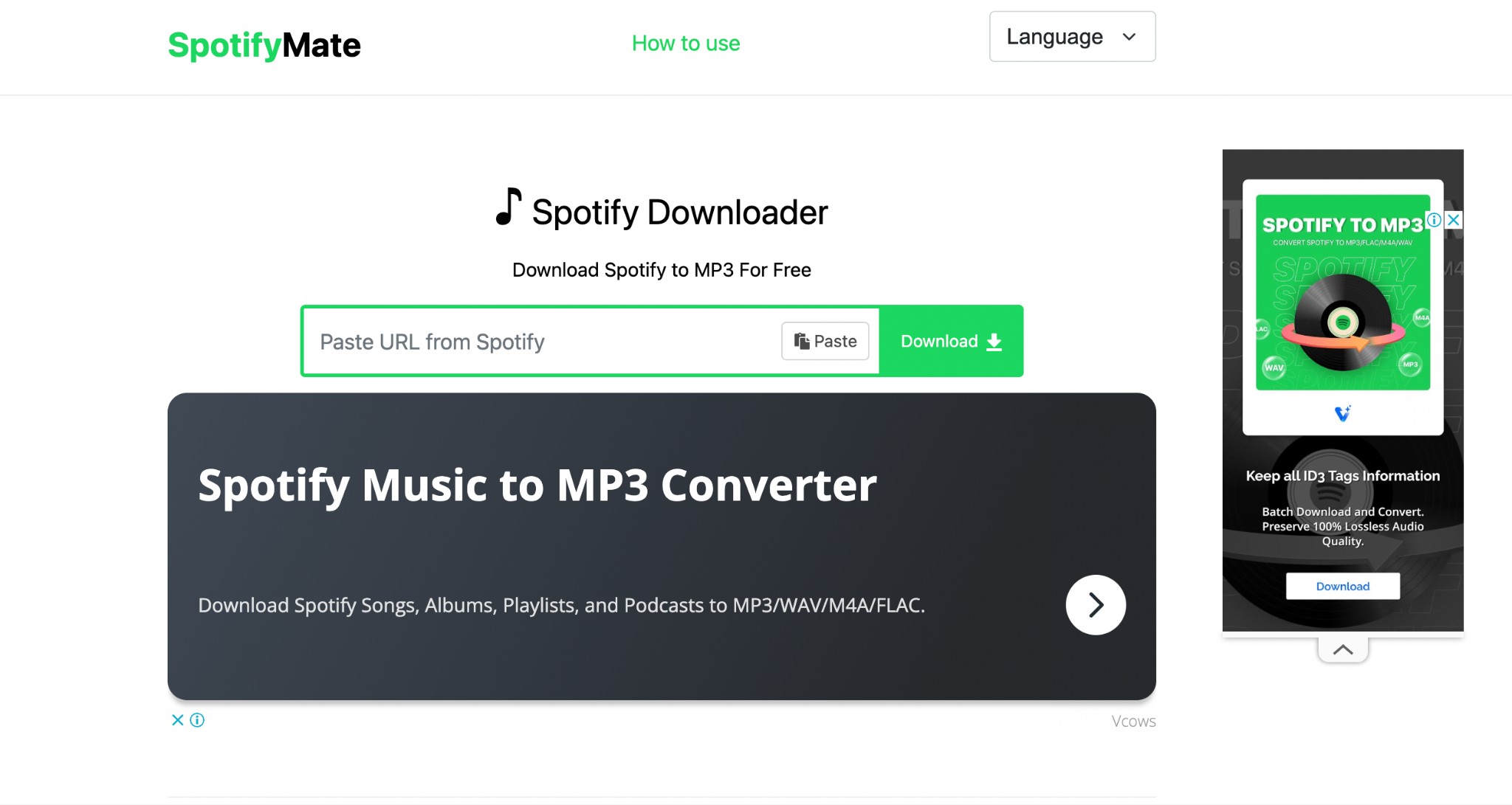
Key Features:
- User-friendly and stable tool with constant updates to meet users' diverse needs
- Compatible with all platforms and devices, including Mac, Windows, Linux, and mobile phones/tablets
- Supports downloading Spotify music in MP3 format
- High-speed and secure file (Spotify songs and playlists) downloads
- It does not require downloading an extension; instead, it offers a PWA feature for a great experience
Cons:
- As of now, it does not support downloading podcasts from Spotify
- The quality of the downloaded Spotify music is slightly lower than the actual song
Comparison of the Best Spotify Downloaders for PC
This Spotify downloader for PC matrix emphasizes method, working status, playlist behavior, source limits, and fit. Tools without a completed same-environment test are not ranked by speed or success rate.
| Tool | Windows / status | Method / source | Playlist result | Formats / metadata | Fit / limitation |
|---|---|---|---|---|---|
| MusicFab Spotify Converter | Windows; active | Direct source download | Batch workflow; verify count | MP3/M4A/WAV/FLAC/OPUS; ID3 and lyrics | GUI playlists; install and paid after trial |
| Sidify Spotify Music Converter | Windows; active | Desktop converter | Same-sample result required | Multiple audio formats; verify tags | Familiar GUI; installed workflow |
| DRmare Spotify Music Converter | Windows; active | Desktop converter | Same-sample result required | Multiple audio formats; verify tags | Output controls; installed workflow |
| TuneCable Spotify Downloader | Windows; active | Desktop converter | Same-sample result required | Multiple audio formats; verify tags | Maintained app; no common test ranking |
| NoteBurner Spotify Music Converter | Windows; active | Desktop converter | Same-sample result required | Multiple audio formats; verify tags | Batch GUI; trial terms vary |
| spotDL | Windows; active open source | YouTube/YouTube Music matching | Match variance; inspect tracks | Up to 128/256 kbps; metadata dependent | Technical users; FFmpeg setup |
| spotify-dl | Windows; legacy | Metadata plus yt-dlp | Retest before use | Source-matched audio; dependency dependent | Experienced CLI users only |
| SMLoadr | Discontinued | Unsupported project | Not an active candidate | Old claims not treated as current | Maintenance-status warning |
| SpotiMate | Windows browser; unconfirmed | Online workflow | Site check did not complete | MP3 claim not revalidated | One-track retest only |
| Official Spotify app | Windows; active | Managed in-app cache | Official offline playlists | Not transferable audio files | Lowest setup; requires eligible plan |
The practical upshot: use official offline mode when in-app listening is enough; choose an installed GUI when organized playlist output matters; choose spotDL only when you accept source matching; and avoid treating discontinued or unconfirmed services as equal recommendations.
Windows 11 Compatibility and Troubleshooting
A Spotify downloader Windows 11 problem is usually traceable to installer source, permissions, login state, playlist analysis, dependencies, antivirus warnings, or output-folder access. Troubleshoot the workflow category first instead of reinstalling random Spotify downloader EXE files.
Login, Playlist, and Output Failures
- Installer will not run: return to the official vendor page or official repository, confirm the file name and publisher, and scan the file with Windows Security.
- Browser login loops: update the app, clear its embedded-browser session if that option exists, and sign in again without sharing credentials with an unrelated web form.
- Playlist is incomplete: compare requested and completed track counts, retry missing items, and inspect region-restricted or unavailable tracks separately.
- Wrong song version appears: this is especially relevant to source-matching tools. Compare title, artist, duration, album, and audible content before accepting the result.
- CLI command fails: confirm Python, FFmpeg, and yt-dlp versions, then check whether the project is active or legacy.
- Files do not appear: verify the selected folder, Windows permissions, free space, and whether antivirus software quarantined the output or executable.
For troubleshooting, I prioritize the first failure that can change the final file: a mismatched source or an incomplete playlist matters more than a cosmetic interface issue.
Account, Malware, and Privacy Risks
No category is universally risk-free. Reduce exposure by using official pages or repositories, keeping an active Spotify subscription, limiting use to authorized personal listening, and avoiding anonymous mirror installers, unnecessary credential requests, and unfamiliar executables.
- Do not use a primary account as an experiment on an unconfirmed online service.
- Do not install a Spotify downloader EXE from a mirror simply because it promises a one-click result.
- Review requested permissions and avoid tools that ask for credentials outside a recognizable Spotify sign-in flow.
- Treat community account-warning reports as signals to investigate, not proof of a guaranteed outcome for every user.
- Keep commercial use, redistribution, and public sharing outside a personal offline workflow.
An unverified mirror or primary-account experiment is a poor trade-off for a one-off track. If the source cannot be authenticated, stop before installation.
File Location and Drive Space
Spotify’s official cache is not the same as a user-selected local audio output folder. A desktop local-file workflow should let you choose an internal drive, external SSD, or NAS path, then confirm that Windows and the destination player can read it.
- Create a clearly named test folder before starting a large playlist.
- Download a small sample and confirm playback, tags, cover art, and track order.
- Estimate storage from the chosen format: WAV and FLAC generally require more space than compressed formats.
- Move the verified sample to the destination drive and test it again before transferring the full library.
- Keep enough free space for temporary processing and the finished files.
For a Spotify song download PC workflow, folder verification is not busywork. It prevents a completed batch from landing on the wrong drive or becoming unreadable after a rushed move.
FAQs
Can I move downloaded Spotify songs to an MP3 player?
You can copy standard local audio files to a compatible MP3 player when the format is supported and the files were created from content you are authorized to access for personal use. Spotify’s official offline cache is managed inside the app and is not a transferable MP3 library.
Can a Windows tool automatically download new playlist additions?
Most consumer GUI tools require you to analyze the playlist again rather than monitor it continuously. Scripts can automate checks, but they add setup, maintenance, and source-matching trade-offs. I would verify new tracks before merging them into an established library.
Does the Spotify desktop app save transferable music files?
No. Spotify’s Windows app stores eligible offline content in a managed cache for playback inside Spotify. It is different from standard MP3, FLAC, WAV, M4A, or OPUS files placed in a folder you choose.
Should I install a Spotify downloader EXE from a mirror site?
No. Use the official vendor page or official project repository. Mirror installers can be outdated, modified, or impersonated, and a one-off download is not worth exposing Windows credentials, browser sessions, or local files.
Conclusion
The right method depends on the job: official caching for simple in-app offline listening, a desktop GUI for organized playlists, spotDL for technical source-matching work, and no action at all when an online service or installer cannot be verified.
- One track without installation: an online tool may be convenient, but use it only after confirming current operation and avoiding unnecessary sign-in requests.
- A large Windows playlist: an installed desktop app is the clearer fit because batch selection, output folders, and metadata can be verified in one workflow.
- An open-source setup: spotDL fits users willing to maintain FFmpeg and inspect YouTube or YouTube Music matches; Spotify-dl is a legacy option for experienced troubleshooters.
- Lower malware exposure: stay with Spotify’s official app or obtain software strictly from an official vendor page or repository.
MusicFab fits Windows users who want a built-in browser, batch playlist handling, standard formats, ID3 tags, and a three-full-song trial. It is not a fit for someone who wants a browser-only, no-install workflow. Whichever path you choose, keep the original platform subscription active and use local files only within the platform terms, applicable law, and personal-use boundaries.

This guide compares nine Spotify downloaders across browser, desktop, Android, and iOS workflows. It weighs source matching, output quality, playlist and ZIP behavior, metadata, account exposure, and tool status, then explains which option fits a single track, a long playlist, or a managed local library.
By Jane Chen - Aug 26, 2026
Spotify downloads can stall because of Premium eligibility, device limits, storage, network permissions, cache state, or a service incident. This guide gives one nine-fix recovery path, then separates iPhone, Android, Windows/Mac, Apple Watch, partial-playlist, Offline Mode, and clean-reinstall cases. It also explains when a MusicFab local-file workflow fits authorized personal use.
By Jane Chen - Aug 26, 2026

Spotify Premium can download music for playback inside the Spotify app, while Free accounts can download podcasts. This guide covers setup, device differences, download limits, troubleshooting, travel checks, and a portable-file option.
By Jane Chen - Aug 18, 2026
Is Spotify Duo still worth $18.99 for two people at one address? Get the current price, savings vs Individual and Family, address verification rules, setup
By Jane Chen - Aug 13, 2026