
Best YouTube Music Playlist Downloader in 2026: 6 Tools Tested

Table of Contents
If you want to download a full YouTube Music playlist to MP3 or other local audio files, not every downloader works the same way. Some tools are fast and reliable for batch downloads. Others only work for one track at a time, add redirects, or fail when you paste a full playlist link.
In our testing, desktop apps were the best choice for large playlists and cleaner metadata, online tools were only decent for occasional downloads, and yt-dlp made the most sense for power users who want automation.
YouTube vs YouTube Music: What's the Difference?
This is where many articles get sloppy. A regular YouTube playlist and a YouTube Music playlist can look similar, but they are not the same thing.
- A YouTube playlist usually comes from standard YouTube video pages. It may include music videos, live clips, lyric videos, remixes, or user-uploaded content. Most basic YouTube to MP3 tools are built for this kind of link.
- A YouTube Music playlist comes from music.youtube.com and is tied more closely to YouTube Music’s catalog. These playlists are more likely to include official tracks, albums, artist pages, and better library metadata. That is why some tools that can download a normal YouTube playlist still struggle with full YouTube Music playlist support.
So before you pick a downloader, make sure you know what you are trying to save. If your goal is to batch-download official YouTube Music playlists with better tags and library organization, you need a tool that clearly supports music.youtube.com, not just standard YouTube URLs.
Pick the Best Download Method to Save YouTube Music Playlist
Let's figure out which method suits you best:
- For most users, a desktop YouTube Music playlist downloader is still the best option. It gives you better control over format, bitrate, batch downloading, and metadata.
- If you only download once in a while, an online tool may be enough, but you should expect more redirects, lower quality limits, or weaker playlist support.
- If you are comfortable with command-line tools, yt-dlp offers the most flexibility, but it is not the easiest option for beginners.
Best Overall: MusicFab YouTube Music Playlist Downloaders(Windows & Mac)
MusicFab YouTube Music Playlist Downloader is the most balanced option for people who care about batch downloading, local file output, cleaner metadata, and a smoother experience on large playlists. It allows you to batch download YouTube playlists/albums/podcasts in MP3, WAV, OPUS, AAC, or FLAC up to 320 kbps. No matter whether you have a premium account, you can get music and music videos from YouTube Music. It is frequently updated to keep pace with changes or updates to YouTube Music.
Plus, it also keeps ID3 tags to help you organize and manage your music library.
It is a much better fit for recurring use than free online tools. Those tools can be fine for testing or grabbing one song, but they become frustrating fast when the playlist is large, the link format changes, or the site starts throwing redirects.
Tips: You can download 3 full songs from YouTube Music during its free trial.
If you also want to download from YouTube.com, MusicFab also has you covered. MusicFab Audio Converter: Download from YouTube.com and hundreds of other music platforms like Bandcamp, Audiomack, and more.
How to Download YouTube Music Playlists to MP3 or other formats Using MusicFab YouTube Music Converter
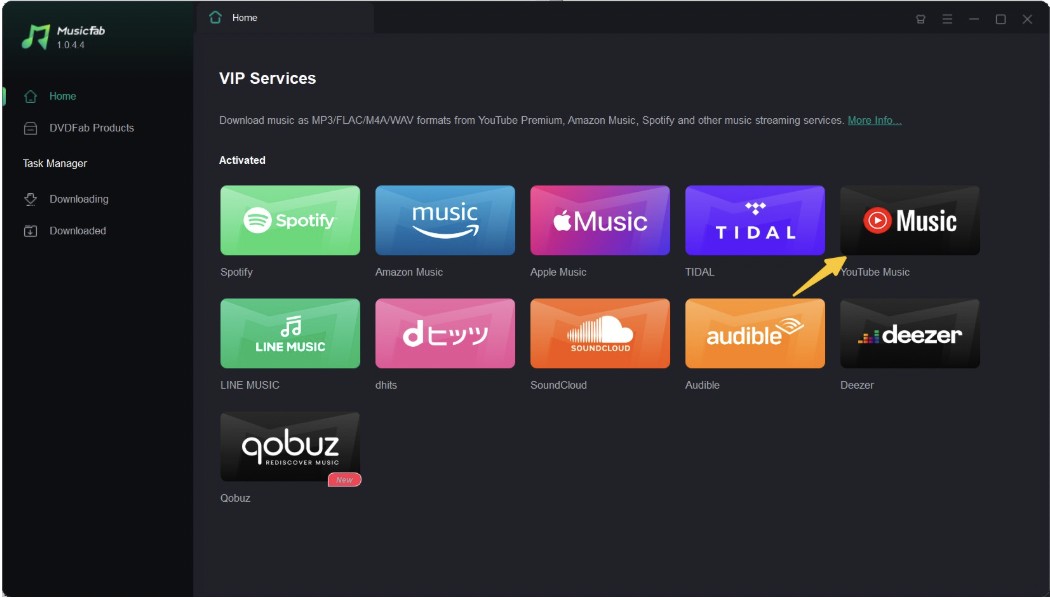
- Step 1: Download the MusicFab tool from its official website and launch the program on your system. Move to the main interface, locate the VIP Service Section, and select the YouTube Music box from the shown options.
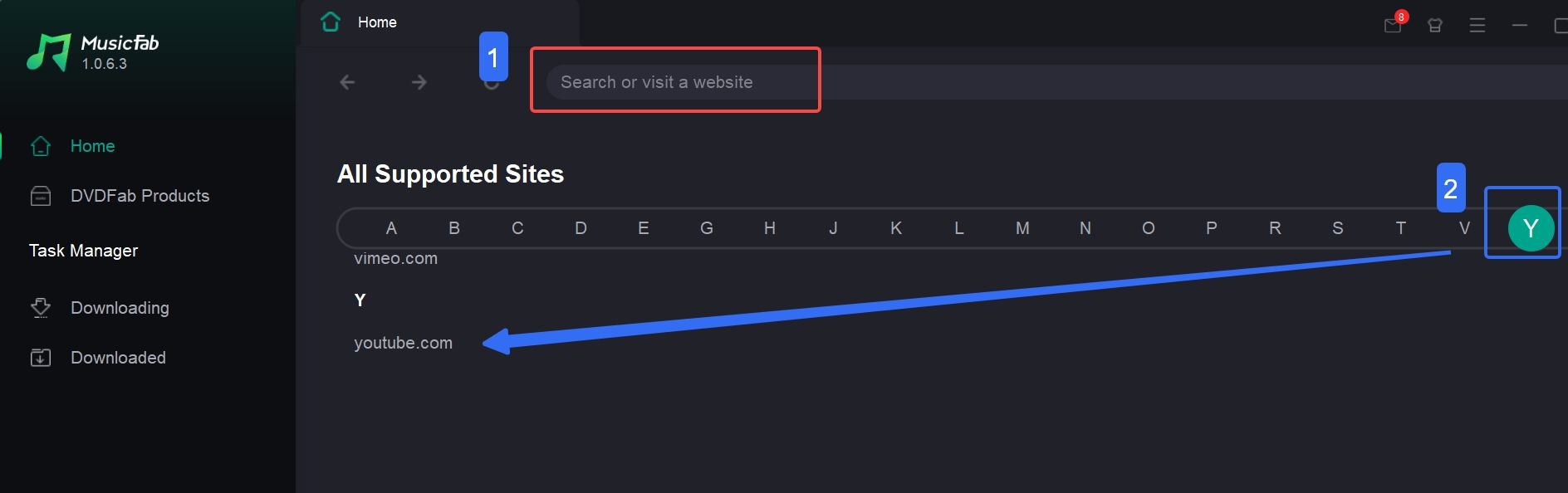
- Step 2: Sign in to your account and use the built-in browsing option to find your desired YouTube or YouTube Music playlists. Click the “Download” button, then it will analyze the content.
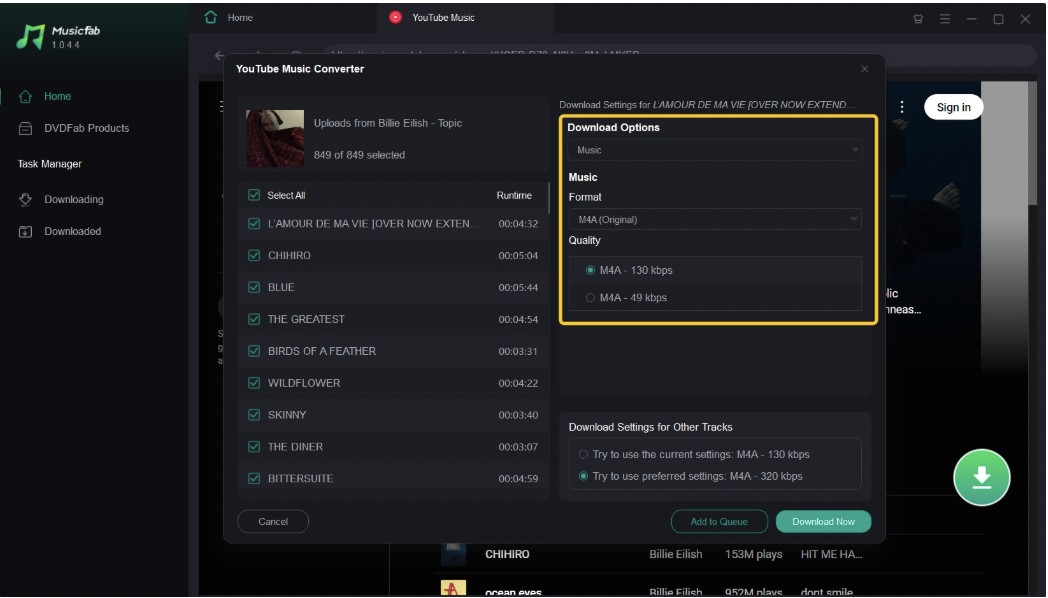
- Step 3: Select your preferred output quality and format in the window after the analysis. Next, tap “Download Now” to save the playlists instantly. You can also keep the content in the “Add to Queue” option to save it later.
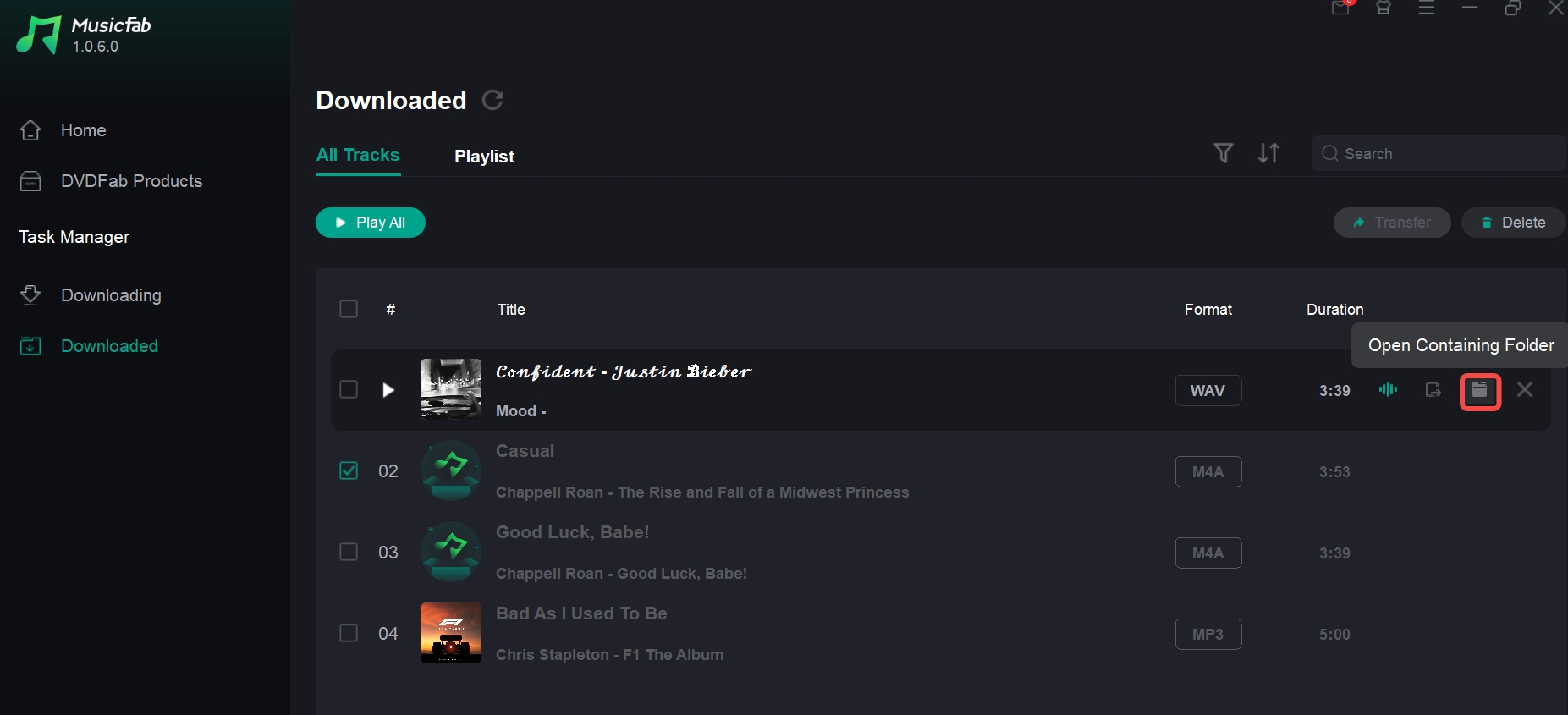
- Step 4: You can find the downloads in the Task Manager > Downloaded. And click the folder icon to locate the files.
Pros:
- Reliable for full playlist downloads
- Better for batch jobs than most free tools
- Supports multiple output formats
- Cleaner experience for the local library building
- Easier for beginners than command-line tools
Cons:
- Requires desktop installation
- Not the right fit for users who only download one song once in a while
- Some casual users may prefer a free tool first, even if it is less stable
SnapDownloader YouTube Music Playlist Downloader (PC/Mac)
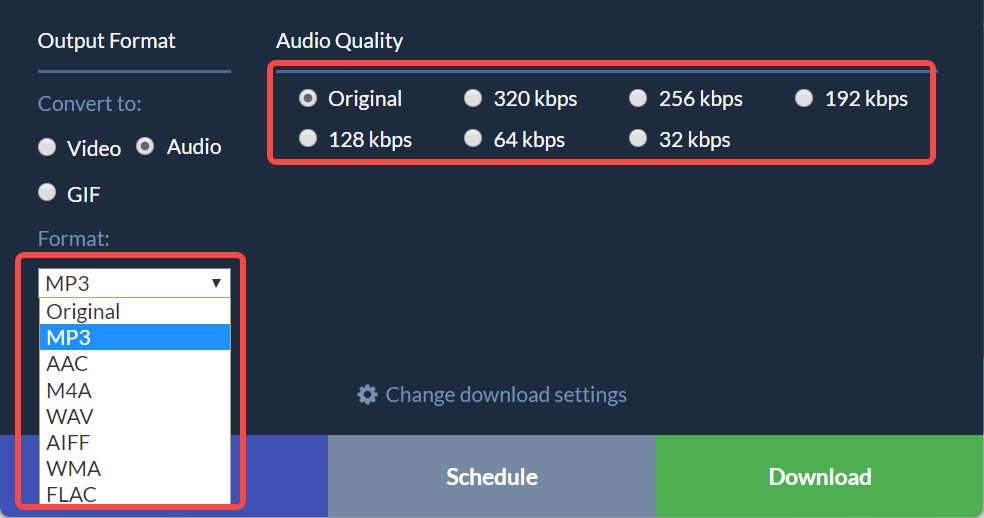
SnapDownloader is another robust desktop YouTube & YouTube music downloader available for Windows and Mac. Unlike most online converters, it is designed to handle heavy lifting, supporting multiple formats and batch processing.
website: https://snapdownloader.com/
- Pros:
- Supports actual music.youtube.com links, not just standard videos.
- Parses and downloads entire playlists effortlessly.
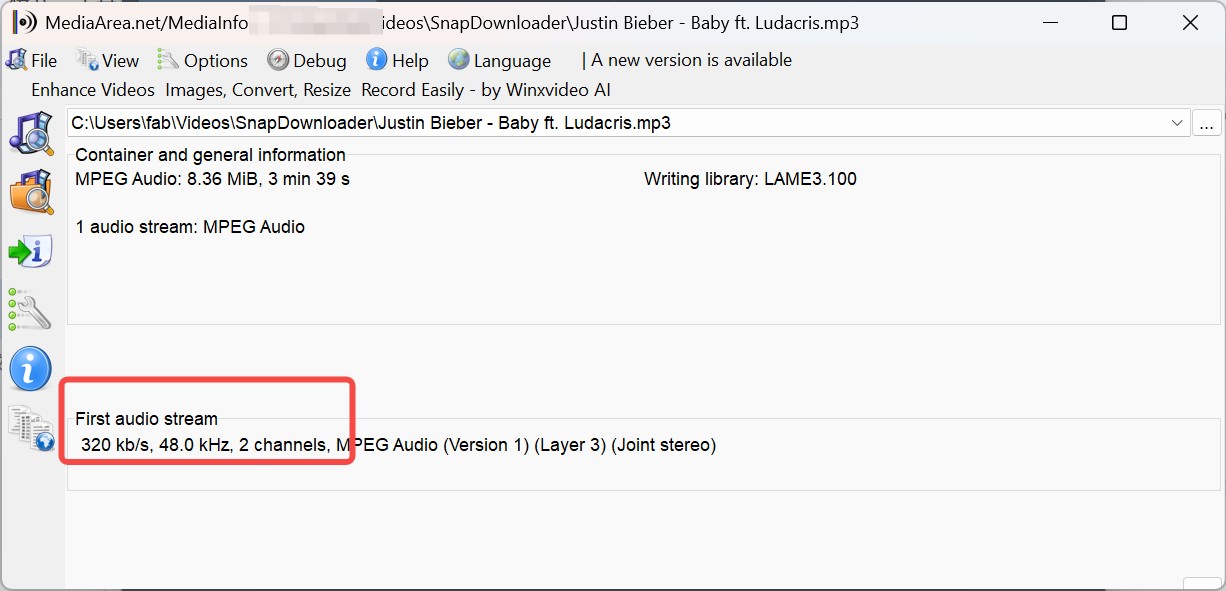
- Allows you to select audio quality up to 320kbps.
- Cons:
- You can only use it for free for 48 hours before needing a license.
My Experience: This is a powerhouse. During my test, it easily parsed a YouTube Music link and extracted the audio. However, remember that free is only temporary. Once the trial expires, you'll need to pay.
How to Save YouTube Music Playlists to MP3 Using SnapDownload
- Download and install SnapDownloader (select "Continue with free trial").
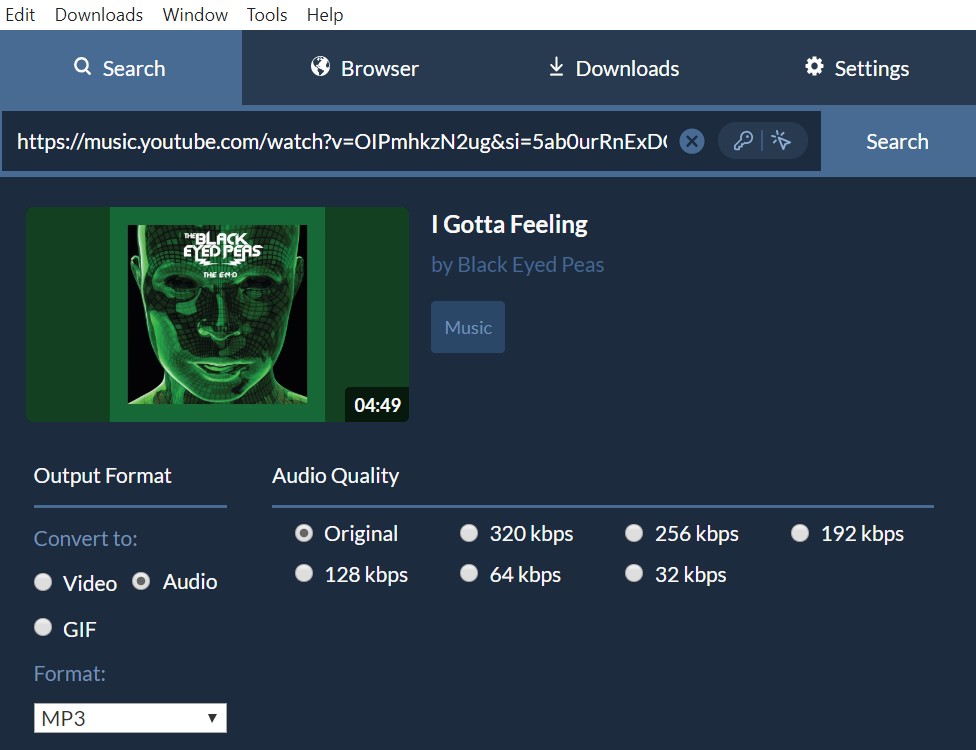
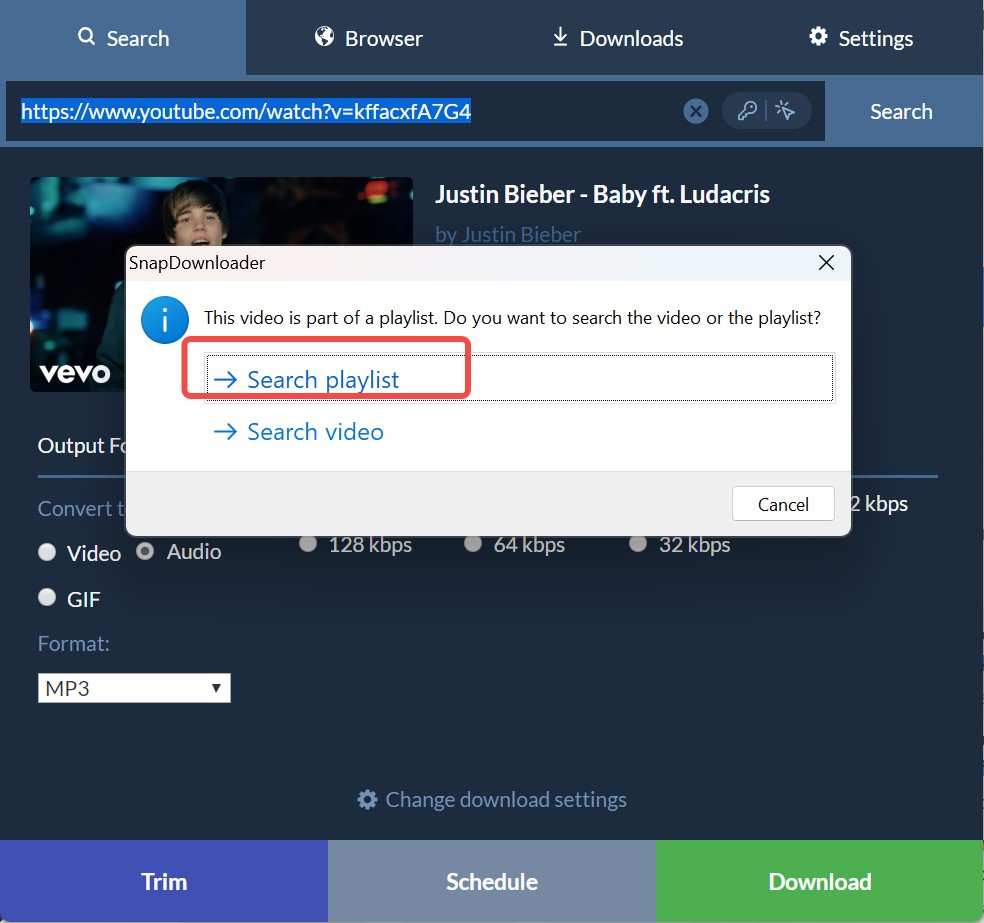
- Paste your YouTube or YouTube Music link into the search bar.
- Select "Audio" and your desired format (e.g., MP3) and quality (e.g., 320kbps).
- Click "Download".
Anyukit(Free Online YouTube Music Downloader)
Free online tools are the best backup options for light use. Anyukit is the better of the two online options in our testing because it at least supports both YouTube and YouTube Music playlist links. That makes it more relevant than tools that only work with standard YouTube playlists.
You can convert and download YouTube playlists to MP3/MP4. You don't need to sign in to an account to start the download. It has various quality options for you to choose, but higher quality, such as 320 kbps, requires payment and installing a client to unlock.
During my test, its web tool only fetches one file at a time. To get true batch playlist downloads, you need the app.
How to Download YouTube Playlists to MP3 Using AnyUkit
- Step 1: From the YouTube or YouTube Music app, select your preferred playlist and copy its URL.
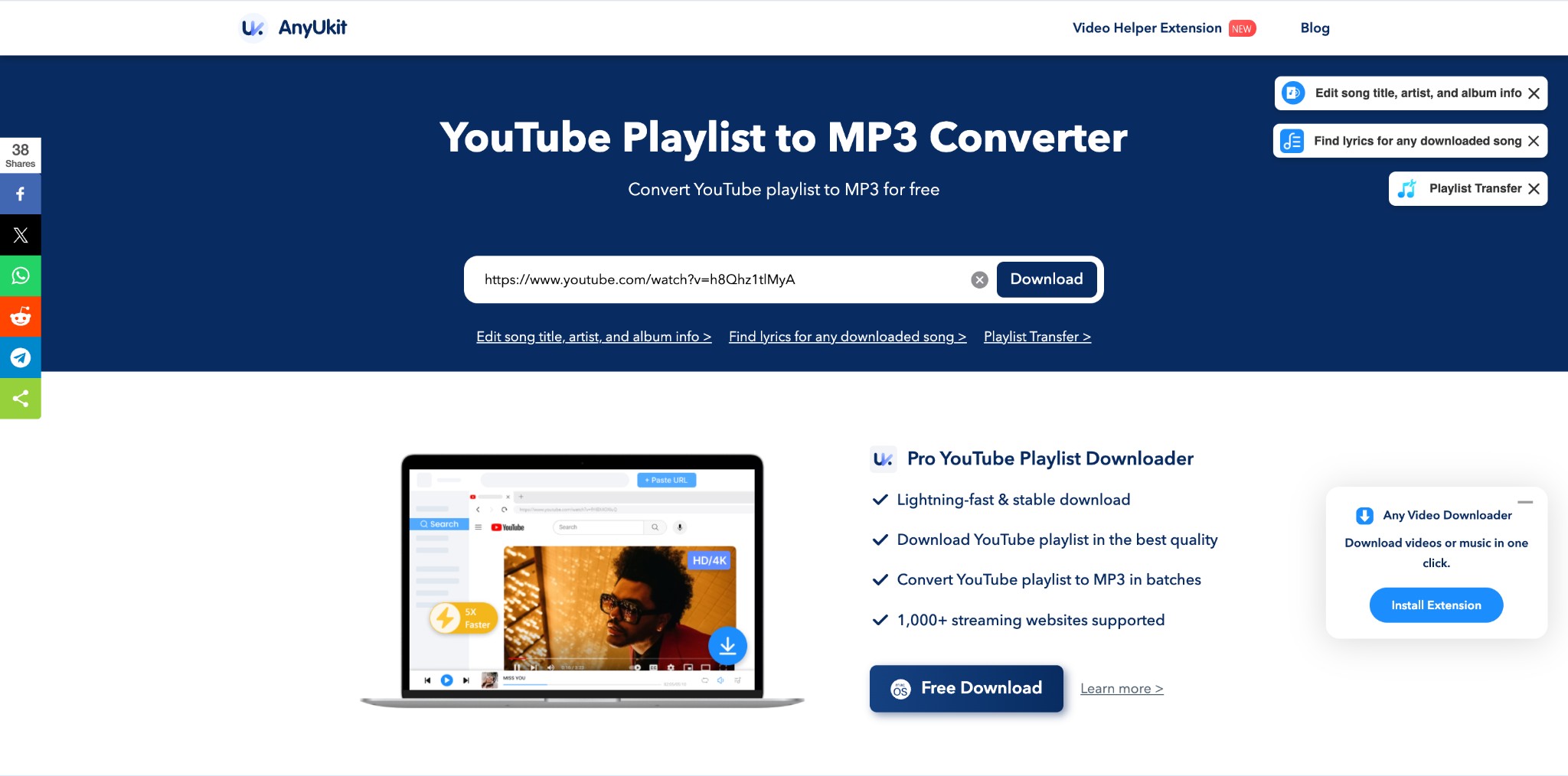
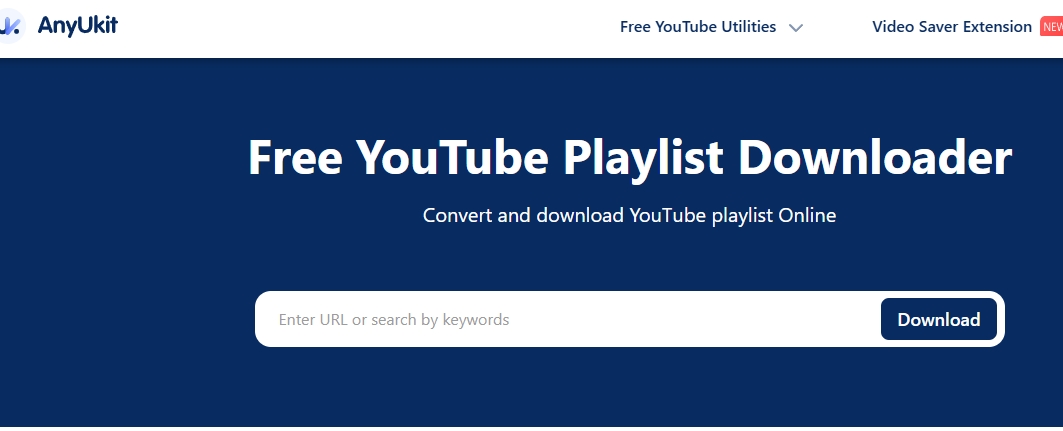
- Step 2: Open the AnyUkit online tool on any device > move to the URL searching box to paste the copied link > Next, click on the “Download” option.
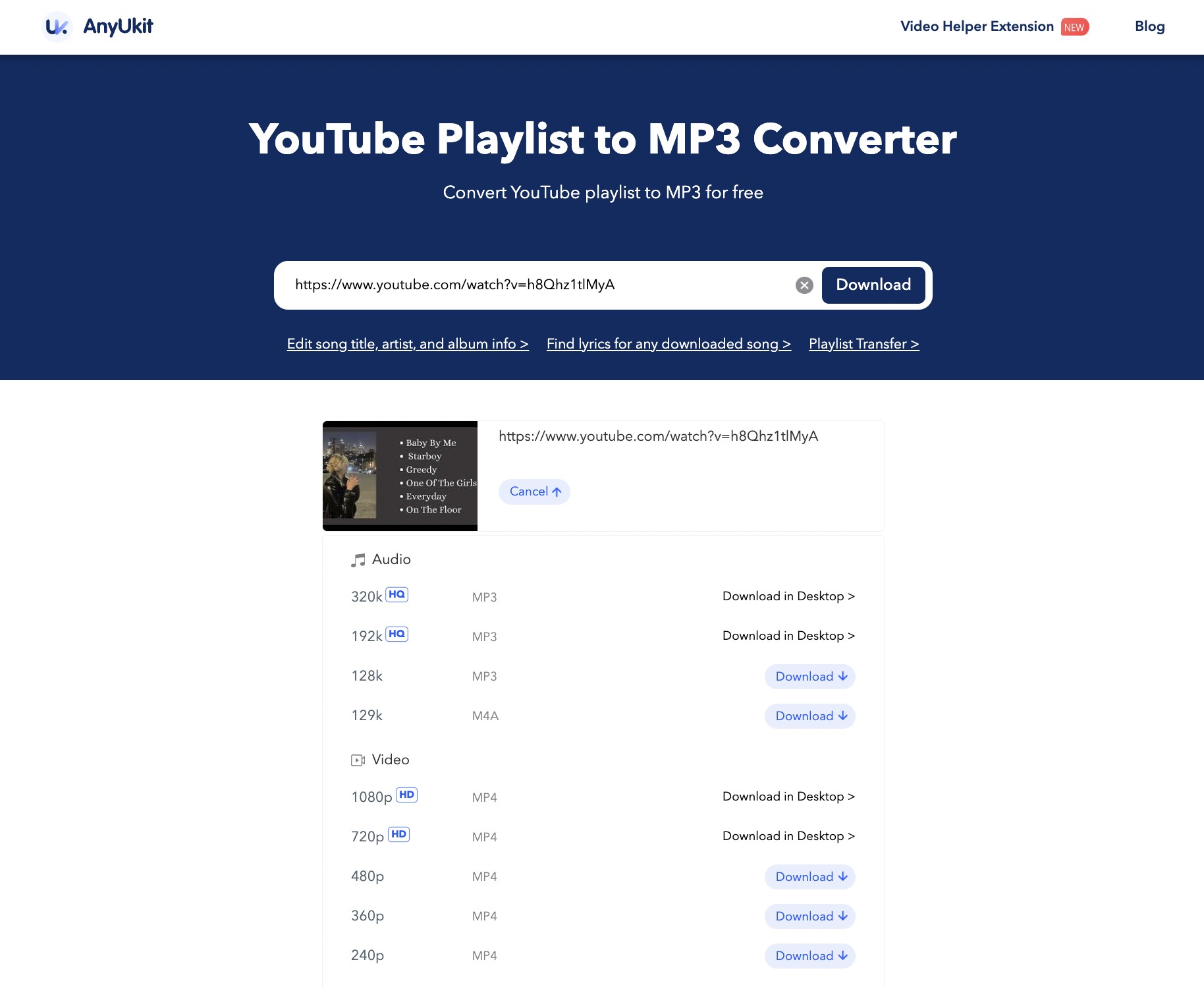
- Step 3: Select the output audio quality and format as per your need from the shown option, then again hit the “Download” option one more time to complete the conversion process.
To learn more ways or tools on how to download YouTube Music on computer, please go ahead with this post.
EzConv (Free Online YouTube Music Downloader)
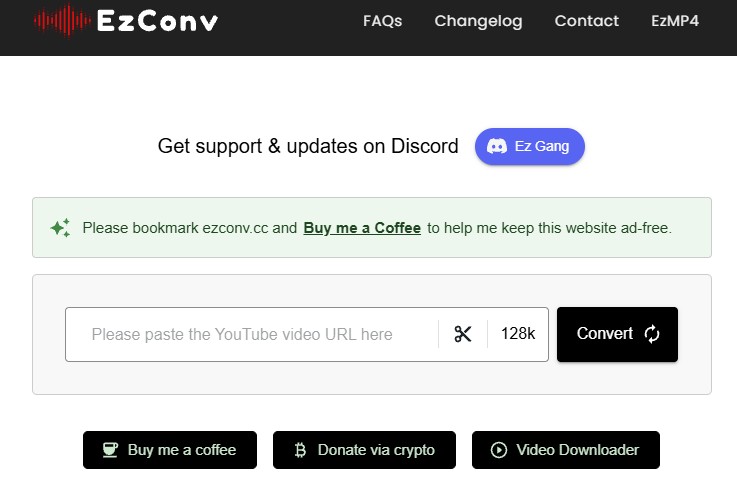
EzConv is currently the most powerful free online YouTube music video downloader we tested. It stands out in a sea of basic converters by offering slightly more flexibility than standard YouTube to MP3 converters. By pasting the link, you can select quality and cut the duration.
website: ezconv.cc
- Pros:
- Zero ads or annoying redirects.
- Fastest download speed among the online tools we tested.
- Allows you to choose your audio quality ranging from 64kbps to 320kbps.
- Built-in trimming tool to cut specific parts of the audio.
- Cons:
- No playlist support
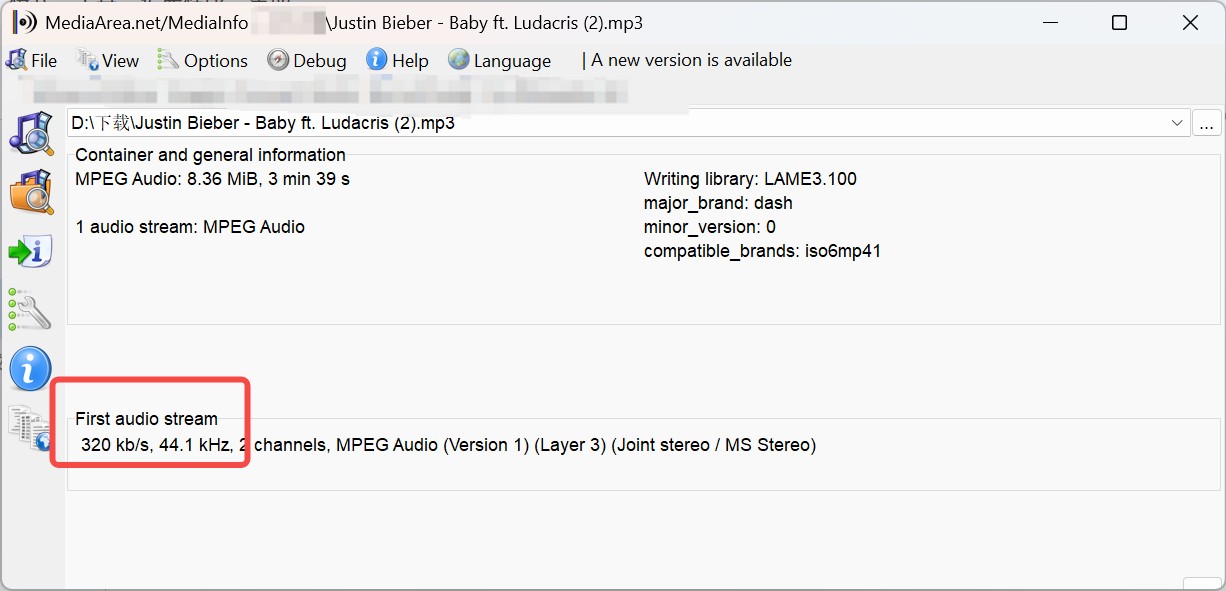
My Experience: I was genuinely impressed by EzConv. Checking the downloaded file with MediaInfo confirmed it actually delivers the 320kbps bitrate it promises. The lack of ads and the ability to trim the audio make it a rare gem in the online converter space.
Best For: Audiophiles who want high-quality (320kbps) single-track downloads without installing software.
How to Use:
- Go to ezconv.cc.
- Paste the YouTube video URL.
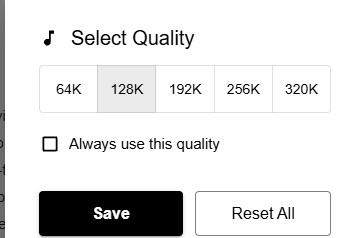
- Click the quality dropdown (default is 128k) and select your preferred bitrate (e.g., 320k).
- Click "Convert" and then "Download MP3".
Loaderr.To (Free Online YouTube Video Downloader)
Loaderr.to is a free YouTube browser-based downloader. It can handle full playlists from YouTube with batch ZIP exports. It offers more format choices than many lightweight web tools. That can make it appealing to users who want more than a basic MP3 button.
Pros: Support converting MP3 files up to 320 kbps, as well as M4A, FLAC, and WAV files.
Cons: Many redirects and the downloading speed is slow
Note: It is aimed at YouTube, but it doesn't guarantee support for YouTube Music playlists, and its reliability varies.
How to Download YouTube Playlists to MP3 Using Loaderr. to?
- Step 1: Go to YouTube or YouTube Music platform to select and paste the URL of YouTube playlists to the tab.
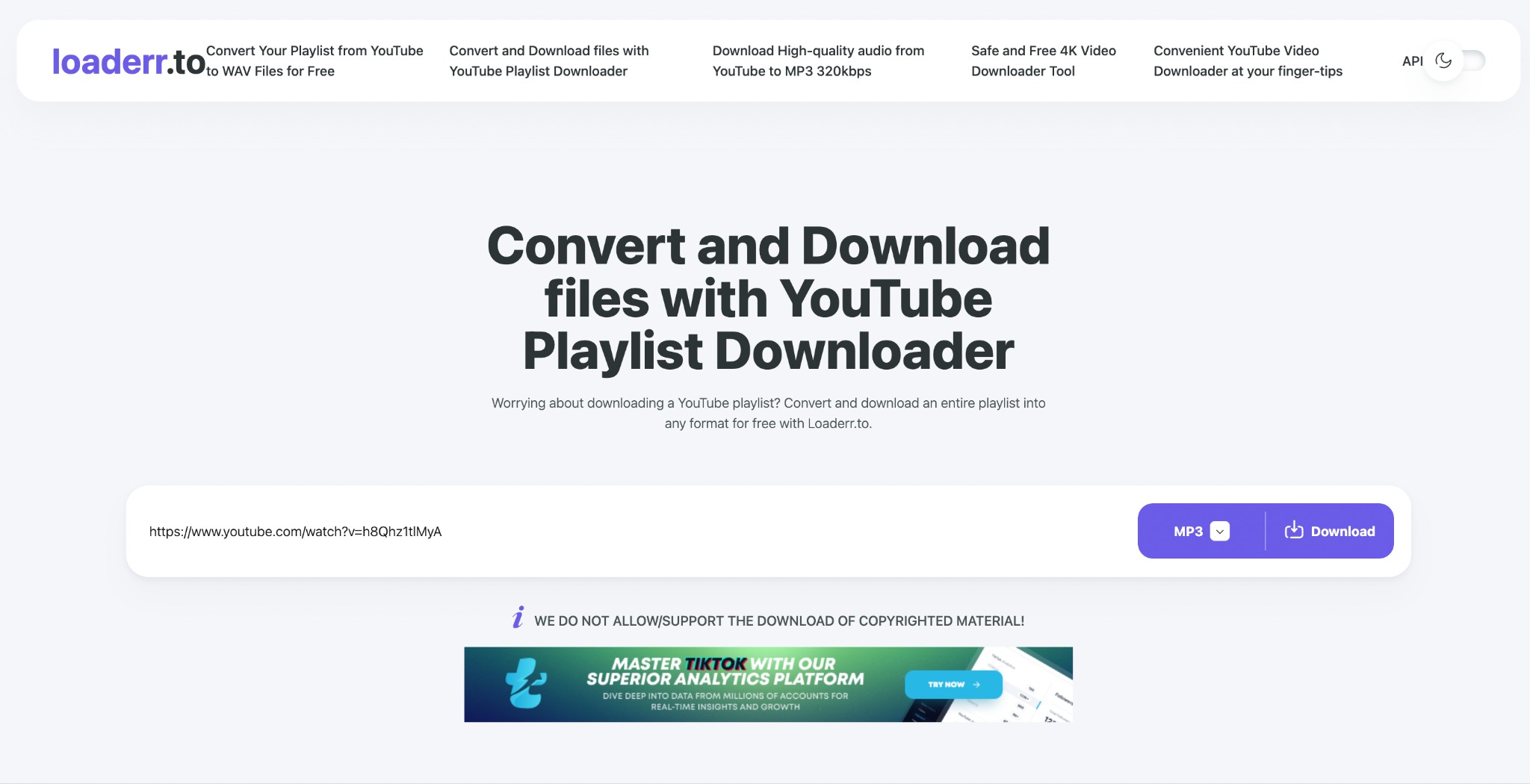
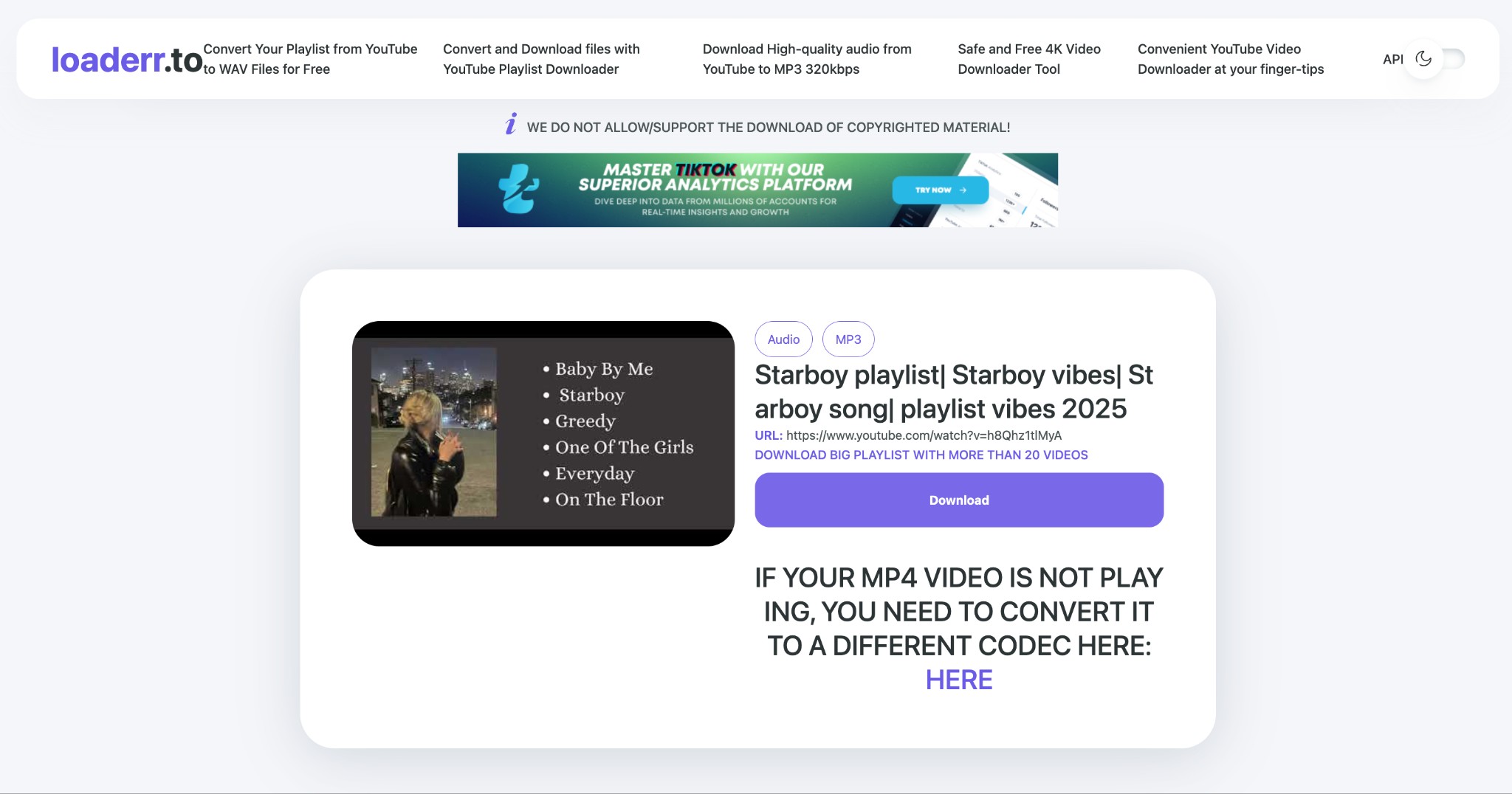
- Step 2: Choose your desired MP3 or other format from the drop-down list of options. Hit the “Download” button on the right and enjoy the downloaded MP3 file forever.
yt-dlp (Open-Source for Power Users)
If you are comfortable with command-line tools, yt-dlp is the best open-source option. For power users, it offers a repeatable workflow that fits bulk downloading and custom output rules.
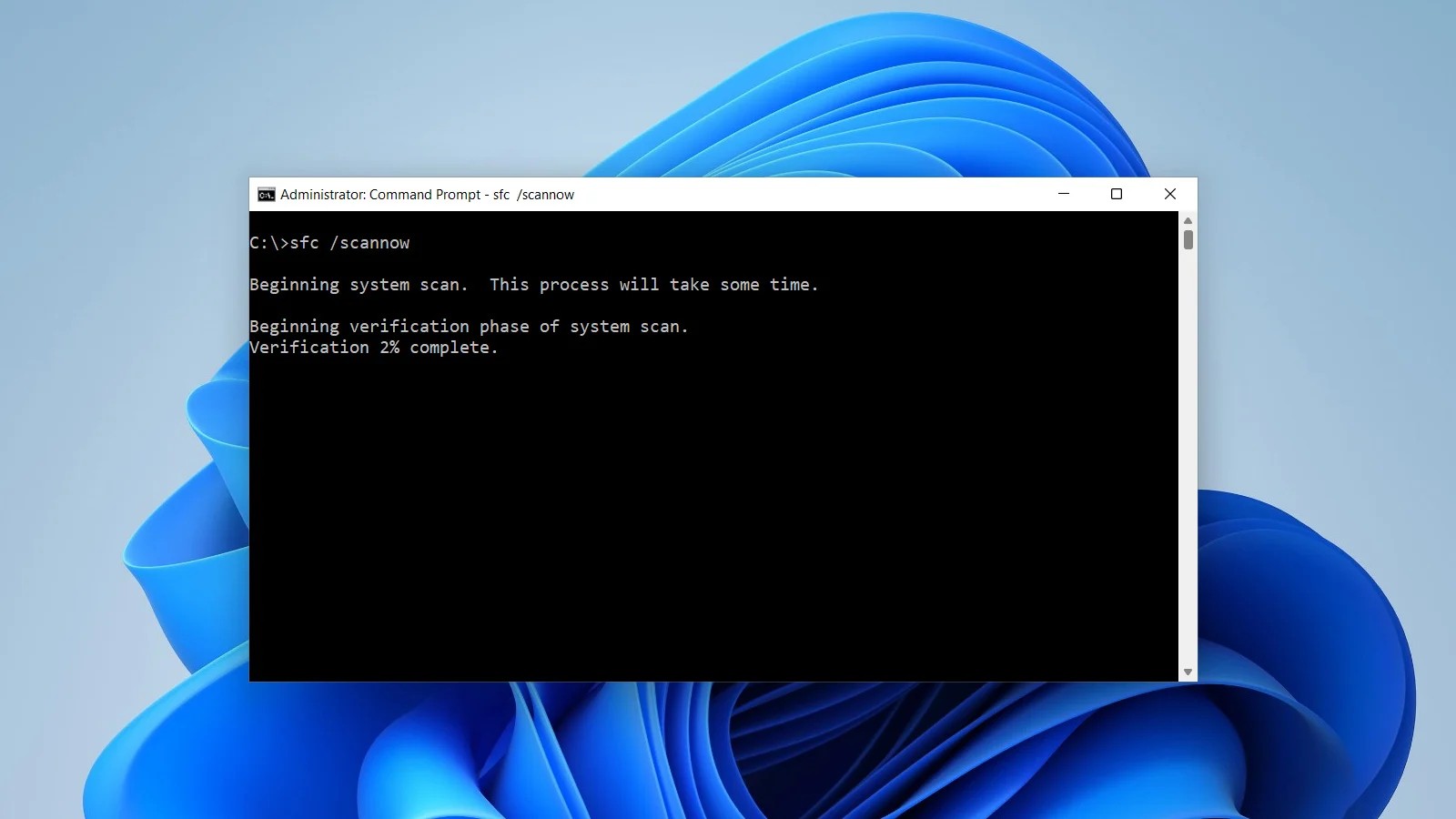
yt-dlp pulls the playlist and converts it to MP3 320kbps. The downloads are embedded with metadata and cover art. To use it, you need FFmpeg in your PATH, and the latest yt-dlp.
Pros:
- Best for automating playlist downloads
Cons:
- Not beginner-friendly
How to Download YouTube Playlists to MP3 Using CMD
- Step 1: Go to your computer's search box and type “cmd” > open the “Command Prompt” > run “ pip install yt-dlp” to install the yt-dlp command line tool.
- Step 2: Once the program is installed, run the another command “yt-dlp -x --audio-format mp3 --audio-quality 320K --embed-thumbnail --add-metadata -o "%(playlist_index)s - %(title)s.%(ext)s" "PLAYLIST_URL". Here you have to replace the “ Playlists_URL” By your selected YouTube playlists URL.
- Step 3: After that, the downloaded file will be saved in the current CMD directory.
Free YouTube Music Downloaders to Avoid
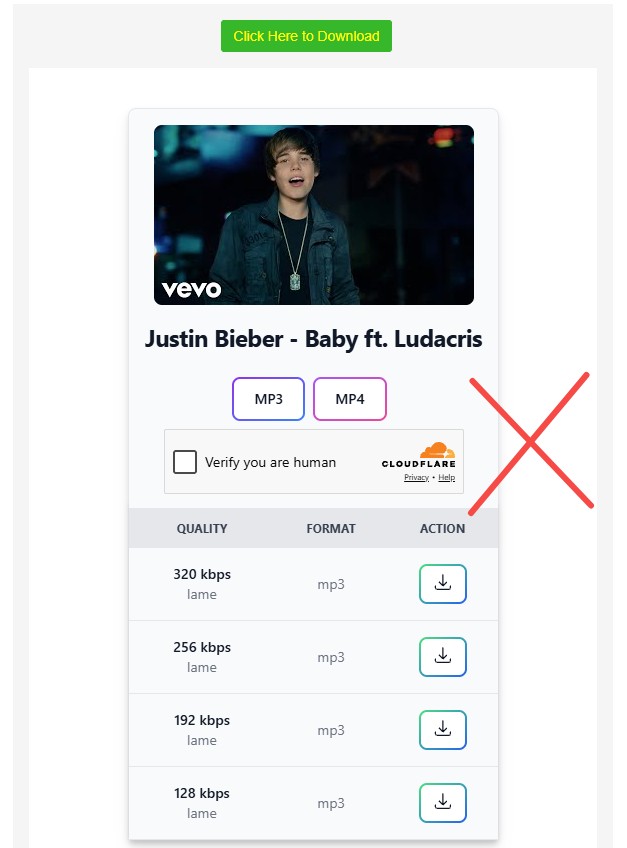
When you search for "youtube music downloader," the results are currently flooded with fake sites. Specifically, malicious clones pretending to be Y2Mate. These sites exist solely to generate ad revenue through fake clicks.
During our testing, we identified several high-ranking sites that you should absolutely avoid:
- Fake Y2Mate Clones: Sites like cornerstonecountry.ca, kelownacontracting.ca, and studiokitchen.ca all use the exact same deceptive template.
They let you paste a link and display a realistic-looking download menu (offering 320kbps, 256kbps, etc.) alongside a fake "Verify you are human" Cloudflare check.
Do not click these. Clicking the download buttons will not give you an MP3; it will hijack your browser and redirect you to shady third-party websites.
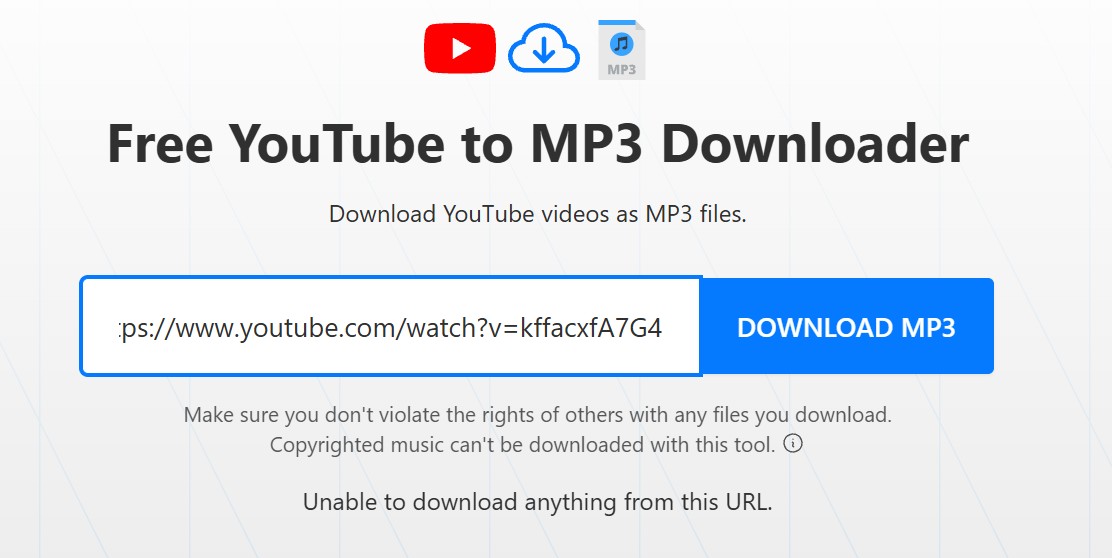
- TurboScribe (turboscribe.ai): While not necessarily malicious, their free YouTube to MP3 tool is completely broken. Attempting to parse any standard video link results in an "Unable to download anything from this URL" error. Save your time and skip it.
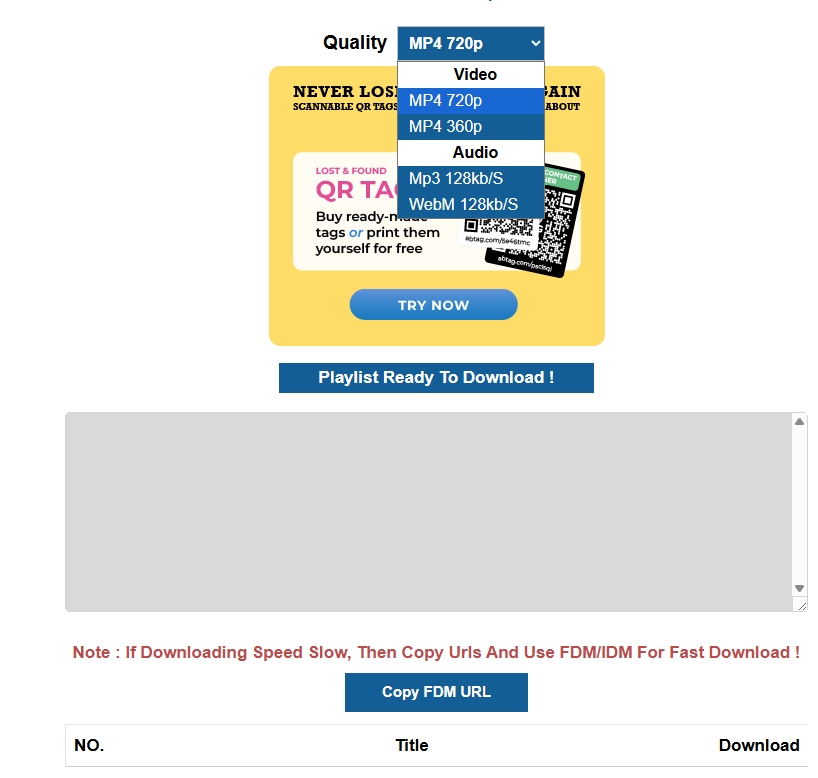
- Playlists Downloader
Playlist Downloader only supports YouTube playlists, not YouTube Music, and although it analyzes the playlist, it ultimately fails to deliver the files.
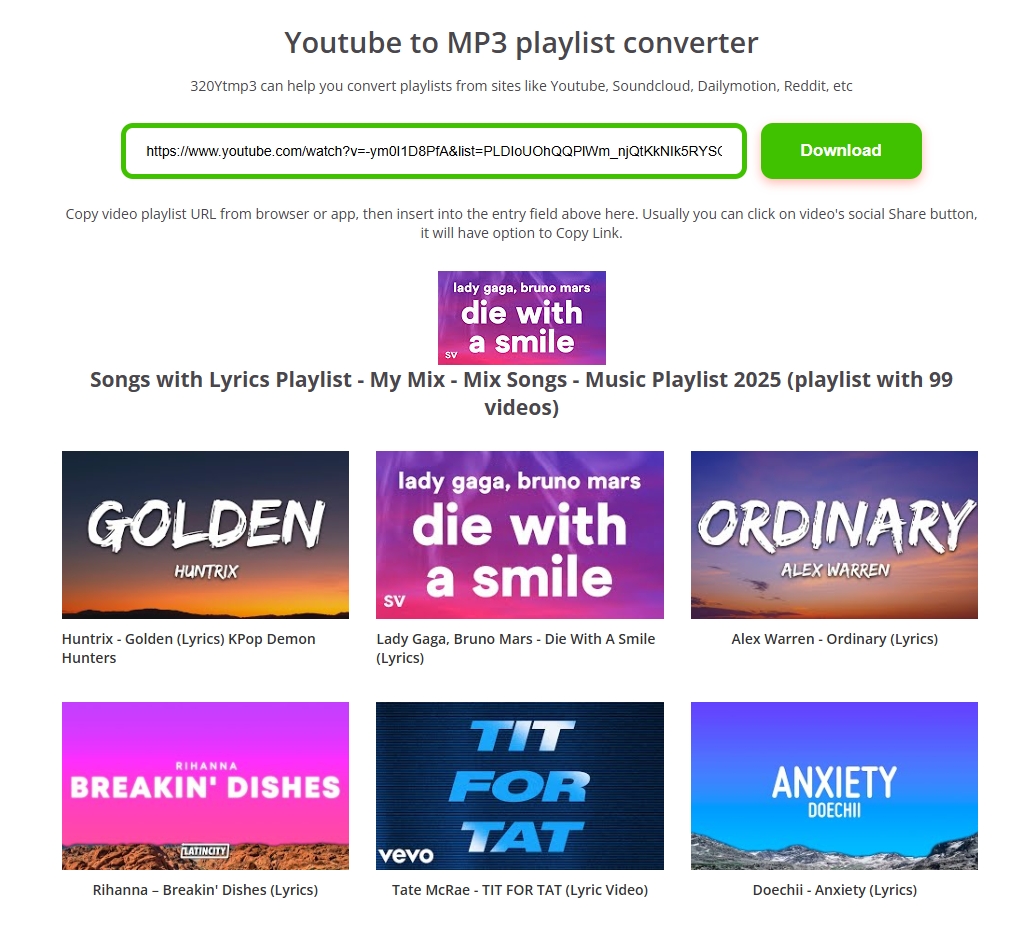
- 320YouTube
320YouTube loaded the songs, but clicking download only redirected to another website and returned nothing.
Comparison Overview: Best YouTube Music Downloaders
This comparison table will help you choose the best-suited YouTube Music playlist downloaders mentioned below for your specific purpose.
| Tools | Outcome in Our Test | Formats | MP3 Bitrate | Playlist Support |
|---|---|---|---|---|
| MusicFab YouTube Music Converter | Reliable and Fast | MP3/FLAC/WAV/M4A/OPUS | up to 320 kbps | YouTube Music Playlist |
| SnapDownloader | Slow | MP3, AAC, WAV, FLAC, AIFF, ALAC | up to 320 kbps | YouTube &YouTube Music Playlist |
| Anyukit | One file at a time | MP3,MP4 | 128kbps | YouTube & YouTube Music Playlist |
| Ezconv | Quick | MP3 | up to 320 kbps | YouTube & YouTube Music Playlist |
| Loaderr. to | Slow with redirects | MP3,M4A,WEBM,AAC,FLAC,OPUS,OGG,WAV | 128kbps | YouTube Playlist |
| CLI yt dlp | Automate | MP3 | 320 kbps | YouTube & YouTube Music Playlist |
FAQs
1. Is it legal to download YouTube or YouTube Music playlists?
You are usually safe to download your own uploads or tracks where you have a direct license or permission. And remember to only download from YouTube Music for personal use.
2. What's the difference between YouTube playlist downloaders and YouTube Music playlist downloaders?
YouTube playlist downloader focuses on YouTube video playlists on youtube.com. It is great for downloading music videos, podcasts, or mixed content as audio/video files.
YouTube Music playlist downloader focuses on audio from music.youtube.com. If your main target is YouTube Music playlists and albums, pick a tool that clearly supports YouTube Music.

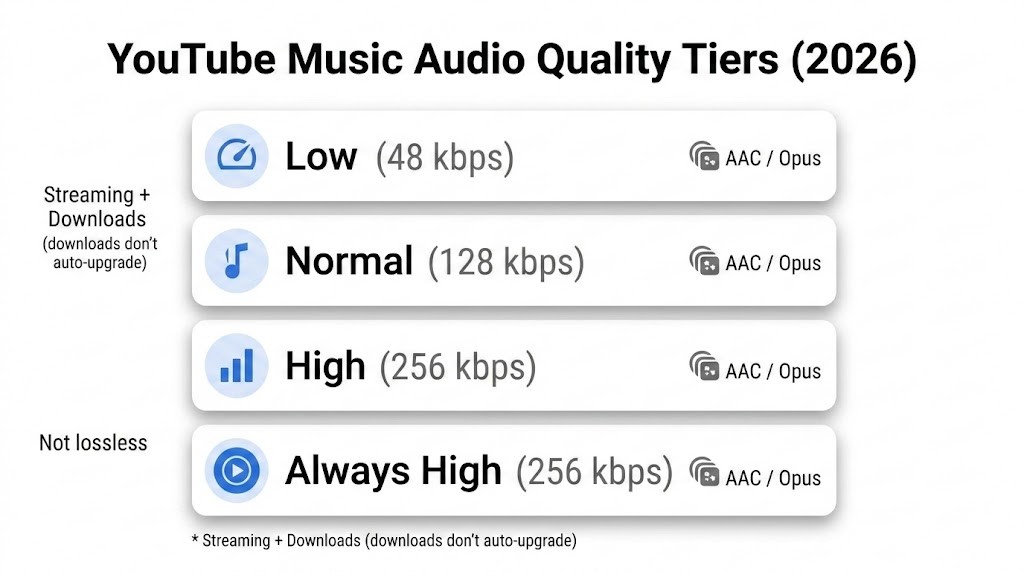
Confused about YouTube Music audio quality in 2026? Explore YouTube Music's 256kbps AAC and OPUS bitrates,and offline download options for true audiophiles.
By Jane Chen - Mar 10, 2026
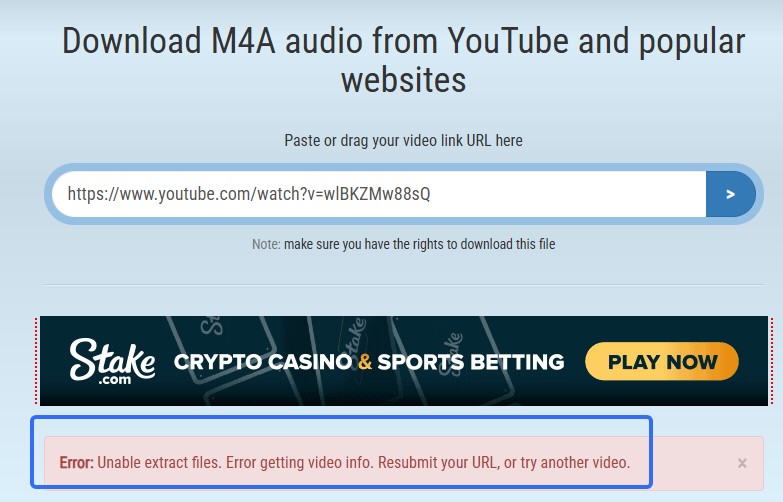
We tested the top-ranking YouTube to M4A online free converters in 2025. See why most failed and learn the best way to batch download YouTube to M4A with metadata using MusicFab.
By Jane Chen - Feb 10, 2026
We tested 8 top-ranking YouTube to WAV converters. Find out tools are scams and actually working, and the best batch solution for serious collectors.
By Jane Chen - Feb 10, 2026
We tested and compared top free online YouTube to FLAC converters with MusicFab desktop software .Learn how to convert YouTube to FLAC.
By Jane Chen - Dec 17, 2025

A free online YouTube audio ripper lets you paste a video URL and quickly convert it to MP3 for casual listening. Tools like Y2Mate, and YTMP3 are fine for one-off songs, but if you care about 320kbps quality, batch playlists, and fewer risks, a desktop app like MusicFab is more reliable.
By Jane Chen - Dec 2, 2025