
Best YouTube to M4A Converter Compared: Which Deliver Real .m4a?

Summary: This guide separates a converter's live page, completed conversion, and verified .m4a file. It compares six browser tools using current status and prior outcomes, explains how to inspect the container and codec, and outlines desktop workflows for single videos and playlists.
Table of Contents
Searching for a YouTube to M4A converter is easy; proving the downloaded file is real M4A is the hard part. A live page or M4A button does not confirm the container. For one video, use a browser tool and inspect the file; for playlists, use a batch-capable desktop route.
If you want to convert YouTube to M4A or download YouTube to M4A, start with the route that matches the job. A one-off public video may suit an online tool, while a playlist with tags and artwork is better handled in a desktop queue.
6 Free Online YouTube to M4A Converters Compared
The six online YouTube to M4A converter pages now sit in mixed states: some load, some stop behind errors or verification walls, and none has a fresh file-level result here. Treat page access, conversion completion, and real .m4a output as three separate checks.
The exact-query roster also includes YTMP3, CutYT, Typist, and SubEasy, while Typist's indexed result currently leads to a Page Not Found response. Search visibility is not evidence that a conversion finishes.
- • A live converter page or M4A button does not verify the downloaded container; inspect the file and codec.
- • Use a one-off browser route for a single public video, and a desktop batch route when playlists, tags, and artwork matter.
I would not call a converter working until its downloaded container and codec have been inspected. A polished page proves that the interface is available, not that the promised file arrived.
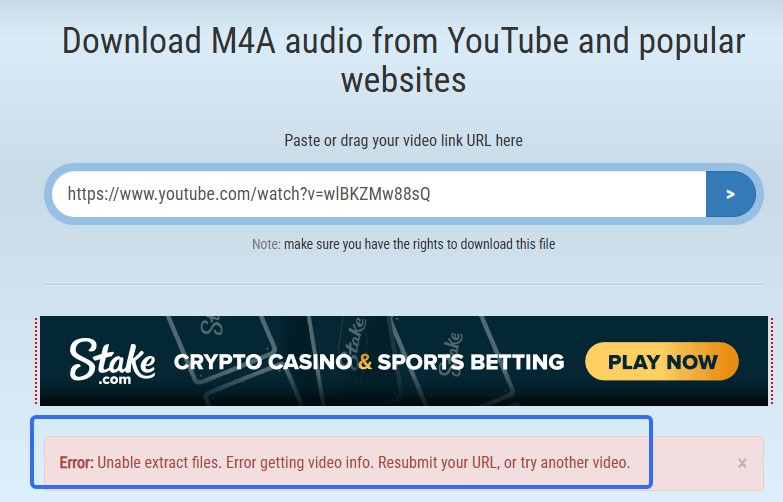
1. TubeRipper
TubeRipper remains reachable as a YouTube to M4A online page, but a current conversion and the downloaded file have not been reassessed.
- Current page: Reachable and linked to an M4A flow.
- Prior hands-on result (May 2026): the parser did not return a result.
- File check: Real .m4a output remains unverified.
- Fit: A simple no-login attempt when the parser responds.
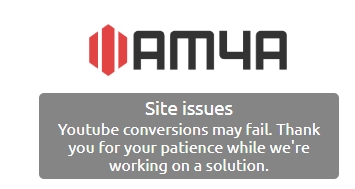
2. AM4A
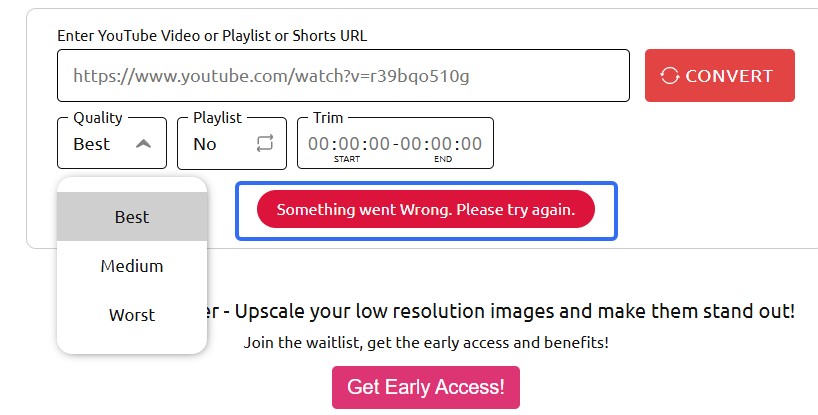
AM4A is an active online YouTube to M4A converter page with playlist, quality, and trimming controls, but those controls do not establish a successful file result.
- Current page: Active controls are visible.
- Prior hands-on result (May 2026): the service did not respond.
- File check: The downloaded container and codec remain unverified.
- Fit: Worth a small test when its service is responsive.
3. ytb.rip
ytb.rip currently describes an M4A route, but its YouTube M4A download still needs a new end-to-end file check before it can be treated as verified.
- Current page: M4A output is described.
- Prior result (May 2026): the URL parsed but M4A did not appear in the displayed options.
- File check: No current container or codec verification.
- Caution: A format claim and a completed download are different states.
4. Dubs.io
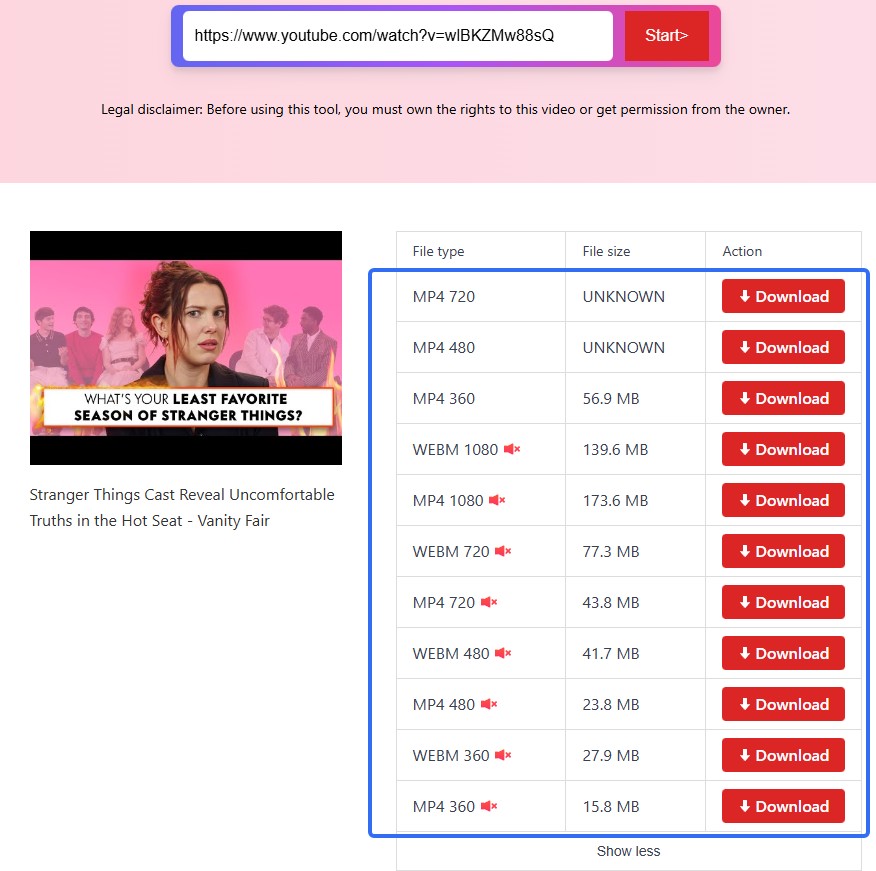
Dubs.io's domain and ranking result are visible, but the present flow stops at a bot-verification wall, so its real M4A output cannot be confirmed from the current page.
- Current page: Access is blocked by bot verification.
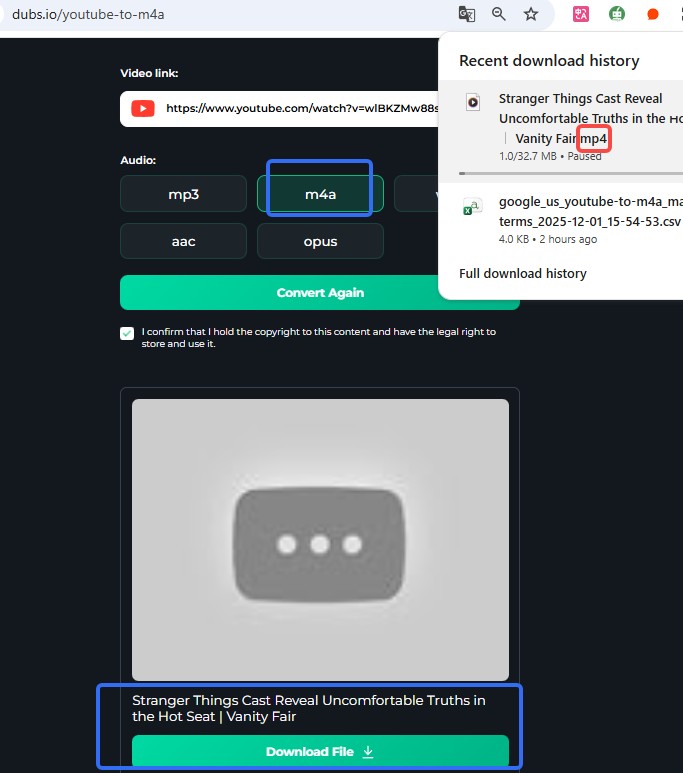
- Prior hands-on result (May 2026): M4A was selected, but a .MP4 file was delivered.
- File check: The current container and codec are unverified.
- Caution: Do not treat the earlier wrong extension as a universal current result.
5. AudioCleaner.ai
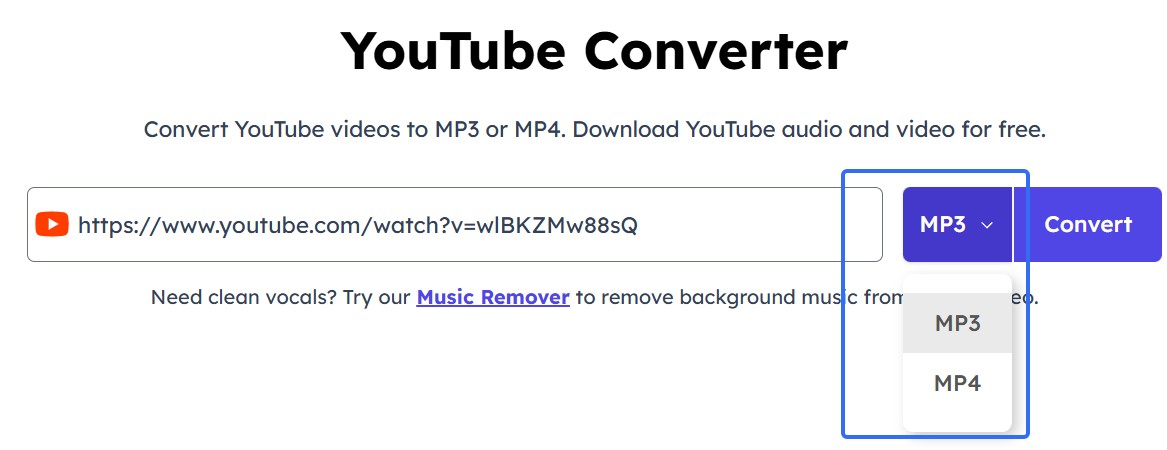
AudioCleaner.ai now presents a live YouTube M4A converter workflow and M4A feature claims. The page is active, but a fresh downloaded-container test is still needed.
- Current page: A YouTube-to-M4A workflow is visible.
- Prior hands-on result (May 2026): the Convert action redirected to another page.
- File check: The actual container and codec remain unverified.
- Caution: The older redirect does not prove the current flow has the same result.
6. Evano
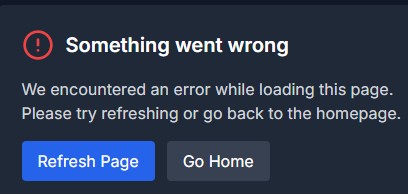
Evano's current operation is unknown because repeated page access timed out or returned an error. Its YouTube M4A downloader should not be presented as a confirmed current option.
- Current page: Timed out or returned an error.
- Earlier hands-on result (May 2026): the download returned an error.
- File check: No current container or codec verification.
- Caution: Wait for a successful small-file check before relying on it.
Redirects, credential prompts, and mismatched extensions are the same risk signals considered in a safe YouTube to MP3 converter review. Use an online converter only for content you are authorized to save, and avoid entering account credentials on an unfamiliar site.
MusicFab M4A Workflows for YouTube and YouTube Music
MusicFab is a desktop alternative for authorized personal offline use where permitted by platform terms and applicable law. It fits playlist-scale M4A/AAC work on Windows or Mac with an active platform subscription where required, while a one-off public video may not justify installing desktop software.
MusicFab All-in-One covers multiple supported music services in one desktop suite, but this article stays focused on YouTube and YouTube Music M4A tasks.
For a single YouTube video, MusicFab Audio Converter is the narrower route, while MusicFab YouTube Music Converter provides the service-specific workflow for an authorized library or playlist.
Who MusicFab Fits Best
MusicFab fits people who regularly manage albums or playlists and want M4A/AAC files with organized metadata. Its setup is harder to justify for a single browser conversion.
- Best for: Playlist-scale jobs that benefit from batch handling.
- Useful file details: M4A/AAC output with ID3 tags, track information, and cover art.
- Free trial: 30 days with three full-song downloads per music service.
- Not ideal for: Readers who need one quick browser conversion or cannot install desktop software.
An HTTP 403 report is a troubleshooting signal, not proof that every format or account will fail. I treat it as a reason to avoid blanket reliability promises and to use an account only for content you are authorized to access.
How to Convert a YouTube Video to M4A
The desktop workflow saves a local M4A file first; iPhone, iPad, and Android playback comes after transferring or importing that file into a compatible app.
Launch MusicFab, paste the YouTube video URL into the address field, or select YouTube from the supported services.
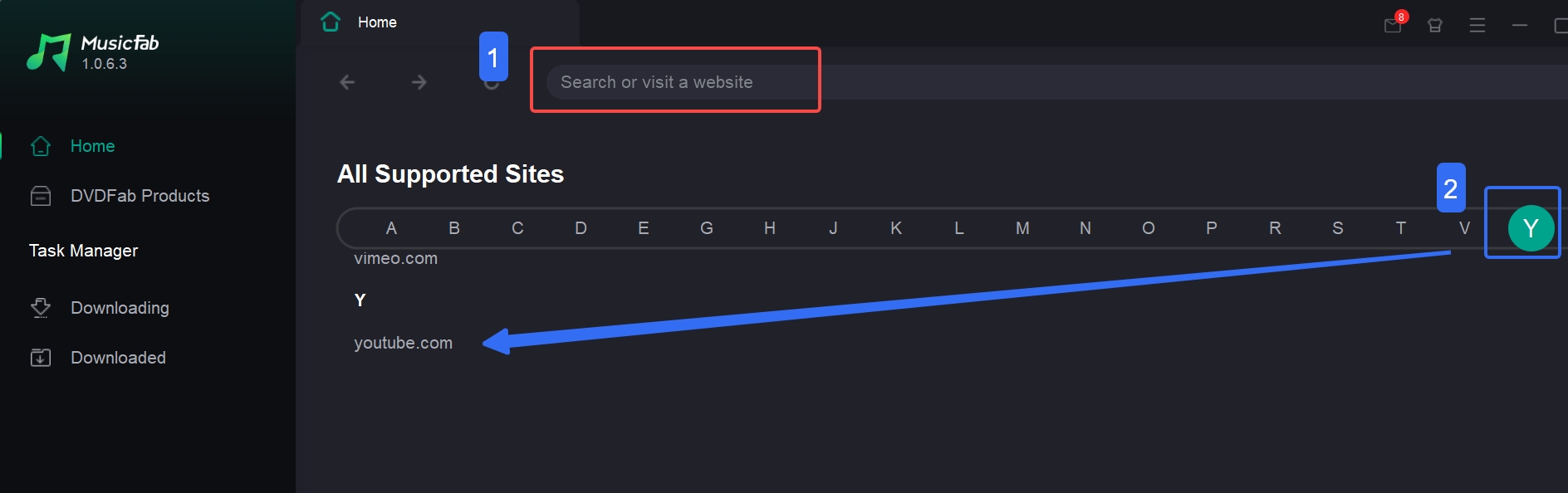
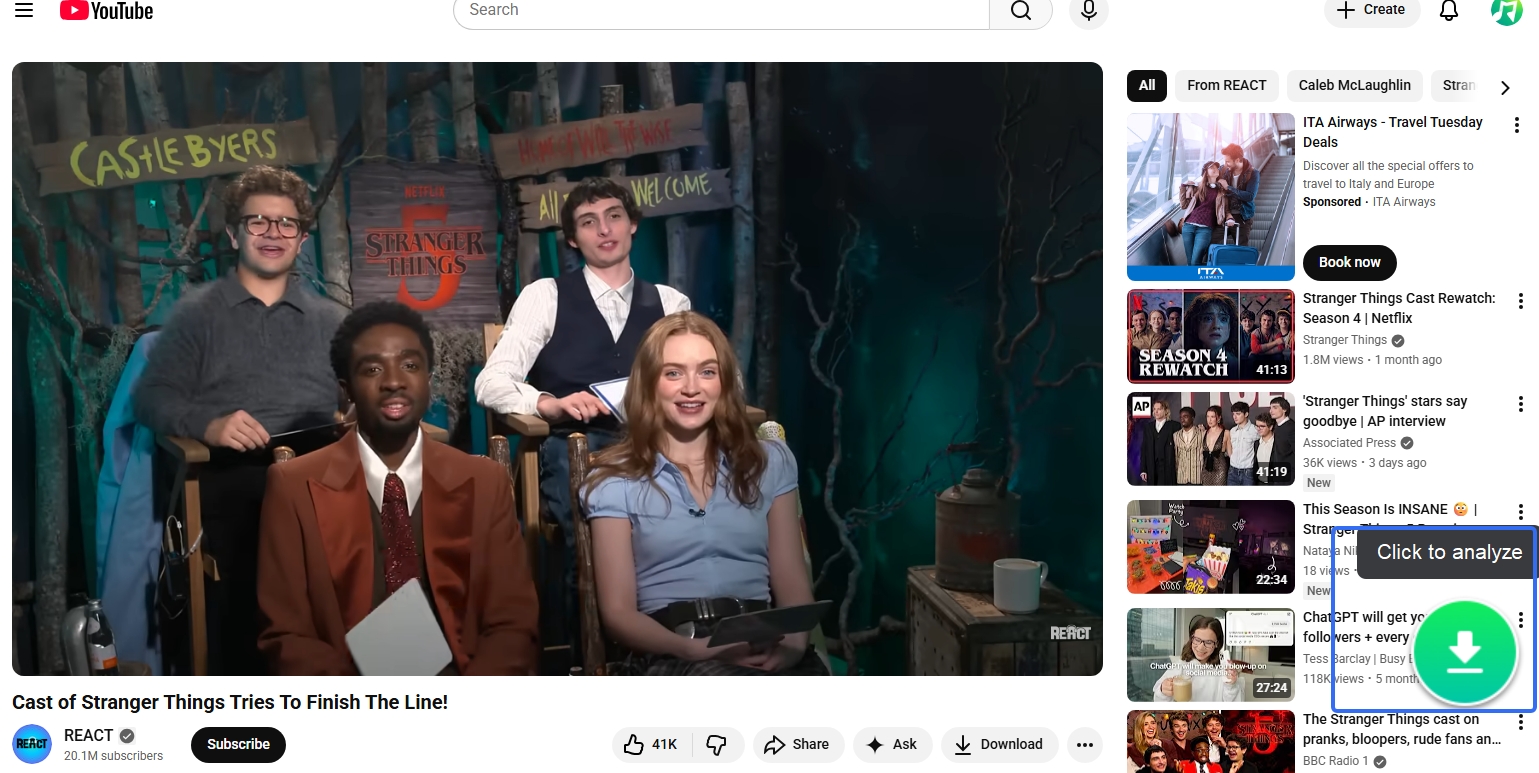
Use an authorized account if the selected content requires sign-in, open the video, and choose the download action.
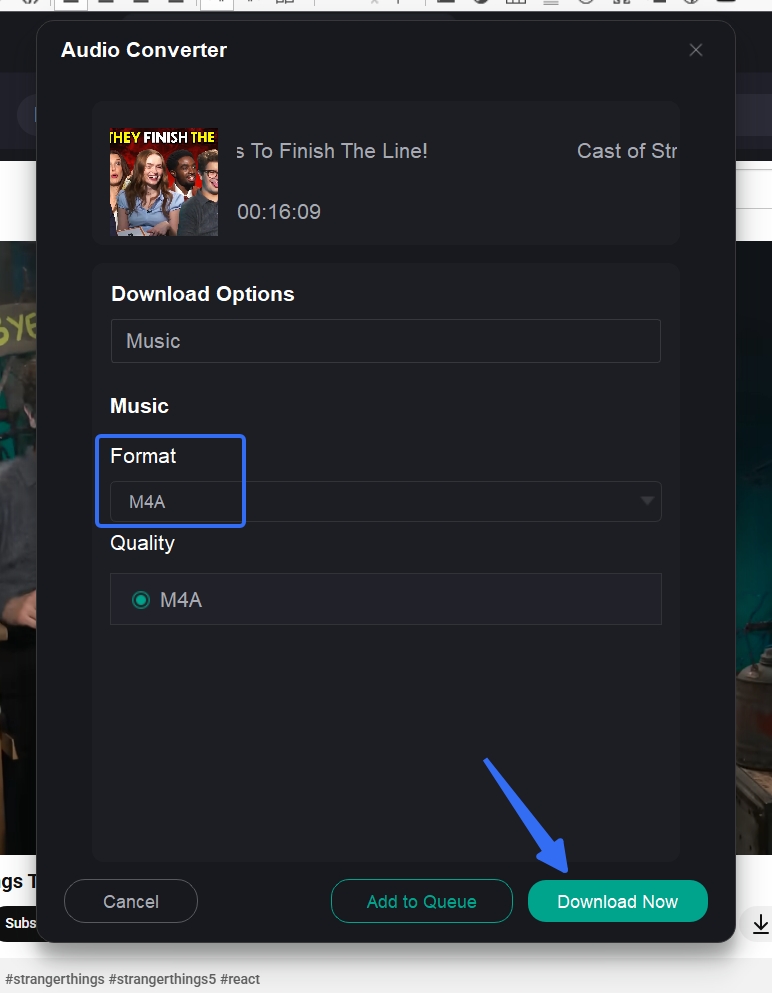
Select M4A/AAC and the appropriate quality setting, then start the download.
- Open the saved folder and inspect the file extension, container, and codec before moving it to another device.
On iPhone or iPad, move the saved file into Files and import it through a supported Apple playback or library workflow. On Android, transfer the file and open it in a compatible audio player. The desktop app creates the file first; it does not perform a mobile-native download.
Save Multiple Tracks as M4A
For a YouTube playlist to M4A job, select the playlist once, review the queue, and confirm the format before starting. A YouTube Music playlist downloader workflow is useful when tags and artwork need to stay organized across many tracks.
Choose YouTube Music in the main interface.
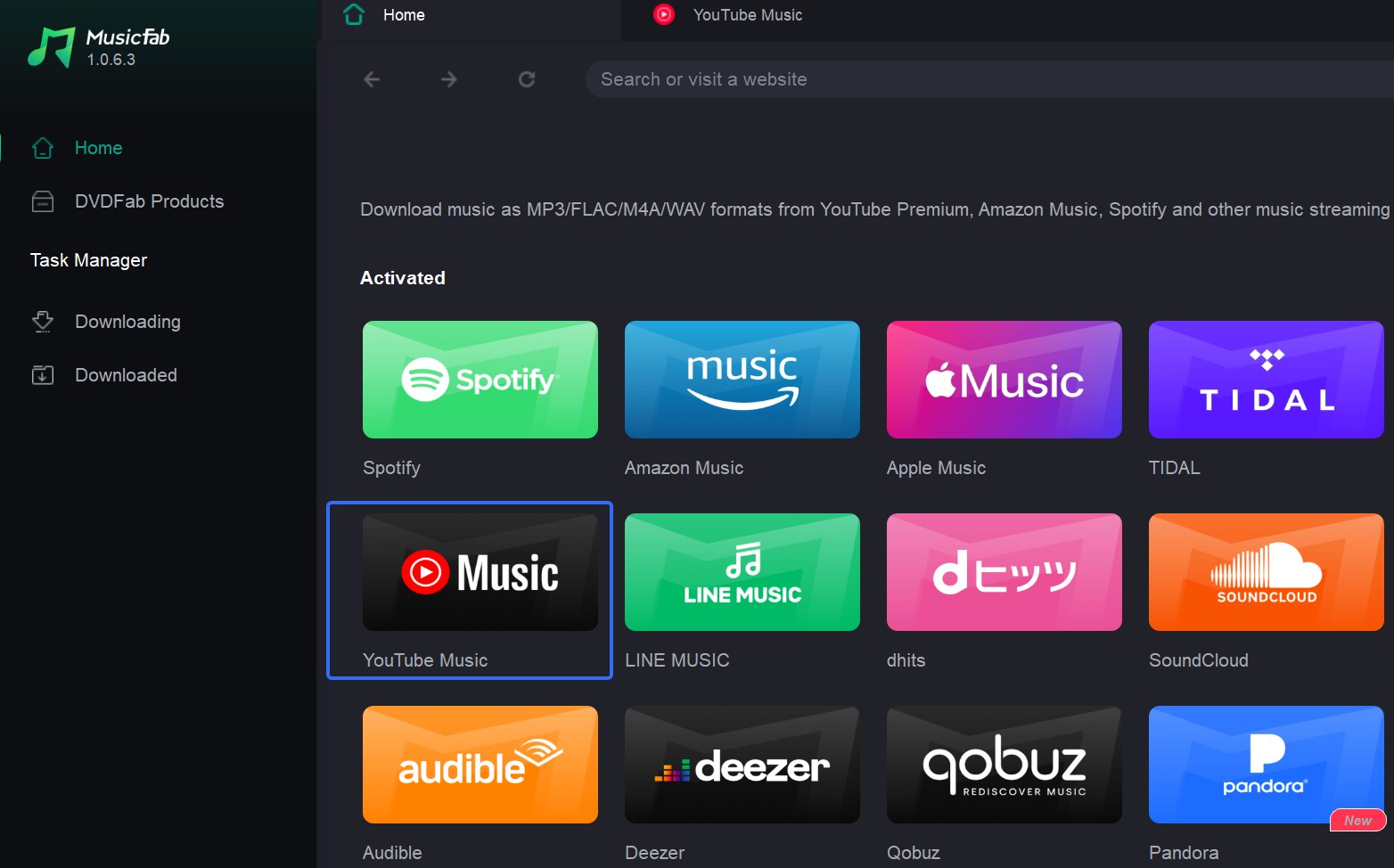
Sign in when authorized access is required, open the playlist, and use the playlist download control.
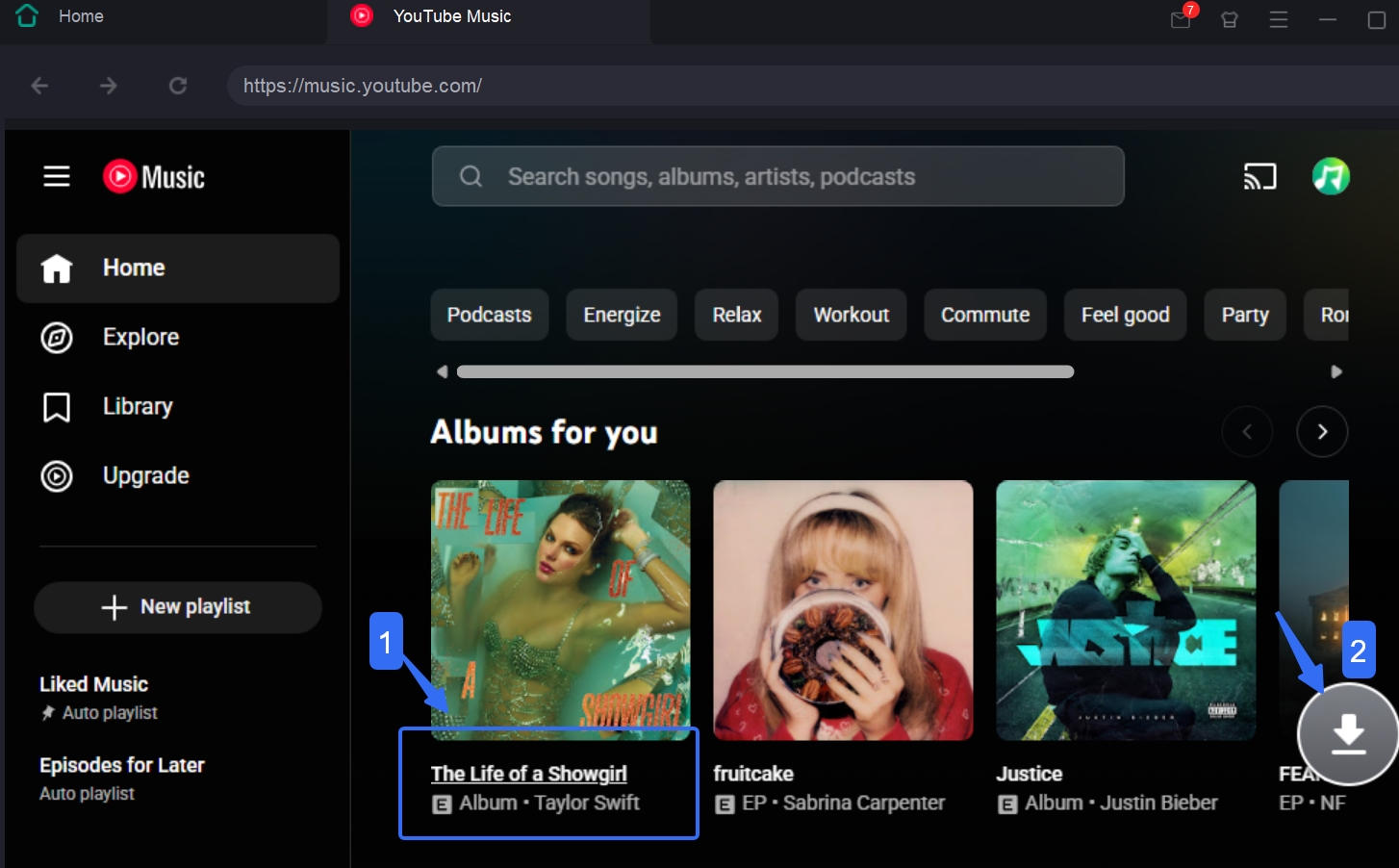
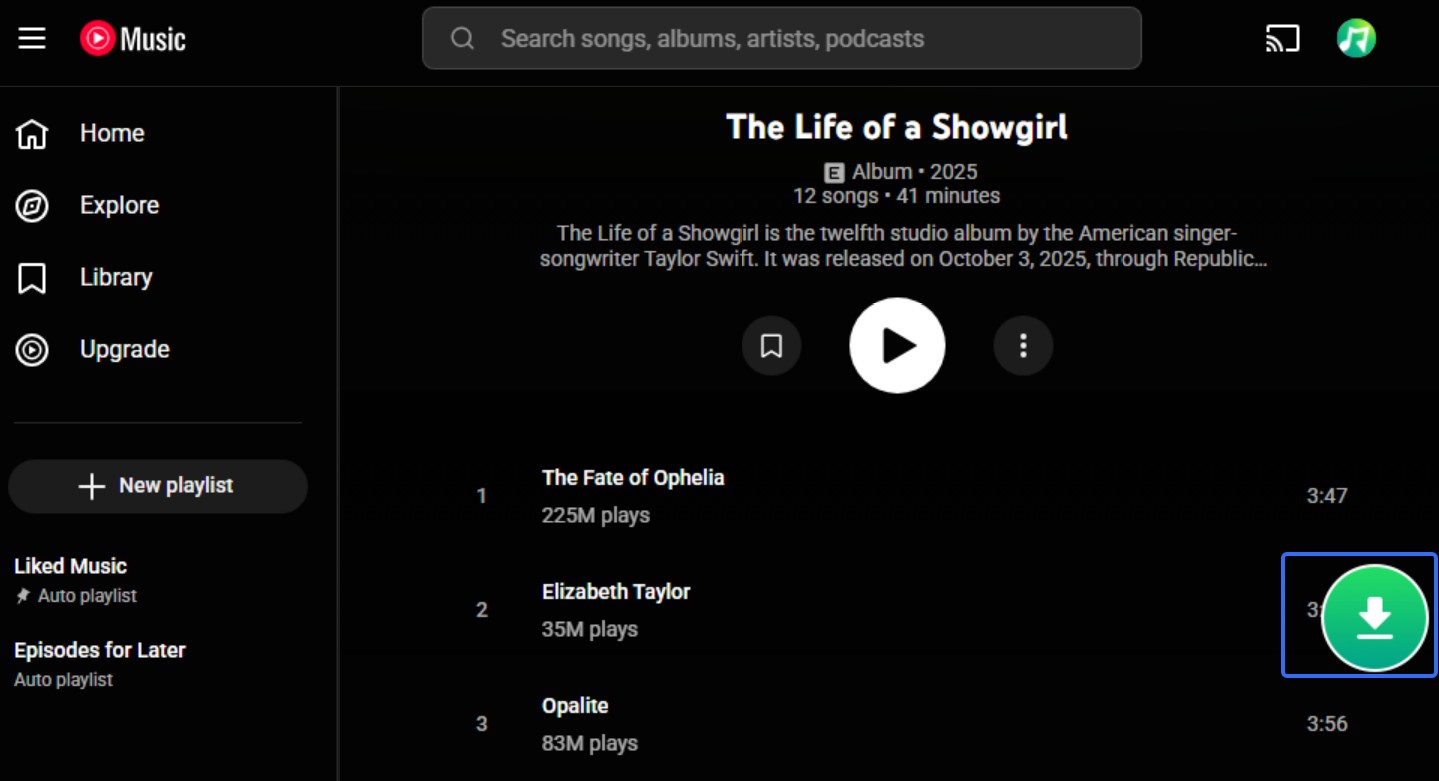
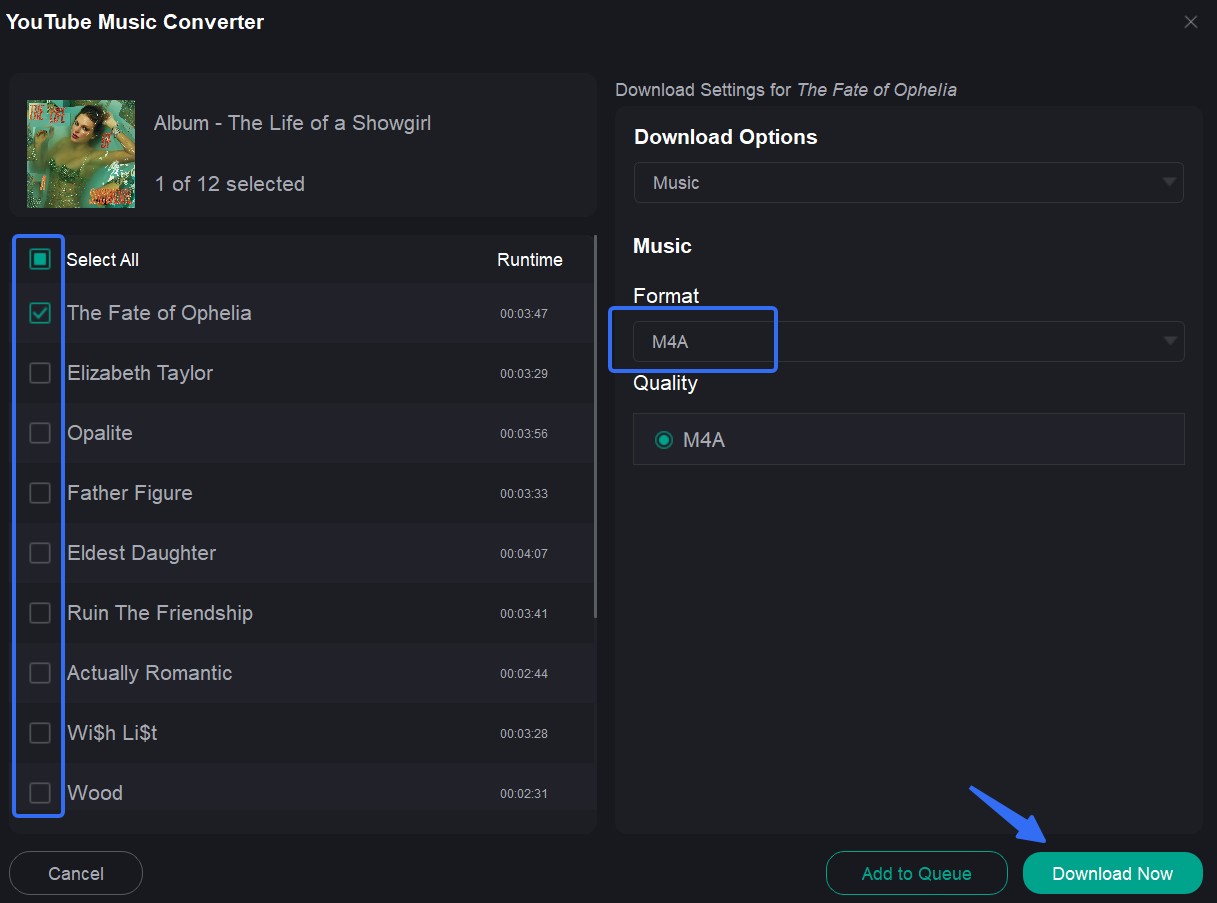
Select the tracks, choose M4A/AAC and the desired quality, then start the queue.
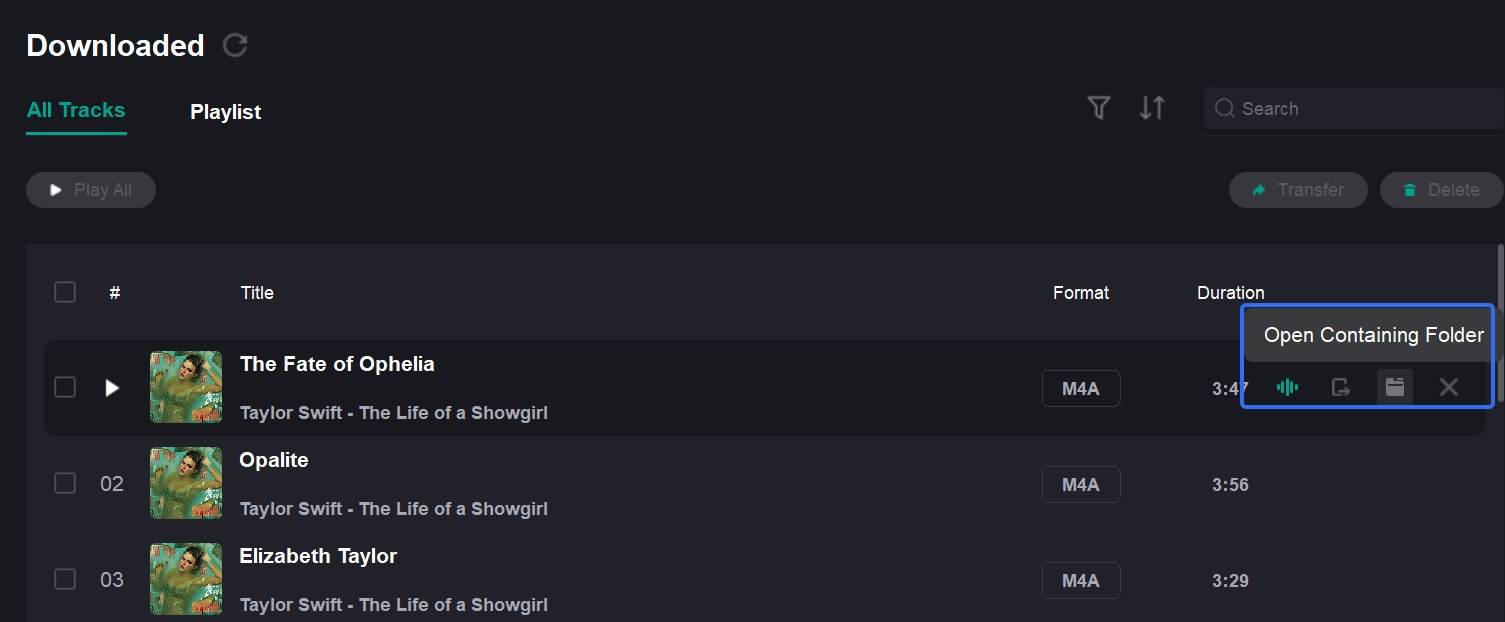
Monitor downloading and completed tasks, then open the saved folder and check a sample before transferring the full set.

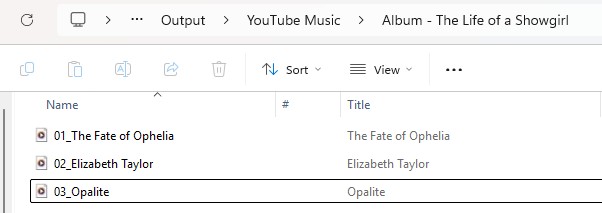
For a large queue, I would test a few tracks first and check tags, artwork, missing items, and resume behavior. Batch support matters only when the queue stays organized after the first successful file.
YouTube to M4A Results at a Glance
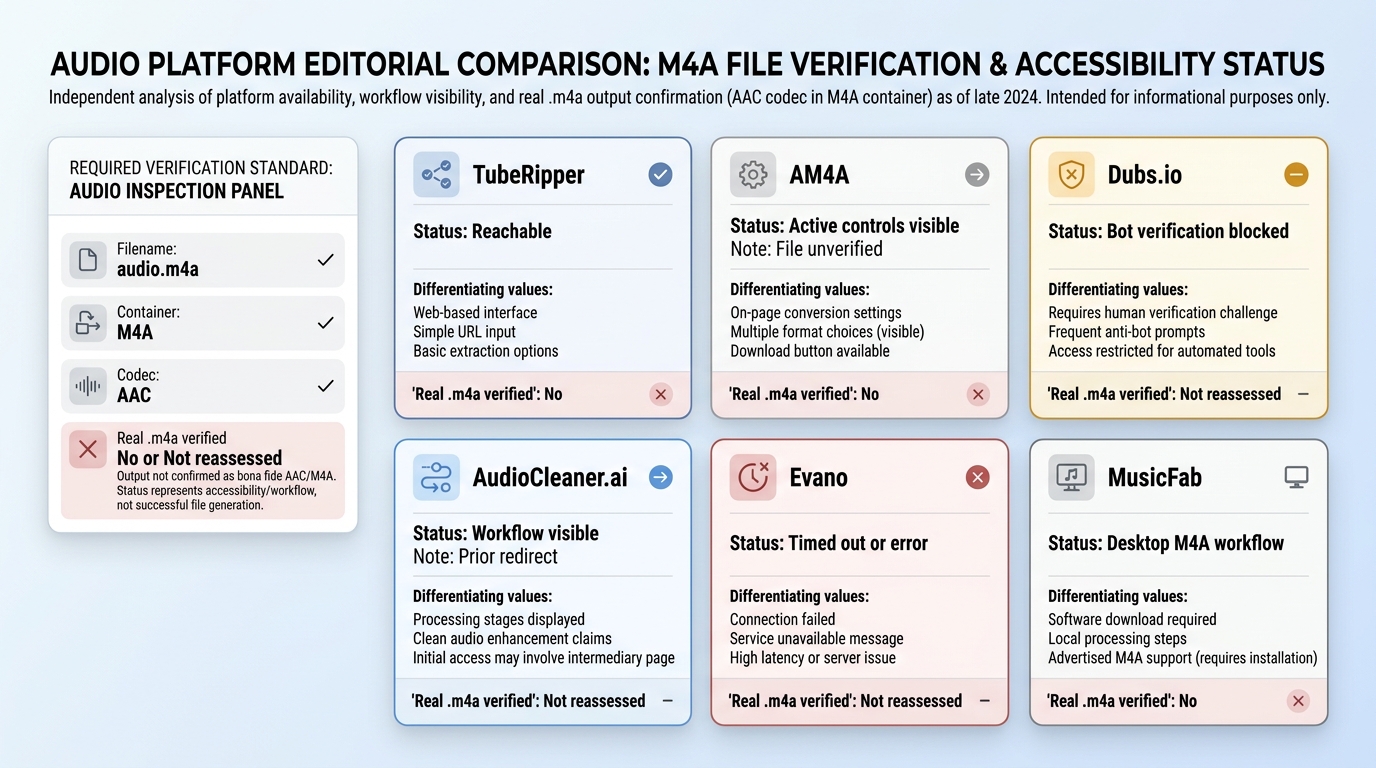
Real .m4a output requires a file-level check, not a page label. M4A is a container that commonly carries AAC or ALAC audio, while an .MP4 download may be a different container even when the button said M4A.
- Check that the downloaded filename ends in .m4a rather than .MP4.
- Open the file in a media-information tool and inspect the reported container.
- Confirm the audio codec, commonly AAC or ALAC in an M4A container.
- Play the file and compare the reported details with the option selected before download.
Codec inspection separates container choice from YouTube Music audio quality; when lossless FLAC is the actual goal, a YouTube-to-FLAC conversion workflow addresses a different task instead of proving M4A quality.
I trust media-information inspection over a download-button label because the file reveals the container and codec that were actually delivered.
| Tool | Current Page Status | Last Hands-On Result | Real .m4a Verified | Best Fit or Caution |
|---|---|---|---|---|
| TubeRipper | Reachable | Parser returned no result | Unverified | Simple no-login attempt |
| AM4A | Active controls visible | Service did not respond | Unverified | Playlist claims; retest |
| Dubs.io | Bot-verification wall | .MP4 file delivered | Unverified | Current flow unknown |
| AudioCleaner.ai | Live M4A workflow | Redirected elsewhere | Unverified | Fresh file check needed |
| Evano | Timed out or errored | Download error | Unverified | Current operation unknown |
| MusicFab | Desktop product available | Not reassessed | Not reassessed | Batch playlists; install required |
Note: Status checked in August 2026. Page access, conversion completion, and a verified M4A container are separate results.
FAQs
Does choosing 320 kbps improve YouTube's original audio quality?
No. A 320 kbps export setting cannot restore detail that is absent from the source. Treat the number as an output setting, then inspect the M4A AAC codec and media information rather than assuming the largest selector value proves better source audio.
What should I check if MusicFab returns an HTTP 403 error?
Update the app, refresh the session by signing out and back in, retry without a stale login, and test a single authorized track. If the error continues, send the log and task details to support. No single step is guaranteed to resolve every compatibility or service issue.
Should I sign in to YouTube inside a converter?
A public one-off URL may not require an account, while an authorized library or playlist workflow may. Do not enter credentials into an untrusted web converter, and use an account only for content you are authorized to access under the platform's terms and applicable law.
What should I test before converting a playlist with hundreds of tracks?
Run a small sample first. Check duplicates, missing tracks, tags, artwork, lyrics, interruptions, and resume behavior before starting the full queue. M4A support alone does not prove queue reliability; in my view, desktop setup is worthwhile when the sample stays organized and repeatable.
Conclusion
For occasional downloads, an online YouTube to M4A converter may be enough when it works. For playlists, batch downloads, and more consistent M4A output with metadata, a desktop tool such as MusicFab is better suited to the task.
M4A is useful for compact AAC audio and broad Apple-device compatibility, but it cannot improve the quality of the original YouTube source. Choose it mainly for format compatibility and easier music library management.

Download YouTube Music to a computer with a clear look at official mobile-only downloads, desktop local-file options, format choices.
By Jane Chen - Aug 26, 2026

YouTube Music tops out at 256 kbps AAC & OPUS with no native lossless tier. Here's how it compares to Spotify Lossless and Apple Music, plus the Wi-Fi, mobile
By Jane Chen - Aug 13, 2026
Compare six YouTube Music playlist downloaders for desktop, online, and command-line use. See full-playlist support, MP3 output limits, metadata, safety signals
By Jane Chen - Aug 12, 2026
Learn how YouTube Music offline listening works in the app, where downloads are stored, and how app downloads differ from transferable local audio files.
By Jane Chen - Aug 9, 2026