
YouTube to FLAC in 2026: 7 Methods and the Quality Reality

Summary: Converting YouTube audio to FLAC avoids another lossy encode, but it cannot restore detail already discarded by the source stream. This guide compares native Opus or M4A, FLAC, WAV, MusicFab, an open-source terminal workflow, and five browser services, with clear fit judgments and July 2026 status notes.
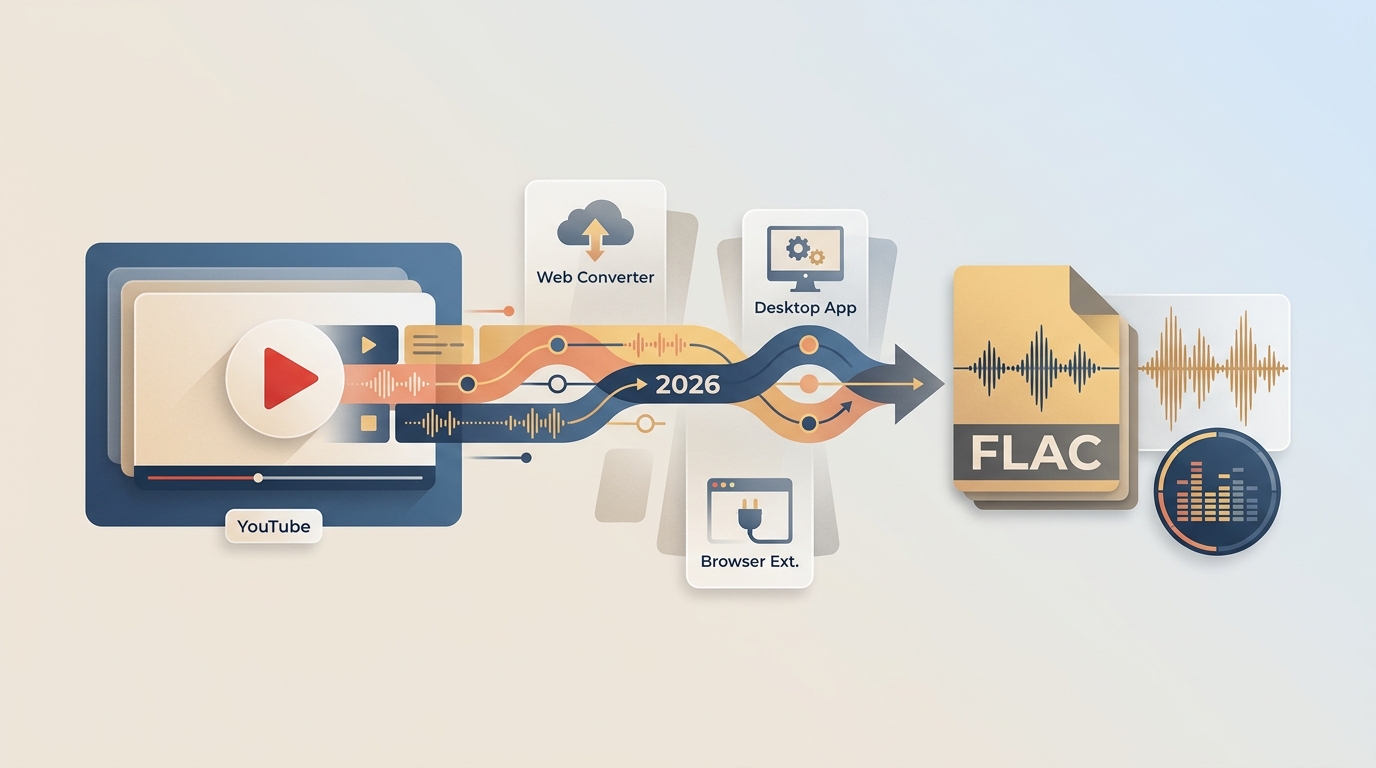
Table of Contents
A YouTube to FLAC file can be much larger than the original audio and still sound no better. If you are searching for a YouTube to FLAC converter, the useful question is not whether FLAC sounds impressive, but whether it fits your editing, tagging, playlist, or storage workflow.
For content you are authorized to access, where permitted by platform terms and applicable law, this guide explains the quality decision first, then compares MusicFab, an open-source terminal method, five browser options, and a status matrix. My practical view is simple: preserve the source efficiently unless a FLAC-based workflow gives you a concrete benefit.
What YouTube-to-FLAC Conversion Really Preserves
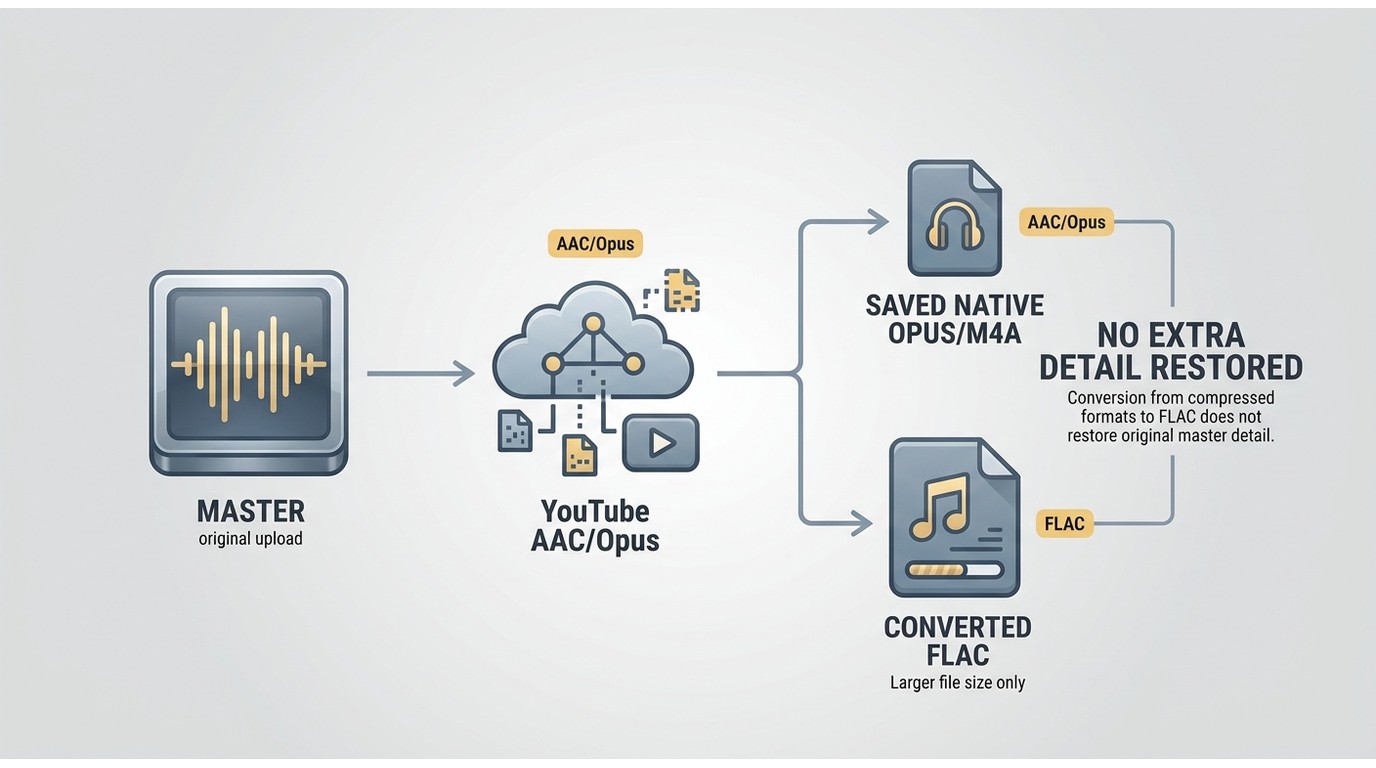
Converting YouTube to FLAC preserves the decoded audio without adding another lossy encode; it does not recreate detail already discarded before delivery.
YouTube commonly delivers AAC or Opus rather than a lossless studio master. The relevant YouTube Music quality setting and the uploaded source affect what reaches the listener, so claims about premium YouTube-to-FLAC quality need this limit stated up front.
A FLAC container can still be useful. It gives editors and library apps a lossless working file, supports broad tagging workflows, and prevents another lossy stage after decoding. The trade-off is storage: a YouTube to FLAC download is usually much larger than the native stream without containing more source detail.
FLAC vs Native Opus, M4A, and WAV
The right format depends on what happens after the download, not on the idea that a larger file must sound better.
| Format choice | What it preserves | File-size direction | Best use |
|---|---|---|---|
| Native Opus | The delivered stream without a format conversion | Smallest of these choices | Listening and archiving when compatible software supports Opus |
| Native M4A/AAC | The delivered AAC stream when available | Compact | Broad device compatibility; a YouTube to M4A converter workflow may be simpler than FLAC for everyday playback |
| FLAC | The decoded result without another lossy encode | Larger than Opus or M4A | Tagging, editing, and library software that expects FLAC |
| WAV | The decoded result in an uncompressed form | Usually the largest | Short editing handoffs where WAV compatibility matters more than metadata or storage |
I would save the native stream when fidelity and storage efficiency are the priorities. I would choose FLAC when downstream software expects it, or when repeated editing makes avoiding an additional lossy encode worthwhile.
Free Open-Source Option: yt-dlp with FFmpeg
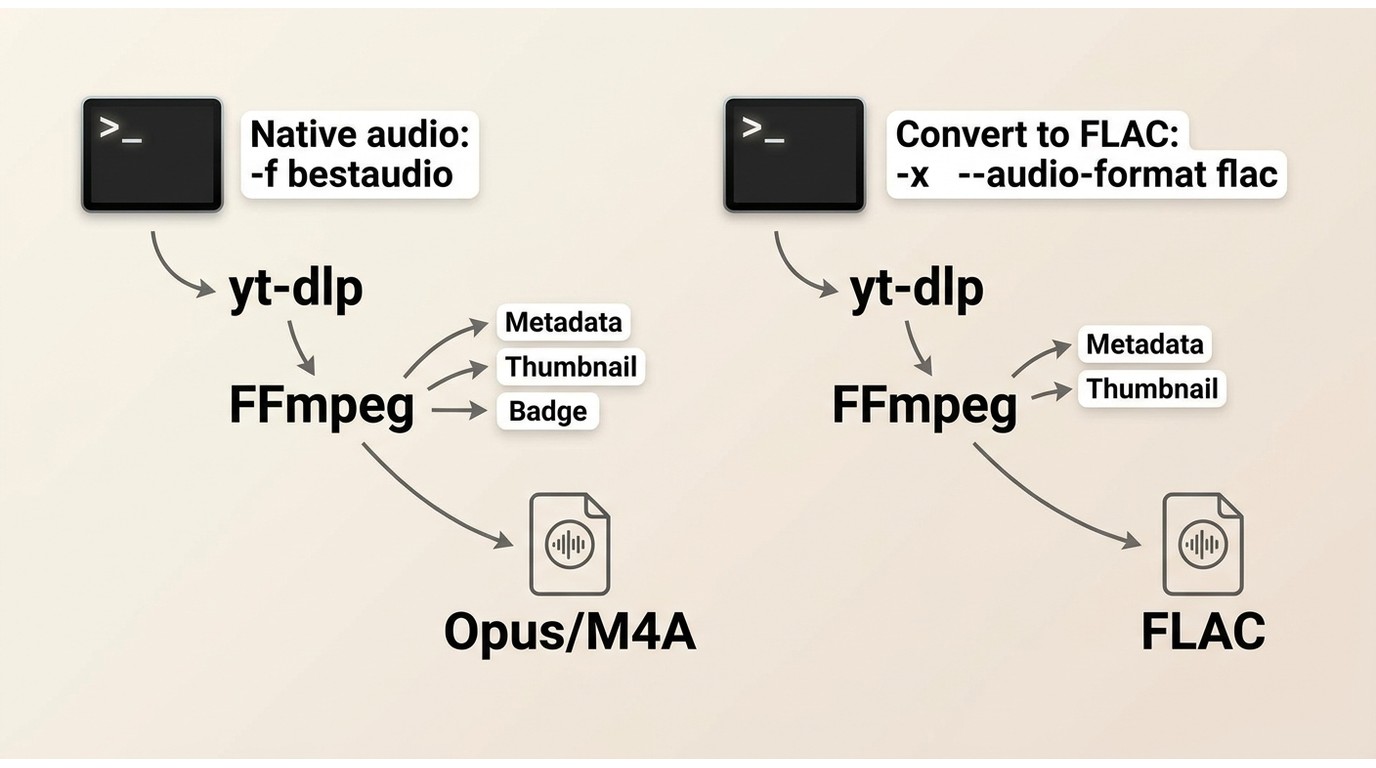
For content you are authorized to access, where permitted by platform terms and applicable law, yt-dlp with FFmpeg offers a free YouTube to FLAC converter workflow on Windows, macOS, and Linux.
After installing both tools and making them available in PowerShell, Terminal, or a Linux shell, save the best native audio stream with:
yt-dlp -f "bestaudio" --embed-metadata --embed-thumbnail "<YOUTUBE_URL>"
Transcode the best available stream to FLAC with:
yt-dlp -f "bestaudio" -x --audio-format flac --embed-metadata --embed-thumbnail "<YOUTUBE_URL>"
The first command avoids an unnecessary format conversion; the second creates FLAC for a compatible library or editing workflow. This GitHub-centered approach suits readers comfortable with a terminal, but it is not ideal for anyone who wants guided playlist selection, artwork review, and library organization in one interface.
MusicFab for Playlists and Organized Libraries
MusicFab fits readers who want a guided desktop workflow for playlists, metadata, artwork, lyrics, and several output formats rather than processing links individually.
Where MusicFab Fits Best
MusicFab Audio Converter is a Windows and macOS option for personal local copies of content you are authorized to access. It uses a direct-source download workflow and requires an active subscription when the original service requires one.
As of July 2026, the product specifications list FLAC, MP3, M4A/AAC, WAV, and Opus output, a built-in browser, batch handling, ID3 tags, cover art, track numbers, and .lrc lyrics. Its 30-day trial allows three full songs, which is enough to inspect the workflow before choosing a license.
- Best for: whole albums, a YouTube Music playlist downloader workflow, and libraries where metadata matters.
- Not ideal for: a single native stream, Linux users, or readers who prefer a terminal.
- Quality boundary: FLAC avoids another lossy encode, but it cannot add detail absent from YouTube's AAC or Opus source.
For my library work, the strongest reason to use a guided app is not the FLAC label. It is the time saved when a playlist needs consistent filenames, artwork, track order, and tags.
Save YouTube Audio as FLAC with MusicFab
The four-step workflow keeps format selection and playlist handling in one interface.
- Install and open MusicFab. Choose YouTube in the supported-services area, or paste the authorized video or playlist URL into the built-in browser.
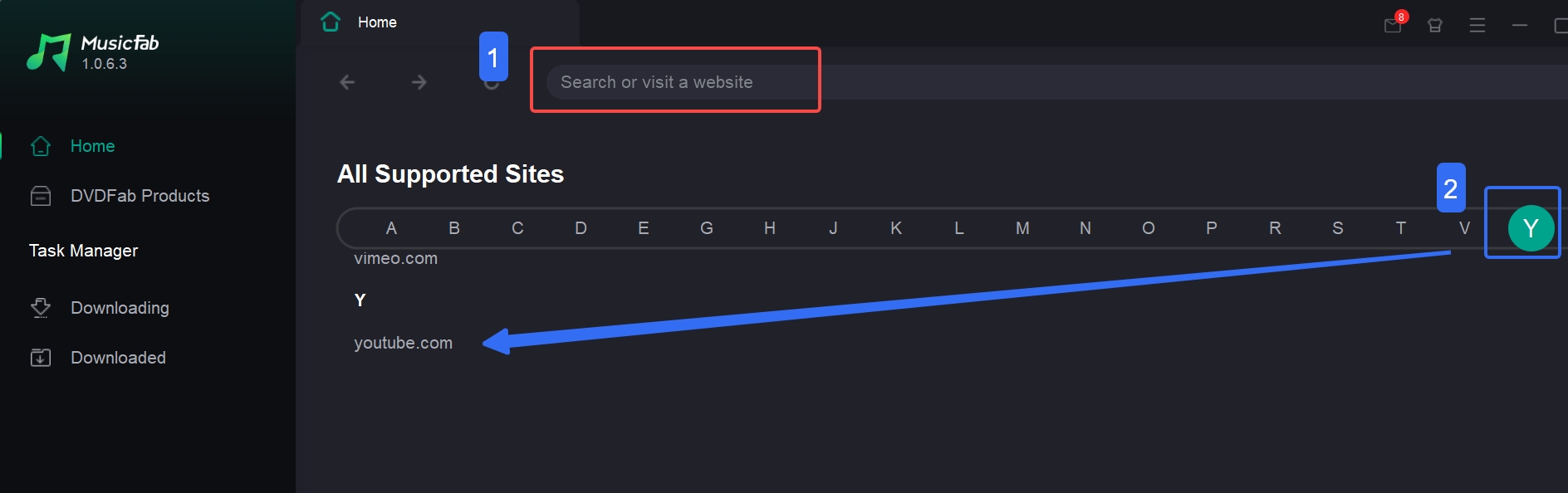
- Open the video or playlist. Let the page load, then use the download control when it becomes available.
- Select FLAC. In the format menu, choose FLAC and review the tracks before continuing.
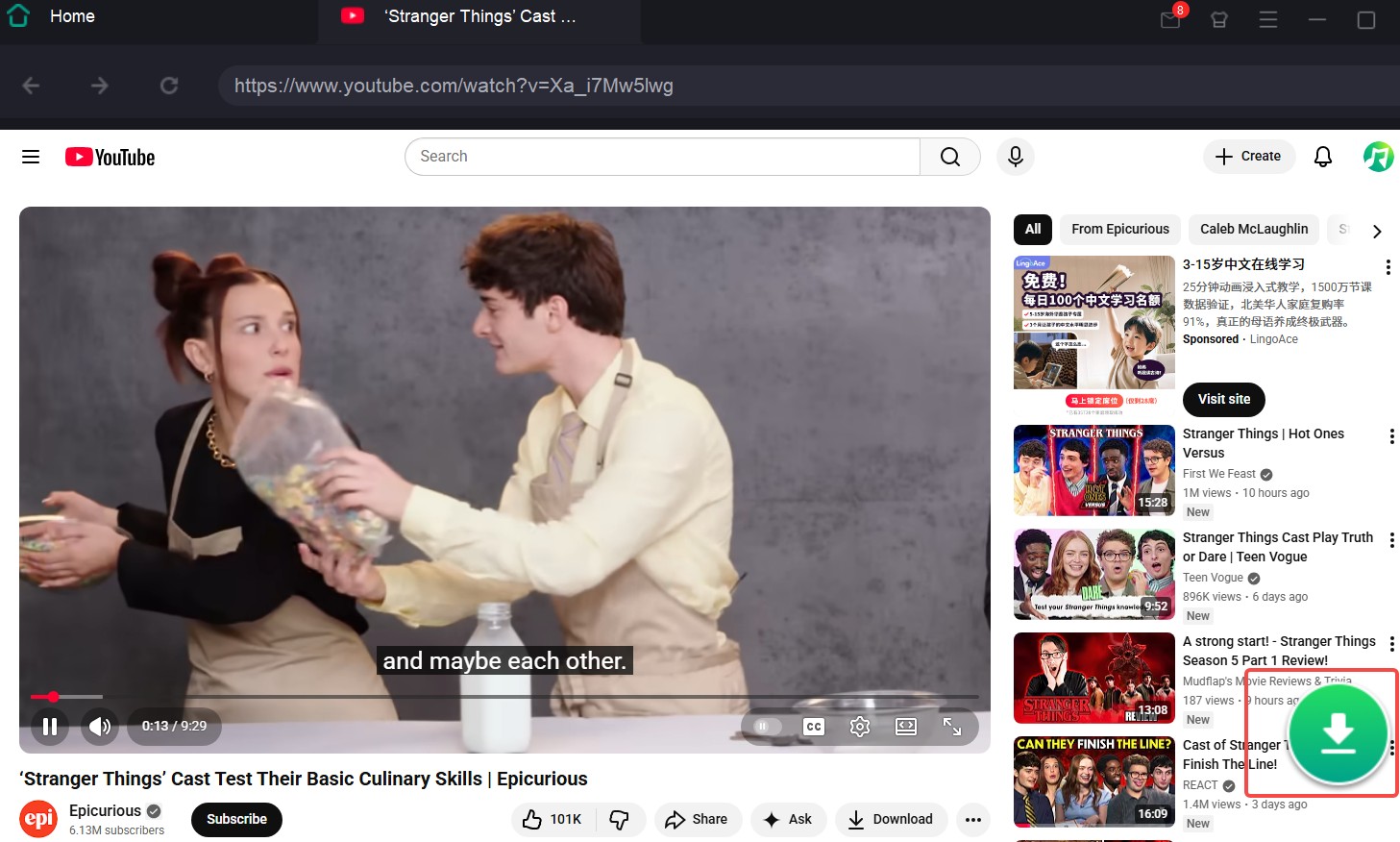
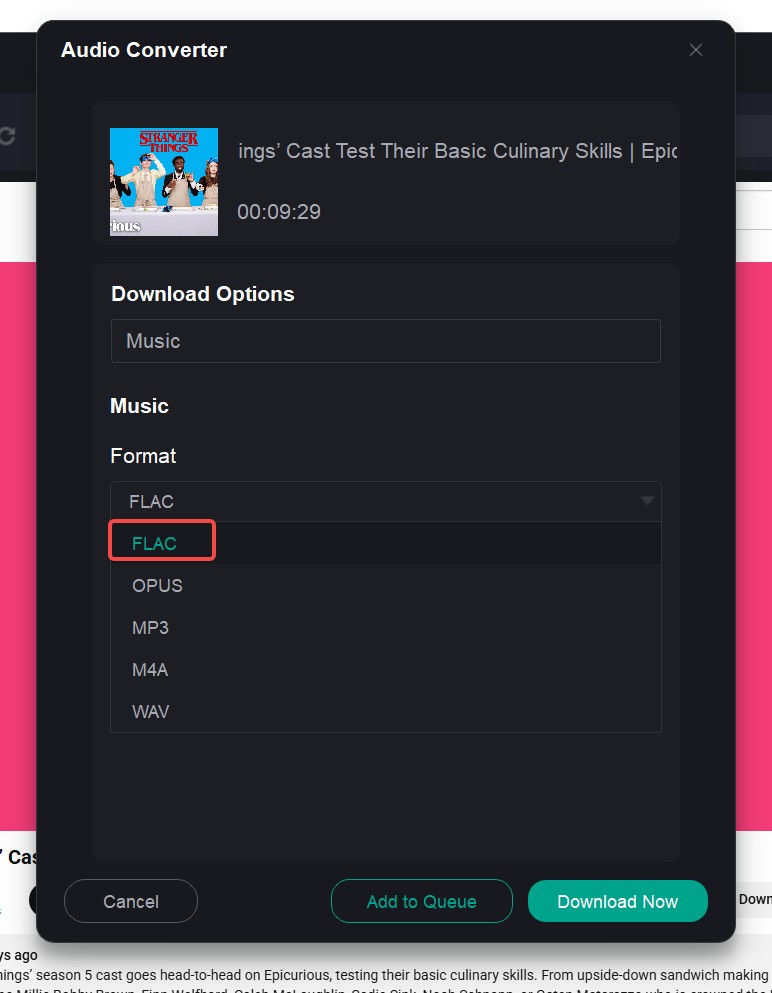
- Start the job. Select individual songs or the full playlist, then save the files to the chosen local folder.
This workflow can save time when you want to download FLAC from YouTube across a playlist and keep the library organized. For one track, the terminal method or a freshly validated browser service may be less setup.
5 Online YouTube-to-FLAC Converters: Status Checked in July 2026
Browser services are convenient for a one-off YT to FLAC job, but a visible FLAC button does not prove that the downloaded file uses a FLAC codec and container.
The fair check is consistent: use the same authorized public input class, note the access date, download the result when possible, inspect the extension and codec/container, test playback, record file size and redirects, and check metadata and playlist support. The statuses below separate page availability from file-level verification.
Motionbox
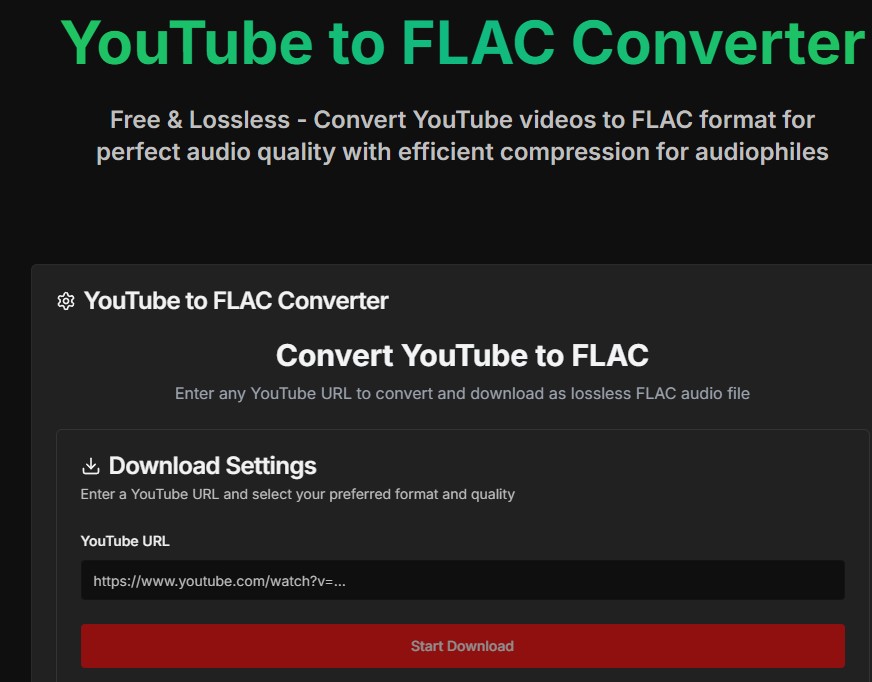
Motionbox's converter page was reachable in July 2026 and displayed a YouTube conversion control. A current downloaded file was not available for codec, container, playback, or size inspection, so the present FLAC output remains unverified.
The archived screenshots document an earlier interface and an error state, but they do not establish the service's current reliability.
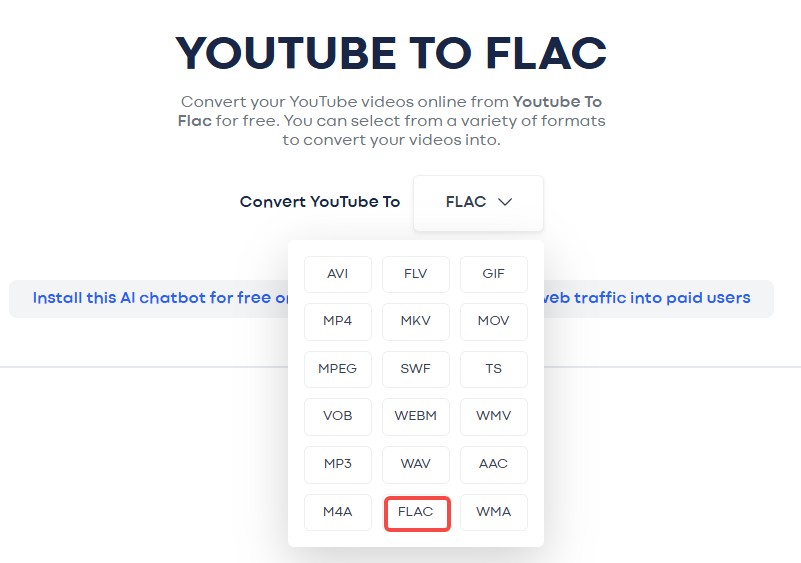
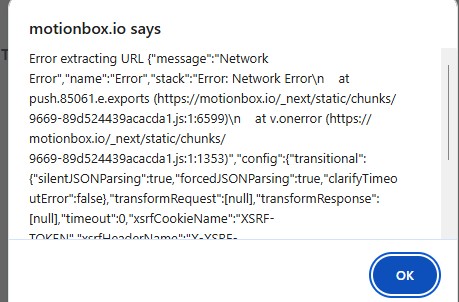
Best for: readers who want a browser interface and are willing to inspect the downloaded file. Not ideal for: anyone needing a confirmed playlist or metadata workflow.
y2wav
y2wav's page was reachable and displayed WAV, FLAC, and M4A choices. Its July 2026 downloaded codec, container, playback, and file size were not independently confirmed, so the earlier unplayable-file claim should not be treated as a current verdict.
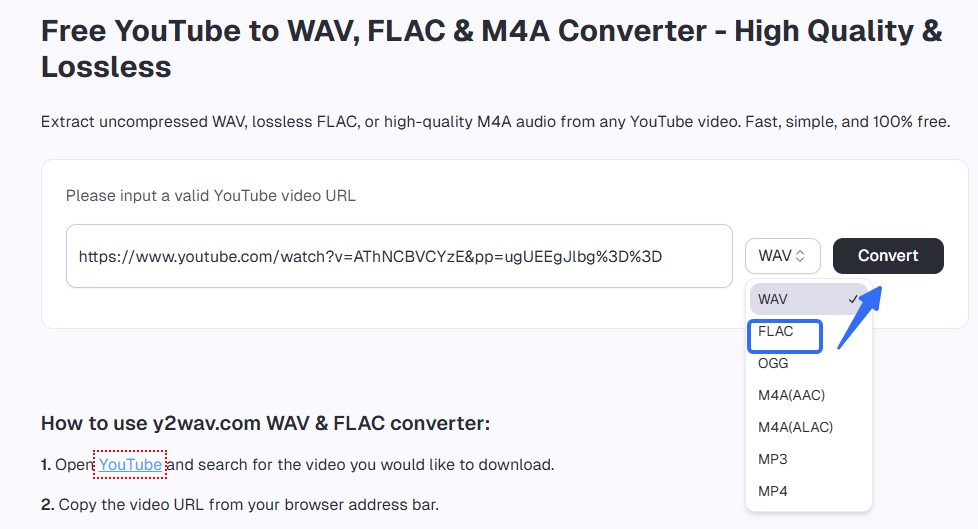
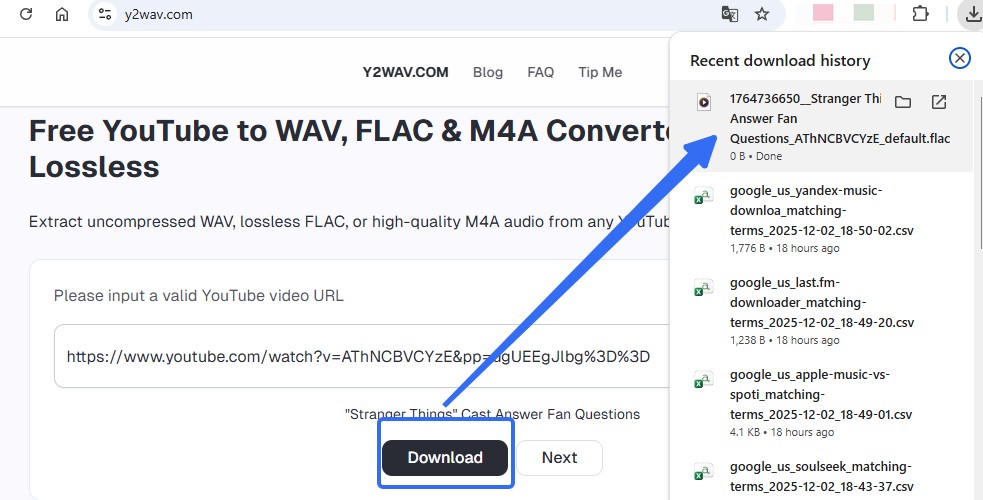
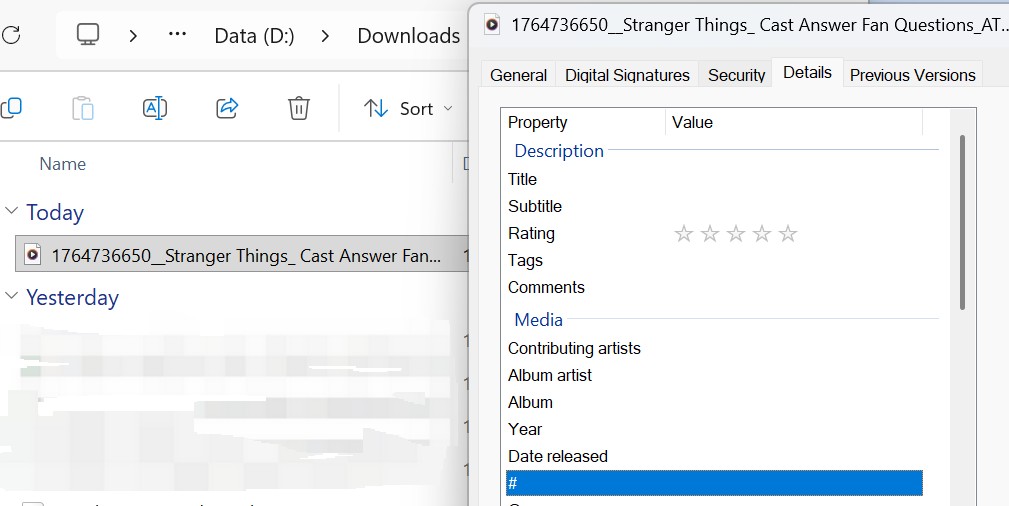
Best for: a quick browser attempt with manual file inspection. Not ideal for: batch conversion or readers who need verified metadata behavior.
TubeRipper
TubeRipper's current FLAC page was reachable and listed FLAC, correcting the older statement that it offered MP3 and MP4 alone. The output still needs codec, container, playback, and size inspection before a reliability verdict is justified.
Readers who decide that lossy output is sufficient can compare the separate YouTube to MP3 options, but MP3 should not be mislabeled as FLAC.
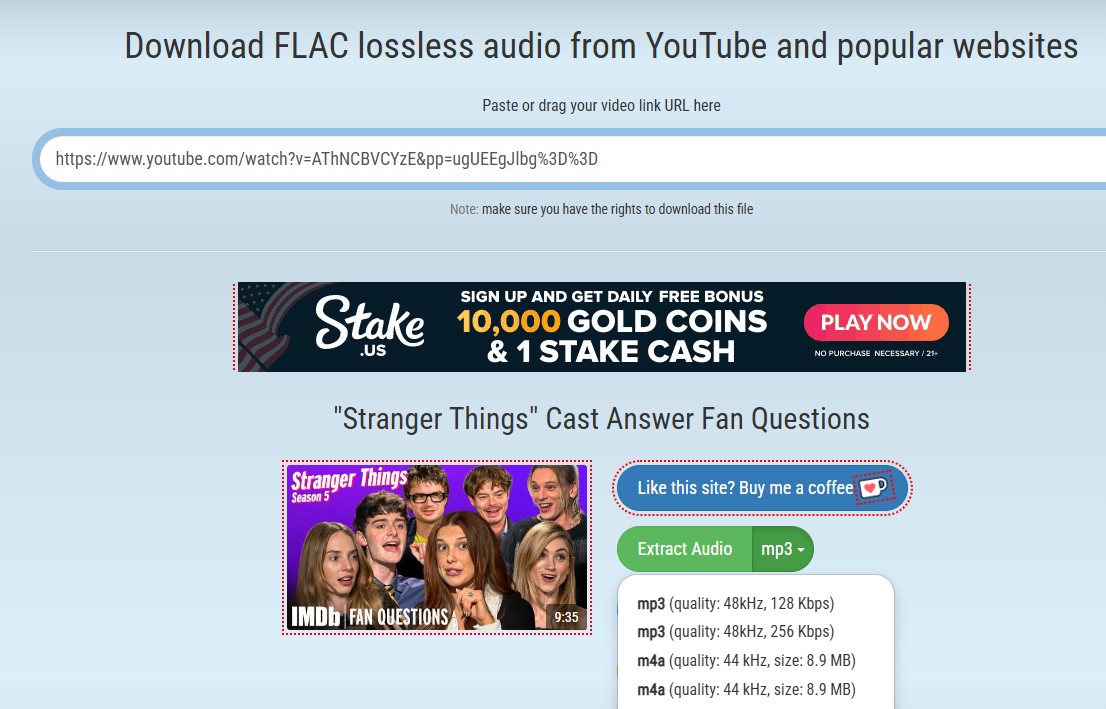
Best for: readers checking a browser service that explicitly lists FLAC. Not ideal for: a library workflow until the downloaded file and metadata are inspected.
Evano
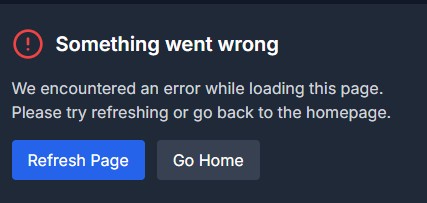
Evano's official URL returned a 522 during the July 2026 status check. That means current operation could not be verified; it does not prove that the service or its FLAC path is permanently unavailable.
Best for: no recommendation while access is unverified. Not ideal for: time-sensitive work or a process that needs predictable output.
Aquapp
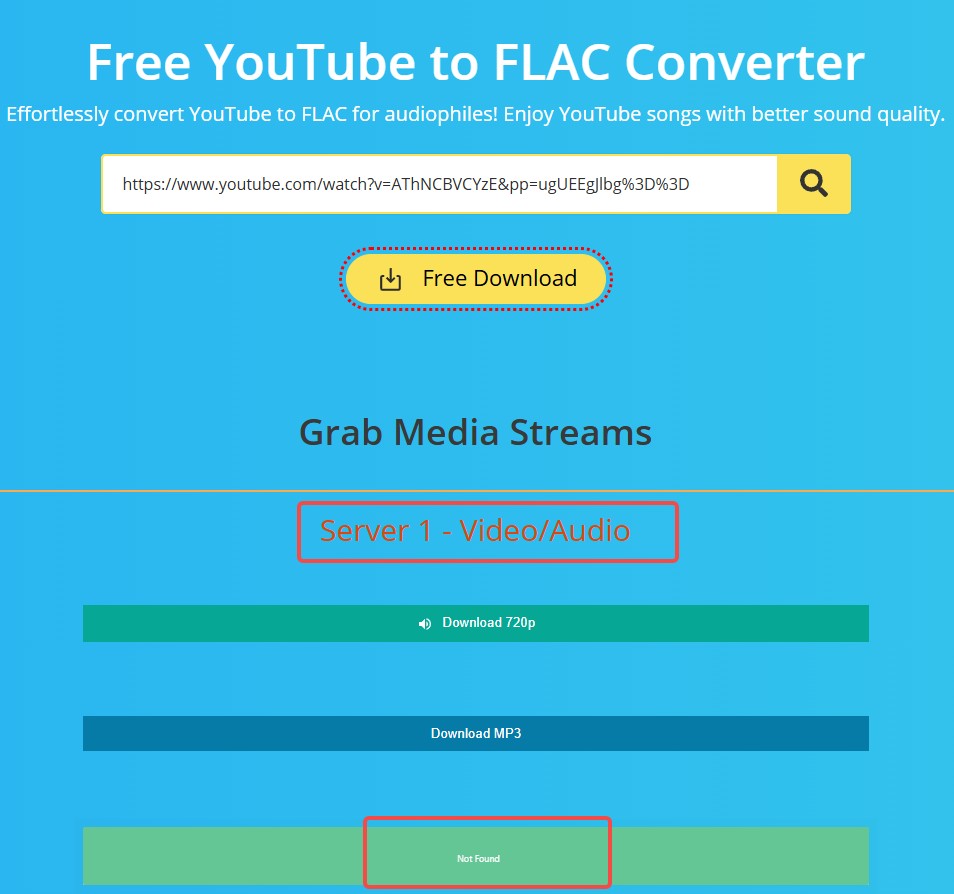
Aquapp's official URL returned a 403 during the July 2026 status check, so current operation and FLAC output could not be independently verified. The historical screenshot can show the prior interface, not the current result.
Best for: no recommendation until the page and output can be checked. Not ideal for: readers who need a confirmed FLAC file now.
YouTube-to-FLAC Converter Test Matrix
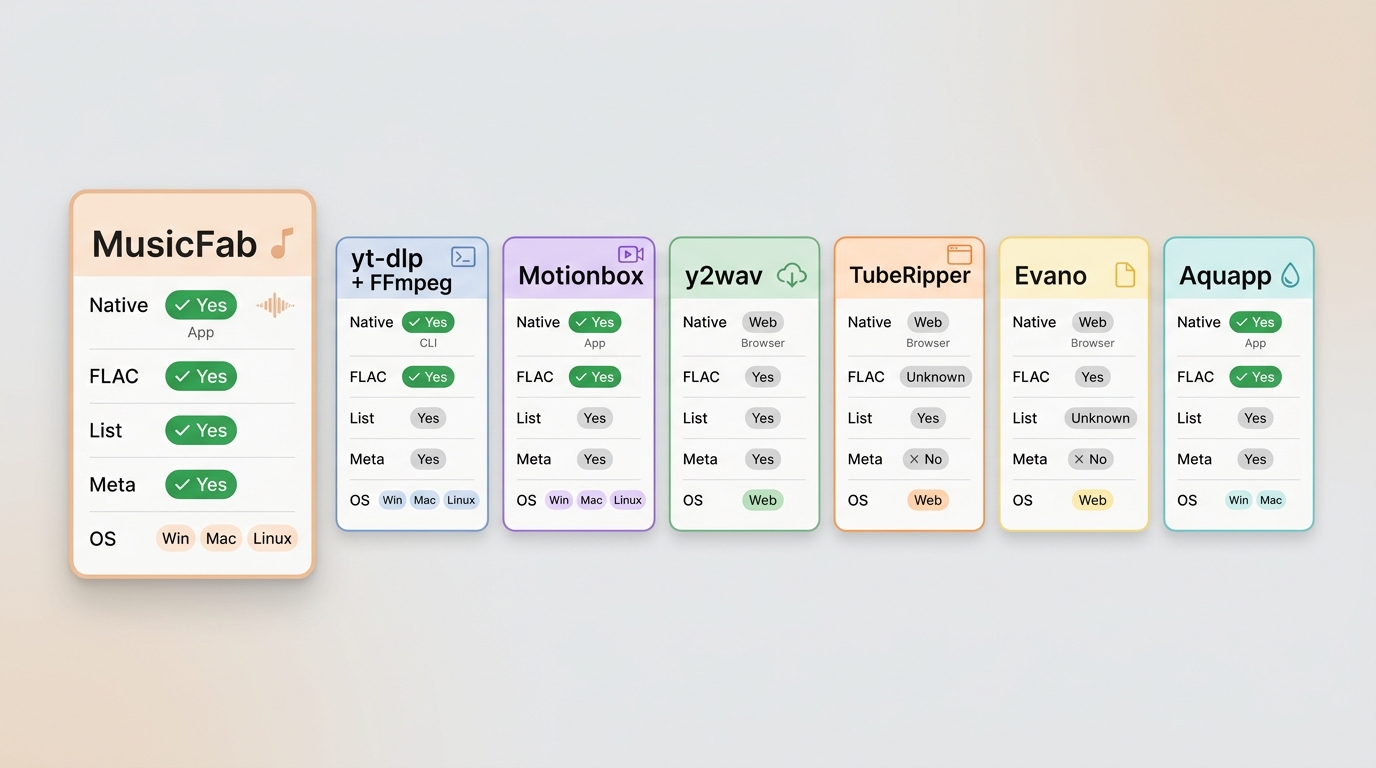
There is no universal best YouTube to FLAC converter. The useful choice depends on source preservation, operating system, playlist needs, metadata, and whether a downloaded file has actually been inspected.
| Method | Type and OS | Best fit / not ideal for | July 2026 status, output checks, and evidence |
|---|---|---|---|
| MusicFab Audio Converter | Desktop; Windows and macOS | Playlists, metadata, artwork, lyrics, and guided format choice / Not ideal for one native stream or Linux | Product specifications confirmed; no new file-level performance claim. FLAC workflow and screenshots shown above |
| Motionbox | Browser | One-off attempt with manual inspection / Not ideal for confirmed playlists or metadata | Page reachable and conversion control visible; codec, container, playback, size, redirects, and playlist output unverified; historical screenshots included |
| y2wav | Browser | One-off format choice / Not ideal for batch work or verified metadata | Page reachable with FLAC choice; downloaded extension, codec, container, playback, size, ads, and metadata unverified; historical screenshots included |
| TubeRipper | Browser | One-off service explicitly listing FLAC / Not ideal for a managed library | FLAC page reachable; output codec, container, playback, file size, redirects, playlist support, and metadata unverified; historical screenshot included |
| Evano | Browser | No current fit judgment / Not ideal for time-sensitive work | URL returned 522; claimed output and all file-level fields unverified; historical interface and error screenshots included |
| Aquapp | Browser | No current fit judgment / Not ideal when confirmed FLAC output is required | URL returned 403; operation, output, playback, file size, redirects, playlist support, and metadata unverified; historical screenshot included |
Single source footnote for browser status pages: Motionbox converter and Aquapp converter, accessed in July 2026.
FAQs
Does converting YouTube audio to FLAC improve its sound quality?
No. FLAC cannot restore source detail already discarded by YouTube's lossy delivery. It can avoid another lossy encode and may be useful for editing, tagging, or compatibility with a FLAC-based library.
Can I save YouTube audio without converting it to FLAC?
Yes. For authorized content where the platform terms and applicable law permit it, yt-dlp can save the best available native stream. That is usually my choice when fidelity and storage efficiency matter more than a specific container.
Can I convert YouTube audio to FLAC on Android?
A browser service may handle a one-off file on Android, but redirects, file inspection, metadata, and playlist support vary. A desktop or terminal workflow is easier to validate when you are building an organized library.
Why is a FLAC file from YouTube so large?
FLAC stores the decoded result with lossless compression, so it can be much larger than the original Opus or M4A stream. The extra size supports the container and workflow; it does not mean new audio detail appeared.
Conclusion
Choose the native stream for fidelity and storage efficiency, FLAC for editing or library compatibility, MusicFab for guided playlists and metadata, and a browser service for a one-off file after its output is freshly verified.
If your goal is YouTube Music to FLAC across albums or playlists, a desktop workflow can reduce repetitive setup. If you need a single source-faithful file, the open-source command is leaner. A YouTube FLAC downloader is useful only when its output format and playback match the label.
Use local files for personal purposes when you are authorized to access the content and the platform terms and applicable law permit it. My final judgment is to pick the least complicated method that satisfies the actual workflow, not the method with the largest output file or the strongest marketing claim.

Download YouTube Music to a computer with a clear look at official mobile-only downloads, desktop local-file options, format choices.
By Jane Chen - Aug 26, 2026

This guide separates a converter's live page, completed conversion, and verified .m4a file. It compares six browser tools using current status and prior outcomes, explains how to inspect the container and codec, and outlines desktop workflows for single videos and playlists.
By Jane Chen - Aug 19, 2026
YouTube Music tops out at 256 kbps AAC & OPUS with no native lossless tier. Here's how it compares to Spotify Lossless and Apple Music, plus the Wi-Fi, mobile
By Jane Chen - Aug 13, 2026
Compare six YouTube Music playlist downloaders for desktop, online, and command-line use. See full-playlist support, MP3 output limits, metadata, safety signals
By Jane Chen - Aug 12, 2026