
How to Download Music from Apple Music: 2 Options Explained

Summary: Apple Music's official apps handle offline listening on iPhone, iPad, Android, Mac, and Windows, but those downloads remain app-based. This guide explains device steps, whole-library limits, cancellation effects, and when a MusicFab or online local-file workflow fits better.
An Apple Music download can solve two different problems: Apple Music offline downloads keep songs inside the app, while a standard local audio file works with MP3 players, USB drives, or creative software. This guide starts with Apple's device steps, then explains the local-file path.
If your goal is to download Apple Music songs for a commute or weak connection, the official app is the right first stop. If you need batch Apple Music downloads or portable files, the later sections show the tradeoffs without treating the two results as interchangeable.
Apple Music Downloads: What You Actually Get
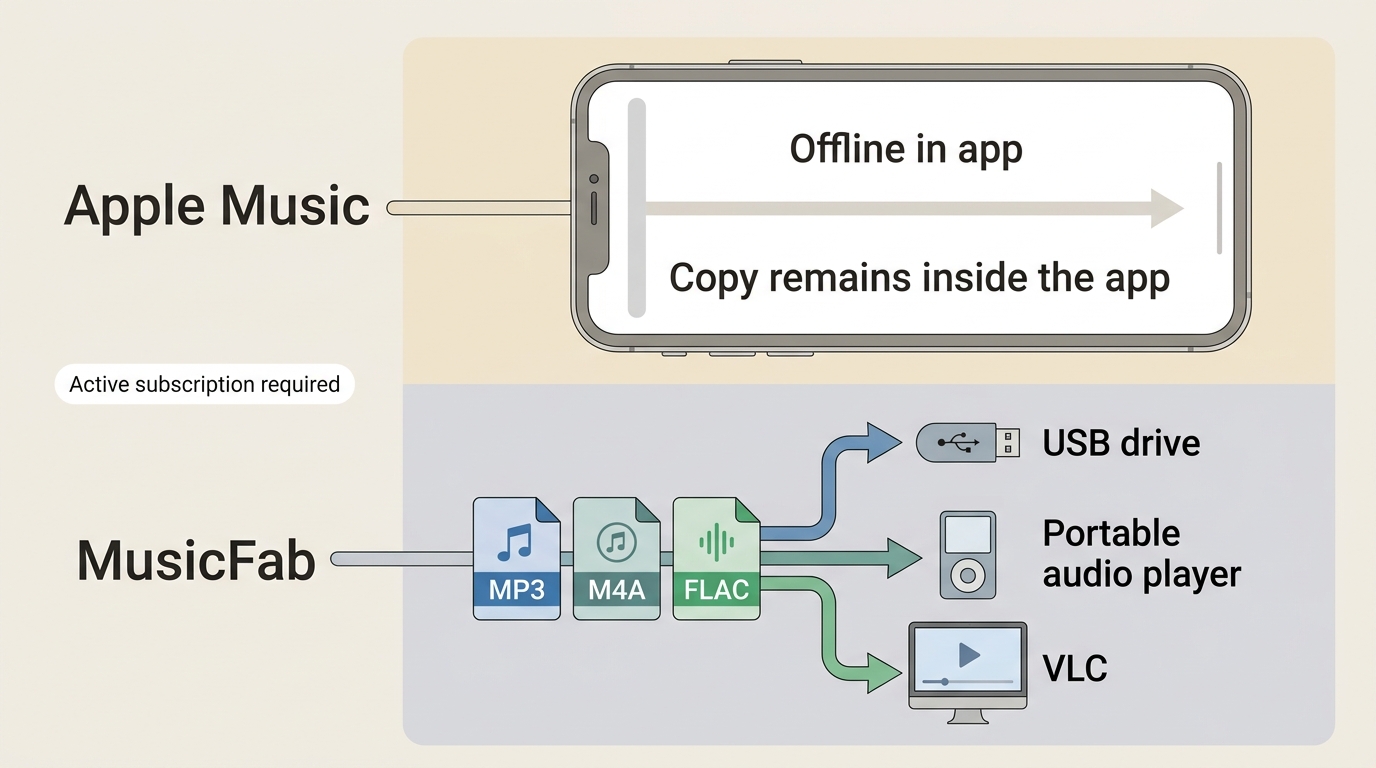
The honest distinction is simple: Apple's official download creates an in-app offline copy, while a standard local audio file can move between compatible players and storage devices.
Official Offline Copy
An official Apple Music download is added to your library and saved on a supported device for playback in the Apple Music app. These Apple Music offline listening steps require the same Apple Account and an active Apple Music subscription for catalog items.
Standard Local Audio File
Apple Music local files are ordinary audio files such as MP3, M4A, FLAC, WAV, or OPUS. They serve a different purpose: moving authorized audio to a USB drive, an MP3 player, a desktop library, or compatible creative software.
| Decision point | Official Apple Music app | MusicFab Apple Music Converter | Online link tools |
|---|---|---|---|
| Result and playback | In-app offline copy; plays in Apple Music on the signed-in supported device | Local files for personal use on Windows or macOS; playback depends on the selected format and device | A local file when a public link is supported; the matched track may need checking |
| Subscription and portability | Catalog downloads require an active Apple Music subscription and are not USB or MP3-player files | Requires active Apple Music access during processing; MP3, M4A, FLAC, WAV, or OPUS can suit portable players | Conditions vary; private or unsupported links may fail |
| Batch, metadata, and reliability | Albums and playlists download in the app; automatic downloads apply to future library additions | Batches playlists with ID3 tags, cover art, and .lrc lyrics; desktop setup is required | Often track-by-track; metadata, ads, privacy, and batch behavior vary by site |
| Best fit and not ideal for | Best for in-app offline playback; not ideal for USB, DAW, or standard-file needs | Best for large portable libraries; not ideal when in-app listening is enough | Best for a low-stakes single-track test; not ideal for a carefully tagged library |
The table is a decision shortcut, not a ranking. Start with the result you need, then choose the method that produces that result with the fewest extra steps.
Official Downloads by Device
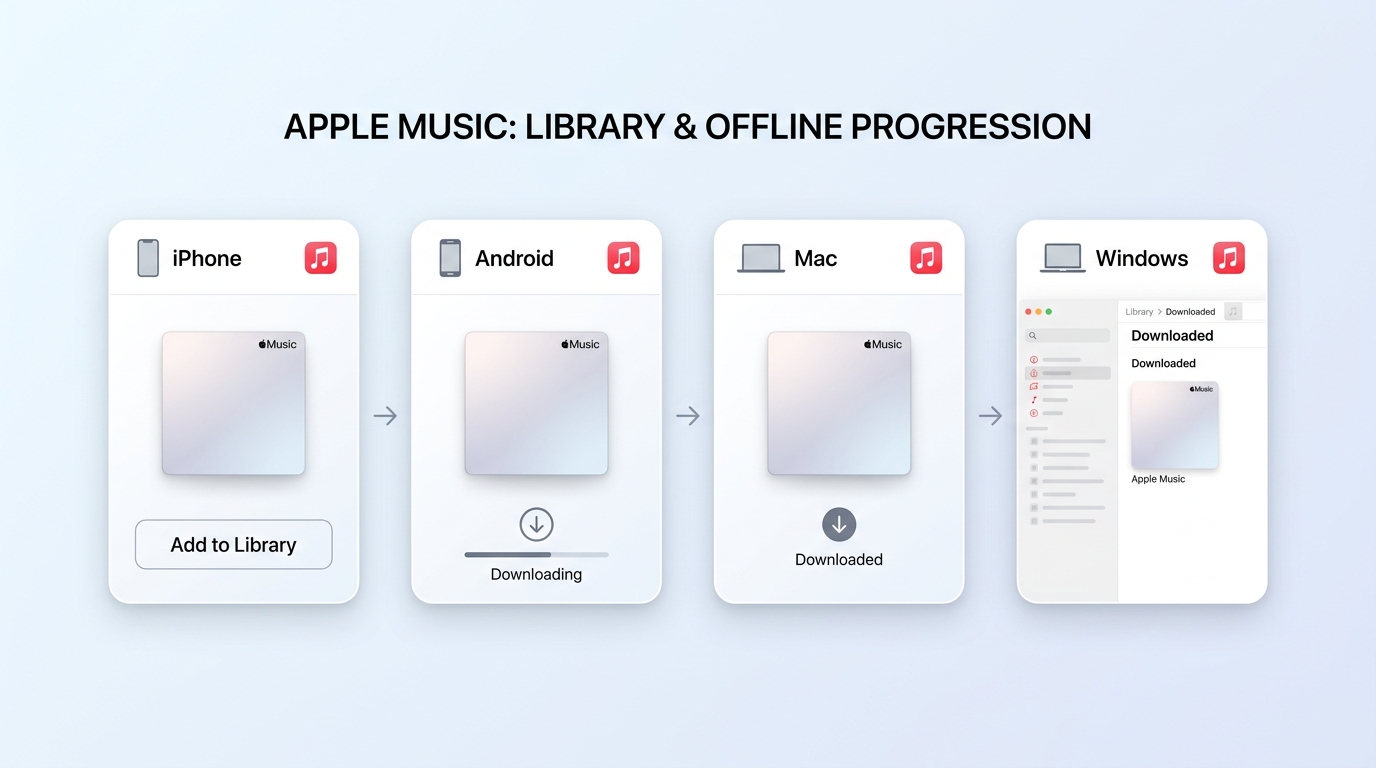
To download Apple Music songs officially, add the song, album, or playlist to your library first, then use the Download control on that device. The saved copy appears in the app's downloaded-music view.
Before you start: sign in with the Apple Account tied to the subscription, confirm the device has enough storage, and enable Sync Library if you want the same library entries visible across devices.
iPhone and iPad
The iPhone and iPad workflow is fastest when you download an album or playlist instead of selecting tracks one at a time.
- Open the Music app and find a song, album, or playlist.
- Tap Add to Library if the item is not already in your library.
- Tap the Download button on the item or its More menu.
- Open Library, then Downloaded, to find music stored on the device.
Android
You can download Apple Music to Android through the Apple Music app using the same add-first, download-second sequence.
- Open Apple Music and sign in with the subscribed Apple Account.
- Add the chosen song, album, or playlist to the library.
- Open the item's menu and select Download.
- Use Library and the Downloaded view to play the saved copy without a connection.
Mac
On Mac, the Music app gives a clearer library view for selecting albums and playlists before starting an Apple Music download.
- Open Music and locate the item in Apple Music.
- Choose Add to Library.
- Click the Download button beside the song, album, or playlist.
- Use the library's downloaded filter or download indicator to confirm what is stored on the Mac.
Windows
To download Apple Music to computer storage on Windows, use the Apple Music app and keep the catalog item inside its library workflow.
- Open the Apple Music app for Windows and sign in.
- Add the song, album, or playlist to the library.
- Select Download from the item controls.
- Open the downloaded-music view to find items available without a connection.
Find and Manage Downloads
Download status is device-specific. Sync Library keeps library entries aligned, but it does not automatically store the same offline copy on every device.
- Find saved music: open Library and filter for Downloaded music.
- Free storage: choose Remove Download when you want to clear the device copy without deleting the item from the library.
- Future additions: enable Automatic Downloads if you want newly added music stored on that device.
My practical rule is to check the Downloaded view before travel. A library entry and a device-stored copy can look similar until the connection drops.
Can You Download Your Whole Library at Once
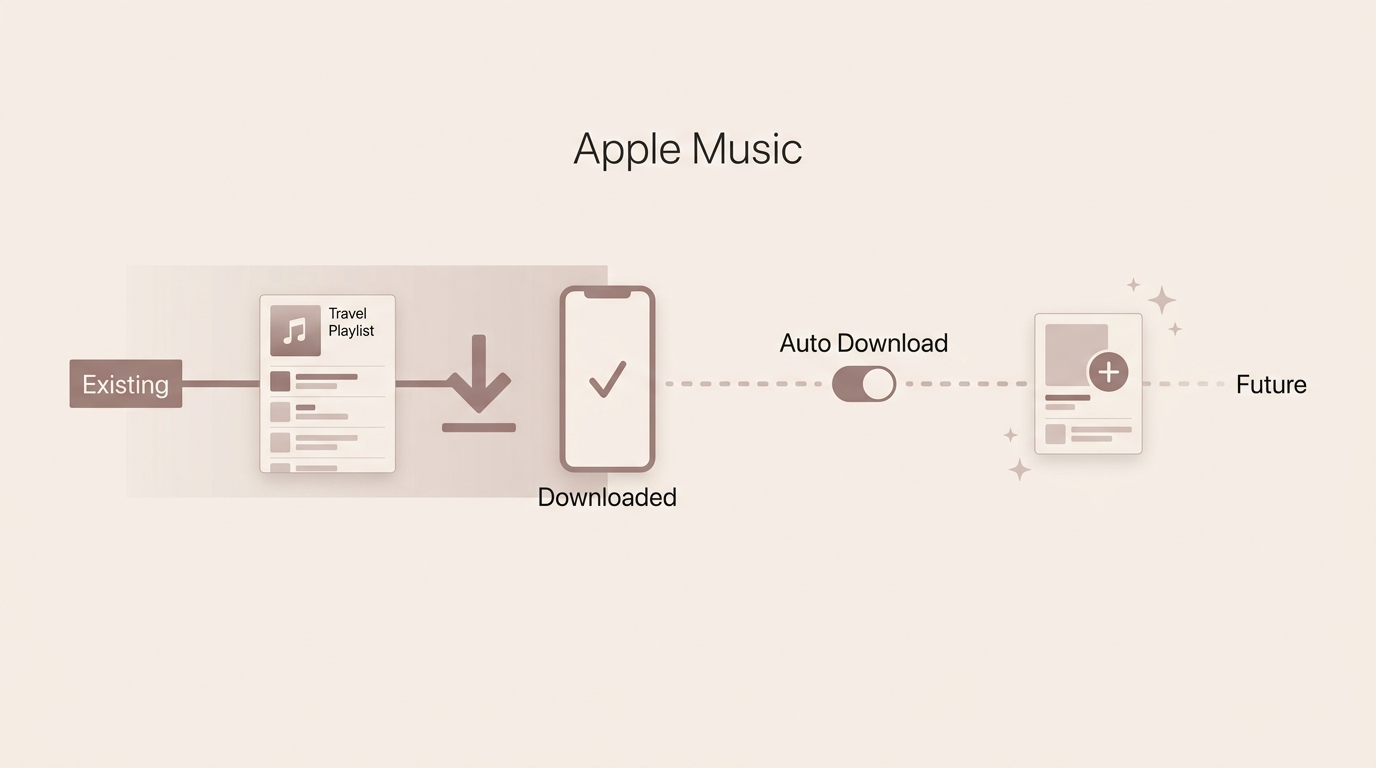
For an existing library, Apple's documented workflow centers on songs, albums, and playlists. A playlist can reduce repeated taps, while Automatic Downloads applies to future additions rather than retroactively storing the full library.
Playlist Workaround
An Apple Music playlist download is the most manageable official route when device migration, weak connectivity, or manual re-downloading makes track-by-track work impractical.
- Create a playlist for the music you want available on the device.
- Add the relevant library songs to that playlist.
- Open the playlist and select Download.
- Confirm the playlist appears in the Downloaded view before relying on it offline.
In my view, this workaround is fine for a focused travel playlist and frustrating for a very large, frequently changing library.
Automatic Downloads and Existing Libraries
Automatic Downloads stores music added after the setting is enabled. It does not replace the separate task of downloading albums, playlists, or songs already in the library.
That distinction matters during a phone replacement: Sync Library can restore the catalog view, but the new device still needs its own offline copies. Start with the playlists and albums you need first instead of assuming the full library is ready.
What Changes After You Cancel
Apple Music subscription catalog downloads depend on an active subscription. Purchases from the iTunes Store and original files stored on a computer are separate categories and should not be grouped with subscription downloads.
Subscription Catalog Downloads
When the Apple Music subscription ends, catalog items saved through the subscription are no longer available as subscription playback. The library record and access behavior may differ by account and device state, but the downloaded catalog copy is not a purchased file.
Purchases and Original Files
Music purchased from the iTunes Store and audio originally imported or stored on the computer follow their own ownership and backup paths. They are not converted into subscription catalog items simply because they appear in the Music library.
The practical upshot is to identify where each item came from before changing a subscription or moving a library.
When You Need a Local Audio File
A standard local file is the relevant result when the destination is a USB drive, MP3 player, CD project, or DAW. The official app download is built for offline playback inside Apple Music, not for those cross-app uses.
Why App Downloads Do Not Convert Directly
An in-app offline copy and a standard MP3 are different result types. The app copy remains part of Apple Music's playback system, while eligible purchased, imported, or otherwise authorized local audio can be handled by compatible file tools.
An Apple Music MP3 download therefore starts with a rights-and-file question, not a rename command; the same distinction guides any attempt to convert Apple Music to MP3 for a compatible player or editor.
File Formats and Device Portability
Choose the output around the destination. MP3 is widely accepted by portable players and car systems; M4A can fit Apple-centered libraries; FLAC or WAV may suit compatible desktop and creative workflows; OPUS fits players that support it.
- USB drive or car stereo: check the device's accepted format and folder structure.
- MP3 player: use a supported standard file and keep artist, album, and track metadata organized.
- CD or DAW: begin with audio you are authorized to use and a file type the target software accepts.
Earlier sections explained what the official copy is; this is why some readers need a different result.
MusicFab for Batch Local Files
This section is for readers whose end goal is a portable, organized library rather than app-based offline playback. The key question is whether batch output and metadata justify installing desktop software.
Who It Suits
For content you're authorized to access, where permitted by platform terms and applicable law, MusicFab Apple Music Converter provides a Windows and macOS local-file workflow for personal use.
MusicFab can process batches at up to 20x, output MP3, M4A, FLAC, WAV, or OPUS at up to 320 kbps or available lossless quality, and preserve ID3 tags, cover art, and .lrc lyrics. Its 30-day trial covers three full Apple Music songs.
I see the fit clearly: it makes sense for large playlists and portable-device libraries. It is not ideal for someone who just wants Apple Music offline downloads inside the official app.

Batch local-file workflow for Apple Music playlists.
- Choose MP3, M4A, FLAC, WAV, or OPUS for the target player or editor.
- Preserve ID3 tags, cover art, and .lrc lyrics while organizing larger libraries.
- Use the built-in browser on Windows or macOS to select authorized music.
How to Download Music From Apple Music with MusicFab
The useful part of this workflow is consolidation: choose a playlist once, set the output once, and review the batch instead of repeating the same action for each track.
- Open Apple Music: launch MusicFab, choose Apple Music in the built-in browser, and sign in with an active account.
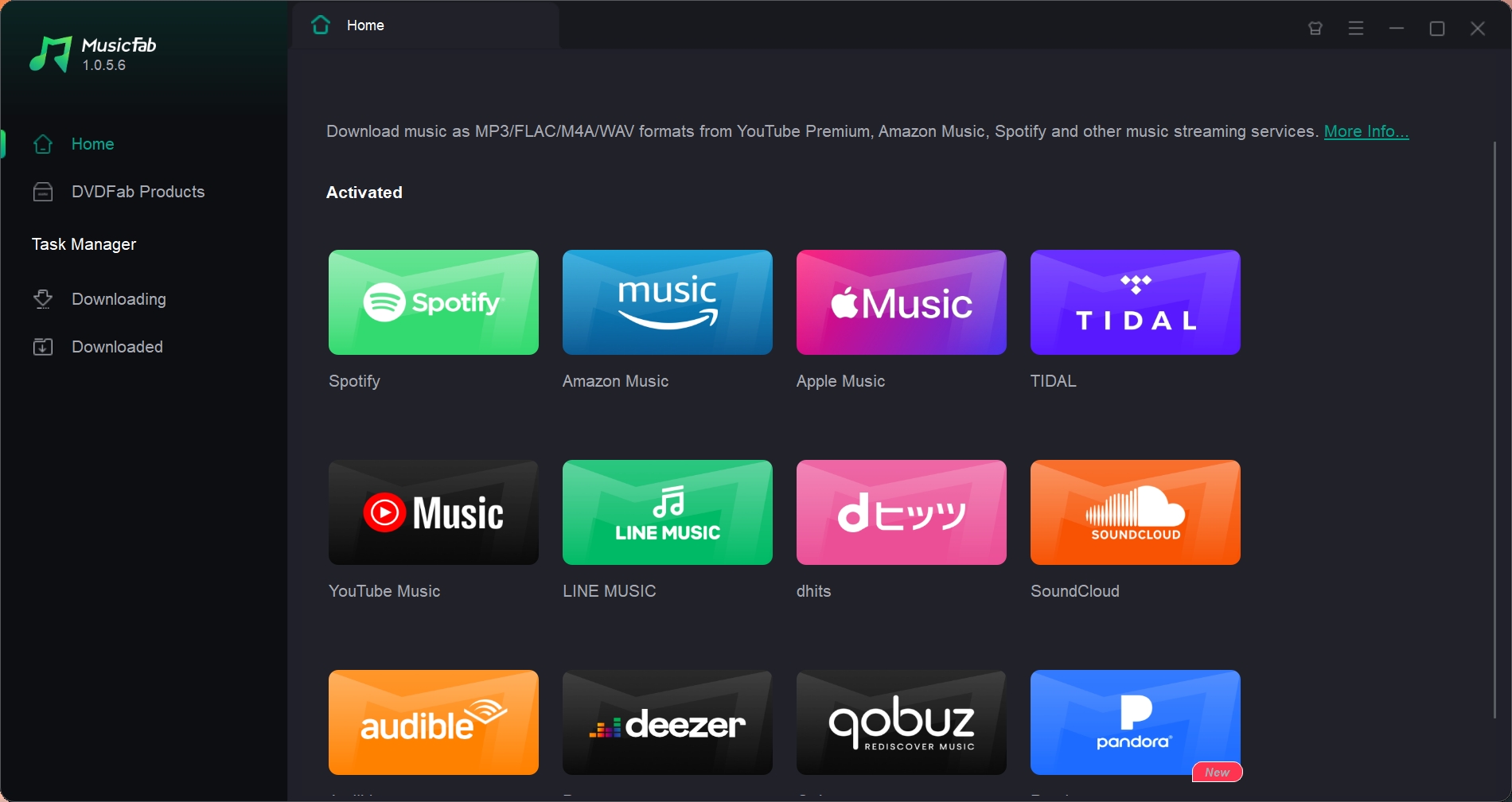
- Select the music and output: open a song, album, or playlist, choose the tracks, then select the format and quality that match the target device.
- Start and review the batch: begin processing, then confirm the filenames, metadata, and audio before moving the library elsewhere.
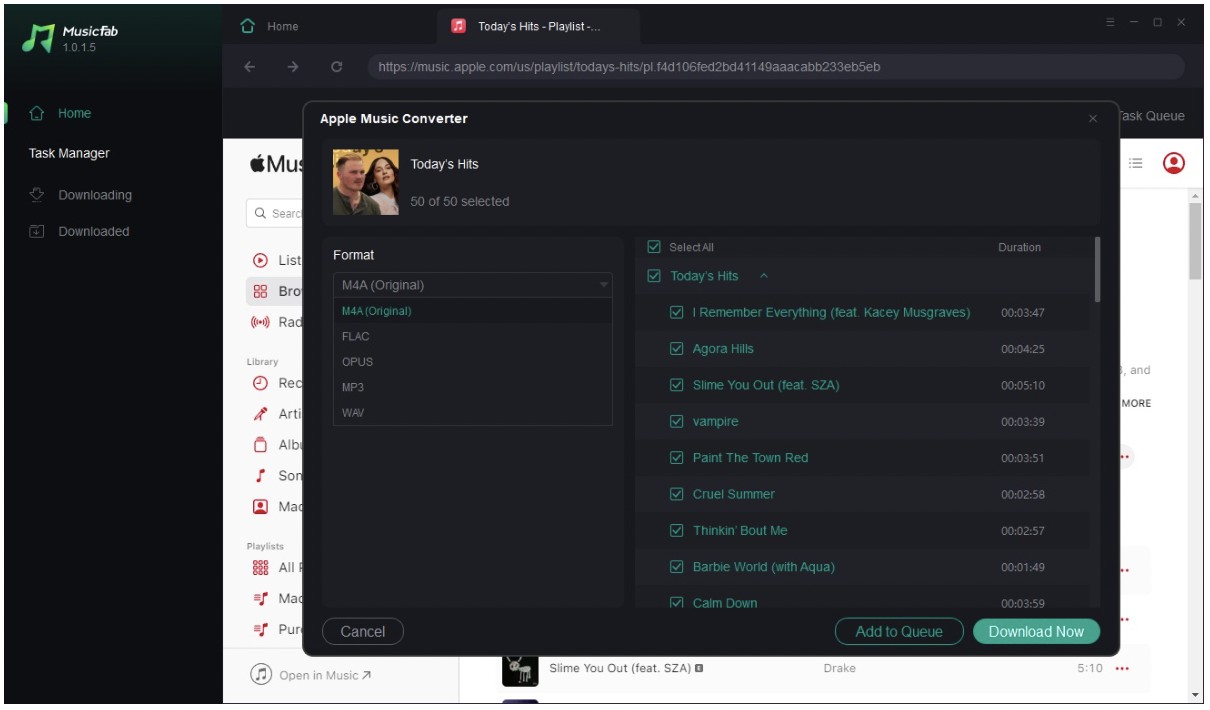
If an individual track is unavailable or does not load in the current session, retry it separately and keep the official app as the fallback. A batch feature is useful, but it should not be read as a promise that every catalog item will process in every environment.
Online Link Tools: Key Tradeoffs
Some Apple Music downloader options accept a public song link without a desktop install, but they are better treated as a low-stakes test than a dependable batch-library workflow.
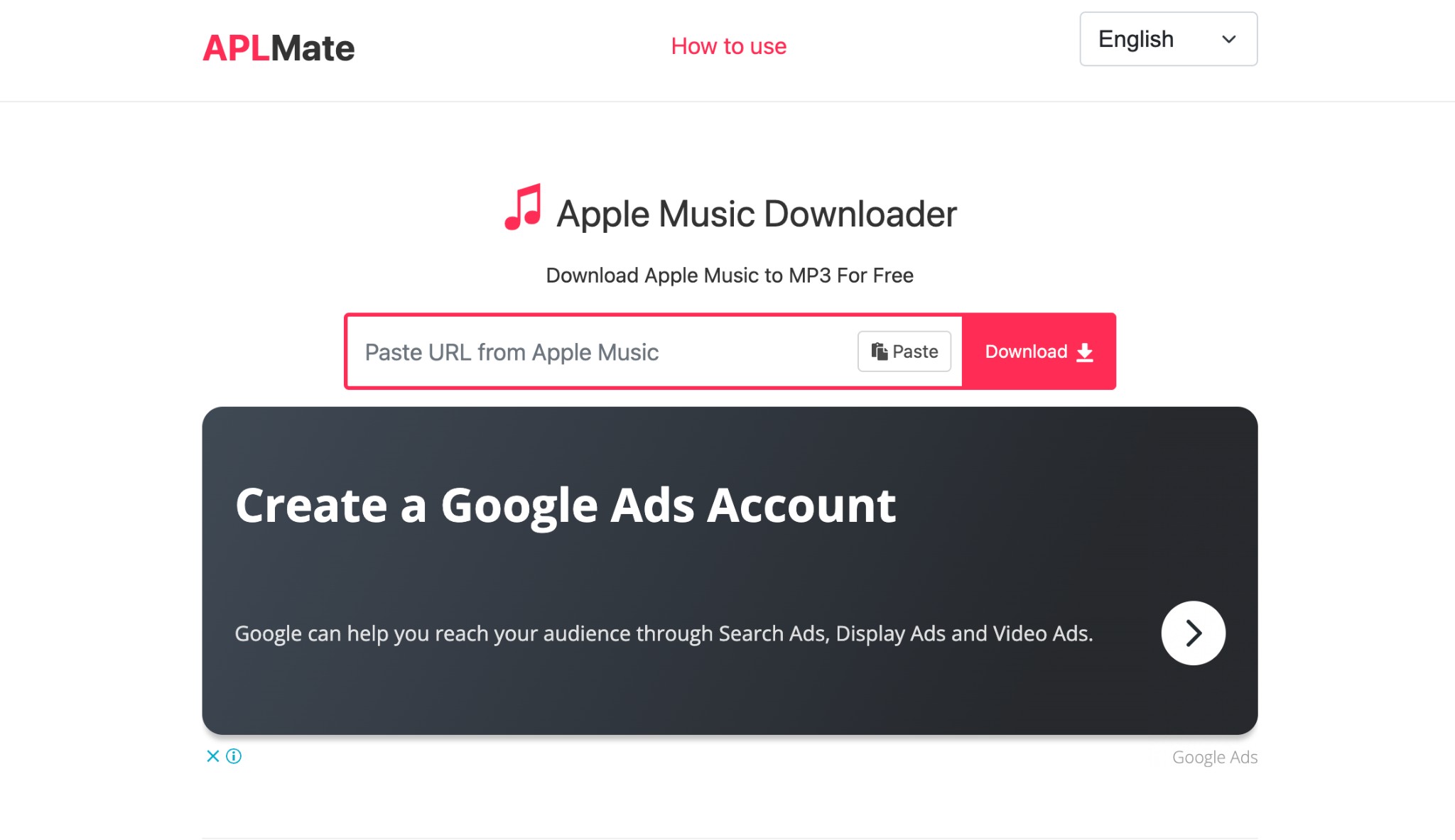
APLMate remains active as of August 2026 and is one example of this category. Its interface asks for a copied link and presents a result, but the result still needs an identity, metadata, and audio check.
Reliability, Quality, and Privacy
Some tools may fail on private or unsupported links, return a similarly named track from another source, omit metadata, or place the user in an ad-heavy flow. Privacy practices and batch behavior also vary by site.
- Paste a public Apple Music song link.
- Check the matched title, artist, duration, and visible metadata.
- Use the result only after confirming that the audio matches the requested track.
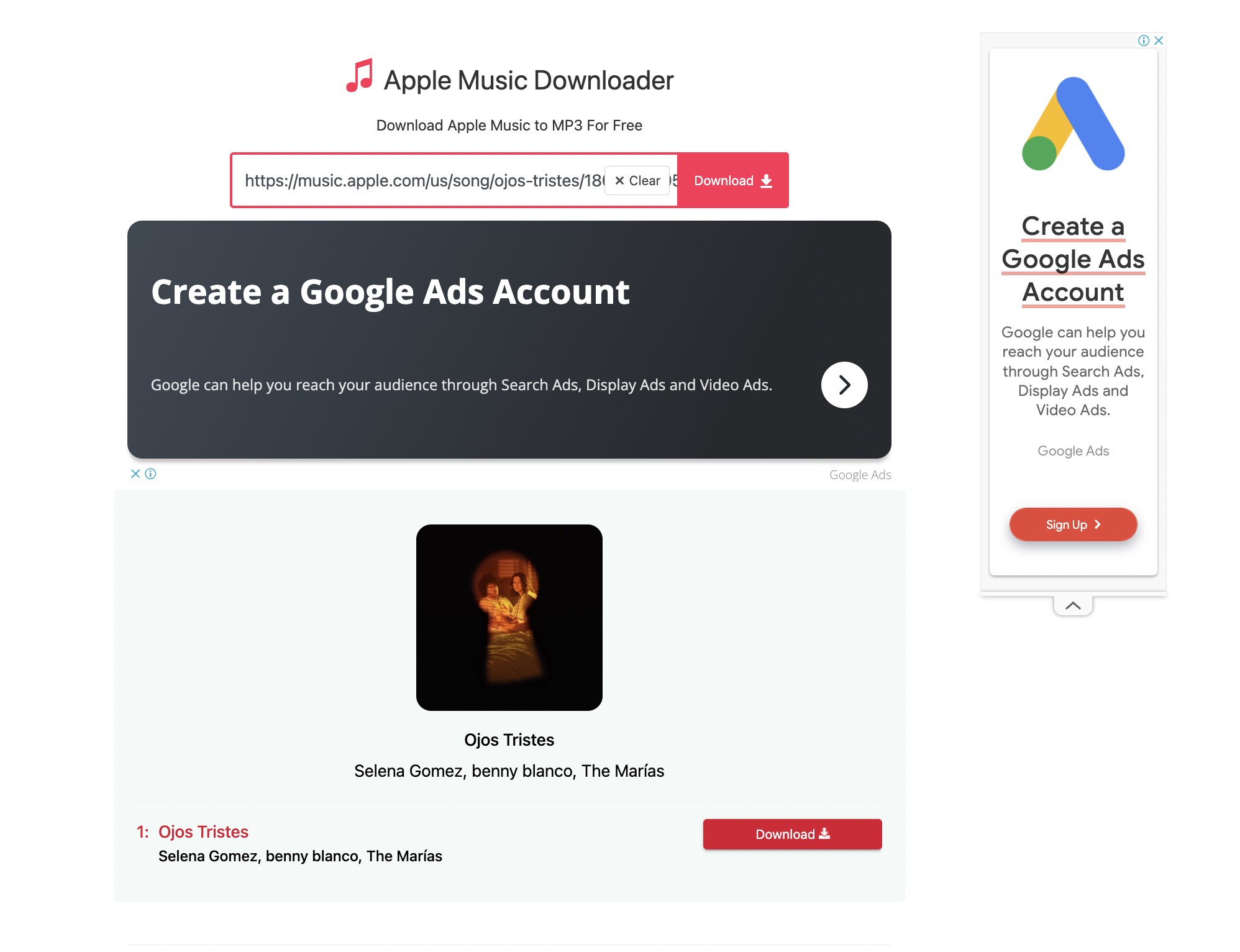
I would use this category for a quick, low-stakes single-track check. It is not ideal for an Apple Music playlist download when track identity, complete tags, privacy, and repeatable batch handling matter.
Conclusion: Which Download Path Fits You
The right path follows the result: use Apple's app for in-app offline playback, choose a compliant desktop local-file workflow when authorized portability or batch organization is the real need, and reserve link tools for limited tests.
- Use the official app when you want the simplest supported route on iPhone, iPad, Android, Mac, or Windows.
- Consider MusicFab when you need organized local files for compatible players, USB storage, or a large playlist. Skip it when app-based listening already solves the problem.
- Try an online link tool cautiously when the task is a single public track and you can verify the result before using it.
My verdict is straightforward: do not choose by the word “download.” Choose by where the result must play and how much organization the library requires.
FAQs
Can I burn Apple Music songs to a CD?
An Apple Music subscription catalog download is an in-app offline copy, not a CD-ready audio file. A CD workflow should begin with eligible purchased, original, or otherwise authorized local audio in a format supported by the disc-authoring software.
Is it legal to save Apple Music as MP3?
There is no universal answer for every song or use. Keep the workflow limited to content you are authorized to access, follow Apple Music's terms and applicable law, and use local files for personal purposes rather than sharing or commercial distribution.
Why do online tools sometimes return the wrong track?
Some link tools match a title or identifier against audio from another source. Check the artist, track title, duration, metadata, and the opening audio before trusting the file, especially when multiple songs share a name.
Can I use an Apple Music track in a DAW?
An in-app offline copy is not a standard DAW asset. Use only audio you are authorized to edit and a local file format accepted by the DAW; purchased or original source files follow a different path from subscription catalog downloads.

Start with six checks to separate an Apple Music outage from a device or account problem. Find targeted fixes for greyed-out songs, AutoMix, Replay, lyrics, and shared access, plus guidance for iPhone, Mac, Android, PS5, and Windows. Use Apple Support for unresolved errors before considering a personal local-copy workflow.
By Jane Chen - Sep 28, 2026
Capture Apple Music’s interface on iPhone, iPad, Mac, or Windows while understanding why song audio is often missing. Follow native device steps, find your saved video, and distinguish screen capture from local-audio workflows. Three FAQs address game capture, imported files, and Sing or animated lyrics.
By Jane Chen - Sep 28, 2026
The Apple Music Family Plan costs $19.99 a month in the US for up to six people.
By Jane Chen - Aug 26, 2026

Learn the official steps to listen to Apple Music offline on iPhone, Android, Windows, Mac, and Apple Watch, with practical playback fixes and a clear comparison
By Jane Chen - Aug 13, 2026