
Spotify Audio Quality: Bitrates, Formats, Lossless, and Best Settings

Summary: Spotify’s audio quality varies by plan, app, and playback path. This guide separates Ogg Vorbis, AAC, and Lossless FLAC, explains official offline files and normalization, walks through settings by device, and shows when wired audio, Spotify Connect, or a local-file workflow makes sense.
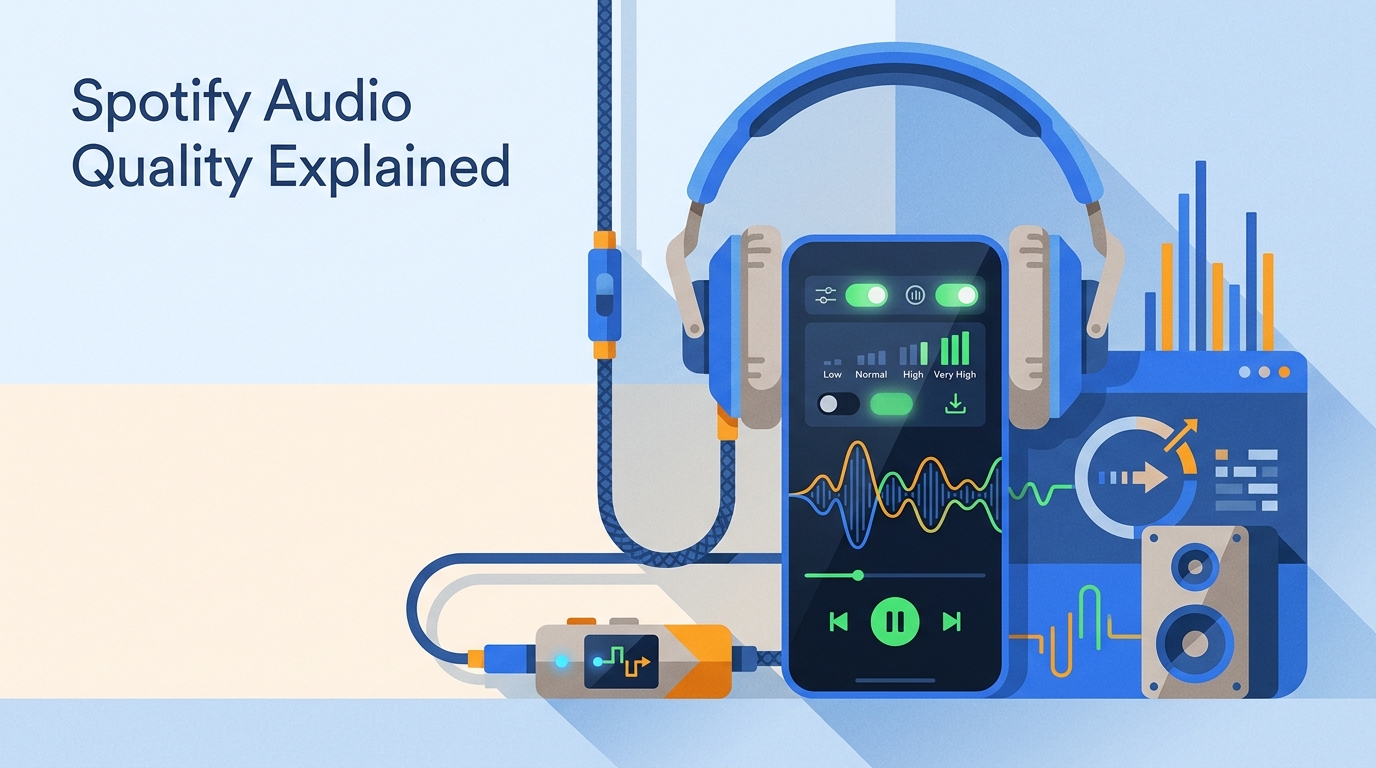
Ever changed Spotify quality settings and still wondered whether Spotify Lossless audio was actually active? As of August 2026, Spotify Premium in the US supports Lossless up to 24-bit/44.1 kHz FLAC, but access and results still depend on the account, app, device, and playback path.
I've been running Spotify daily on wired IEMs, Bluetooth earbuds, and a Connect-ready DAC. That mix makes the practical question clearer: which Spotify audio quality tier is active, what format reaches each surface, and which settings or fixes matter for the way you listen?
Spotify Audio Quality by Plan and Device
Spotify Premium audio quality reaches Very High at about 320 kbps in the apps and Lossless on eligible accounts and devices. Free listeners receive lower app bitrates, while the browser uses AAC for both plans.
Bitrates and Codecs by Playback Surface
The Spotify bitrate and codec depend on the playback surface. The mobile and desktop apps use Ogg Vorbis below Lossless, the Web Player uses AAC, and Spotify Lossless uses FLAC.
- Free mobile and desktop apps: Low at about 24 kbps, Normal at about 96 kbps, and High at about 160 kbps, using Ogg Vorbis.
- Premium mobile and desktop apps: Very High at about 320 kbps using Ogg Vorbis, plus Lossless up to 24-bit/44.1 kHz FLAC where available.
- Web Player: AAC 128 kbps on Free and AAC 256 kbps on Premium. This is where the Spotify AAC codec applies, and Spotify web player quality does not include Lossless.
- Other content: Spotify’s Lossless tier applies to music, not podcasts, audiobooks, or music videos.
The practical takeaway is simple: check the active surface before comparing services, because the same account can deliver a different codec in a browser, an app, or a Spotify Connect device.
Streaming, Masters, and Offline Files
“Spotify audio format” can refer to listener playback, an artist-delivery master, or an official offline download. Those are separate layers and should not be treated as one universal file format.
| Layer | Format or codec | Where it applies | User-exportable file |
|---|---|---|---|
| Listener streaming | Ogg Vorbis, AAC, or FLAC | Apps, Web Player, and eligible devices | No |
| Artist-delivery master | FLAC preferred; WAV accepted | Music delivery to Spotify | Not a listener export |
| Official offline download | App-managed saved data | Spotify Premium app | No |
Spotify prefers FLAC artist masters and also accepts WAV, while listener playback varies by surface. Questions about Spotify FLAC quality therefore apply to Lossless playback, not to a universal file that Spotify hands to the listener.
Official offline downloads stay managed inside the Spotify app. They are not ordinary exportable MP3 or FLAC files, so Spotify download quality is a playback setting rather than a file-export choice.
I find this three-layer distinction more useful than asking which single format Spotify uses, because it separates what the artist supplies, what Spotify streams, and what the listener can actually manage.
Enable Spotify’s Highest Audio Quality
Before changing Spotify quality settings, confirm Premium access, a current app, enough storage, and a stable connection. Lossless is selected per device, and streaming and download controls are separate.
Mobile and Tablet Settings
On phones and tablets, choose quality independently for Wi-Fi, cellular streaming, and downloads. A setting changed on one device does not automatically carry to another.
- Open Spotify and tap your profile picture.
- Open Settings and privacy, then Media Quality.
- Choose the preferred level under Wi-Fi streaming, cellular streaming, and downloads.
- Play a music track and check for the Lossless badge in Now Playing or the device picker.
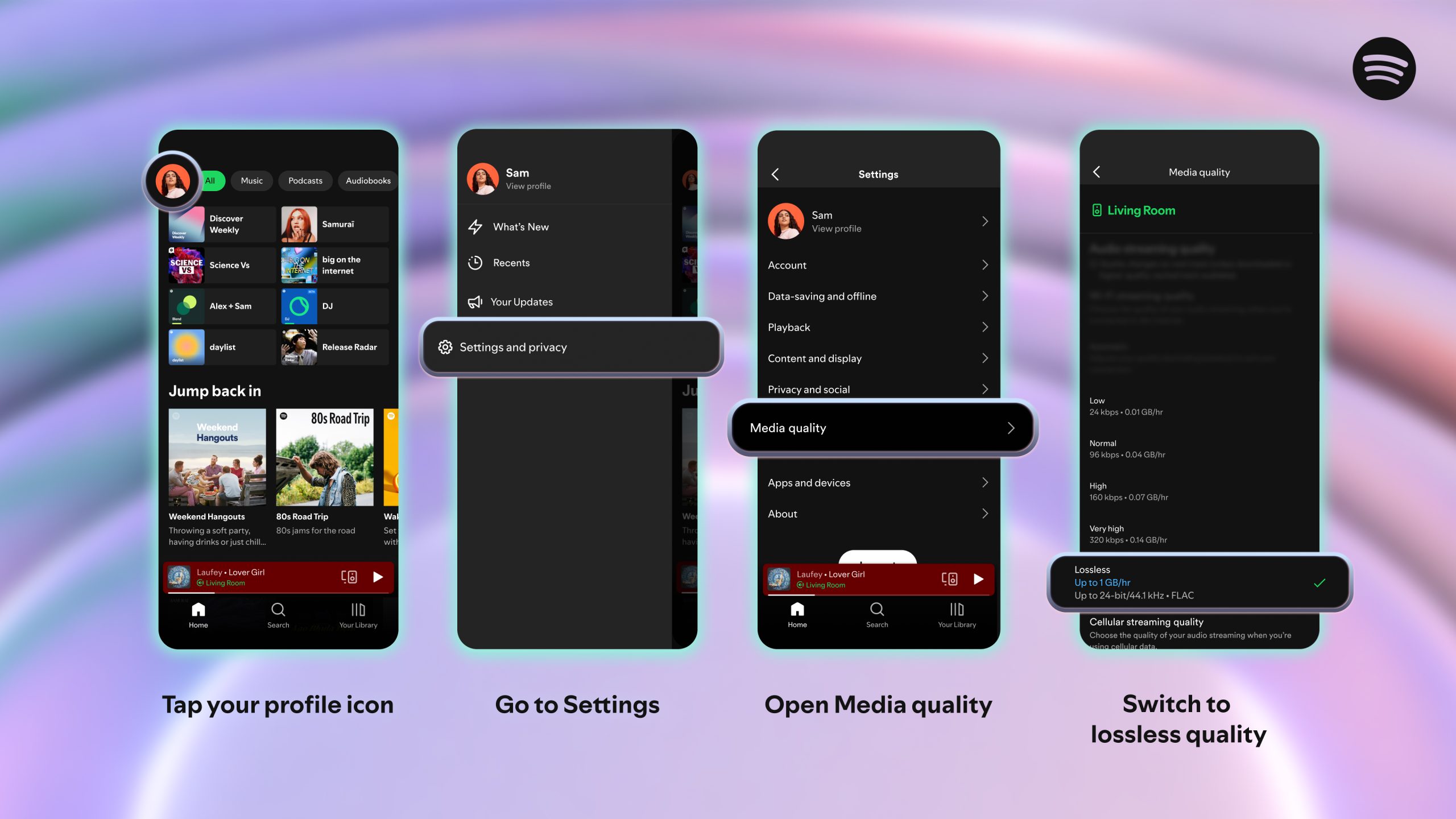
On limited cellular data, High or Very High is usually the more practical streaming choice; Lossless makes more sense when storage and a stable connection are available.
Desktop app (Windows/macOS)
The desktop app is the browser alternative for Lossless on a computer. Set streaming and downloads separately, then confirm that the output path can carry the selected quality.
- Open the Spotify desktop app and select your profile.
- Open Settings and privacy, then find Media Quality.
- Set streaming and downloads to the desired tier, then use a wired output or a supported Spotify Connect device for an end-to-end Lossless path.
Web Player (Browser)
The Web Player tops out at AAC 256 kbps on Premium and AAC 128 kbps on Free. Use the desktop app when Lossless is the goal on Windows or macOS.
A browser is convenient for quick listening, but it is the wrong surface for judging whether Spotify Lossless is audible because the stream never reaches the Lossless tier there.
Spotify Connect Playback
Spotify Connect can carry Lossless to compatible devices, but the receiving hardware and its exposed settings still determine the final path. Some controls appear only while the device is connected.
Spotify recommends a stable 1.5–2 Mbps connection for Lossless. If playback becomes unstable, downloading inside the app or using Very High can be a better tradeoff than forcing the highest tier.
Lossless vs. Very High at 320 kbps
Very High at 320 kbps uses Ogg Vorbis in the Spotify apps; Lossless uses FLAC up to 24-bit/44.1 kHz. That keeps the codec answer consistent across Spotify’s app settings.
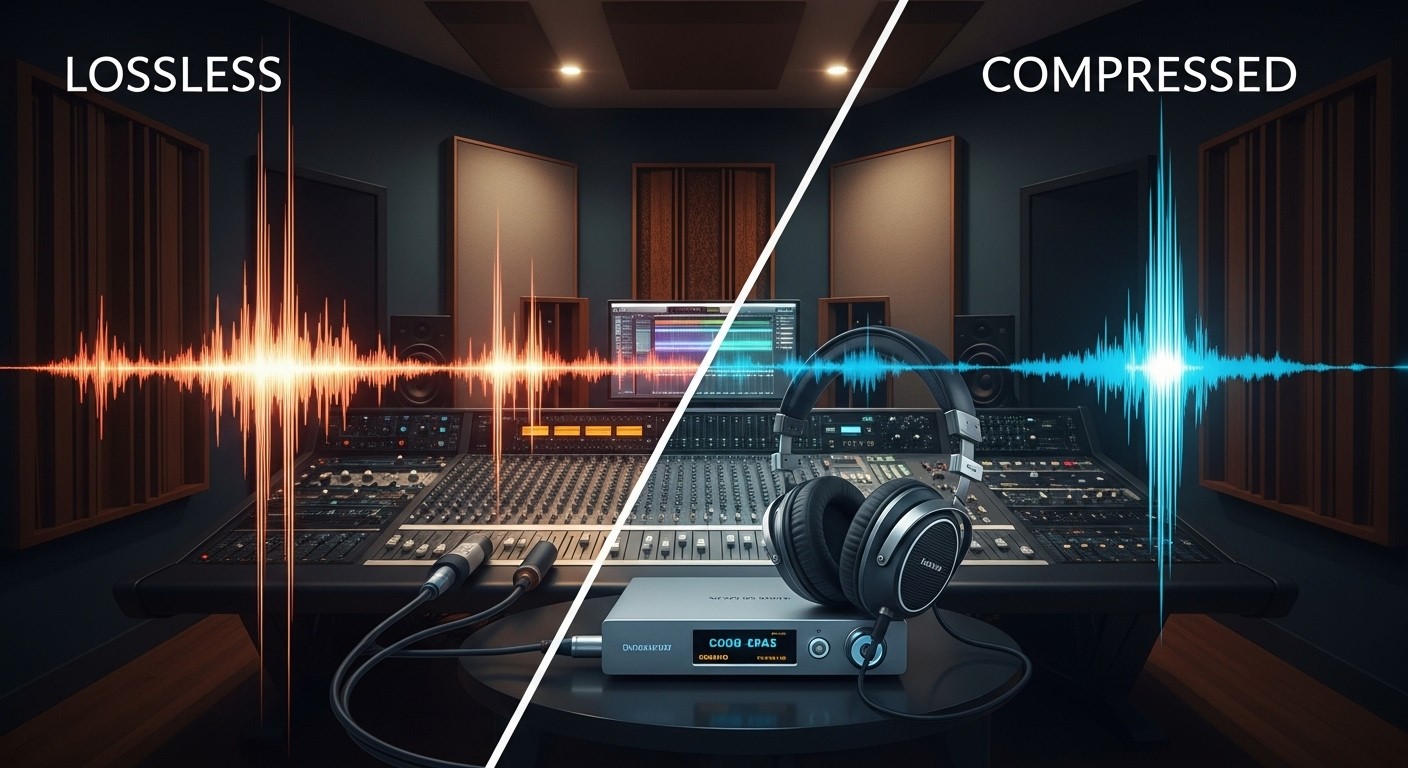
Lossless can preserve subtle details in well-mastered tracks and capable gear, but volume, mastering, and the signal path often matter more than the label alone. My honest take after a lot of A/B swapping is that most people will struggle to hear a dramatic difference at matched volume, but Lossless does open up cymbals, reverb tails, and stereo depth.
- Bluetooth usually recompresses the signal, so wired playback or a supported Spotify Connect path is the safer choice for end-to-end Lossless.
- Normalization changes loudness and perceived punch: Loud targets -11 LUFS with limiting, Normal -14 LUFS, and Quiet -19 LUFS; behavior varies on the Web Player and some connected devices.
Normalization, Hardware, and Signal Path
Spotify audio normalization can make one service sound punchier without proving that its codec is better. Compare at matched volume before attributing a difference to bitrate or Lossless.
- Loud: targets -11 LUFS and applies limiting to reduce clipping risk.
- Normal: targets -14 LUFS and is the most useful baseline for comparison.
- Quiet: targets -19 LUFS for a lower playback level.
- Playback exceptions: normalization behavior can differ in the Web Player and on some connected devices.
Hardware and connection still matter: a master, DAC, headphones or speakers, room acoustics, and Bluetooth recompression can narrow the audible gap. Spotify 24-bit audio cannot repair a weak master or a constrained output path.
Whenever I compare Spotify against another service, I match normalization and volume before touching codec settings. Nine times out of ten, that's the whole difference.
Fix Quality Settings That Do Not Stick
When a selected tier does not take effect, check override settings before reinstalling anything. Automatic quality and Data Saver can silently win over the level you chose.
- Turn off Automatic quality while testing a fixed tier.
- Confirm that Data Saver is not lowering the stream.
- Check streaming and download quality separately for Wi-Fi and cellular use.
- Confirm that the account, app, and current device expose Lossless.
- While connected, inspect any quality control shown for the Spotify Connect device.
- Check the signal path, available bandwidth, Bluetooth use, and the Web Player’s AAC ceiling.
Override settings are my first stop because they can make the interface show one preference while playback follows another. That's where nearly every stuck-setting case I've seen actually lives.
Spotify Settings by Listening Situation
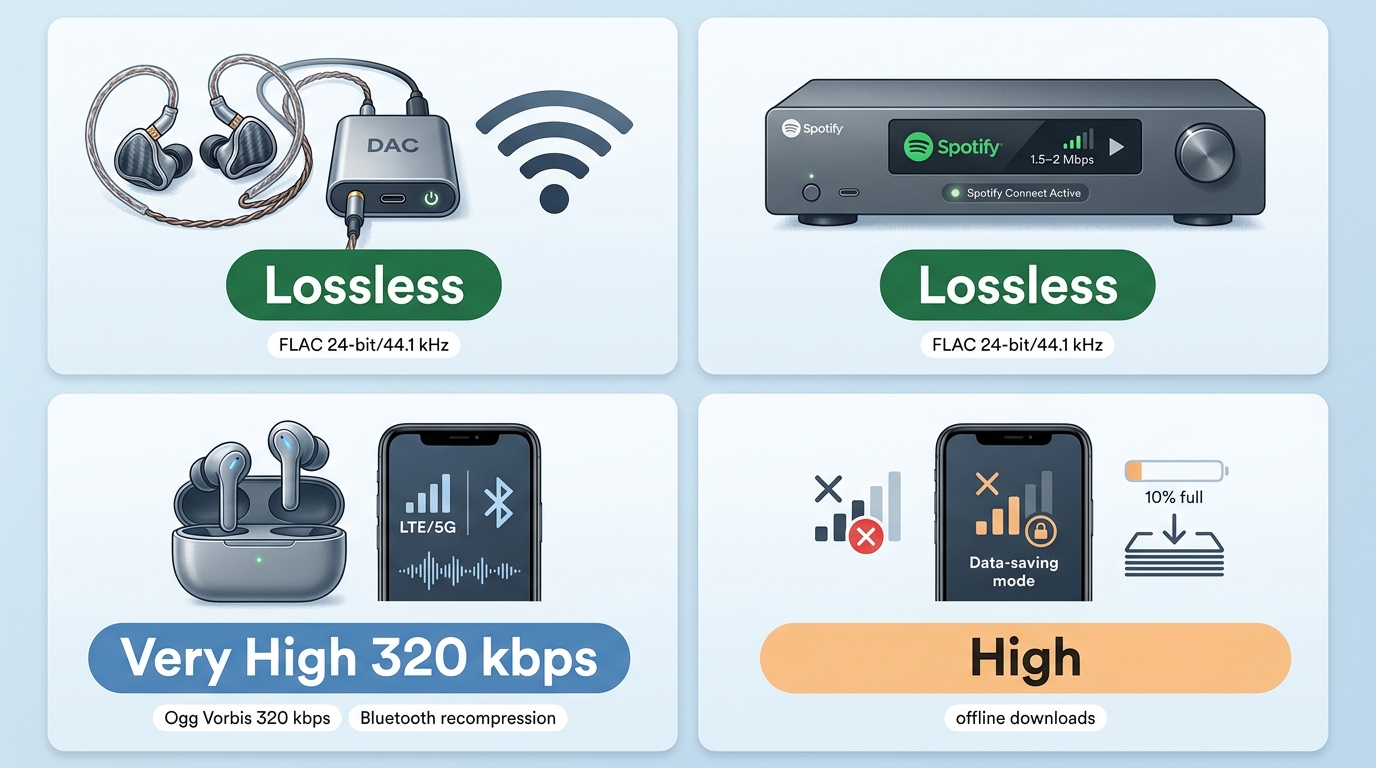
The right Spotify download quality and streaming tier depend on connection, storage, and playback hardware. Use the highest level that the full signal path can preserve without creating avoidable data or stability problems.
| Listening situation | Streaming | Downloads | Why |
|---|---|---|---|
| Stable home connection + wired or Connect | Lossless | Lossless | Preserves the full tier |
| Mobile data | High or Very High | Lossless over Wi-Fi | Balances data and quality |
| Typical Bluetooth listening | Very High | Very High or Lossless | Bluetooth recompresses output |
| Laptop browser | AAC 256 kbps max | Use desktop app | Web Player has no Lossless |
My fit judgment is straightforward: Lossless suits wired listening or a supported Spotify Connect setup on a stable connection, while Very High is often the more practical choice on mobile data or typical Bluetooth gear.
Spotify’s equalizer changes tonal balance after decoding. It does not raise the source bitrate or sample rate, so use it to tune sound, not to turn a lower tier into Lossless.
Spotify’s Spatial Audio Status
Spotify does not currently offer a native Dolby Atmos or object-based spatial-audio catalog. Device-generated spatialization can widen or reposition stereo playback, but it is not the same as a native spatial mix.
For context, Apple Music vs. Spotify sound quality turns partly on native catalog support, while Spotify vs. Pandora is a broader service comparison; neither changes Spotify’s own spatial-audio status.
My view is that listeners should separate native mixes from headphone or receiver effects. A spatial badge created by the device says more about the playback chain than Spotify’s source catalog.
MusicFab for Personal Offline Listening
For content you’re authorized to access, where permitted by platform terms and applicable law, MusicFab is a Windows and Mac local-file option for personal offline listening. It requires an active Spotify subscription.
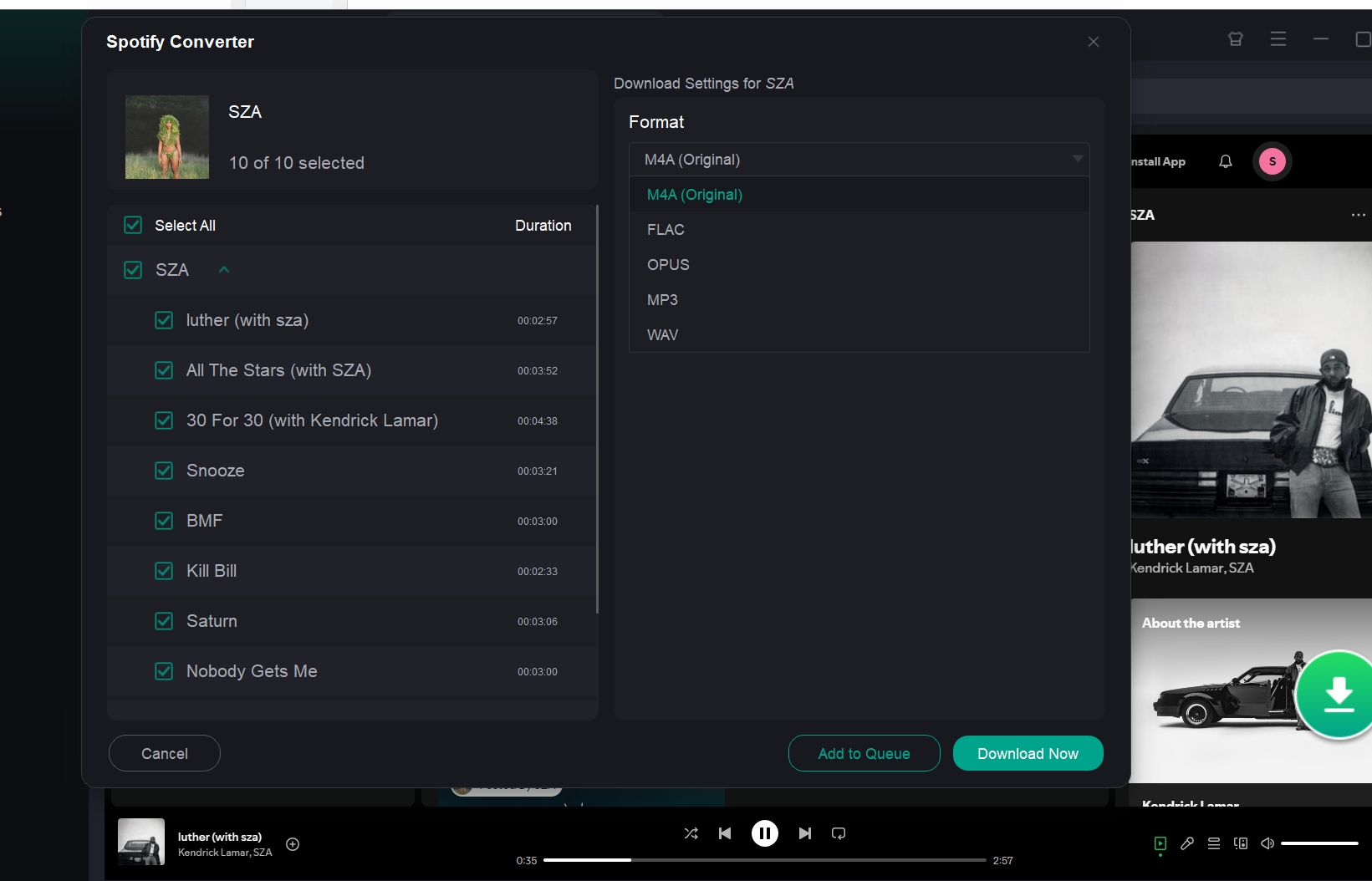
In August 2026, MusicFab Spotify Converter is a Windows and Mac app that uses direct source download technology, converts at up to 20x speed, supports source-quality output in MP3, M4A (AAC), WAV, FLAC, or OPUS at up to 320 kbps and 24-bit/44.1 kHz, preserves ID3 tags and .lrc lyrics, and includes a 30-day trial for three full Spotify songs.
The practical difference is control over an organized computer library instead of another app-managed offline cache.
Readers who need to download Spotify music into an organized computer library can choose a format for their playback gear, while a Spotify to FLAC workflow suits lossless-compatible local playback.
It fits readers who need organized local files on a computer, but it is not ideal when Spotify’s official offline mode already meets the need or when the workflow must stay mobile-only. The broader MusicFab review is relevant when comparing the wider suite.
FAQs
Why is Lossless missing from my Spotify settings?
Premium eligibility is only the first check. Lossless can also depend on account access, app version, device support, and the active playback surface. I would then inspect Media Quality, Automatic quality, Data Saver, and any controls that appear after connecting to another device.
Is Spotify 44.1 or 48 kHz?
Spotify Lossless reaches up to 24-bit/44.1 kHz. A phone, computer, DAC, or receiver may resample its output internally, but that does not make Spotify’s Lossless catalog a 48 kHz service.
Are Spotify downloads normal MP3 or FLAC files?
No. Downloads made with Spotify’s official offline feature stay managed by the app and are not ordinary exportable MP3 or FLAC files. The selected download tier controls playback quality inside Spotify.
Does Spotify’s equalizer improve streaming quality?
The equalizer changes frequency balance after the stream is decoded. It can make headphones sound more balanced, but it does not increase bitrate, sample rate, or convert a lower tier into Lossless.
Why do my Lossless tracks not sound dramatically different?
Start with matched volume, then check mastering, normalization, the connection, and the listening gear. If Bluetooth or device processing constrains the signal, the audible difference may stay small even when the Lossless badge is active.
Conclusion
Spotify’s highest audio setting is now Lossless for eligible Premium users, but choosing the highest setting is not always necessary for every listening situation. Lossless makes the most sense when you are on Wi-Fi and using wired headphones, a DAC, or a compatible Spotify Connect device. On mobile data or less revealing equipment, Very High at 320 kbps can offer a more practical balance between sound quality, bandwidth, and storage.
If you only need offline listening inside Spotify, Premium’s built-in downloads are the simplest option. If you want locally stored audio files for use across different players or devices, a separate desktop workflow may be more suitable. In either case, choose your Spotify audio quality settings around your equipment, network conditions, and listening habits rather than selecting Lossless by default.

This guide compares nine Spotify downloaders across browser, desktop, Android, and iOS workflows. It weighs source matching, output quality, playlist and ZIP behavior, metadata, account exposure, and tool status, then explains which option fits a single track, a long playlist, or a managed local library.
By Jane Chen - Aug 26, 2026
Spotify downloads can stall because of Premium eligibility, device limits, storage, network permissions, cache state, or a service incident. This guide gives one nine-fix recovery path, then separates iPhone, Android, Windows/Mac, Apple Watch, partial-playlist, Offline Mode, and clean-reinstall cases. It also explains when a MusicFab local-file workflow fits authorized personal use.
By Jane Chen - Aug 26, 2026
Spotify Premium can download music for playback inside the Spotify app, while Free accounts can download podcasts. This guide covers setup, device differences, download limits, troubleshooting, travel checks, and a portable-file option.
By Jane Chen - Aug 18, 2026
Is Spotify Duo still worth $18.99 for two people at one address? Get the current price, savings vs Individual and Family, address verification rules, setup
By Jane Chen - Aug 13, 2026