
Best 2 Spotify Album Downloaders Actually Work: Online & Desktop 2026

Table of Contents
We tested a wide range of popular free online Spotify downloaders in the way that people actually use them: with full Spotify albums, not single tracks. However, most didn’t meet our baseline for album completeness, clean output, stability, and safety.
Key results from testing:
- Desktop workflows were the only ones that reliably produced complete albums.
- Most online tools failed the album test (missing tracks was the most common failure).
After testing, only two options met the baseline well enough to recommend:
- ✅ If you need a complete album and a clean offline library (PC/Mac): MusicFab Spotify Converter.
- ⚠️ If you insist on trying an online tool, SpotiSongDownloader (often searched as spotsongdownloader)—expect missing tracks; not recommended for full albums.
Tip: We still mention SpotiSongDownloader because it’s heavily searched and can sometimes grab a portion of an album.
Note: Always use tools and outputs in ways that respect your rights and local rules. This guide is for personal listening and offline convenience.
Best Spotify Album Downloader for PC/Mac: MusicFab Spotify Converter
Free Spotify online album downloaders often rely on unstable servers or ripping from YouTube videos. They can be slow and unsafe. If you want a complete Spotify album (not “2 tracks out of 44”), a desktop workflow is the only approach we found that stays consistent. Among what we tested, MusicFab Spotify Converter is the most practical pick when your priority is album completeness + clean library organization.
MusicFab Spotify Converter is a dedicated software that allows you to download entire albums from Spotify with metadata like lyrics and ID3 tags in one go. It supports both free and premium accounts.
| Trustpilot Review | 4.5/5 |
|
Support format |
MP3, FLAC, WAV, OPUS, M4A, etc |
|
Download Speed & Quality |
20X faster & Up to Spotify Lossless audio quality (depending on your source) |
|
Free trial |
Download 3 songs without limits |
| Highlights | Built-in browser & Downloads rather than records & Low risk of account suspension |
With 20X faster speed than any others, you can also quickly download Spotify playlists, audiobooks, podcasts, video podcasts, etc.
- Best For: PC/Mac users who want to batch download high-quality music at a faster speed
Test Snapshot:
- Test album: SWAG II
- Tracks on Spotify: 44
- Result: 44 tracks downloaded; tags/cover:complete
How to Download Spotify Albums With MusicFab?
For a quick video tutorial:
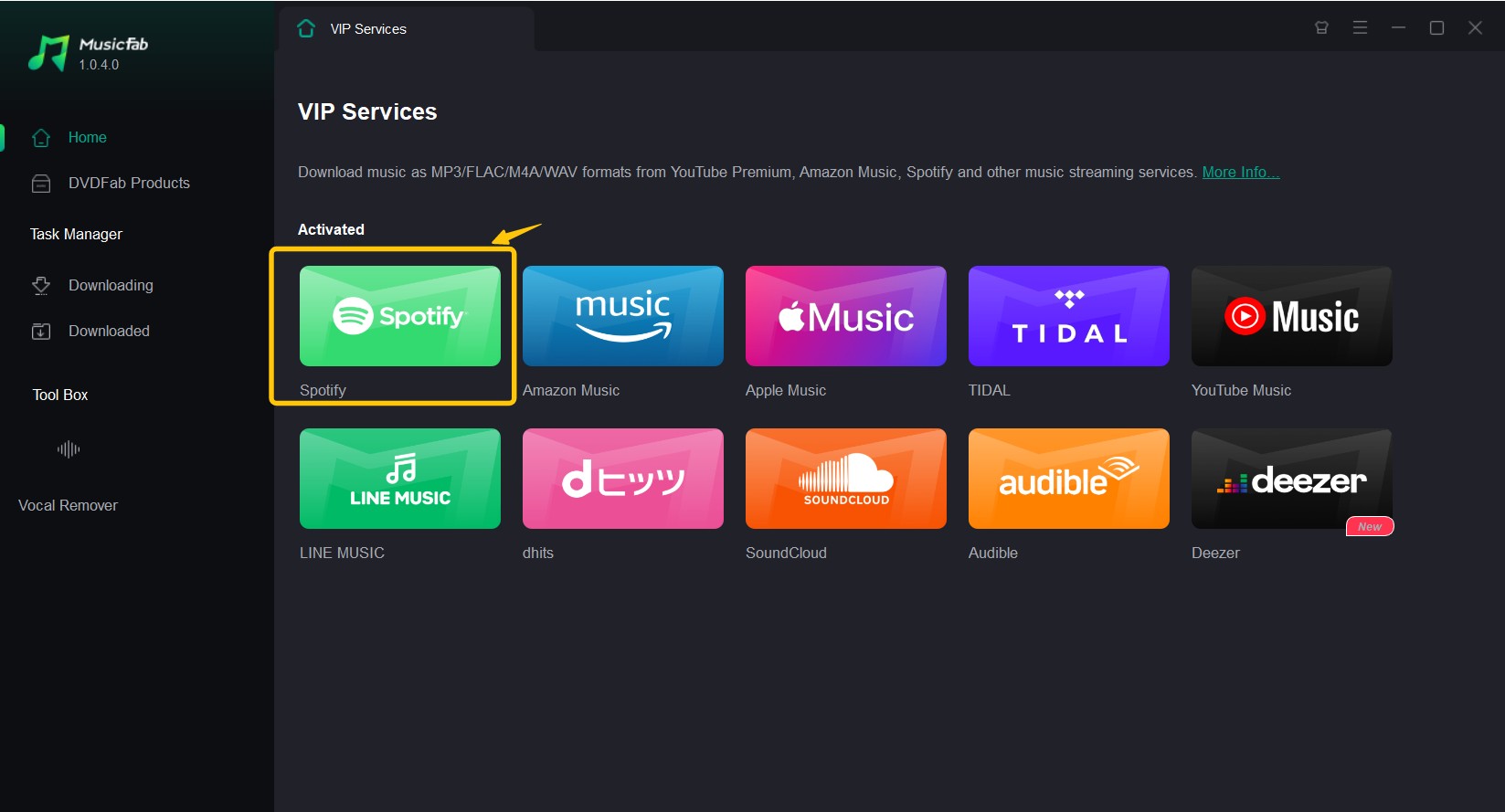
- Step 1: Download the MusicFab tool on your Windows / Mac > under “VIP Service” select Spotify tab to open the Spotify official website > using the built-in web browser, sign in to your Spotify account.
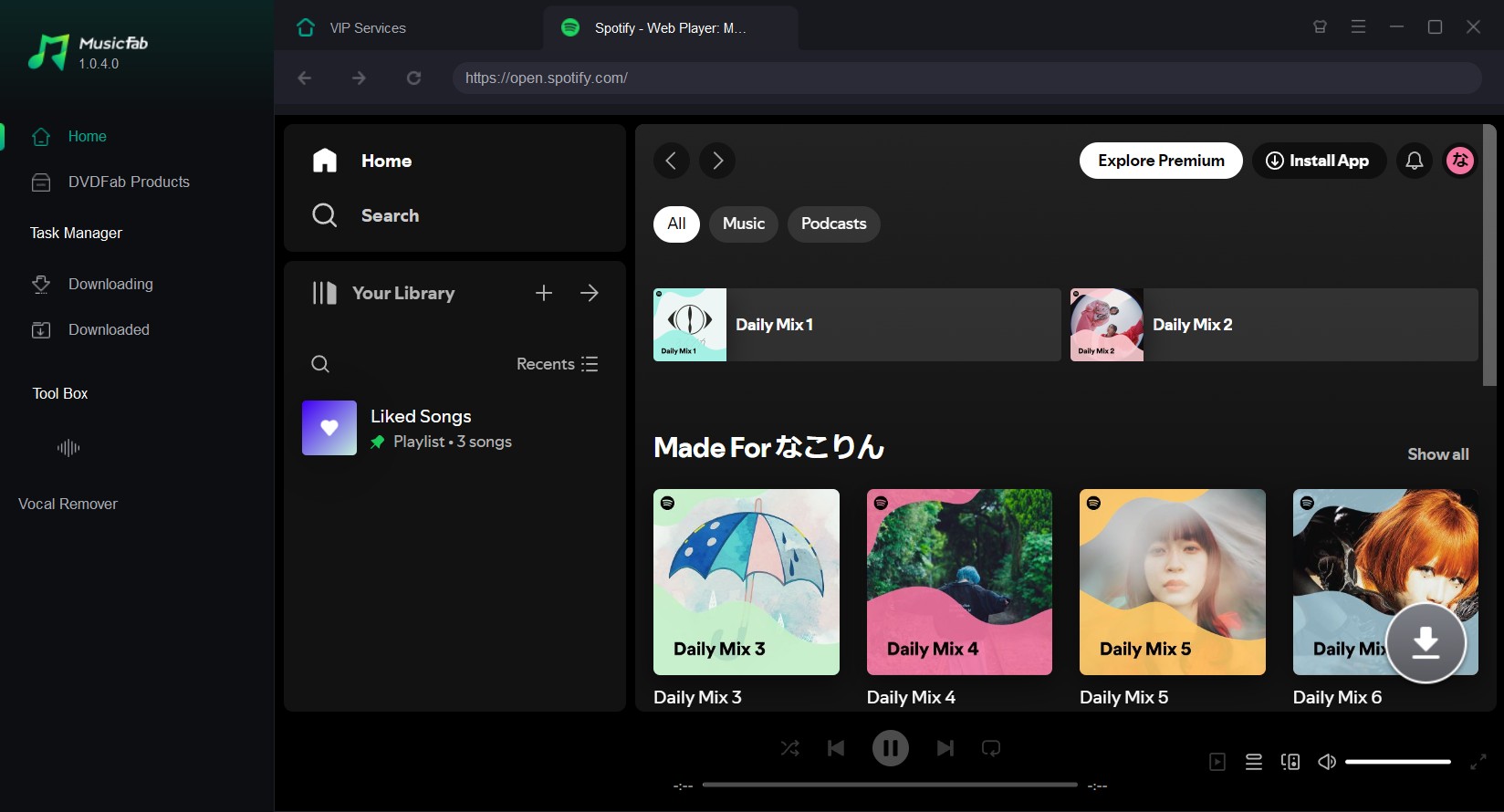
- Step 2: Next, look for the album you want to download. Click the arrow button at the bottom right. A music-analyzing window will appear.
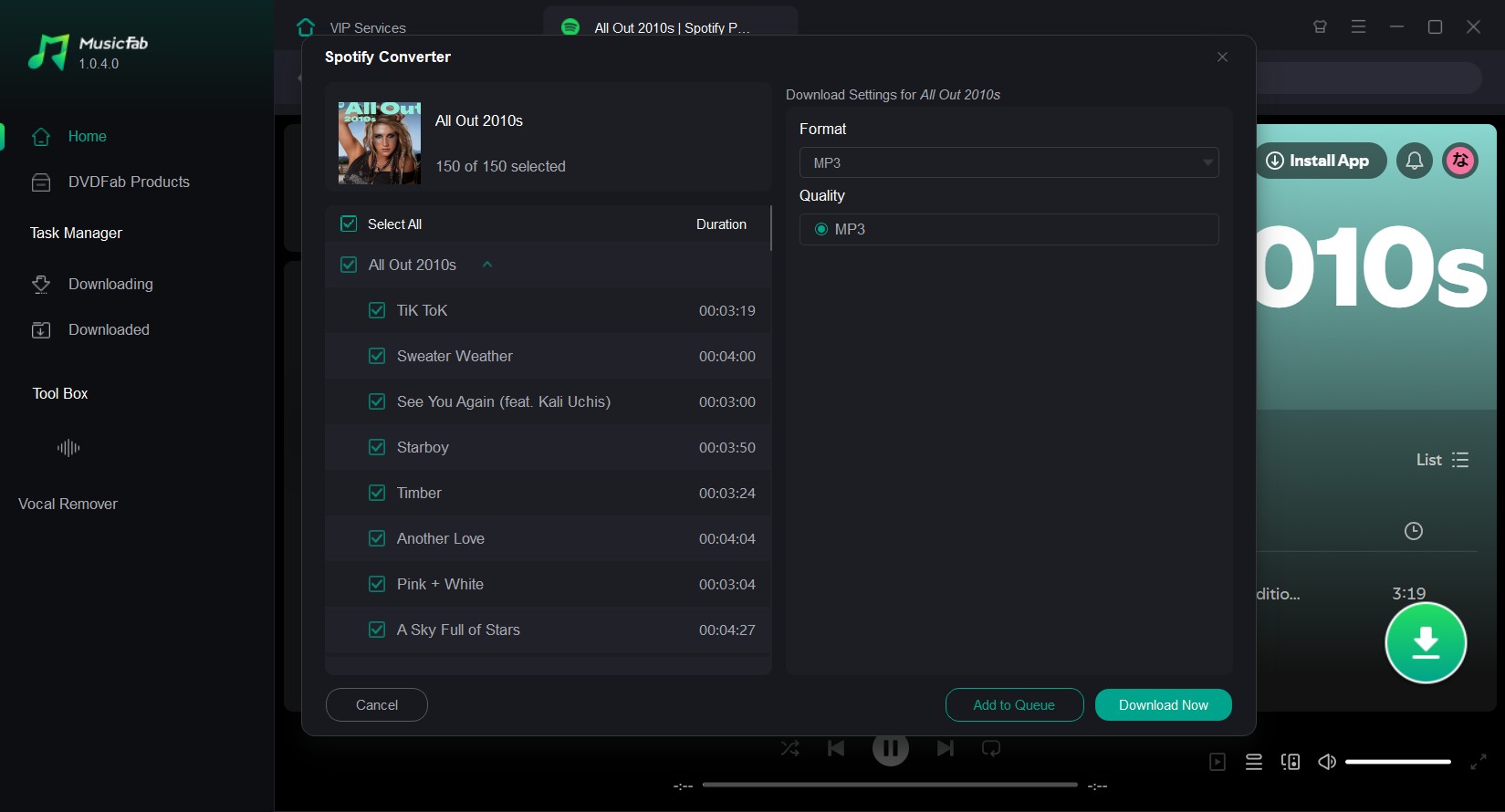
- Step 3: After the music analysis, customize the output settings > select the output format & quality > select “Download Now”. Under the “Download” tab, you will find the downloaded Spotify file.
Related reading: Detailed MusicFab review for you to learn about this tool.
Why Most Spotify Album Downloader Online Sites Fail
- They don’t truly support albums (only partial parsing)
- They break on large albums (deluxe/live/compilations)
- They rely on unstable sources/servers
- They monetize via redirects/pop-ups, so user experience degrades fast
We’re not listing 10 tools here because most online options fail the album test. We’d rather save you an hour of trial-and-error.
Best Spotify Album Downloader Online Free 320kbps: Spotisongdownloader.com
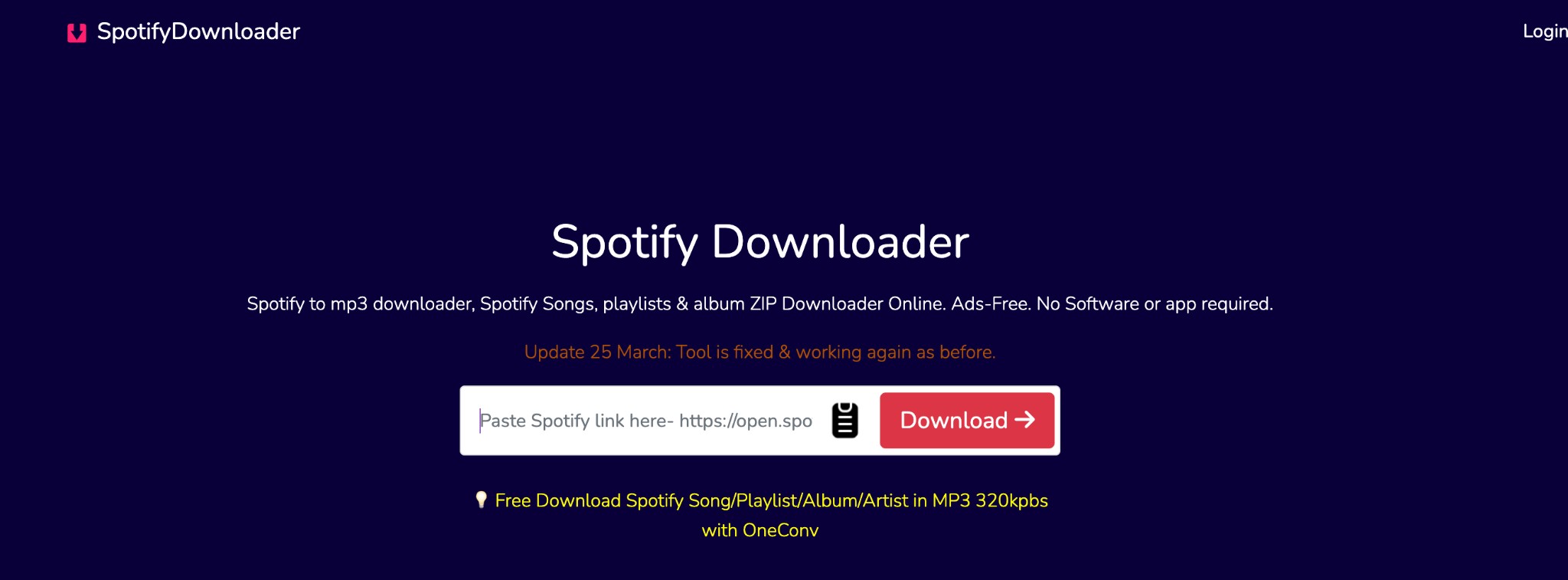
Spotisongdownloader is a popular free Spotify album downloader that allows you to paste an album URL into the tab and download the album to MP3 in 320 kbps. However, always remember that online tools are inherently less stable than desktop workflows. Based on our testing, it’s not a dependable Spotify album downloader when you need full albums. It often downloads only a small portion of a full album.
- Best For: Occasional download without installing anything; okay with getting a few tracks, not a complete album
- website: https://spotisongdownloader.com/en1/
Pros
- Free to download Spotify albums to MP3 or M4A
- Preserve ID3 tags
- High-quality MP3: up to 320 kbps
Cons
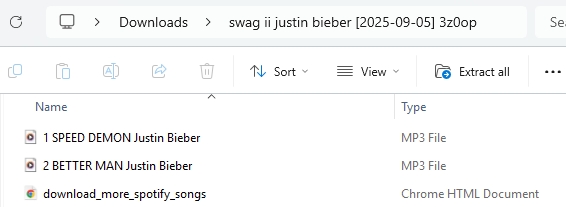
- Missing tracks: The album I downloaded has 44 tracks, but it only saved two.
- Downloading is slow
- M4A format is only supported at 128 kbps
- Cannot download podcast from Spotify now
Test Snapshot:
- Test album: SWAG II
- Tracks on Spotify: 44
- Result on SpotiSongDownloader: 2 tracks downloaded (most tracks missing)
How to Download Spotify Album Free Online With Spotisongdownloader
- Step 1: Copy the link of Spotify songs you want to download and paste it into the tab of Spotisongdownloader.
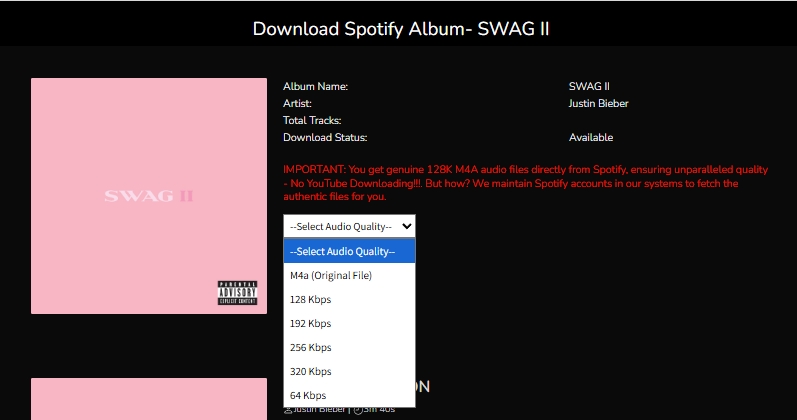
- Step 2: Choose your format and quality option. For MP3 you can choose from 64 to 320 kbps. For M4A, there is only 128 kbps.
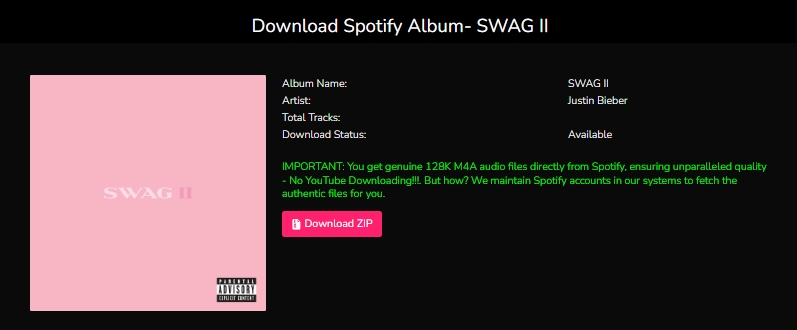
- Step 3: Hit the Download ZIP button to start.
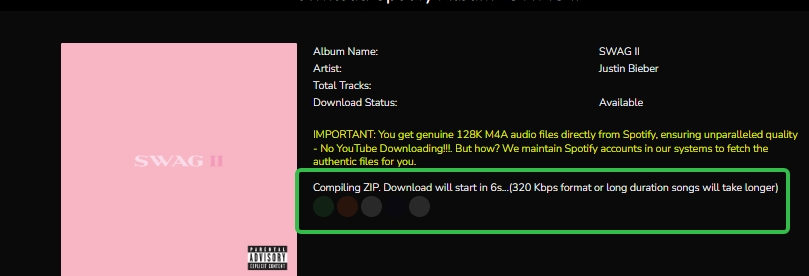
Step 3: It will automatically begin analyzing and ultimately generate a ZIP file.
Spotify Albums Downloader Overview: Online vs Desktop
- Best for streamlined & stable workflow: MusicFab
- Best for a quick attempt, but expect missing tracks on full albums: spotisongdownloader
| Tool | Type | Format | Completeness | Highest Quality | Batch Processing | Metadata Saving |
|---|---|---|---|---|---|---|
| MusicFab | Desktop software | MP3, WAV, FLAC etc | High | Spotify Lossless: 24-bit/44.1khz | Yes | Yes(metadata + album art) |
| Spotisongdownloader | Online free tools | MP3 & M4A | Low | 320 kbps | Yes as ZIP files and missing tracks | Yes |
FAQs
With Spotify Premium, you can download albums/playlists/podcasts inside the app. With third-party tools like MusicFab or Spotisongdownloader, you can save albums with a free account.
Be cautious. Installing APKs from unknown sources bypasses a lot of the protections you get from official app stores.If an album downloader APK asks for broad permissions or comes from a random mirror site, treat it as high risk.


Start a Spotify Jam fast, invite by link/QR/Bluetooth, join in person or remotely, control guest permissions, and end the session anytime.
By Jane Chen - Feb 26, 2026
Is AudiFab safe in 2026? We tested the new version 3.4 (Jan 23) for speed and account ban risks. Read this honest review before you download.
By Jane Chen - Feb 4, 2026
Learn the 3 most convenient free and paid ways to convert Spotify to WAV, including MusicFab, OnTheSpot (GitHub), and Audacity.
By Jane Chen - Feb 2, 2026
We tested the top Spotify podcast downloaders in 2026. Know the right tool to download Spotify podcasts as MP3 with step guide, features and challenges.
By Jane Chen - Jan 30, 2026