
Is SpotifyDown Safe in 2026? Honest Review & Its Alternatives

Summary: SpotifyDown now spans a retired original domain and a reachable successor-branded site. This review separates the current interface from historical batch evidence, explains safety and file-quality tradeoffs, and shows when a browser tool or MusicFab desktop workflow fits better.
Table of Contents
Searching for a SpotifyDown review now leads to a basic trust problem: the original domain no longer hosts the downloader, while a successor-branded site is active behind CAPTCHA and ad-gated steps. If you are asking, "Is SpotifyDown safe?" the answer is conditional, not a clean yes.
This update maps the current SpotifyDown website, separates an August site check from January file-level evidence, examines audio quality and batch limits, and compares the browser workflow with a desktop alternative. My quick verdict: use the web tool for low-stakes, occasional files, not an organized library.
What Is SpotifyDown?
SpotifyDown is the name readers still use for a browser-based SpotifyDown downloader that turns public track, album, or playlist links into local audio files. The original domain has changed purpose, while SpotiDownloader.com now carries the successor-style service.
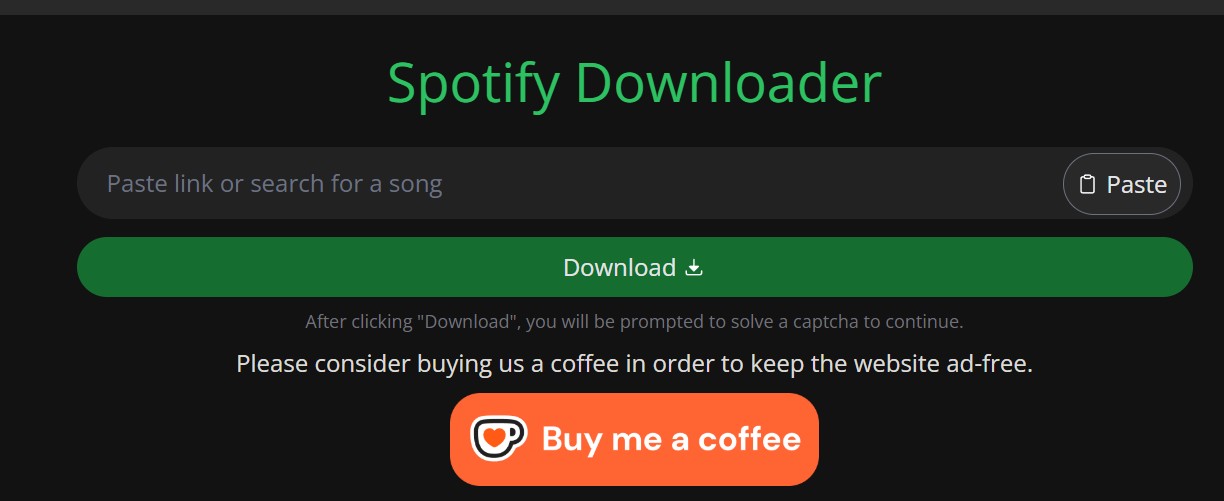
SpotifyDown Online requires no software installation, and the current landing page does not ask for Spotify account credentials. It accepts a link or song search, then offers individual downloads or a browser-built ZIP for albums and playlists.
The current page advertises SpotifyDown free access and does not publish a fixed per-track allowance. It does, however, place captcha and advertising steps in the workflow, and its own help text says larger lists load 100 tracks at a time.
- Cost: Free browser access, with optional donation-based ad-free browsing.
- Main advantages: No installation, public-link input, MP3 or FLAC choices, and album or playlist ZIP controls.
- Main drawbacks: Captcha friction, ad-gated ZIP processing, uncertain large-batch completion, and source quality that a format label alone cannot prove.
- Best for: An occasional SpotifyDown song download when you can inspect the result yourself.
- Not ideal for: Large, organized libraries where filenames, tags, lyrics, and repeatable batch completion matter.
That tradeoff is common among free online Spotify converters: convenience is immediate, but file validation becomes the reader's job.
Is SpotifyDown Safe and Still Working?
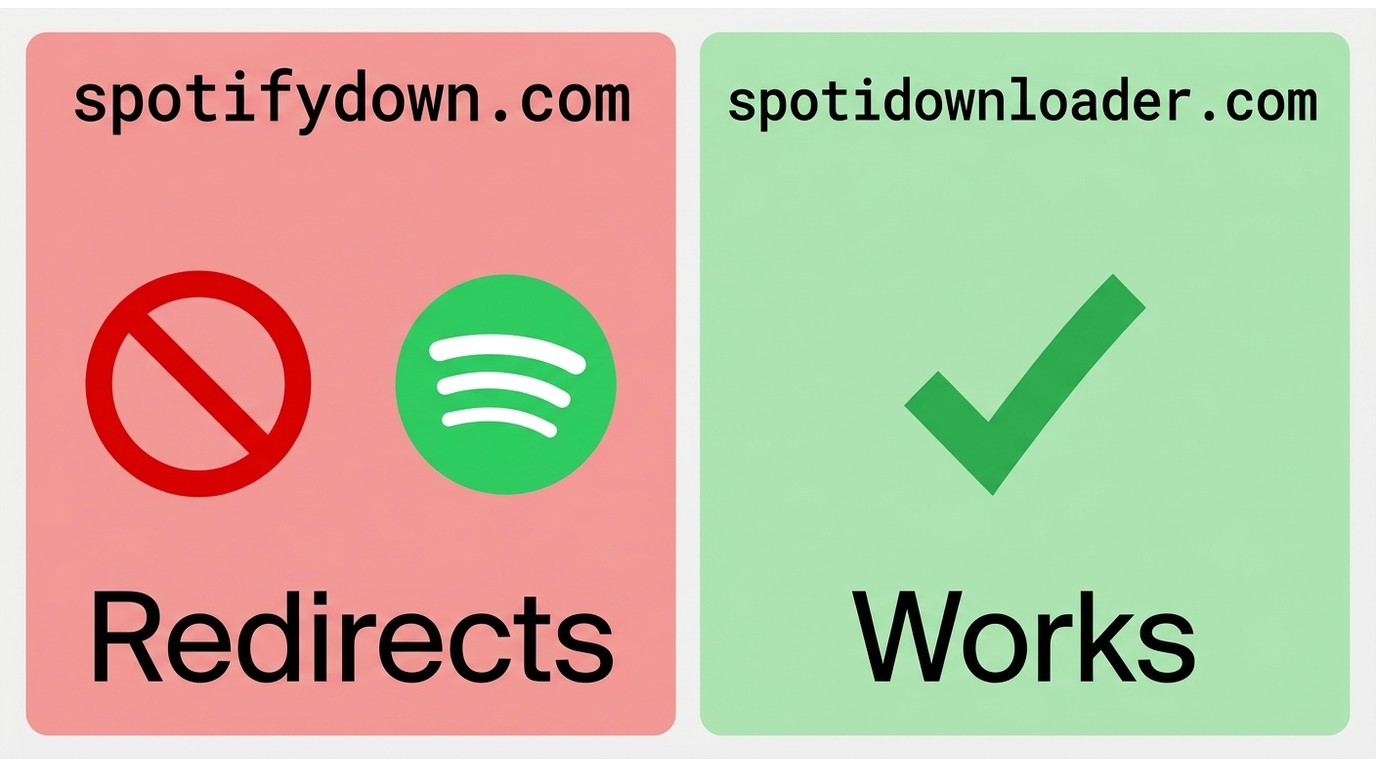
The successor-branded site is reachable, but the original SpotifyDown address is no longer a downloader. Safety depends on using the intended site, limiting browser permissions, and treating every downloaded file as unverified until it passes basic checks.
Current Domain Status
As of August 2026, the domain picture is clear enough to separate availability from ownership, but not clear enough to claim that the old and new sites share a verified operator.
| Address | Observed status | Practical meaning |
|---|---|---|
| spotifydown.com | Redirects to Spotify's official web player | The downloader is no longer active at the original address. |
| spotidownloader.com | Loads a successor-branded search and download interface | The service is reachable, but common ownership with the old domain is not established. |
| Similarly named sites or apps | Identity not established by either address | Treat each one as a separate service unless the current site links to it directly. |
People searching “SpotifyDown.com not working” are often seeing this domain change rather than a temporary processing error.
Safety and Legal Boundaries
The active page does not request Spotify credentials on its landing screen, which reduces one obvious account risk. The tradeoff is a captcha and ad-supported flow, so close unexpected tabs, decline notification requests, and do not install software promoted by an unrelated popup.
Use local downloads for personal offline listening of content you are authorized to access. Spotify's terms, U.S. copyright rules, and the rights attached to each track still apply; sharing files or using them commercially raises separate issues.
How SpotifyDown Actually Works
The current site accepts a Spotify URL or text search, resolves a matching track list, and delivers MP3 or FLAC files through the browser. What the interface does not establish is the exact upstream audio source for each result.
- The page reads the public Spotify link or search text and displays matching metadata.
- The user completes a captcha before the service processes the request.
- The site returns a local-file option for a track or a browser-side ZIP workflow for an album or playlist.
This differs from Spotify's managed offline download feature, which keeps listening inside the official app. A matching service can also select a live version, remix, or unrelated upload when titles and artist names overlap.
My rule is simple: a 320 kbps header describes the output encoding rate, not the identity or fidelity of the source. If verified source quality matters, evaluate playback, version matching, and metadata together; a legitimate FLAC downloader also needs more evidence than a .flac extension.
Hands-On Test: SpotifyDown 2026 Review
The evidence supports a split verdict: the current successor site is reachable, but the detailed January batch results are historical. I would not turn those old timings into an August reliability claim without a repeatable file-level run.
Test Setup and Date
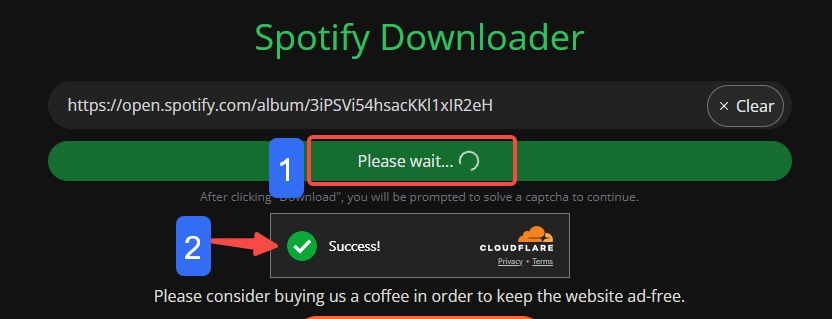
On August 4, 2026, the current English page loaded with a “Paste link or search for a song” field, a Download button, and a captcha notice. The gate prevented a repeatable file-level batch run during this update, so current completion and failure-rate numbers are not asserted.
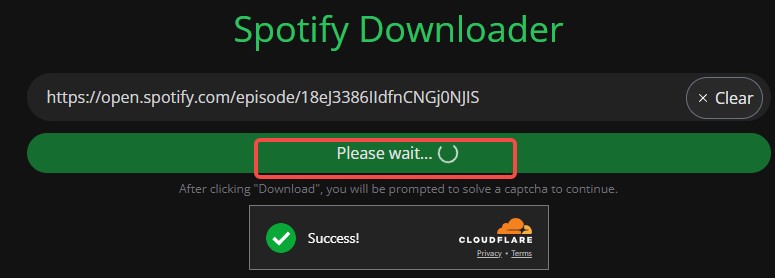
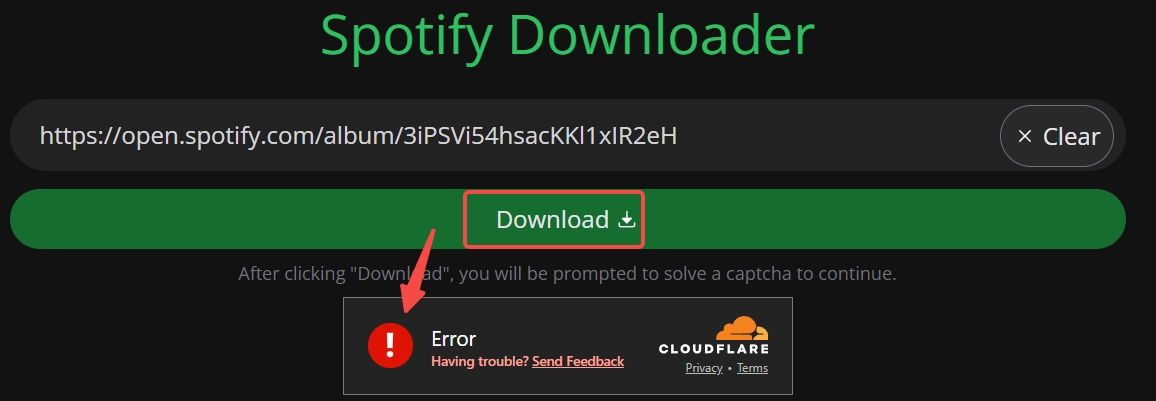
The preserved screenshots come from January 23, 2026, on a Windows 11 desktop using Chrome. In that historical session, verification appeared before link processing, and strict browser or ad-blocking settings could stall the workflow before a track list loaded.
Batch Limits and Test Results
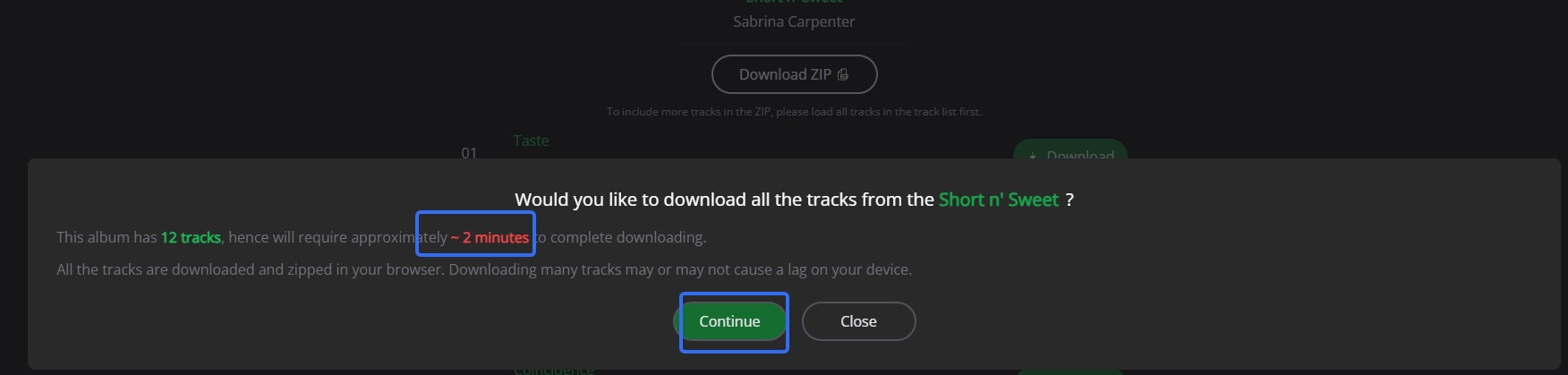
The current page offers album and playlist ZIP controls, says the browser performs the downloads and zipping, and notes that 100 songs load at a time. Its ZIP dialog is tied to an advertising step, while an optional donation supports ad-free browsing.
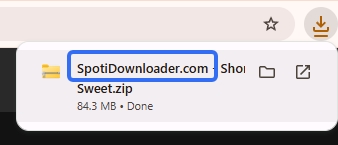
In the January Windows 11 and Chrome session, a 12-track album displayed an estimate of about two minutes and produced a ZIP with a site-branded filename. A 100-track playlist displayed an estimate of about 14 minutes. Those figures describe that historical session, not the current service.

I can tolerate a captcha and manual check for one song. I would not choose this workflow for a deadline-sensitive playlist because browser-side zipping, ads, and final-track failures add too many points of friction.
Audio Quality and File Integrity
The January file sample reported MP3 at 320 kb/s and 44.1 kHz in MediaInfo, but that does not prove the source was equivalent in quality. The same session also produced filenames prefixed with the site's name, adding cleanup work.
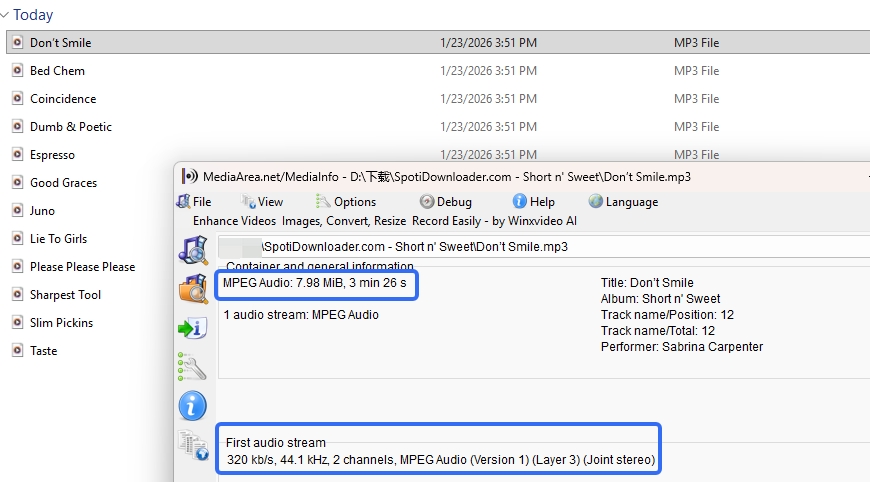
The current site also offers FLAC and advertises embedded title, artist, album, and cover data. Until a current file-level check confirms version matching, tags, lyrics, playback, and audible artifacts, those are interface claims rather than a completed fidelity result.
- A 320 kbps MP3 header confirms the output encoding rate, not the identity or quality of the source. Judge file integrity by version match, playback, metadata, and audible artifacts.
Using SpotifyDown Step-by-Step
A SpotifyDown song download needs a public track, album, or playlist link; a current browser; a stable connection; and the ability to complete the site's captcha and advertising step.
- Copy the Spotify link. In Spotify, open the item, select the three-dot menu, choose Share, and copy the link.
- Open the active successor site. Go directly to spotidownloader.com rather than the old SpotifyDown address.
- Paste and process. Put the link in the search field, select Download, and complete the captcha.
- Choose the file workflow. Download one listed track, select MP3 or FLAC where offered, or load the full track list before choosing Download ZIP.
- Keep the tab active and inspect the result. Browser-side ZIP creation needs the page to stay open. Afterward, confirm the song version, playback, filename, tags, cover art, and format.
The current page includes Android and iOS instructions for copying links, but that describes mobile-browser use, not a verified SpotifyDown app.
Why SpotifyDown Stops Working
SpotifyDown not working can mean a domain redirect, a captcha loop, an ad-blocker conflict, a stalled browser-side ZIP, a wrong audio match, a broken file, or an unsupported content type.
- Domain confusion: The old address now opens Spotify, so use the successor-branded site if that is the service you intend to assess.
- Verification loops: A blocked captcha script or strict privacy setting can stop processing before search results appear.
- Ad friction: The current ZIP flow expects an ad step; aggressive blocking can prevent that sequence from finishing.
- Large-batch strain: Browser-side downloading and zipping can stall, especially when a playlist is not fully loaded or the final track fails.
- Wrong matches or tiny files: A completed download still needs a playback and metadata check because a matching error can return the wrong version or an unusable file.
- Unsupported links: The current site's own error text lists tracks, albums, and playlists as supported, so podcast, show, or audiobook links may fail.
- Reload the current site in an updated browser and allow its captcha script to run.
- Test one public track before attempting an album or playlist.
- For a large playlist, use Load More until the intended tracks are visible before starting ZIP processing.
- Keep the tab open, then check playback, duration, version, filename, and tags immediately.
- If mismatches or broken files repeat, stop the batch rather than spending more time cleaning unreliable output.
MusicFab as a SpotifyDown Alternative
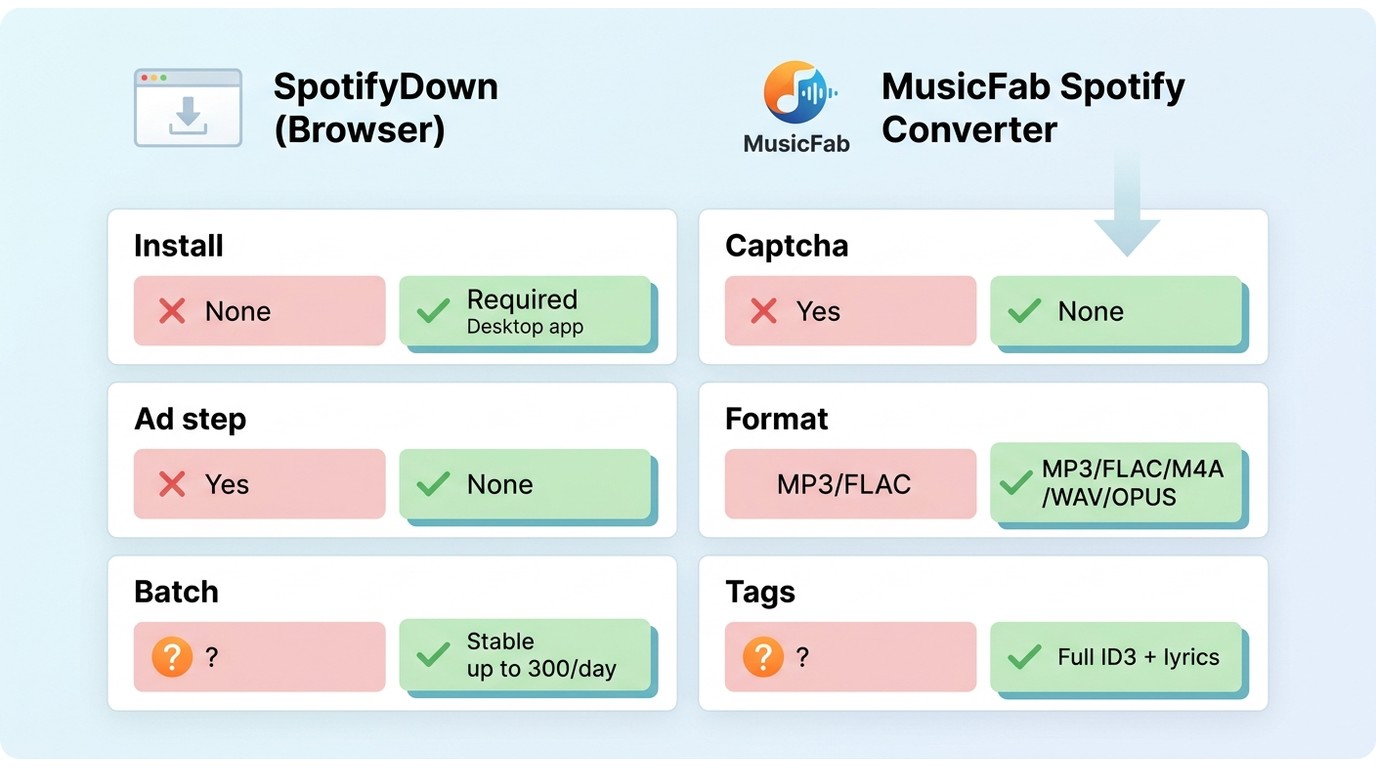
For content you're authorized to access, where permitted by platform terms and applicable law.
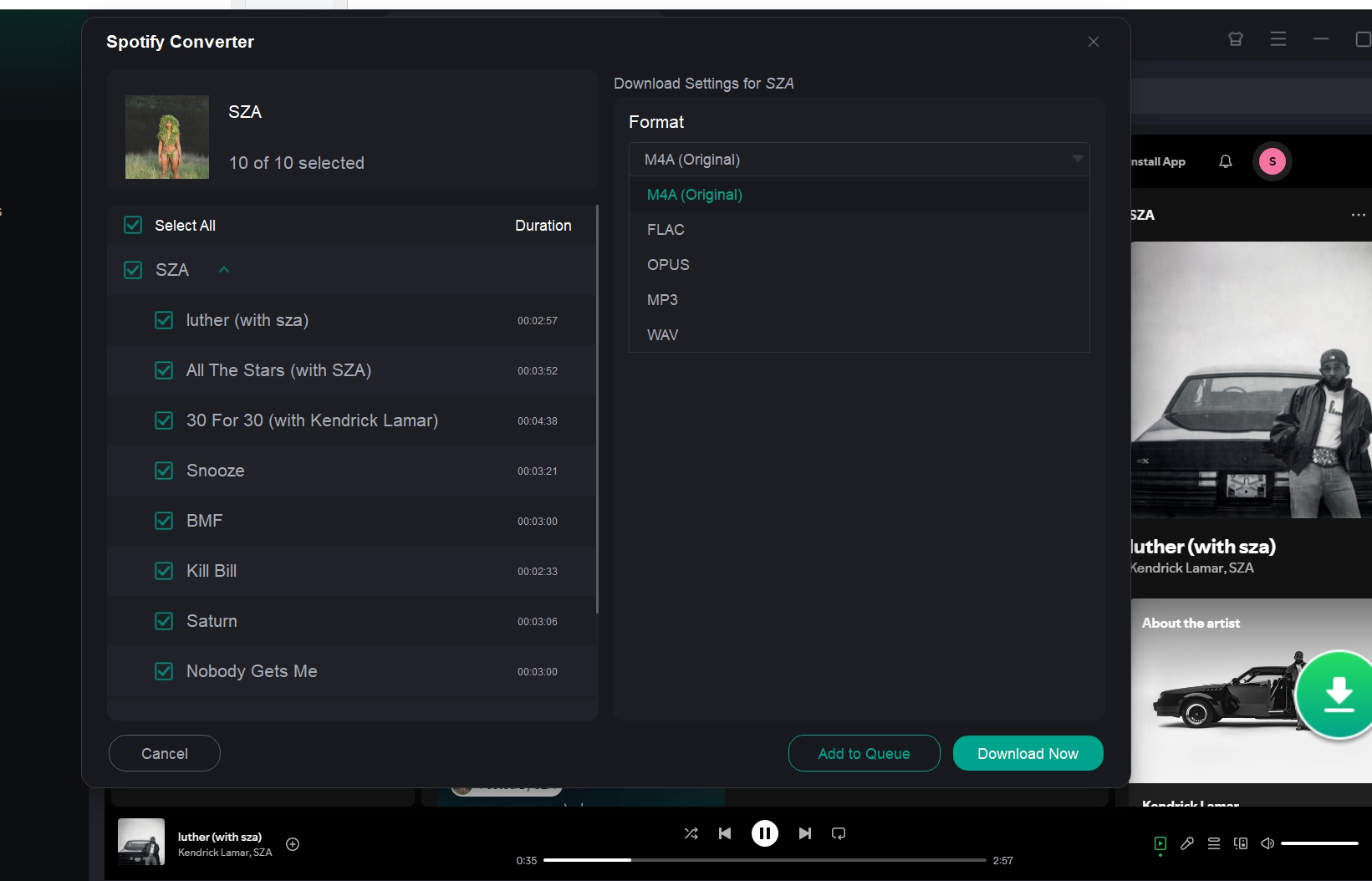
MusicFab Spotify Converter is a Windows and Mac desktop converter for Spotify that outputs MP3, M4A (AAC), WAV, FLAC, or OPUS at up to 320 kbps while retaining ID3 tags, cover art, track numbers, and .lrc lyrics.
It uses a direct-source conversion workflow and supports batch albums and playlists with an active Spotify subscription. The 30-day trial allows three complete Spotify songs, which is enough to inspect output quality and library organization before choosing a license.
I consider it a stronger fit when clean music metadata, format choice, and repeatable desktop batch handling matter. It is not a fit for readers who want a browser-based, no-install workflow. The broader MusicFab review covers the full suite, while this comparison stays focused on SpotifyDown.
Why Choose MusicFab
The practical difference is control: MusicFab offers verified desktop formats, batch handling, and organized metadata, while the web tool trades setup for more browser friction and less certainty about a completed file.
| Feature s | SpotiDownloader successor site | MusicFab Spotify Converter |
|---|---|---|
| Access and setup | Browser-based; captcha before processing | Windows and Mac desktop app with built-in browser |
| Cost and trial | Free web access; optional donation-based, ad-free session | Paid license; 30-day trial with 3 complete Spotify tracks |
| Batch behavior | Albums and playlists; 100 tracks loaded per request; browser-side ZIP not revalidated | Batch albums and playlists; up to 300 Spotify songs per day |
| Ads and account | Captcha and ad-gated ZIP; no Spotify account requested by the page | Active Spotify subscription required |
| Output and quality evidence | MP3 or FLAC offered; a format label does not establish source fidelity | MP3, M4A (AAC), WAV, FLAC, OPUS; up to 320 kbps |
| Library organization | The current page advertises metadata; the older test found site-branded filenames | ID3 tags, cover art, track numbers, and .lrc lyrics |
| Fit guidance | Best for occasional browser downloads; not ideal for verified large batches | Best for organized desktop libraries; not ideal for browser-based use |
Using MusicFab
The workflow is short, and the relevant choices are the Spotify item, output format, and destination folder rather than a long list of product settings.
- Install MusicFab on Windows or Mac and open its built-in browser.
- Sign in to Spotify with an active subscription and open the track, album, or playlist you are authorized to access.
- Choose MP3, M4A (AAC), WAV, FLAC, or OPUS and set the quality available for that source, up to 320 kbps.
- Start the batch conversion and organize the results with retained ID3 tags, cover art, track numbers, and optional .lrc lyrics.
Final Verdict
The current SpotiDownloader site works as a reachable browser interface, but this SpotifyDown review cannot support a blanket safety or reliability claim. Its domain history, captcha, ad-gated ZIP flow, and unverified source quality make manual checking part of the cost.
I would use it for an occasional track only when I can inspect the result immediately. For an organized local library used for personal offline listening, MusicFab may fit Windows and Mac users who value batch handling, metadata, lyrics, and format choice.
SpotifyDown FAQ
Q1. Does SpotifyDown Have an Official Mobile App?
The reviewed service is browser-based. Its current site includes Android and iOS instructions for copying Spotify links, but it does not link to a verified official mobile app. Treat similarly named store listings or install files as separate products.
Q2. Can SpotifyDown Download Podcasts or Audiobooks?
Tracks, albums, and playlists are the demonstrated content types, while podcast, show, and audiobook links may fail. Because those formats need a different authorized workflow, the practical question of <a href="https://musicfab.dvdfab.cn/general/how-to-download-podcasts.htm">how to download podcasts</a> belongs to a dedicated process rather than this downloader.
Q3. Is There an Official SpotifyDown GitHub Repository?
No repository is linked from the current SpotifyDown website. A GitHub project with a similar name should be treated as unofficial unless the active site identifies it directly, so do not use an unrelated repository as proof of the service's identity or safety.

This guide compares nine Spotify downloaders across browser, desktop, Android, and iOS workflows. It weighs source matching, output quality, playlist and ZIP behavior, metadata, account exposure, and tool status, then explains which option fits a single track, a long playlist, or a managed local library.
By Jane Chen - Aug 26, 2026
Spotify downloads can stall because of Premium eligibility, device limits, storage, network permissions, cache state, or a service incident. This guide gives one nine-fix recovery path, then separates iPhone, Android, Windows/Mac, Apple Watch, partial-playlist, Offline Mode, and clean-reinstall cases. It also explains when a MusicFab local-file workflow fits authorized personal use.
By Jane Chen - Aug 26, 2026
Spotify Premium can download music for playback inside the Spotify app, while Free accounts can download podcasts. This guide covers setup, device differences, download limits, troubleshooting, travel checks, and a portable-file option.
By Jane Chen - Aug 18, 2026
Is Spotify Duo still worth $18.99 for two people at one address? Get the current price, savings vs Individual and Family, address verification rules, setup
By Jane Chen - Aug 13, 2026