
Download Spotify to M4A: 5 Online and Desktop Converters for Playlists (2026)

Summary: Spotify does not offer a native M4A export, so the right method depends on scale. This guide compares five online and desktop converters, explains AAC and ALAC quality limits, and shows how to protect playlist order, metadata, and account safety. It also maps each option to the reader it fits best.
Searching for a Spotify to M4A converter comes down to one tradeoff: a quick online file or a dependable playlist library. Spotify has no native M4A export, so use an online service for a low-stakes single track and desktop software when metadata, naming, and repeatability matter.
This guide compares five options, then explains the desktop Spotify converter workflow, online risks, AAC versus ALAC, Spotify M4A compatibility, and safer personal use.
Table of Contents
Spotify to M4A: What Actually Works
A Spotify to M4A workflow is a format-export decision, not a feature Spotify supplies. An online Spotify M4A downloader can suit one track; a desktop converter makes more sense for playlists, consistent filenames, and retained metadata.
Start with four prerequisites:
- An active Spotify account and access to the music you want to process.
- The track, album, or playlist URL.
- A playback target that supports the codec inside the M4A container.
- Enough local storage for the chosen quality and library size.
The practical choice is not “online or desktop” in the abstract. It is whether you need a disposable file or a library you can rerun, audit, and organize later.
Choose Online or Desktop M4A Conversion
Choose online for a quick one-track attempt, desktop for repeatable playlist work, and open-source tools only when you are comfortable maintaining dependencies. That decision prevents most wasted setup and cleanup.
- One track with no installation: paste the song URL into an online service, download one sample, and inspect its codec, metadata, and playback before doing more.
- A playlist or album library: install a desktop tool, choose M4A and naming rules first, then queue a small sample before the full batch.
- A technical open-source route: use it only if command-line setup, browser changes, and dependency updates are maintenance you are willing to own.
My rule is simple: online convenience is useful for a low-stakes single file, but desktop settings are the more repeatable fit once playlist order, artwork, tags, and predictable filenames matter.
Best Spotify Playlist to M4A Workflow
The best Spotify playlist to M4A workflow defines codec, folders, filenames, and verification before the queue starts. A short sample run catches compatibility or metadata problems before they spread across the library.
- Choose the playback target. Use AAC-in-M4A for broad compatibility. Consider ALAC-in-M4A only when the receiving apps support it and larger files make sense for the source.
- Set folder and filename rules. Pick a stable structure such as playlist, artist, album, and track title before adding the full queue.
- Preserve library context. Keep track numbers, artwork, ID3 tags, lyrics, and playlist order whenever the tool supports them.
- Run a small sample. Check a few files for playback, codec, naming, and metadata before processing a long list.
- Verify completion. Compare the finished file count with the source playlist and review any failed or duplicate items.
The distinction between AAC and ALAC is easier to understand when you treat M4A as a container; this audio format explanation of AAC and ALAC provides useful background without changing the workflow above.
For a large playlist, I care more about a clean retry path and intact metadata than a long list of output formats. Those two details determine how much manual repair is left after the queue finishes.
Best Desktop Spotify to M4A Converters
A desktop Spotify converter is the more repeatable route for playlists because it can keep settings, queue multiple items, and apply consistent library rules. The four options below fit different levels of control and setup tolerance.
Editor’s Pick: MusicFab Spotify Converter
For content you’re authorized to access, where permitted by platform terms and applicable law, MusicFab Spotify Converter is a Spotify M4A downloader for Windows and Mac with batch support for playlists, albums, podcasts, and audiobooks.
It converts at up to 20x, offers M4A alongside MP3, FLAC, WAV, and OPUS, retains available source quality up to 320kbps / 24-bit / 44.1kHz, and preserves ID3 tags, artwork, track numbers, and synced .lrc lyrics.
It fits repeatable desktop library work. It is not ideal for someone who needs one no-install track, and actual conversion performance depends on the network, hardware, source, and account environment.
How to Convert Spotify to M4A with MusicFab
- Open Settings first. Install and launch MusicFab, then define the output folder and playlist filename rules before loading Spotify.
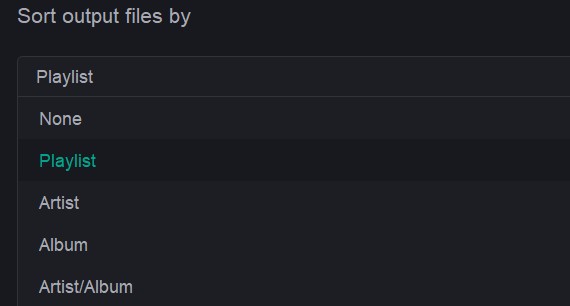
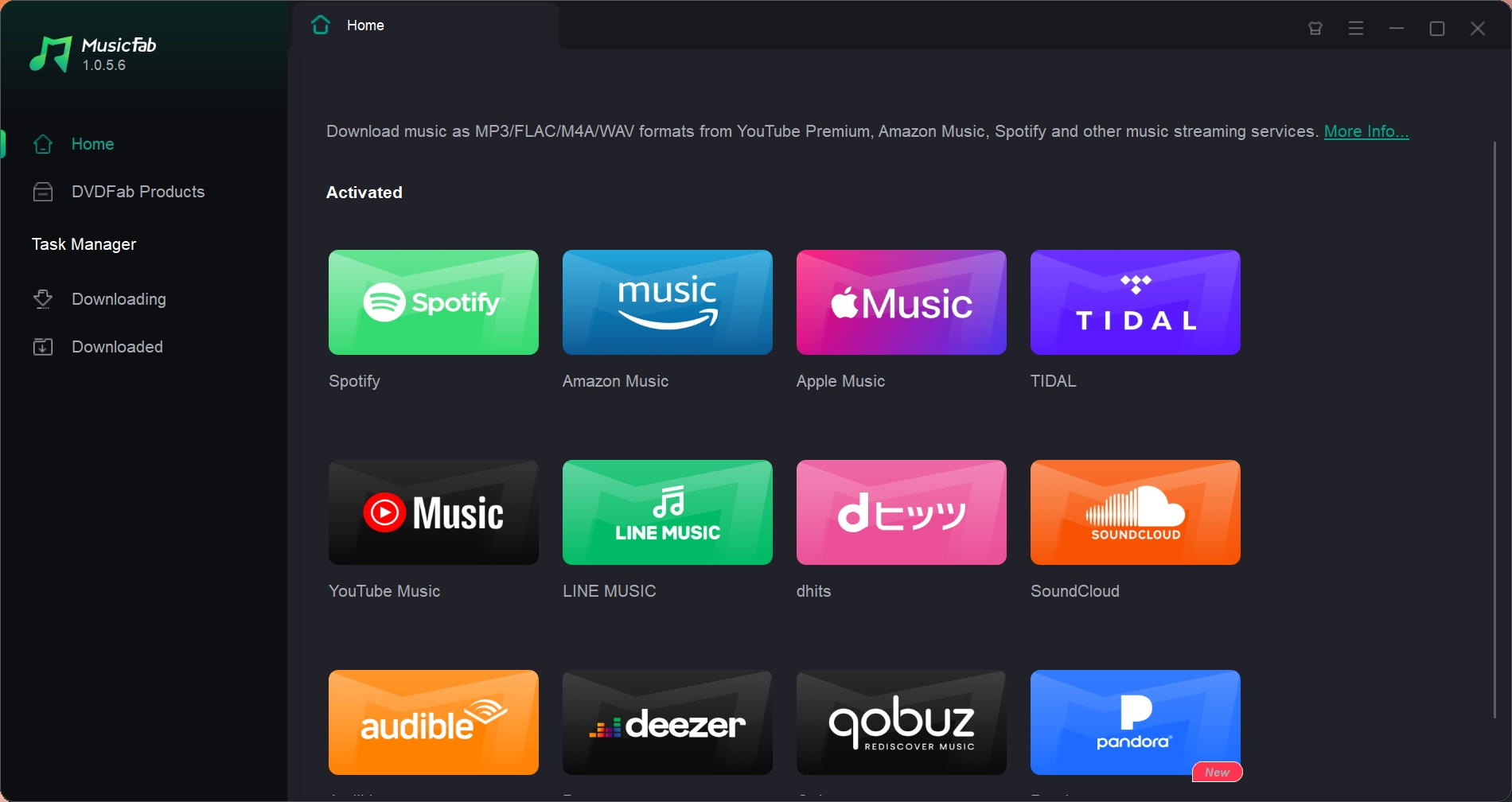
- Load the playlist. Select Spotify in the built-in browser, sign in to the active account, open the target playlist, and use the download control.
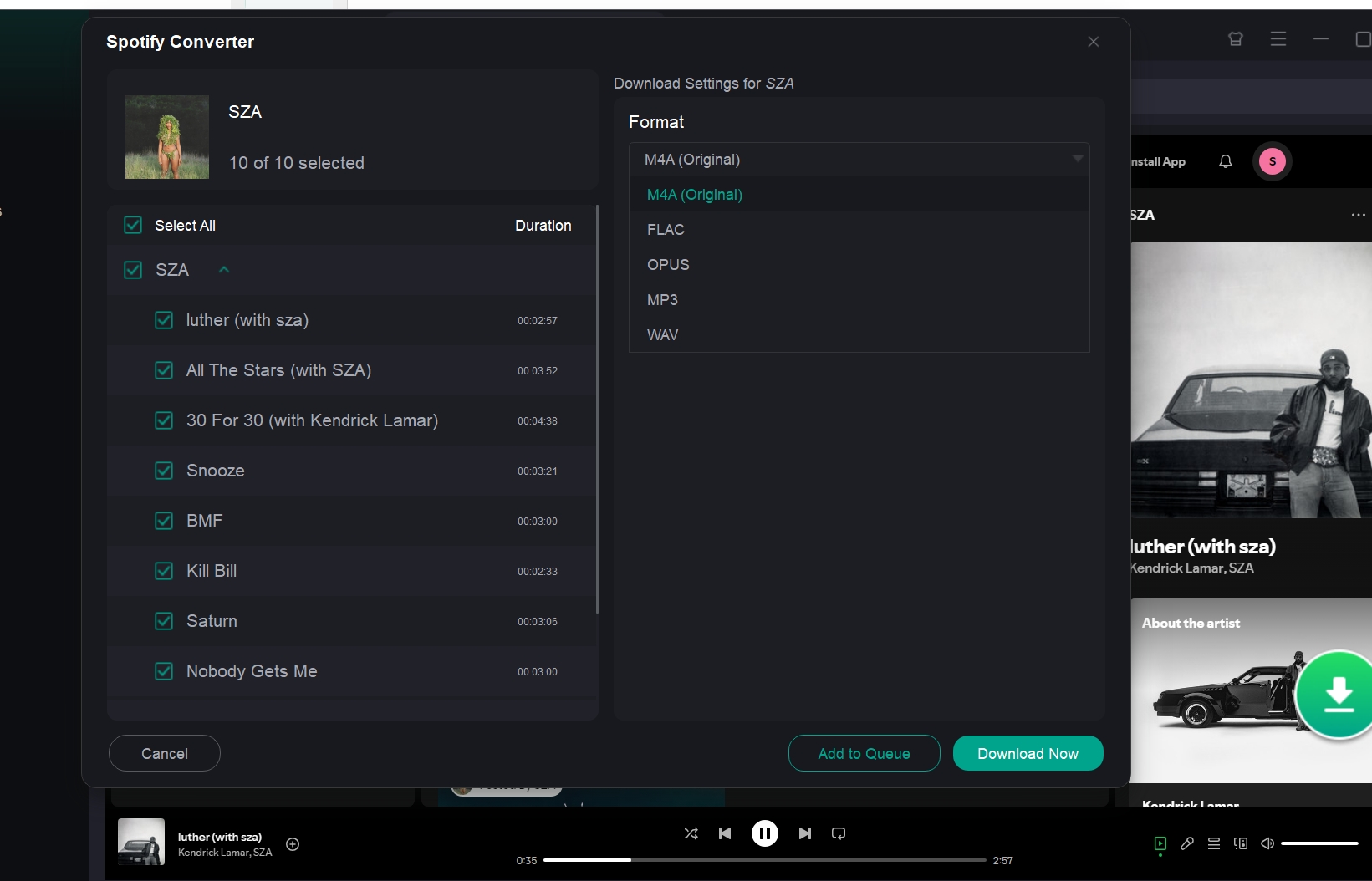
- Choose the output. Select M4A, choose a quality supported by the source, and start the queue.
- Review the result. Open Task Manager, confirm completion, and spot-check filenames, tags, artwork, and playback.
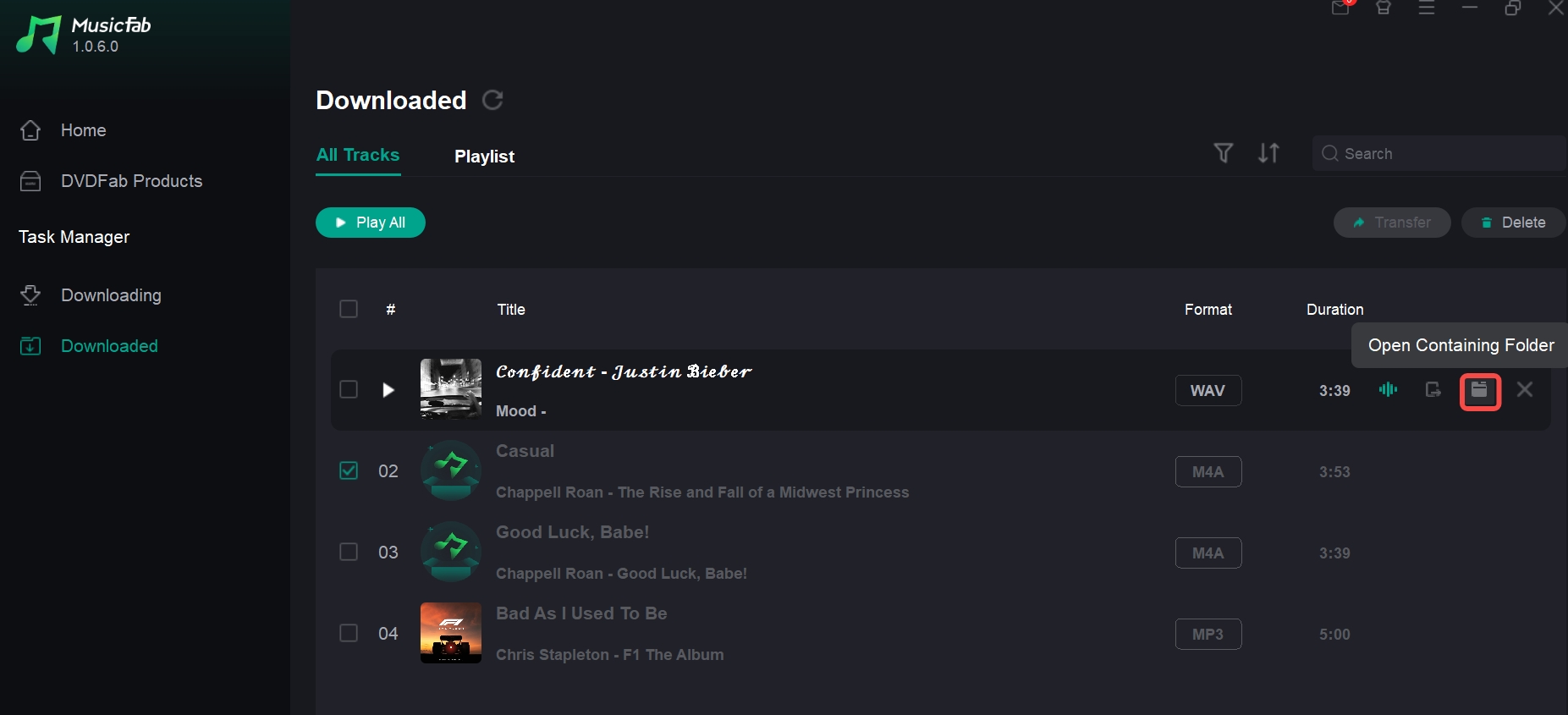
I would configure folders and filename rules before loading the first playlist. For repeat work, that short setup is more valuable than fixing a disorganized library afterward.
Ondesoft Spotify Converter
Ondesoft is a GUI-based desktop Spotify converter for readers who prefer an embedded web workflow. It offers M4A and other common formats, while codec, bitrate, playlist, and tag results remain version-dependent.
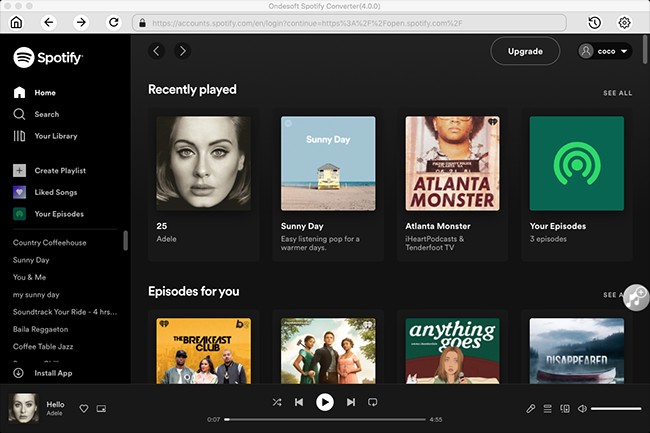
It fits readers who value web-player navigation. It is less compelling when a long queue requires documented library-integrity behavior before processing begins.
AudFree Spotify Music Converter
AudFree focuses on adjustable output parameters and a broad format menu. Its M4A option fits readers who want manual control, while codec, quality, batch, and ID3 outcomes depend on the current settings and release.
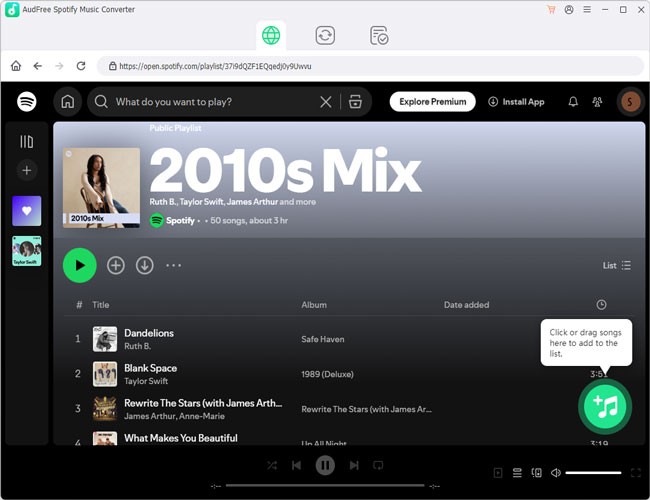
It is a better fit for readers comfortable tuning audio settings. It is less suitable for someone who wants a fixed, low-decision playlist workflow.
NoteCable Spotify Music Converter
NoteCable uses a copy-and-paste link workflow instead of an embedded browser. It supports batch conversion and AAC or ALAC choices, while exact quality, naming, and tag behavior vary by release.
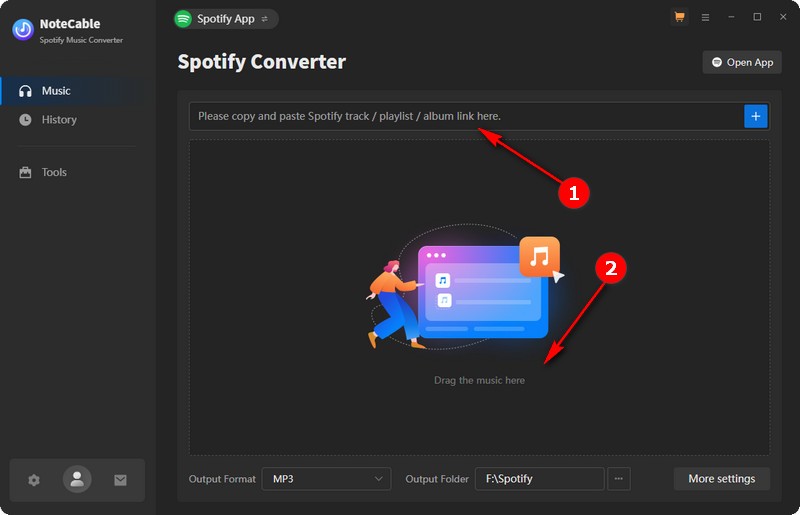
It fits readers who do not mind moving links between apps. It is not the smoothest match for someone who wants browsing and queue setup in one interface.
Desktop Spotify Converter Comparison
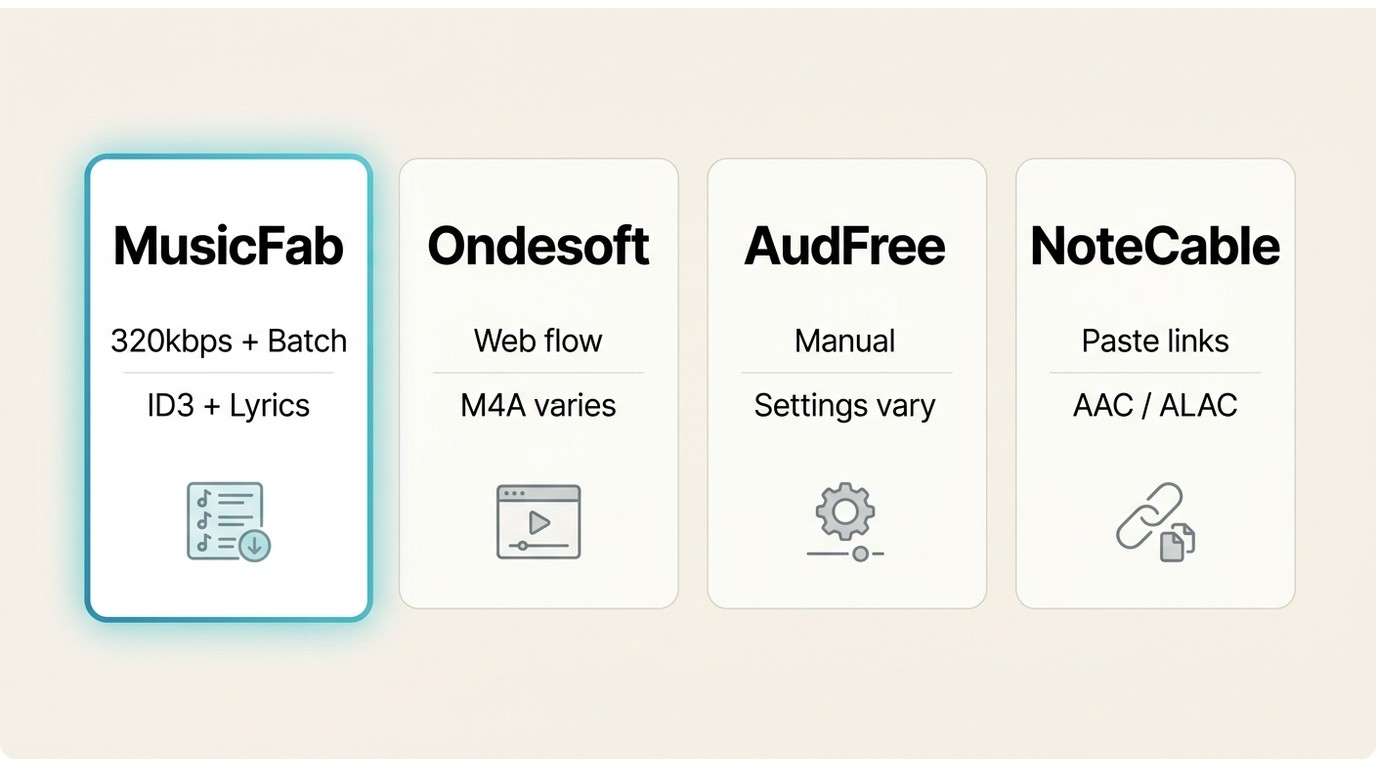
This desktop Spotify converter comparison uses the same decision points for all four tools: M4A evidence, playlist behavior, library integrity, and access friction. It avoids treating a feature list as proof of a dependable library.
| Tool and Fit | M4A and Quality | Playlist Behavior | Library Integrity | Access Friction |
|---|---|---|---|---|
| MusicFab: Repeatable Libraries | M4A; up to 320kbps | Batch playlists and albums | ID3, artwork, lyrics | 30 days; 3 full songs |
| Ondesoft: Built-In Web Flow | M4A; version-dependent | Desktop queue | Tag behavior varies | Limited trial |
| AudFree: Manual Controls | M4A; settings-dependent | Desktop queue | Tag behavior varies | Limited trial |
| NoteCable: Link-Based Flow | AAC or ALAC; varies | Batch conversion | Naming and tags vary | Limited trial |
Capabilities shown as of August 2026; vendor versions can change.
A focused Spotify downloader for Windows shortlist is useful when installation compatibility narrows the field, but playlist users should still prioritize complete tags, artwork, order, and predictable filenames.
For a playlist library, I give more weight to queue completion and intact organization than to headline format counts. A tool that leaves fewer naming and metadata repairs is the stronger operational fit.
Online Spotify to M4A Converters
An online Spotify to M4A service is useful for a low-stakes single file because it avoids installation. Current services advertise M4A or AAC output, but availability, codec evidence, redirects, privacy, and batch behavior vary too much for a dependable library workflow.
If the real goal is keeping a large playlist organized, a Spotify playlist downloader workflow puts batch limits, order, and metadata ahead of the convenience of a browser tab.
I would use a no-install route to inspect one disposable sample, not as the default system for a library that needs consistent names and tags.
SpotiDownloader: Current M4A Results
SpotiDownloader currently offers M4A selection, and it is not the sole online route; SpotyLoader also advertises M4A or AAC output. Treat interface availability, batch behavior, endpoint stability, and codec claims as service-specific rather than category-wide.
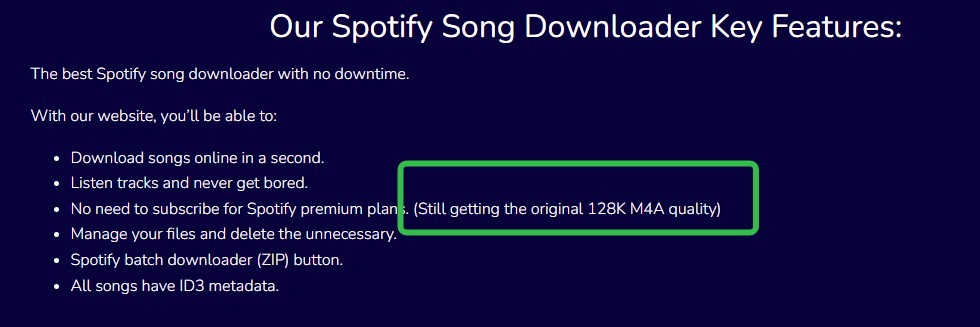
- Useful for: one track or a small, low-stakes sample without installation.
- Inspect before reuse: codec, bitrate, tags, artwork, file naming, and playback.
- Stop conditions: unexpected credential requests, extensions, permissions, pop-ups, or redirects.
SpotiDownloader Steps and Safety Checks
Use the online flow only while the page behaves as expected and browser protections remain enabled. A download is not worth approving unrelated permissions or exposing account credentials.
- Paste the URL. Copy the Spotify song or playlist URL into the service’s input field.
- Review the parsed result. When available, choose an individual track or the offered ZIP option.
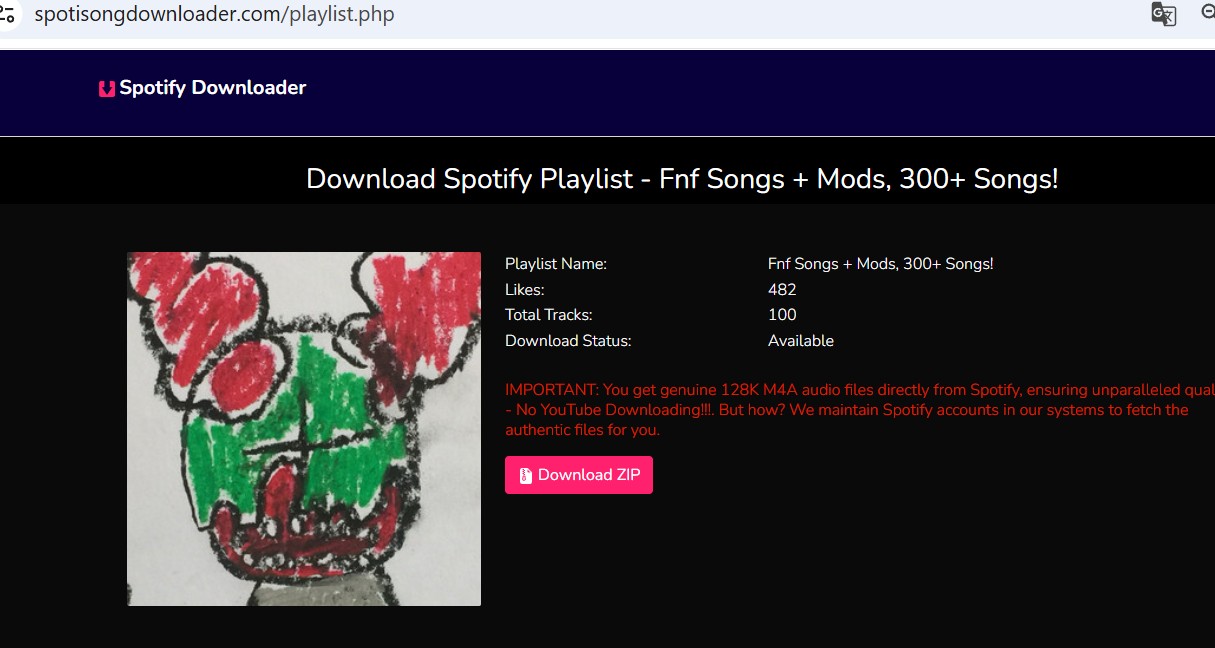
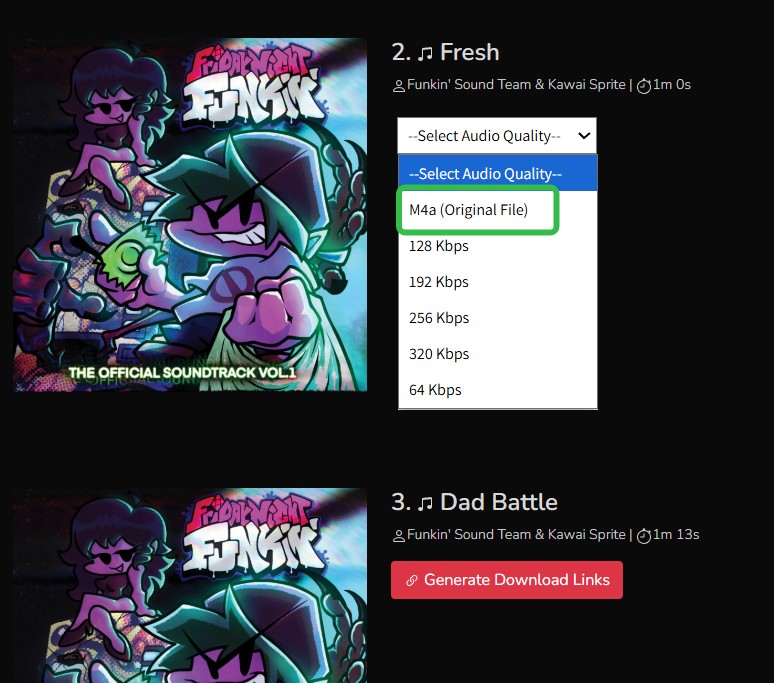
- Select M4A. Choose the M4A option shown for the current result and avoid assuming that other quality labels apply to M4A.
- Keep protections enabled. If the browser displays an unexpected redirect, pop-up, extension request, or permission prompt, stop and close the flow. Do not enter Spotify credentials on an untrusted page.
Warning example: do not approve an unexpected browser redirect prompt.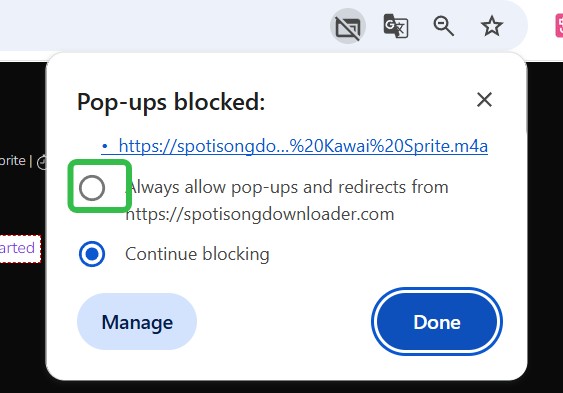
- Inspect the file. Open the downloaded file’s details and check the codec, bitrate, metadata, and location before using the service again.
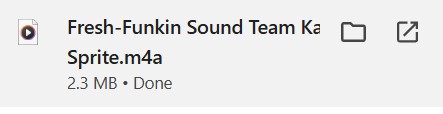
This is the song I downloaded. It is encoded with AAC audio. And the quality is indeed 128kbps.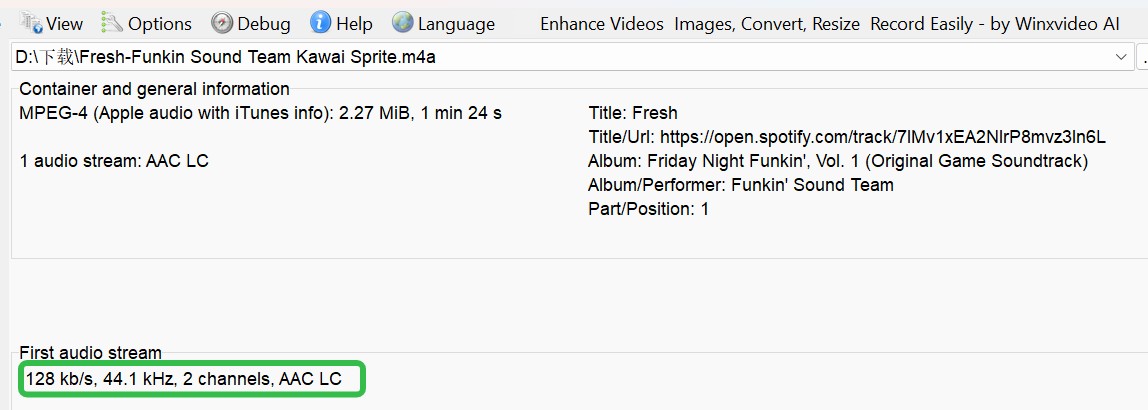
That result describes the captured file shown above; it is not a universal limit for all online services or all future SpotiDownloader results.
Online vs. Desktop M4A Conversion
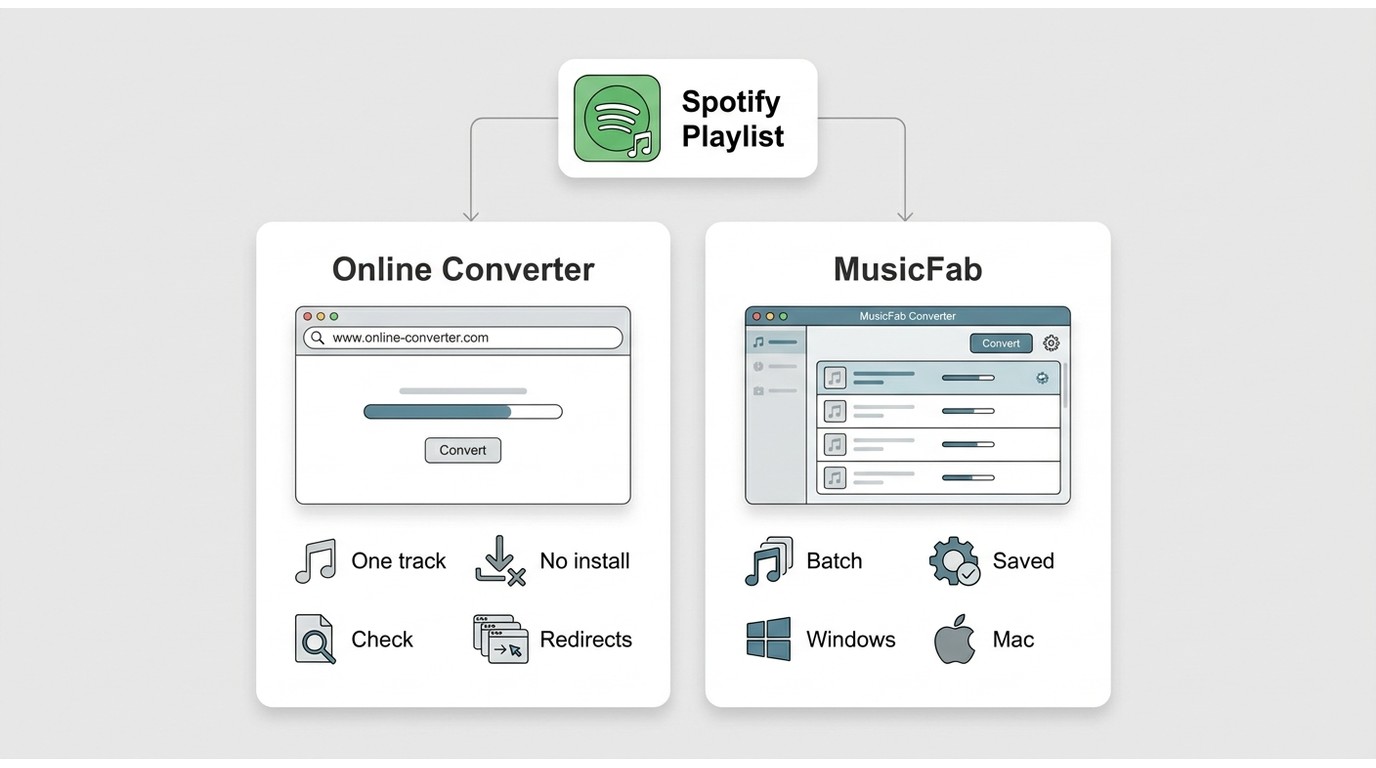
Online conversion favors immediate access, while desktop conversion favors repeatability and library control. Output quality varies by service, source, and settings, and neither method can improve detail that is absent from the source stream.
| Decision Point | Online Converter | Desktop Converter |
|---|---|---|
| Setup | Browser; no install | Windows or Mac install |
| Output Evidence | Test each downloaded file | Controlled, source-limited settings |
| Playlist Limits | Caps and ZIP behavior vary | Queued batch workflow |
| Metadata and Order | Often inconsistent | More predictable rules |
| Repeatability | Endpoints can change | Saved settings support reruns |
| Privacy Exposure | Watch redirects and prompts | Use the installed app flow |
Online fits a one-off sample; desktop fits a large or repeat library. Open-source tools sit between them for technical readers willing to maintain the setup.
Recommended Spotify to M4A Settings
Recommended Spotify to M4A settings start with AAC for broad playback and use ALAC only when the receiving app supports it and the source justifies larger files. Keep encoding choices consistent across a playlist.
For broad compatibility:
- Container: M4A
- Codec: AAC
- Bitrate: keep one source-appropriate tier across the library
- Sample rate: avoid unnecessary changes between tracks
For an ALAC-capable library:
- Container: M4A
- Codec: ALAC
- Tradeoff: larger files and narrower playback support
AAC versus ALAC is mainly a compatibility and storage decision. The filename extension alone does not reveal the codec or prove the source quality.
Spotify M4A Quality Limits
Spotify M4A quality is bounded by the source stream, codec, bitrate, and conversion history: M4A is the container, AAC or ALAC is the codec, and a converter cannot recreate detail absent from the original Spotify audio quality.
A larger M4A file is not automatically better. Re-encoding a compressed source into ALAC changes the container and storage cost, but it does not restore information that was already unavailable.
My practical check is to inspect the codec and bitrate, then play the file on the target device. The extension is a label; the source and encoding path determine what reaches the listener.
M4A Compatibility, Safety, and Troubleshooting
Spotify M4A compatibility depends on the codec, device, operating system, and local-files settings. AAC-in-M4A is usually the lower-friction playback choice, while ALAC-in-M4A relies more heavily on app and device support.
Can Spotify Play M4A Files?
Sometimes. Spotify’s local-files feature may recognize an M4A file depending on the device, operating system, codec, and settings, but Spotify does not provide a native Spotify to M4A export. Test one file before moving a full library.
AAC and ALAC Compatibility
AAC-in-M4A is accepted by a broader range of common players and mobile devices. ALAC-in-M4A is useful in compatible ecosystems, but support is less consistent outside them. I choose AAC when frictionless playback matters more than file size or archival preferences.
Safer Converter Checks
A safer converter workflow keeps browser and account protections intact from start to finish. If the process changes domains or asks for unrelated permissions, stop before entering credentials or approving anything.
- Use the expected vendor page or installed application.
- Keep browser warnings and redirect protections enabled.
- Reject unexpected extensions, credential prompts, or unrelated permissions.
- Inspect the downloaded file type, metadata, and playback before repeating the process.
Permitted Personal Use
Use conversion tools for content you’re authorized to access, where permitted by platform terms and applicable law. Keep saved files for personal use, maintain the account access the service requires, and do not share the files or use them commercially.
💡If a file will not play, check whether it contains AAC or ALAC before changing the filename or processing the entire playlist again.
FAQs
Can Spotify download songs as M4A?
Is Spotify audio already M4A?
What’s the best Spotify to M4A converter online?
Is it legal to convert Spotify to M4A?
Conclusion
Choose online for a low-stakes one-off attempt, open-source for a technical workflow you are willing to maintain, and desktop software for repeatable Spotify playlist to M4A work.
MusicFab is not for someone who wants one no-install track. For a large library, I rank metadata integrity, predictable completion, and reusable naming rules above a long format list because those details determine how much repair work remains.

Compare each Spotify to Apple Music playlist converter by device, free transfer access, verified 2026 limits, sync options, and mismatched-track review.
By Jane Chen - Sep 22, 2026
Learn how to burn a CD from Spotify on Windows or Mac by preparing MP3/WAV files, choosing a disc type, and using free CD-burning tools.
By Jane Chen - Sep 22, 2026
This guide compares nine Spotify downloaders across browser, desktop, Android, and iOS workflows. It weighs source matching, output quality, playlist and ZIP behavior, metadata, account exposure, and tool status, then explains which option fits a single track, a long playlist, or a managed local library.
By Jane Chen - Aug 26, 2026
Spotify downloads can stall because of Premium eligibility, device limits, storage, network permissions, cache state, or a service incident. This guide gives one nine-fix recovery path, then separates iPhone, Android, Windows/Mac, Apple Watch, partial-playlist, Offline Mode, and clean-reinstall cases. It also explains when a MusicFab local-file workflow fits authorized personal use.
By Jane Chen - Aug 26, 2026