
Best 2 Spotify Album Downloaders Tested on a 44-Track Album (2026)

Table of Contents
Ever opened a Spotify album ZIP and found missing or mismatched tracks? For a complete Spotify album download, the 44-track comparison below points to a desktop workflow over a browser ZIP attempt. The key takeaway: confirm track count and version before trusting a successful download message.
Use boundary: Keep this to content you are authorized to access, with an active Spotify subscription, for personal use where Spotify's terms and applicable law permit it.
Our 44-Track Album Test
In August 2026, both tools were run against the same 44-track Spotify album, SWAG II, under the same signed-in account conditions. I checked completed and missing tracks, title and version matching, track order, ID3 data, cover art, output type, and whether retries or rate limits interrupted the batch. A completed ZIP message is not proof of a complete album, so file count and versions mattered more than the success notice.
MusicFab for Complete Albums on PC and Mac
A full-album job is not just about getting a ZIP. It also requires the right track versions, usable metadata, and a file count that matches Spotify's album page. In this comparison, the desktop route completed all 44 tracks, while the browser route returned two. For Windows and Mac users who prioritize complete albums and organized local files, MusicFab Spotify Converter fits that job; it is less suitable if you want a no-install browser workflow.
MusicFab Spotify Converter is a Windows and Mac app for authorized Spotify content. It uses direct source download technology and does not perform DRM decryption; it requires an active subscription to Spotify and is intended for personal offline listening where permitted by platform terms and applicable law.
As of August 2026, MusicFab has a 4.2/5 Trustpilot rating from 131 reviews. Its 30-day trial includes three complete songs per music service. For album work, the relevant details are batch processing, a built-in browser, output in MP3, M4A, WAV, FLAC, or OPUS, plus ID3 tags, artwork, track numbers, and .lrc lyrics. Spotify output is available at up to 320 kbps, depending on the source settings.
The same batch workflow can also handle a Spotify playlist downloader task when your library is organized by playlists rather than albums.
- Best for: Windows and Mac users who want complete album batches with library-ready metadata.
MusicFab Test Results
- Test album: SWAG II
- Tracks on Spotify: 44
- Result: 44 tracks downloaded; tags/cover:complete
Download a Complete Album with MusicFab
For a quick video tutorial:
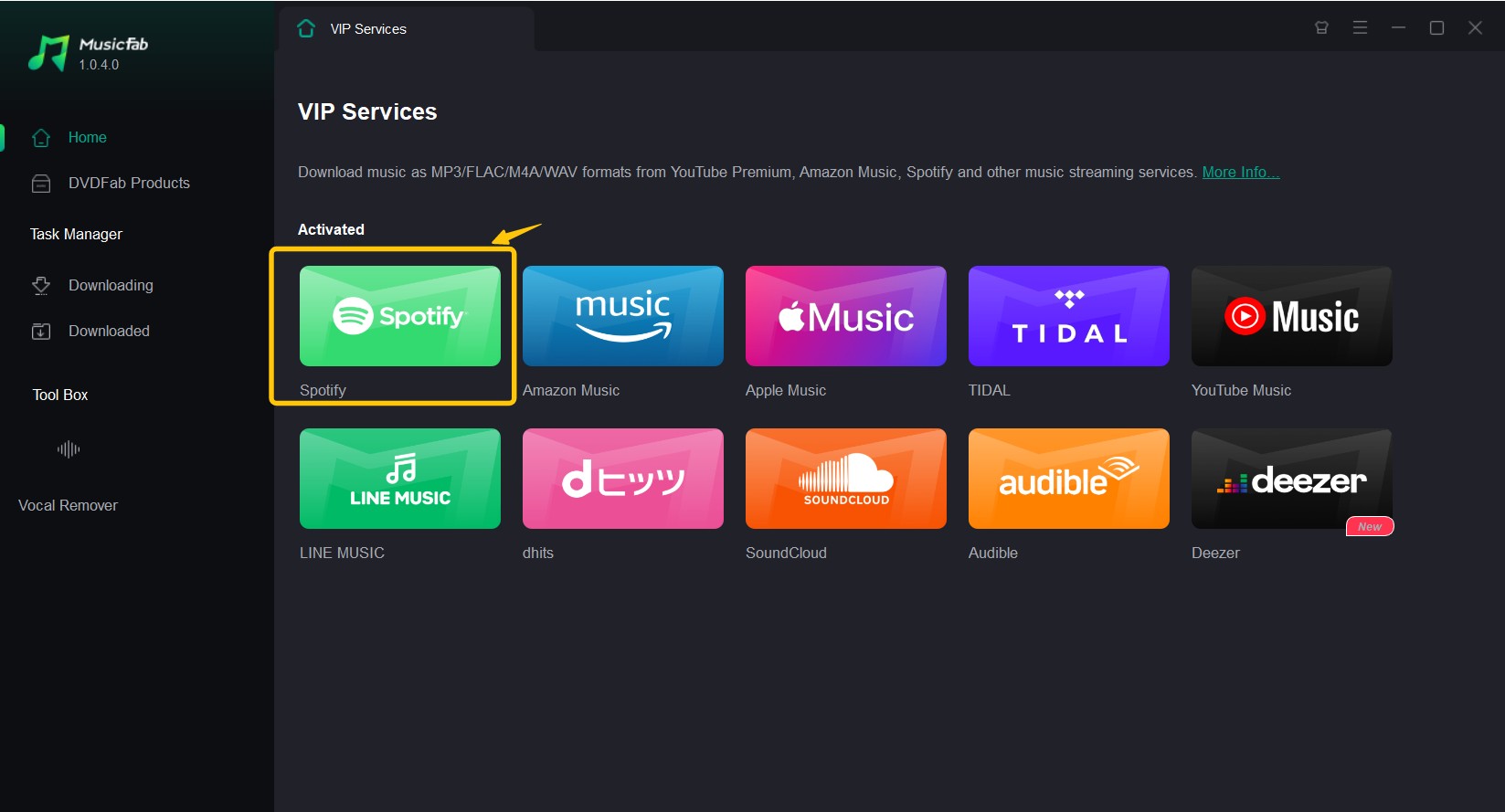
- Step 1: Install MusicFab on Windows or Mac. Under “VIP Service,” select Spotify, then sign in through the built-in browser with your active Spotify account.
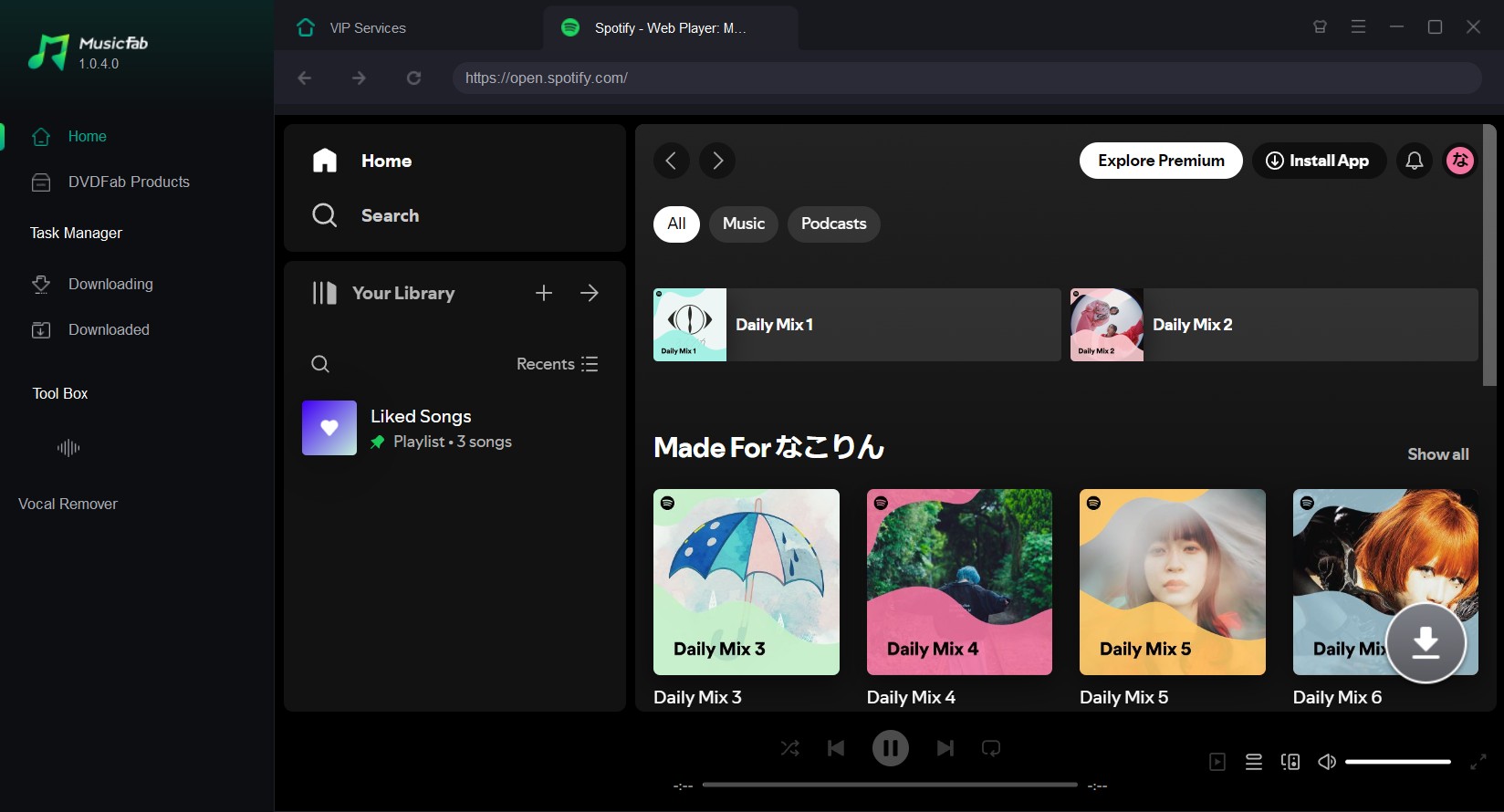
- Step 2: Open the album you want, then click the arrow button at the bottom right to load the album tracklist.
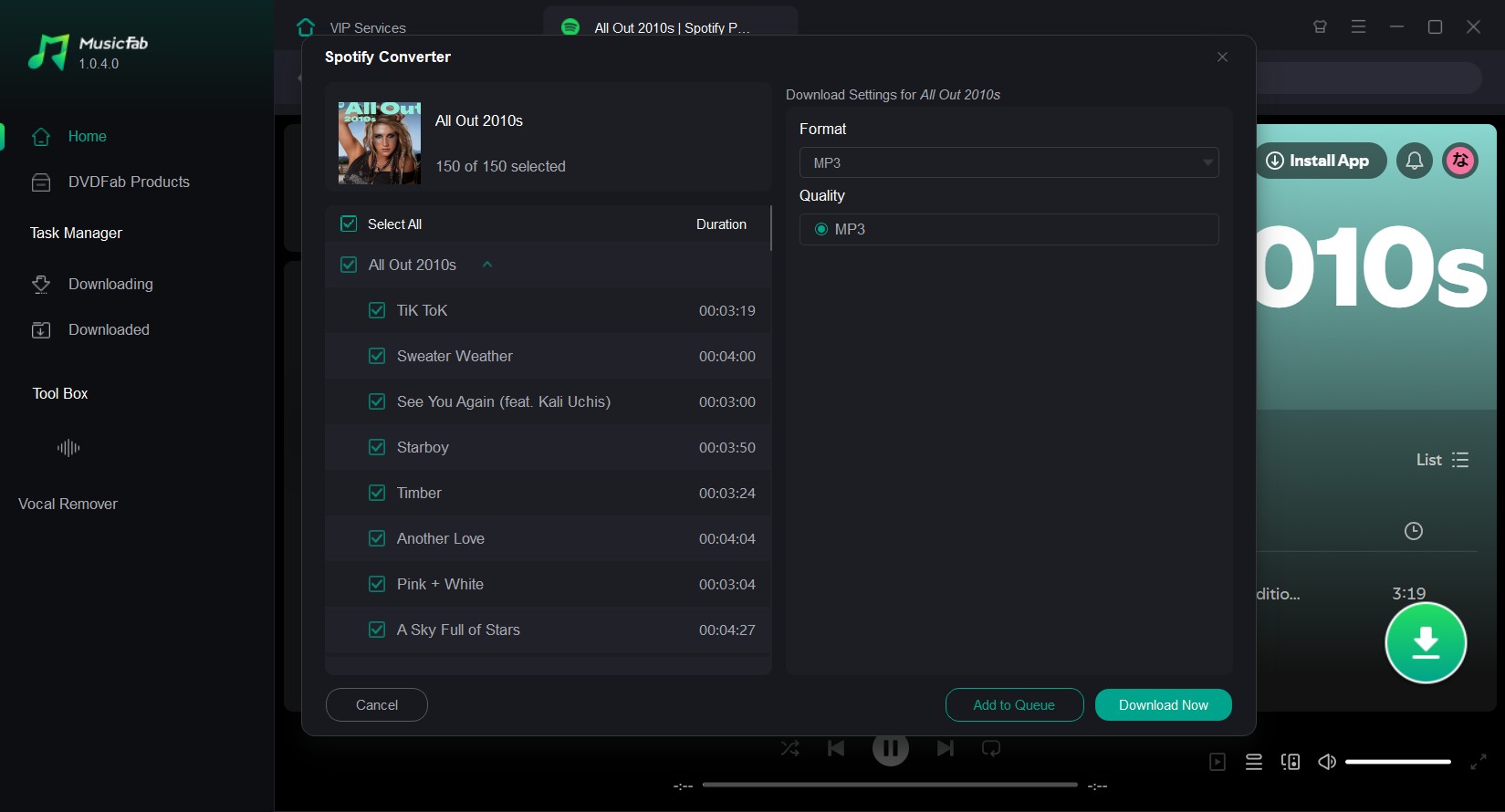
- Step 3: Choose the output format and quality, select “Download Now,” then open the “Download” tab when the album batch is complete.
Before filing the album away, compare its track count, order, title, artist, artwork, and track numbers with the Spotify album page. That final check is how I separate a finished batch from a usable library copy.
A fuller MusicFab review covers the app's broader music-service workflow.
What Makes an Album Downloader Reliable
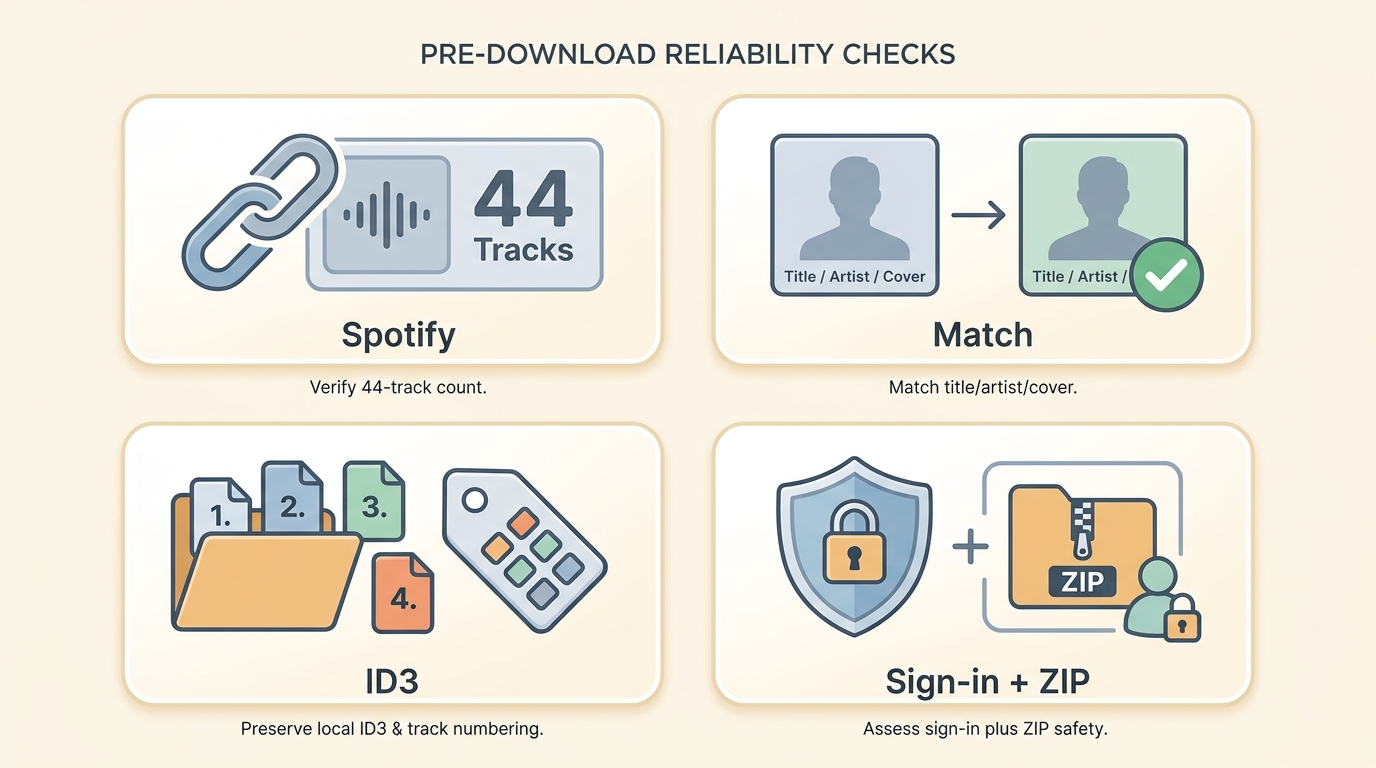
Choose the route by the job, not by a bitrate label. Desktop apps generally provide clearer batch controls and file organization. Browser tools avoid installation but can have paid ZIP gates, redirects, or silent omissions. A Spotify downloader for Android is useful when mobile access matters, while open-source or GitHub routes may require command-line setup and can rely on alternate-source matching.
- Album URL and batching: Confirm that the tool reads an album URL and queues the full tracklist rather than treating it as a single-track link.
- Source and version transparency: Check whether it explains where audio comes from, then compare title, artist, duration, track number, and artwork with the Spotify album.
- Library readiness: Look for file naming, album folders, track order, artwork, lyrics, and metadata that will still make sense outside the app.
- Safety and access: Consider account exposure when signing in, browser redirects, downloaded-file hygiene, and any stated caps or paid access before starting a long album.
For album libraries, I put completion and exact-version matching ahead of convenience. A quick browser result is not useful if it leaves you reconstructing a 44-track album by hand.
Browser ZIP Downloads with SpotiSongDownloader
SpotiSongDownloader is a browser-based Spotify album download online option that accepts album links. Its album and playlist ZIP access is tied to premium access, and the service states that it obtains audio from alternate music sources. That means an MP3 export label does not by itself verify Spotify-sourced quality or an exact album-version match. In this article's 44-track test, it returned two tracks, so it is better suited to a quick browser attempt than to long albums, exact-version certainty, or source-verified quality.
- Best for: A quick browser attempt when installation is unwanted and completeness is not the priority.
- Keep in mind: Album and playlist ZIP access depends on premium access, and extracted files need a track-by-track check.
What it can be useful for
- No installation for a browser-based attempt
- Single-file format choices may be available
- Basic metadata may be included
Cons
- Missing tracks: it doesn't trigger a warning. The ZIP download completes normally, so you only notice the gap when you count the files against the original album listing.
- Batch behavior can be inconsistent on long albums
- Audio is matched from alternate sources, so exact version and source quality require checking
- Podcast handling has separate requirements; see how to download a Spotify podcast to MP3.
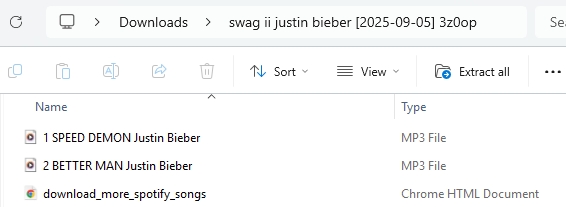
SpotiSongDownloader Test Results
- Test album: SWAG II
- Tracks on Spotify: 44
- Result on SpotiSongDownloader: 2 tracks downloaded (most tracks missing)
Download an Album ZIP with SpotiSongDownloader
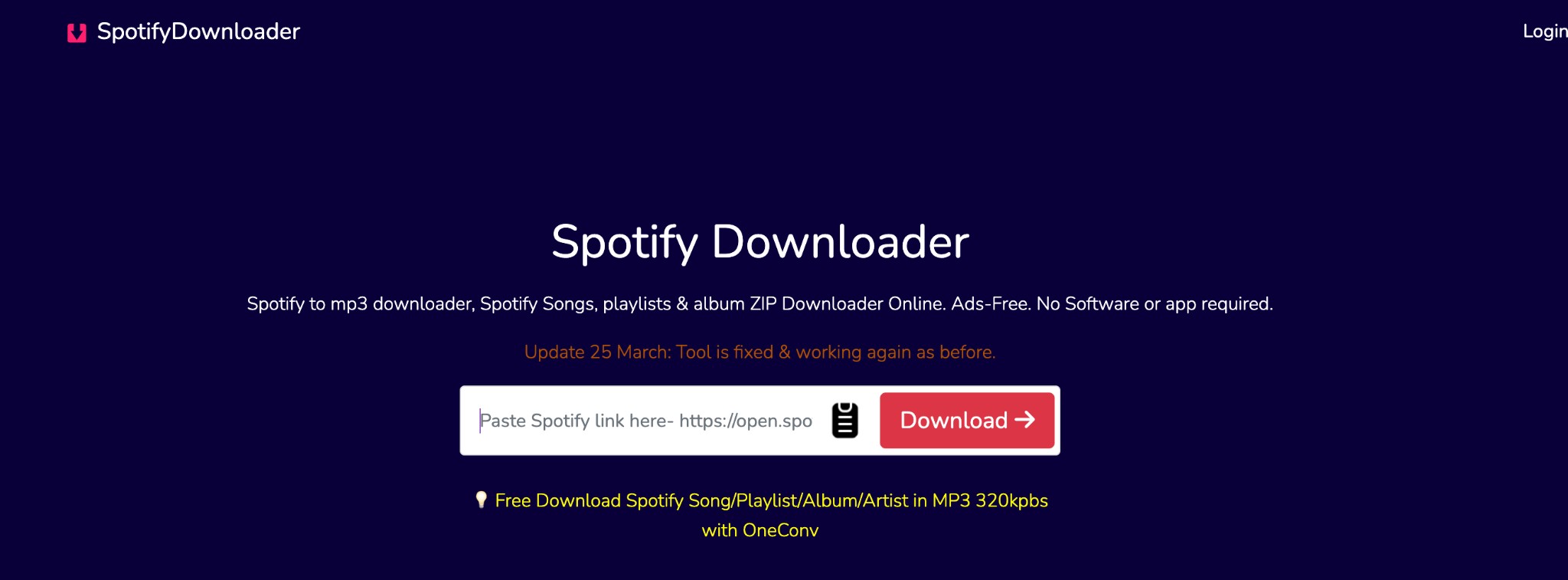
- Step 1: Copy the Spotify album link and paste it into SpotiSongDownloader.
- Step 2: Review the available single-file format options. Album and playlist ZIP access depends on premium access.
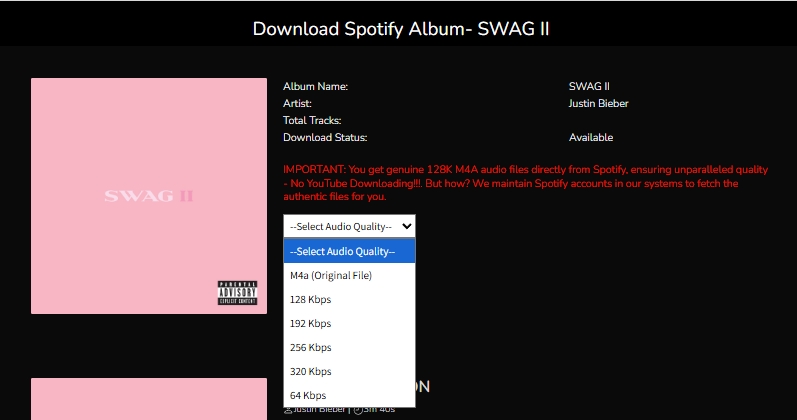
- Step 3: If your account has ZIP access, start the album archive and wait for the available files to finish processing.
After extraction: Compare the file count, track order, title, artist, duration, and artwork with the Spotify album before accepting the ZIP as complete.
Online vs Desktop Album Downloaders
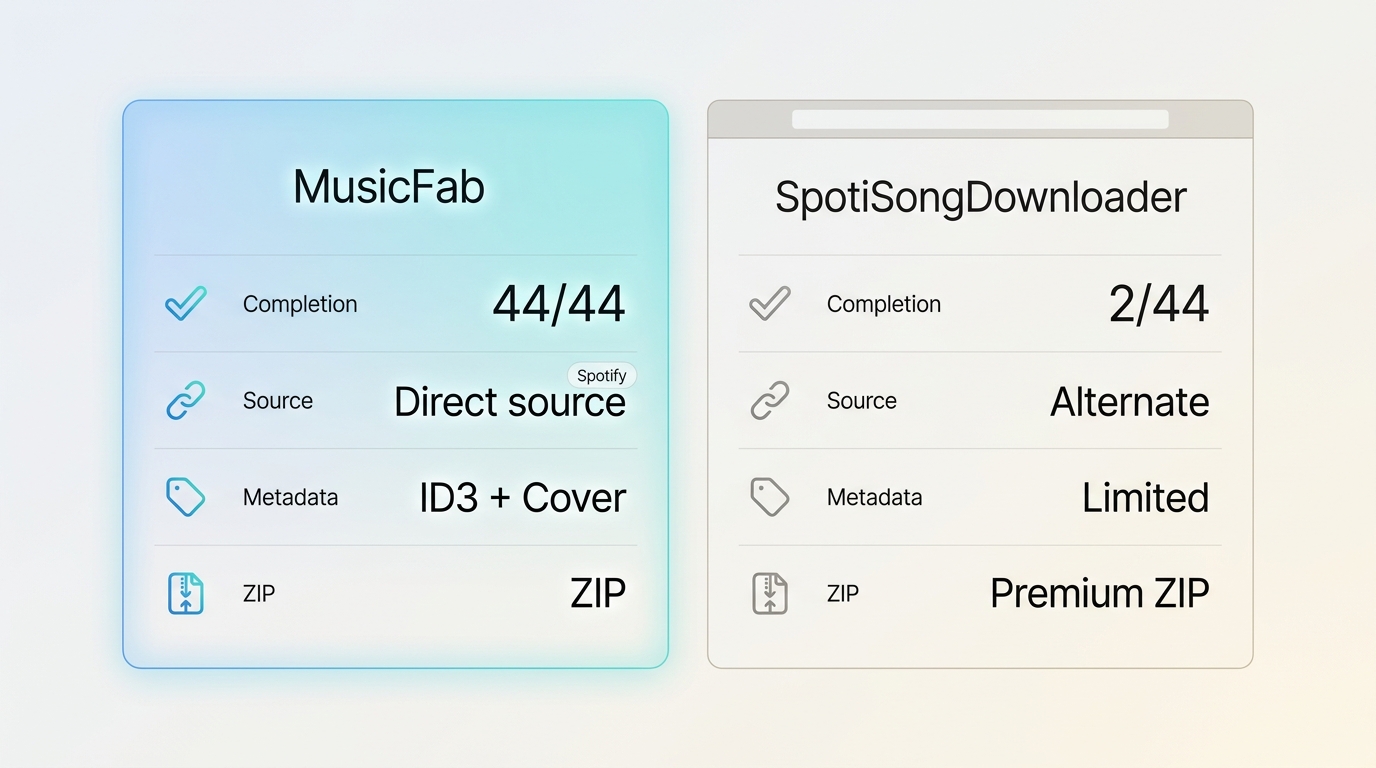
| Decision point | MusicFab | SpotiSongDownloader |
|---|---|---|
| 44-track completion | 44/44 in this test | 2/44 in this test |
| Audio source and quality | Direct source; up to 320 kbps | Alternate sources; export label is not proof |
| ZIP and batch access | Album batch workflow | ZIP requires premium access |
| Metadata and library organization | ID3, artwork, track numbers, lyrics | Basic metadata; verify results |
| Best fit and limitation | Complete desktop album libraries | Quick browser attempt, not long albums |
An MP3 labeled 320 kbps describes the encoded output, not necessarily the provenance or fidelity of its source. Check codec, bitrate, duration, title version, and artwork before organizing the files; for broader Spotify audio quality settings, use the dedicated guide. My take is simple: a large bitrate number matters less than getting the correct release, in the correct order, with metadata you can trust.
Choose MusicFab when a complete, organized album library on Windows or Mac is the goal. Choose a browser route only when avoiding installation matters more than batch completeness, and inspect every extracted file before adding it to your library.
FAQs
Can Spotify's app export a downloaded album as an MP3 or ZIP file?
No. Spotify's official offline downloads stay managed inside the Spotify app and are not exported as ordinary MP3 files or ZIP archives. Local-file workflows need separate checks for completeness, version matching, and file organization.
How can I spot a wrong or remixed track after downloading?
Compare the title, artist, album, duration, track number, and artwork with the Spotify album page. Alternate-source matching can return a different release, remix, live version, or edit even when the filename looks close.
What should I do if an album ZIP is missing tracks?
Compare the extracted file count with Spotify's tracklist, identify the missing entries, and retry those items. If a long album repeatedly returns incomplete batches, switch to a workflow that can process the complete album and preserve its track order.
Conclusion
The right Spotify album downloader depends on what you expect from the download. If you only want to save a few tracks without installing software, an online tool such as SpotiSongDownloader can be convenient, but incomplete albums and inconsistent results are trade-offs to keep in mind.
If your priority is downloading a complete Spotify album with its track order, metadata, cover art, and multiple output formats intact, a desktop solution is the more reliable option. In our 44-track test, MusicFab Spotify Converter completed the entire album, while the online alternative retrieved only a small portion of it.

Compare each Spotify to Apple Music playlist converter by device, free transfer access, verified 2026 limits, sync options, and mismatched-track review.
By Jane Chen - Sep 22, 2026
Learn how to burn a CD from Spotify on Windows or Mac by preparing MP3/WAV files, choosing a disc type, and using free CD-burning tools.
By Jane Chen - Sep 22, 2026
This guide compares nine Spotify downloaders across browser, desktop, Android, and iOS workflows. It weighs source matching, output quality, playlist and ZIP behavior, metadata, account exposure, and tool status, then explains which option fits a single track, a long playlist, or a managed local library.
By Jane Chen - Aug 26, 2026
Spotify downloads can stall because of Premium eligibility, device limits, storage, network permissions, cache state, or a service incident. This guide gives one nine-fix recovery path, then separates iPhone, Android, Windows/Mac, Apple Watch, partial-playlist, Offline Mode, and clean-reinstall cases. It also explains when a MusicFab local-file workflow fits authorized personal use.
By Jane Chen - Aug 26, 2026